Week 4-1D Element Creation Challenge
Aim: To Create 1D elements on the component with given cross-section and DOF
Objective:
- To know the how to do translational DOF should be Constrained with RBE2 link
- To know the how to do all DOF should be constrained with RBE3 link
- To know the how to do all constrain only x and y DOFs With RBE3 link
- To know the how to apply the mass of magnitude to RBE2 link
- To know the how to join the two components with Spring elements
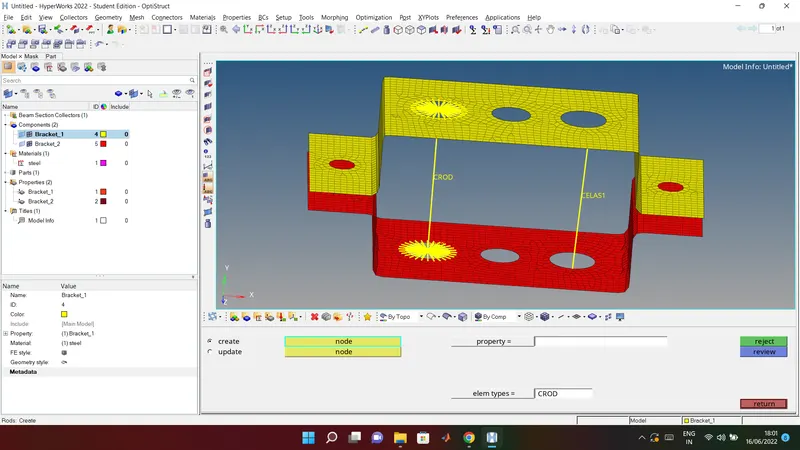
a. Rod element:- Translational DOF should be Constrained with RBE2 link
Cross-Section: BOX- Dimension a= 12 mm
dimension b=10 mm
Thickness t= 0.75 mm
steps to be followed to Rod element:
- in main menue bar right side there will be 1D section select the 1D
- then in 1D section select the rod option in 2nd coloum
- create option create two node for the rod join
- select the node as per requirement
- click on the crod to get rod element hence you will get the result
following model is for the Rod element result:
b. Beam element:- All DOF should be constrained with RBE3 link
Cross-Section: I Section- Dimension a= 8 mm
Dimension b= 10 mm
Dimension c= 8.5 mm
Thickness t1= 0.75 mm
Thickness t2= .6 mm
Thickness t3= .6 mm
Solution :
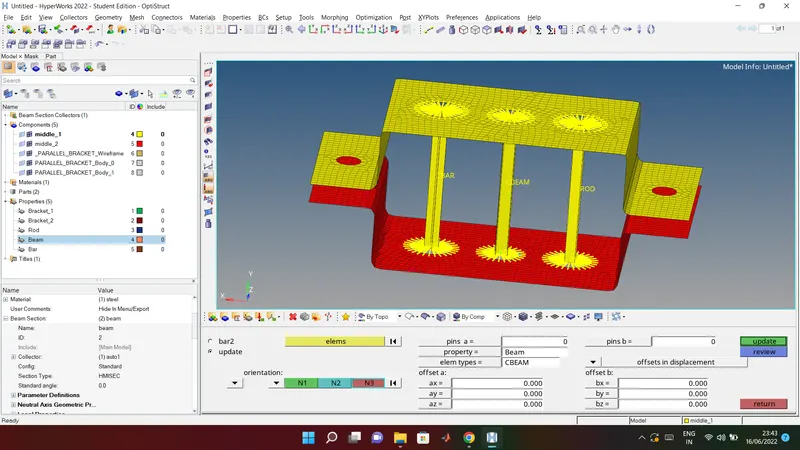
steps to be followed to do create Beam elemenet :
- in main menue bar right side there will be 1D section select the 1D
- then in 1D section select the bars option in 2nd coloum
- In bars option create option create two node for the rod join
- select property type: as per given specification draw the cross section and select it in property type
- after that select elements type : CBEAM
- update the details in property
- click on the 1D trational and detail element analysis to get Beam element hence you will get the result
following model is for the create Beam elemenet :
c. Bar element:- Constrain only x and y DOFs With RBE3 link
Cross-section: X section- Dimension DIM1= 5 mm
Thickness DIM2= 1.2 mm
Dimension DIM3= 10 mm
Thickness DIM4= 1.2mm
Solution :
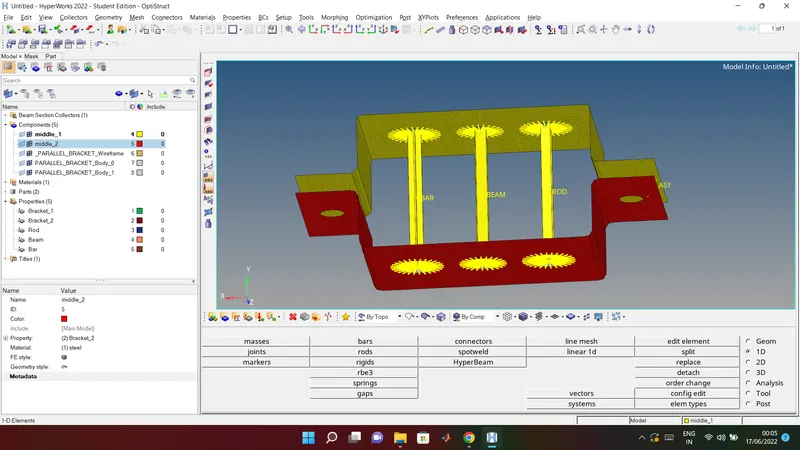
steps to be followed to do create Bar elemenet :
- in main menue bar right side there will be 1D section select the 1D
- then in 1D section select the bars option in 2nd coloum
- In bars option create option create two node for the rod join
- select property type: as per given specification draw the cross section and select it in property type
- after that select elements type : CBAR
- update the details in property
- click on the 1D trational and detail element analysis to get Beam element hence you will get the result
following model is for the create Bar elemenet :
d. & e. Apply the mass of magnitude 10 with the RBE2 link
Solution :
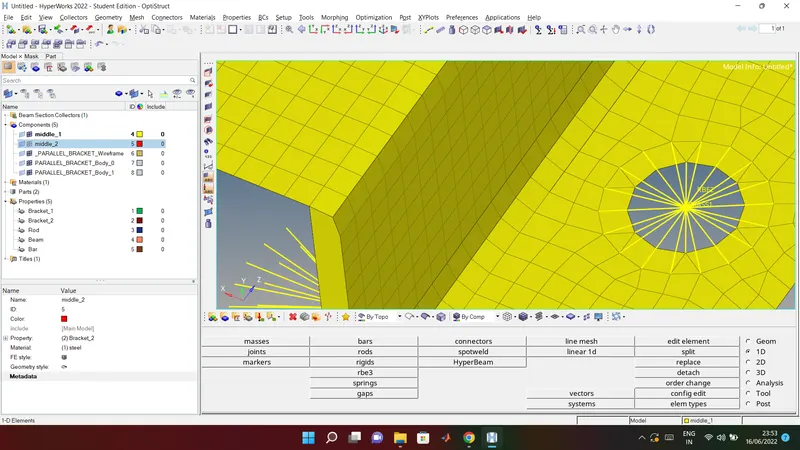
steps to be followed to to apply the mass :
- in main menue bar right side there will be 1D section select the 1D
- then in 1D section select the mass option in 1st coloum
- In masses option select option node for the applying mass
- select mass: as per given specification =10
- after that select property : on which structure you want to apply =Bracket_1
- click on create hence mass will be apply
- hence you will get the result
following model is for the apply the mass result :
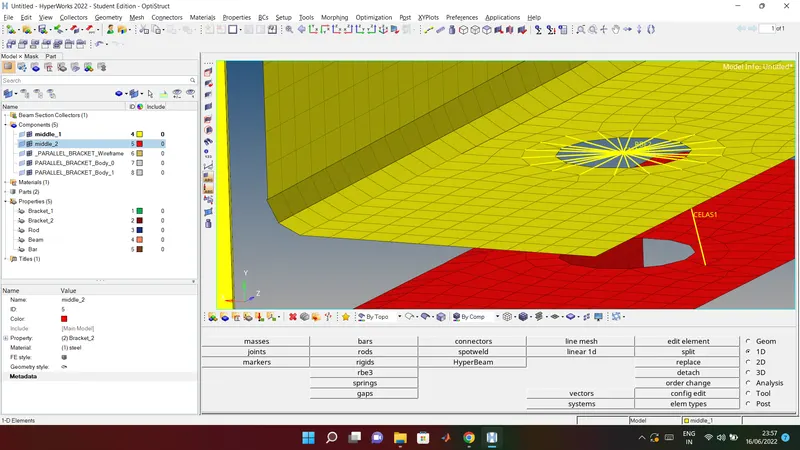
f) Join the two components with Spring elements
- steps to be followed to do join the spring elements:
- in main menue bar right side there will be 1D section select the 1D
- then in 1D there will spring option select that create option create two node for the spring join
- select the dof as per requirement
- click on the update to get spring element hence you will get the result
following model is for the spring elements result:
Conclusion
- To draw translational DOF should be Constrained with RBE2 link done
- All DOF should be constrained with RBE3 link done
- To do all constrain only x and y DOFs With RBE3 link done
- To apply the mass of magnitude to RBE2 link done
- To join the two components with Spring elements done
with this report I have attached .hm file of the result of this question