Week 3 - External flow simulation over an Ahmed body.
External flow simulation over an Ahmed body. 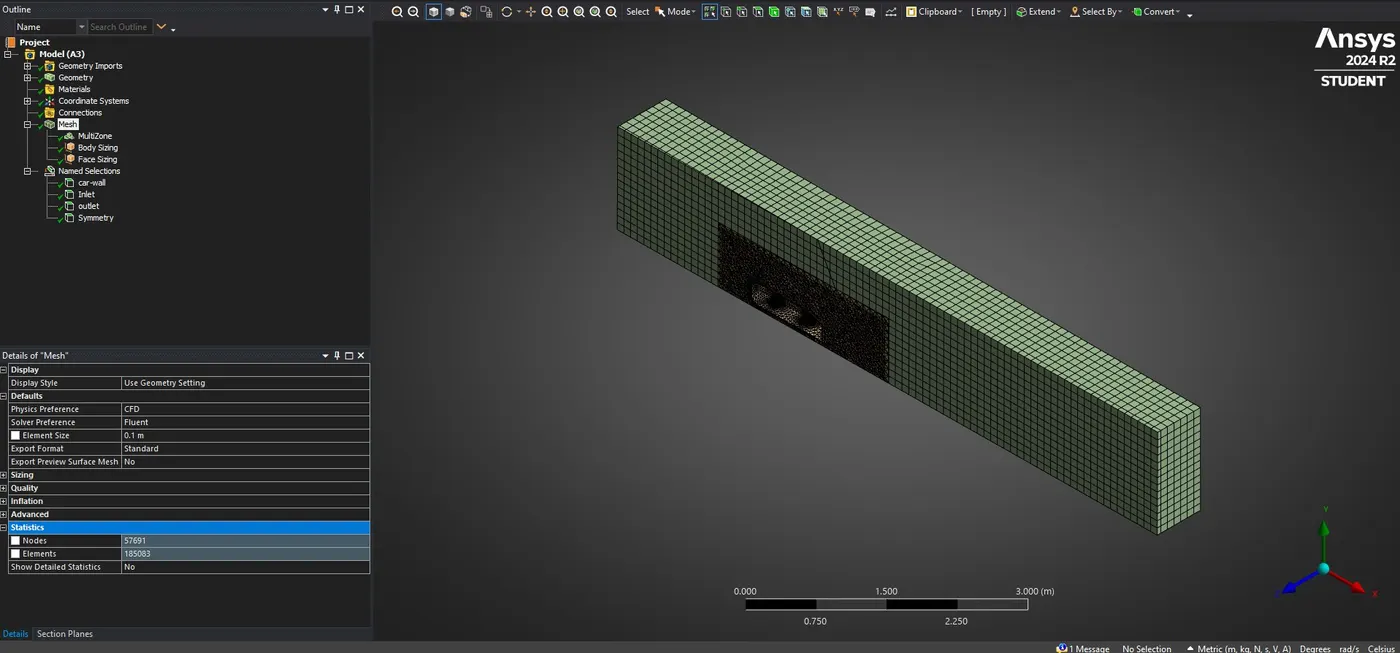
Ahmed's body and its importance.
Ahmed's body is a simplified car model, it is used to study the flow of air around the car. The body's simple shape allows researchers to capture important features of automobile bodies, such as the turbulent flow field around a car. The Ahmed body's rear upper surface has a slant angle that can be varied to create different flow behaviors, similar to those of a real road vehicle.
Researchers use the Ahmed body to test new CFD solvers and their simulation skills. They can compare the results of their simulations with a lot of available experimental data about the Ahmed body.
For example, they can use a benchmark validation to compare the CFD simulation results with real wind tunnel measurements. These comparisons can include the drag coefficient, velocity profiles, velocity field, and the time-averaged wake structure. Once a numerical model is validated, it can be used to design new car models.
The Reason for the negative pressure in the wake region
When the car is running on the tunnel in that time air going flow over the body then behind the car some disturbance air flow created which called wake region. It is characterized by turbulence and specific flow patterns. The negative pressure can occur in a wake region due to flow separation. Flow separation occurs when the velocity gradient becomes zero, and the air flows in the opposite direction to the main flow, between the surface and the inflection point.
The significance of the point of separation
The separation point is a significant location in fluid mechanics that occurs when the air stops sticking to an object moving through air. It's the point where the boundary layer, which is the air that sticks to the object as it flows around it, lifts off the surface. Separation can occur when the pressure increases the direction of flow, and the pressure force acts against the direction of flow.
Ahmed's body in CFD
>> First of all, we have to import the Ahmed's body model inside the fluid flow. We have to create the outer body with proper dimension by using encloser and if we take one encloser we don't get good result. Once we did geometrical clean up then we have right click on Boss-extrude and click on suppress on physics because it will give you error when we are doing meshing. we have to go inside the share topology and in this option, we have change to in share. We have to save and exit from geometry.
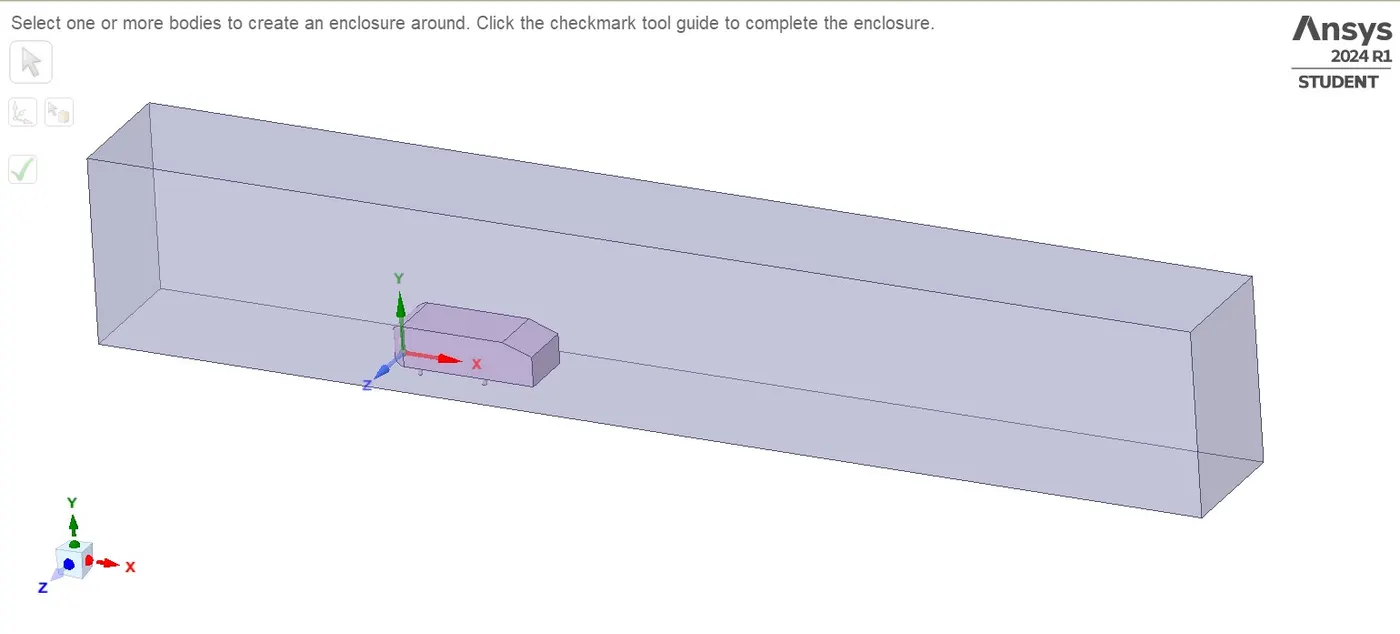 >> We have to go inside mesh. we have to go inside mesh option then give the value is 100mm inside the element size. Then we have to right click on mesh and select the generate mesh. We have created a section plane then we have check with section planes inside the Ahmed body. After that we got some error like the Ahmed body down 4 part which is connected with ground that part is not in round shape. Go to mesh and right click on mesh then select the sizing. Inside sizing we have to give the value like 5mm then generate the mesh. Then we have to create the name selection, which is Inlet, Outlet, Symmetry body and Car wall. Once we did all of thing then we have to exit from mesh.
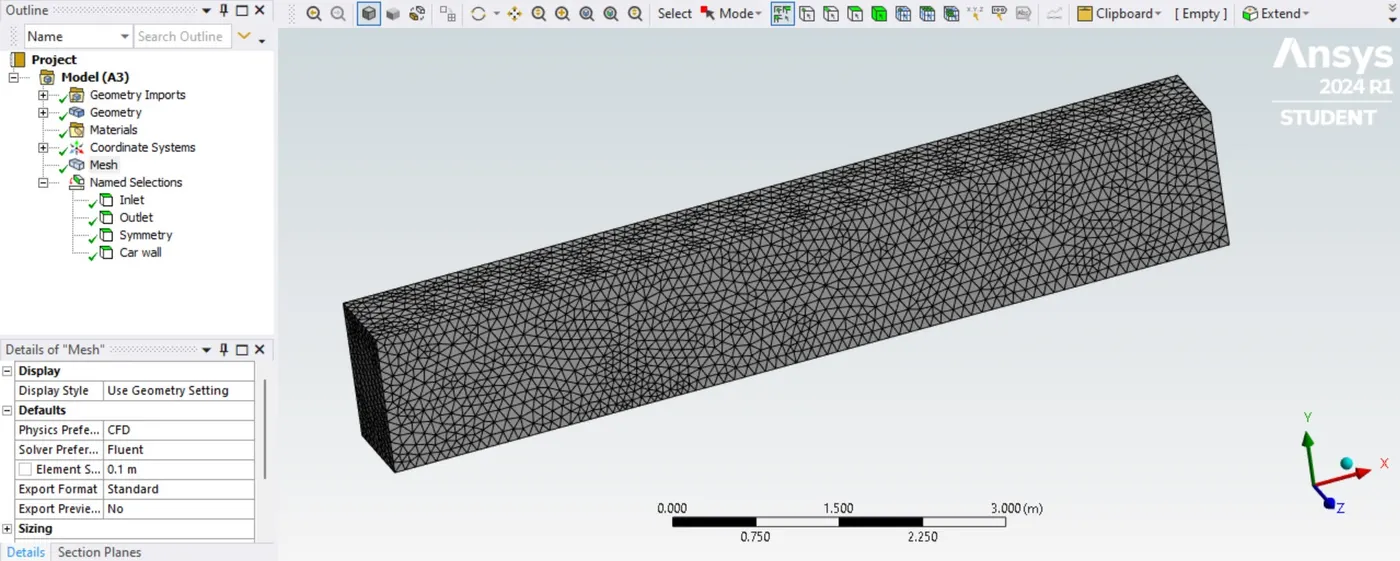
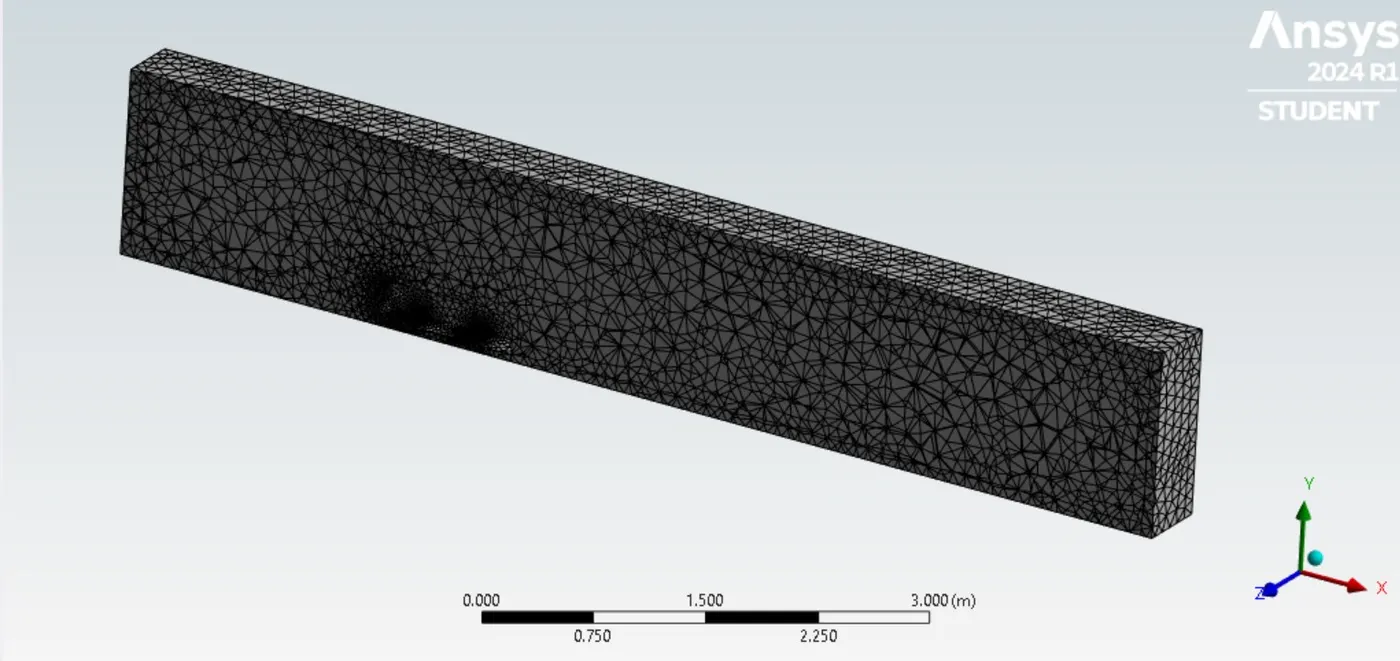
>> We have to go inside setup. We have to click check mesh by selecting the perform check mesh. Then select the Energy and click on viscous then select the K-epsilon. We have to go inside material and select on air. Then we have to go inside boundaries, and we have to give the velocity is 25m/sec inside inlet. Then another section no need to change anything like outlet, symmetry and car wall. We have to go inside the residual monitors and uncheck the convergence. Then we have to click on Definitions and select the drag coefficient. After that we have create a YZ plane. We have to select the initialization option and once initialize is done then we have go inside contour. Inside contour we have select the velocity and create. Then we have to go inside run calculation and run the iteration. we have check when it converges in residual plot then we have to stop the iteration. Then it's converged after 2500 time. We have to compute the drag coefficient.
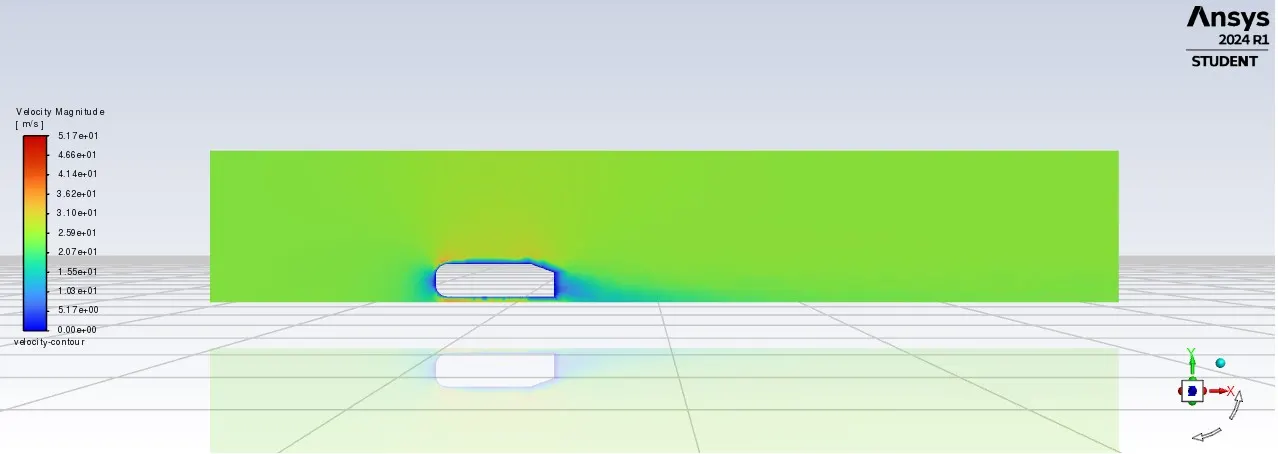
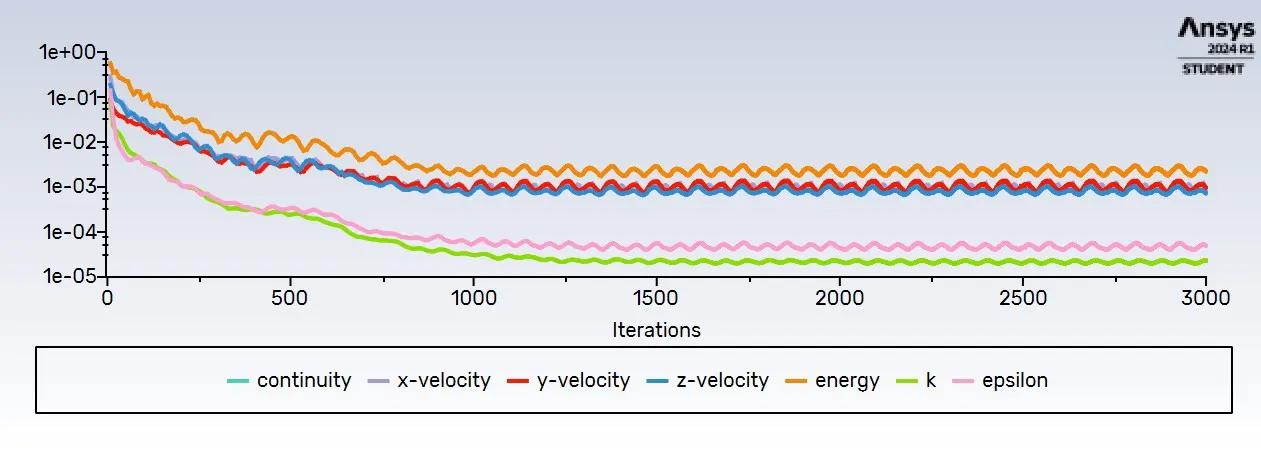
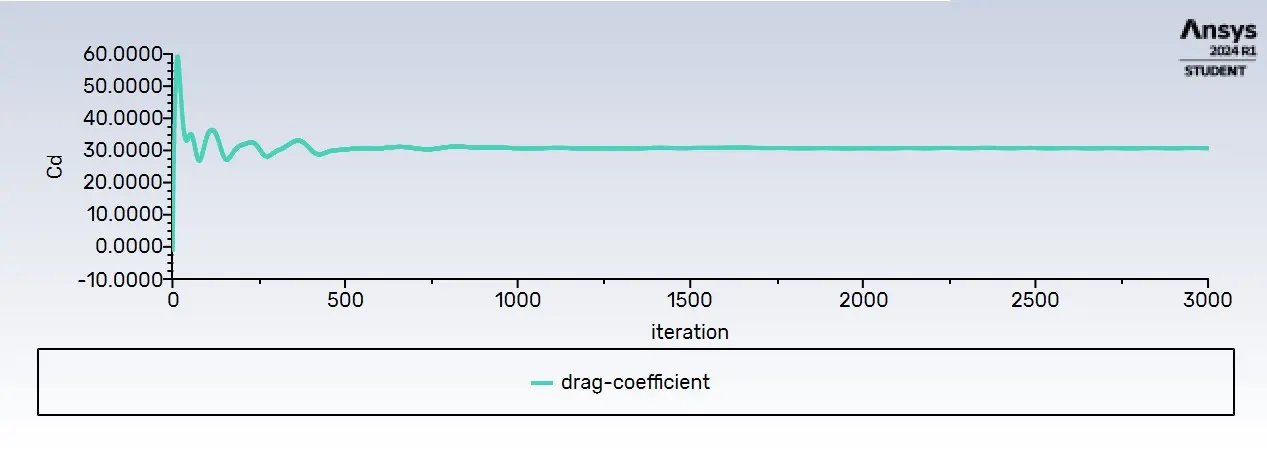
>> We got drag coefficient is 0.3339. We are getting good result from this meshing. Then we have to exit from set up.
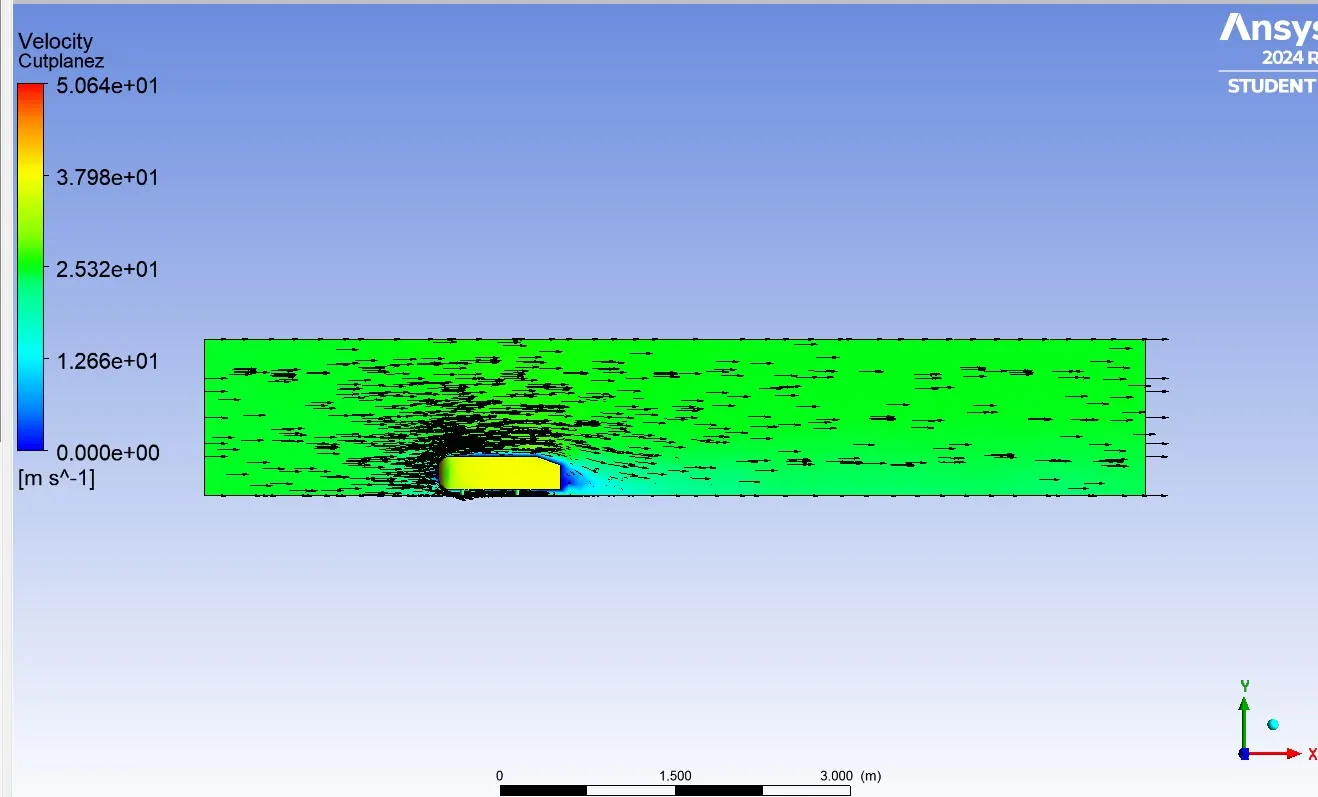
>> We have to go inside results. Then create a XY-plane inside Ahmad's body, click on color and select constant to variable . We have to select the velocity inside the variable and apply. Then we have to go inside render and click on show mesh lines. After that we have to go inside vector plot, click on Geometry and select the plane inside location and we have go inside color, make as a constant and change the color to black then apply.
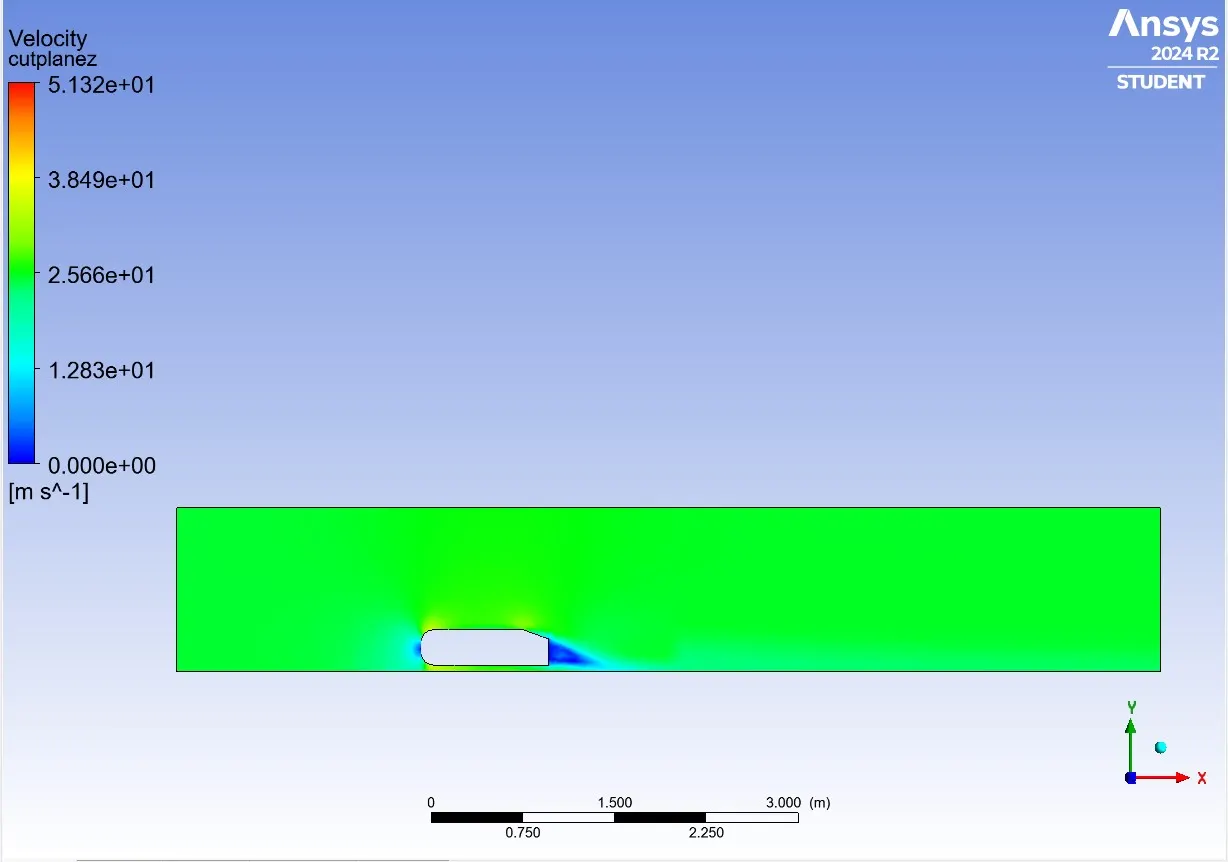
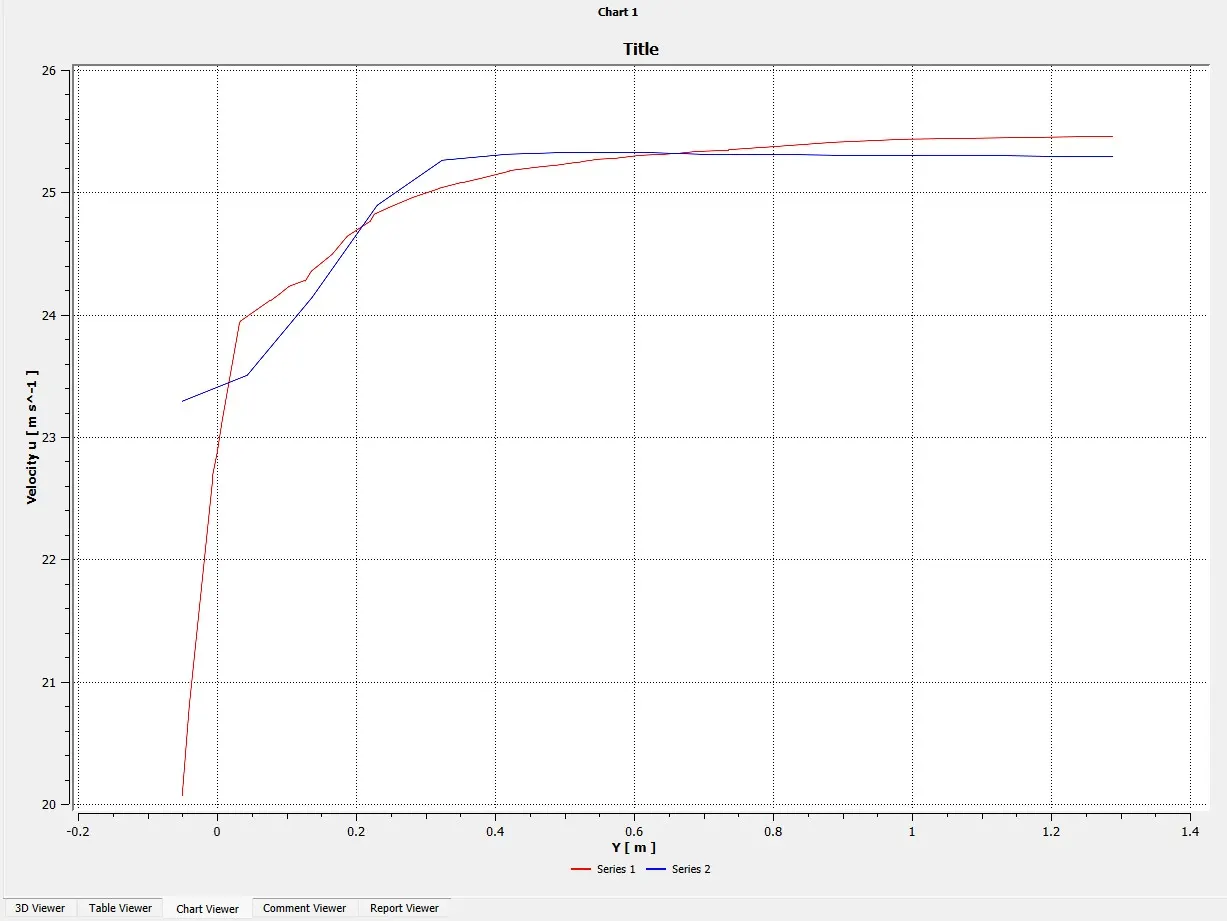
>> We have create the line-1 and line-2. Then we are going to make chart. First of all, we have to create a chart then select the data series and inside location we have to put line-1 and line-2. After that we have to go inside X-axis then change to velocity u and we have to put y in Y-axis then apply. We will got chart plot from this we will know how velocity going to fluctuating behind the Ahmed's body.
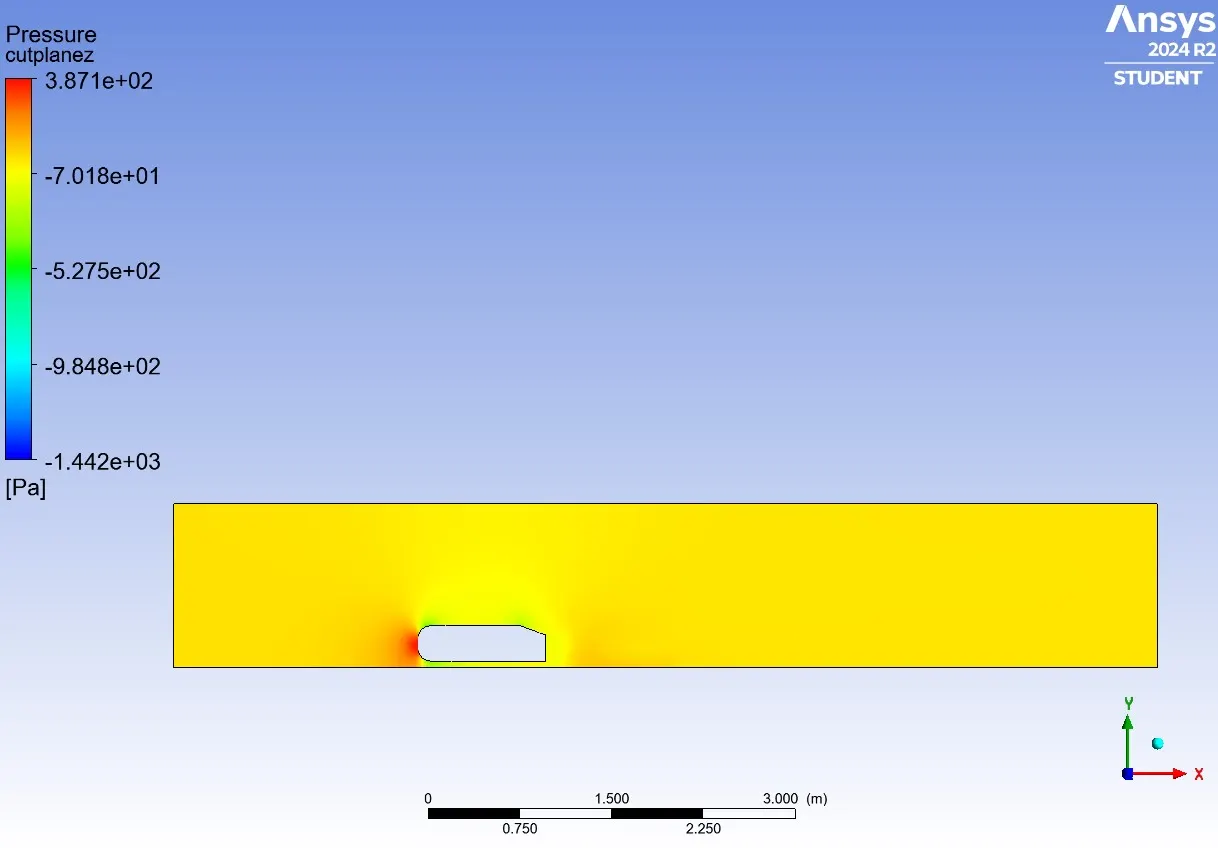
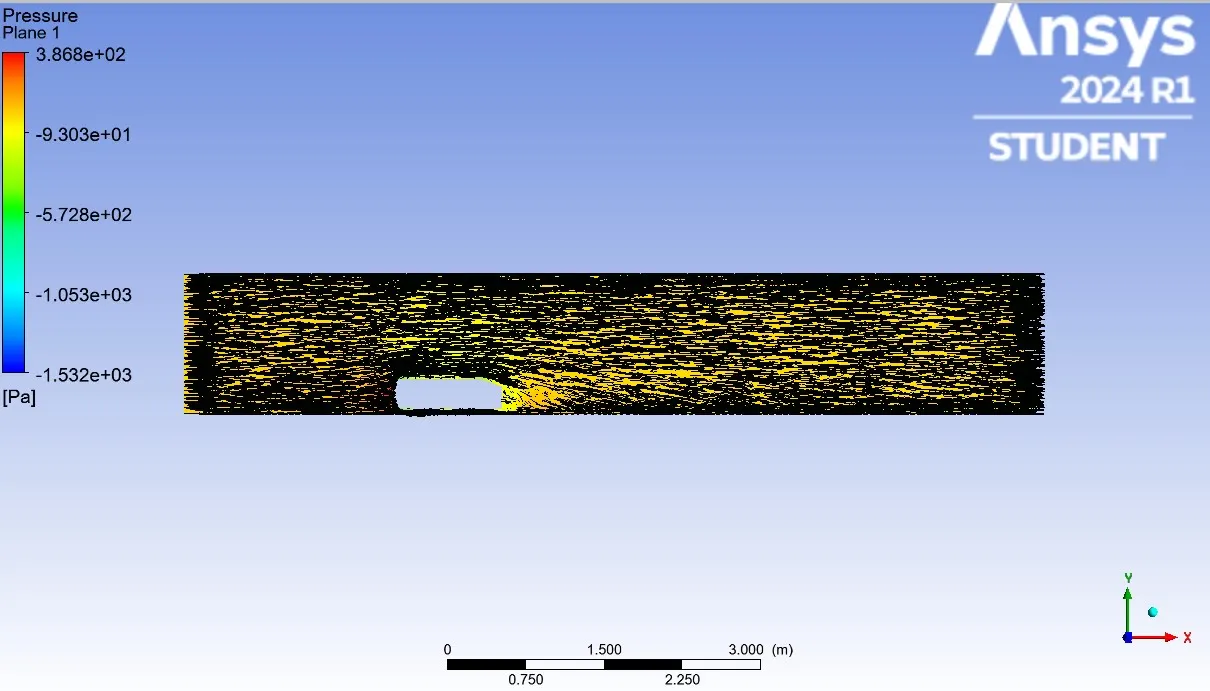
>> Again click on color and select constant to variable . We have to select the pressure inside the variable and apply. Then we have to go inside render and click on show mesh lines. After that we have to go inside vector plot, click on Geometry and select the plane inside location and we have go inside color, make as a constant and change the color to black then apply.
Perform the grid independency test and provide the values of drag and lift with each case.
>>First of all, we have to create the another encloser because if we take two encloser then we will got good result and if we take one encloser we don't get good result . Once we did geometrical clean up then we have right click on Boss-extrude and click on suppress on physics because it will give you error when we doing meshing. We have to go inside the prepare and click on interference and we get a huge interference because we did two encloser . After we did interference two encloser information going to share with each other. we have to go inside the share topology and in this option we have change to in share. We have to save and exit from geometry.
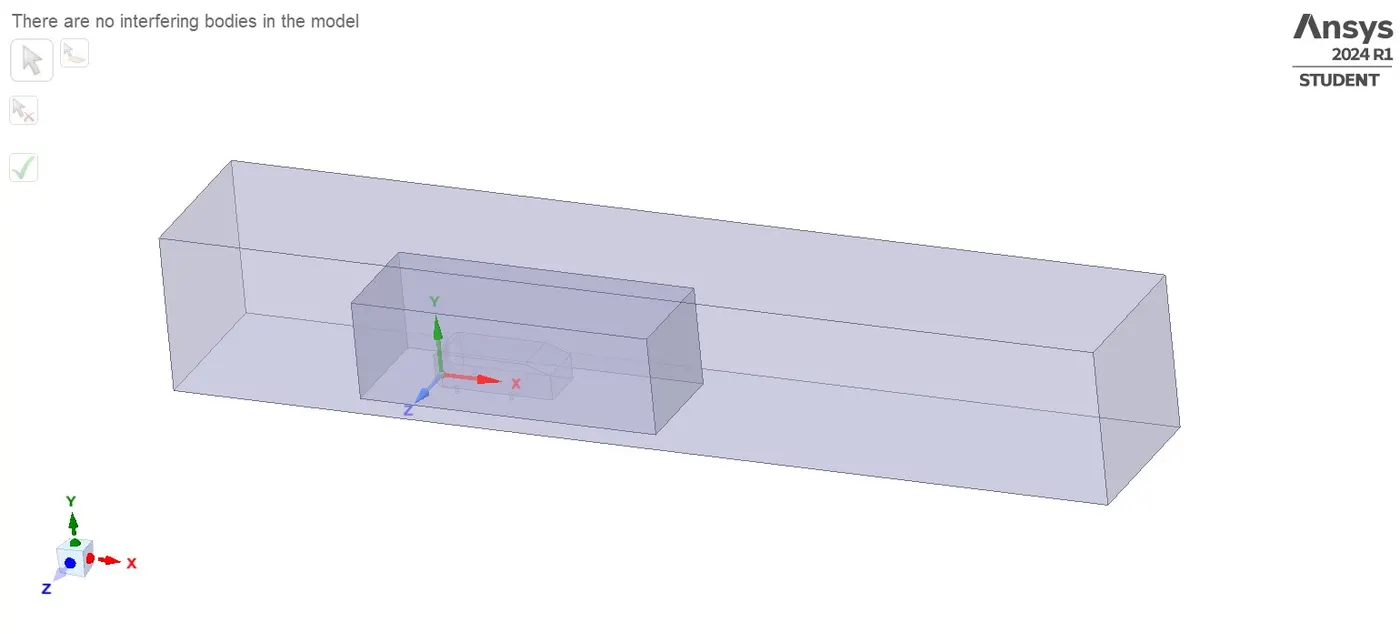
>>We have to inside the mesh then right on mesh and generate mesh after that we have to check mesh inside by using section plane. Again we have right click on mesh and select method, In method we have to change to multizone in method option because in this multizone we will got better mesh as compare to other mesh and select the outer body also we have give value which is 100mm then Generate Again we have right click on mesh , select the sizing option and in sizing we have to select the inside body and give the value which is 50mm then generate mesh. After that we have select the sizing and select the four wheel of Ahmed body because its showing like roughly mesh. we have give the value is 5mm then generate mesh. After completed all of thing we have exit from mesh. Then we are going to simulate and check how much we are getting result with this mesh otherwise we have change the element size inside the mesh.
>>We have to do same thing inside set up then we have to check how much coming drag coefficient.
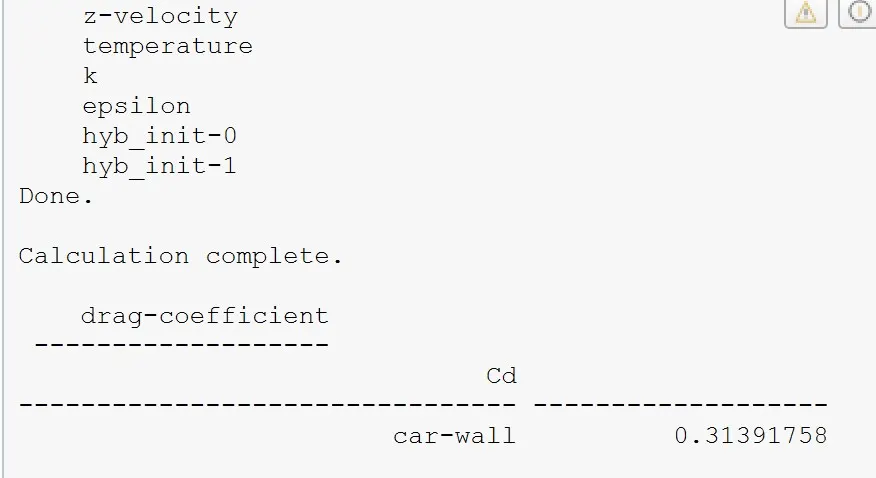
>> Again we have check with another element size then we will check how much result coming. We have give value which is 68mm then Generate Again we have right click on mesh , select the sizing option and in sizing we have to select the inside body and give the value which is 34mm then generate mesh. After that we have select the sizing and select the four wheel of Ahmed body because its showing like roughly mesh. we have give the value is 5mm then generate mesh. After that we have check how much we will get drag coefficient.
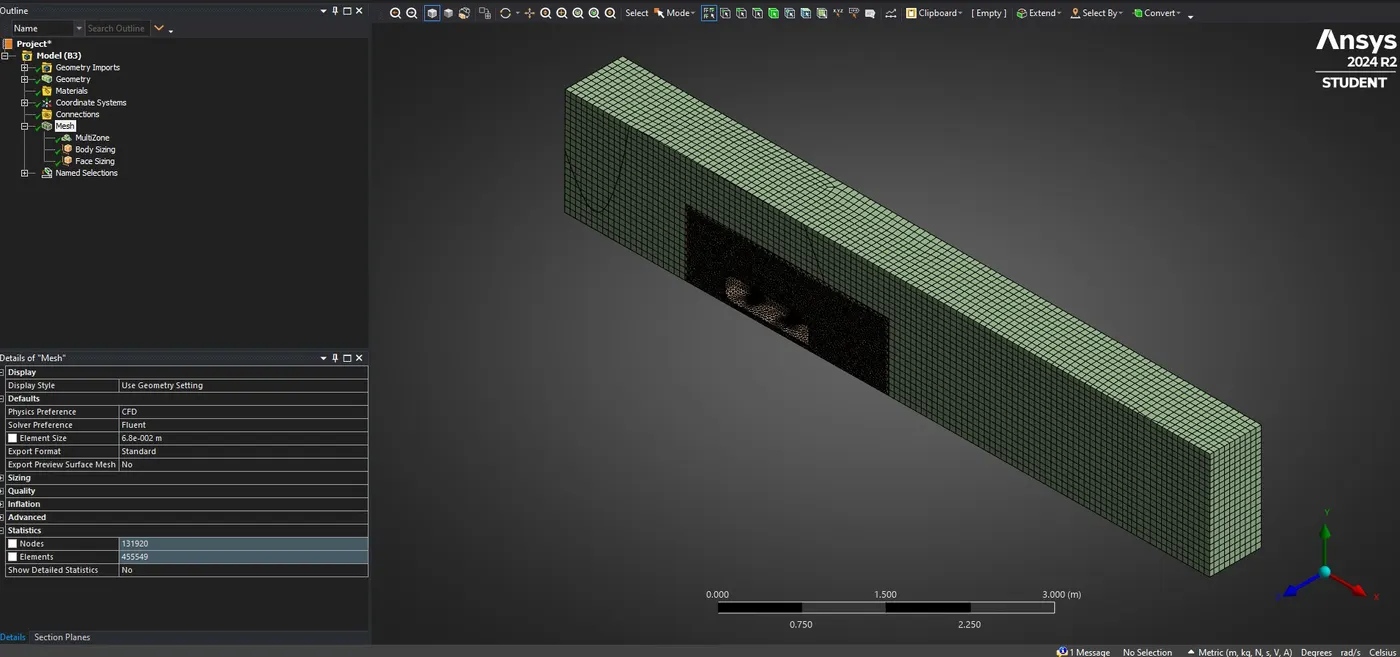
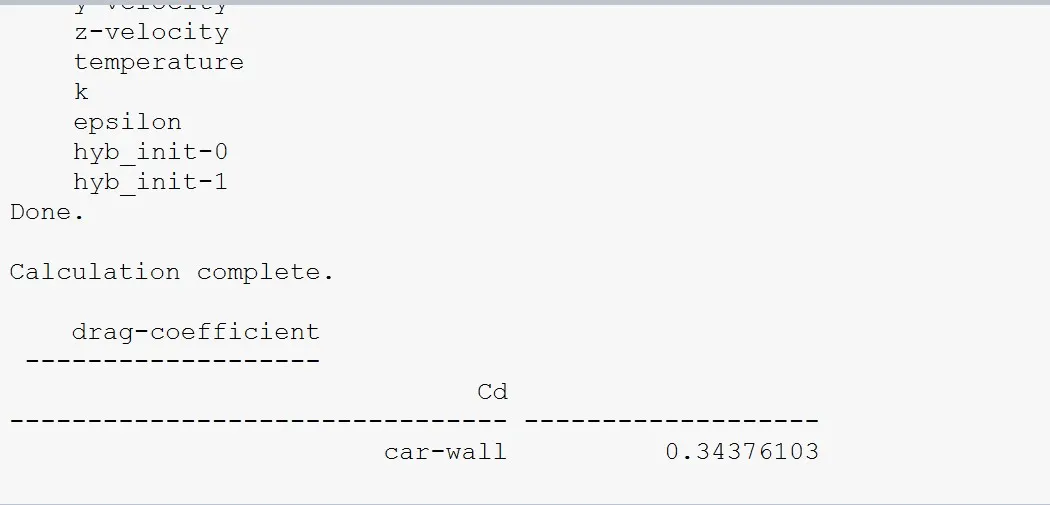
>> Again we have check with another element size then we will check how much result coming. We have give value which is 150mm then Generate Again we have right click on mesh , select the sizing option and in sizing we have to select the inside body and give the value which is 75mm then generate mesh. After that we have select the sizing and select the four wheel of Ahmed body because its showing like roughly mesh. we have give the value is 10mm then generate mesh. After that we have check how much we will get drag coefficient.
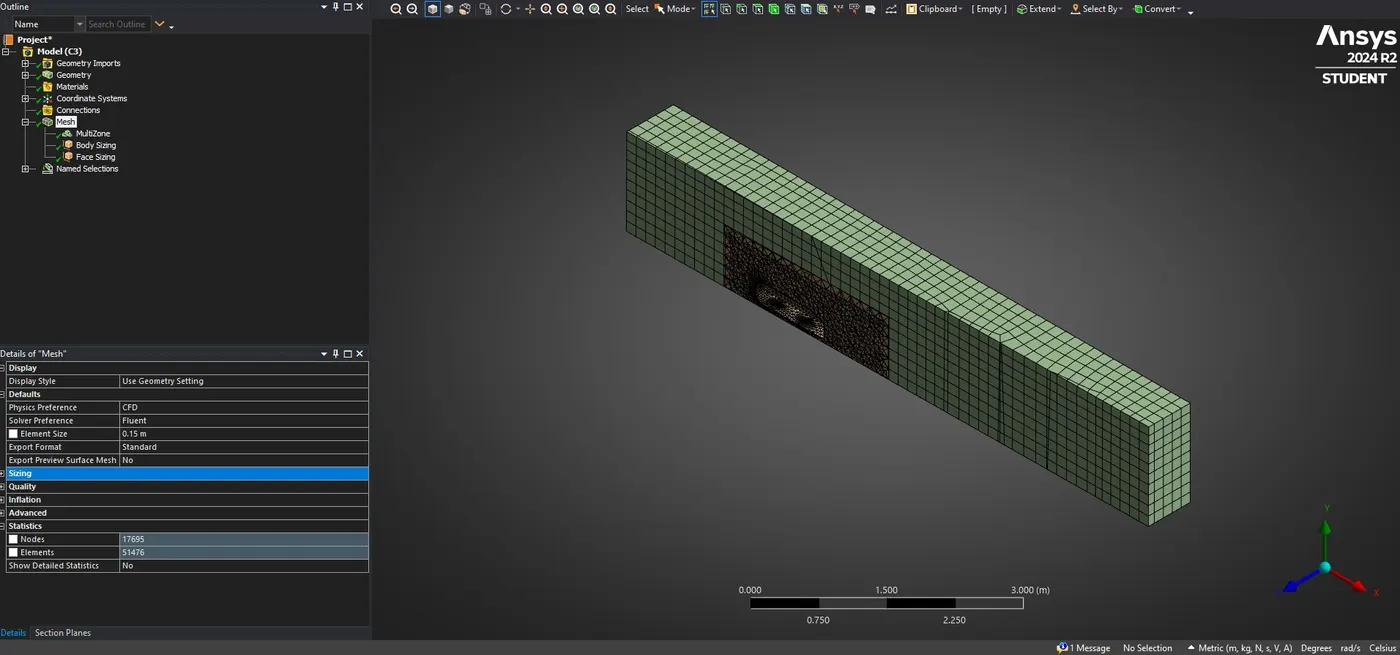
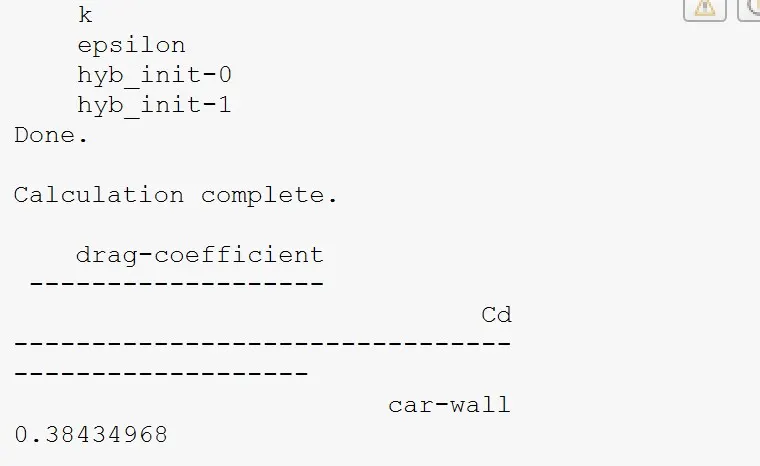
>> From this element sizing we don't get good results. If comparing all of meshing we will got better drag coefficient which one having good meshing that one we will got good result.