Week 3 - External flow simulation over an Ahmed body.
Aim-
As the body is perfectly symmetric, we can run the simulation by considering the only half body. This is the best practice where you can save on the number of cells and get the results faster as well.
The geometry which is provided with the challenge needs a modification which you should be able to do at this stage of a course. You need to use the 'split body' command in SpaceClaim to perform the operation and then you can use the symmetry boundary condition in fluent to perform the simulation.
Run the simulation for the velocity of 25 m/sec with the default air properties in fluent.
For this challenge, you will have to provide answers to the following questions:
Q1. Describe Ahmed's body and its importance.
Q2. Explain the reason for the negative pressure in the wake region.
Q3. Explain the significance of the point of separation.
Expected Results:
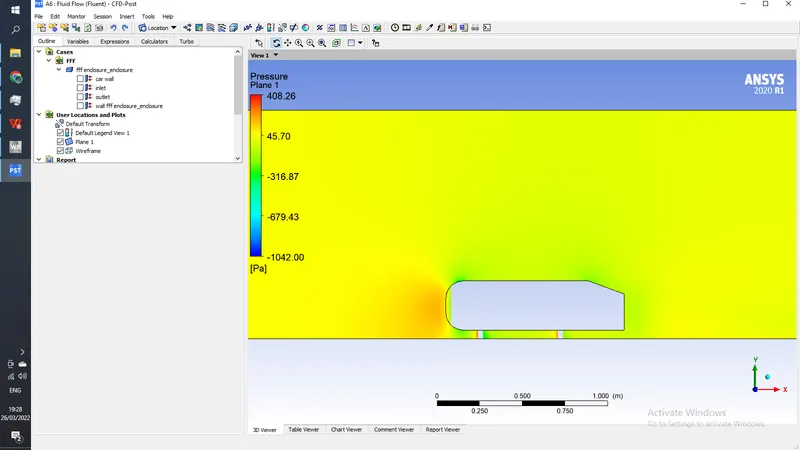
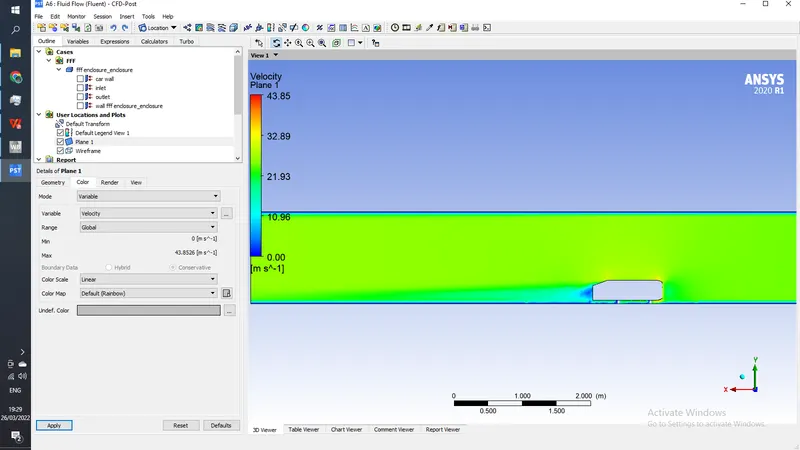
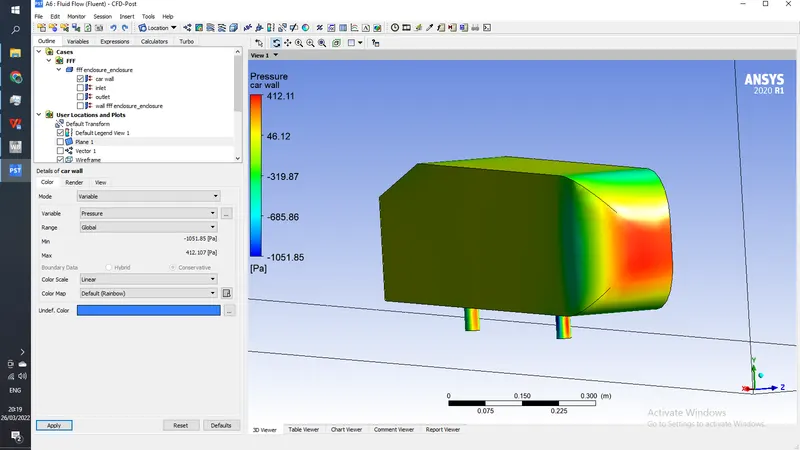
- Velocity and pressure contours.
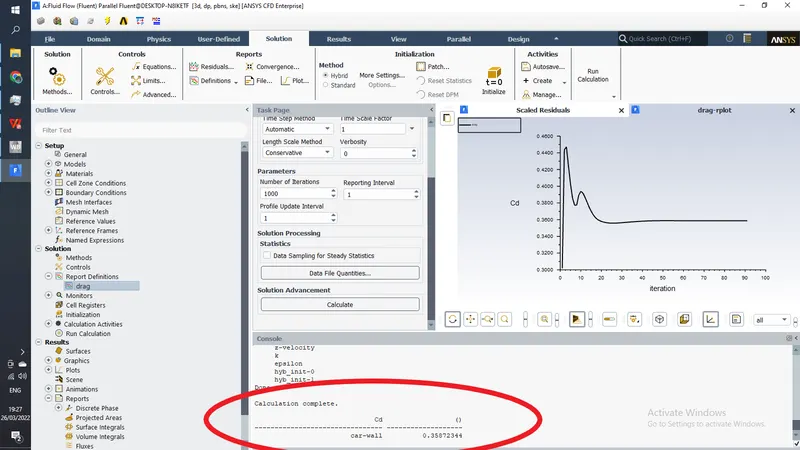
- The drag coefficient plot for a refined case. ( For velocity of 25m/sec, the drag coefficient should be around 0.33).
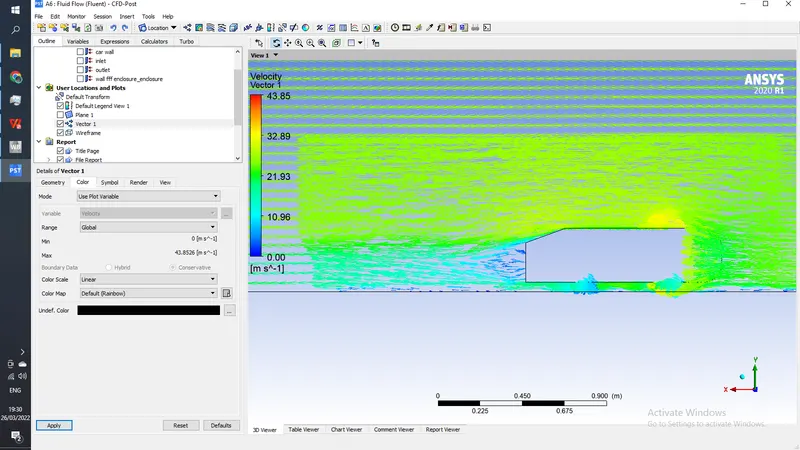
- The vector plot clearly showing the wake region.
- Perform the grid independency test and provide the values of drag and lift with each case.
Procedure-
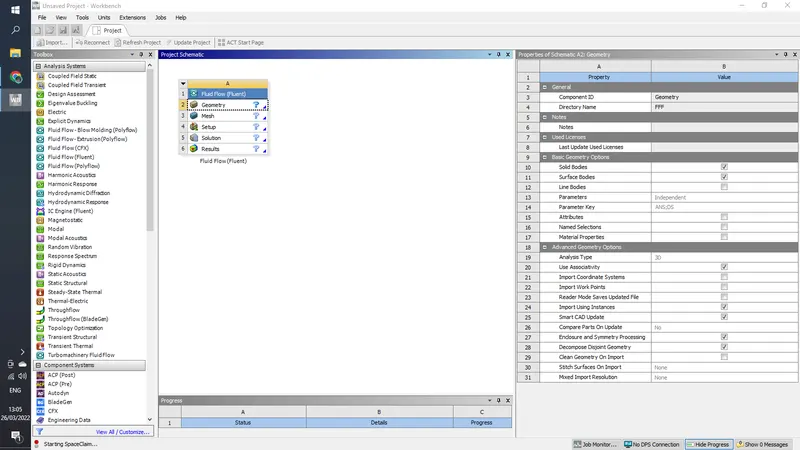
1) Open Ansys Workbench and drag fluid flow (fluent)
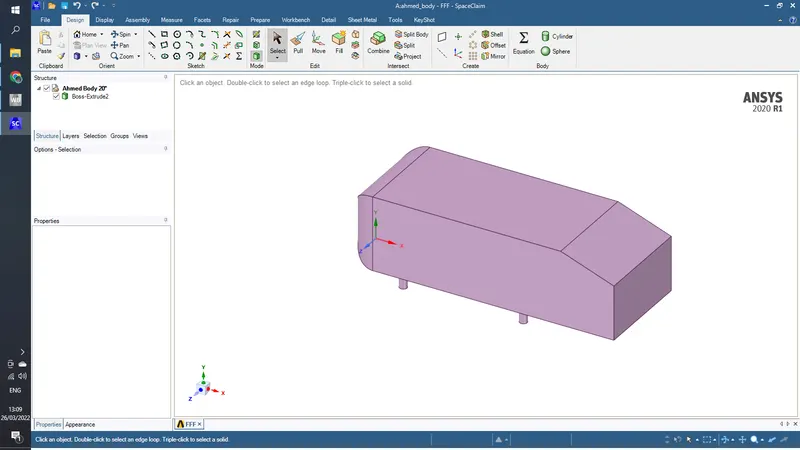
double click on geometry to open spaceclaim, here import the ahmed body model
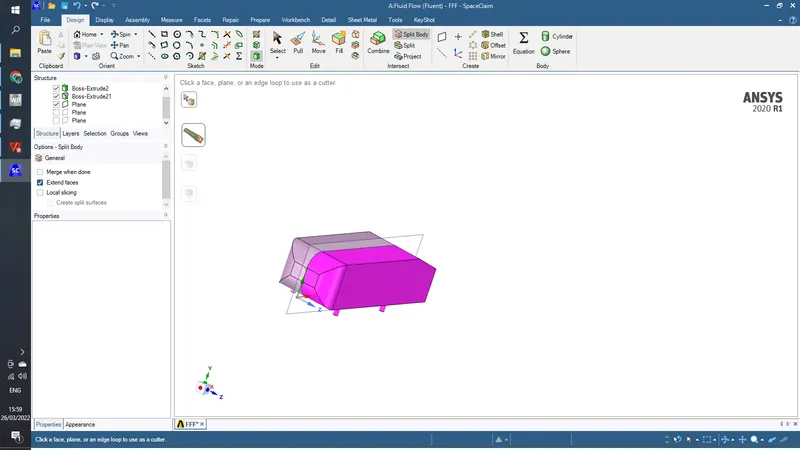
split this body using split body command
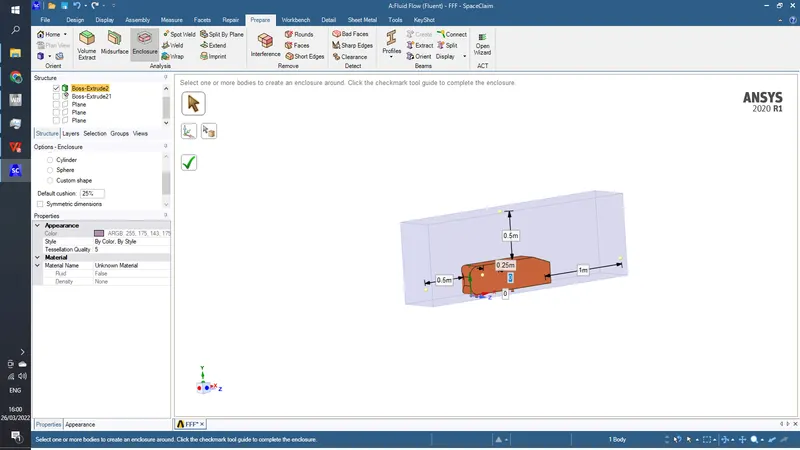
now go to prepare and create an eclosure of following dimensions around this body
now again select the body and create another enclosure
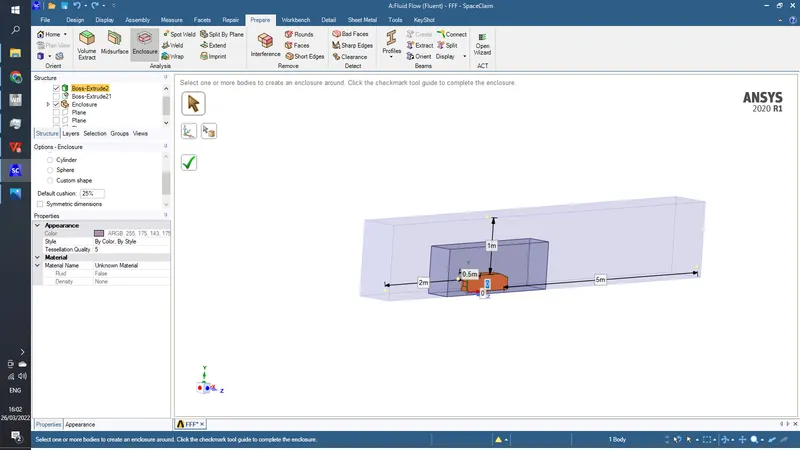
now since we created 2 enclosures these 2 must be overlaping each other, to solve this
go to interferance and click on right tick mark
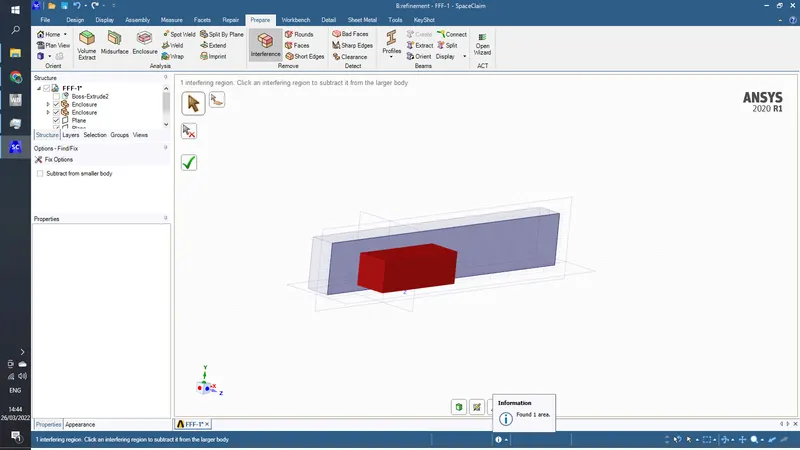
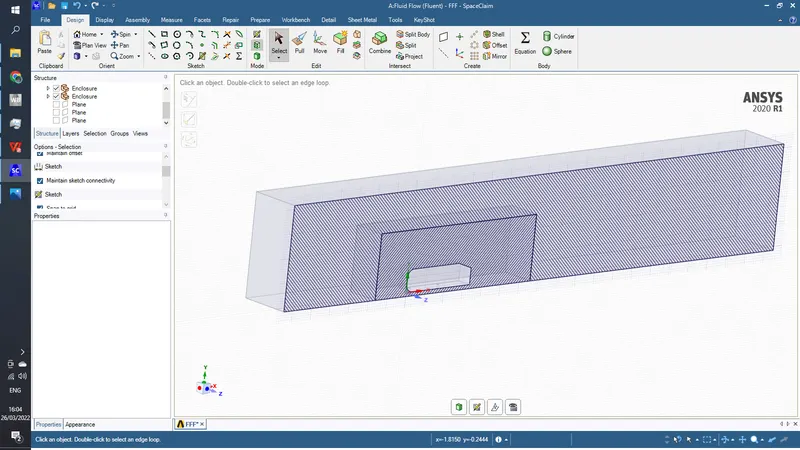
now go to workbench and click on share topology and exit the space claim
2) open mesh and create a defalut mesh
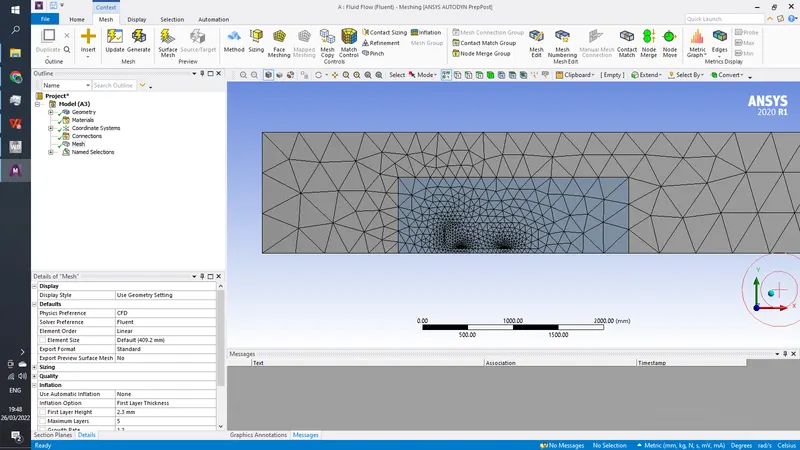
create named selection as follows
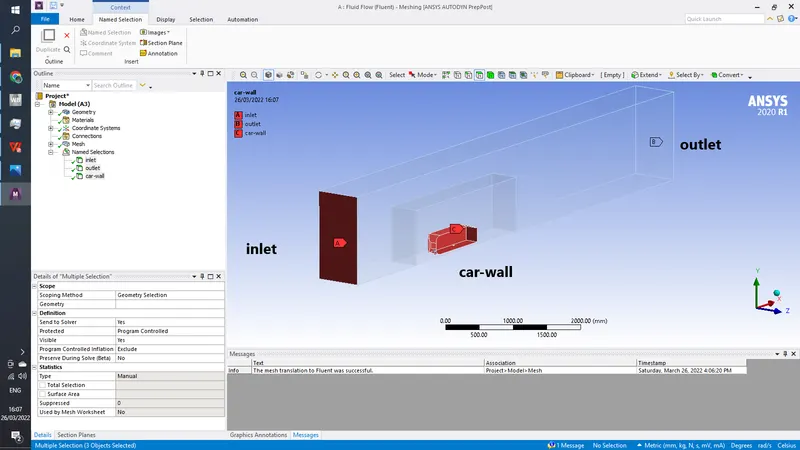
update this mesh and exit
3) Open fluent
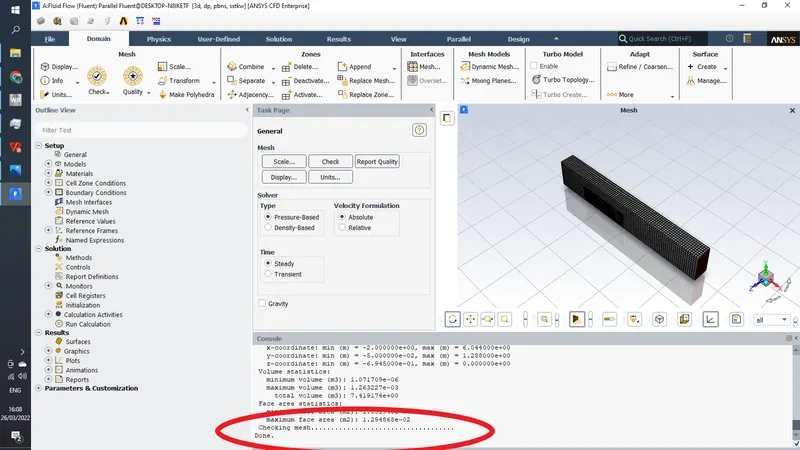
here check for mesh
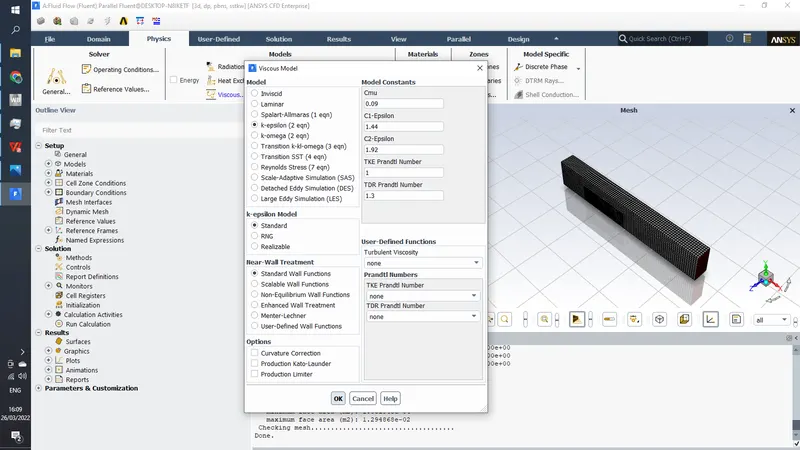
use k-epsilon viscous model
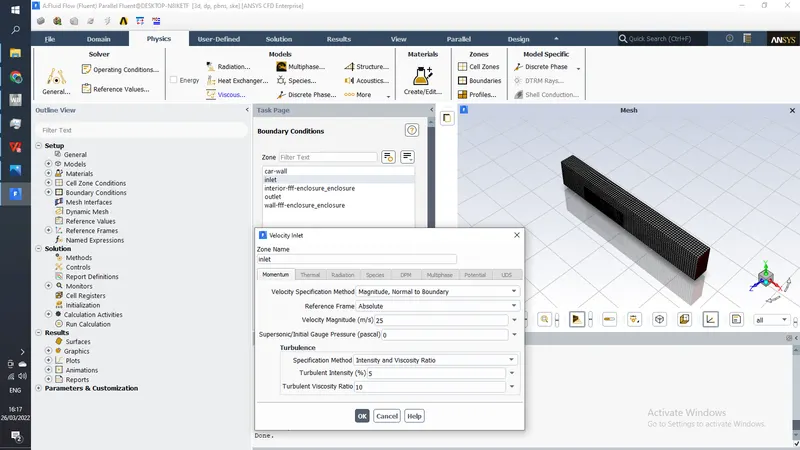
go to boundry conditions and give inlet velocity as 25 m/s
now go to reports >>projected area and find ahmed bodies frontal area
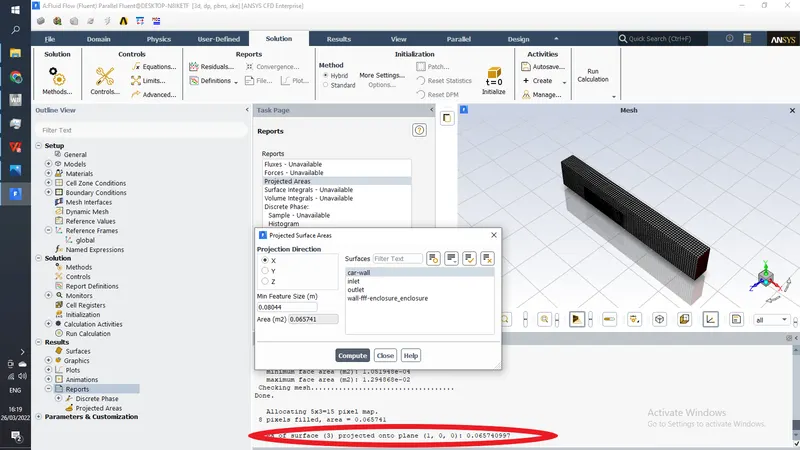
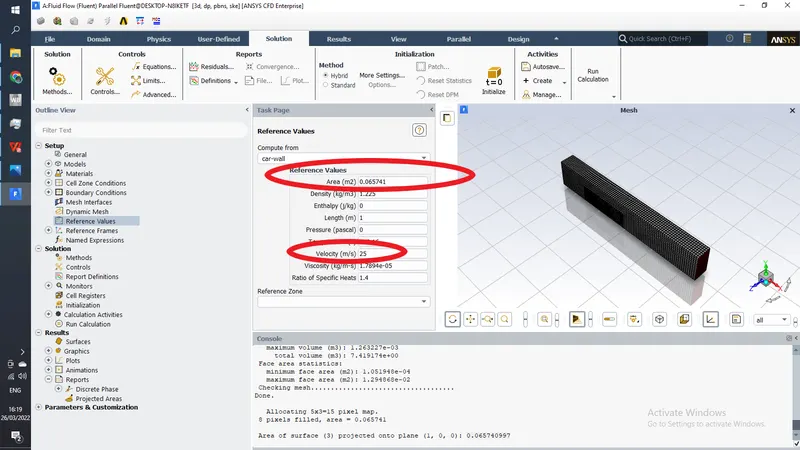
now go to reffrence value and edit the data
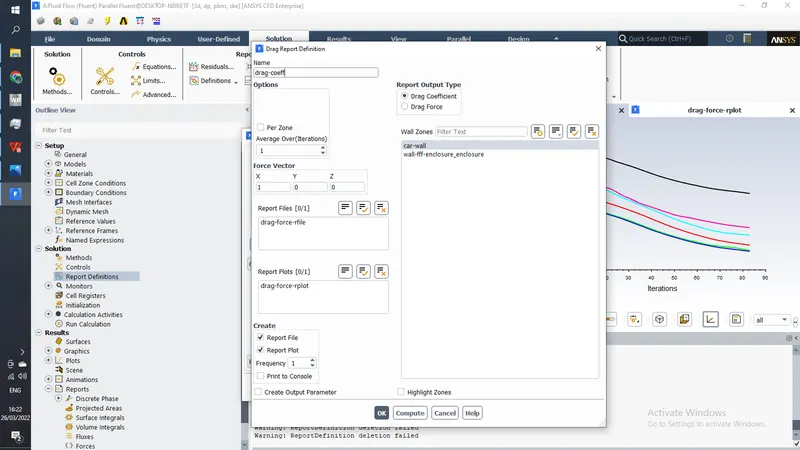
go to report defination and create a drag coefficient monitor
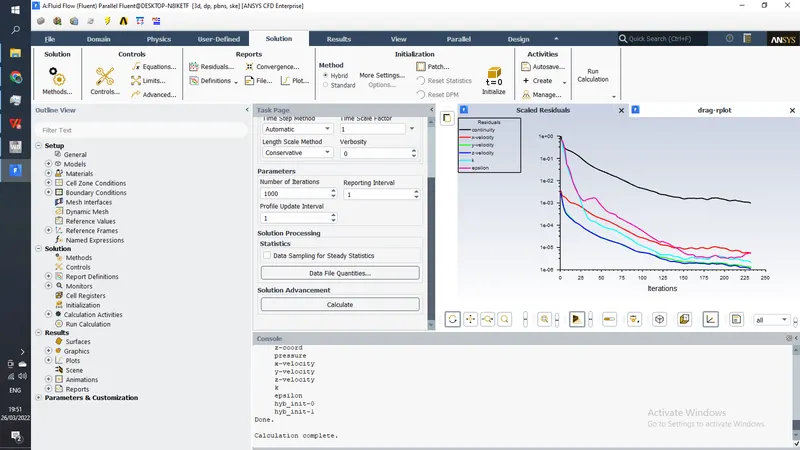
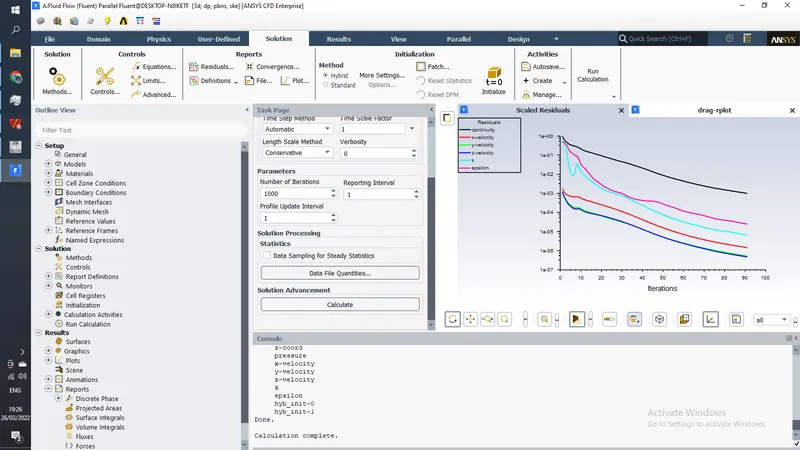
initialize the case using hybrid and calculate for 1000 itrations
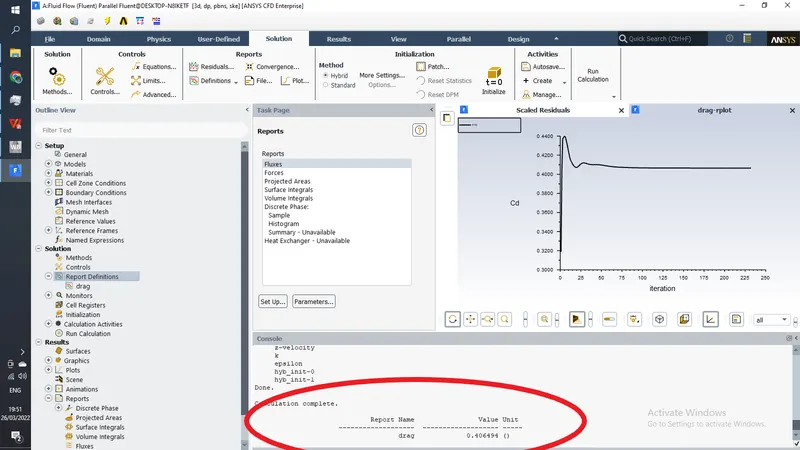
CFD Post results
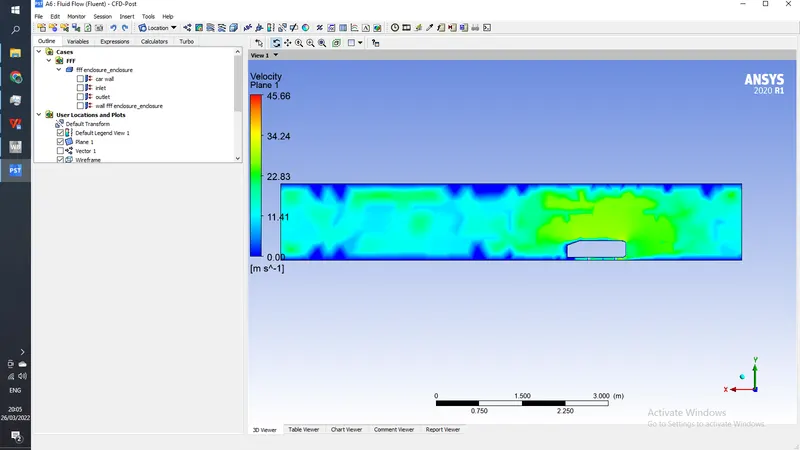
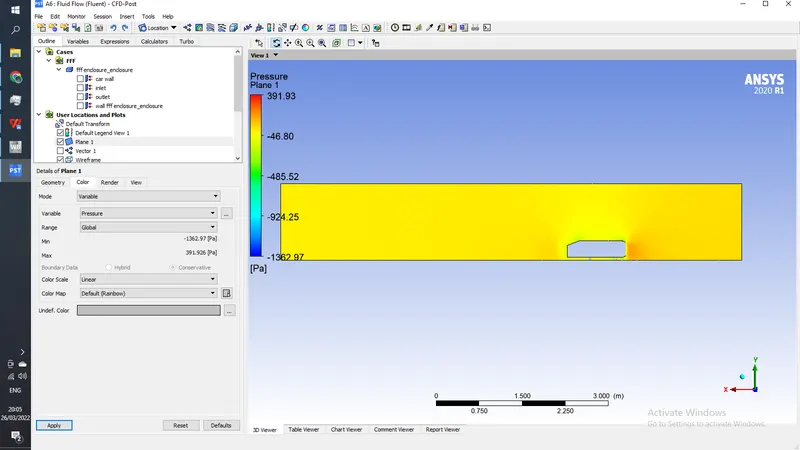
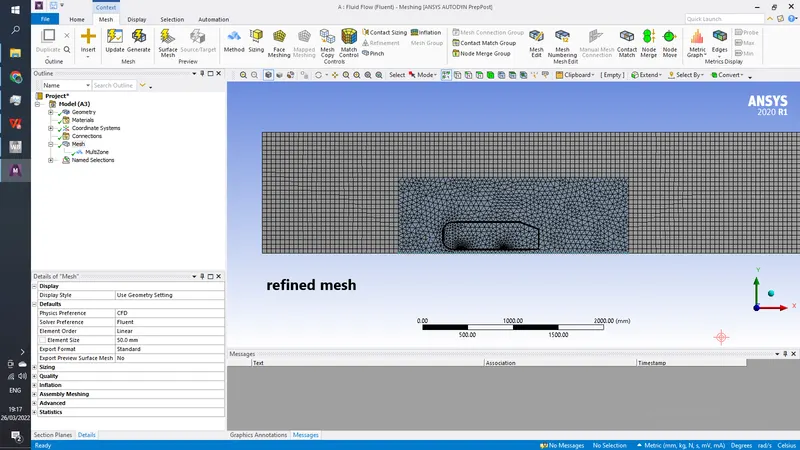
Mesh Refinements
method- hexahedron mesh on fluid
element sizing- 100 mm
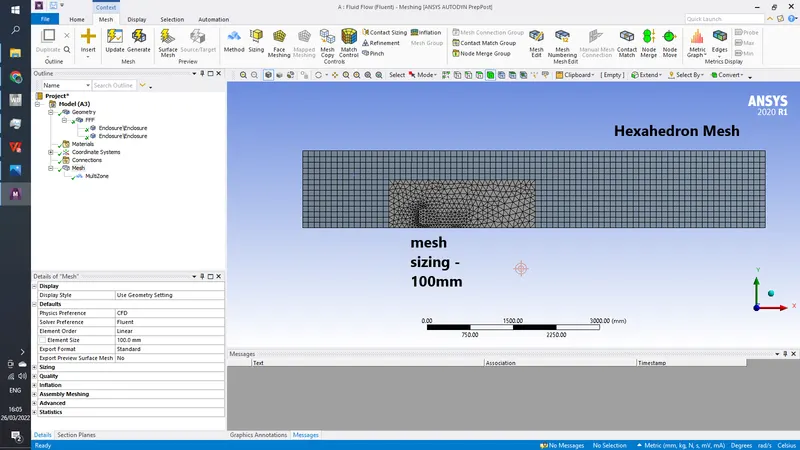
Results
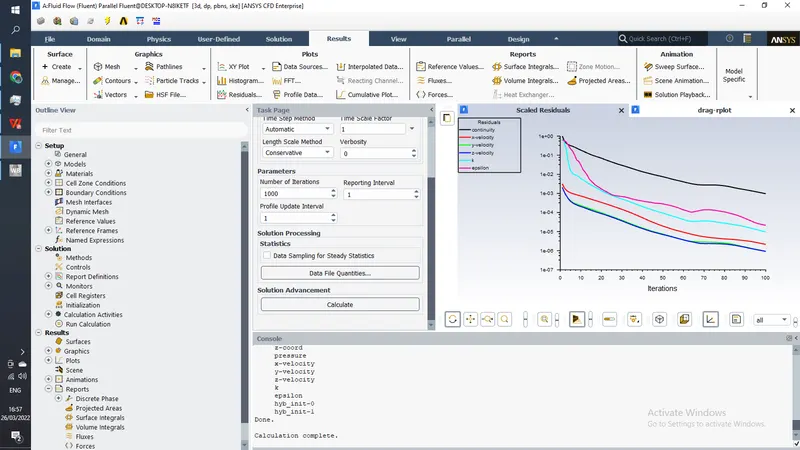
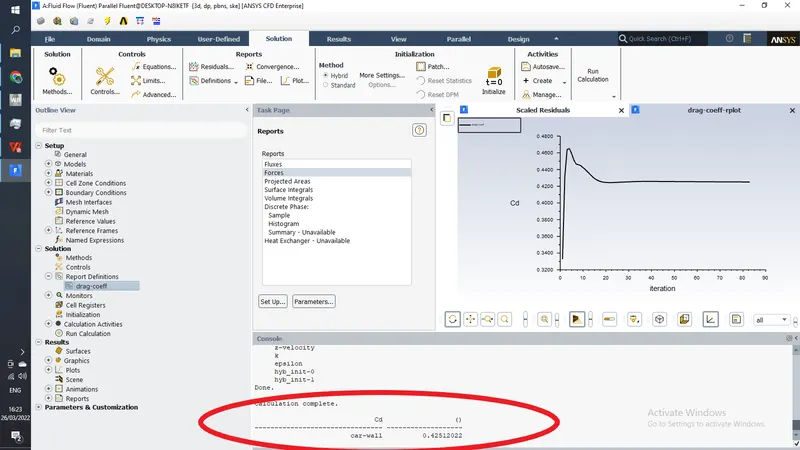
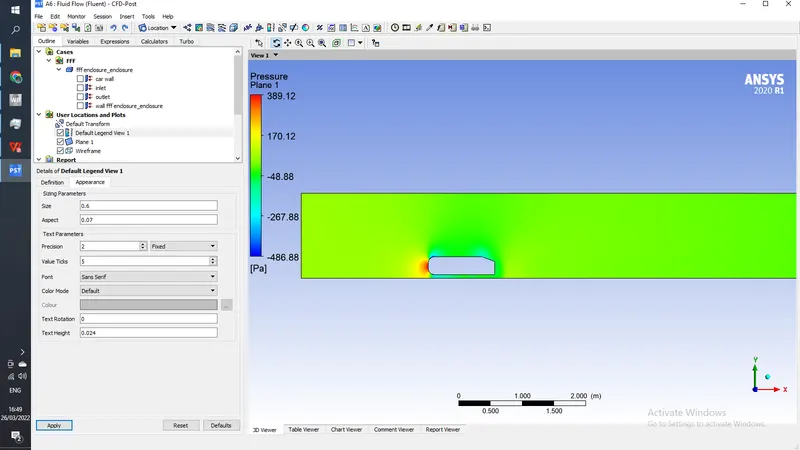
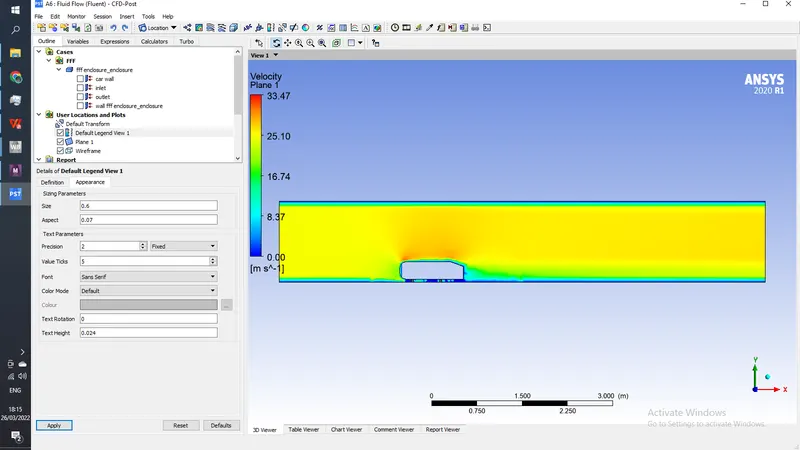
Further mesh Refinements
element size- 50mm
inlation layer- first layer thickness 2.3mm
no. of layers - 5
growth rate- 1.2
Results
| Mesh | Co-efficient of drag |
| Default Mesh | 0.4064 |
| 100mm + Hexahedron | 0.4251 |
| 50mm + Hexahedron + Inflation layers | 0.3587 |
Questions-
Q1. Describe Ahmed's body and its importance.
A1. Ahmed body is a simplified geomertry of a car which helps us study external aerodynamic phenomenons that happens over a body subjected to a wind flow like drag,lift,wake region etc. It is made up of round rectangular front end with a slant back which is moveable to study the detachment phenomenon at the back as air lines get detached and create wake region.
Computational softwares like ansys can be accurate to a certain limt, because there is no physical data present to validate the results, Ahmed body acts as an benchmark to valid computational results to it because physical experimental data is availible for ahmed body, by which we can compare ours results
Q2. Explain the reason for the negative pressure in the wake region.
A2. When a vehicle is in motion, its surface will experience some viscous forces and these forces will increase as we go along the length of vehicle as a result pressure will also increase till the end of vehicle but as soon as the air encounters the sharp turn at the end of vehicle , the velovity will decresae resulting negative pressure in that area called as wake.
Q3. Explain the significance of the point of separation.
A3.Point beyond which pressure starts decreasing and results in wake is called as point of seperation, to avoid the wake it is advised to have smooth slant at the point of seperation to minimise the seperation of flow.