Week - 3 Drop test Challenge
AIM
to run a drop test simulation of a mobile phone dppped on to a floor under initial velocity condition using LS-Dyna
PROCEDURE
1. Start LS-PrePost and import the keyword file.
2. The impoted keyword file contains 3 parts but for this pirticular simulation 2 parts can be used, i.e. skin or the sheet on top of rigid body is not required
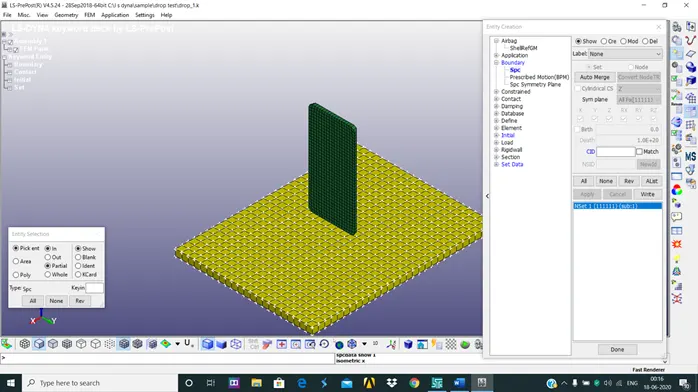
3. Now apply boundary Spc condition for the base plate.this Spc (single point constraint) should be added using new entity and all the sides should be constrained.
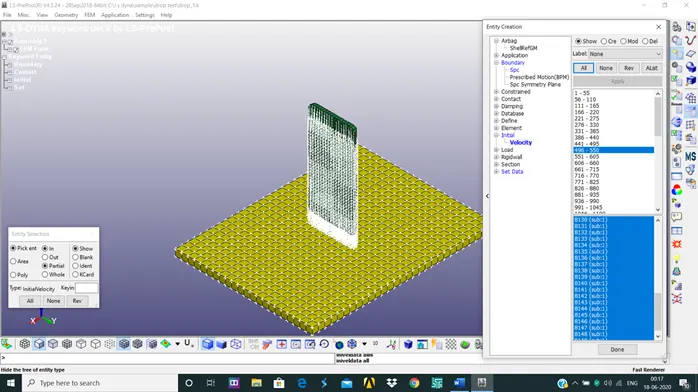
4. After applying the boundary condition, now the initial velocity for the phone is applied. The inital velocity of 46m/s is applied in negative z direction, since the phone has to travel towards the panel
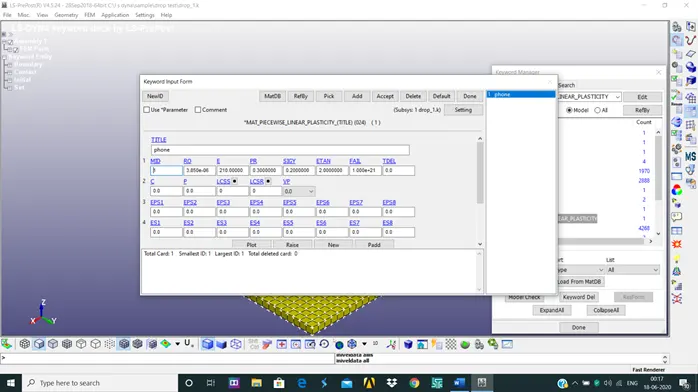
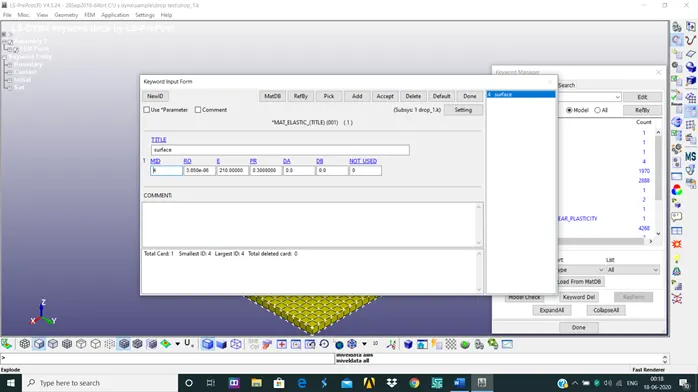
5. After the initial velcoity is applied the material properties has to be defined for both the parts. For phone the material properties is defined by using MAT-24 PIECEWISE_LINEAR-PLASTICITY. The required values such as mass density,youngs modulus,poission's ratio,yeild stress are defined. The panel is defined using MAT-01 ELASTIC. THe required values of mass density,poissions ratio and youngs modulus are defned.
6. The next step is to define the section for the panel and phone.since both are solids , SECTION_SOLID is used to define both materials.
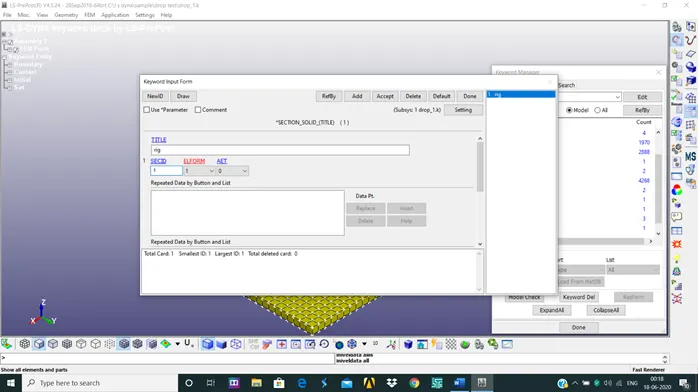
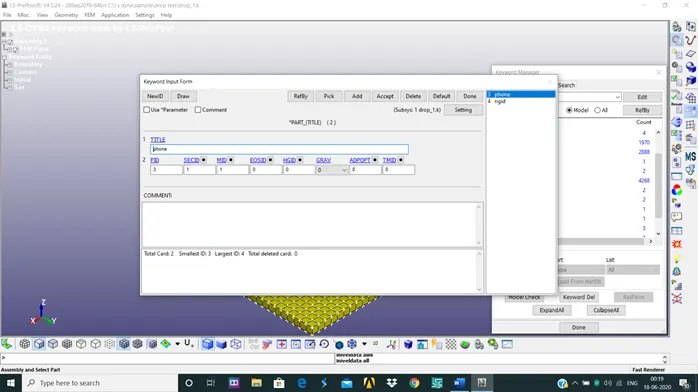
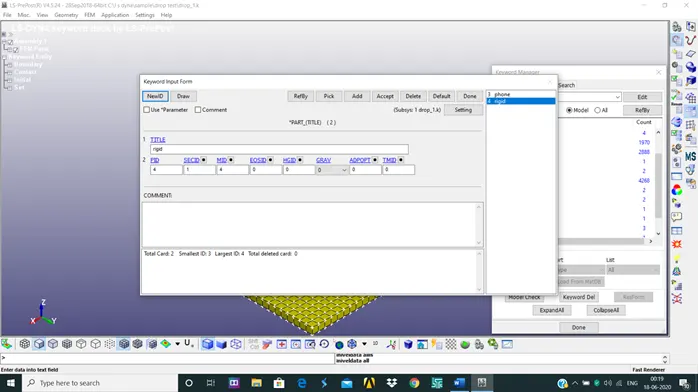
7. Now that section and material is defined, the parts should be assigned with their respective section and material ID.
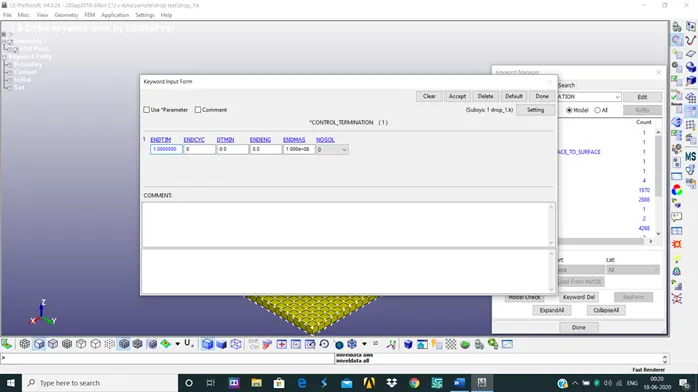
8. Now the time for termination of the simulation has to be defined. This is done using CONTROL_TERMINATION. So for this time we have considered 1 second.
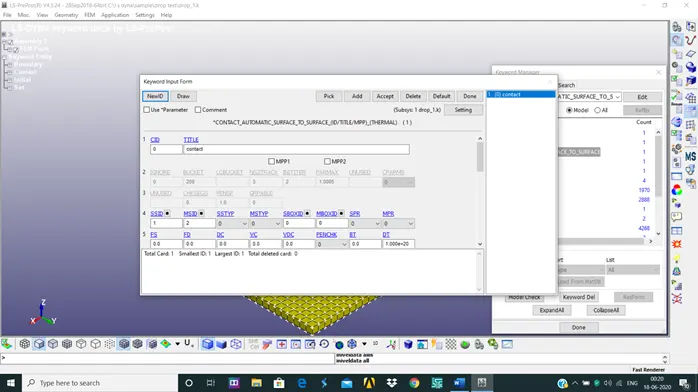
9. Now for the impact of phone to take place on to the plate contact between the parts has to be defined,without which the simulation dosent happen. For the we will use CONTACT_AUTOMATIC_SURFACE_TO_SURFACE option. In this the phone is taken as slave and the plate is considered as the master section.
10. now after this the last step is to define D3plot and ASCll_options. the ASCll_options defined are GLSTAT,MATSUM,SLEOUT. The time interval between the outputs for these is taken as 0.1 sec.
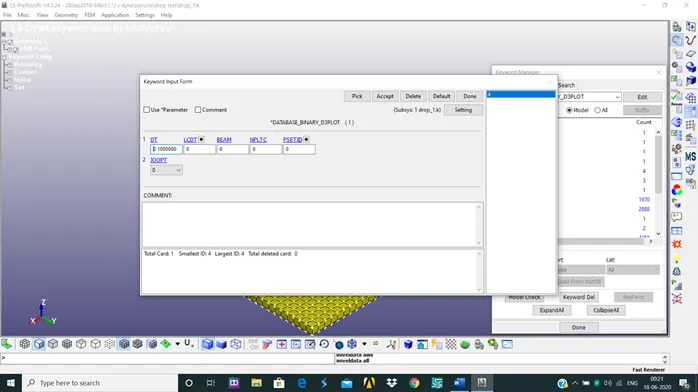
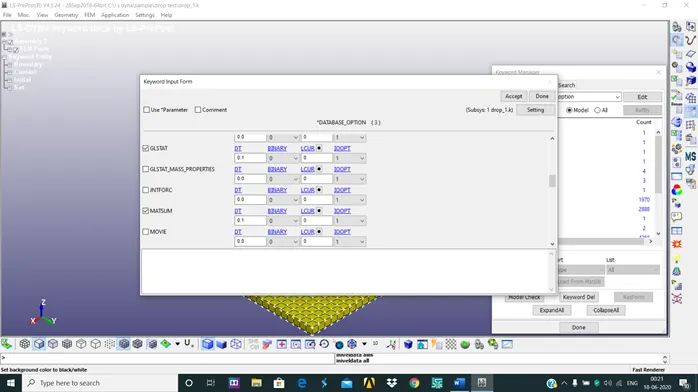
after all this are defined, save the keyword file. Now open LS-Dyna Manager and click on start LS_Dyna Analysis. Now import the saved keyword file and run the analysis. now open LS-PrePost and open the binary D3plot file of the saved keyword file.
Problem time = 1.0001E+00
Problem cycle = 2962
Total CPU time = 5 seconds ( 0 hours 0 minutes 5 seconds)
CPU time per zone cycle = 856.878 nanoseconds
Clock time per zone cycle= 865.275 nanoseconds
Now in the d3plot file, click on fringe component. now select von-mises stress.
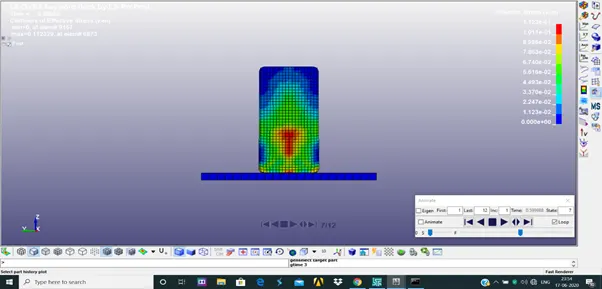
as seen in the above image when the phone hits the plate stress is only seen in phone and the stress starts to propagate from the impact region to top.
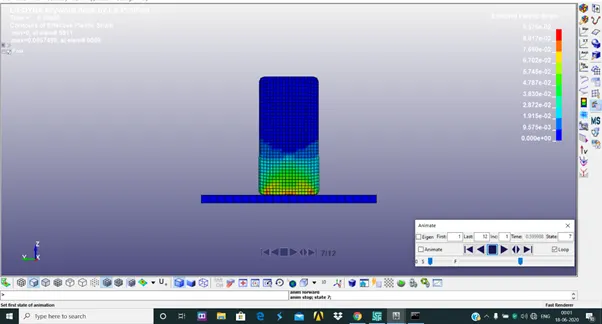
the above image gives an idea of plastic strain on the phone. as we can see the plastic is only taking place in the lower part of the phone.
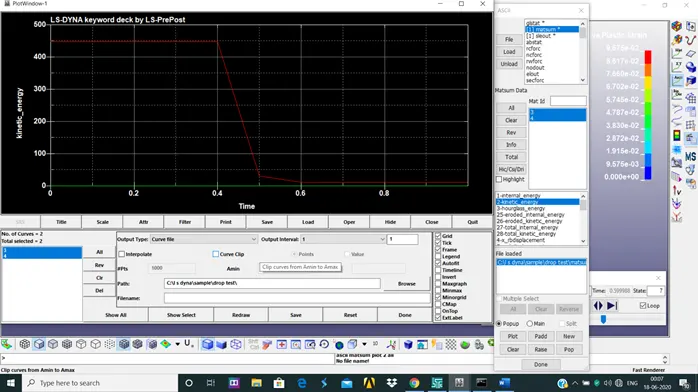
the above graph is a plot of kinetic energy vs time for both the phone and plate. We can infer from the graph that there is no change in kinetic energy of plate with respect to time.
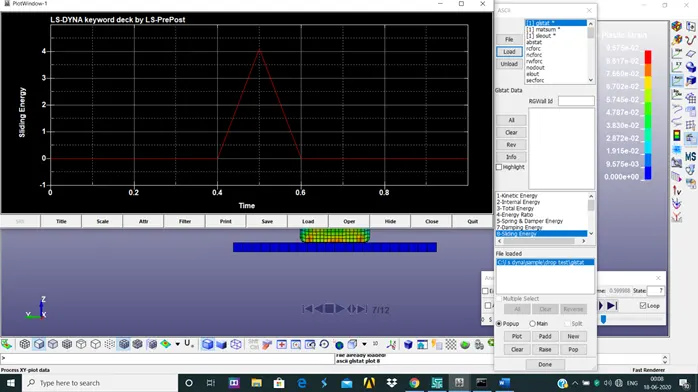
the above graph is a plot of sliding energy vs time. from the graph we can infer that the phone is in contact with the plate between 0.4 to 0.6 seconds.
CONCLUSION
we have completed the drop test of the mobile on to a plate.