Week - 3 Drop test Challenge
Aim- Simulation of Phone drop test on a floor with a simple meshed input .k file having floor and mobile phone.
Methodology-
1- Import the model.
2- Delete the unusable parts.
3- Give input data, i.e- Boundary, Material, Section.
4- Creat output file, i.e- Termination, Database- D3plot.
5- Run the simulation in Ls-Run and plot the results.
Note-
1-Height assume between phone and floor.
2- The unit system used kg, mm, ms.
Keyword Used-
1- MAT- (MAT-24, linear plastic)- To assign the material to the components.
2- Section- (Solid/Shell)- To assign thickness and type of parts shell or solid.
3- Boundry- SPC_SET- To assign the degree of freedom or constraint to the component.
4- Initial Velocity- To give the velocity to the part.
5- Control- Termination- To give termination time to the simulation.
6- Database- Binary_D3PLOT- To take animation plot from the simulation.
Procedure-
1- Imported the model and deleted the unwanted part, here in this case I deleted the shell floor element.
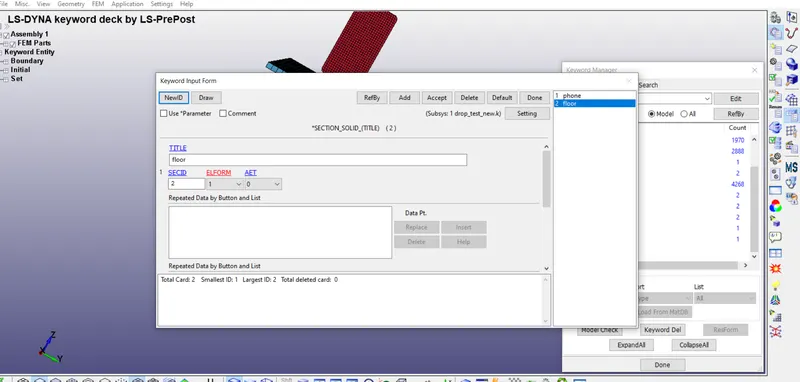
2- Assigned section to both the parts individually with proper inputs, here I used a solid section for both the component.
Model and Parts----Keywords manager---ALL-----SECTION----SOLID
A- Section for Phone component-
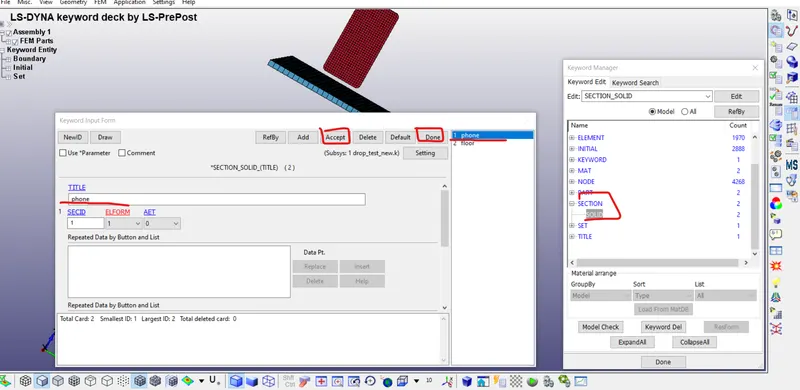
B- Section for Floor component-
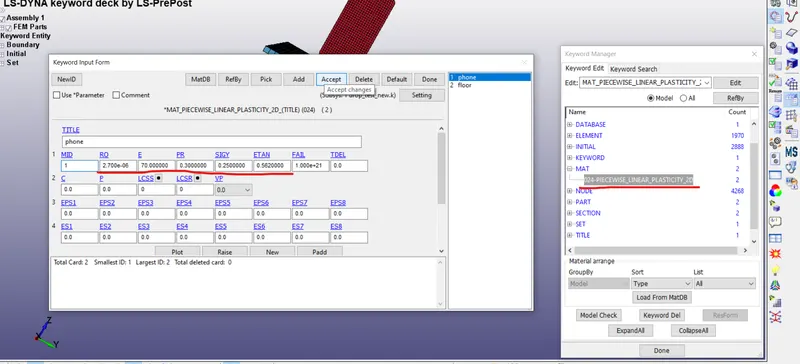
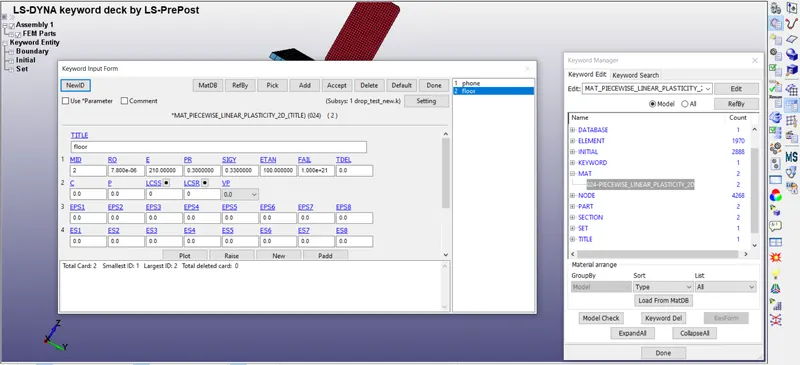
3- Assigning material to the parts with the proper material property.
Model and Parts----Keywords manager---ALL-----MAT----24----Linear-Plastic
A- For Phone
B- For Floor-
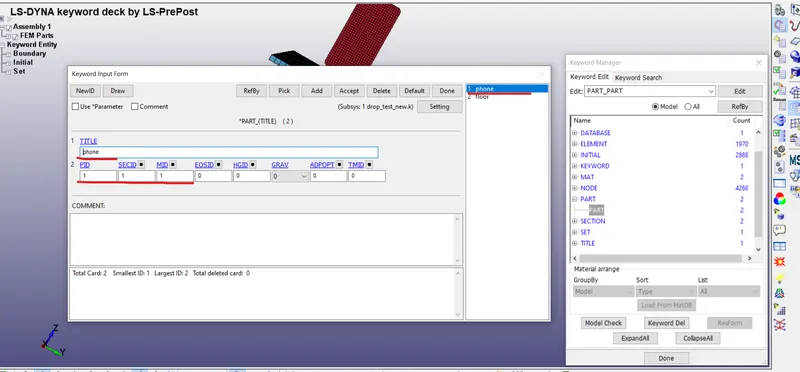
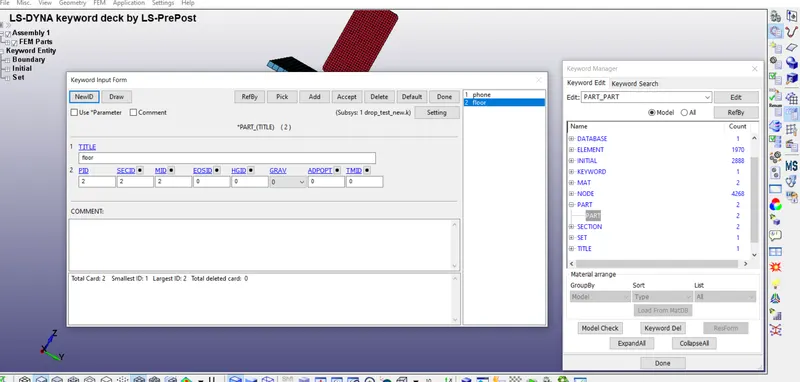
5- After assigning the section and material to the component we need to assign it into parts----
Model and Parts----Keywords manager---PART-----
A- For Phone----
B- For Floor----
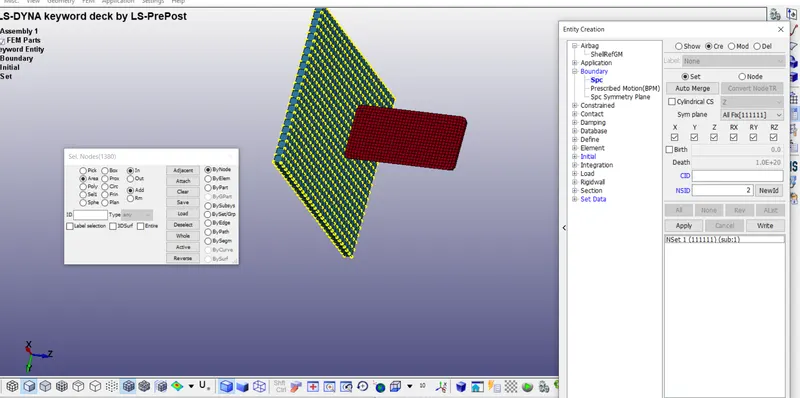
6- Now we need to define the constraint to the parts, so for that, we have to creat boundary condition, in this case, we need to give contain with all degree of freedom to the floor , the floor will not going to move when the phone strike to it, this procedure going to follow for this purpose---
Model and Parts----Create Entity---Boundry-----SPC----CRE----SELECT THE AREA----APPLY WITH DOF
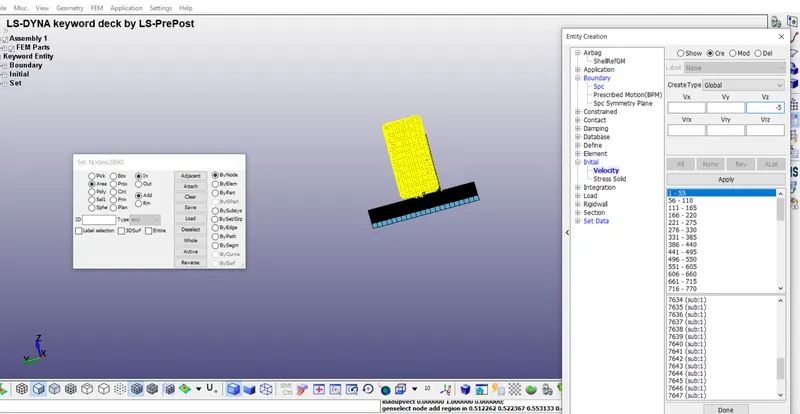
7- Now in order to move or drop the phone on the floor we need to give them some initial velocity to the phone, for that this order will follow---
Model and Parts----Create Entity---Initial-----Velocity---CRE----SELECT THE AREA----Give velocity with proper direction and apply and done--
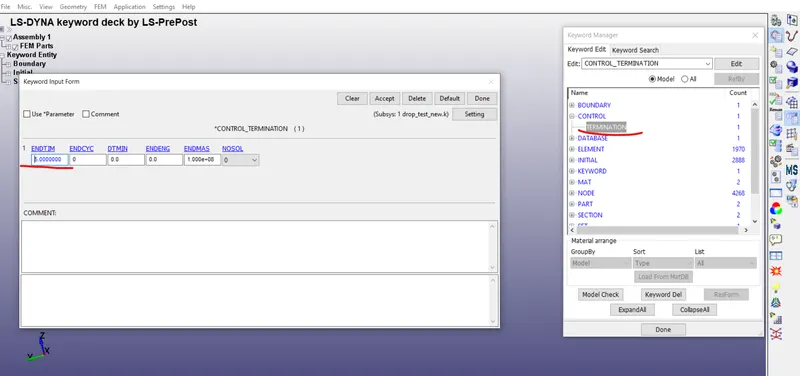
8- Here we need to create the Control card for the simulation, we need to tell the system for how much time it going to run, and for this these command going to folow--
Model and Parts----Keywords manager---ALL-----CONTROL----TERMINATION ----GIVE TIME AS PER NEED---
Here we gave 5 sec simulation time.
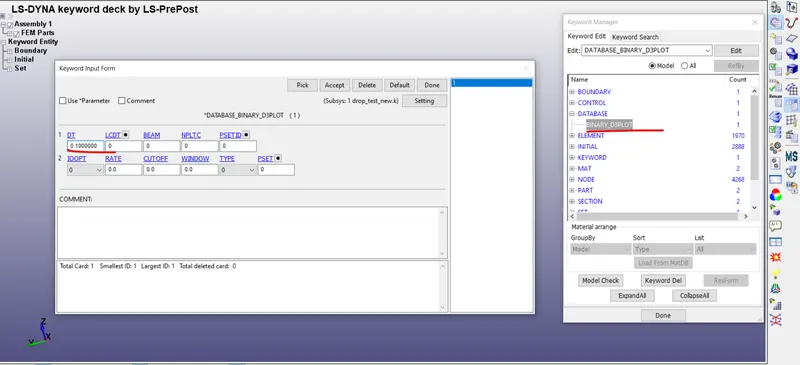
9- Now we come to the most important part which is the output card, what type of output we need from the simulation, we can collect every data we want, for this case, we only interested in von misses stress contour plot, so for that, we created D3PLOT database to see the result, the process needs to follow in order to create output file-
Model and Parts----Keywords manager---ALL-----DATABASE----BINARY_D3PLOT---
11- Model checking and Debugging/Cleanup--
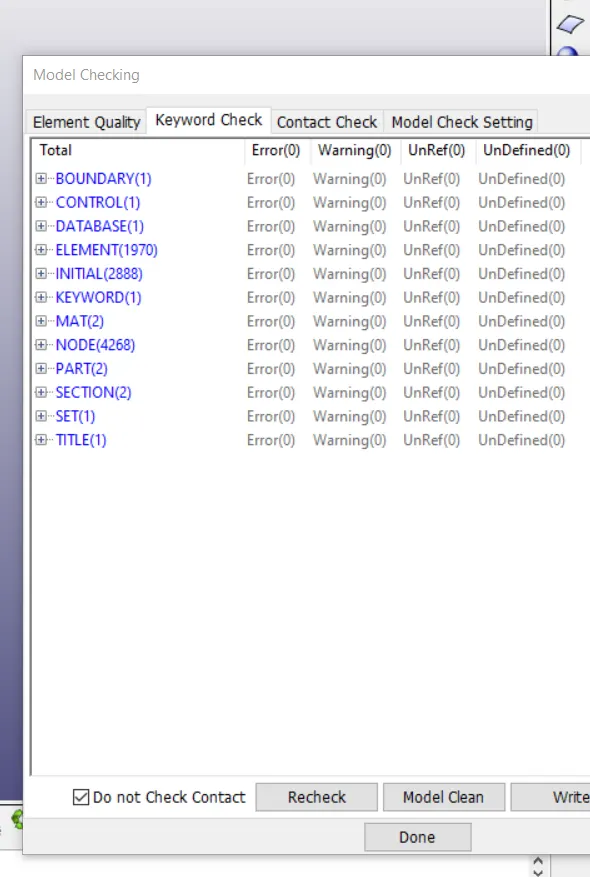
We need to take care that the model is well checked for error and warning so that we can easily perform the simulation with normal termination---
In order to check our model is error-free or not---
Model Checking---Keyword check--
10- Now we save the file in .k extension, and our file ready to run in Ls- Run/Manager-
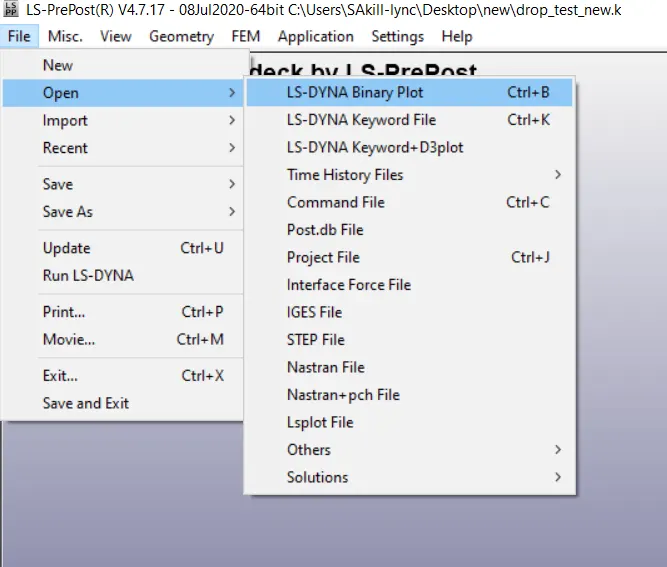
After successfully simulating we again open the Ls- Pre-Post to see the result--
Open the Binary Plot- D3PLOT file---
Results======
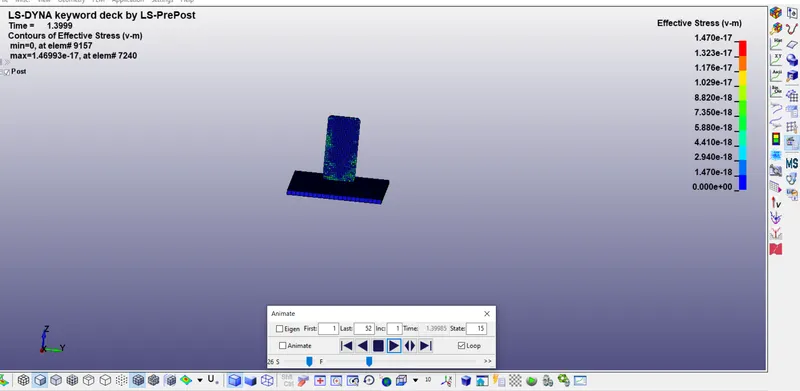
Here is the result, we can see that von misses stress increasing as soon as the phone coming into contact with the floor surface-
Conclusion-====
1- We have successfully assigned the input data.
2- Out request also assigned successfully.
3- Model checked for error and warning and debbuged.
4- Simulation is done successfully using Ls- run manager.
5- Results plotted using Ls-pre-post.