Week - 3 Drop test Challenge
AIM:- 3 Drop test Challenge
OBJECTIVE:- In this assignment, we provide you with a file having just nodes and elements of two parts, a simplified cellphone, and a plate mimicking ground.
We expect you to create a proper rigid wall or a solid surface mimicking ground ( as shown in the lecture )
You need to create a complete simulation file from this to perform a drop test.
*INITIAL_VELOCITY card is to be used to give velocity specifications for the cellphone.
We are not interested in how the phone travels from your hand to the plate, but only the period when the impact happens and a few milliseconds after that.
Therefore, we will keep the two parts very close and provide an appropriate magnitude of velocity.
The orientation of the cell phone is also important and there are specific guidelines on how to orient the products but for this assignment, for the purposes of simplicity, we will consider the direction of the phone impact such that the length of the phone is perpendicular to the impacting surface.
Based on what you have learned till now, use your judgment, manuals, and the previous simulations that are shown to create a complete input file for a drop test.
The objective of this assignment is not to get a pitch-perfect simulation but to get a feel of creating an input deck from scratch and creating results similar to one of the following situation,
i.e.
The phone should bounce back in the same direction after the impact
Bounce back along with rotation after the impa
INTRODUCTION:-
Introduction
“Drop test” is free fall of the component.
It is generally performed to check the ability of product to withstand suddenly applied loads.
Drop test is one of the functional test requirements of the crash frame for certification, hence crash frame has to qualify through the drop testing as per guidelines before it goes to market for actual use.
The “Drop Test” also called as “Shock Test”, is designed to measure the durability of equipment during loading/unloading and transportation.
Analysis
Here we will see the Drop Test of simplified model of Cellphone on the concrete ground.
There will be free fall of a Cellphone on the ground, which generally made of concrete.
So we will take the material for Cellphone as Steel and for Rigid body will be concrete.
- Here the reason for taking the concrete as a rigid body is to see the effects like phone drops on the floor at home.
Material Specifications:
Cellphone:
Material Model: PIECEWISE_LINEAR_PLASTICITY (024)
Density: 2.700e-06 gm / mm3
Elastic Modulus: 70.000000 Mpa
Poisson’s Ratio: 0.33
Tensile Yield Strength: 0.2760000 Mpa
Rigid Wall:
Material Model: RIGID (020)
Density: 7.800e-06 gm / mm3
Elastic Modulus: 210.00000 Mpa
Poisson’s Ratio: 0.28
procedure:
- First of all open the L S DYNA Keyword file named as “Drop_Test_onlymesh.k” in LS-PrePost.
- This file contains, Shell as well Solid bodies as shown in below image:
- . As per above image, we have sheet made of shell elements in red color.
- We can do an analysis with considering sheet as Rigid Wall of below the solid plate as a rigid wall.
- . For an easy way to handle the Phone as well as the Rigid wall, we can use solid rigid wall.
- . So we can delete red color sheet part.
- . Now create different cards necessary for the simulation.
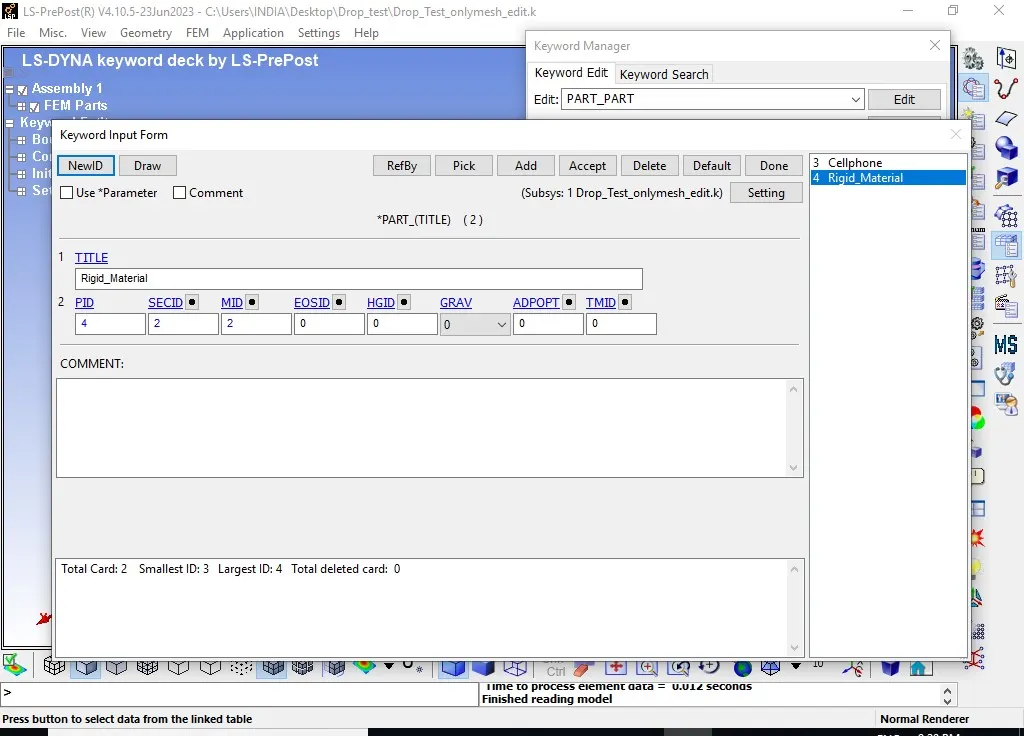
Part:
- Now we have only two parts as shown in below image.
- Cellphone:-
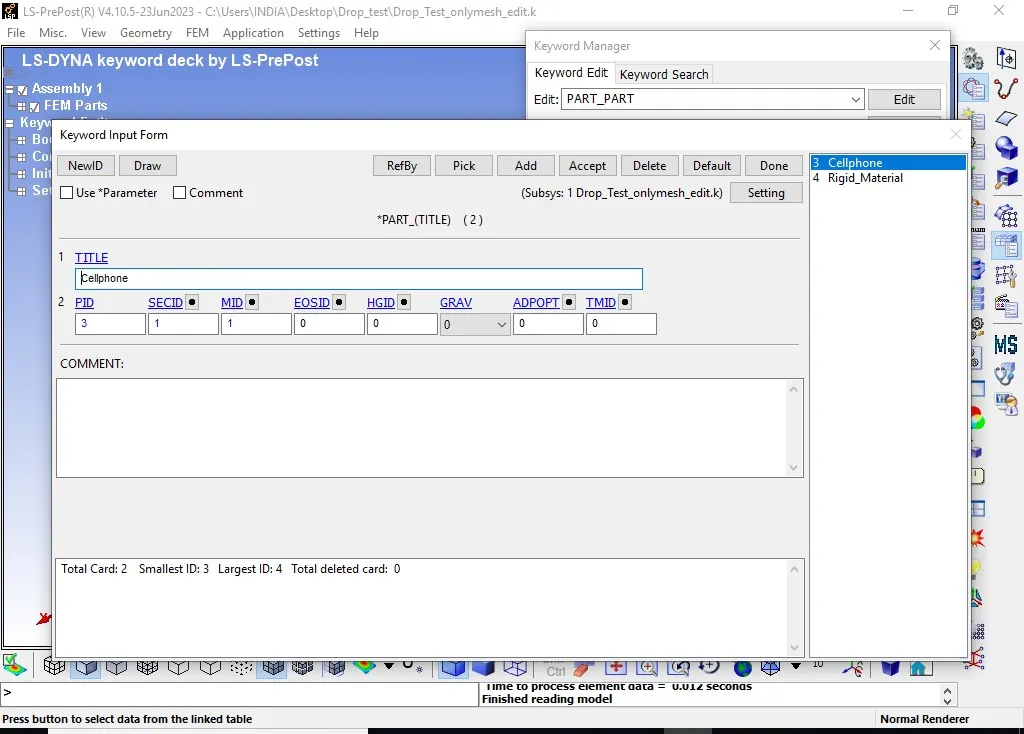
Rigid_material:-
Boundary:-
- After creating parts, create boundary condition for rigid wall
- As shown in above image, we can see that “SPC” single point constraint is created for Rigid Body by selection as a part in “Entity Creation” menu.
- Here all the Degrees Of Freedom have been locked for Rigid Body.
Initial Velocity:
- Here the drop of the Phone will be free fall.
- So free fall of Phone from 19.8 mm distance in z-direction, will be 0.6232 mm/ms.
- So create Initial velocity from Keyword Manager and give the velocity as -0.6232 mm/ms in negative z-direction. As shown in the below image.
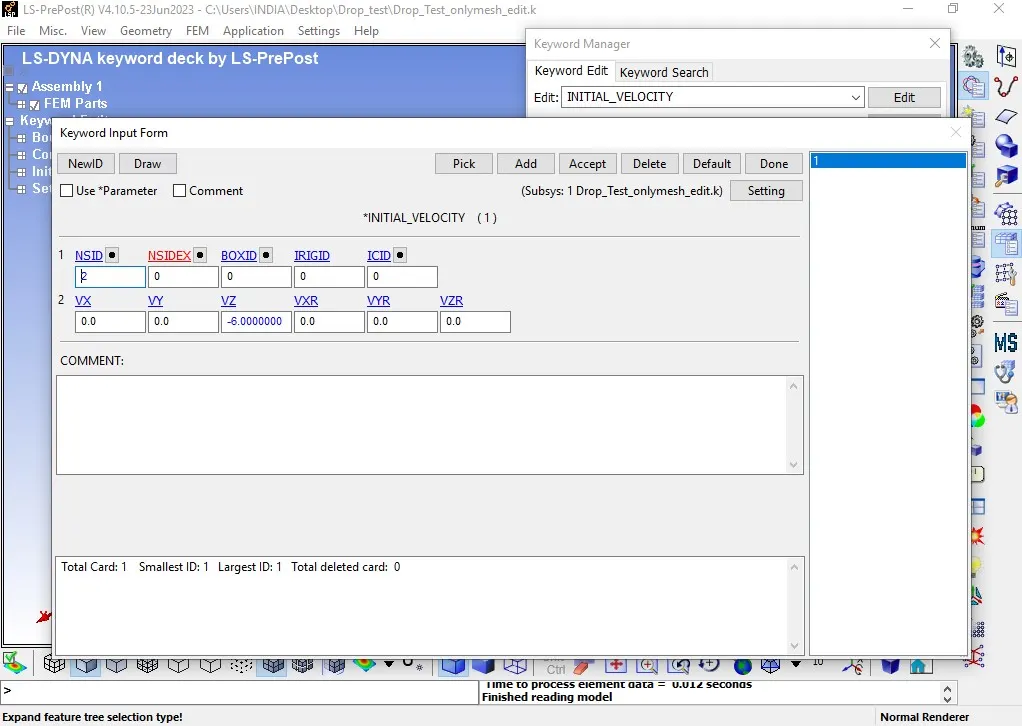
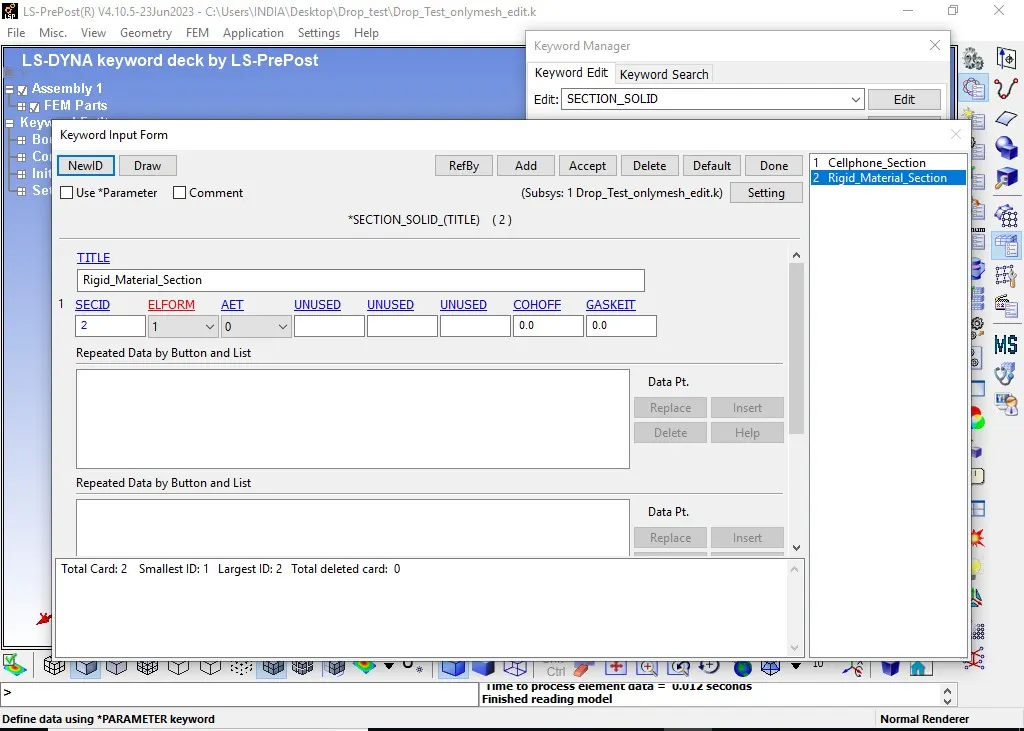
- Section:-
- Solid_Material
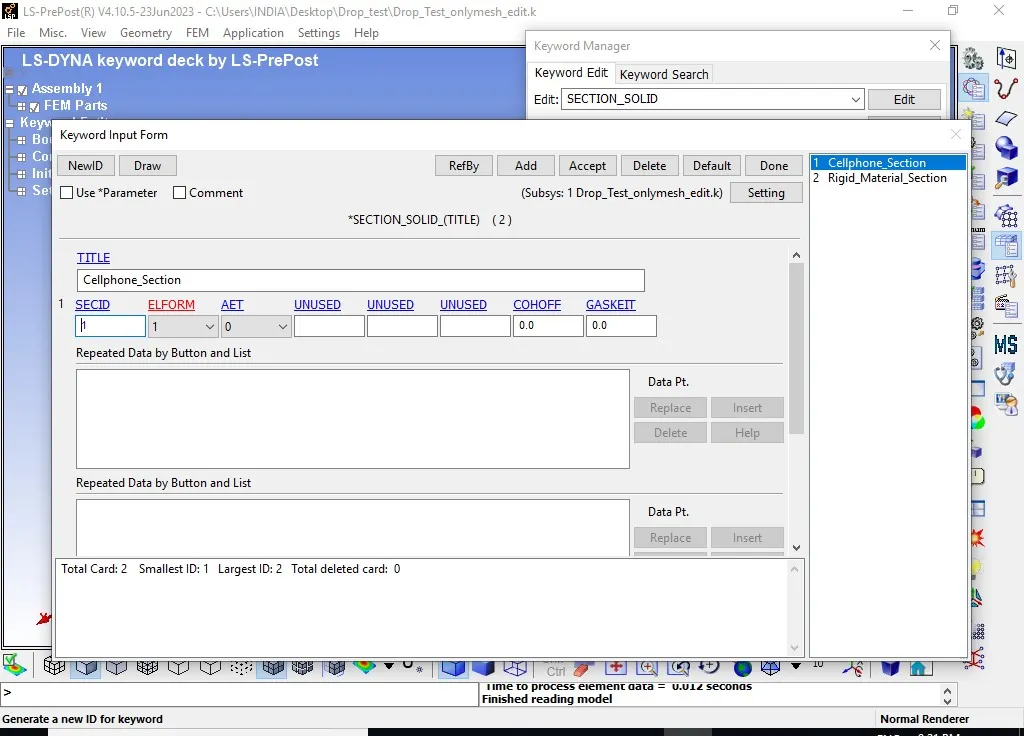
- Section
- Rigid_Material
-
Material:
- Create material cards for Phone as well as Rigid body as given below.
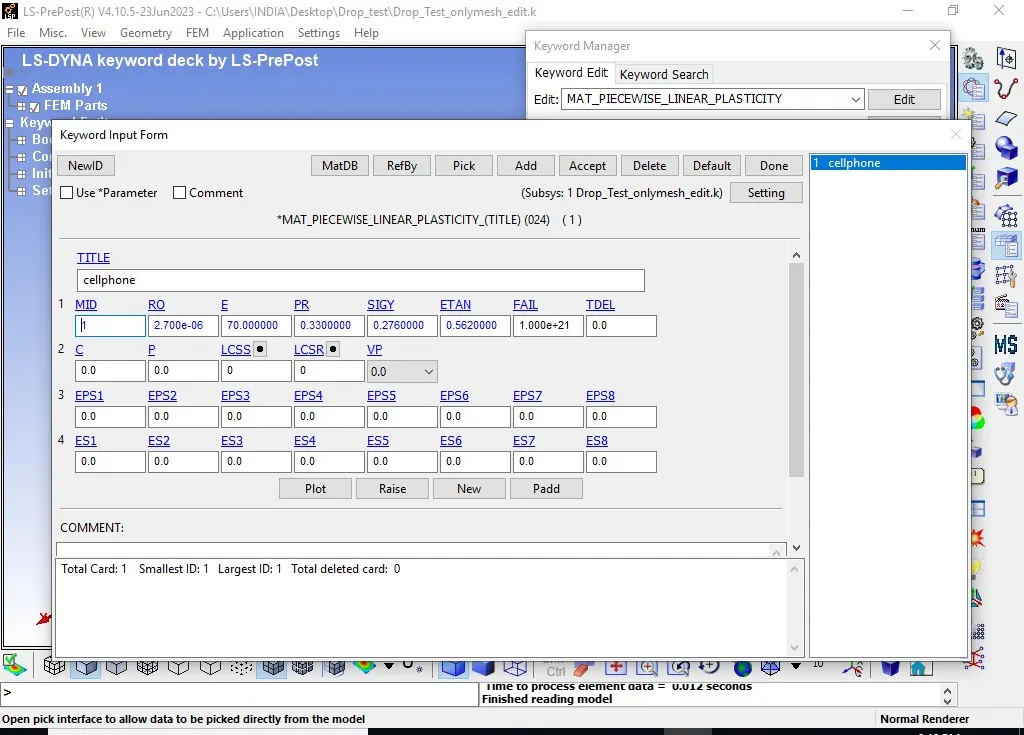
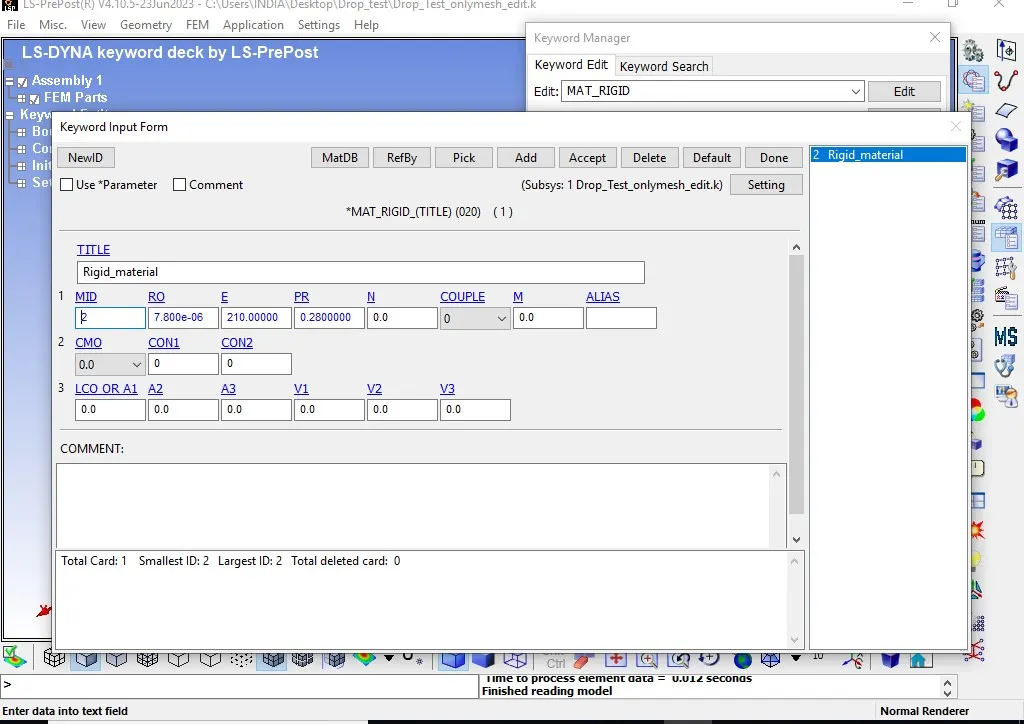
- Assign all details related to material specification as described above.
- After creation of section and material cards, we have to apply it to the part.
- So in Part, assign MID and SECID according to ID’s of Phone and Rigid Wall.
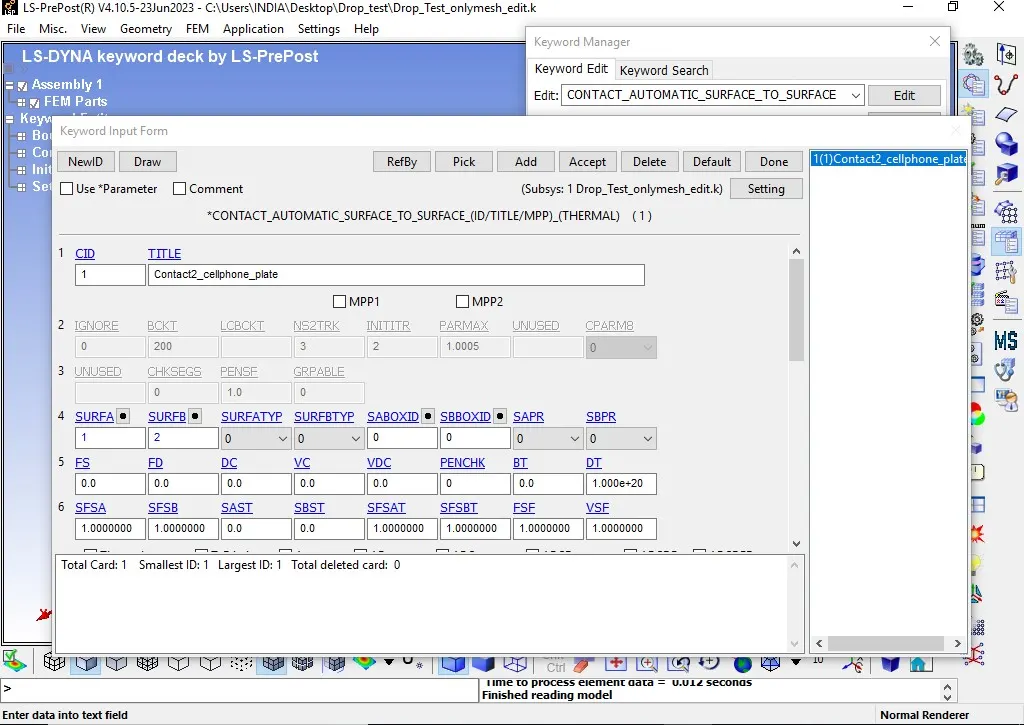
Contact:
- Now for the reaction behavior of the interface, we have to create Contact Interface between Phone and Rigid Wall as given bellow.
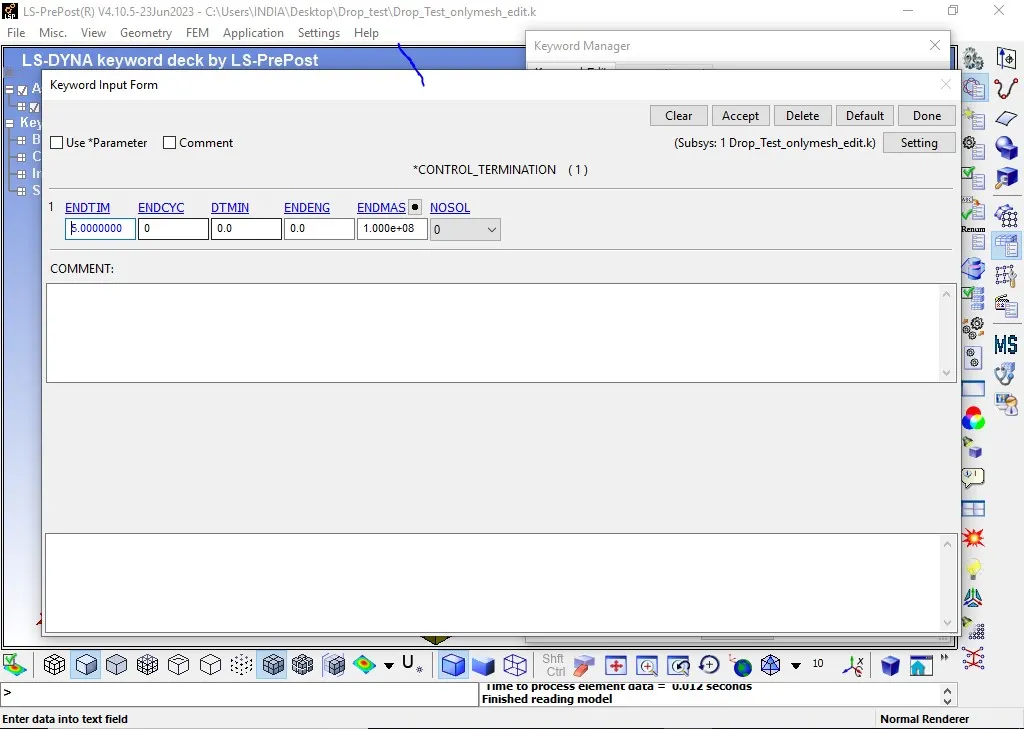
- Control_Termonation:-
- CONTROL_TERMINATION”, helps for the termination the simulation period.
- By giving “ENDTIM”, up to that value we can run the simulation and then terminate it.
- Here, Termination time is given a 5 ms.
-
Database:
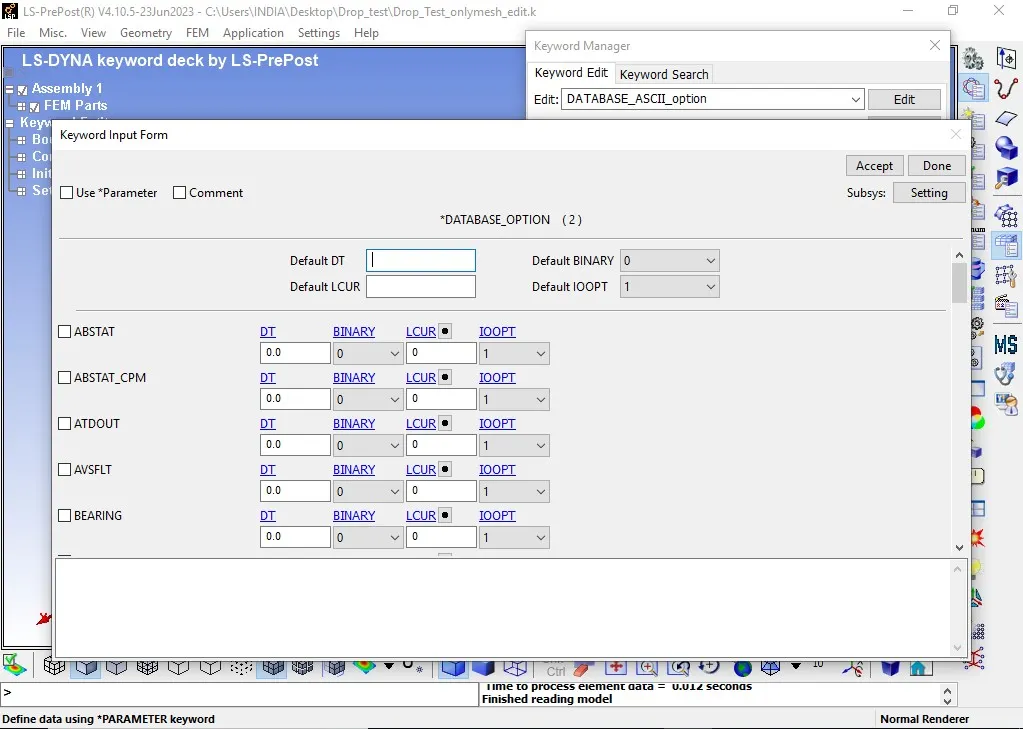
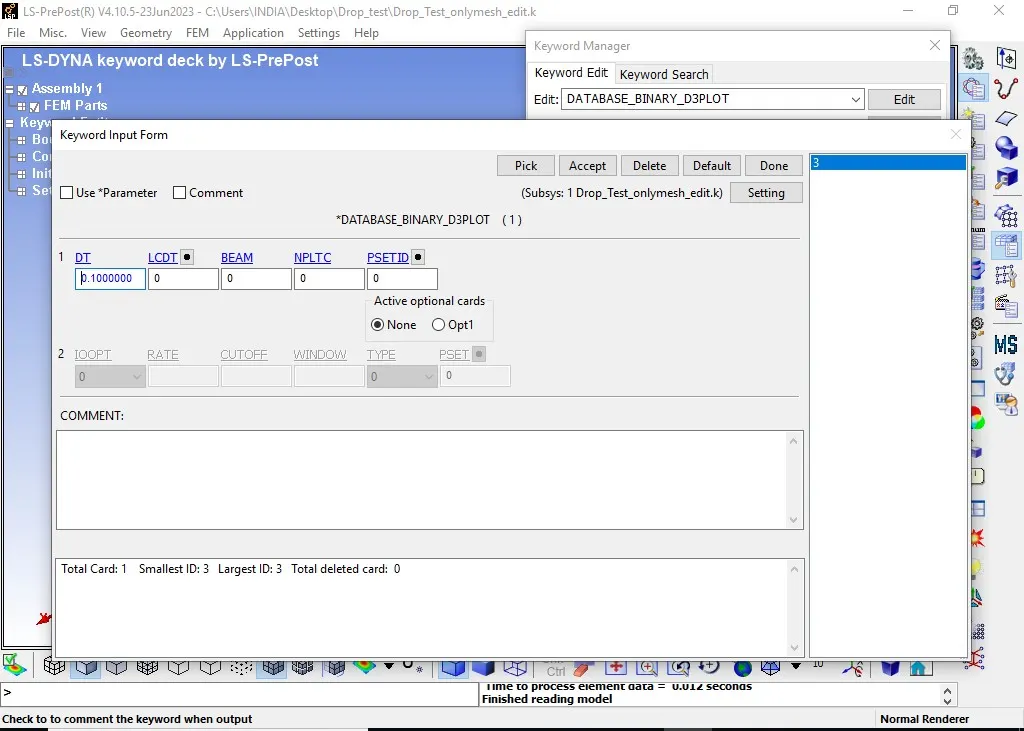
- Now after all conditions and termination details, we can generate output requests or results that we want from the analysis.
- For that, we have to create cards for output. For animation and other part related data, create “BINARY_D3PLOT”, from database and “GLSTAT”, “MATSUM”, from ASCII_option in database.
-
Results:-
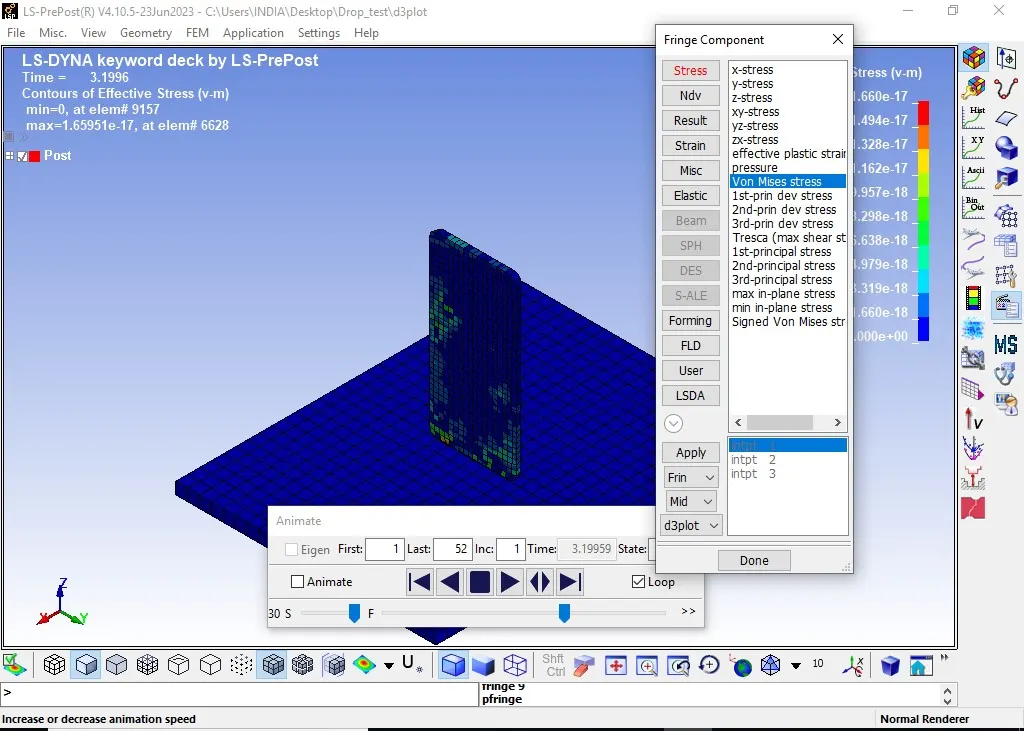
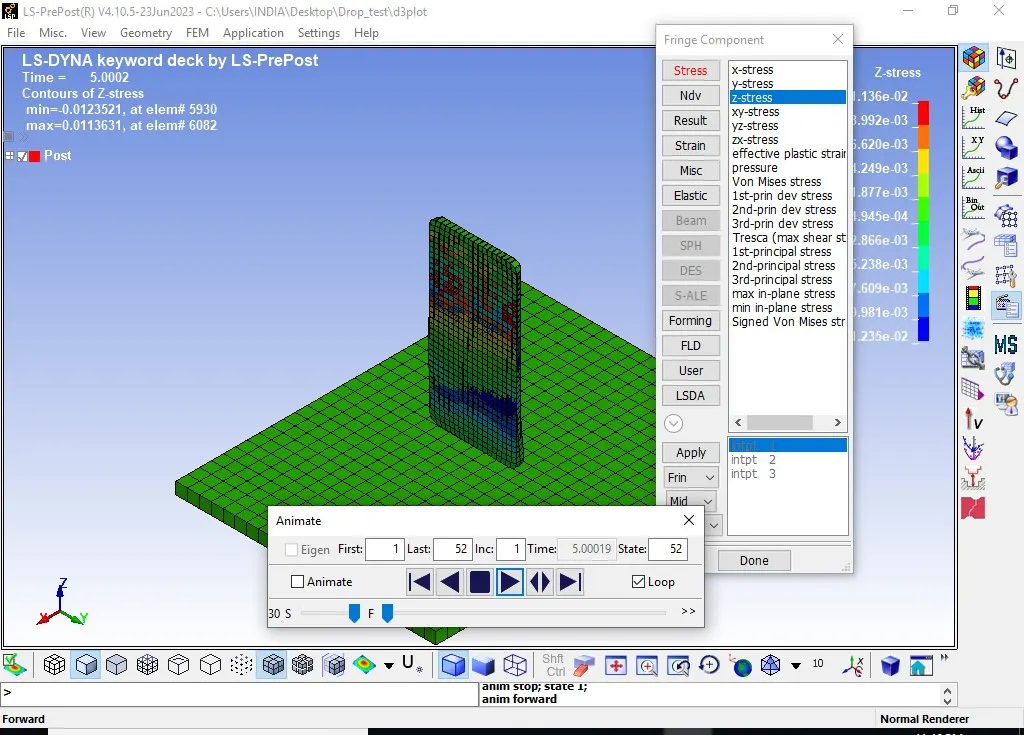
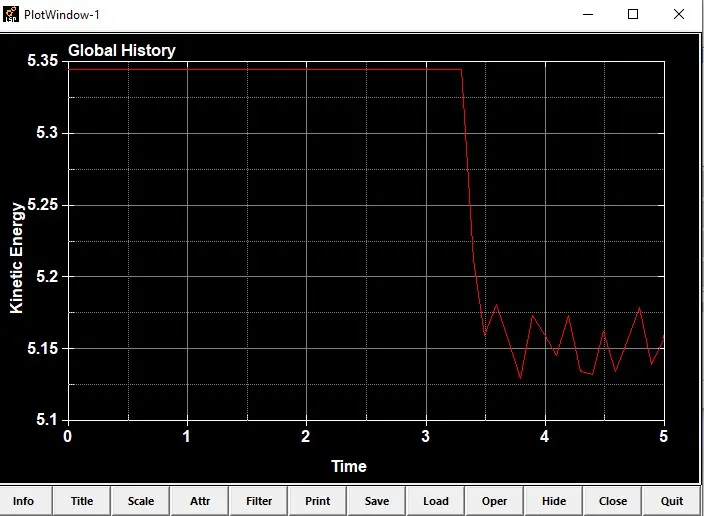
- Open the Binary “d3plot” file in LS-PrePost and check the results.
Effective Von-mises Stress:-
-
Conclusion:
This concludes Material modeling strategy considerably acceptable for this case; however different Material model should be checked with different loading condition to arrive at the correctness of the modeling strategy of the simulation.
-
The simulation results adds confidence to the Material modeling approach and endorse the mesh size, element selection and contact definitions specific for problem described in this analysis.
-
This drop test simulation helps to improve the design of the cell phone while it is in design life cycle.
-
We can try different Material models and also check for the various output results for more accurate results.