Week - 3 Drop test Challenge
Aim/Objective:
To create a rigid wall or a solid surface mimicking ground
Material section id boundary conditions and other required card id for drop test
Velocity needs to be created and assigned to phone
To create complete simulation file for drop test
Procedure :
Steps :
Import the file.k format to open on lsdyna prepost
Under Assembly Fem parts was selected shell was deleted solids was used for phone and surface
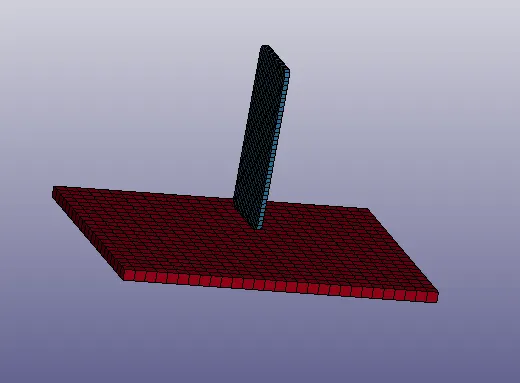
Material creation :
Material card is required to run the simulation for phone and surface
Phone was given elastic material (MID:1 RO:7.800e-06 E:207.00000 PR:0.3)
Surace was selected Rigid material (MID:2 RO:7.800e-06 E:207.00000 PR:0.3)
Accept and done the material creation
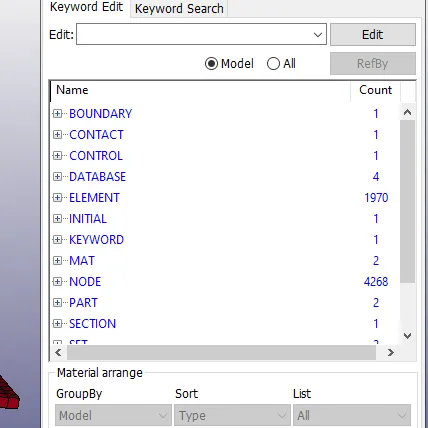
Boundary creation :
To run the model boundary was created for fixing the surface and the phone velocity
Under boundary spc set was created title given floor constrain and NSID was added 1
Then under FEM model part create entity was selected in that set data set node option used
In Which create option was used for bootom surface node was selected by path option all four sides created
Then for phone also created by using part option selecting phone accept and done Accept and done the boundary creation
Contact creation :
Under contact creation surface to surface was selected
SSID:2 MSID:1 SSTYP:3 MSTYP:3 was added done
Control creation :
Under control termination was used for the time step used in simulation
The termination time was given 5 and accept done
Database creation :
Under database ASCII option was selected ELOUT DT:0.5
GLSTAT DT:0.5 MATSUM:0.5 was accept and done
Further Under database Binary D# plot was selected and DT0.1
Element creation :
It was solid for both phone and surface and the values was default
Initial Creation :
Under initial creation Velocity was selected for the phone to drop and direction axis was given
NSID:2 VZ:-10 VZR:-10 accept and done
Keyword creation :
It was kept as default for keyword
Node creation :
It was kept as default for node
Part creation :
Part was created for floor PID:1 SECID:1 MID:2
For phone PID:2 SECID:1 MID:1
Section creation :
Title was solid SECID:1 ELFORM:2
Nodelist creation :
The SECID:1 was given for nodelist
Title creation :
It was kept as default
Output :
Then the file was saved after creation by using file save as keyword
Further LSRUN was opened and File was added runned status was finished normal termination
Then LS prepost file open ls dyna binary plot then D3plot was selected and opened
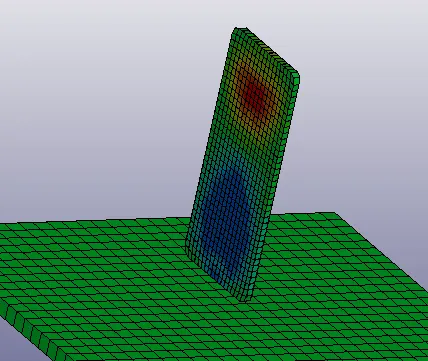
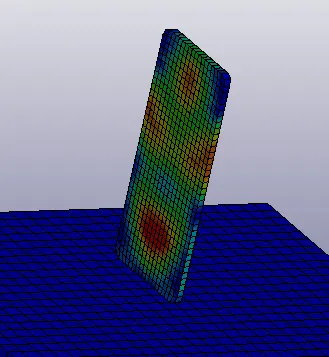
Phone hitting the surface and bouncing back repeatedly hitting was viewed
There was no stress before the phone hit the surface
The simulation was runned selecting post option fringe component
It was runned again to view the stress result
LEARNING OUTCOMES :
To create boundary material part Section and other cards was learned
Nodes creation and slave and master node was used
Then running the simulation to view the results of stress
Phone hitting the surface and the stress was viewed clearly
Result :
Thus the given drop test simulation was done and the file is attached for reference