Week - 3 Drop test Challenge
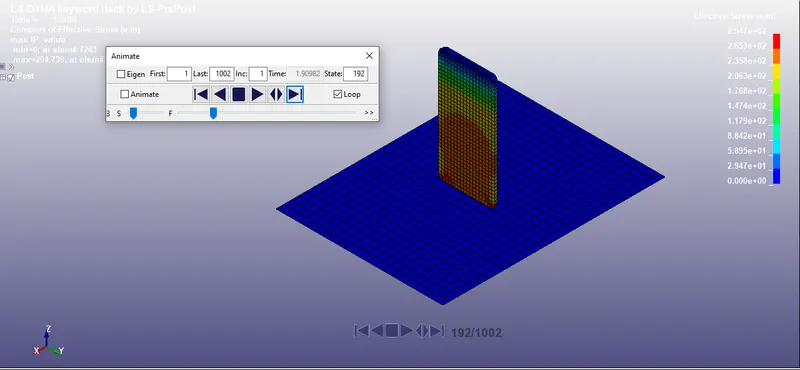
Aim: To simulate drop test of phone using explicit method.
Cad file:
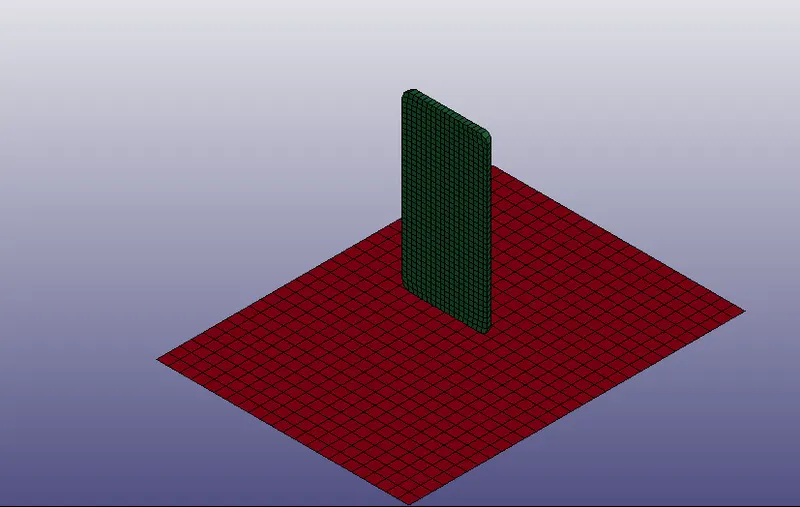
Procedure:
The procedure to simulate the problem is divided in to different parts:
1) Material card
In this problem there are two different entities to be defined 1 is the rigid wall and another one is phone.
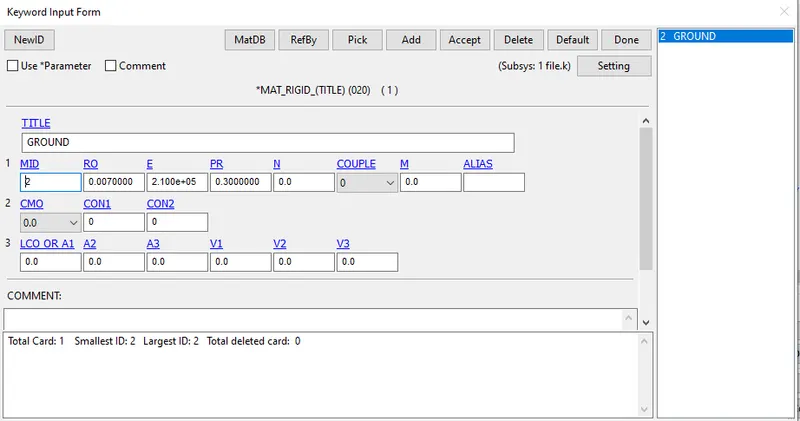
Rigid wall
To specify rigid wall, we can use MAT 20 keyword card.
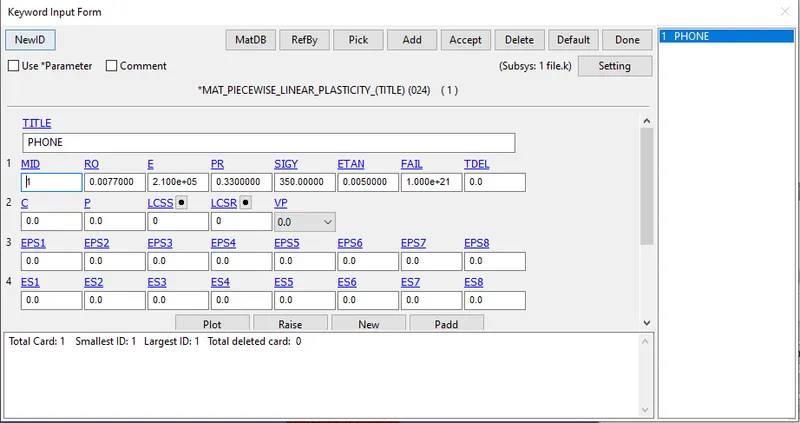
Phone
In this problem phone is the slave part as we want result on phone model. So, we are going to use MAT 24 that is piecewise plastic material.
2) Section card
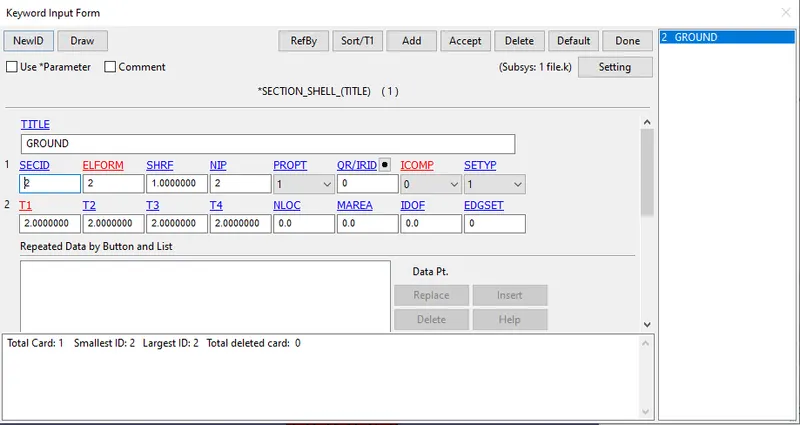
As the model is separated in two parts, we have to assign section to each part as per the mesh specification.
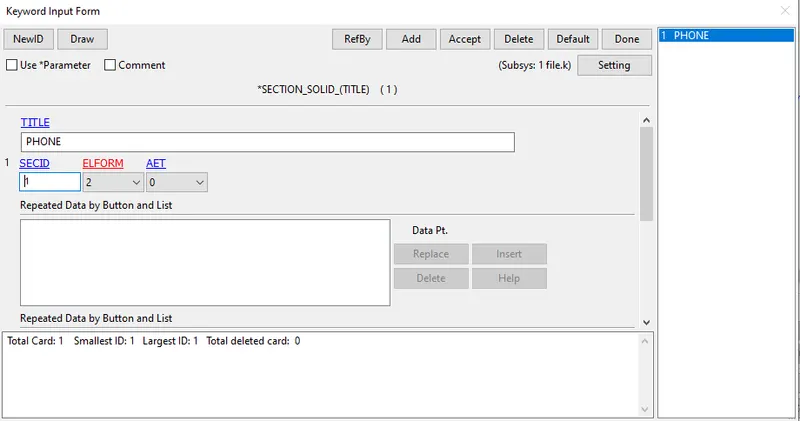
Phone section
The phone model is of solid element so we shall create solid section card with 3D solid elements.
Wall section
The wall is made up of shell element so create shell section with thickness of 2 mm.
3) part card
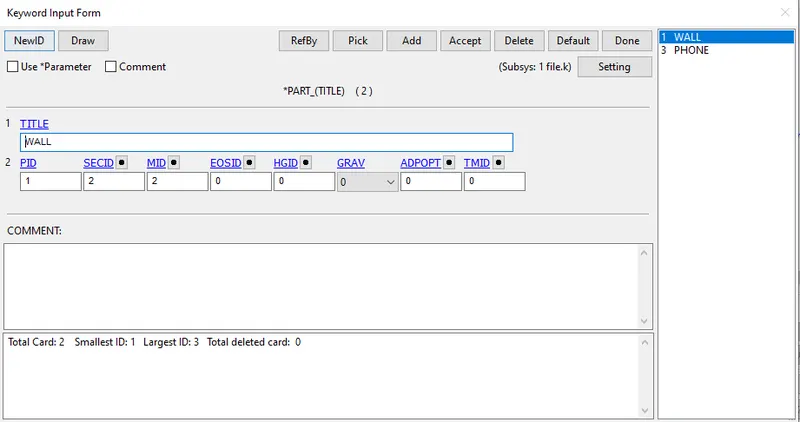
It is important to assign material card and selection card in part model
4) Node set:
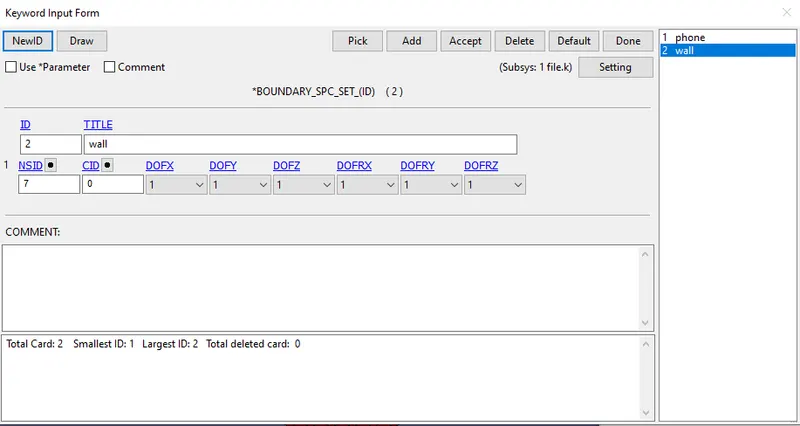
As in the wall section it is constraint from all side so we have to create node set will all dofs freeze.
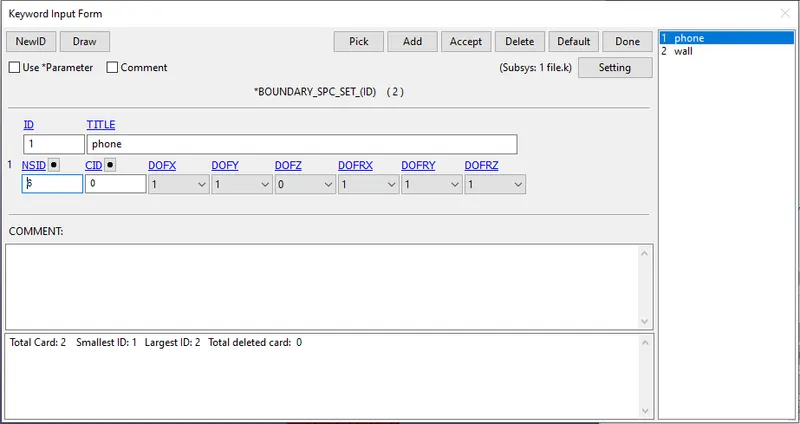
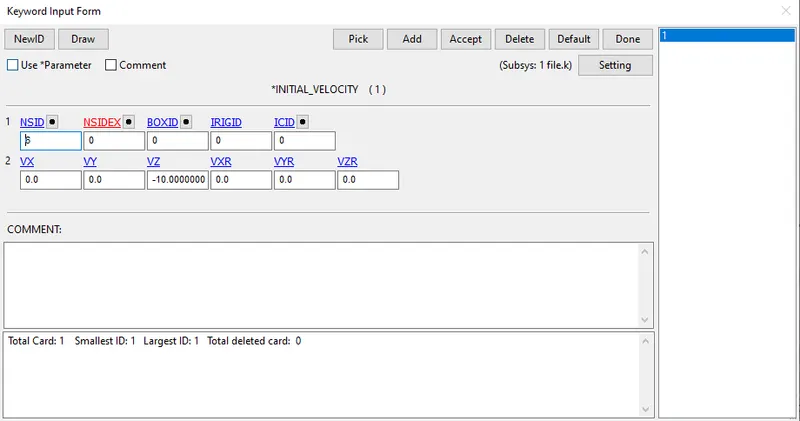
In phone section it is necessary to move in z direction.
5) Contact card
As there is surface contact between two surface it is mandatory to determine master surface and slave surface. For this we are going to use automatic surface to surface card.
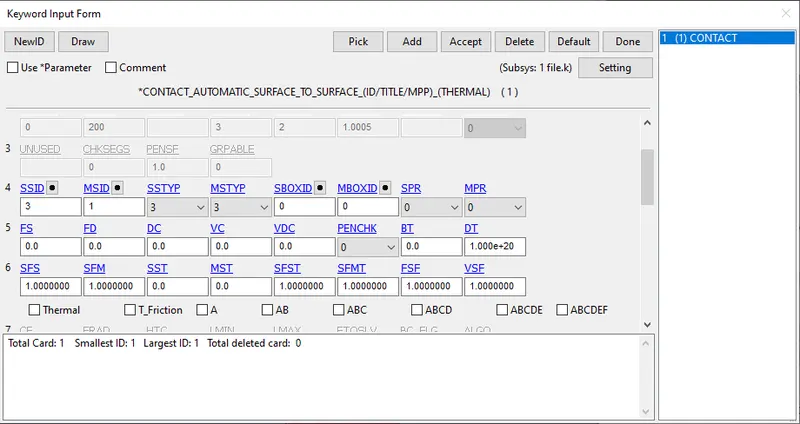
Master surface are rigid surface with almost infinite stiffness.
Slave surface is the surface where we require actual results.
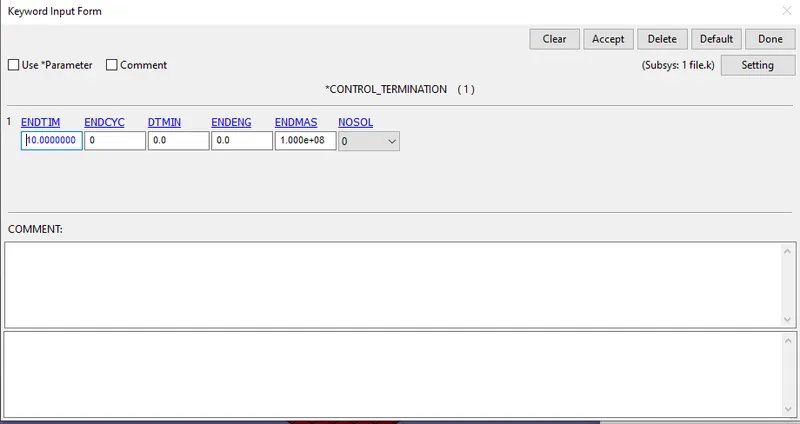
6) Control card:
It is important to tell ls Dyna when to stop the programme. For this termination card is used. Assigning end timing as 10.
7) Initial Card
While working on dynamic problem velocity is a key aspect. Using initial we can define initial property of the system.
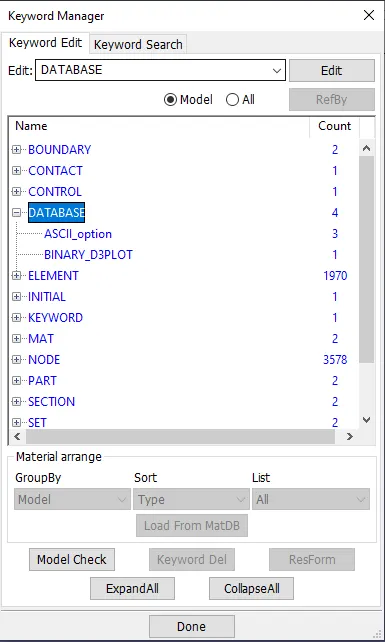
8)Data base
Data base is used to define the output file required of the given problem
In this case we will use binaryd3 plot and ASCII option card
Final result:
Conclusion:
1) Got to know various tools in ls Dyna.
2) Learned the interface and approach to solve the problem in ls Dyna.