Week - 3 Drop test Challenge
AIM:
To prepare an input deck for drop test in LS Pre Post (lspp) and run the simulation in Ls-Dyna with post processing the results in LSPP.
Procedure:
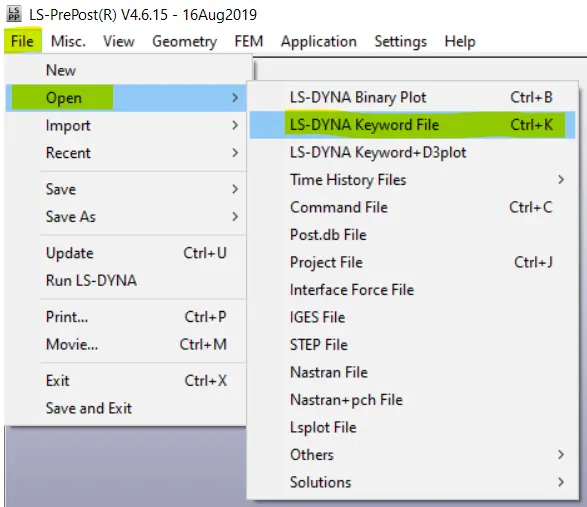
1.Import the .k meshed model file into lspp.
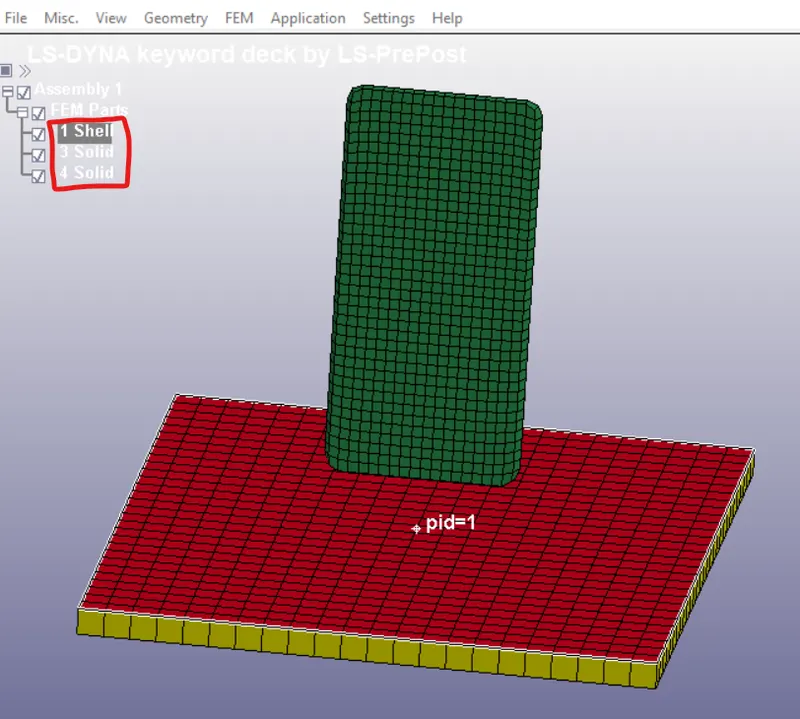
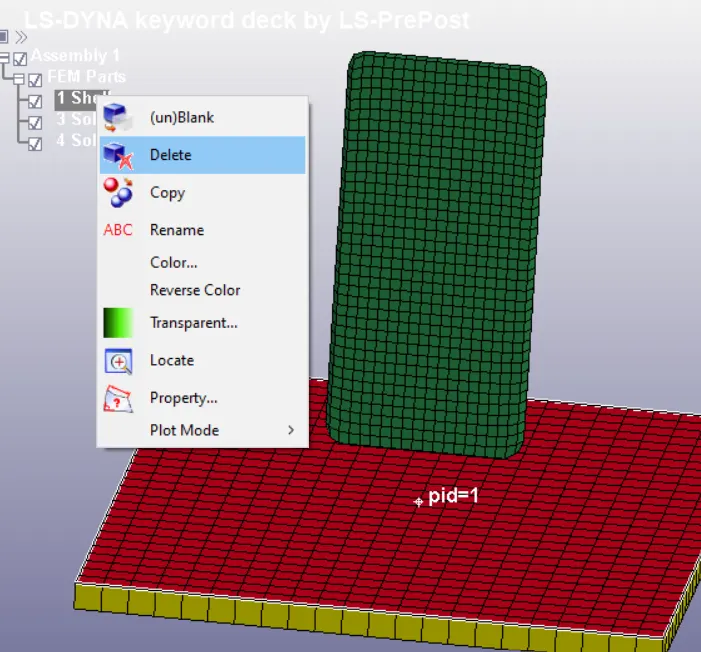
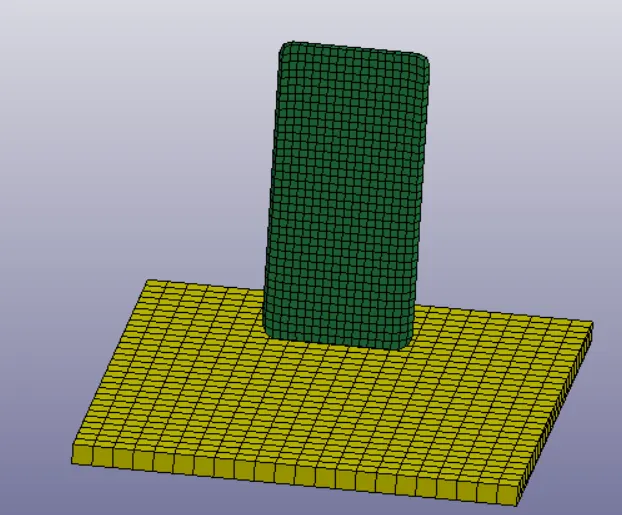
The above image shows the number of parts in the model, for this project only solid elements are needed, i.e., the wall and the handset (yellow and green parts). The red shell elements can be deleted.
2.Check the keyword files applied and create any necessary keywords needed to run the model.
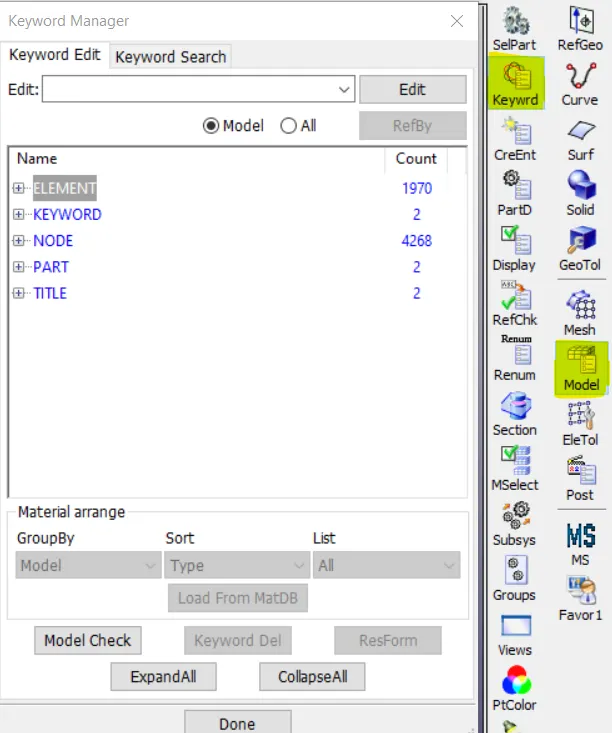
The input file is missing many o the necessary keyword files like material definition, section file, contact files, boundary conditions and control cards to run the simulation.
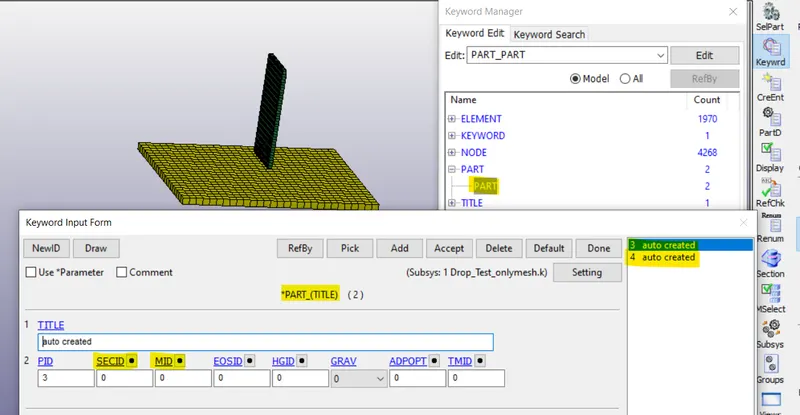
There are 2 parts in the part keyword rename them with handset and rigid wall, the part card requires sectionID and material ID to be defined for the parts.
Material and section card creation.
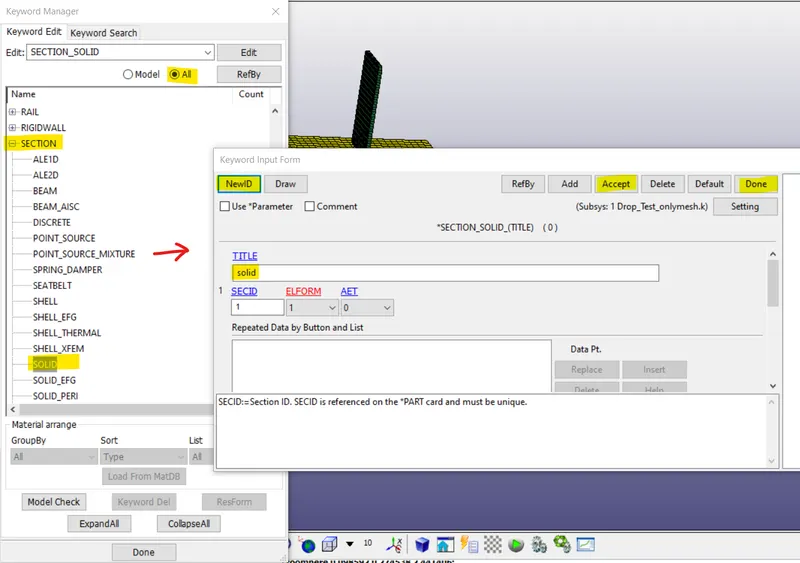
Create a solid section to apply to the two solid parts i.e., for handset and the wall.
All units in Kg, mm, ms, KN, Gpa.
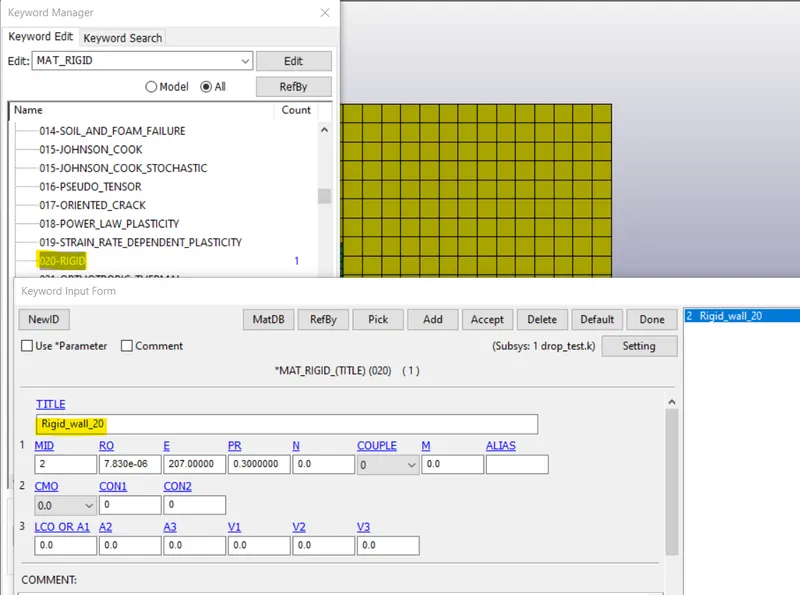
Create material to apply as shown below.
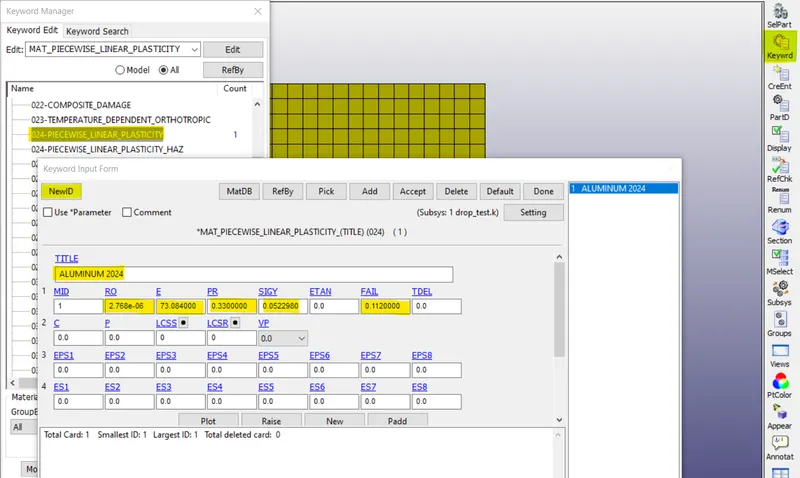
Materila for rigidwall.
Boundary condition and Initial velocity.
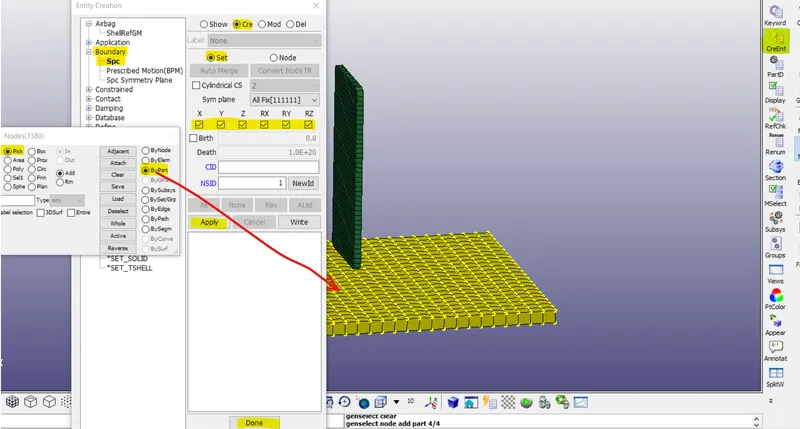
Apply SPC boundary condition to the rigid wall and fix the part in all the direction as shown in the image below.
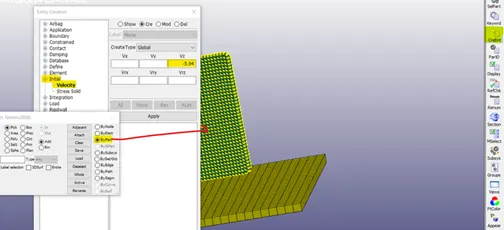
Apply initial velocity of -5.94 mm/ms to the handset in z-direction.
Contact keyword:
To define how the parts behave when two parts come in contact with each other, it is necessary to apply contact keyword.
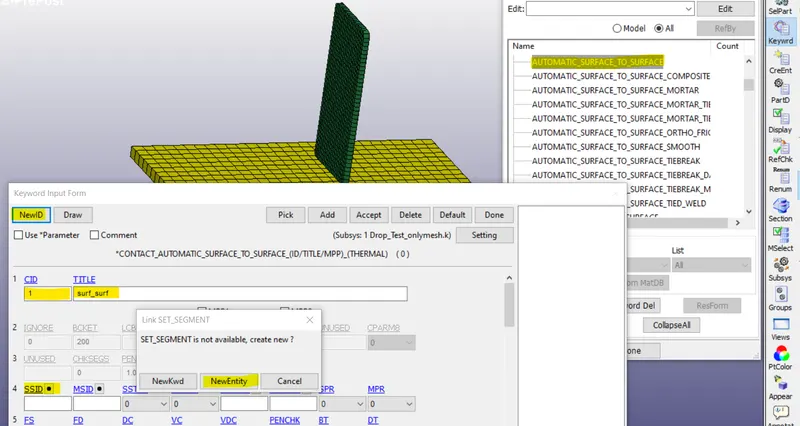
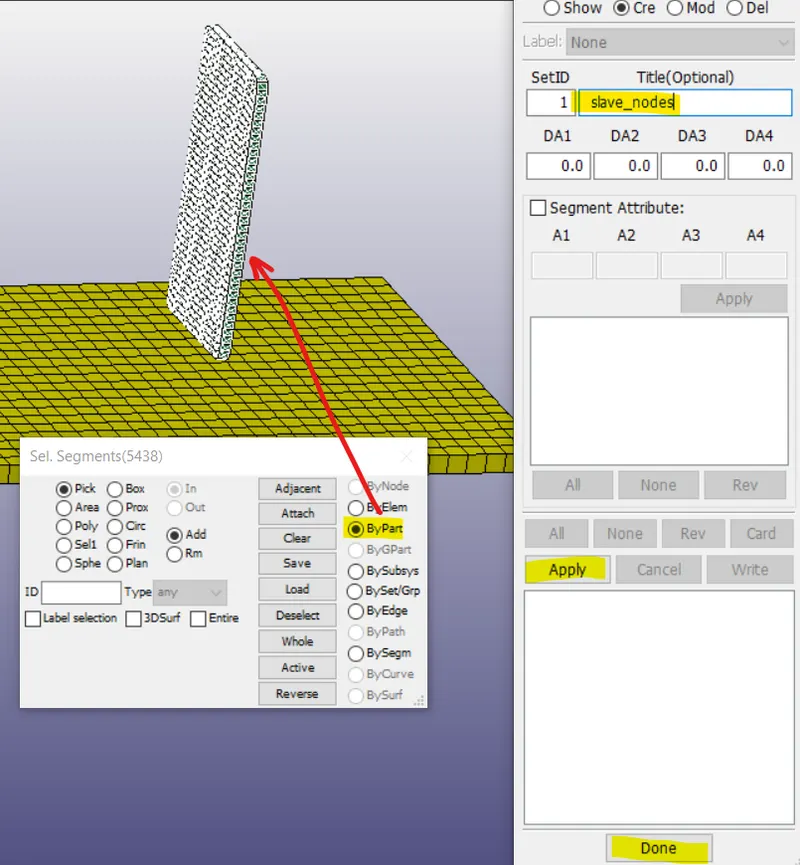
Repeat the same to select the master nodes, master surface will be the rigid wall (yellow part)
creating single surface contact:
for this keyword just slave ID definition is enough.
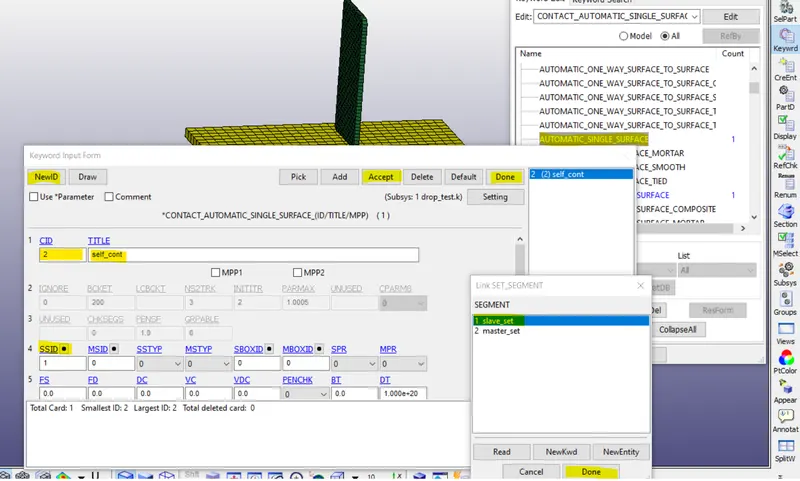
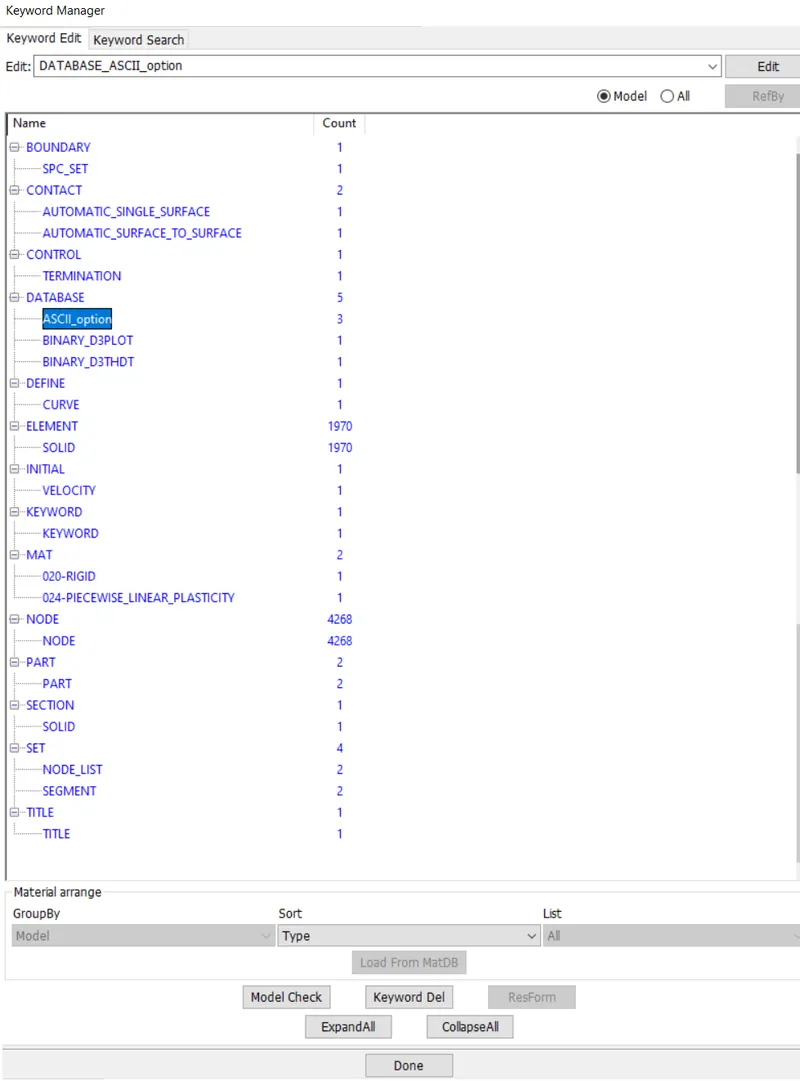
Control keywords and database keywords
Every simulation needs certain control cards to define global control, one necessary keyword is control termination, which defines the total run time for the ongoing simulation.
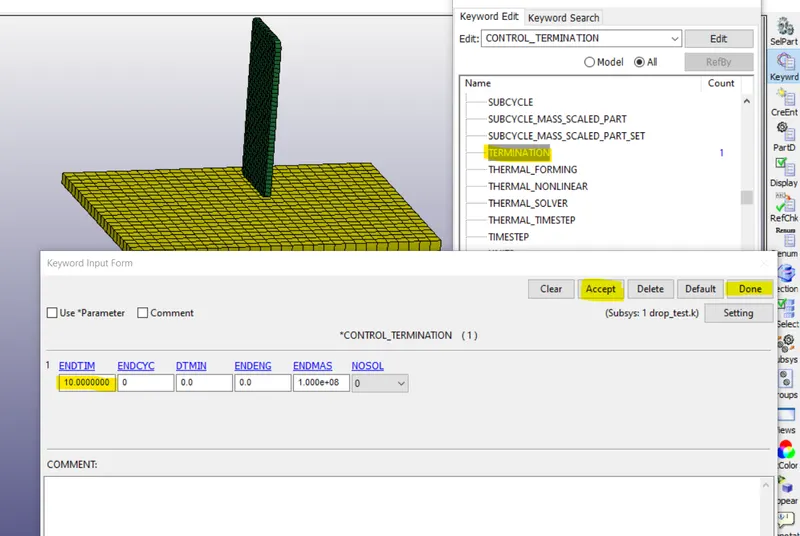
The total run time for this simulation is 10 ms as seen in the above image.
Database keywords: Using Database keyword output files can requested such as animation file energy data, contact forces etc.
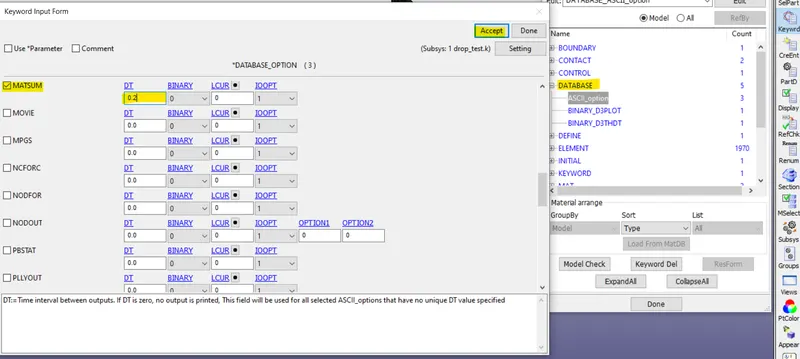
Select the database keywords and enter a value for DT (Time interval between the outputs) for this simulation for every 0.2 ms the MATSUM will generate the results.
Simulation Run in LS-Dyna:
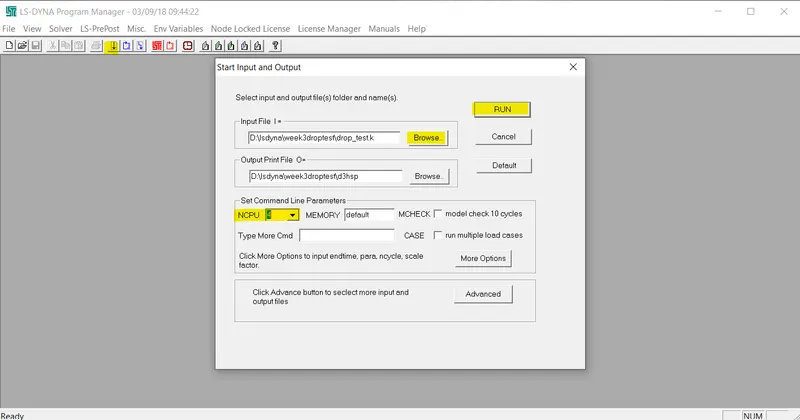
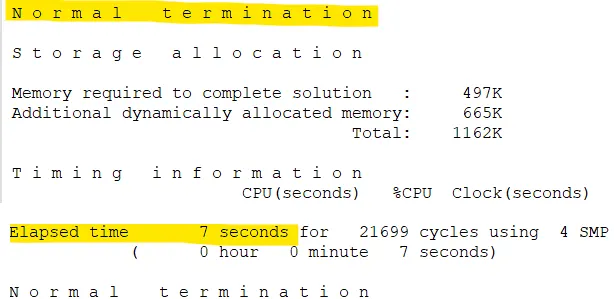
Open LS-Dyna program manager /LS-Run browse the .k file in the input file option and set the NCPU number and run the simulation.
Result:
From the above image it can be observed that there are high stress developed when the handset impacts the rigid wall
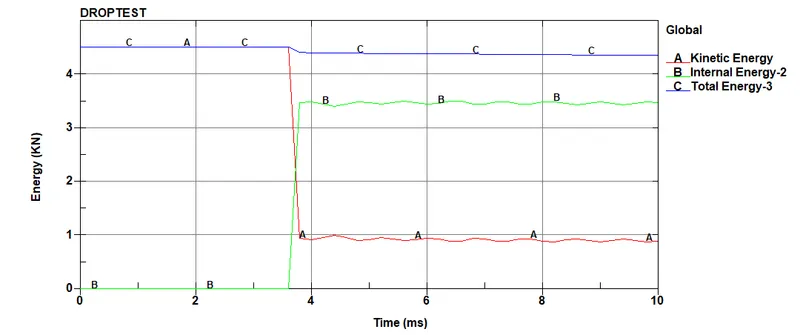
The above plot gives the energies developed in the system, it is seen that when the handset impacts the rigid wall, kinetic energy from the handset is transformed to the rigid wall, hence, the kinetic energy decreases and the internal energy of the system increases.
Conclusion:
A complete simulation file is created for drop test using various necessary keywords file in LS-DYNA, from the graph it is observed that the kinetic energy decreases after impact and internal energy increases in the system after impact.