Week 3 Challenge : CFD meshing on Turbocharger
AIM: TO check the Geometrical Errors to make the appropriate volumes. To create and assign PIDs and perform the surface meshing according to the given lengths as per PIDs.
SOFTWARE USED : ANSA Software.
TOOLS USED IN SOFTWARE : Checks, Topo Deck,Properties, Loop, Parameters Tool for length, Mesh Generation Tool for meashing.
PROCEDURE :
1. Downloaded the model from the challeng and saved it in a specified location.
2. Inserting the downloaded model in to ANSA Software.
3. Learining the given question and understanding it.
4. Go to checks option to check the Geomentry Errors in the model.
5. In the checks we have an option "Geomentry", click on it and then we will get option like (i.e : sharp edgs, unmeshed macros, uncracked surfaces, colopased cones, triple cones, nedial faces, over laped faces, cracks, single cones.) out of which select all the required items to get your required output.
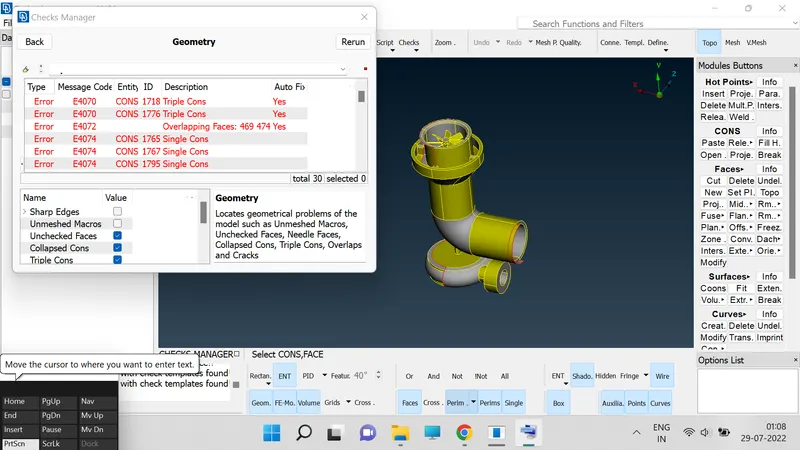
6. After doing checks we will get the clear information of "Over Lapings" and "single cones" and "tirple cones" on over model and we need to resolve each and every error using the different tools in ANSA.
7. Go to "Topo deck" for future oparetion.
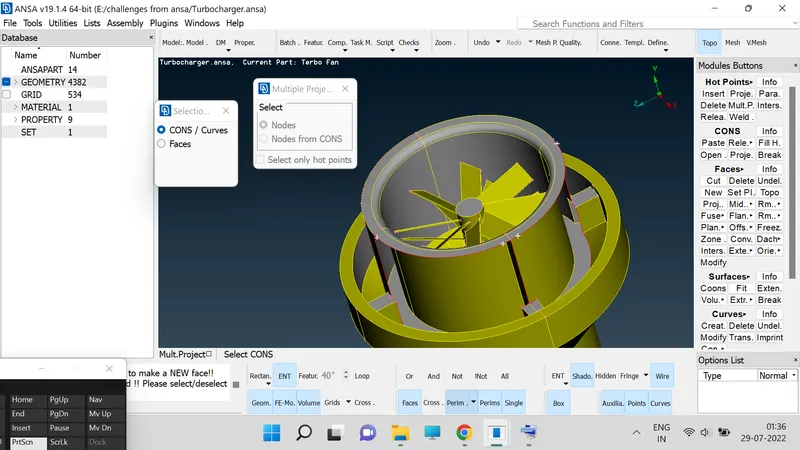
8. In Topo deck we have an tool called "Faces", in which we have "New" click in it then a window will be popup over their in which we have four option like (i.e : existing surface, planner, conns, fitter.) by using those we can clearly complete the filling operation of missing surface in model.
9. In cones we have a option called fill hole use it to fill the holes in the model.
10. Use control and shift kee to see the wire fram mode of ur model to select the hidden surfaces during the oparetion.
11. Click on 'Delete', option delete the OverLapings on the bottom surface.
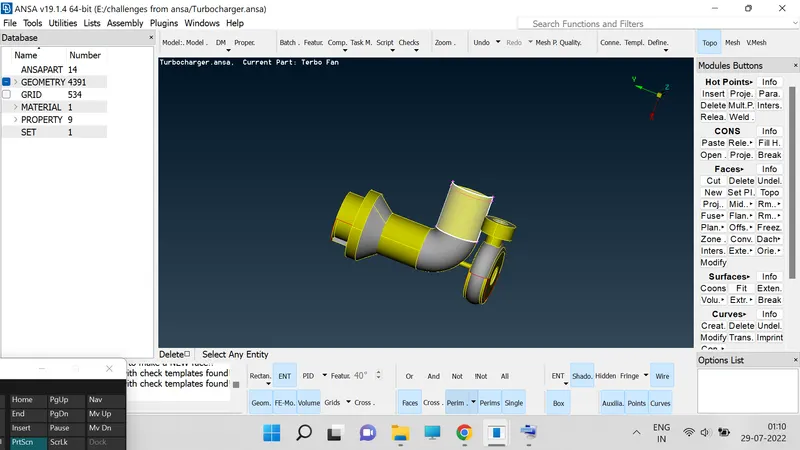
12. Repeat the step no:7 and step no: 8 for filling the delected surface.
13. use the 'Loop', option to select the etire surface at a time.
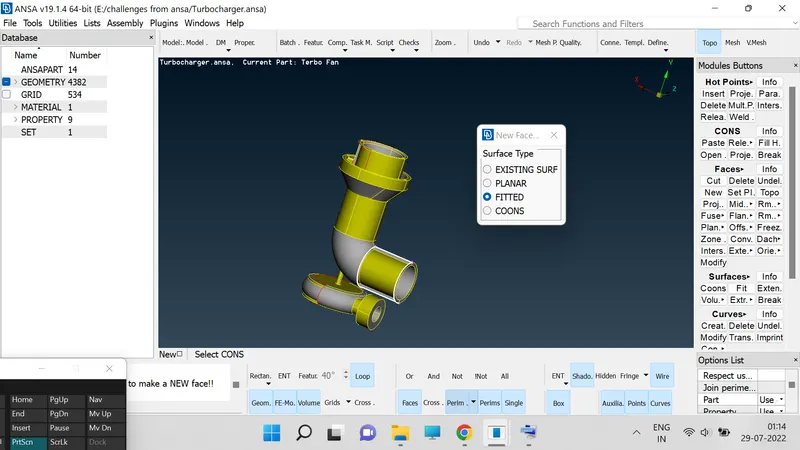
14. delete the surface at the top the create the 'Hot Points', in which we have 'Projection', use that to spot the hot point on the surface.
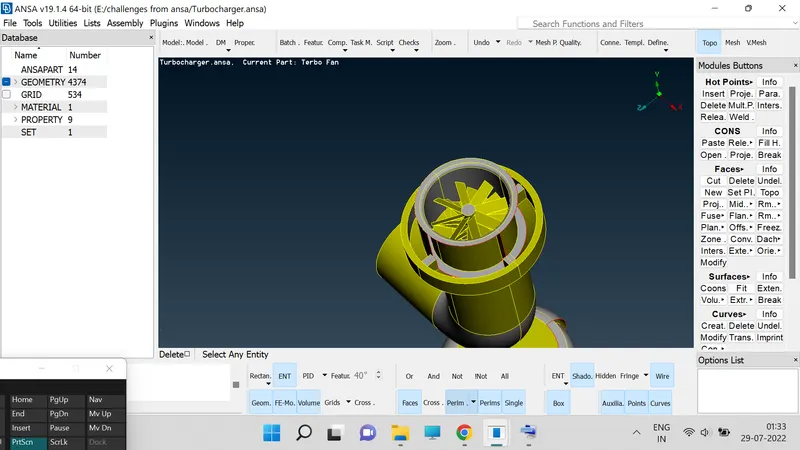
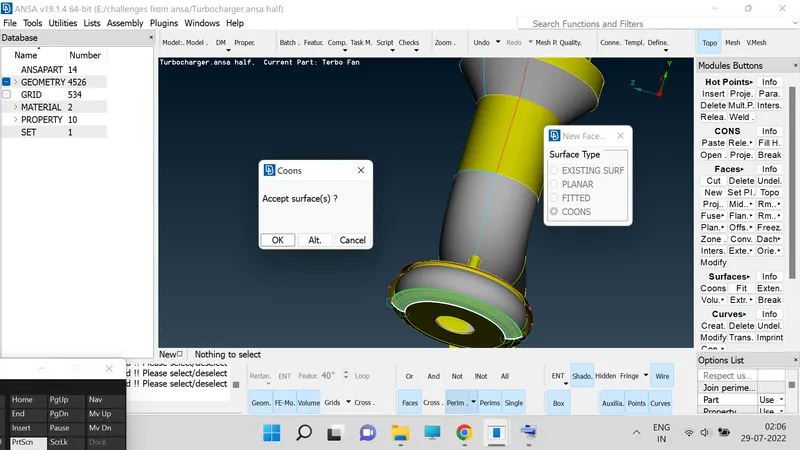
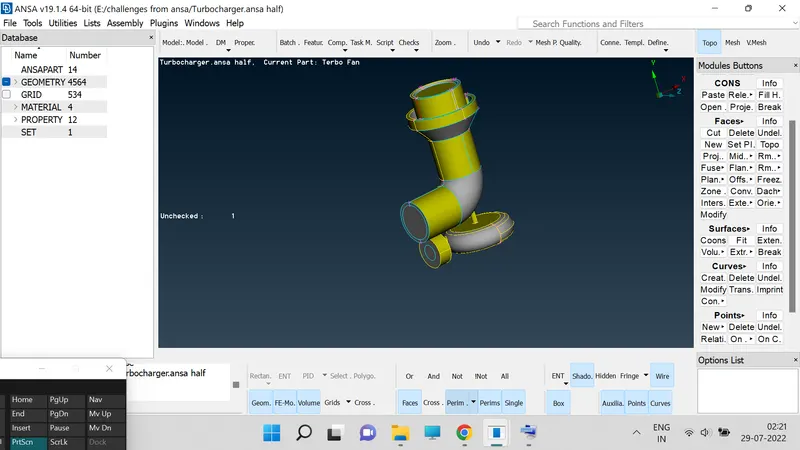
15. After clearing the 'Geomentric Errors', in checks we need to concentrated on the closing the inlets and outlets.
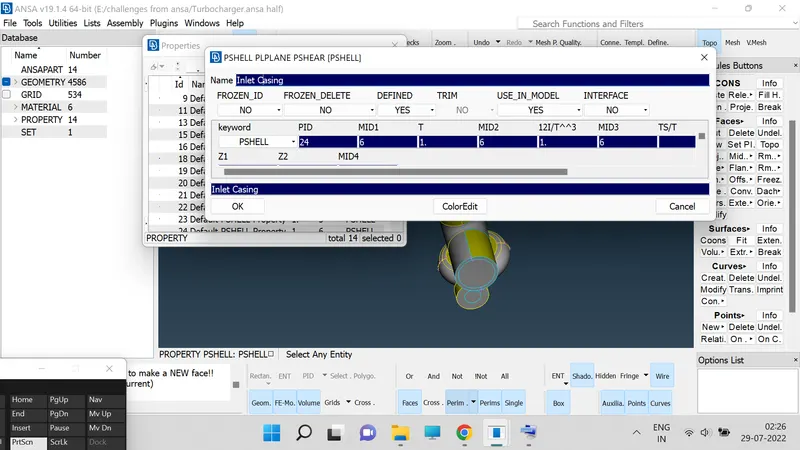
16. Now assign the PIDs through the 'Properties', selection and going through the naming opetion to each and every part.
17. Go to parameters Tool click on it then a window will be popup in which two stes will be visible one is PARAMETER and secound is MACROS.
18. Go to PARAMETER and click on middle botton then a window will be popup then set the dimensions as desired dimensions and do the same for the MACROS and set the dimension.
19. Go to MESH PARAMETER and set the target length and selecte the tira option over their.
20. Define the meshelement type us a tria in the MESH PARAMETER.
21. Go to MESH GENERATION tool in which we have SPORT MESH click on the option and then select the entire model then the model will be turned in to mesh.
22. Now go to MESUREMENTS option at the top of the screen and then click on it then window will be popuped then select the nodes option.
23. After selecting the nodes option we need to measure the distance between to nodes on the model by selecting two nodes.
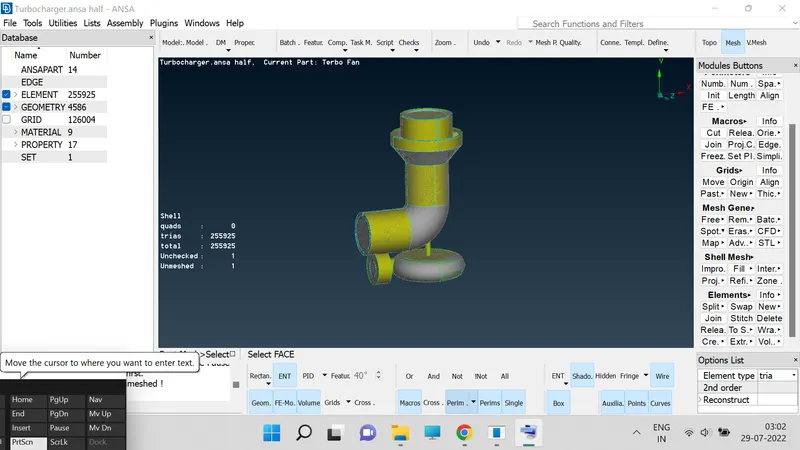
24. Repeat the step no:17 to step no:21 for the 3mm and 5mm lenghts.
25. The created module is to be saved in the spefied location in computer.
RESULTS :
Hence the CFD meashing on Turbocharger with desired length completed using the tools in ANSA software.