Week 3 Challenge : CFD meshing on Turbocharger
Introduction-
In the challenge we worked on turbocharge, firstly we do geometric cleanup, then meshing the parts with different target length and finally do the volumetric mesh.
Geometry cleanup
Using new command in face we can fill the patch, also we can create new faces by projecting and inserting the hot points. Whenever we found triple cons check whether there is a surfaced overlap, using delete command we can delete the overlap surface.
Using project, paste and topo command, we can convert single cons into double or triple cons.
Group the parts into different pid.
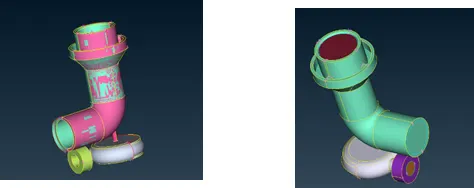
Before After
After geometry cleanup model is completely closed with no single cons.
Geometry Check
After completing geometry cleanup, go for the geometry check for no penetrate and single cons.
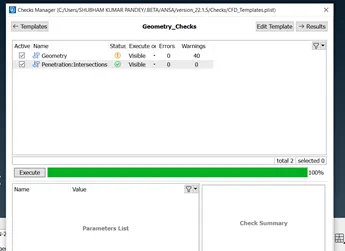
Surface Meshing
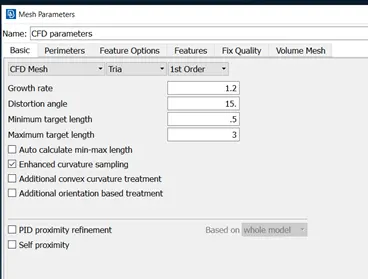
After checking the geometry of model, In mesh parameter, select element tria, 1st order and minimum and maximum target length.
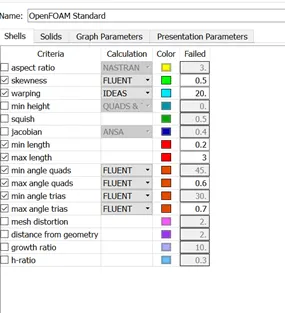
Now enter the value of minimum and maximum target length in the quality criteria. In mesh tab, select perimeter and select the part then put the value of target length, same way do for the macros.
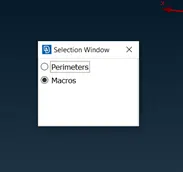
Now select mesh generation and apply mesh to the model.
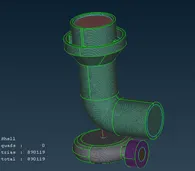
Volumetric Mesh of Turbocharger Model
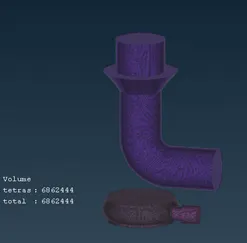
Now go to volume mesh, select the actual volume for the flow of fluid and delete unwanted volume
Now mesh the actual volume.
Conclusion-
After completing the challenge, I learned how to do topo cleanup of complex part, solved the problem of the parts of two different target length and at the junction on of the part mesh disappear and finally how to do volumetric mesh.