Week-3 Challenge: ADVISOR Tool
Part [1]:
STEP1: Save the Advisor.mat File matlab Workspace
STEP 2: Type advisor in command window.
STEP 3: ADVISOR TOLL Window will open.
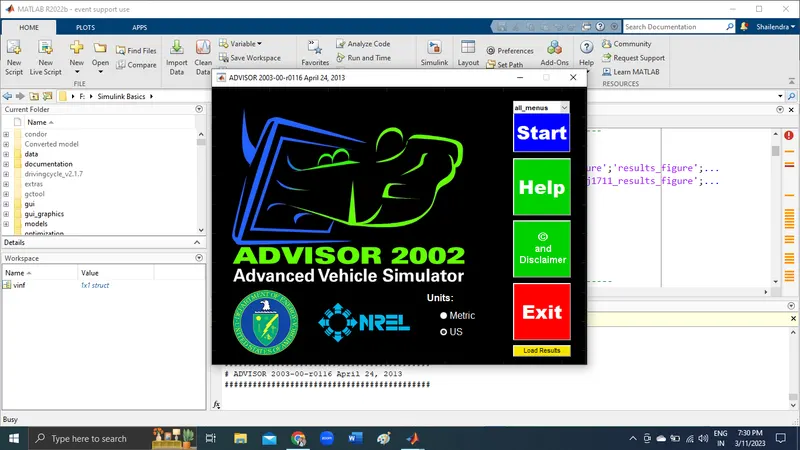
STEP 4: Set units ot Metric and Click on START, new window will open.
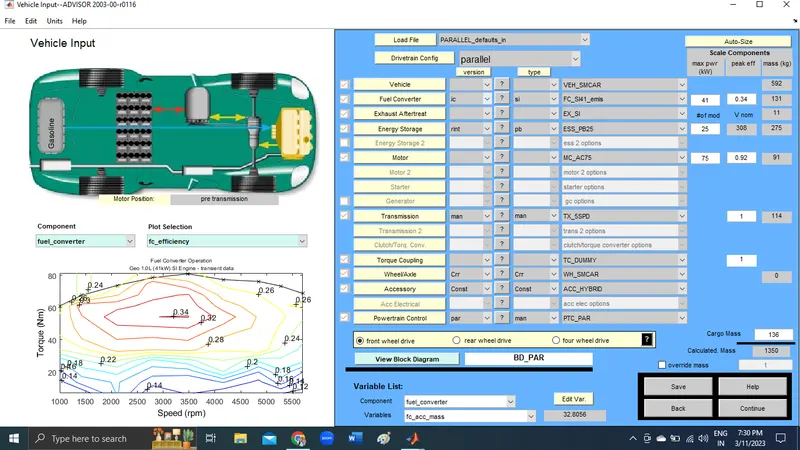
STEP 5:
Set the load file to 'EV_defaults_in' And components to motor_controller. The below table before giving the mass of 500kg.
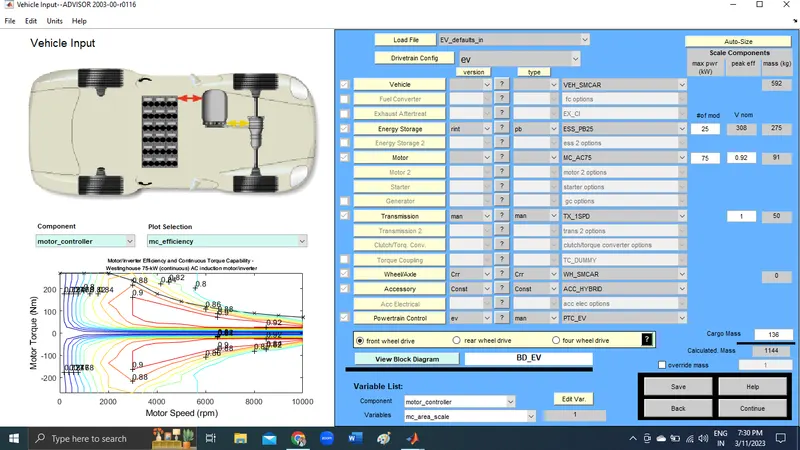
STEP 6:
The below table after giving the mass of 500kg.
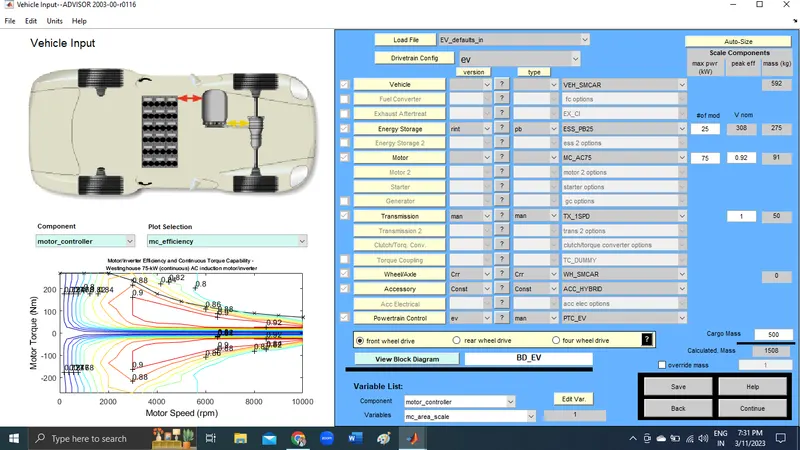
STEP 7:
Loading file 'EV_defaults_in in the ADVISOR Tool and the cargo mass input as 500kg then
click on continue the 'Drive cycle window' appears iniatially 'CYC_UDDS' to the drive cycle option can be seen.
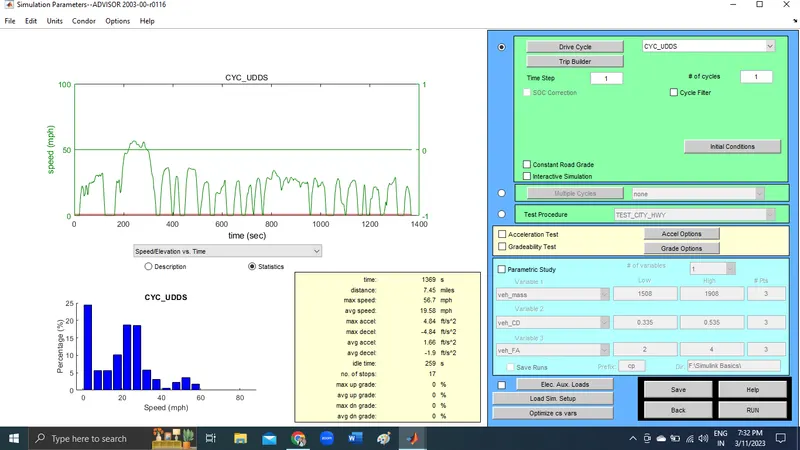
STEP 8:
Change the CYC_UDDS' to the drive cycle to CYC_FTP drive cycle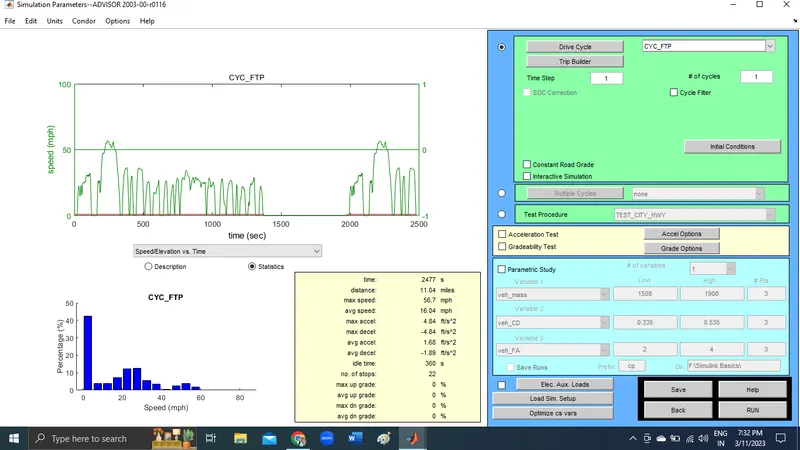
STEP 9:
Click on the RUN
Simulation window will appears
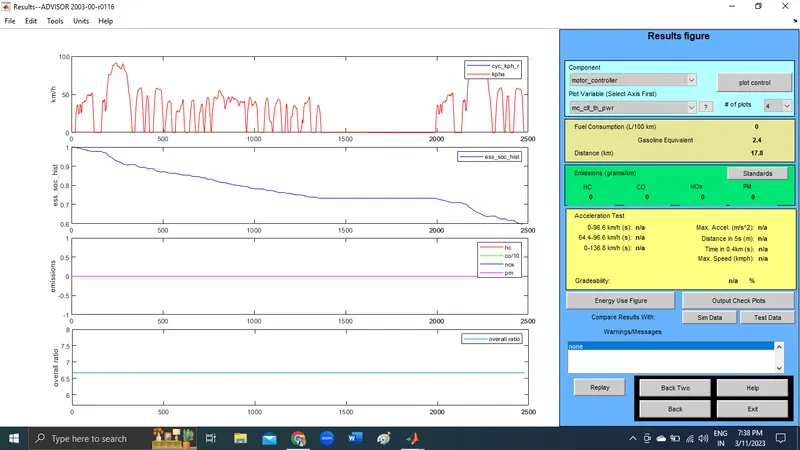
Each FTP drive cycle lasts for a time period of 2.4 sec and a distance of 17.8kmph.
In the above results we can see that, Distance (km) is 17.8 km.
So, the vehicle cannot travel a distance of 45 km in a single recharge.
Also, it can be seen that, State of Charge In Plot 2nd has fallen to zero near to 2500 seconds.
Consider the number of cycles to be 3, Here also got warning that required distance exceeded EV Range
PART [2]:
Initially ESS_PB, Total 25 module of Battery in used in simulation Now increased it with
25 module hence the total is 50resulting in a nominal voltage of 617v.
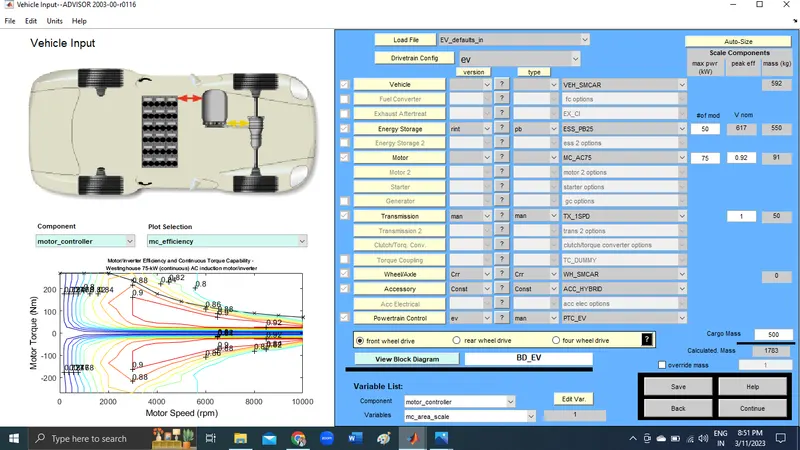
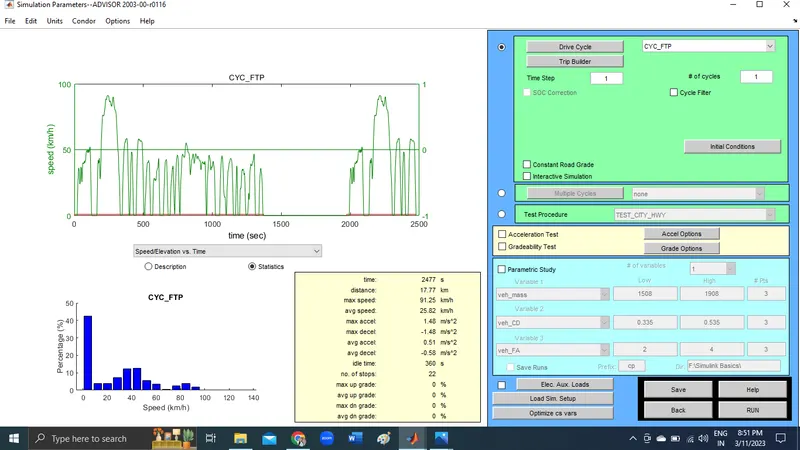
On clicking RUN.
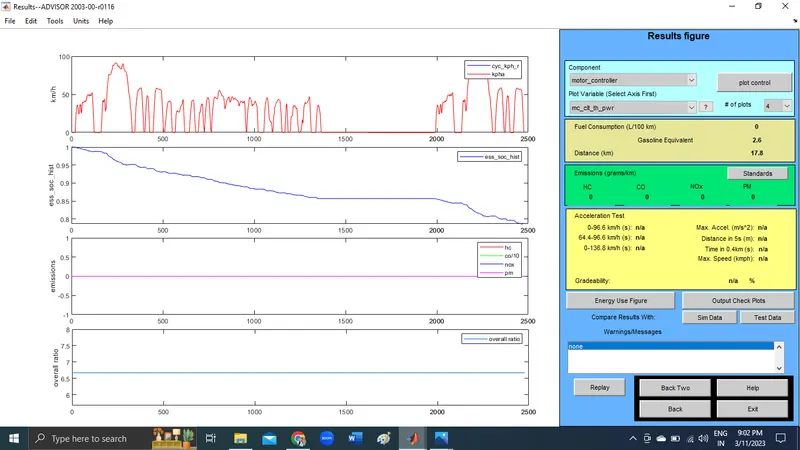
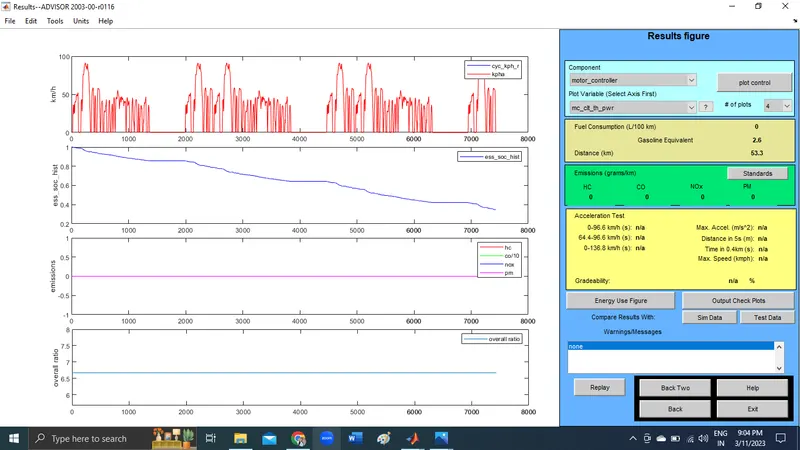
From the results we can see that Distance (km) is 17.8 km and the figure hasn't changed but, SOC % at end of 2500 seconds is 0.0 approximately and look likes zero as in the last case. So this means that, in one FTP cycle it covered 17.8 km and no charge remaining in the battery. Even after Getting this result i was tried by changing no. of cycles to 4 to know how much distance , vehicle can travel in a single charge. simulated it , result which is showing it can cover upto 53.3 km and still battery soc is 0.2. This is creating doubt.
PART [3]:
In the Load File drop down menu select 'PRIUS_Jpn_defaults_in' and rest of the parameters are kept default.
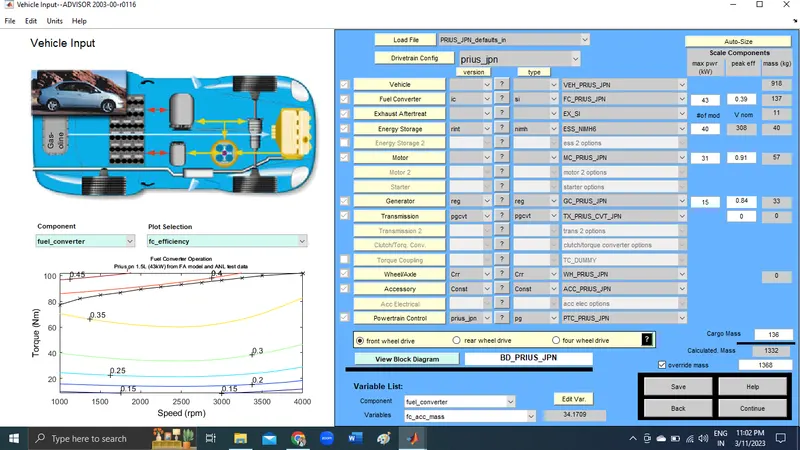
Select 'continue' in the bottom right corner of the window.
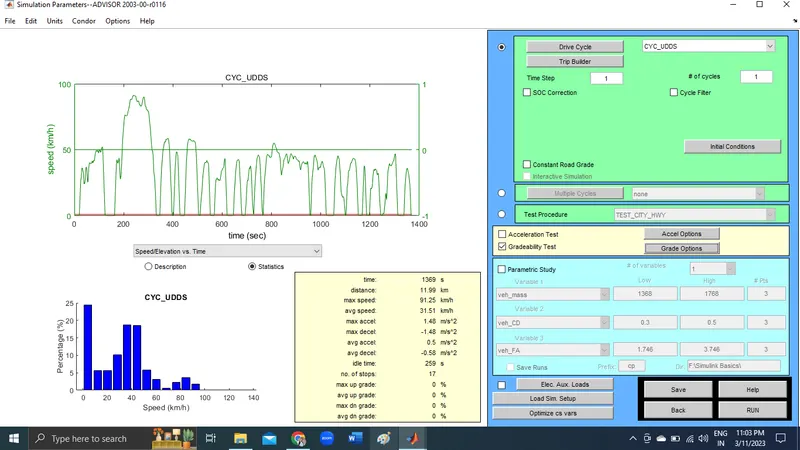
Select Gradeability checkbox and then select Grade Options.
1st vehicle Speed=55 MPH
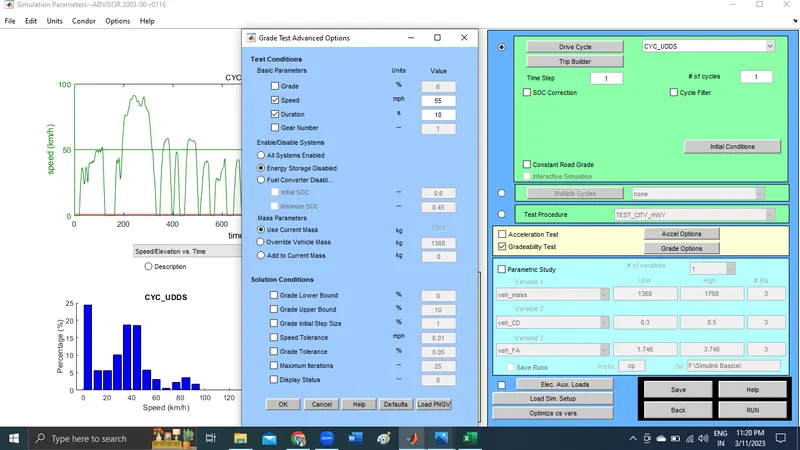
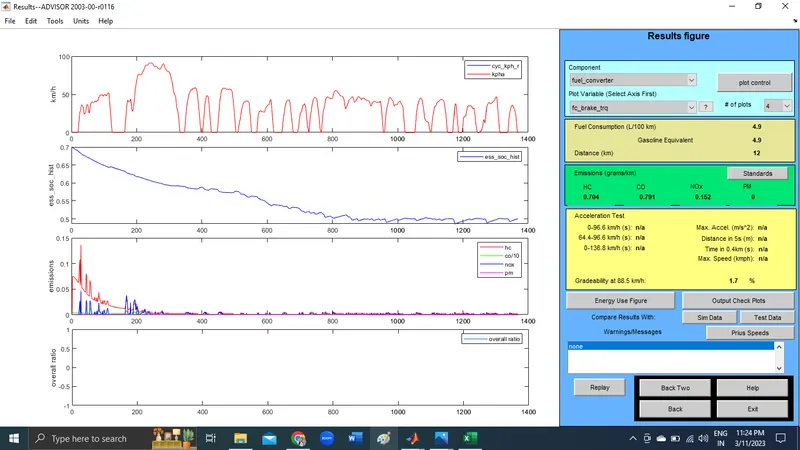
2nd vehicle Speed=50 MPH
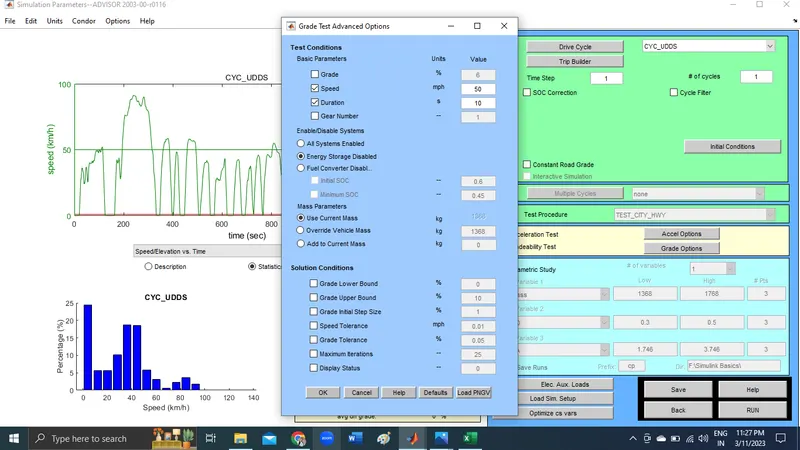
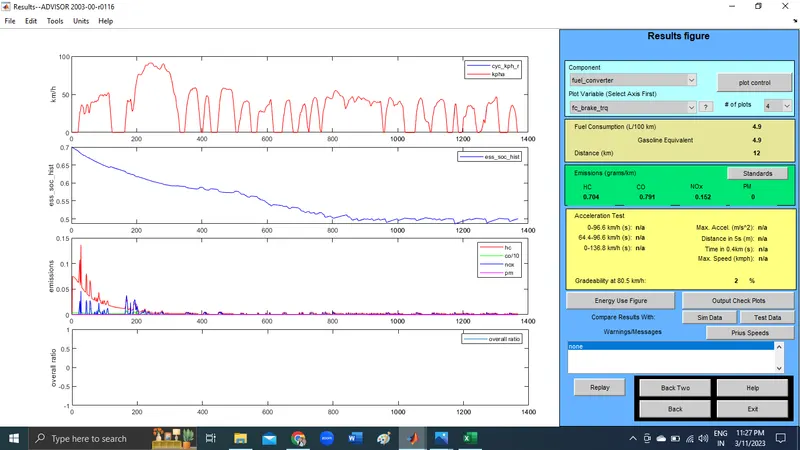
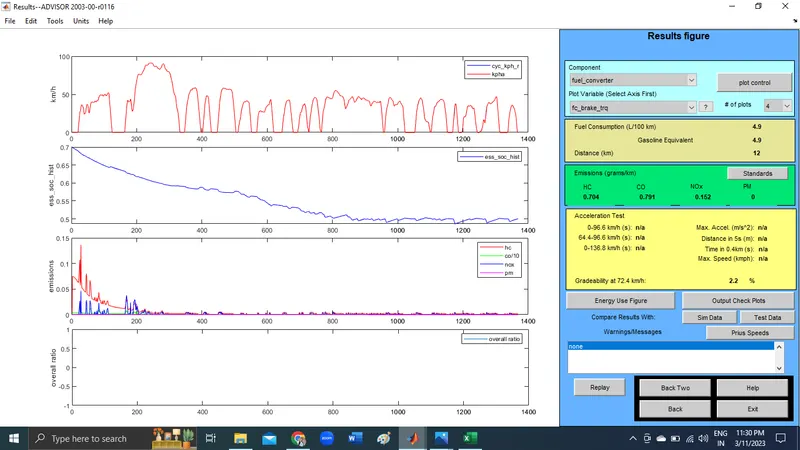
3rd vehicle Speed=45 MPH 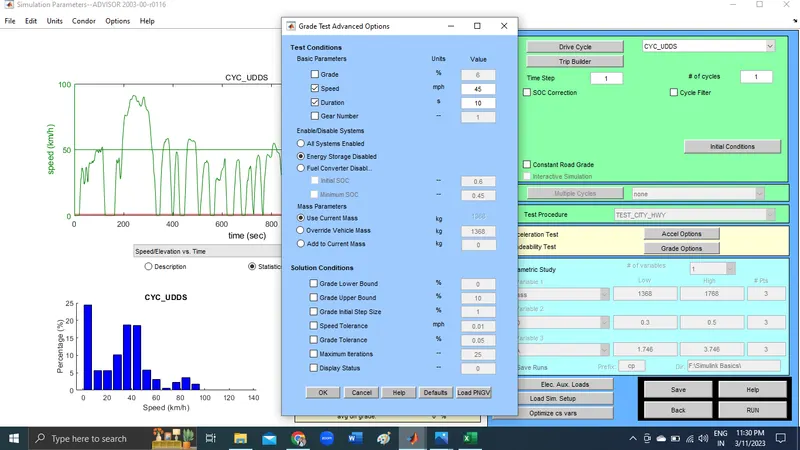
Comparison Table
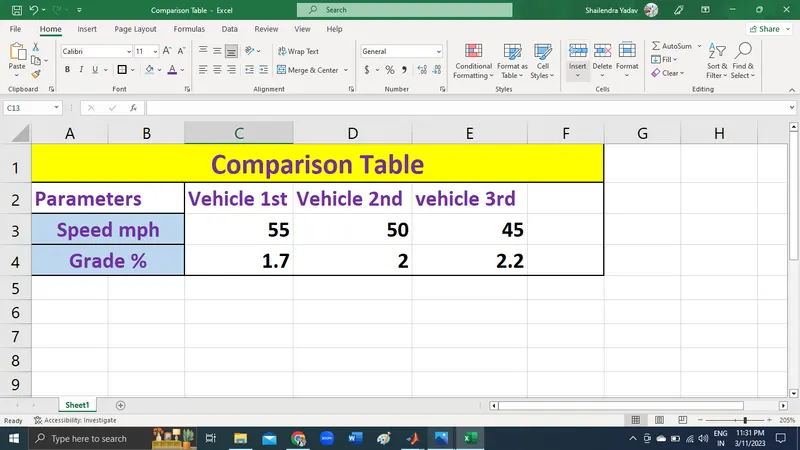
so we can conclude by saying that, as speed increases the gradeability decreases.
HENCE, THE SIMULATION IS COMPLETED USING THE ADVISOR TOOL.