Week-3 Challenge: ADVISOR Tool
Use ADVISOR tool and simulate the following
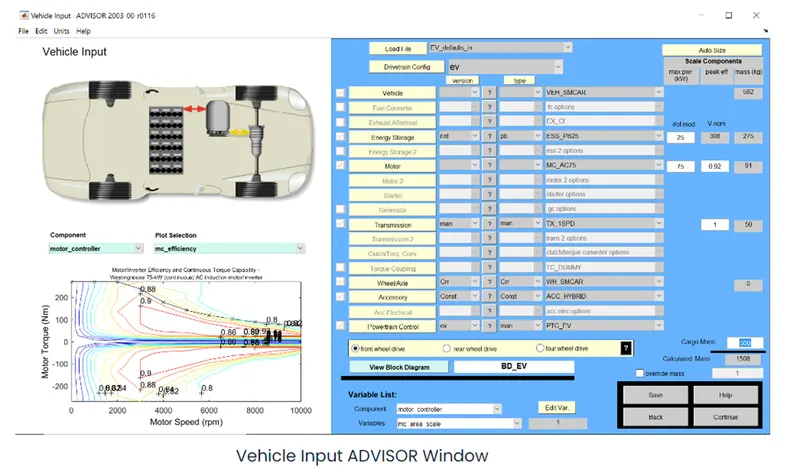
1. For EV_defaults_in file, if cargo mass is 500 kg with all other default conditions, can the vehicle travel for 45 km with FTP drive cycle
In the ADVISOR Vehicle Input GUI select Load File as 'EV_defaults_in file' from the drop down menu. Also change the Cargo mass to 500 kg in the bottom right corner of the interface
Then select 'continue'. Here from the drop down menu of the Drive Cycle select 'CYC_FTP' driving cycle.
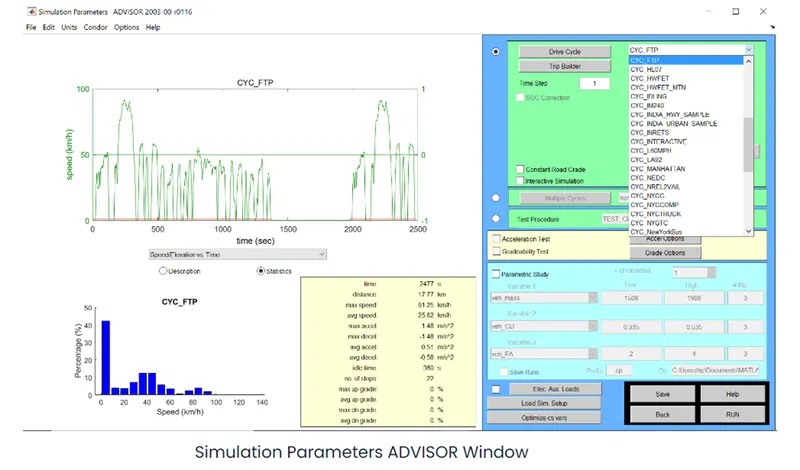
Then keeping all the parameters as default, select 'RUN' in the bottom right corner of the interface.
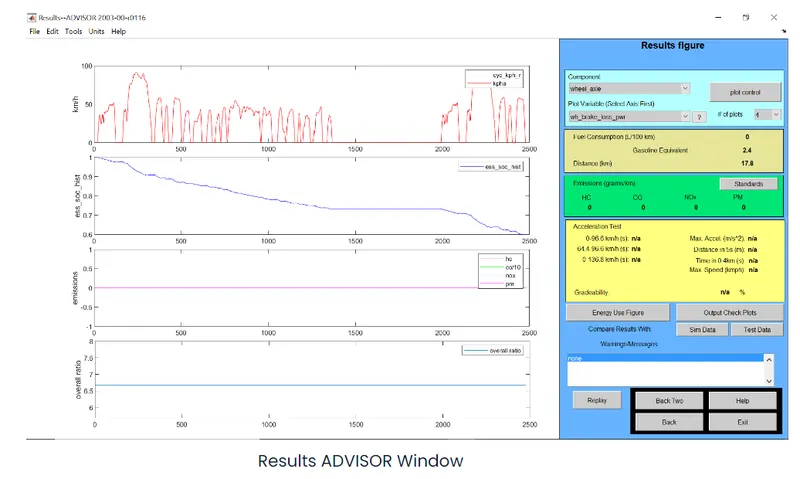
In the above results we can see that, Distance (km) is 17.8 km. So, the vehicle can't travel a distance of 45 km in a single recharge. Also, it can be seen that, SOC (second plot) has fallen to zero after nearly 2500 seconds.
CASE II: In the above case, try changing the battery capacity and repeat the simulation.
Changing the Energy Storage to 'ESS_PB65_FocusEV' and keeping the other parameters similar to the last case.
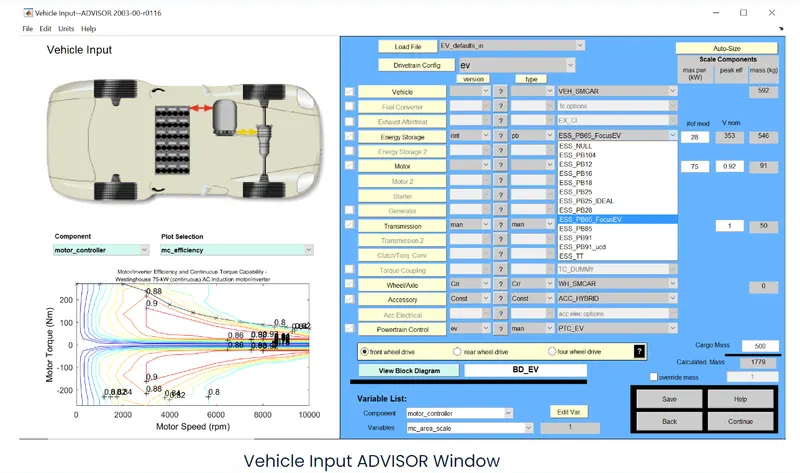
Then keeping the driving cycle same we RUN the simulation.
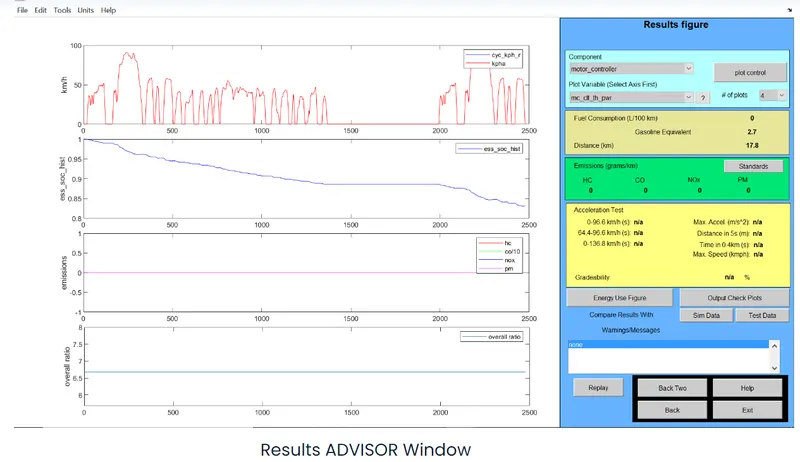
From the results we can see that, Distance (km) is 17.8 km and the figure hasn't changed but, SOC % at end of 2500 seconds is 0.83 approximately and not zero like the last case. So this means that, in one FTP cycle it covered 17.8 km and charge is still remaining in the battery. So to get how much distance the vehicle will travel in a single charge we need to increase the number of drive cycles for which the simulation is performed. We will perform the simulation for 7 drive cycles.
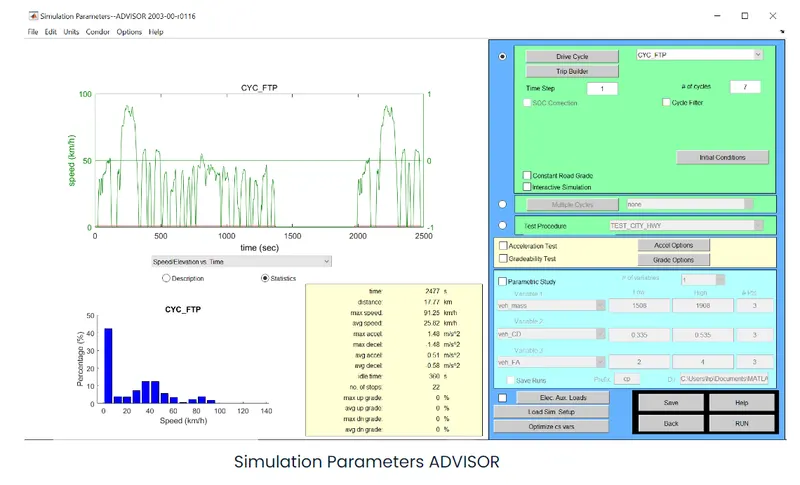
Change the value of #of cycles value to 7 from 1. Then RUN the simulation.
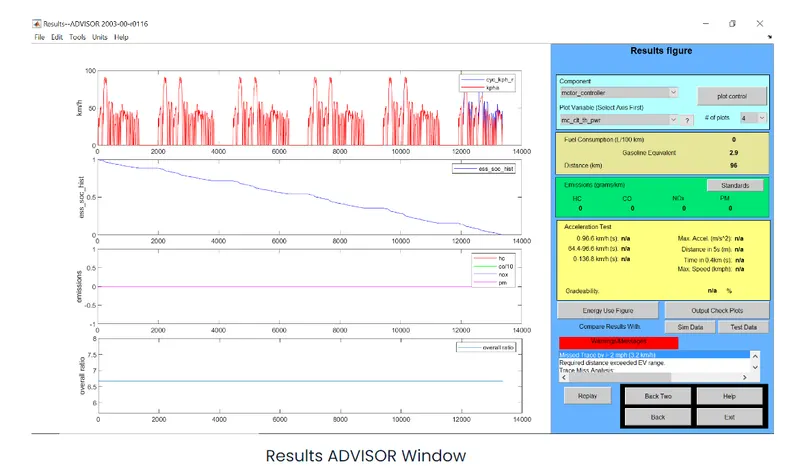
From the above results we can see that, Distance (km) is 96 km and also the % of SOC as indicated by second plot is 0% by 13000 seconds approximately. So in a single charge the vehicle with this configurations can travel a distance of 96 km in a single charge.
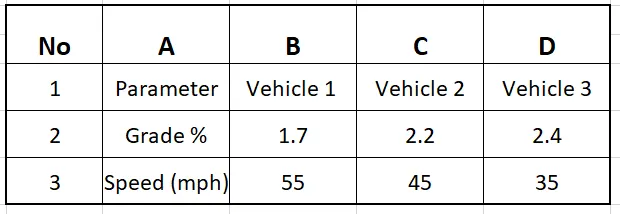
CASE III: Perform gradeability test with PRIUS_Jpn_defaults_in file. Compare your results in table and conclude.
In the Load File drop down menu select 'PRIUS_Jpn_defaults_in' and rest of the parameters are kept default.
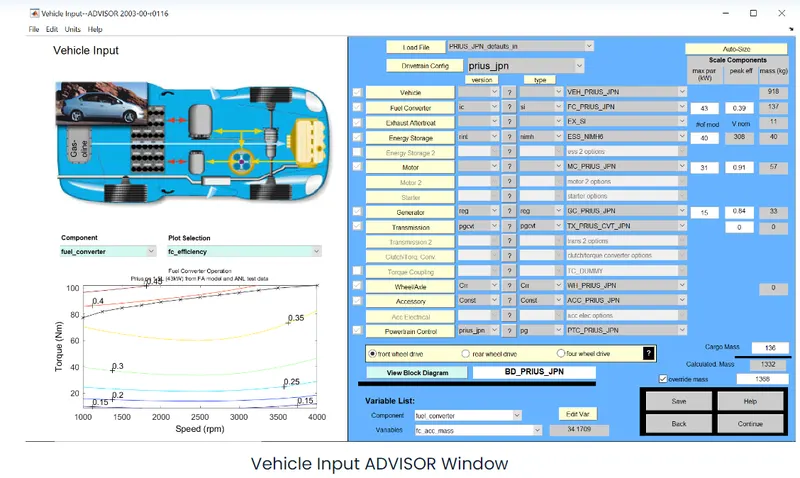
Then select 'continue' in the bottom right corner of the window.
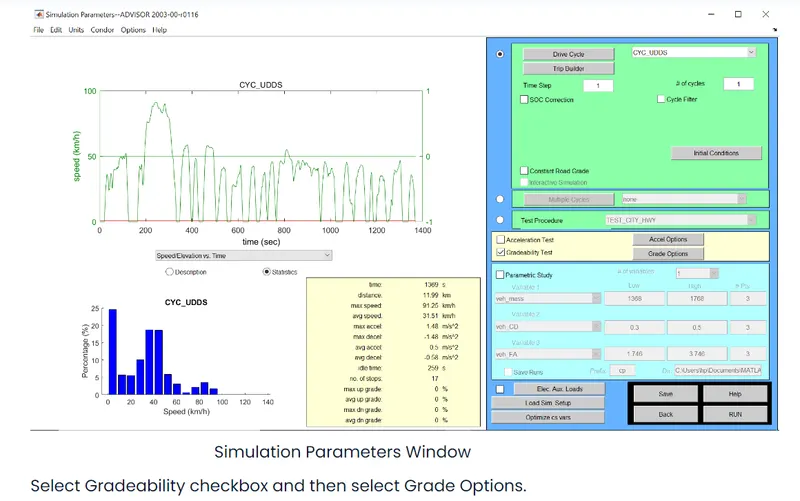
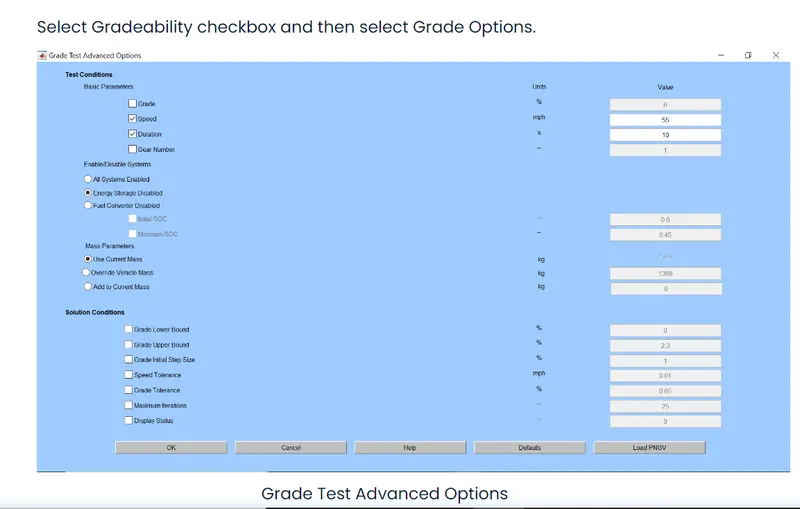
The speed is kept as 55 mph.
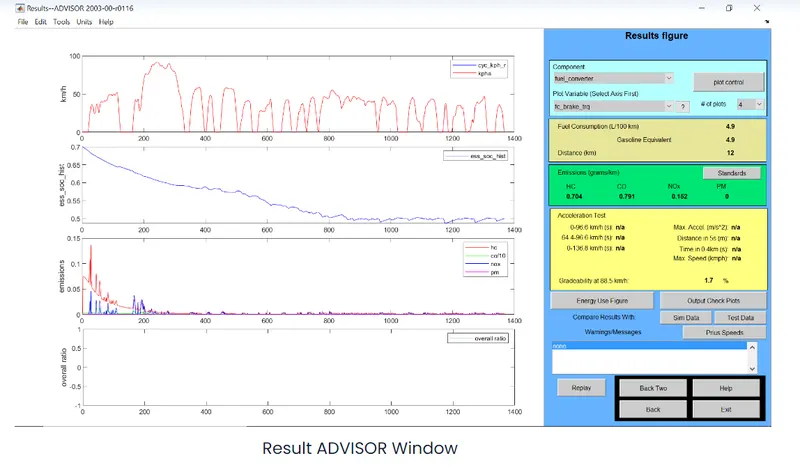
Then gradeability is 1.7%. Then speed is changed to 45 mph.
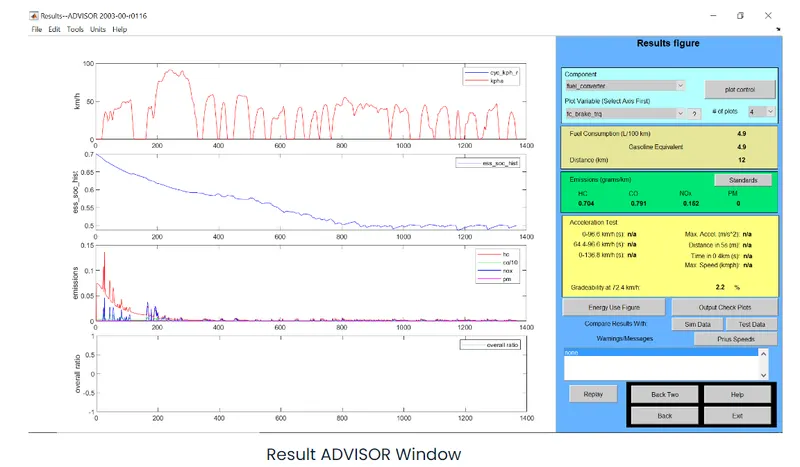
The gradeability at 45 mph has increased to 2.2 %. Now speed is 35 mph.
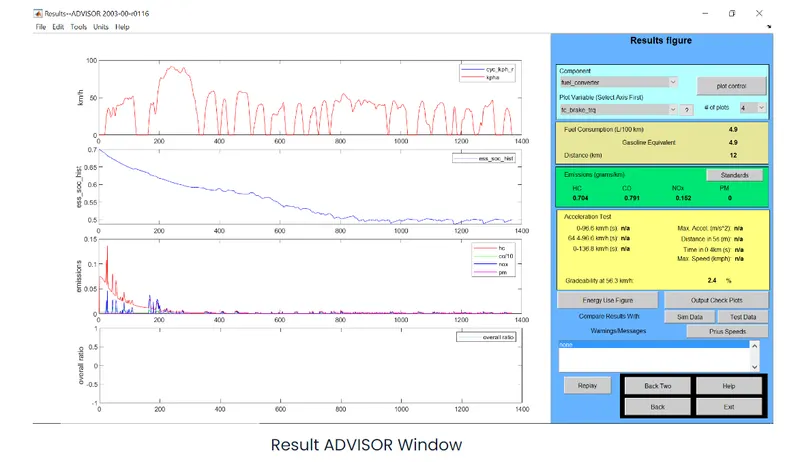
The gradeability at 45 mph has increased to 2.4 %.
So we can conclude by saying that, as speed increases the gradeability decreases.
Comparision Table: -