Week-3 Challenge: ADVISOR Tool
ADVISOR, NREL’s ADvanced VehIcle SimulatOR, is a set of model, data, and script text files for use with Matlab and Simulink. It is designed for rapid analysis of the performance and fuel economy of conventional, electric, and hybrid vehicles. ADVISOR also provides a backbone for the detailed simulation and analysis of user defined drivetrain components, a starting point of verified vehicle data and algorithms from which to take full advantage of the modeling flexibility of Simulink and analytic power of MATLAB.
You may benefit from using ADVISOR if you want to:
- estimate the fuel economy of vehicles that have not yet been built
- learn about how conventional, hybrid, or electric vehicles use (and lose) energy throughout their drivetrains
- compare relative tailpipe emissions produced on a number of cycles
- evaluate an energy management strategy for your hybrid vehicle’s fuel converter
- optimize the gear ratios in your transmission to minimize fuel use or maximize performance, etc.
The models in ADVISOR are:
- mostly empirical, relying on drivetrain component input/output relationships measured in the laboratory, and
- quasi-static, using data collected in steady state (for example, constant torque and speed) tests and correcting them for transient effects such as the rotational inertia of drivetrain components.
The limitations in ADVISOR are :
1. Only predefined vehicle analysis can be done
2. Also from predefined category of vehicles only selctive data can be edited.
3. It cant be used for any customized or new vehicle
- For EV_defaults_in file, if cargo mass is 500 kg with all other default conditions, can the vehicle travel for 45 km with FTP drive cycle? Conclude your observations.
STEP-1
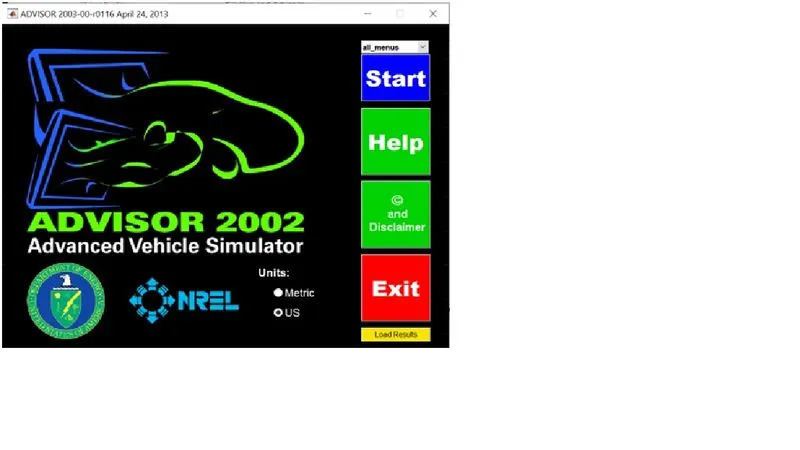
OPEN ADVISOR TOOL BY CLICKING THE advisor.m file after downloading & unzipping folder as described
STEP-2
Select metric units & click the start button, the following interface will open after loading
STEP-3
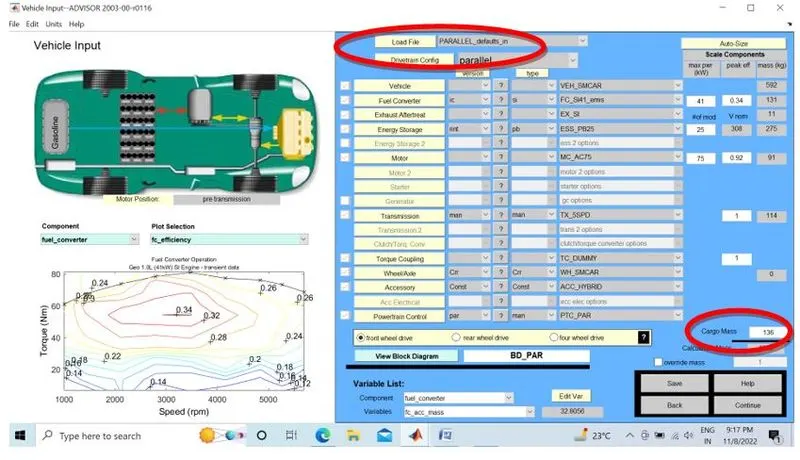
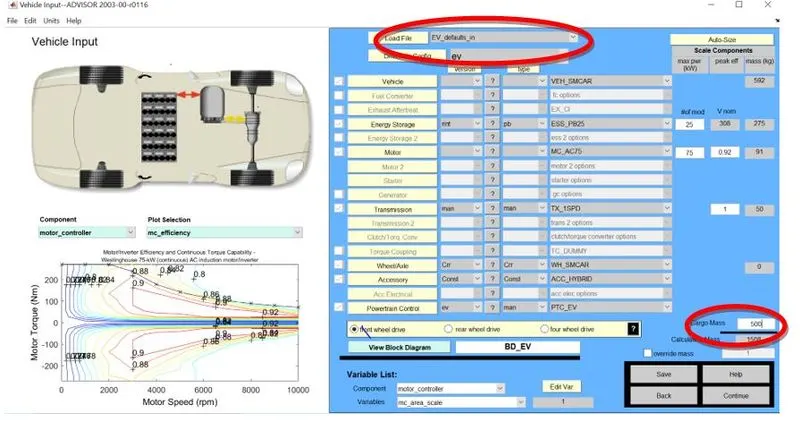
Now load the file named “EV_defaults_in “ from drop down menu & also change the CARGO MASS to 500 kg as from existing 136
STEP-4
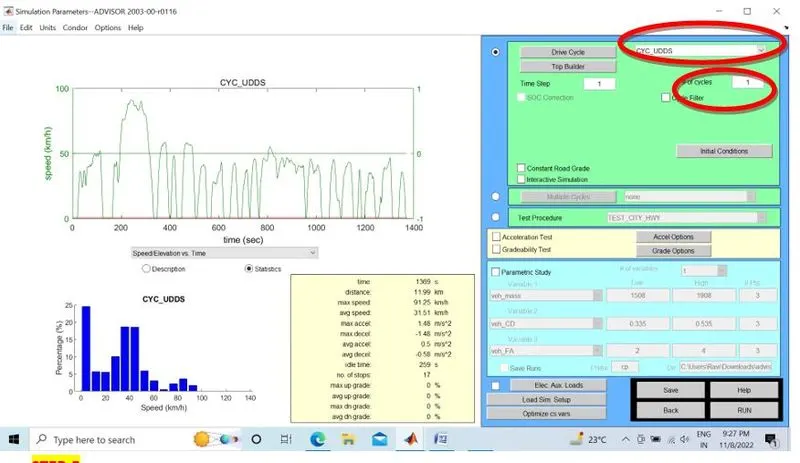
Select CYC_FTP from the drop down menu as per question .Also change the cycles to 4 as in 1 cycle the car travels around 12 kms so in 4 cycles it should travel 48 kms & RUN the simulation
STEP-5
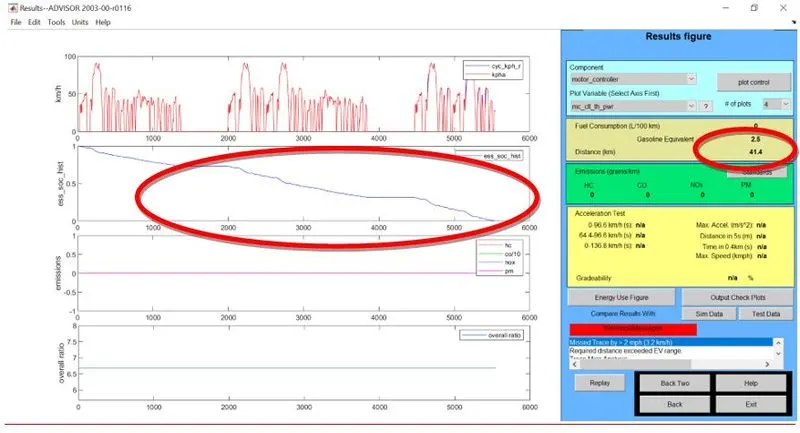
After running 4 cycles the SOC dropped to 0 & the vehicle was only able to cover 41.4 km against projected 48km approx.
CONCLUSION
1. The vehicle can only cover 12 kms approx. in 1 cycle of FTP.
2. The vehicle was not able to travel for 45km if the cargo mass in increased.
3. The battery SoC reduced to zero even before completion of 4th cycle
- In the above case, try changing the battery capacity and repeat the simulation.
STEP-1
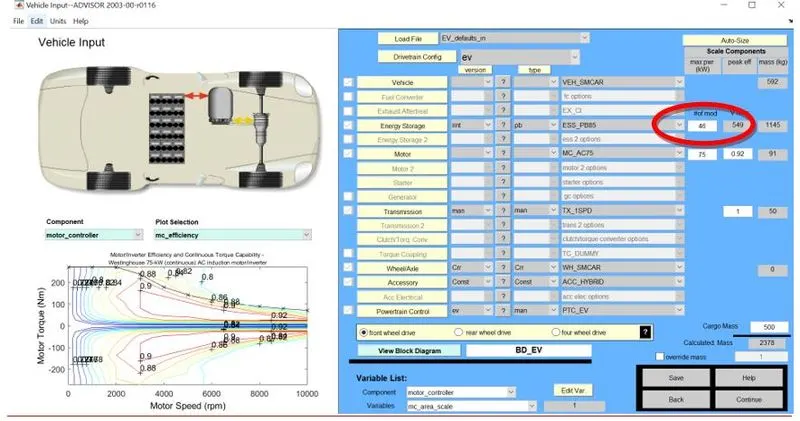
We change the battery capacity from 26 modules to 46modules with voltage value 549 against 308 as highlighted
STEP-2
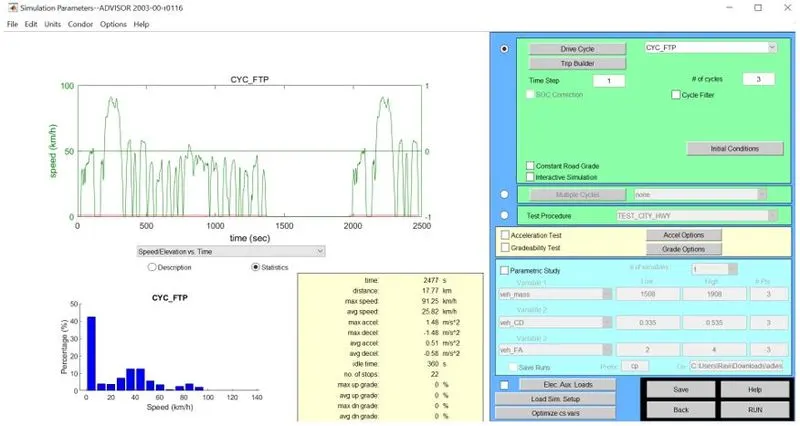
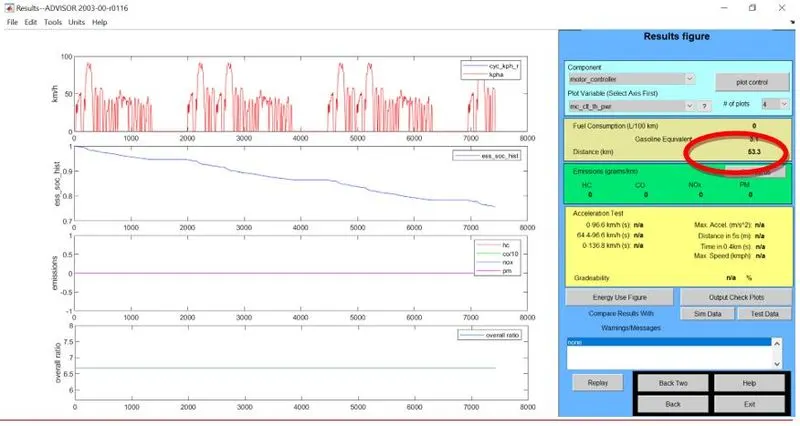
Now we change the cycles to 3 as in 1 cycle the car travels around 17.8 kms so in 3 cycles it should travel 53.3 kms & RUN the simulation
CONCLUSION
So if we increase the battery capacity to 46 kw & run the simulation again even with 3 FTP cycles only, we are able to surpass the original target of 45km & easily surpass the target
- Perform gradeability test with PRIUS_Jpn_defaults_in file
Compare your results in table and conclude.
STEP-1
Now load the file named “PRIUS_Jpn_defaults_in “ from drop down menu
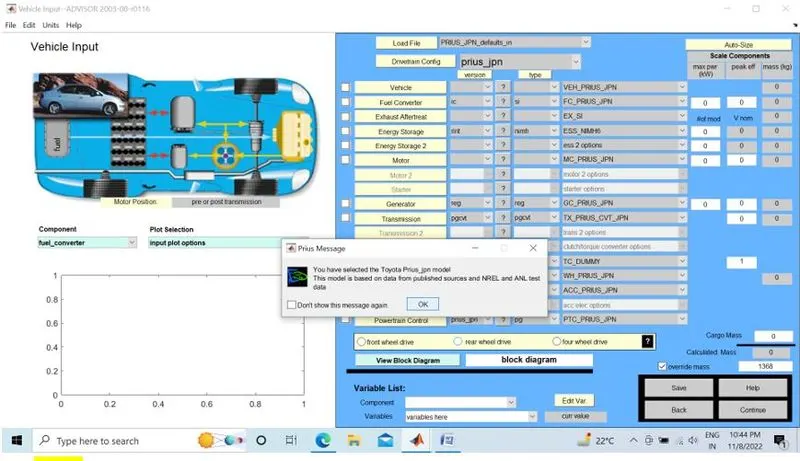
STEP-2
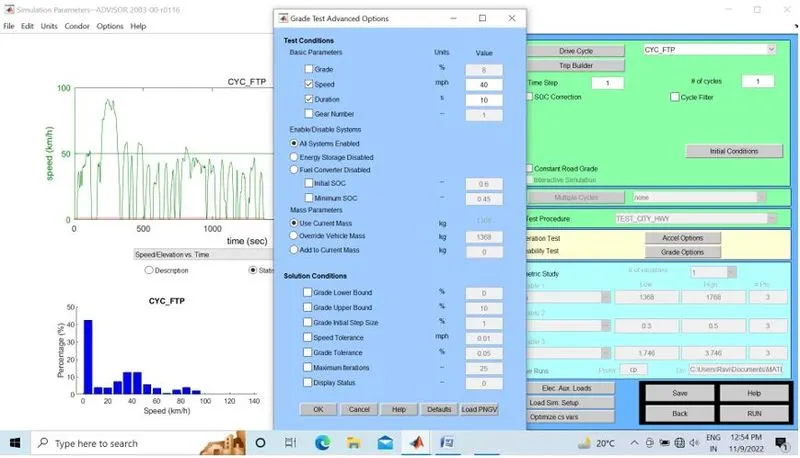
I have kept the drive cycle as FTP & changed the grade value to 8
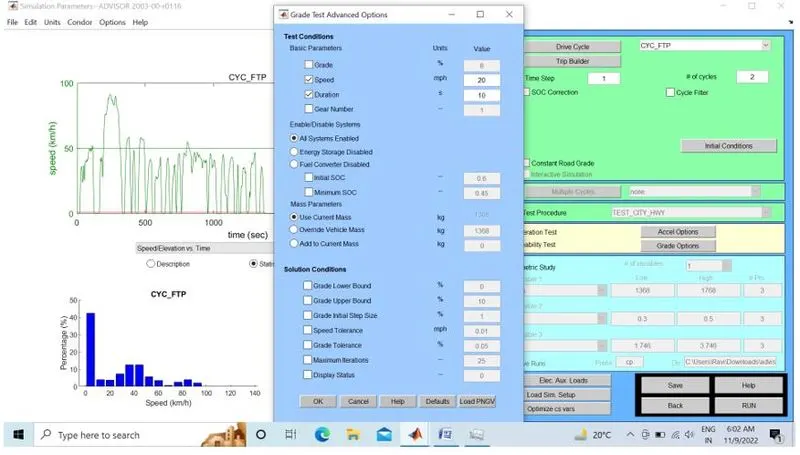
STEP-3
There is no effect of increase of no of cycles on gradeability. The gradeability value at 32.2 km/h is 19.8%
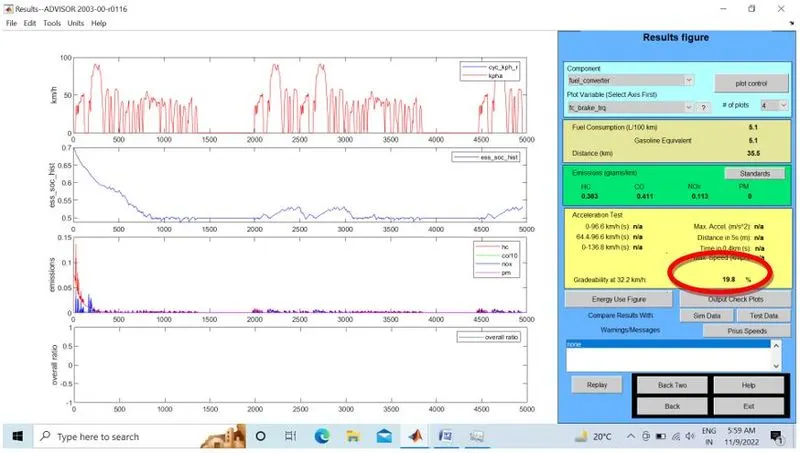
STEP-4
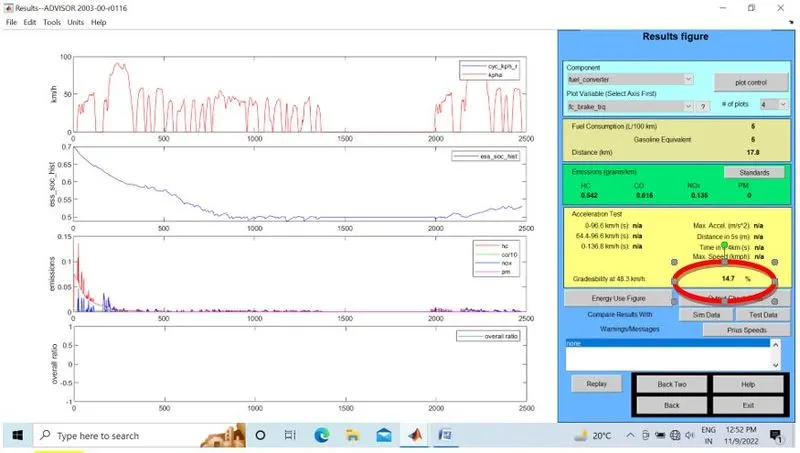
The gradeability value at 48.7 km/h is 14.7%.
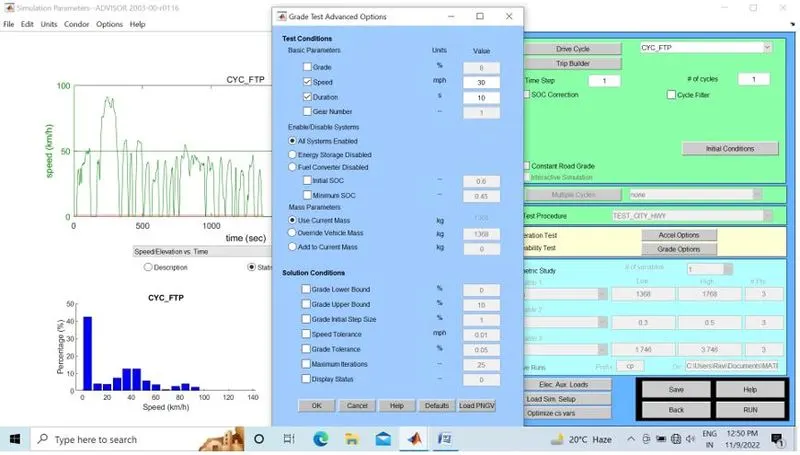
STEP-5
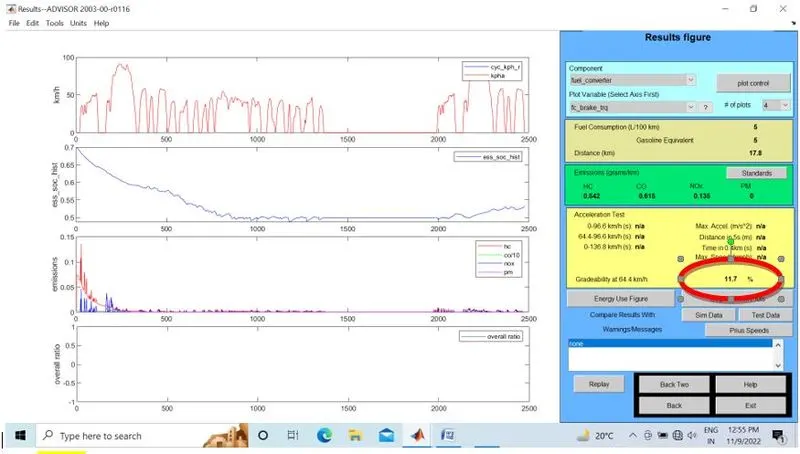
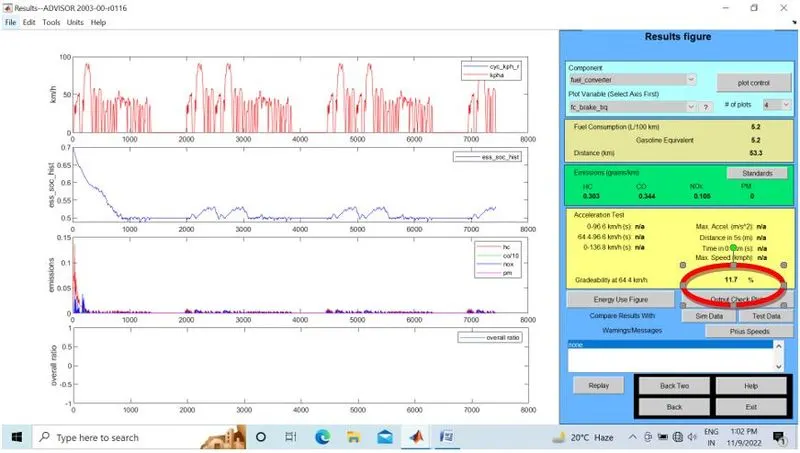
The gradeability value at 64.4 km/h is 11.7% .
STEP-6
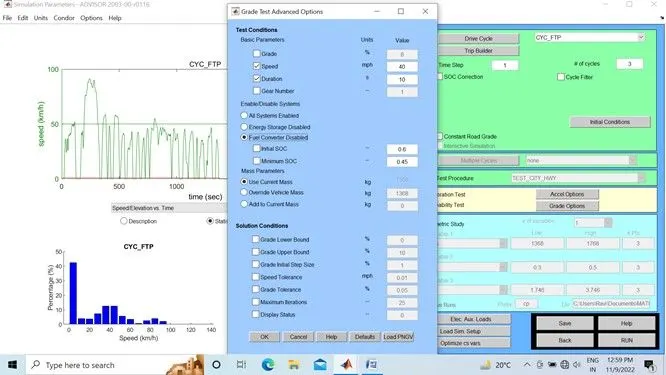
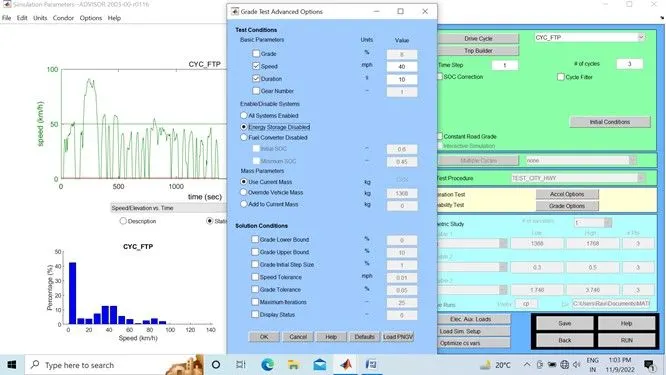
I have kept the drive cycle as FTP & changed to Battery only mode. No change in gradeability keeping all other values default
STEP-7
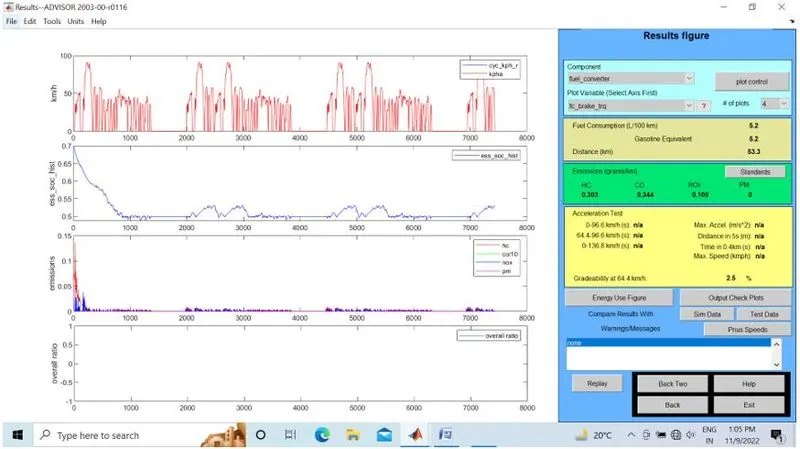
I have kept the drive cycle as FTP & changed to Engine only mode. Gradeability dropped to 2.5% by keeping all other values default
|
CONCLUSION
Increase in speed results in decrease in gradeability so we can say they have inverse relationship.
Also at the same speed with different power conditions,gradeability found lowest in case of Engine Only scenario.