Week-3 Challenge: ADVISOR Tool
EV BATCH - 16
Week-3 Challenge: ADVISOR Tool

ADVISOR: Advanced Vehicle Simulator or ADVISOR is written in the MATLAB/Simulink environment and developed by the US Department of Energy, National Renewable Energy Laboratory. ADVISOR provides the vehicle engineering community with an easy-to-use, flexible, yet robust and supported analysis package for advanced vehicle modeling. It is primarily used to quantify the fuel economy, the performance, and the emissions of vehicles that use alternative technologies including fuel cells, batteries, electric motors, and internal combustion engines in hybrid (i.e., multiple power sources) configurations. It excels at quantifying the relative change that can be expected due to the implementation of technology compared to a baseline scenario.
Task 1:
Use the ADVISOR tool and For the EV_defaults_in file, if cargo mass is 500 kg with all other default conditions, can the vehicle travel for 45 km with an FTP drive cycle? Conclude your observations.
We have to start the advisor tool by running the advisor.m file from the uncompressed Advisor zip file. Type advisor in the command window so that the Advisor GUI will run and select metric unit system and click on start.
We get the below screen for the vehicle and its parameter inputs.
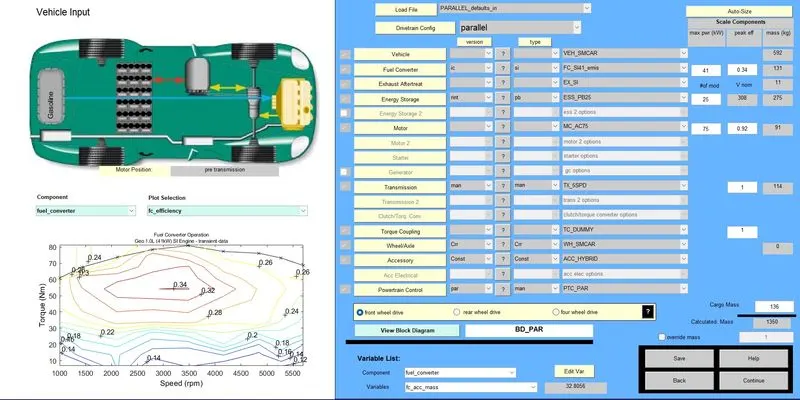
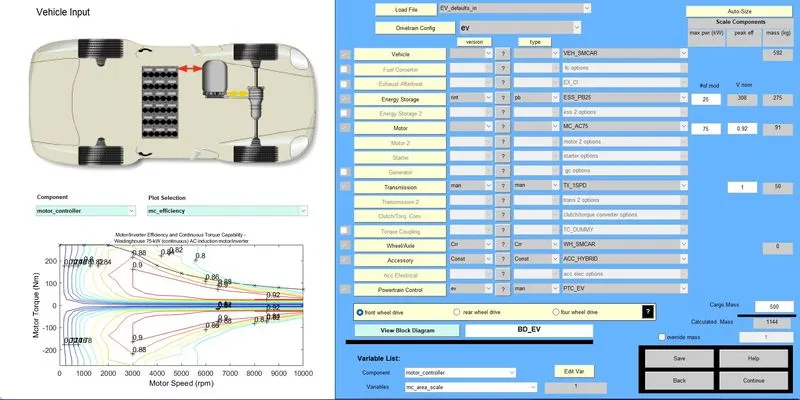
Select the EV_defaults_in vehicle and select the cargo mass as 500kg and click on continue. It will take you to the next page to input more parameters.
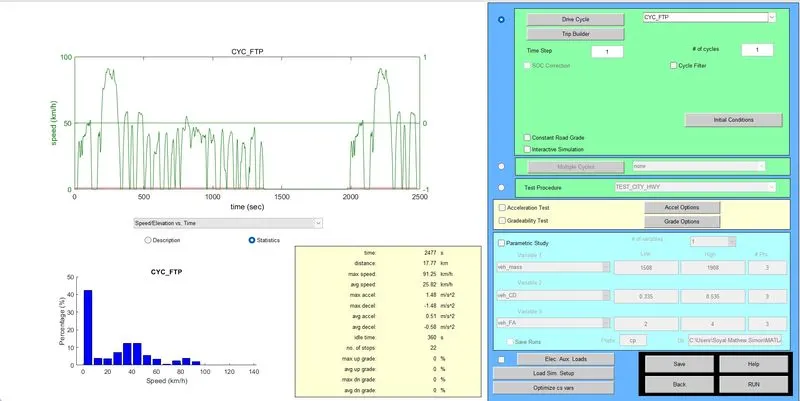
in the below screen we have to input the drive cycle parameters. Input the drive cycle as CYC_FTP and the number of cycles as 1. We increase the number of cycles in each iteration until we get the total drivable distance is 45kms. Once we enter the inputs click on RUN.
We get the following screens with outputs.
Output 1:
Number of cycles = 1, Distance = 15.78 kms, SOC used = 25%
Output 2:
Number of cycles = 2, Distance = 35.5 kms, SOC used =50%
Output 3:
Number of cycles = 3, Distance = 48.2 kms, SOC used = 70%
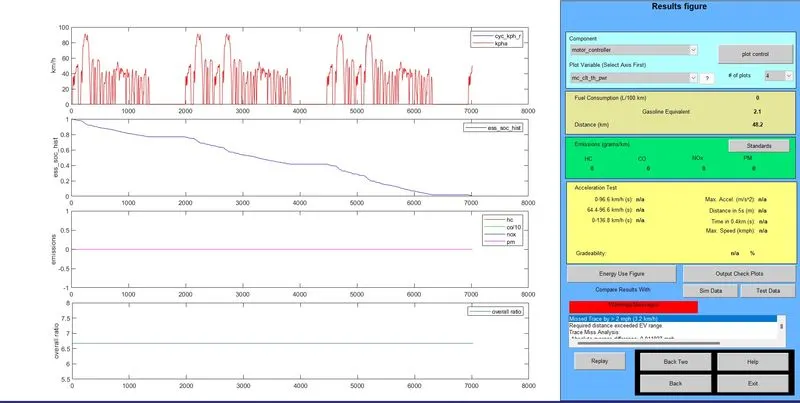
Therefore by increasing the number of drive cycles to 3, the vehicle can travel up to 48.2 km using 70% of SOC.
Task 2: In the above case, try changing the battery capacity and repeat the simulation.
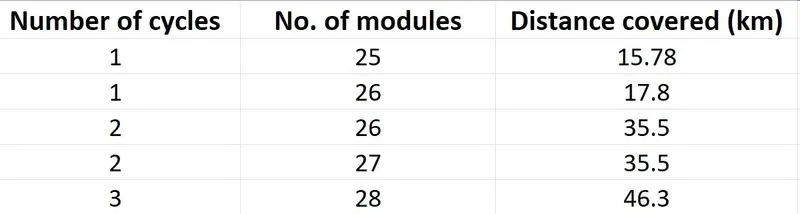
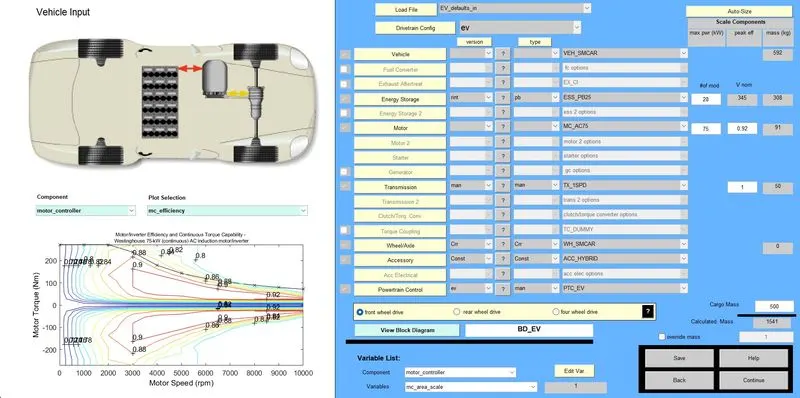
In the vehicle parameters window, we have an option to change the number of battery modules. Currently, it is set as 25 and we try increasing the number along with the number of cycles until we achieve the target distance of 45 km.
Iterations:
Output
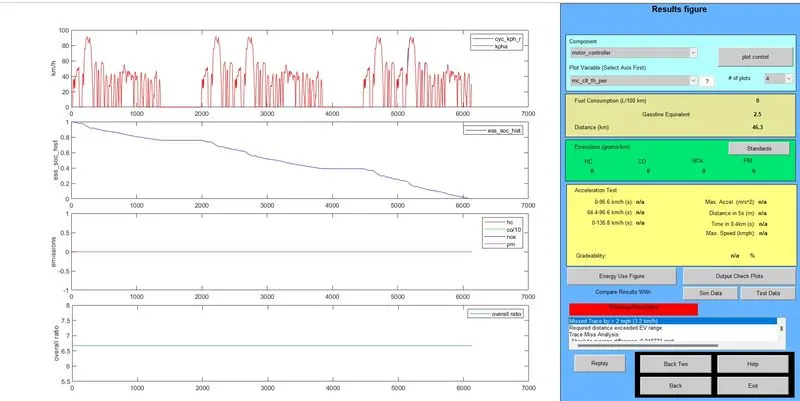
Therefore by increasing the number of battery modules to 28 and using 3 number of drive cycles the vehicle can travel 46.3 km with about 60% of SOC.
Task 3:
Perform gradeability test with the PRIUS_Jpn_defaults_in file and compare your results in a table and conclude.
Select the vehicle as PRIUS_JPN_defaults_in and click on the continue button
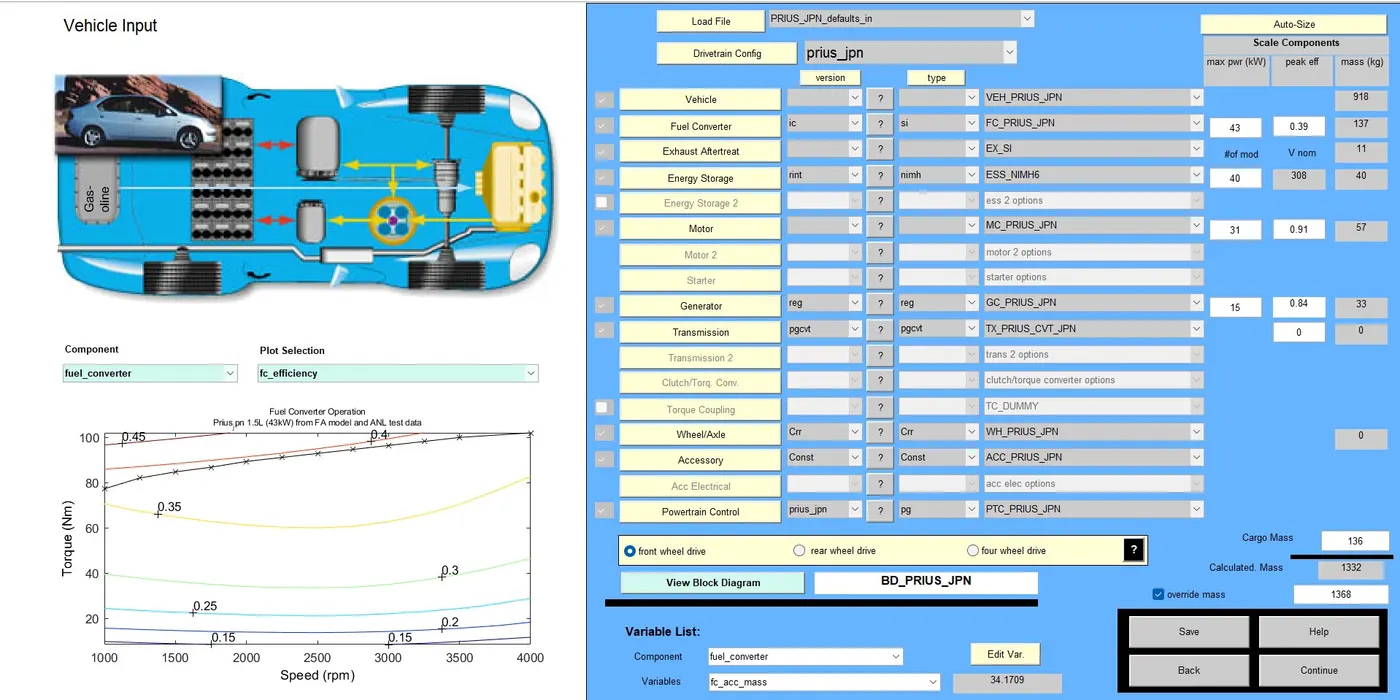
Select the drive cycle as CYC_FTP, select the Constant Road Grade, Select different number of cycles on each iteration, and click on the grade options button
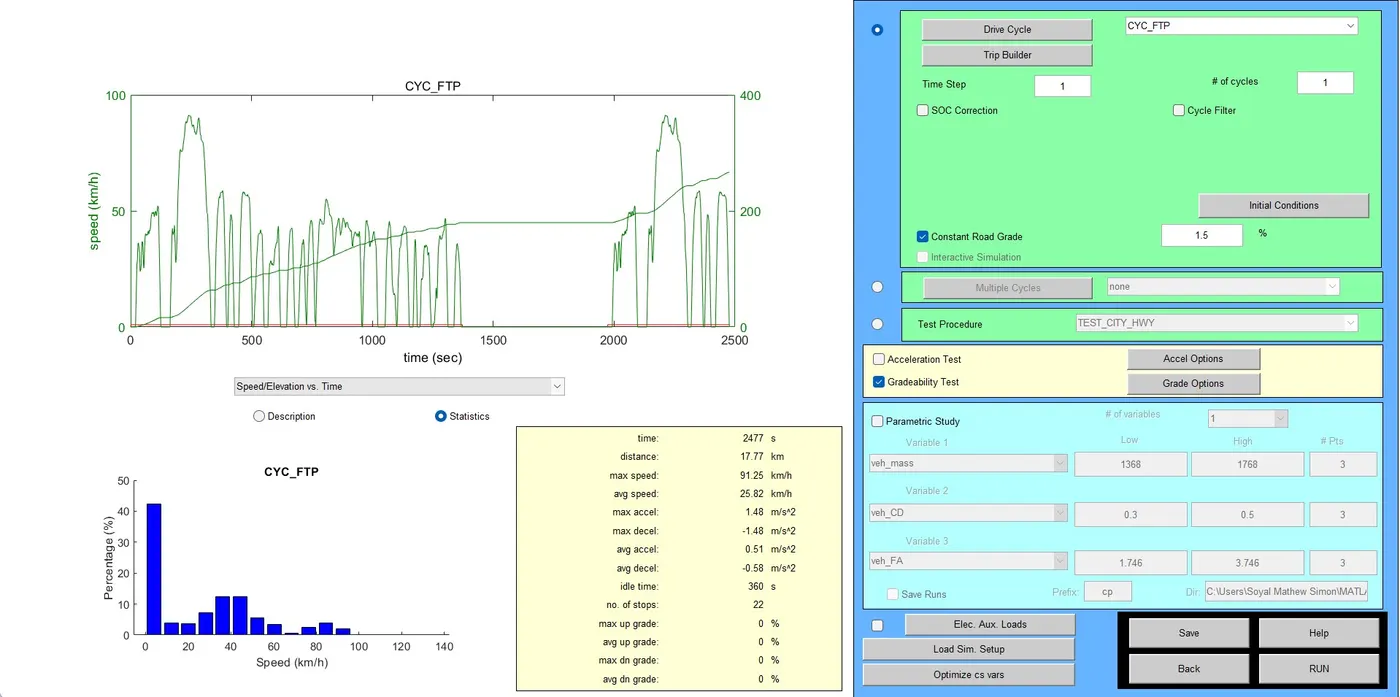
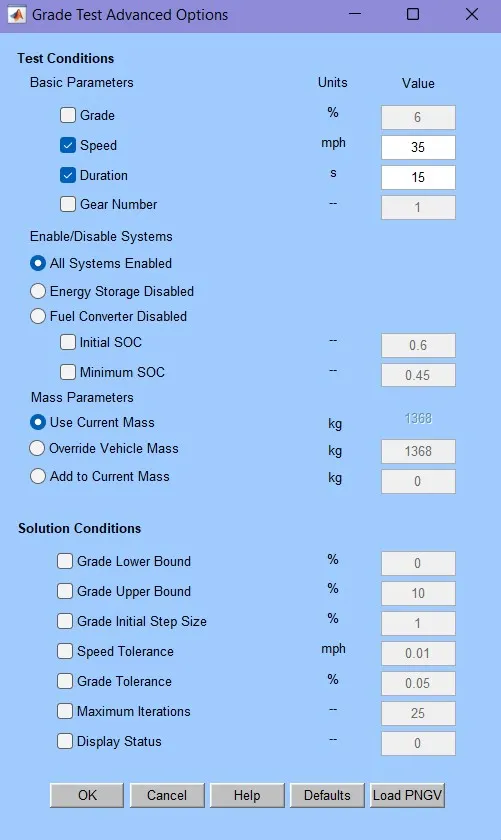
The speed and duration are to varied and tested on each iteration.
Select all systems enabled and click on OK
Click on the run button in the next window to run the simulation.
Output window:
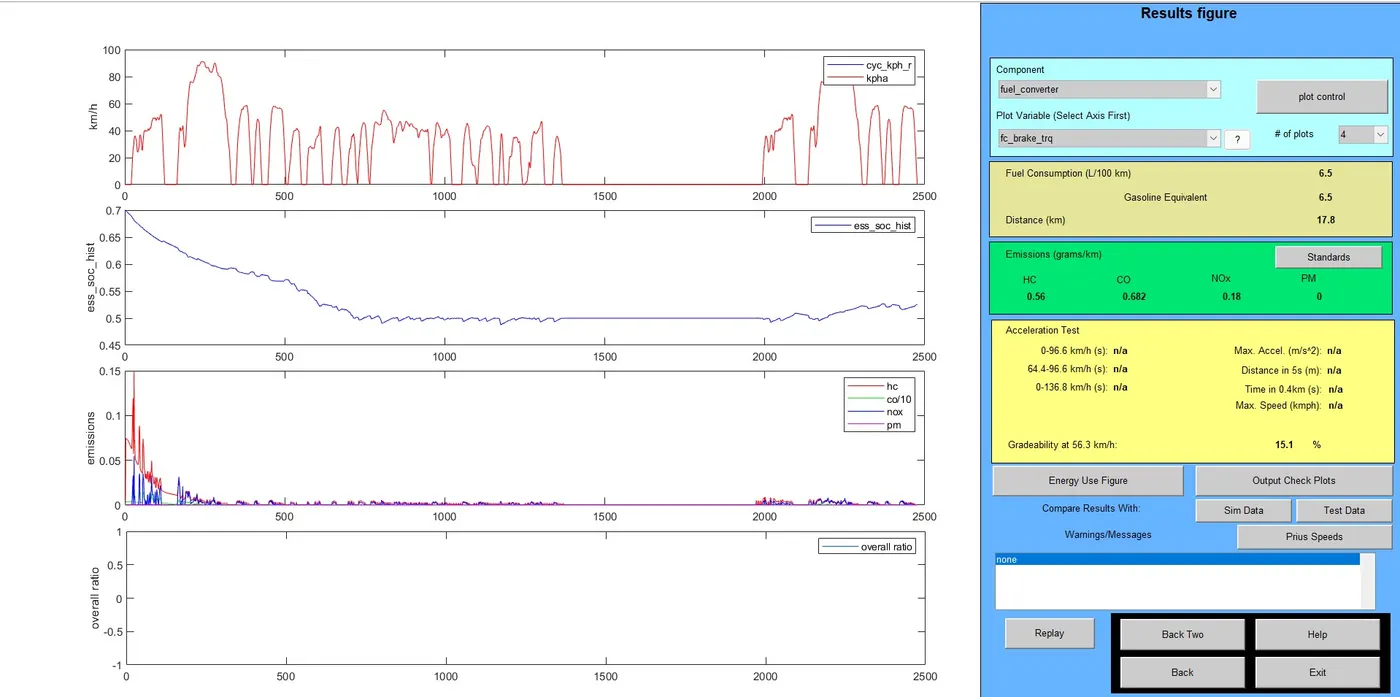
Read the gradability perecentage and repeat the simulation for different values.
Gradabaility table from simulation results:
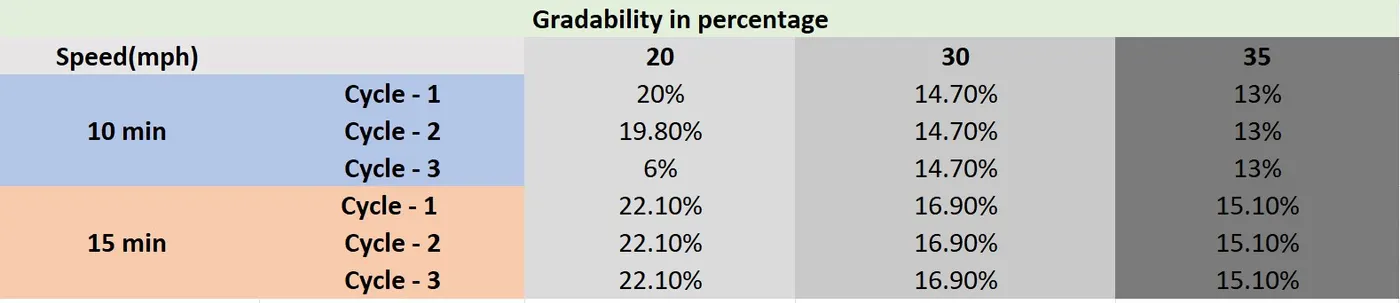
Conclusion: When there is an increase in the vehicle speed there is a decrease in the gradability percentage.