Using ADVISOR Tool for simulation
Aim
Using ADVISOR tool for simulation
Objectives
- For EV_defaults_in file, if cargo mass is 500kg with all other default condition, can the vehicle travel for 45km with FTP drive cycle? Conclude the observations
- In the above case, try changing the battery capacity and repeat the simulation
- Perform grade ability test with PRIUS_Jpn_defaults_in file. Compare your results and conclude.
Introduction
Advanced VehIcle SimulatOR (ADVISOR) tool is a set of model, data and script files for use with matlab and simulink. It is designed for rapid analysis of the performance and fuel economy of conventional, electric and hybrid vehicles. It also provides a backbone for the detailed simulation and analysis of user defined drive train components, a starting point of verified vehicle data and algorithms from which to take full advantage of the modelling flexibility of simulink and analytic power of matlab.
The benefits of this software include, estimating the fuel economy of vehicles that have not yet been built and we can optimize the parameters o the designs. It uses a quasi static method, using data collected in steady state [1].
Simulations
- Electric Vehicle
ADVISOR tool can be downloaded from the website [2] and can be loaded with matlab. When we open the file advisor.m in editor window, ADVISOR tool will get open. From the pop up window we can select the metric system for our convenience. Here, we are supposed to load electric vehicle file.
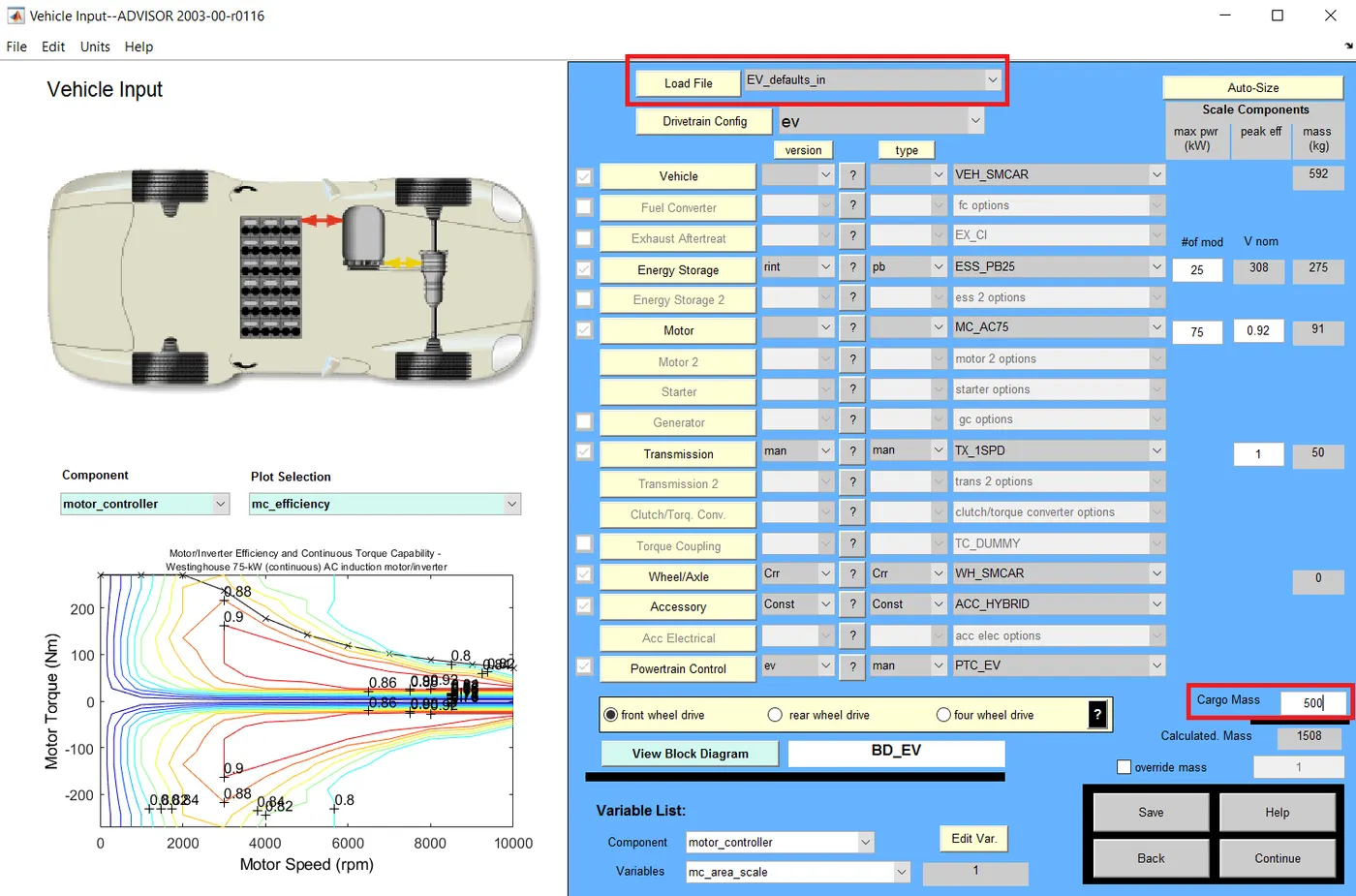
In the representation above, using load file button we can select the targeted file. In the objective we aimed to simulate the vehicle for 500kg cargo mass. It can be input in cargo mass option represented above. A window will come when we hit the continue button and that window is represented below.
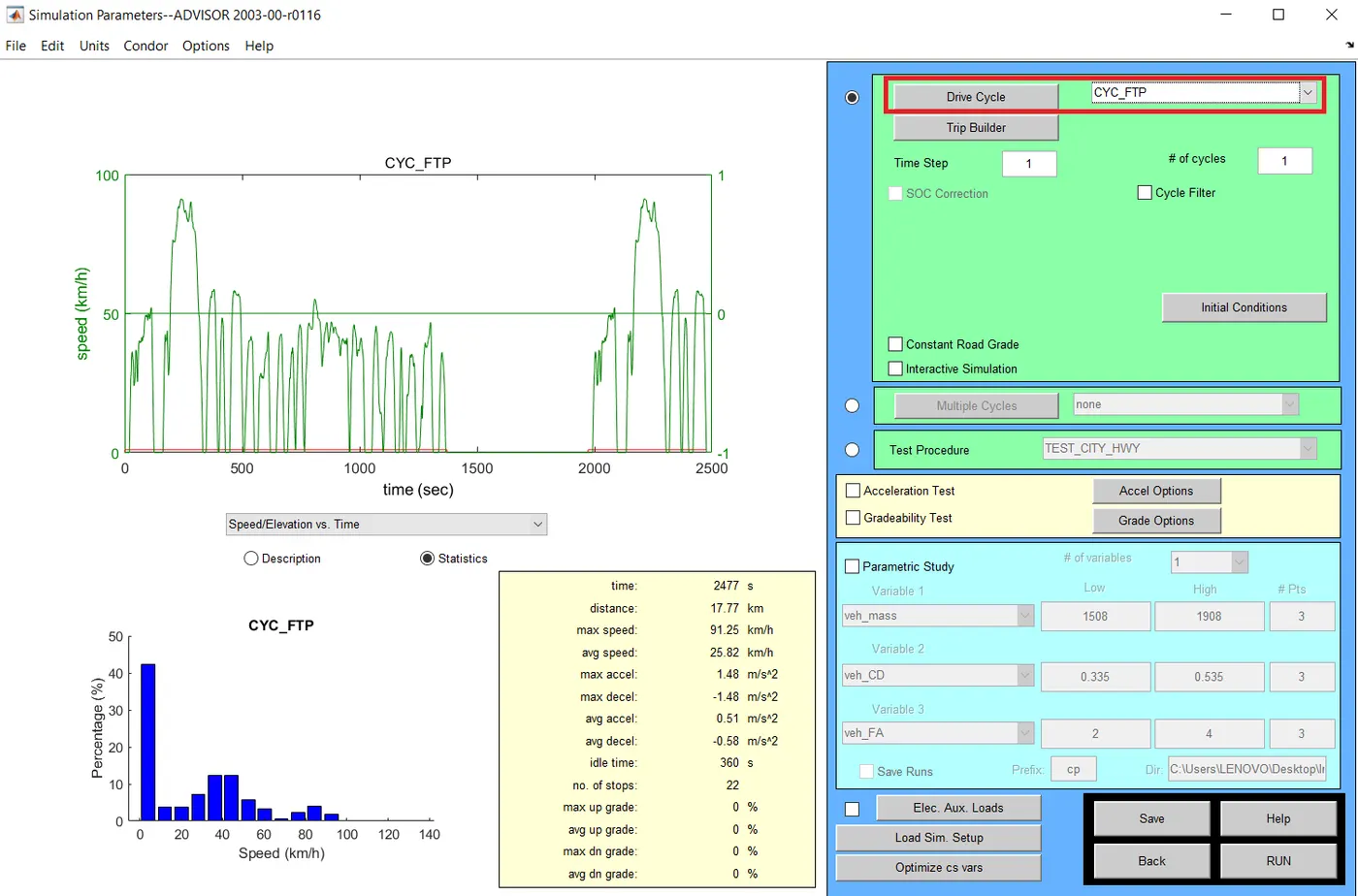
By drive cycle button we can select specific drive cycle for the selected vehicle and we selected the FTP drive cycle. Number of drive cycles can be also select. The default value is one. Now we can run the simulation by clicking the RUN button. The result is given below.
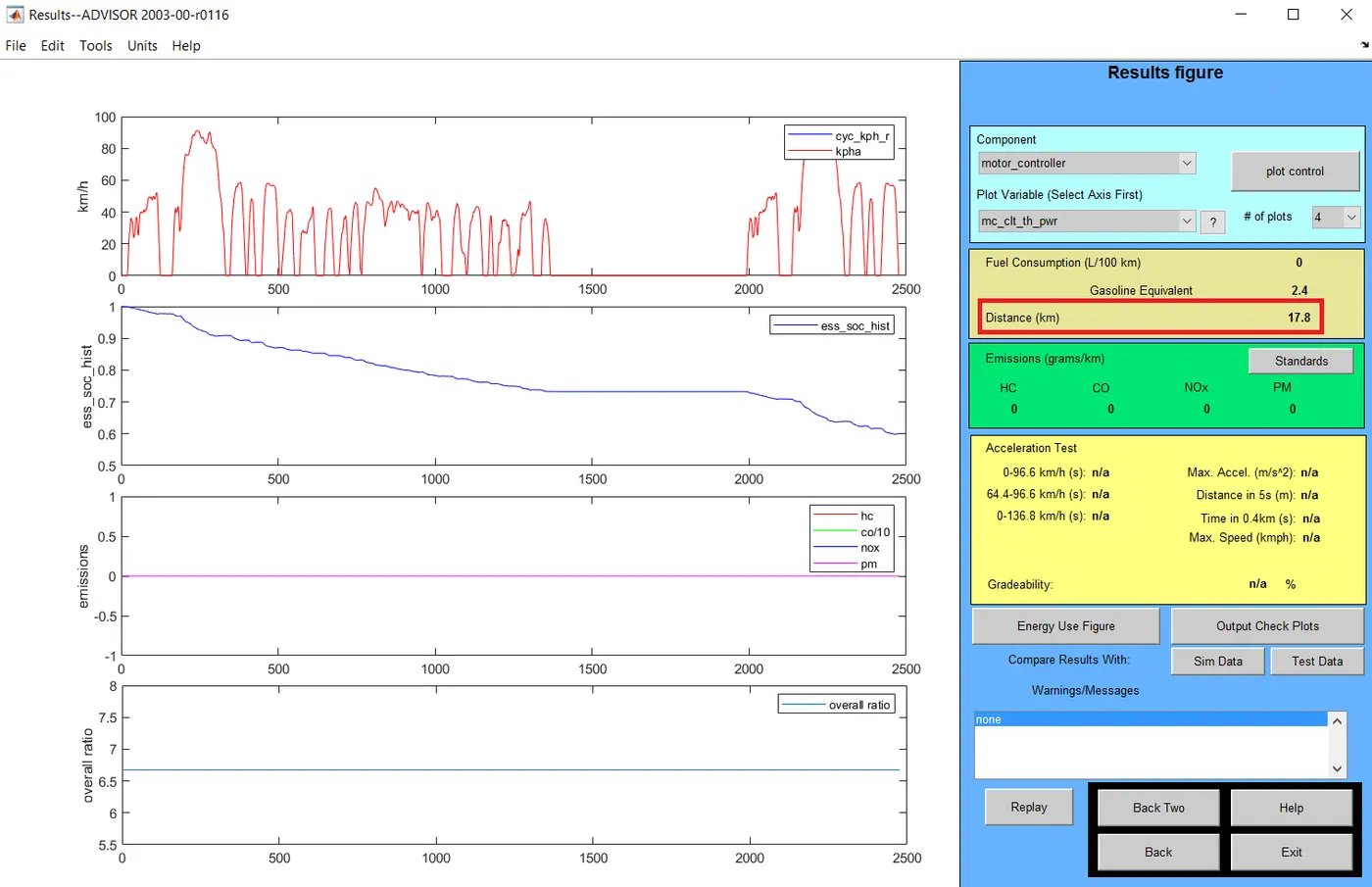
From the result figure, we can see that the distance travelled by the vehicle is 17.8km. We were asked to find out whether vehicle can travel for 45km. For that we will increase the number of drive cycles and will run the simulation. Representation of changing the number of cycles is given below.
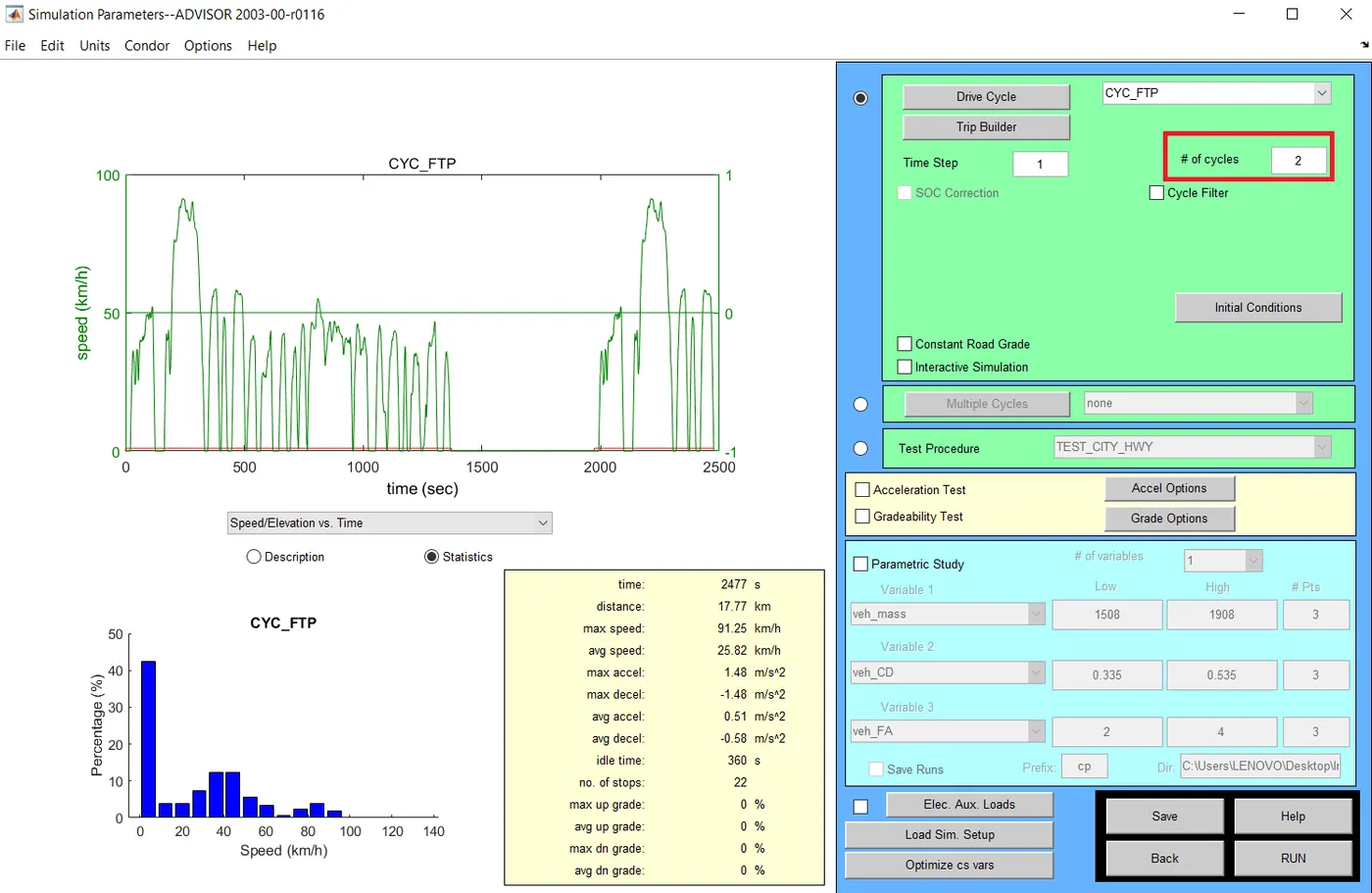
After changing the number of drive cycles into two, the RUN button is activated and the result is given below.
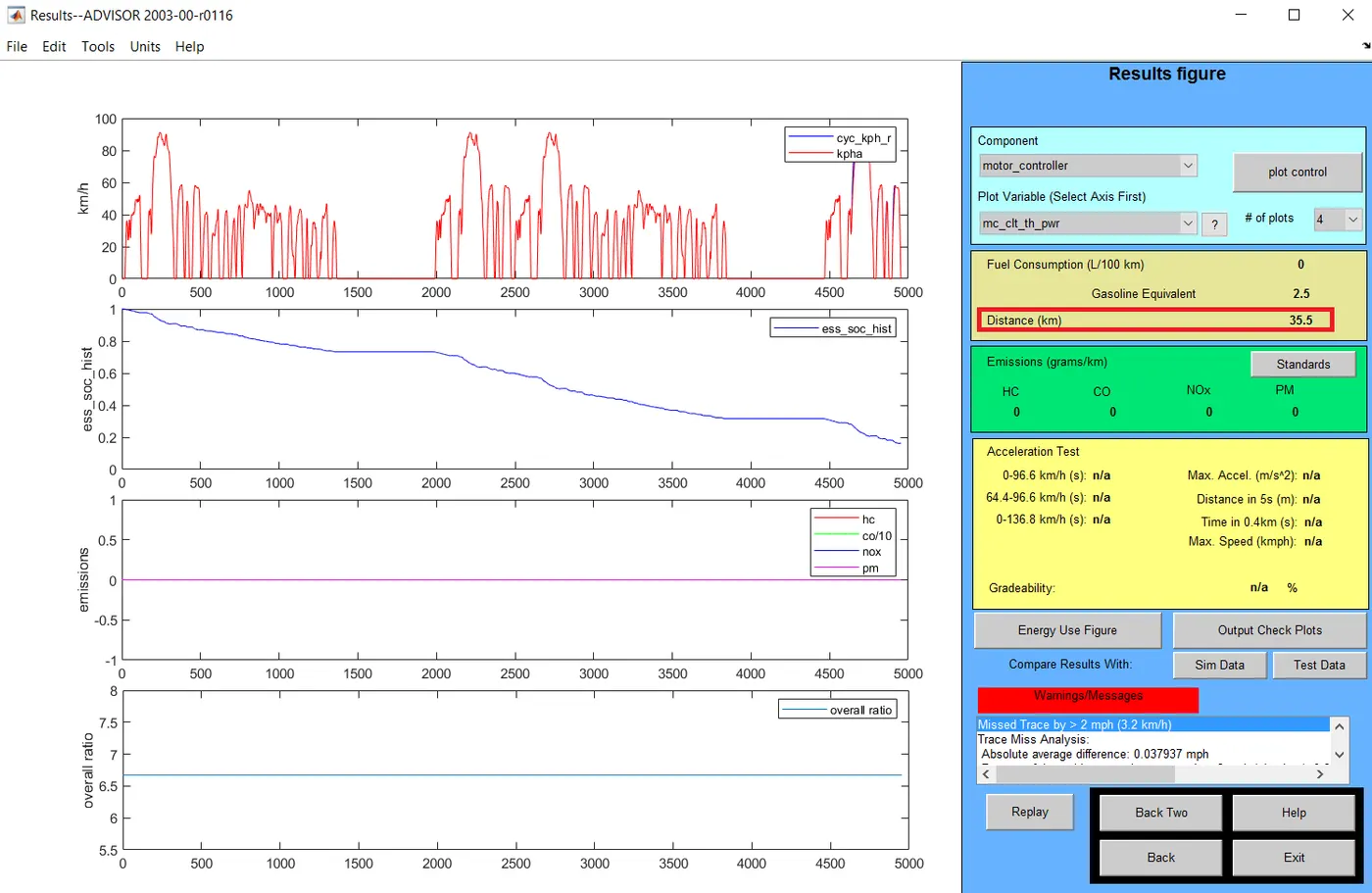
Here, the distance travelled was obtained as 35.5 km. This is not enough for our condition. So we change the drive cycle number in to three.
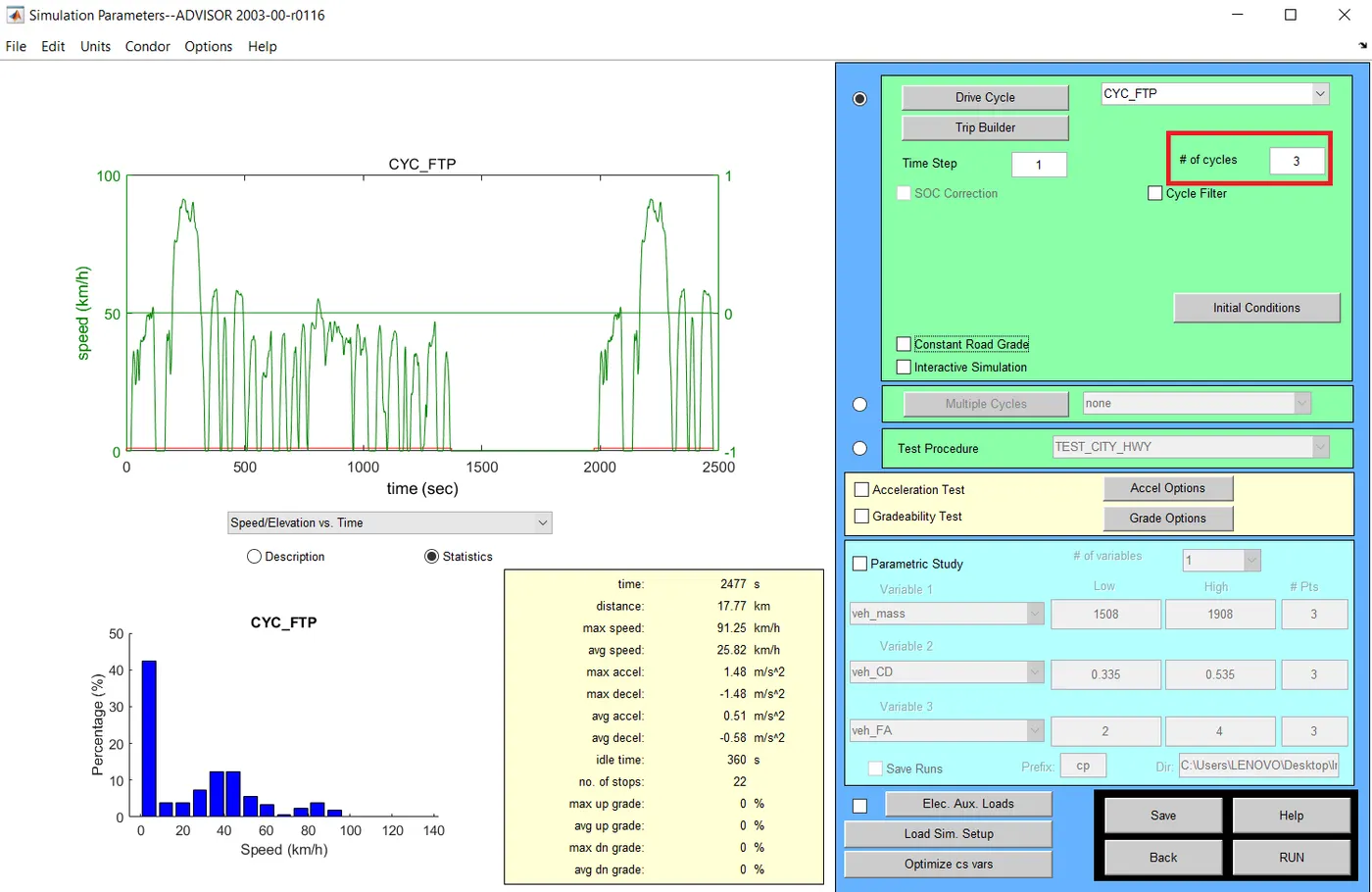
By changing the number of cycle into three, the result obtained is given below.
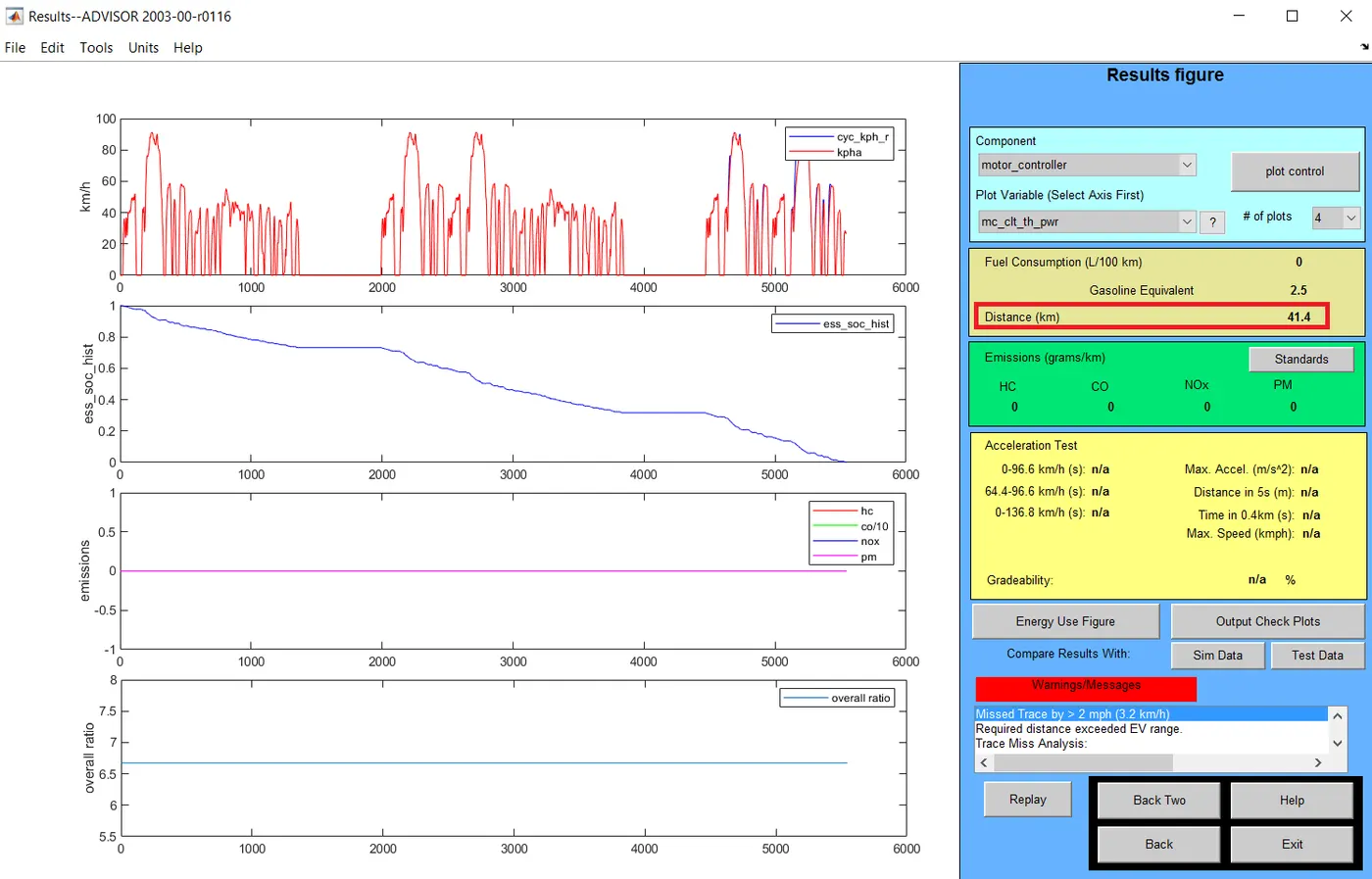
41.4km was the distance travelled by the vehicle. This is also not enough for our conditions. But we can’t increase the number of cycles further. Because the value for soc is almost zero for three drive cycles. Since the vehicle is completely run on battery charge, it can’t travel more. So the maximum distance for the vehicle is 41.4 km.
- Changing battery capacity
Now we can change the number of modules in the same vehicle and repeat the simulation. By keeping all other parameters same, battery capacity is changed like in the representation below.
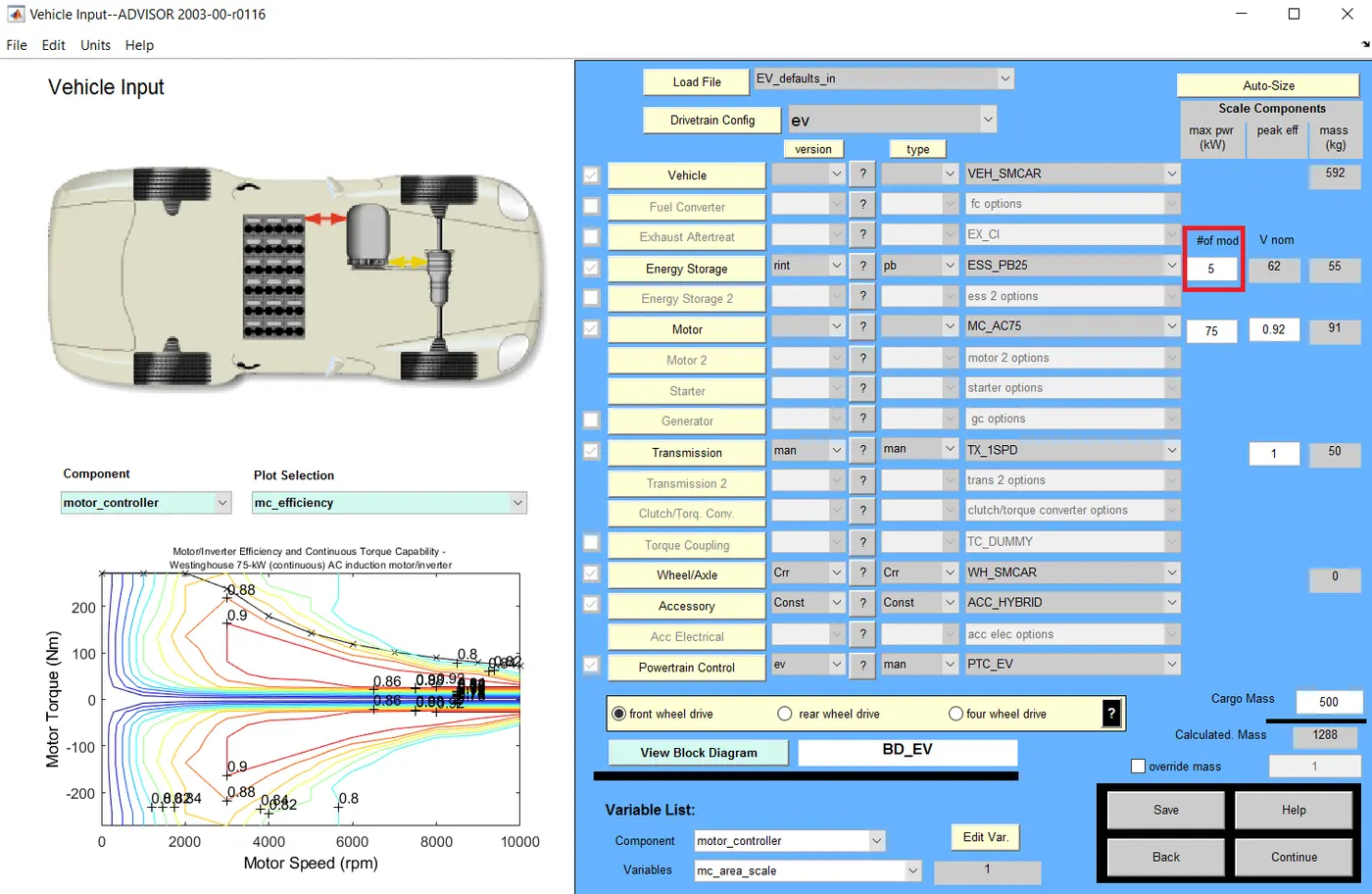
So here, the number of modules are 5. After changing the battery capacity, simulation is carried out and the result is given below.
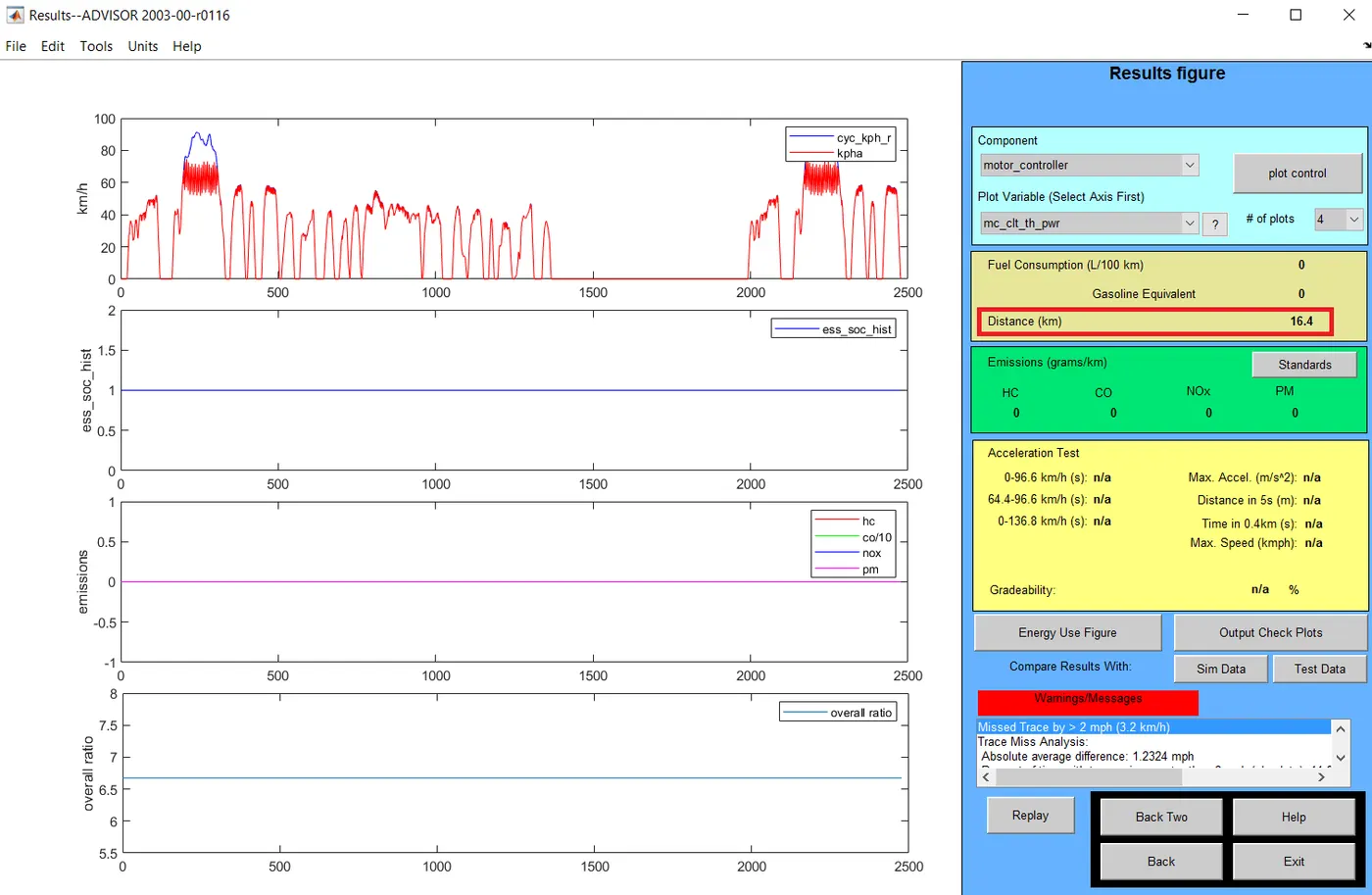
We can notice that, the distance travelled by the vehicle is 16.4km for 5 modules. Similarly, battery capacity is changed for another values and simulation was done. Condition and the result are given below.
Number of modules = 15
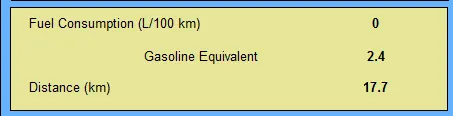
Here, the distance was increased to 17.7 from 16.4km.
Number of modules = 25
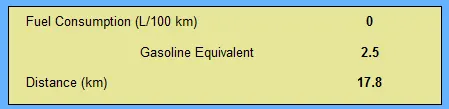
A small increase was observed and the distance reached 17.8km
Number of modules = 35
The distance remained unchanged and the value is 17.8km
From the above results, we can clearly notice that the distance travelled by the vehicle is constant after 25 battery modules. Hence 25 is the optimum number of modules and the maximum distance the car can travel is 17.8km.
- Gradeability test with PRIUS
Toyota PRIUS is a hybrid vehicle which is available in ADVISOR tool for simulation with original laboratory tested values. The representation is given below.
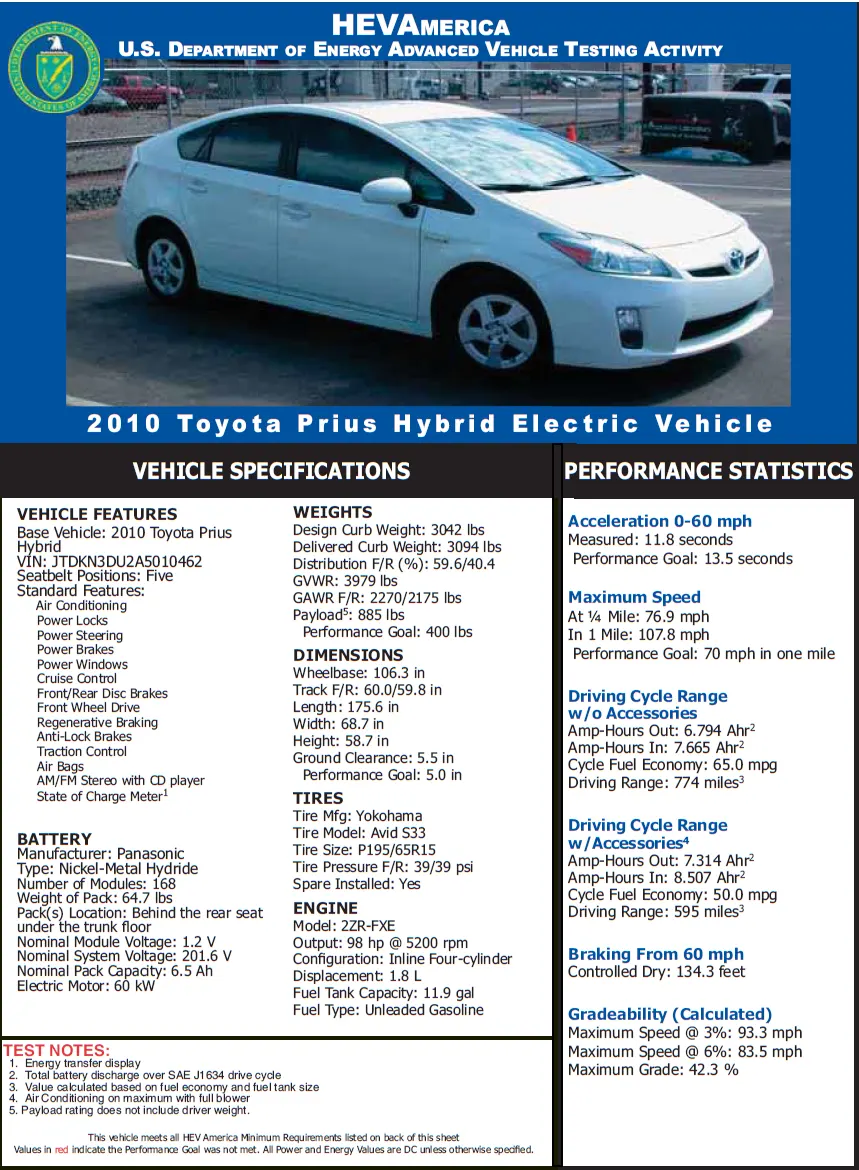
Our aim is to perform a grade ability test in this vehicle. We can load this file through load file button in software. No parameters are changed because every value is practical laboratory values. The window representation is given below.
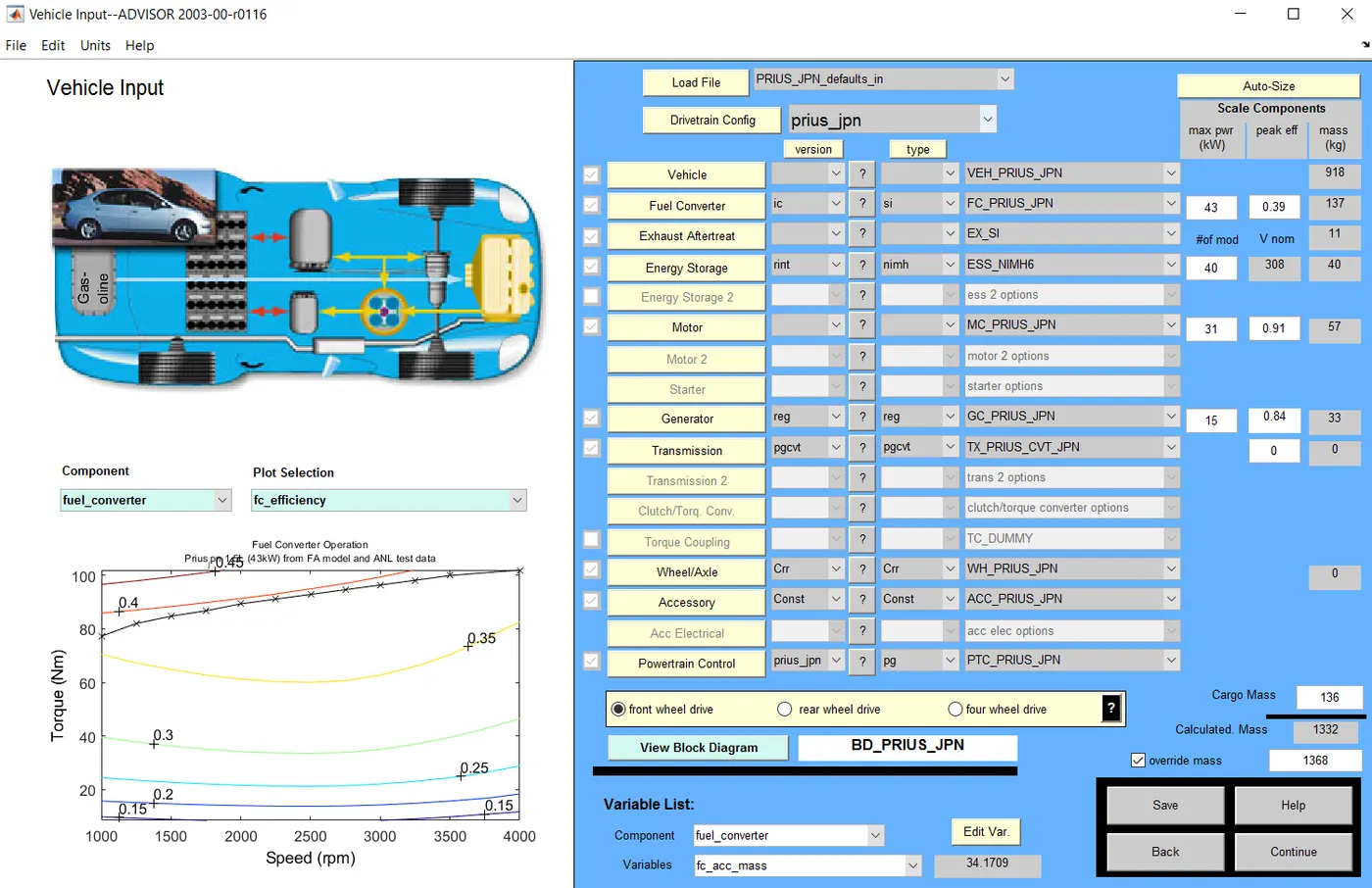
When we hit the continue button, next window will pop up and here we can add the conditions for grade ability test.
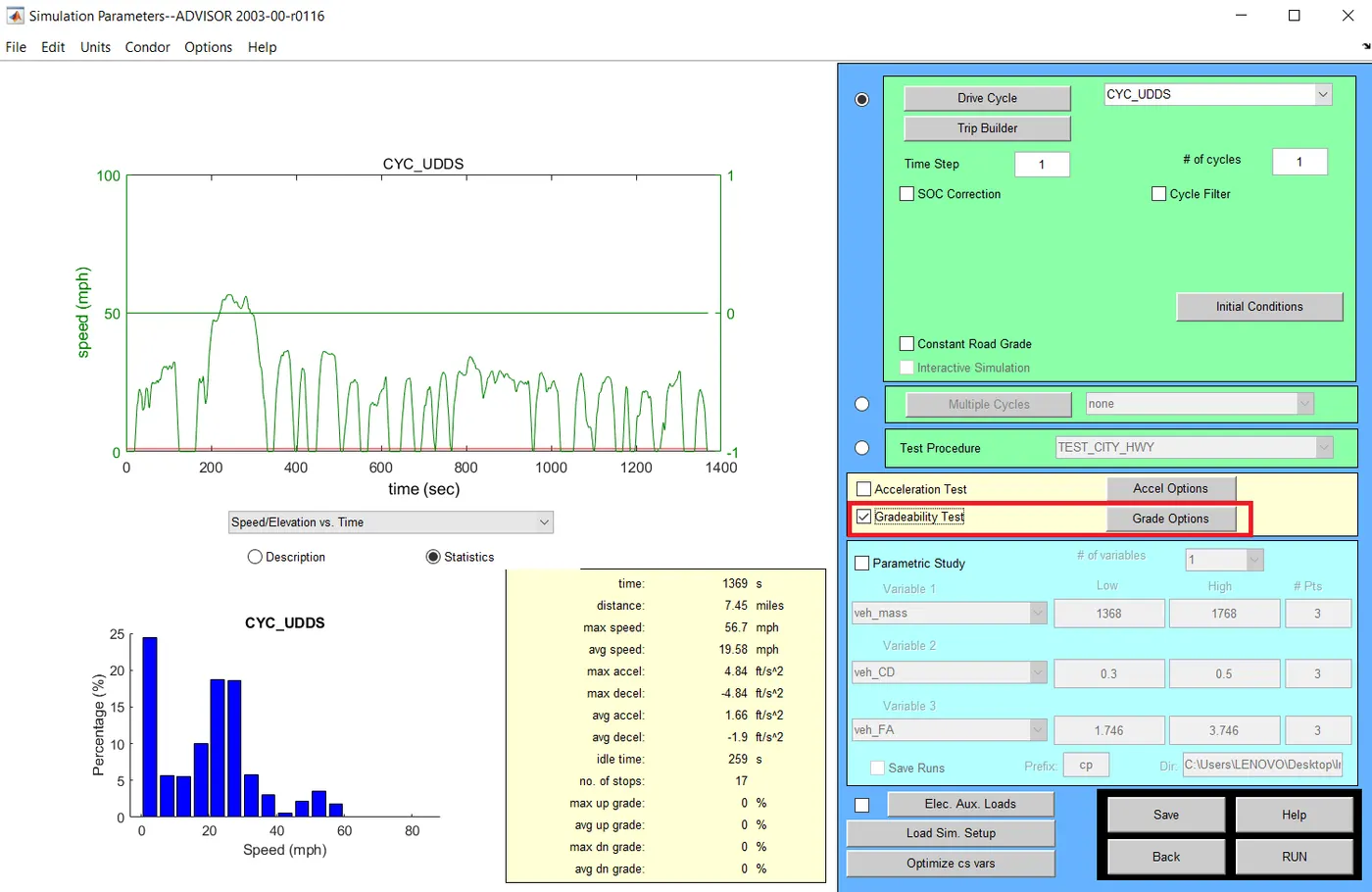
After selecting grade testing option click on the grade options button. This will result opening another window which is represented below.
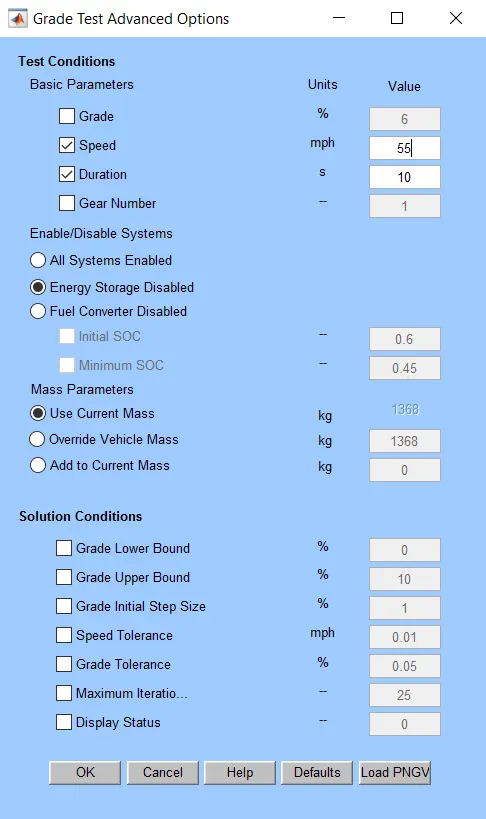
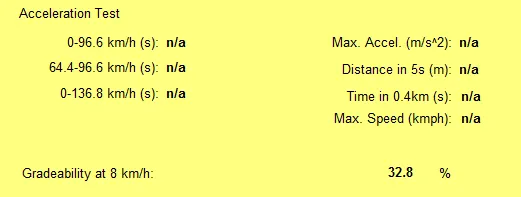
Here we can change the speed values for getting different values for grade with respect to our input speed. So following results shows the different grade values for different speed.
Gradeability at Speed = 5 mph or 8 km/hr
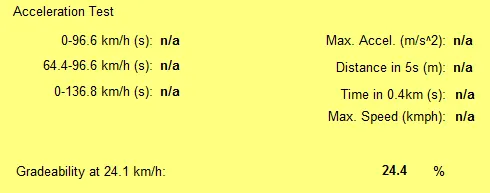
Gradeability at Speed = 15 mph or 24.1 km/hr
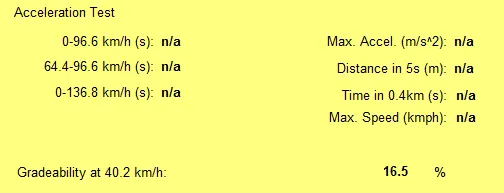
Gradeability at Speed = 25 mph or 40.2 km/hr
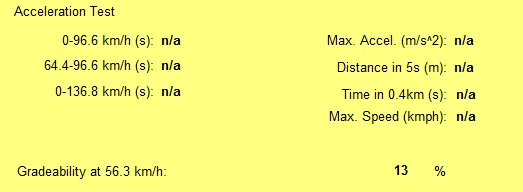
Gradeability at Speed = 35 mph or 56.3 km/hr
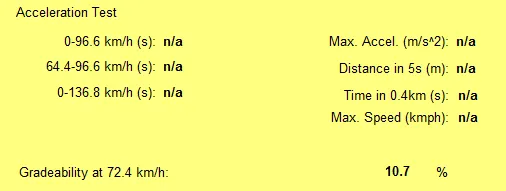
Gradeability at Speed = 45 mph or 72.4 km/hr
Gradeability at Speed = 55 mph or 88.5 km/hr
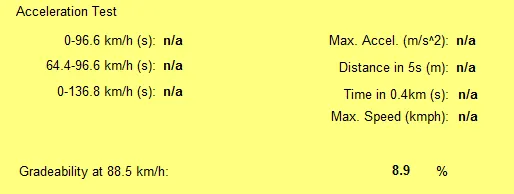
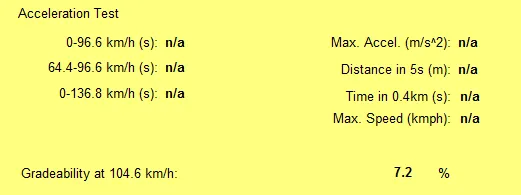
Gradeability at Speed = 65 mph or 104.6 km/hr
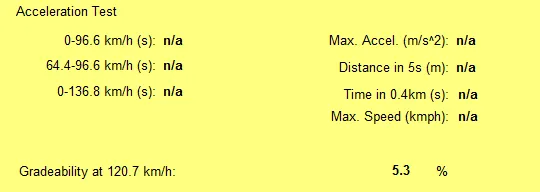
Gradeability at Speed = 75 mph or 120.7 km/hr
This data can be representing in a table and it is given below. A graph representation is also given for the respected data’s.
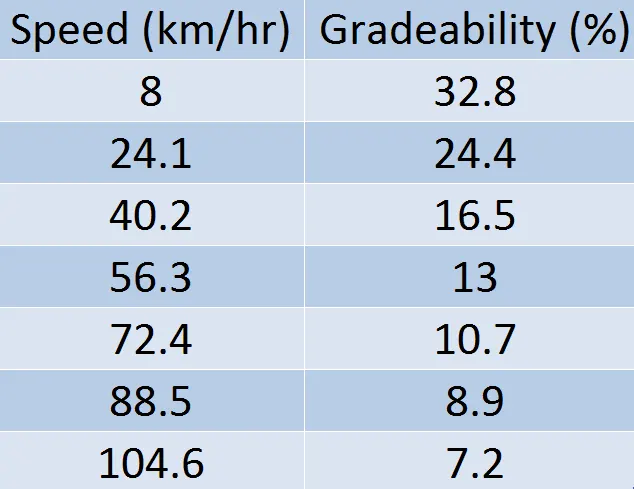
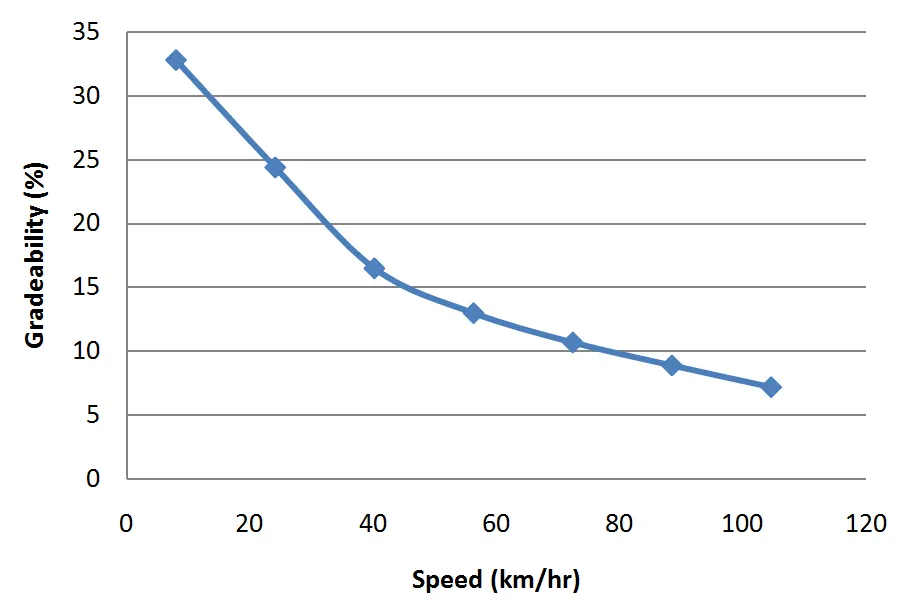
From the above results, we can clearly say that the grade value deceases with respect to the increase in speed.
Conclusion
Simulation using ADVISOR tool was done and following results were obtained.
- The electric vehicle cannot travel for 45km with given conditions
- Optimum battery capacity for the vehicle is 25 modules
- PRIUS grade ability decreases with increase in speed
References