Week-3 Challenge: ADVISOR Tool
1. For EV_defaults_in file, if cargo mass is 500 kg with all other default conditions, can the vehicle travel for 45 km with FTP drive cycle? Conclude your observations.
ANSWER:-
- We have opened matlab and installed advisor tool and make sure we have the same directory path to open the advisor tool.
- we type 'advisor' in command window it takes some time to load and we click on the metric.
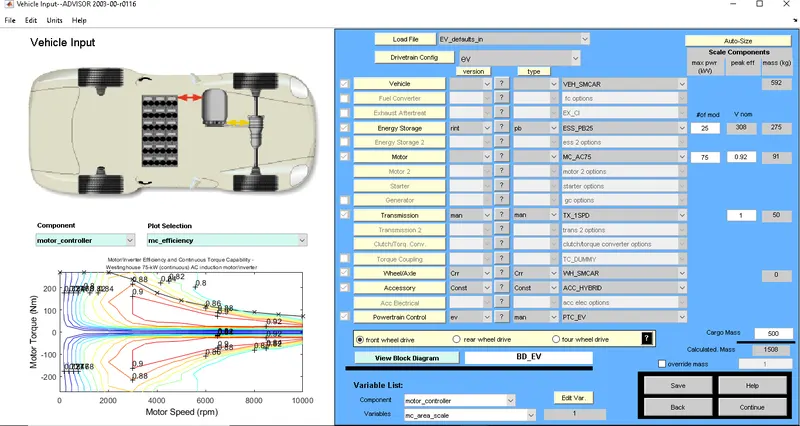
- At the top of load file we select the Ev_default_in where we are supposed to run this model by adding the cargo mass of 500kg.
- After setting up click on continue,
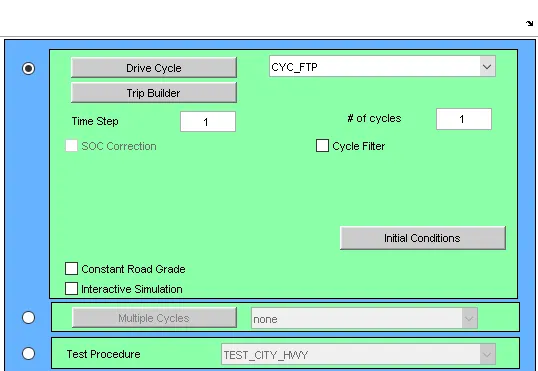
- we will enter into to select the drive cycle we will select the CYC_FTP , no.of duty cycles as 1 (as default).
- And then hit on RUN Button.
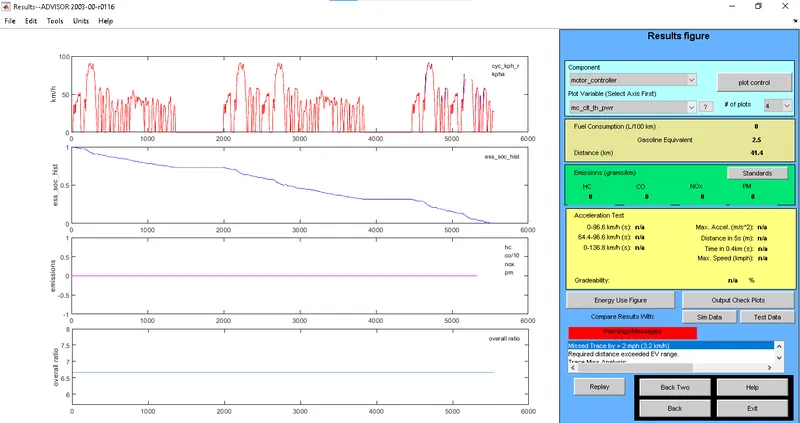
- After clicking on Run button we will be directed to below shown graph chart,we can clearly observe that the vehicle is travelling only 17.8 km where the battery also going out of charge.
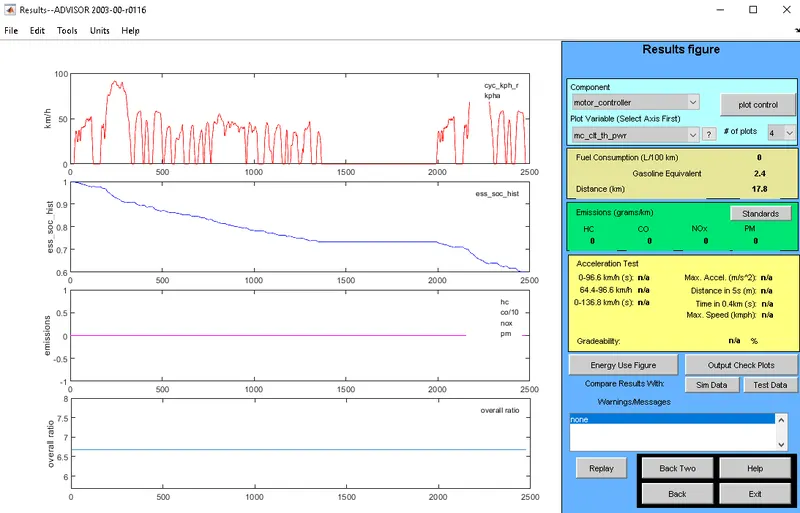
- So that we observed it taken duty cycle to complete 17.8km , by this way to achieve 45km we need to add two more duty cycles i.e we put no.of drive cycle as 3.
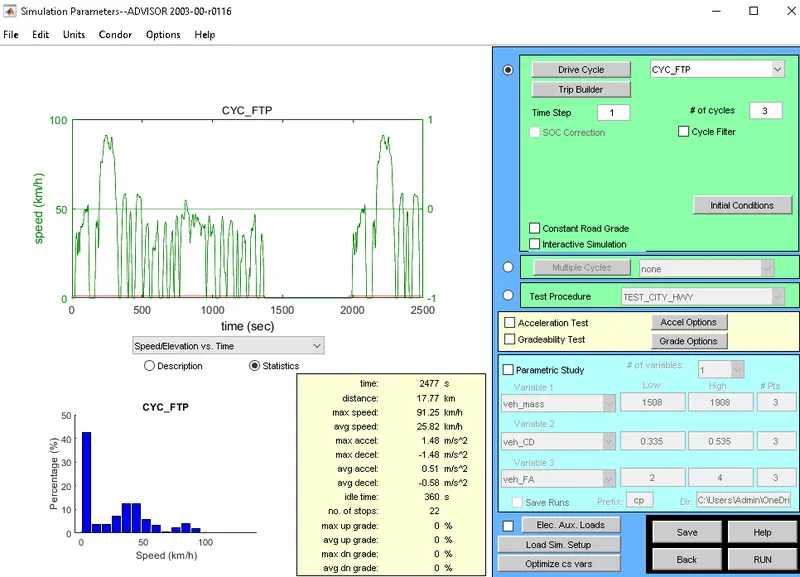
- Then after clicking on RUN again we can observe a ERROR message on right bottom side and it shows that it can travel only 41.5 km .
- Thus Ev_default_in model can travel 41.5 km with the CYC_FTP drive cycle and with the unchanged parameters.
2. In the above case, try changing the battery capacity and repeat the simulation.
ANSWER:-
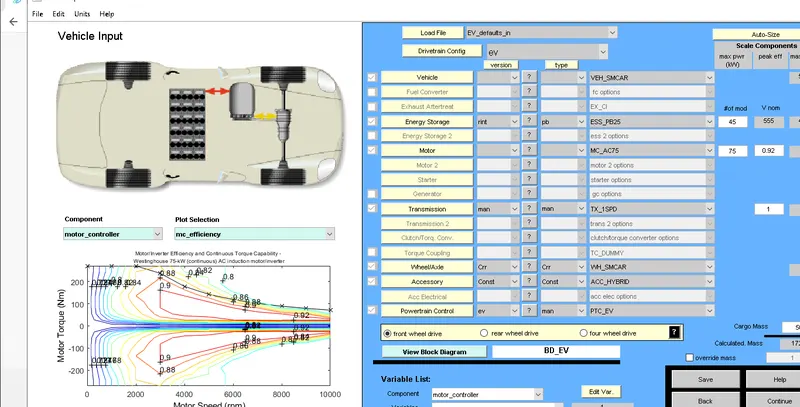
- From the above file we change the battery capacity from 25 to 45 .
- with keeping the same parameters as the same.
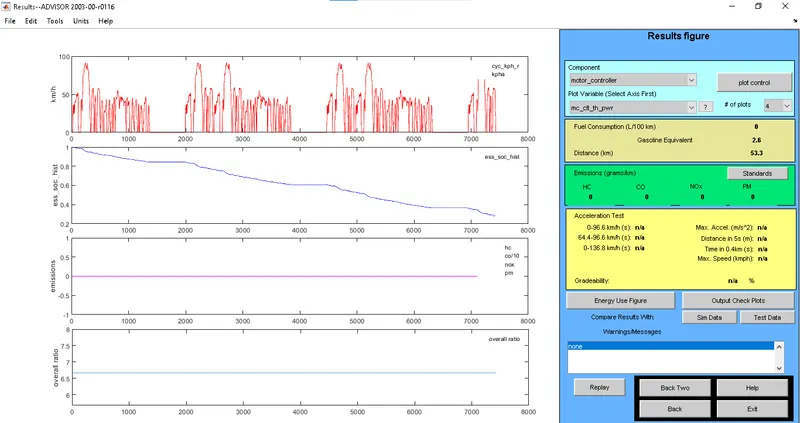
- After hitting the Run button we can clearly observe the total distance covered is increased to 53.3 km
- where we have achieved the case.
3. Perform gradeability test with PRIUS_Jpn_defaults_in file
Compare your results in table and conclude.
ANSWER:-
- As like as same we choose the load file as PRIUS_Jpn_defaults_in .
- without changing any parameters we hit on continue.
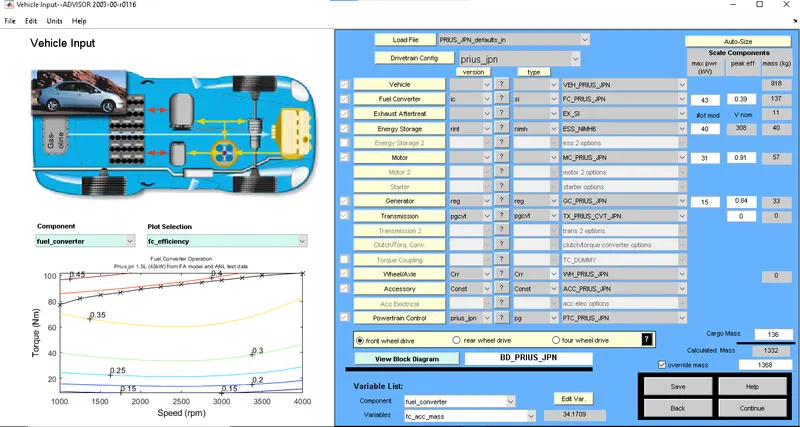
- After hitting on continue we may asked for particular parameters , we can select the Gradeability test and click on the Grade options.
To Check durability by changing the speed in gradeability:-
- After that we can observe some parameters at first we click on speed to 35 mph to check gradeability.
- And all system enabled and remaining will be same.
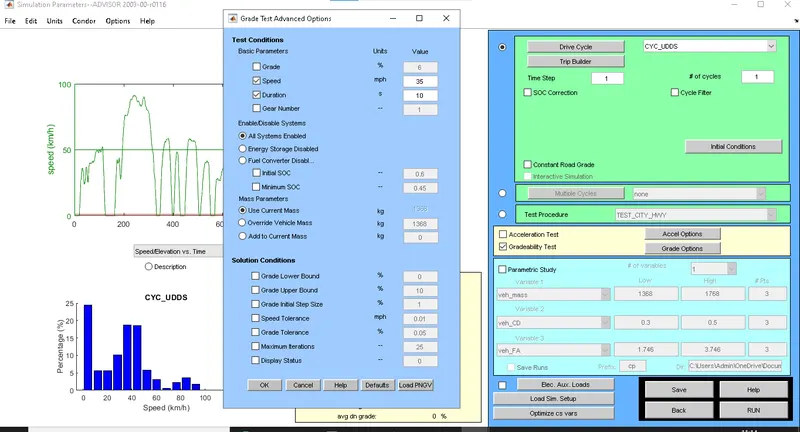
- after clicking on ok and then we can observe the below fig after clicking on Run button.
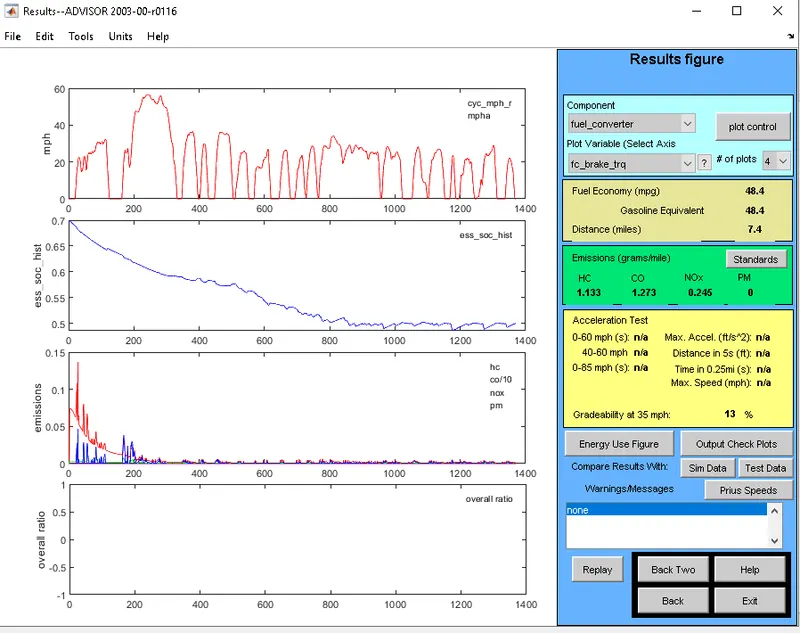
- we can clearly observe
- the gradeability is 13% at 35 mph.
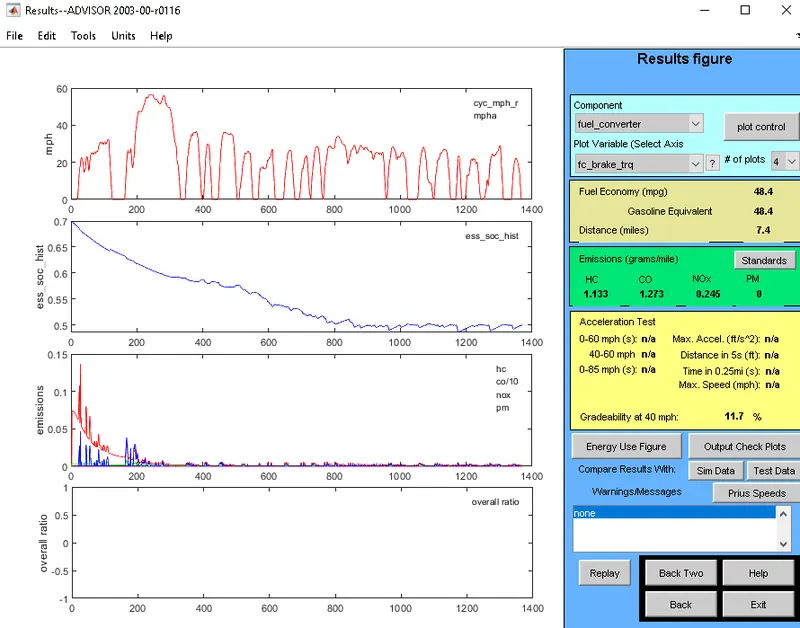
- the gradeability is 11.7% at 40 mph.
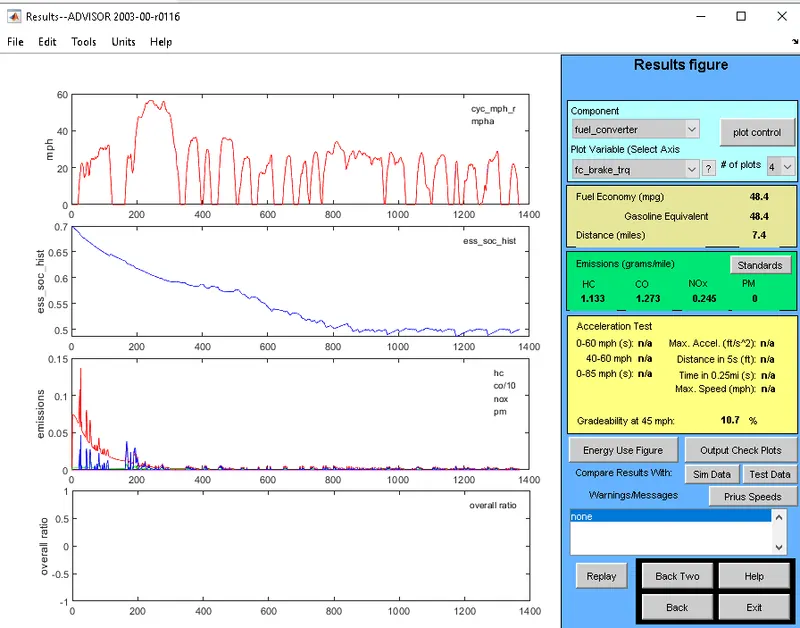
- the gradeability is 10.7% at 45 mph.
- the gradeability is 9.7% at 50 mph.
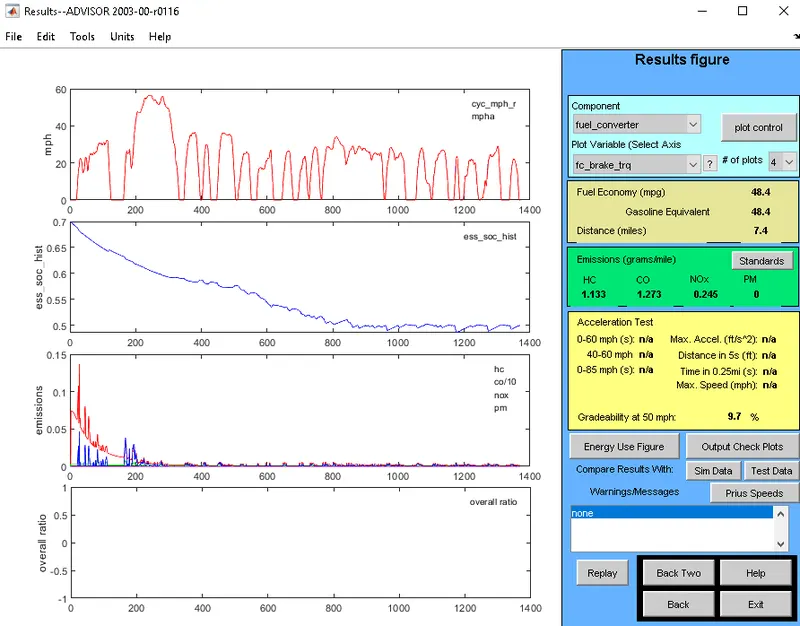
- the gradeability is 8.9% at 55 mph.
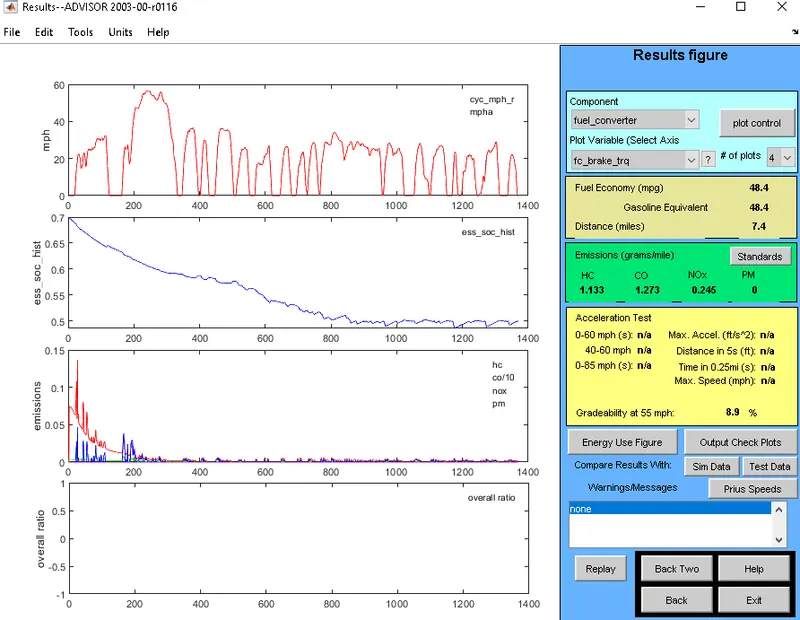
speed (mph) gradeability %
35 - 13 %
40 - 11.7 %
45 - 10.7 %
50 - 09.7 %
55 - 8.9 %
Thus we have compared the gradeability with various speed calculations and mentioned and performed the gradeability test on the vehicles.