Week-3 Challenge: ADVISOR Tool
ADVISOR TOOL
Aim:
- For EV_defaults_in file,simulate for the range of vehicle carrying the payload of 500 Kg.
- Changing the battery capacity of the above vehicle for the next simulation.
- To perform the gradeability test for PRIUS_jpn_defaults_in vehicle.
Introduction to ADVISOR:
ADVISOR: ADvanced VehIcle SimulatOR.
This tool,orginally developed by the national Renewable Energy Laboratory(NREL),allows users to simulate and analyze conventional,advance,light and heavy vehicles,including hybrid hybrid electric and fuel cell vehicles.The tool allows users to assess the effect of changes in vehicle components (such as motors,battries,catalytic converters,climate control systems,and alternative fuels) and other modifications that might affect fuel economy,performance and emmisions.this allows system-level analysis and trade-off studies of advance vehicle.
ADVISOR approximates the contineous behaviour of a vehicle as a series of discrete step during each of which the components are assumed to be at Steady State. That is,at each time step,the effects of changing current,voltage,torque,and RPM are neglected.This allows efficiency or power loss tables,which ared generated by testing a drive train components at a fixed torqe and RPM (and current and voltage if applicable),to be used to relate the power demands of the components at each time step.A significant advantage of using a model that is in the simulink /MATLAB environment is the flixbility and ease of changing the model,such as replacing one control strategy or regenerative braking algorithm with another.
MATLAB also allows easy plotting of result that makes detailed analysis of vehicle configuration possible.ADVISOR is driven by the input driving profiles which can be the classic speed vstime,such s the federal urban driving schedule(fuds),or a speed and grade vs timedriving profile with a given driving profile goal,ADVISOR then works its way backwards from the required vehicle and wheel speeds to the required torque and speeds of each components between the wheels and the energy source,which is either fuel from the hybrid power unit (HPU) or electricity from the batteries.Limits for each components are include,so the actual speed vs time profile computed is the one that is within the limits of all components and includes all component losses and vehicle drag.
EV_defaults_in
- To check if the vehicle can travel for 45 km with cargo mass of 500 kg with all other default conditions,with FTP drive cycle !
Open the ADVISOR tool and load the file EV_default_in.
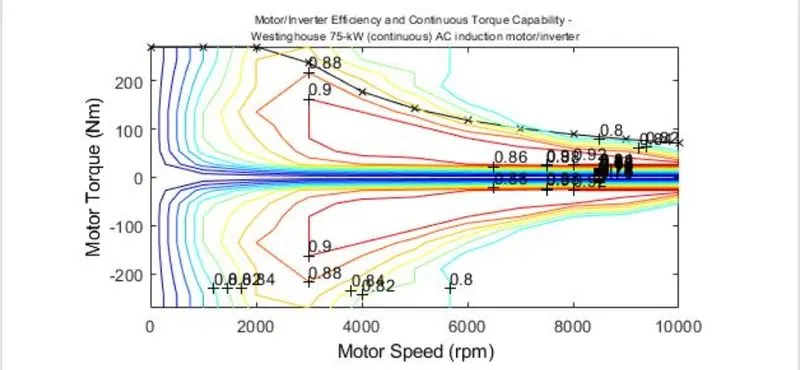
Motor Characteristics
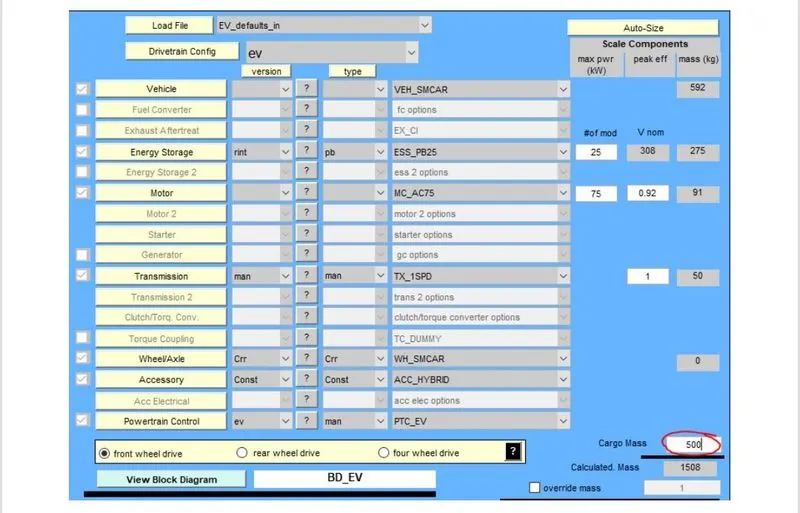
Vehicle Configuration
Drive Cycle:FTP
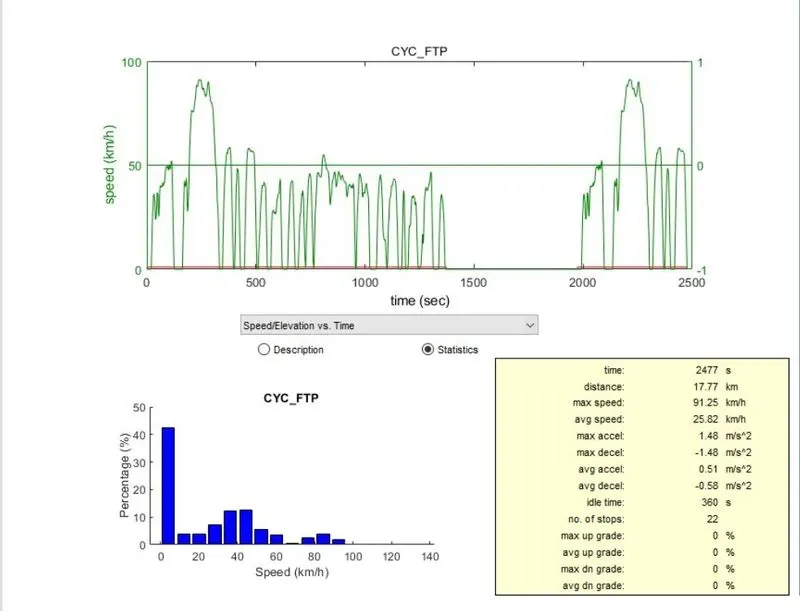
- FTTP drive cycle constitutes a total distance of 17.77 km in a single cycle.in order to check for range of 45 km, the vehicle must atleast follow the run the run for 3 drive cycles.
plots after 3 FTP Drive cycle
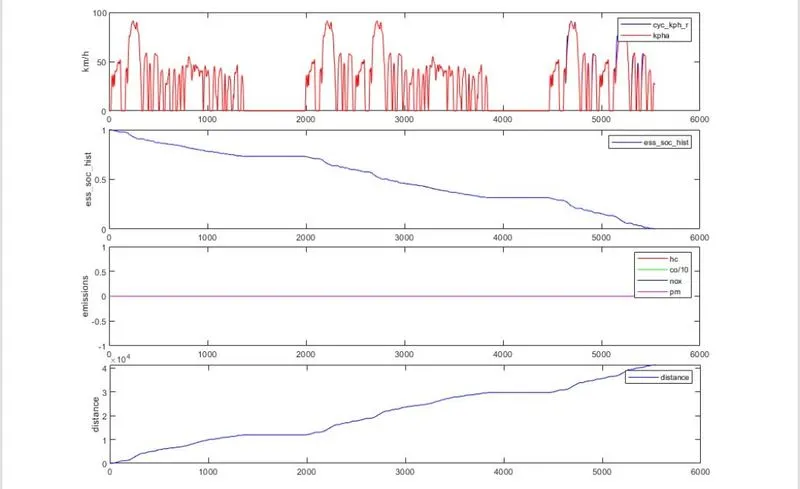
- The first plot shows the Drive Cycle speed aganist time.
- From the 2nd plot,it can be observed that Battery SOC has declined to 0 at time ca.5500s,even before completing the defined DC.
- Emission is absolute 0 since it is an fully electric drive as shown in plot 3.
- The distance travelled is somewhere around 41 km as shown in plot 4.
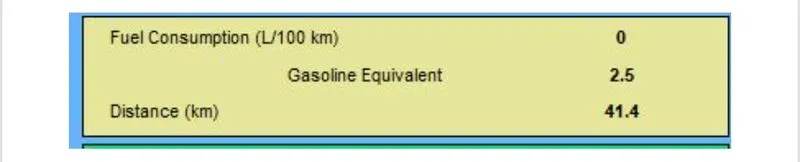
- The vehicle has failed to travel a distance of 45 km under FTP Drive Cycle with a payload of 500 kg.
2. To change the battery capacity for EV_defaults_in in the above simulation and check for the ranges.
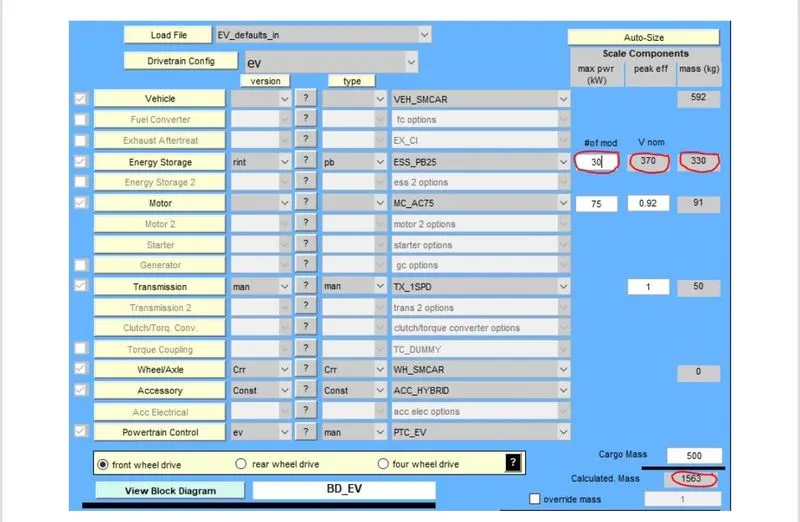
- The number of battery module is increased from 25 to 30 to check the range.
- Increase in the number of battery modules has resulted in the increase of nominal voltage from 308V to 370V.
- This also results in the increase the overall weight of the vehicle.
Vehicle Configuration:
Plots:
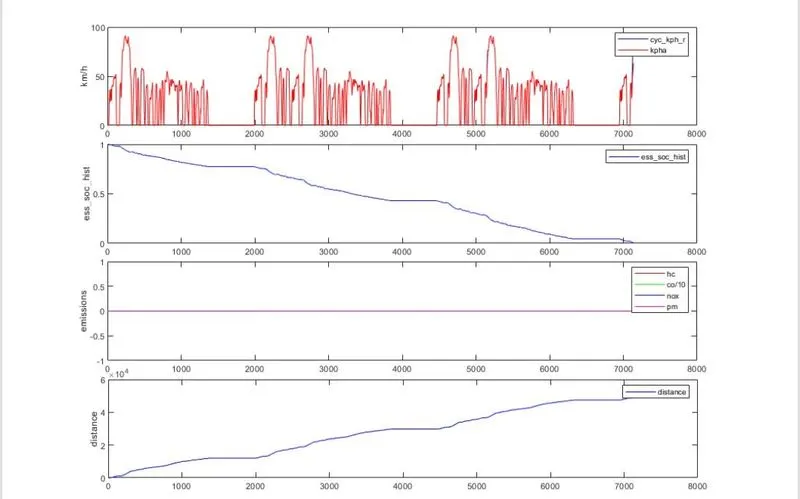
- The 1st ploty shows the drive cycle speed aganist the time.
- From the 2nd plot,it can be observed that Battery SOC has declined to 0 at time ca.7100s.
- Emission is absolute 0 since it is an fully electric drive as shoen in plot 3.
- The Distance Travelled is some where around 49 km as shown in plot 4.
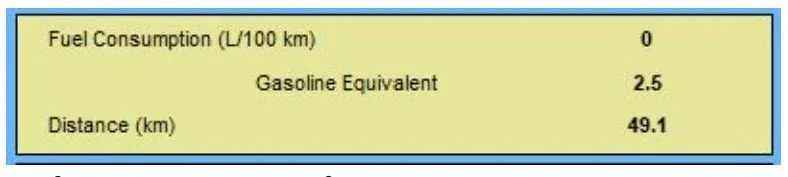
- With increase in the battery module by 5 number, the vehicle managed to travel 45 km with an payload of 500 kg.
3.PRIUS_Jpn_defaults_in
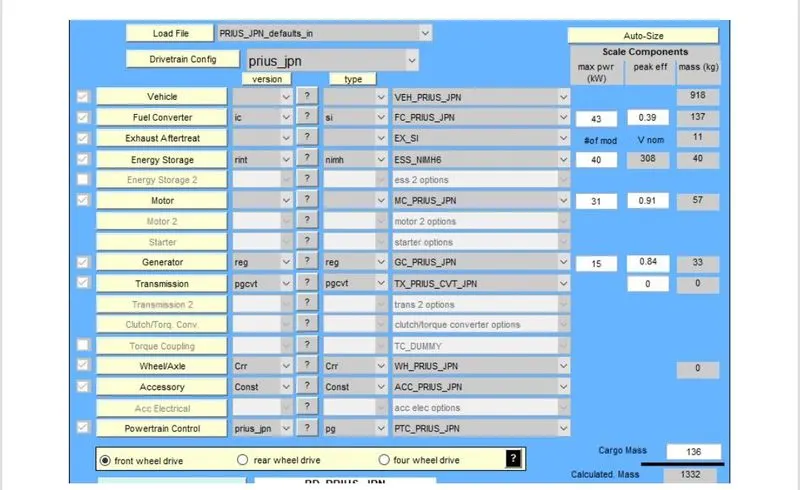
- To perform the Gradeability test for PRIUS_Jpn_default_in vehicle
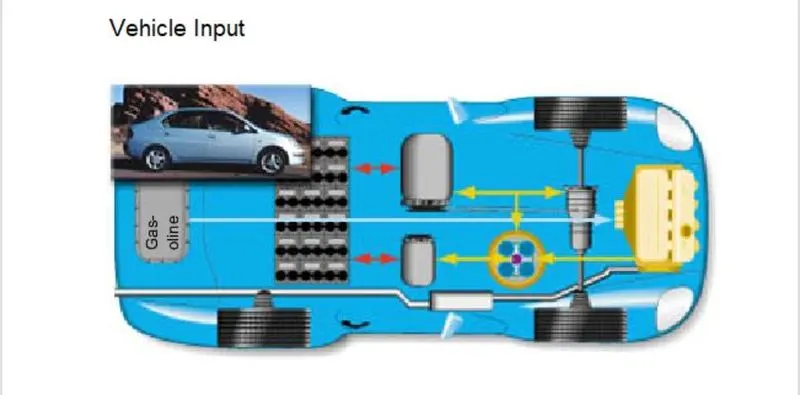
Motor Characteristics:
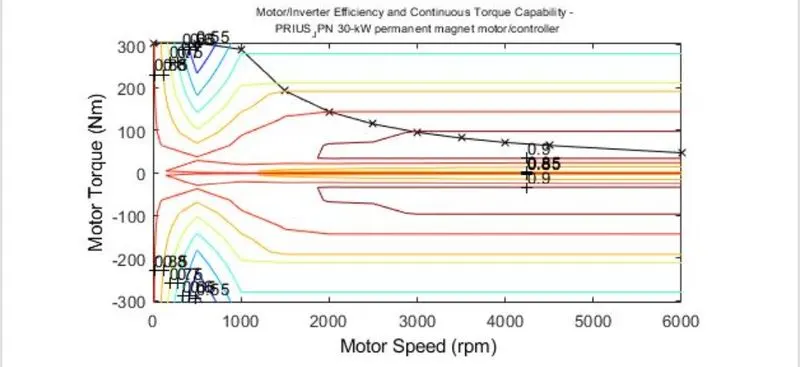
Engine Characteristics:
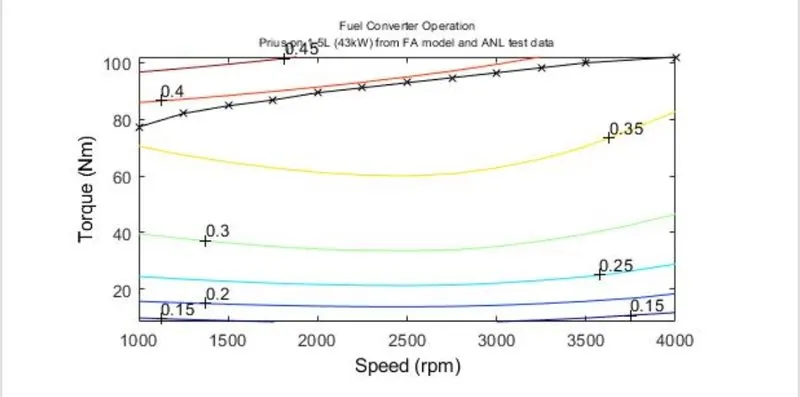
Vehicle Configuration:
Drive Cycle
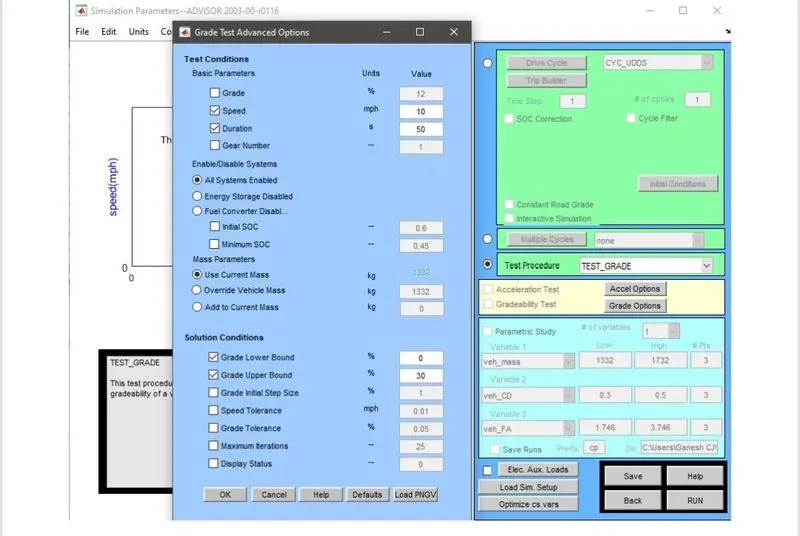
- Gradeability Test can be performed in two methods:
i) Gradeability @ some defined speed,Grade Test option available for this.
ii) Gradeability with constant Grade under any of the drive cycle.
- Change the Grade parameters as required in Grade option.
Case 1:
@10 mph for 50 seconds
Result:
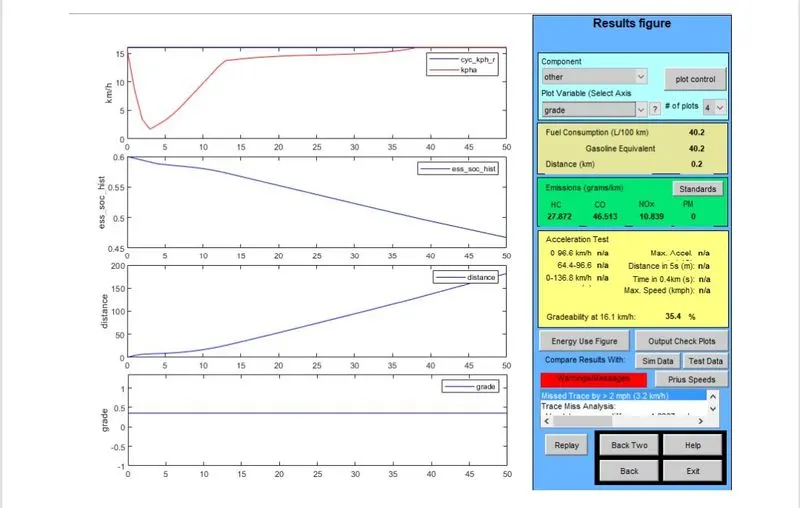
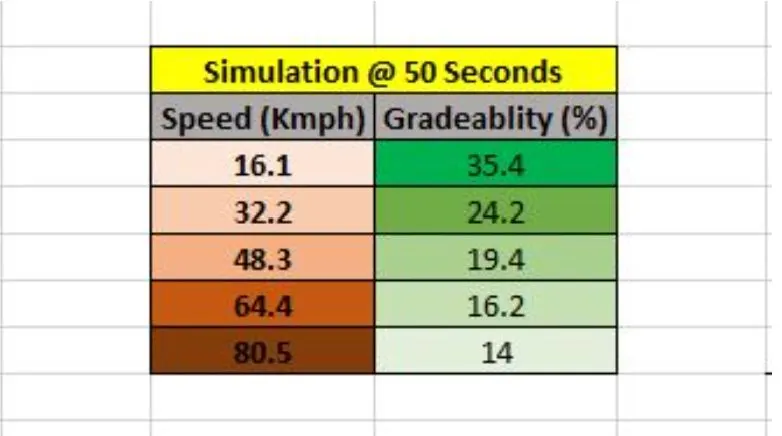
The gradeability is 35.4 % with an speed of 16.1 kmph for duration of 50s.
Case 2:
@ 20 mph for 50 seconds.
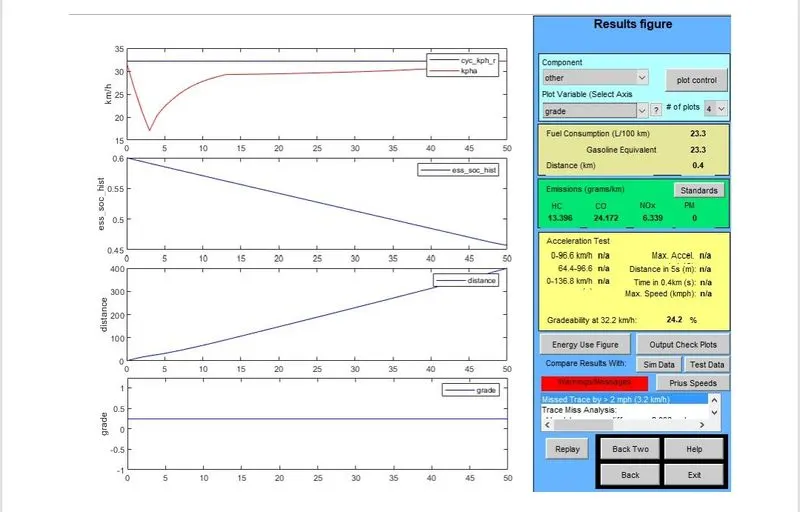
The Gradeability is 24.2 % with an speed of 32.2 kmph for duration of 50 seconds.
Case 3:
@ 30 mph for 50 seconds.
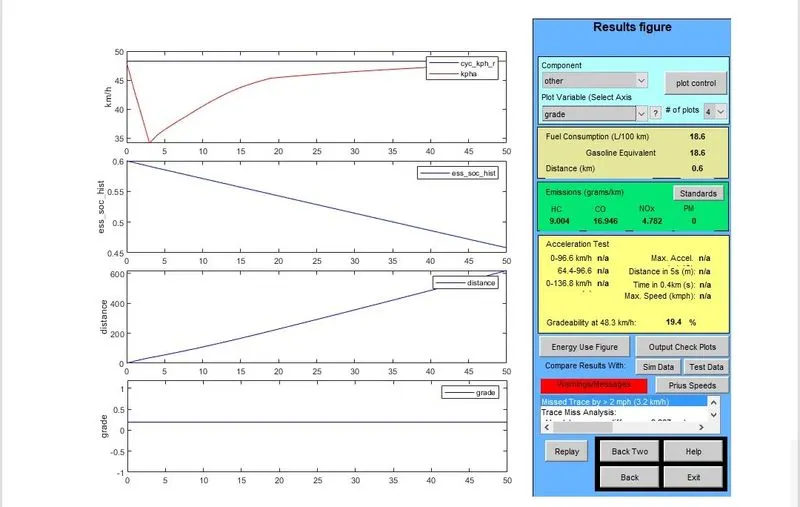
The Gradeability is 19.4 % with an speed of 48.3 kmph for duration of 50 seconds.
Case 4:
@ 40 mph for 50 seconds.
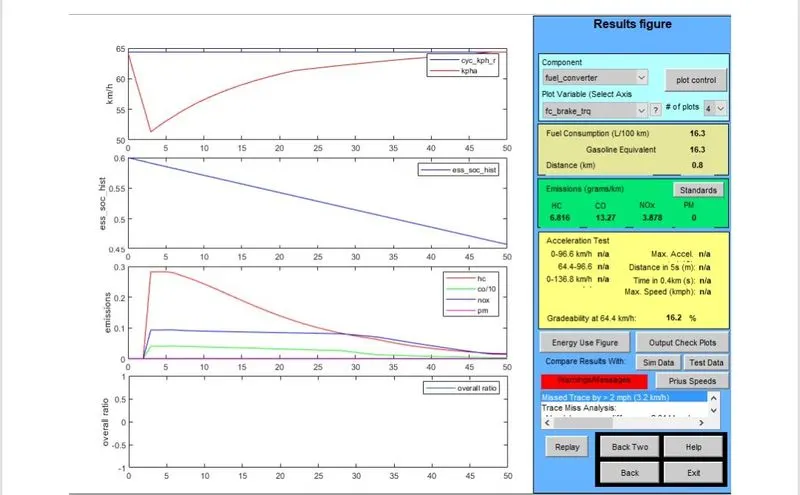
The Gradeability is 16.2% with an speed of 64.4 kmph for duration of 50 sedconds.
Case 5:
@ 50 mph for 50 seconds.
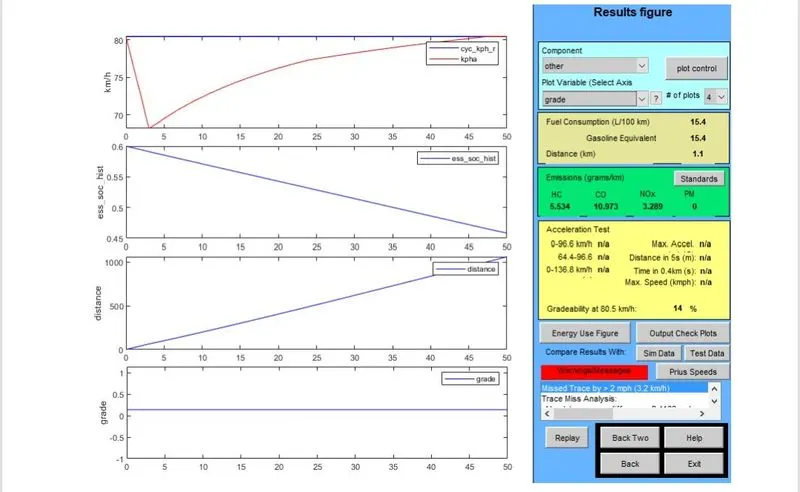
The gradeability is 14 % with an speed of 80.5 kmph for duration of 50 seconds.
Case 6:
@ 50 mph for 50 seconds with Gradeability greater than the ontained value in the previous case (G = 20 % > 14 %).
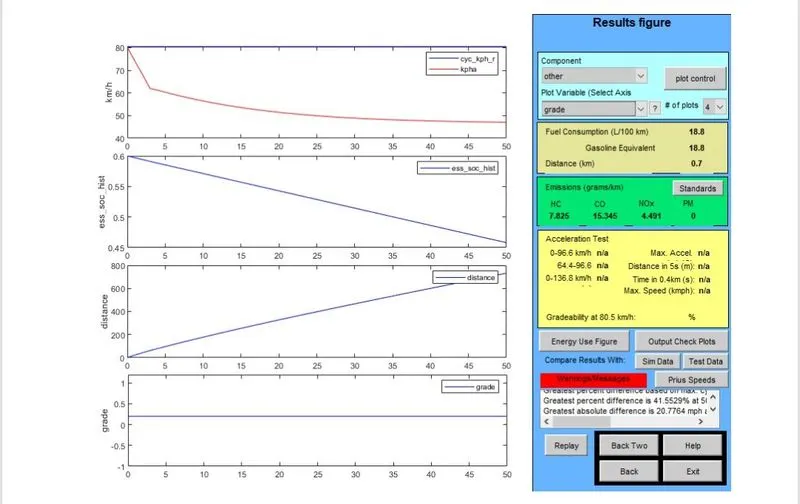
The Grade Test fails when the Gradeability is more than the max.Gradeability at respective speed.
Conclusion:
- The Gradeability decreases with increase in speed.
- At certain Grade, the vehicle speed decreases upto a certain point and then reacges the steady state as observed from the 1st plot..