Week-3 Challenge: ADVISOR Tool
1. For EV_defaults_in file, if cargo mass is 500 kg with all other default conditions, can the vehicle travel for 45 km with FTP drive cycle? Conclude your observations.
ANS:-
ADVISOR (advance vehicle simulator) is designed for rapid analysis of the performance and fuel economy of conventional,electric and hybrid vehicle.
Aim:- observe the EV_defaults_in advisor tool with cargo mass 500kg and find can vehicle travel for 45km with FTP drive cycle.
Procedure:-
- Download the advisor tool and extract all the files.
- add the path matlab and write command in command window 'Advisor'.
- Open the advisor and choose option of matrix and then start.
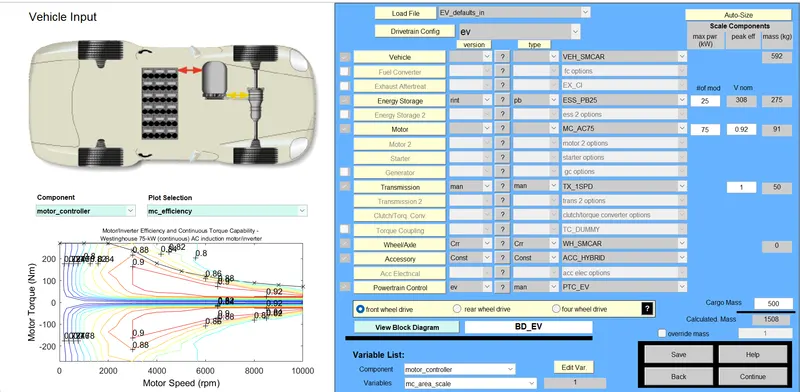
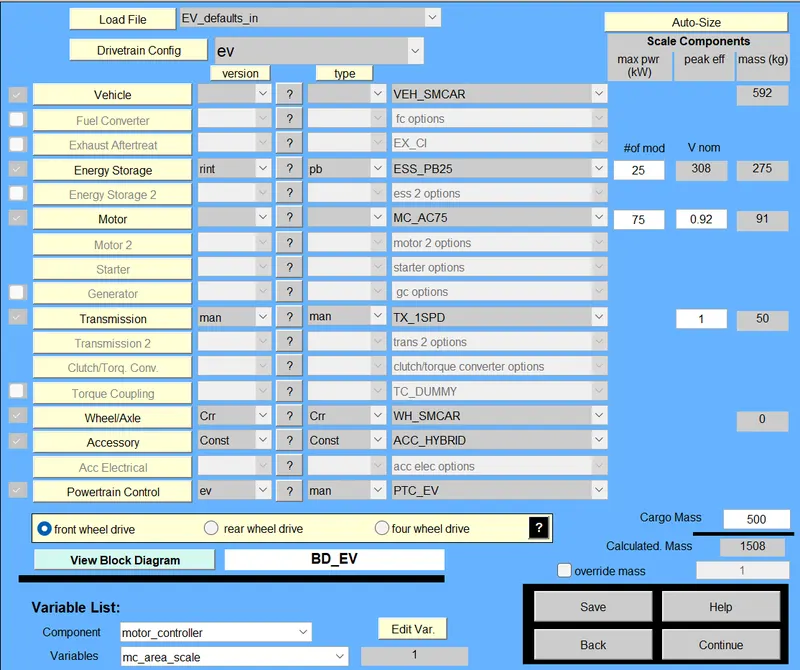
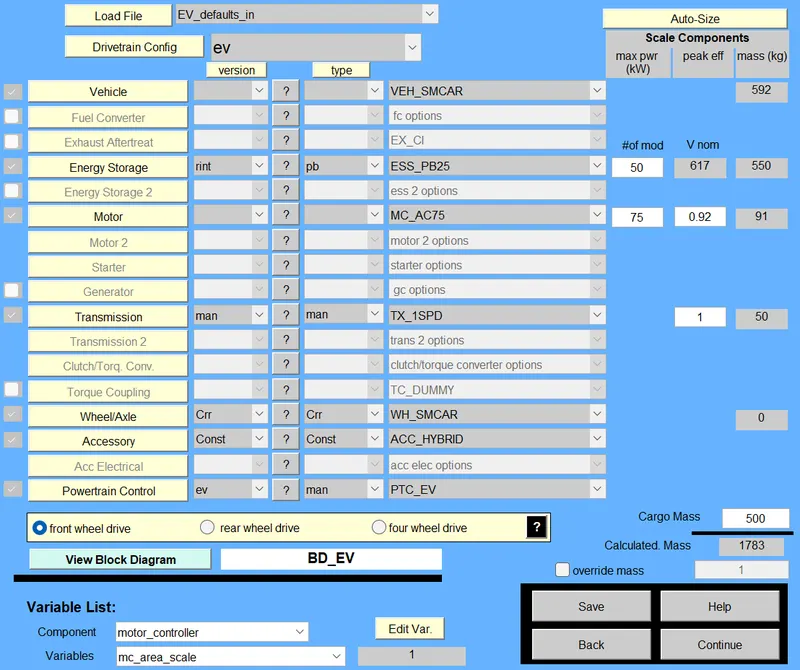
- In load file choose option which has given in question 'EV_default and enter 500kg cargo mass.then click on continue.
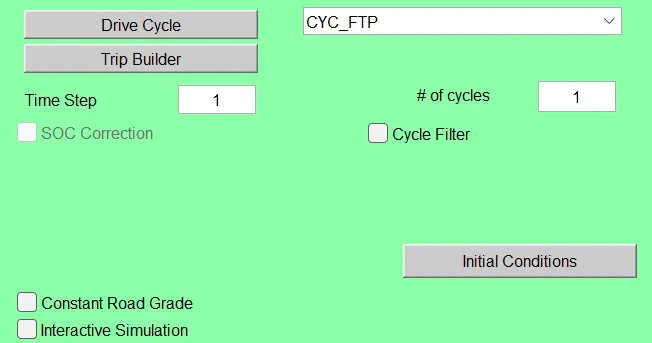
- choose the drive cycle FTP and Run the model.
EV_default model with 500kg cargo mass:-
Add FTP drive cycle in drive cycle option with taking no.of cycle 1:-
After clicked on run i got the result with one FTP drice cycle:-
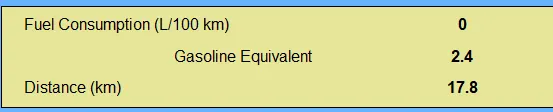
Observation:- From the above advisor result we observed that vehicle can not cover 45km distance with FTP drive cycle instead of 17.8km.
2. In the above case, try changing the battery capacity and repeat the simulation.
ANS:-
AIM:- To change the battery capacity and observe the result on distance.
Processor is same above,just changed battery capacity,
when battery capacity increased with one drive cycle following result getting:-
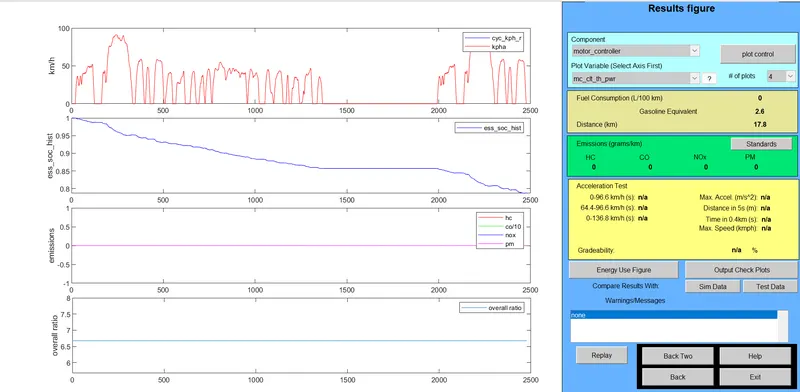
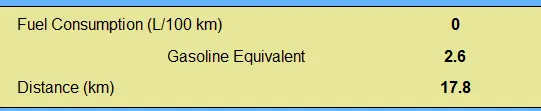
Conclusion:- So by changing the battery capacity distance will not change so,we tried to change the drive cycle and following result we get:-
here i kept no.of cycle is 2 as shown below:-
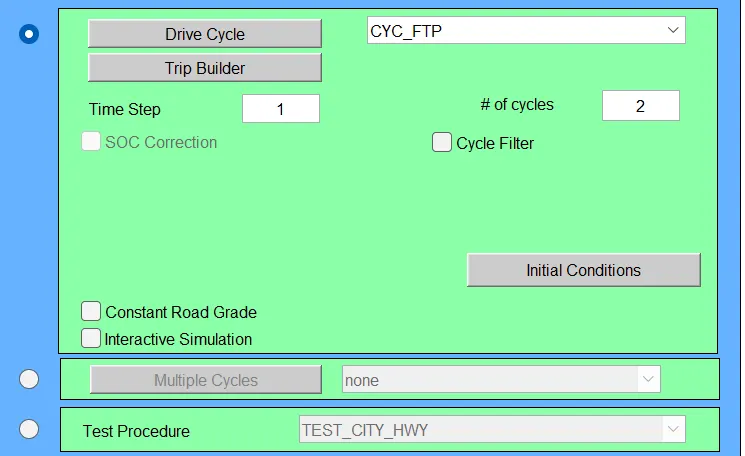
after changing the no.of rive cycle we get folllowing result:-
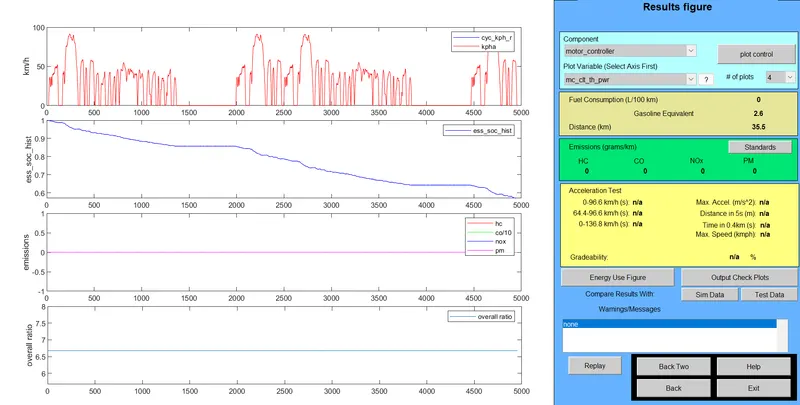
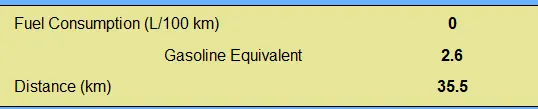
Conclusion:- we obeserved that after changing the no.of drive cycle distance will increases(35.5 instead of 17.8),if you change only battery capacity distance will not be changed.
3. Perform gradeability test with PRIUS_Jpn_defaults_in file
Compare your results in table and conclude.
ANS:-
AIM:- To perform gradeability test with PRIUS_jpn_defaults_in
Procedure:-
- Download the advisor tool and extract all the files.
- add the path matlab and write command in command window 'Advisor'.
- Open the advisor and choose option of matrix and then start.
- In load file choose option which has given in question 'PRIUS_jpn_defaults_in then click on continue.
- select gradeability test option and enter the speed value then check the result of different speed.
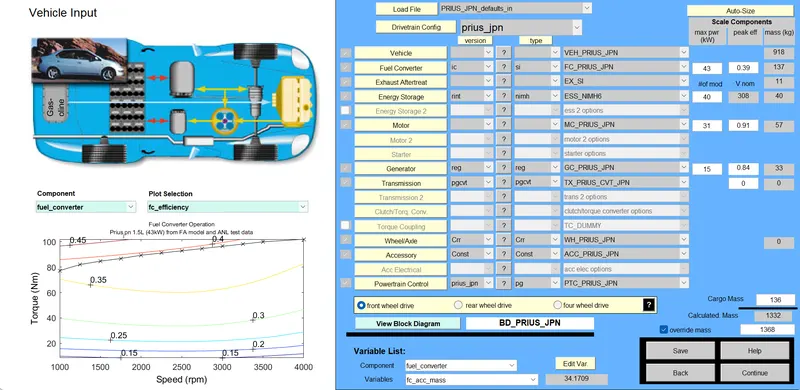
then click on continue and select gradeabilty test option:-

then click on Grade option then below window will open and just change the speed and ok.
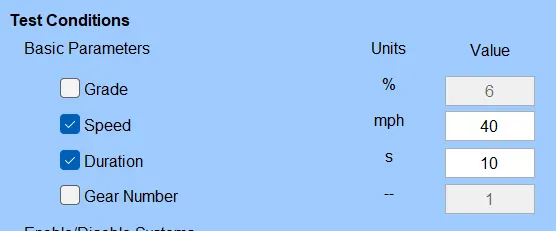
after clicking ok we get result of 2.5% gradeability of speed 40mph as shown below,
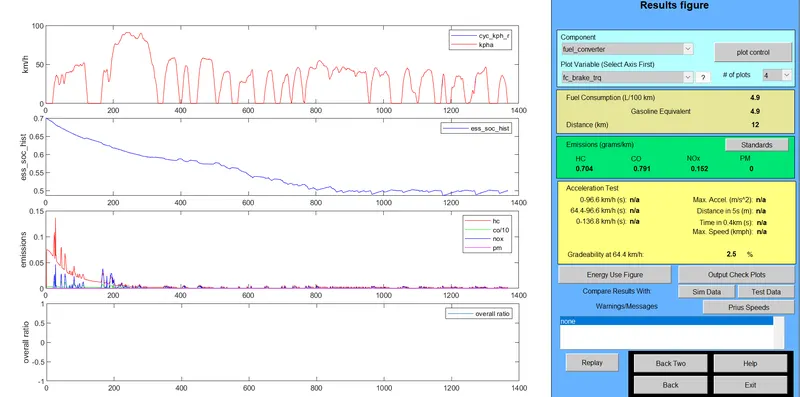
as the same above we take grade test for different speed and observe the gradeability for different speed:-
SPEED:-45
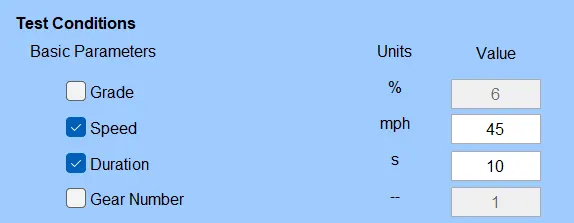
2.2% gradeability of speed 45mph as shown below,
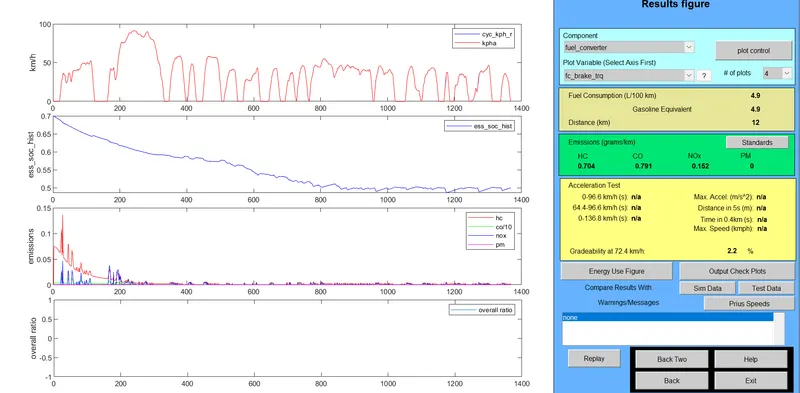
SPEED:-50
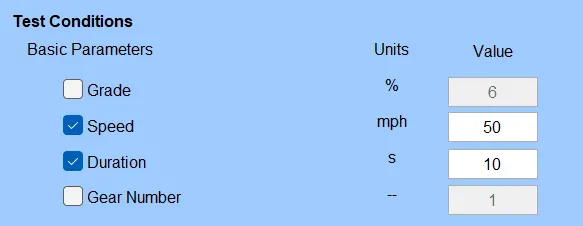
2% gradeability of speed 50mph as shown below,
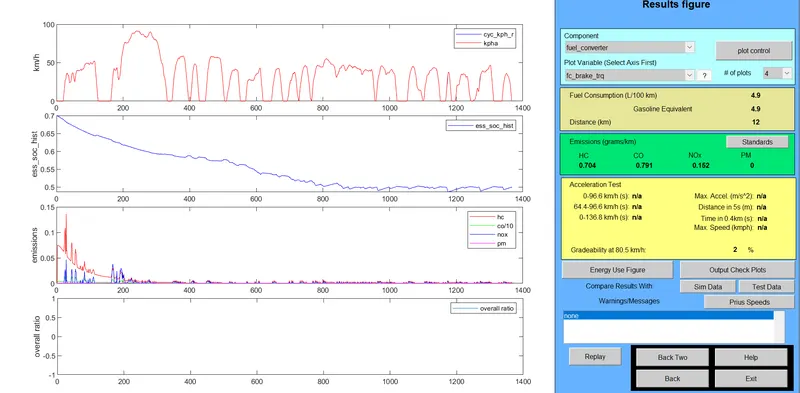
SPEED:-55
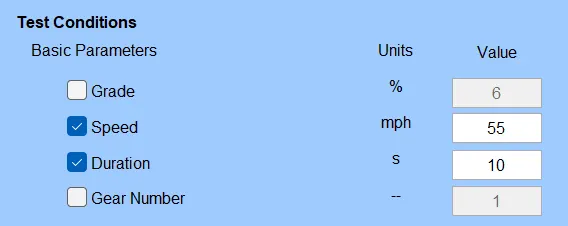
1.7% gradeability of speed 55mph as shown below,
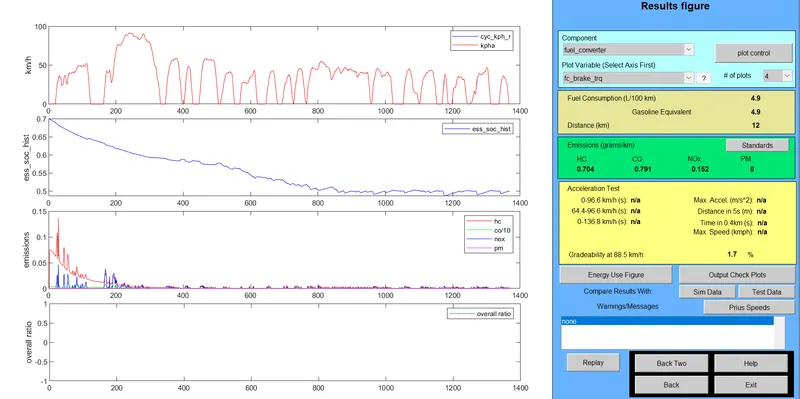
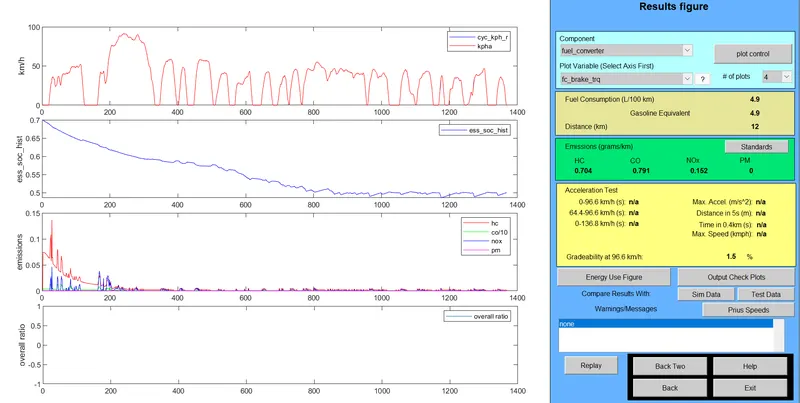
SPEED:-60
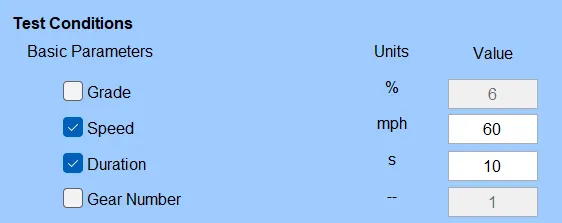
1.5% gradeability of speed 60mph as shown below,
RESULT:-
SPEED(mph) GRADEABILITY(%)
40 2.5%
45 2.2%
50 2%
55 1.7%
60 1.5%
Conclusion:-
As we observed the result the best gradeability(2.5%)is for speed of 40mph,
whenever we increased the speed the gradeability decreases gradually.