Week-3 Challenge: ADVISOR Tool
1.
- Open the ADVISOR tool and select the load file EV_defaults_in.
- Change the Cargo mass to 500kg as given.
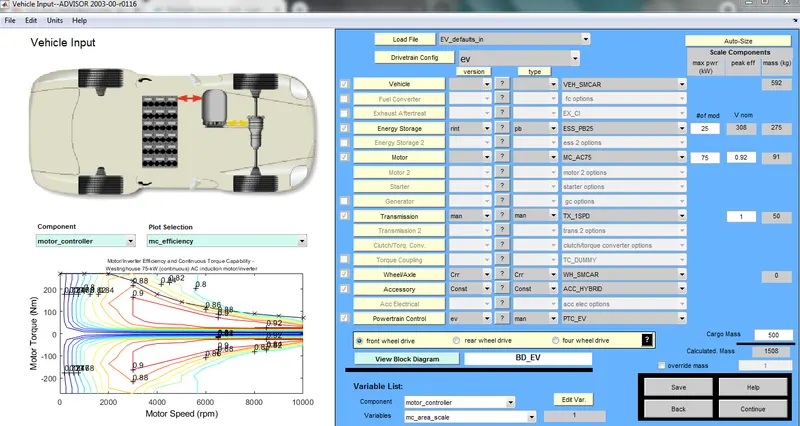
- Keep the remaining data as default as shown in figure.
- Then click continue, then Drive cycle window is opened.
- Change the Drive Cycle to CYC_FTP.
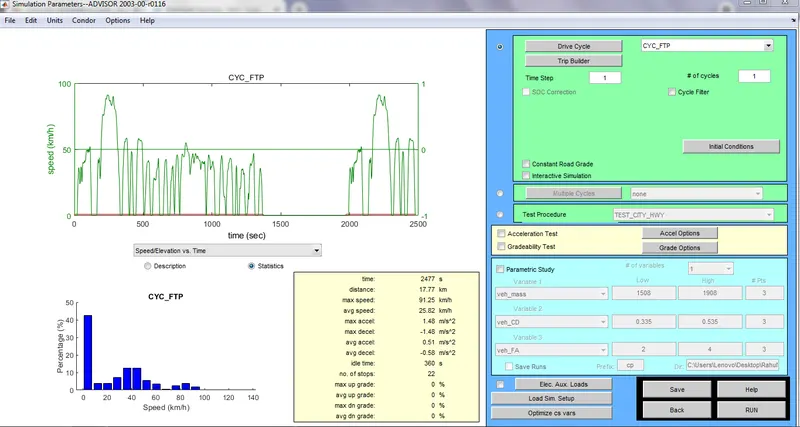
- Click RUN to obtain the RESULT.
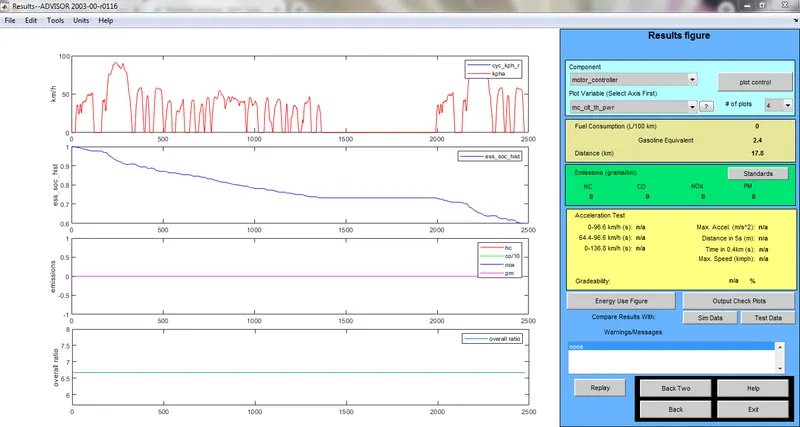
- For Number of cycles is 1, the vehicle traveled is 17.8km.
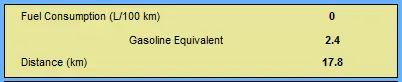
- For Number of cycles is 2, the vehicle traveled is 35.5km.
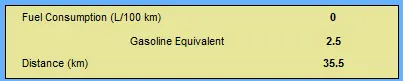
- For Number of cycles is 3, the vehicle traveled is 41.4km.
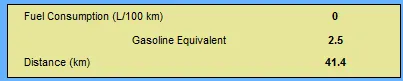
- For Number of cycles is 4, the vehicle traveled is 41.4km.
- For Number of cycles is 5, the vehicle traveled is 41.4km.
Hence, for given conditions the vehicle cannot travel 45km.
Since the cargo mass is 500kg, the vehicle can travel upto 41.4km.
Increase in mass leads to decrease the power. So, he distance travels also reduces.
2.
Given
For above case change the battery capacity and simulate.
- For default condition i.e 25 Battery modules and 5 cycles, the distance travelled is 41.5km.

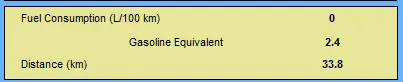
- If battery capacity is reduced i.e changed to 20 battery modules, the distance travelled is 33.8km.
- If battery capacity is increased i.e changed to 35 battery modules, the distance travelled is 49.4km.

So,when the battery capacity is increased the distance travelled also increases and when the battery capacity is reduced the distance travelled also reduces.
Since the vehicle depends on power or energy source that is battery.
3.
Perform gradeability test with PRIUS_Jpn_defaults_in file .
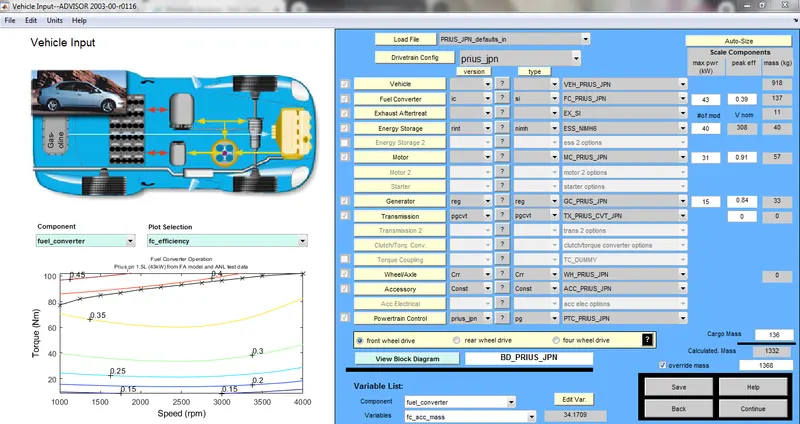
Open Grade options menu and select 'All systems enabled' .
Case1:
Speed = 55mph, Duration = 10sec.
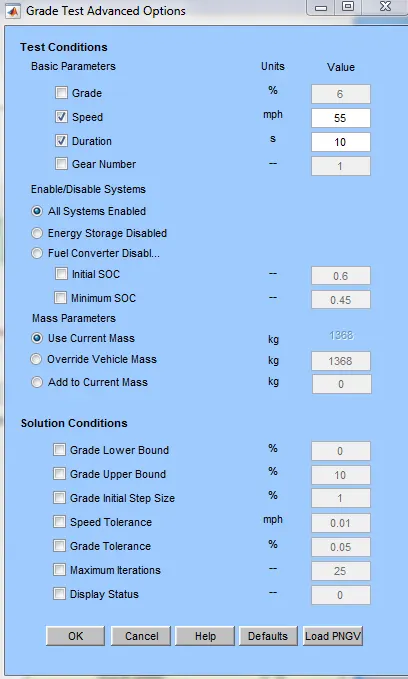
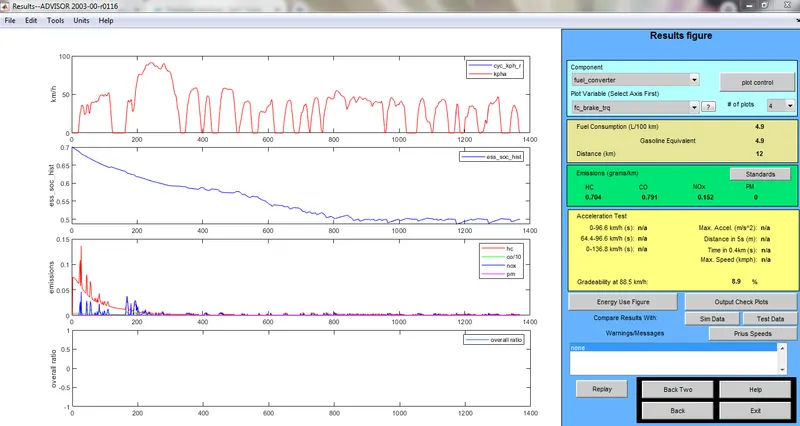
Gradeability is 8.9%.
Case2:
Speed=60mph
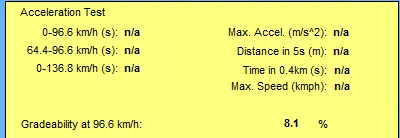
Gradeability is 8.1%.
Case3:
Speed = 65mph
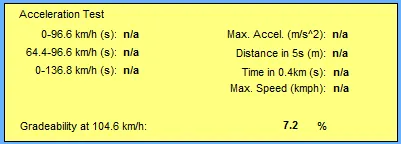
Gradeability is 7.2%.
Case4:
Speed = 70mph
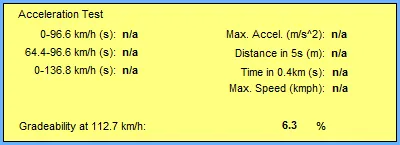
Gradeability is 6.3%.
Case5:
Speed = 75mph
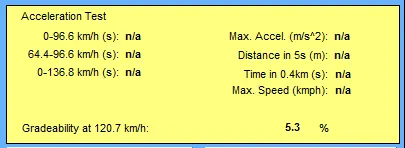
Gradeability is 5.3%.
Conclusion:
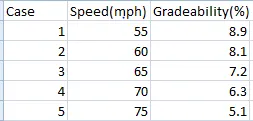
From the above table we can conclude that when the speed increases the Gradeability decreases and if the duration increases the Gradeability increases.