Week-3 Challenge: ADVISOR Tool
AIM:- To understand the Advisor Tool
Introduction:-
ADVISOR Tool:- ADvanced Vehicle SimulatOR Tool is a set of model, data, and script text files for use with Matlab and Simulink.
It is designed for rapid analysis of the performance and fuel economy of conventional, electric, and hybrid vehicles. ADVISOR also provides a backbone for the detailed simulation and analysis of user-defined drivetrain components, a starting point of verified vehicle data and algorithms from which to take full advantage of the modeling flexibility of Simulink and analytic power of MATLAB. You may benefit from using ADVISOR if you want to:
• estimate the fuel economy of vehicles that have not yet been built
• learn about how conventional, hybrid or electric vehicles use (and lose) energy throughout their drivetrains
• compare relative tailpipe emissions produced on a number of cycles
• evaluate an energy management strategy for your hybrid vehicle's fuel converter
• optimize the gear ratios in your transmission to minimize fuel use or maximize performance.
ADVISOR will allow the user to answer questions like:
• Was the vehicle able to follow the speed trace?
• How much fuel and/or electric energy were required in the attempt?
• How does the state-of-charge of the batteries fluctuate throughout a cycle?
• What were the peak powers delivered by the drivetrain components?
• What was the distribution of torques and speeds that the piston engine delivered?
• What was the average efficiency of the transmission?
By iteratively changing the vehicle definition and/or driving cycle, the user can go on to answer questions such as:
• At what road grade can the vehicle maintain 55 mph indefinitely?
• What's the smallest engine I can put into this vehicle to accelerate from 0 to 60 mph in 12 s?
• What's the final drive ratio that minimizes fuel use while keeping the 40 to 60 mph time below 3 s?
• What is the fuel economy sensitivity to mass, aerodynamic drag, or other vehicle or component variations?
Objective:- To understand the ADVISOR Tool and answer the following question
#Ques 1:- For EV_defaults_in file, if cargo mass is 500 kg with all other default conditions, can the vehicle travel for 45 km with FTP drive cycle? Conclude your observations. - For this question, I am taking the EV_defaults_in file in ADVISOR, & Increase the Cargo mass(Payload Capacity) to 500Kg.
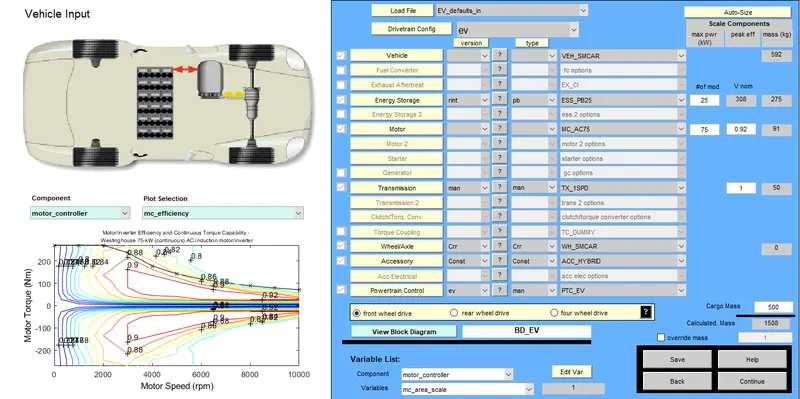
- Than I Continue the GUI ADVISOR. and edit for the Drive Cycle to FTP drive cycle (CYC_FTP). and RUN the ADVISOR
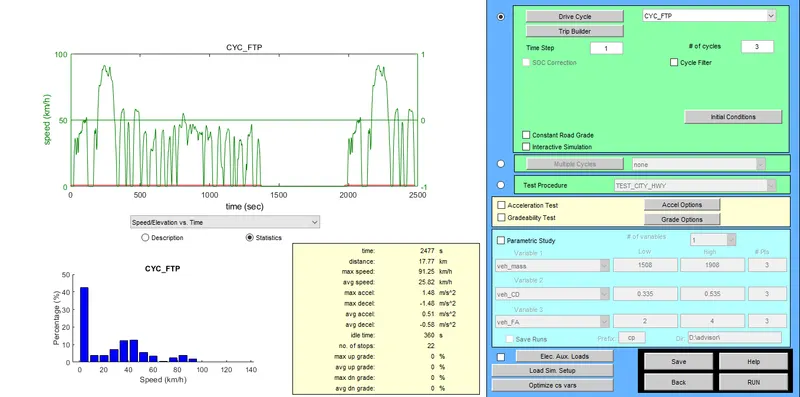
On increasing the number of cycles to 3, we still get the maximum distance is 41.4km maximum.
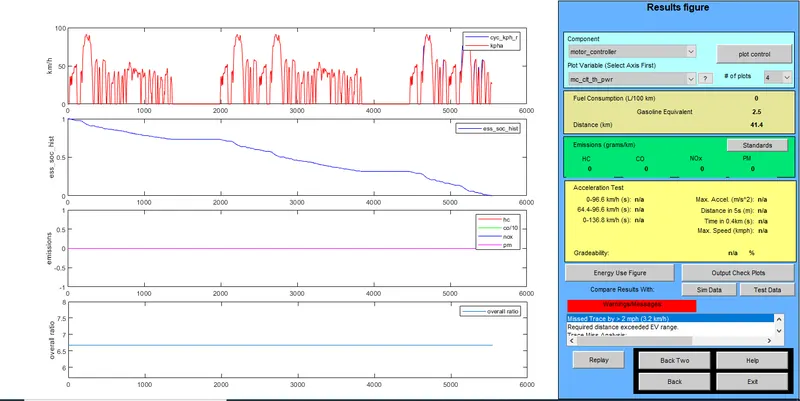
- so from the results we can conclude that the maximum distance traveled by this Electric EV_defaults_in vehicle on this battery capacity is 41.1 km maximum. Ans. so the answer is No, it can not travel to 45km with 500 kg cargo mass with the FTP drive cycle.
#Oues 2:- In the above case, try changing the battery capacity and repeat the simulation. As in the previous case, the vehicle won't run for 45km in default battery capacity. - We will do the same process after increasing the battery capacity - Now I am using the same battery type Lead Acid(Pb) type, but increasing the battery capacity by changing in the Capacity tab. - I am using ESS_PB65_Focus_EV to replace the default ESS_PB25 battery capacity. - This battery has 28 number of battery packs and 353 volts with a total of 546kg of mass, while the previous one battery was having 25packs of battery and 308 volts with 275kg of mass.
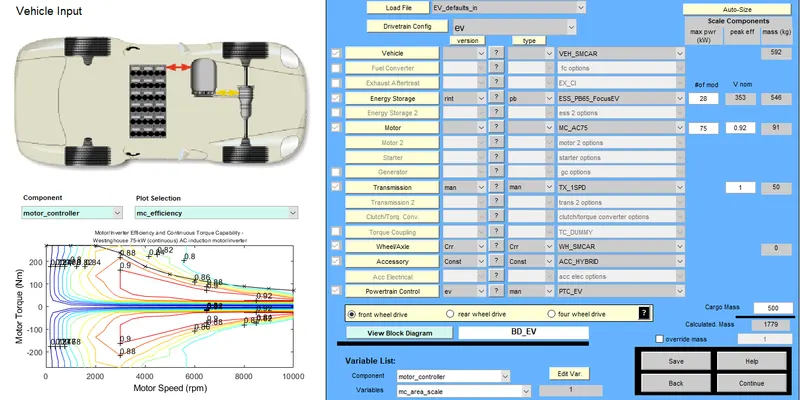
- After continue, we run the simulation for 3cycles so that to get the maximum distance, which can be traveled by this vehicle on this battery capacity.
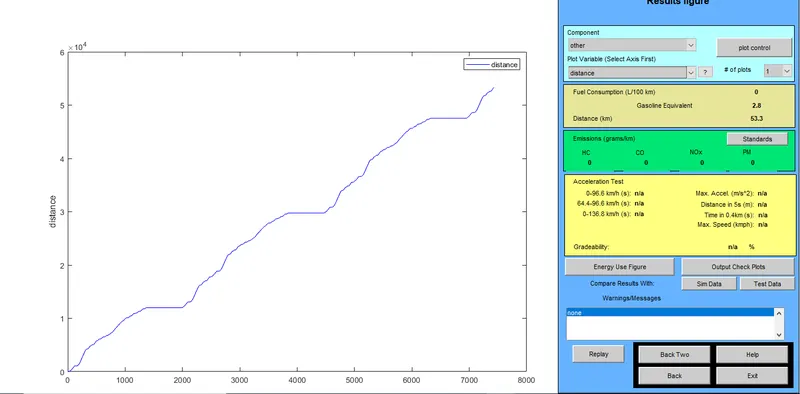
Result/Conclusion:-On running the simulation for the 3 Drive Cycle, we can see the vehicle traveled for 53km on this ESS_PB65_Focus_EV battery capacity. - We also run the simulation for 1, 2 Drive cycle, and we found in these number drive cycle vehicle still travel for only 17.8. 35.4 km respectively - On increasing the drive cycles, we get the maximum distance can be traveled is 96km
#Ques 3:- Perform Gradeability test with PRIUS jpn_defaults_in file.
- I am loading the PRIUS jpn_defaults_in file in ADVISOR for the Gradeability test
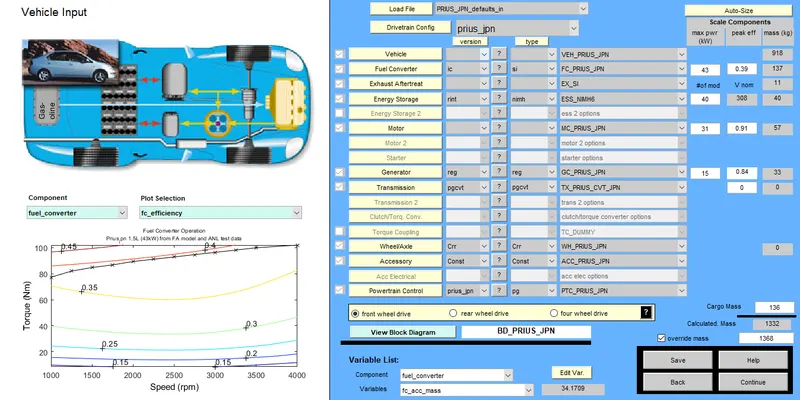
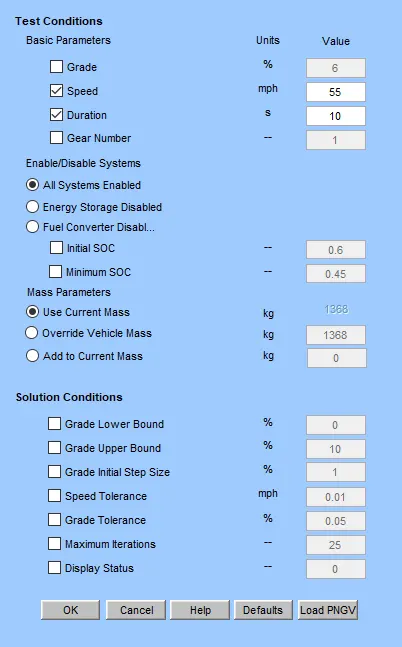
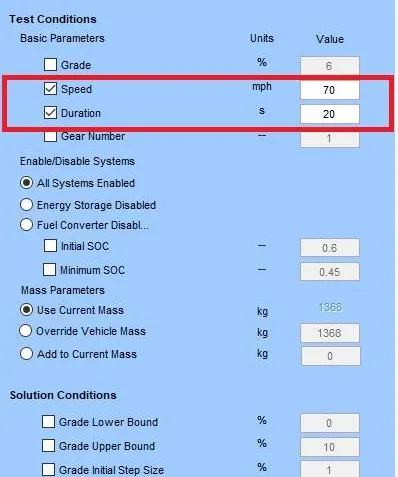
- In order to compare the Gradeability of the vehicle, we will change the speed and time and observe the results. - We will Test the Gradeability for 2 cases-- In 1st case, we will run the simulation for the same speed of 55mph and for 2 different times 10sec & 20sec respectively - in 2nd case, we will run the simulation for 70mph and for 2 different times 10sec & 20sec respectively
#Case 1- First I am simulating it at speed 55mph for 10sec, and found the Gradeabilty is 8.9%
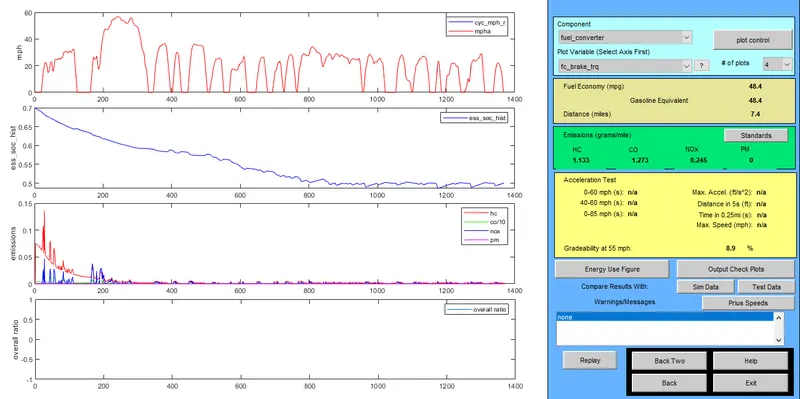
# Now I am increasing the time duration to 20sec and run it again on the same speed of 55mph & found that the Gradeabilty is increased from 8.9% to 11.5%.
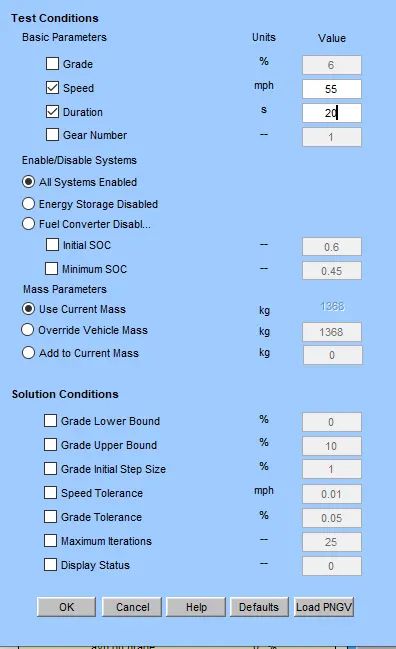
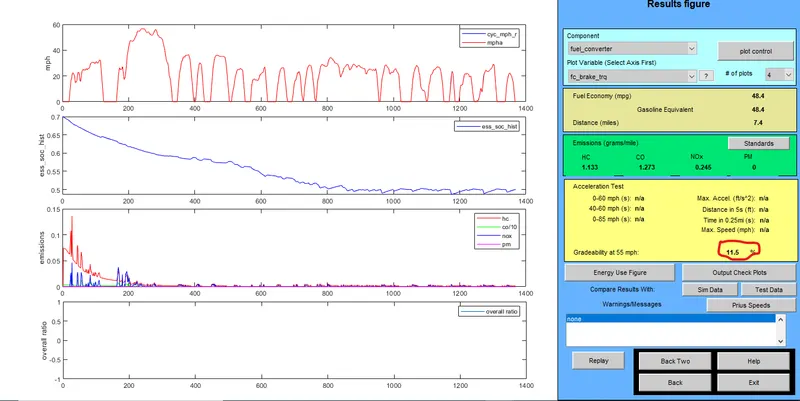
#Case 1- I am simulating it at speed 70mph for 10sec, and found the Gradeabilty is 6.3%
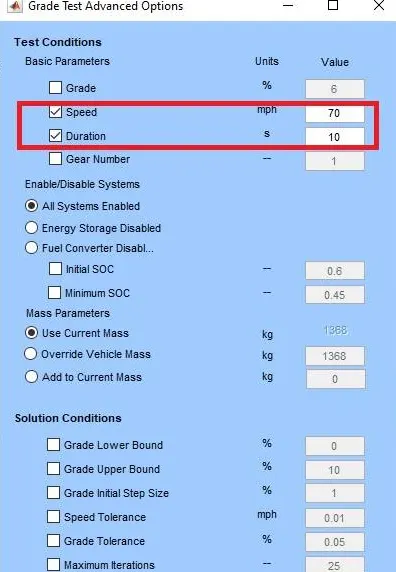
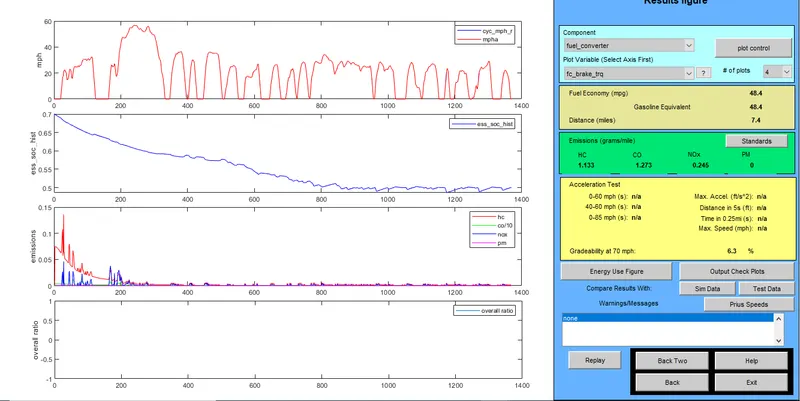
# Now I am increasing the time duration to 20sec and run it again on the same speed of 70mph & found that the Gradeabilty is increased from 6.3% to 8.3%
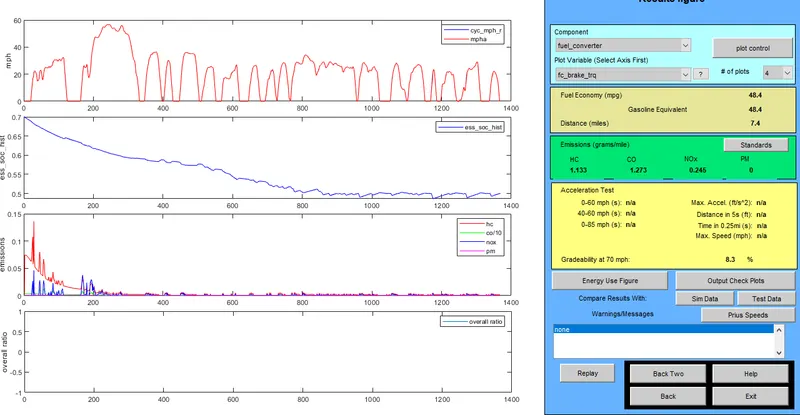
Conclusion:-- In both cases, Gradeability increases with the increase in time duration. So, from the results, We can conclude that the vehicle's Gradeability is increasing if the vehicle is given more time to climb the hill.
Learning Outcome:-- Learn the GUI of ADVISOR Tool. - Learn the effect of changing the default parameters of a vehicle.