Week-3 Challenge: ADVISOR Tool
AIM
To use the ADVISOR tool and simulate the following,
1)For EV_defaults_in file, if cargo mass is 500 kg with all other default conditions, can the vehicle travel for 45 km with FTP drive cycle?Conclude the observations.
2)In the above case, try changing the battery capacity and repeat the simulation.
3)Perform gradeability test with PRIUS_Jpn_defaults_in file and compare the results in table and conclude.
THEORY
ADvanced Vehicle SimulatOR or ADVISOR is a tool used to construct models with macro statistics from duty cycles and cycle averaged efficiencies of components for near instantaneous prediction of fuel consumption and performance.
This tool created by National Laboratory for Renewable Energy (NREL) & department of energy, USA. It was developed in the year 1994.
SIMULATION(1)
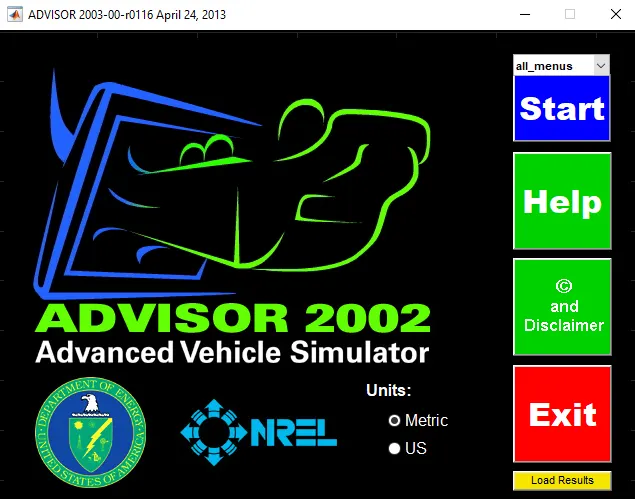
To open the ADVISOR tool we have to enter “advisor” in the command window of MATLAB and run.
This will open the window shown below.In this window choose metric as units and then press START button.
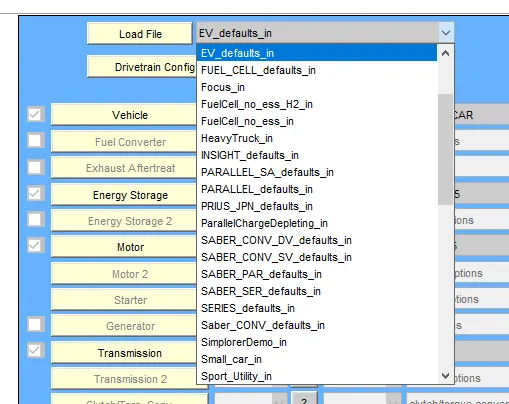
In this first case , we have to choose the EV_defaults_in file from the load file drop down list.
Then we have to change the cargo mass to 500 , keeping all other default conditions as it is.
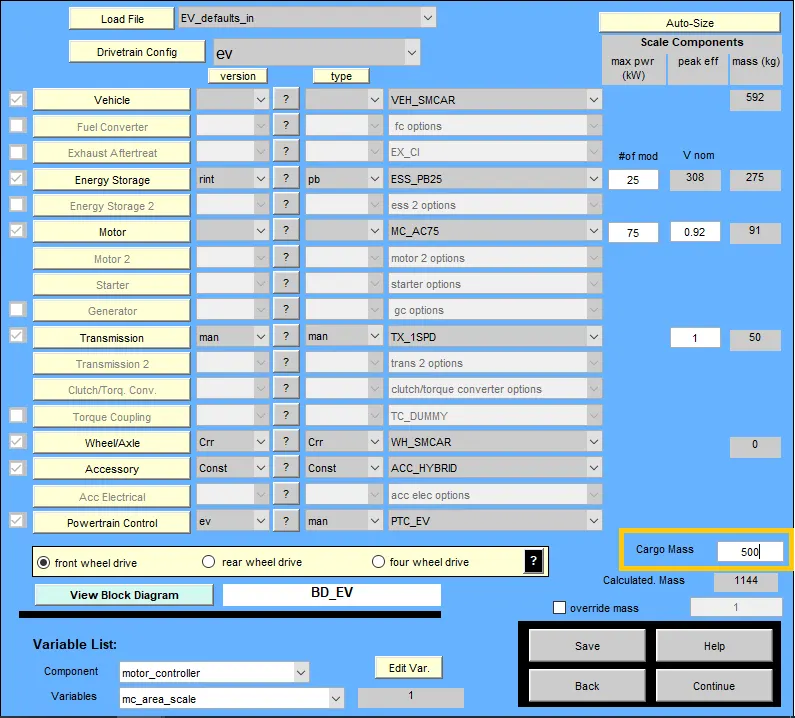
Now we have to click on the continue button on the bottom right corner of this current window.
This will take us to the next window where we can choose the FTP drive cycle.
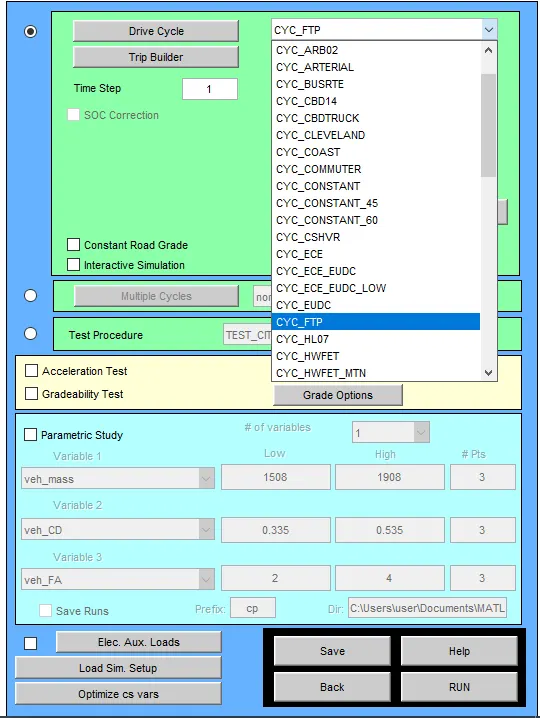
Now click on the RUN button bottom right corner of this current window.
This will run the simulation in the background.
After sometime the results window will be displayed, as shown below,
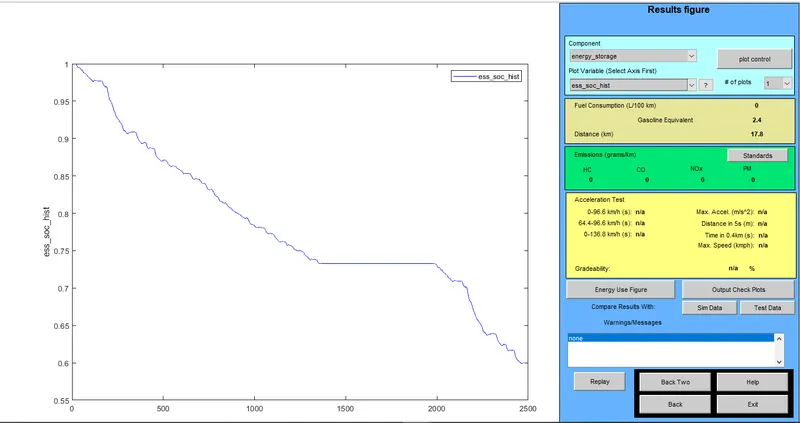
Here we can see that the distance covered is 17.8Km for one drive cycle.
And the SOC is at 60% approx. .
Since we have to check whether the vehicle travels for 45Km until the SOC is 0.
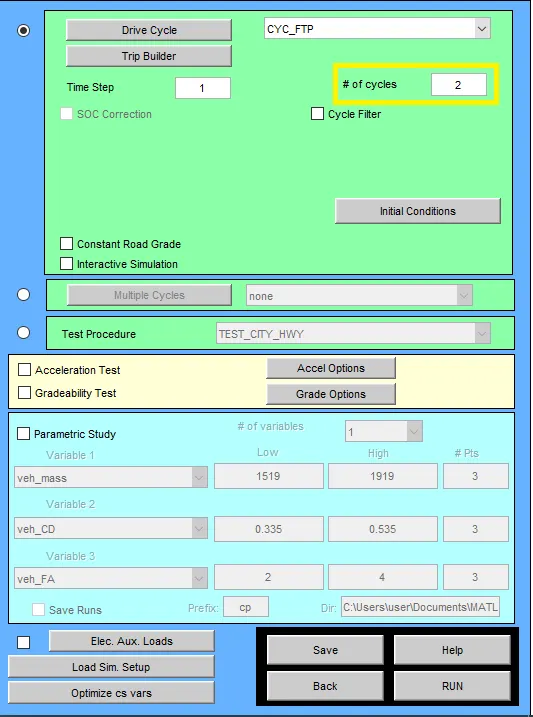
We need to repeat the simulation , but this time number of drive cycles is changed to 2 , as shown below
Results for 2 drive cycles is shown below,
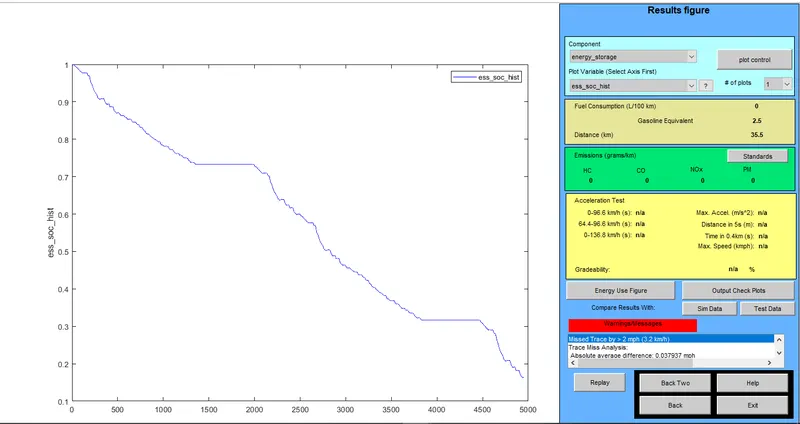
Here we can see that the distance covered has been increased to 35.5Km. But the SOC is still at 20%.
Repeating the simulation one more time. This time the number of cycles is changed to 3.
Results for 3 drive cycles is shown below,
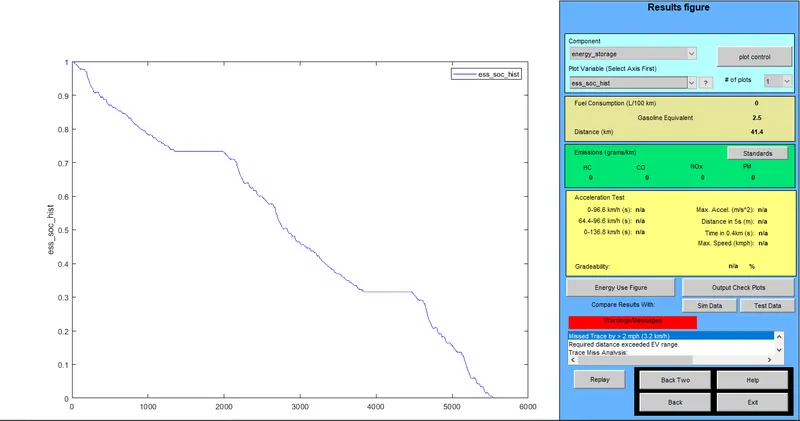
Here we can see that distance covered has been increased to 41.4Km and SOC is now at 0.
CONCLUSION(1)
So the conclusion for this first case is that , the maximum distance that can be covered by this vehicle if the cargo mass is 500 , is found out to be 41.4Km for 3 FTP drive cycle.
SIMULATION(2)
In this second simulation we have to change the battery capacity and repeat the first simulation.
From the first simulation it is almost certain that at least 3 drive cycles are required to reach distances above 40Km.
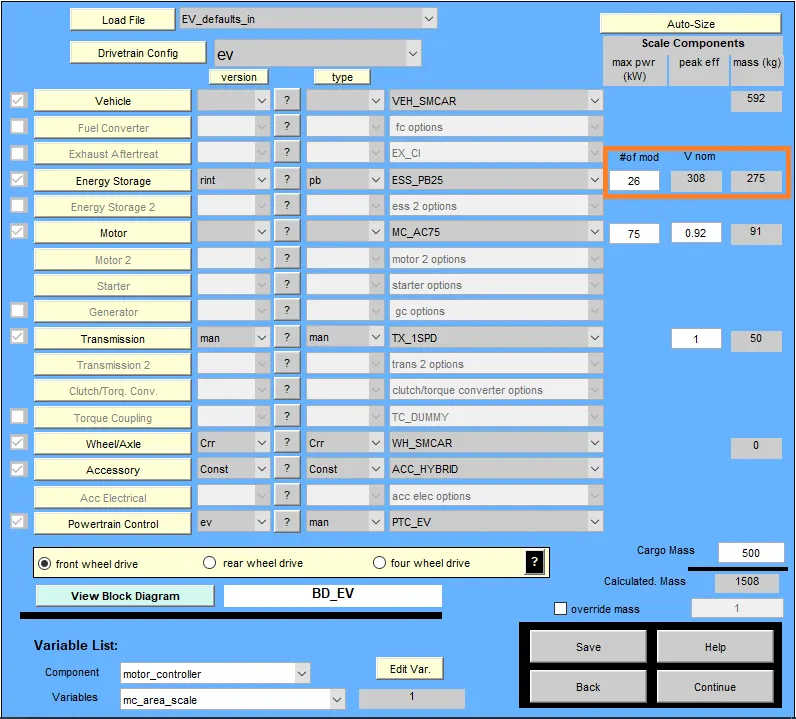
So this time we will keep the number of drive cycles as 3 and will change the number of modules of the battery to 26 as shown below,
Results of this simulation is shown below,
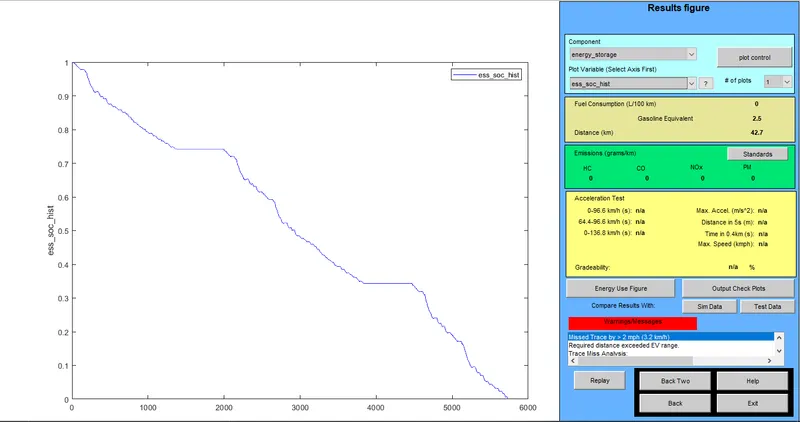
Here we can see that the distance covered is 42.7Km at SOC 0. But still this is less than 45Km which is required.
So now we will repeat the simulation by changing the number of modules to 27.
Results of this simulation is shown below,
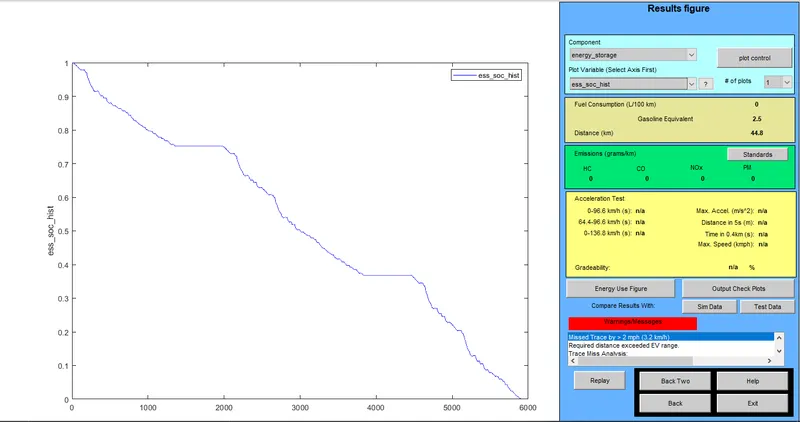
Here we can see that the distance covered is 44.8Km at SOC 0. This value is very close to the required value of 45Km.
We will do this simulation one more time , increasing the number of modules to 28 and check whether we can achieve the required distance.
Results of this simulation is shown below,
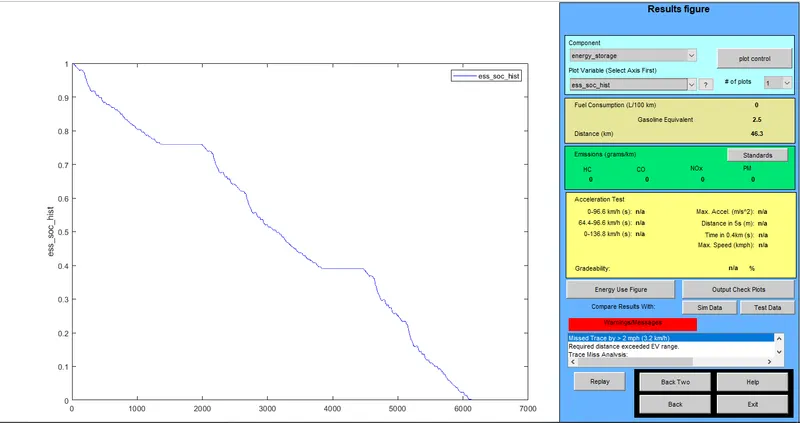
This time we got the value as 46.3Km which is more than the required value of 45Km. So this is the required battery capacity.
CONCLUSION(2)
To cover the distance of 45Km with 500 cargo mass we would require 28 modules of battery and the number of FTP cycles to be 3.
SIMULATION(3)
In this case we have to select the file ‘PRIUS_Jpn_defaults_in’ and perform gradeability test.
Select the file as shown below,
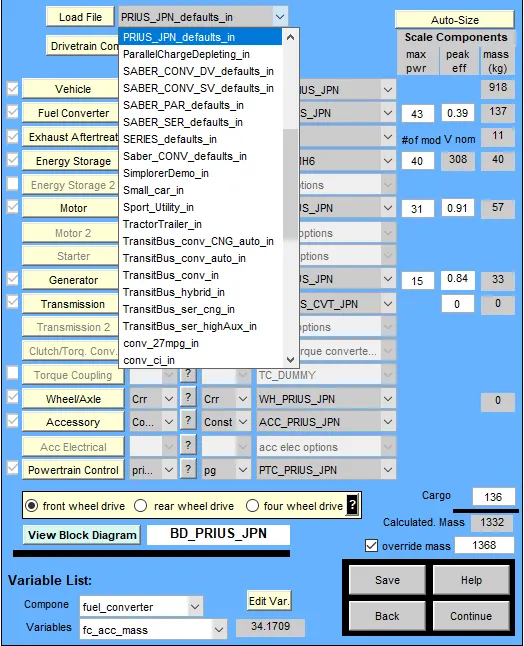
After loading the file , press continue. Keeping all other default.
In the next window select the drive cycle and then tick the box corresponding to gradeability test as shown below,
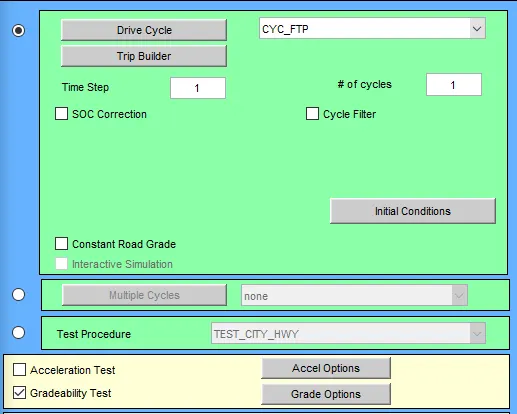
Now click on the grade option box for more settings. This will open a window as shown below, change the necessary settings
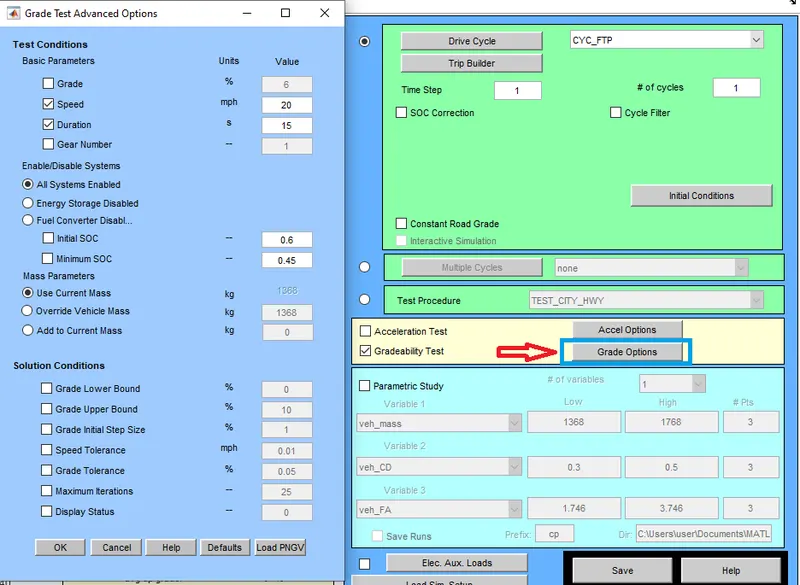
Here the speed is set to 20Mph and time is 15 seconds. Also select ‘All systems enabled’ option.
Now run the simulation.
The result for this simulation is shown below,
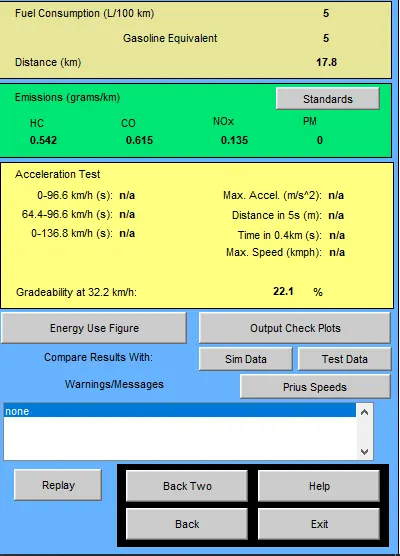
Here we can see that the Gradeability is 22.1%.
Now let us repeat the above simulations for 4 more speed values.
The results for these 4 different speeds are shown below,
When the speed is set to 10Mph,
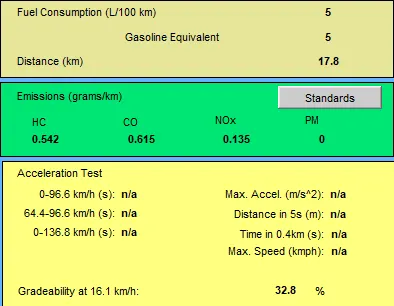
When the speed is set to 30Mph,
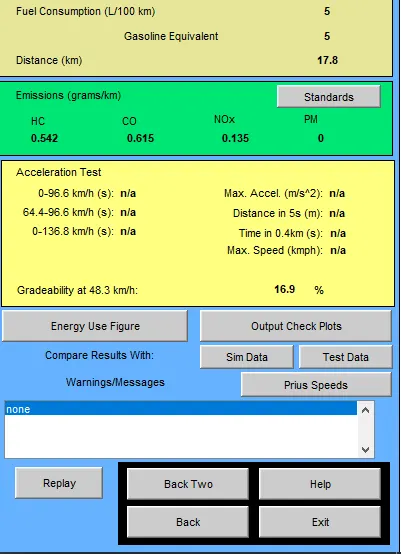
When the speed is set to 40Mph,
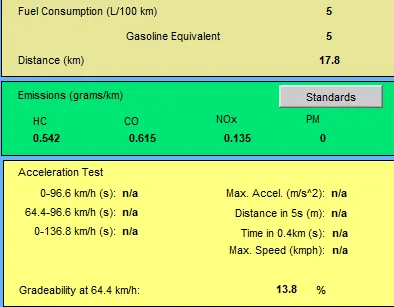
When the speed is set to 50Mph,
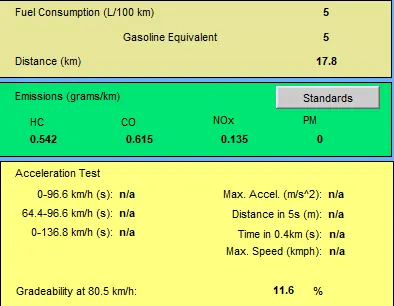
Now let us create a table showing these results,
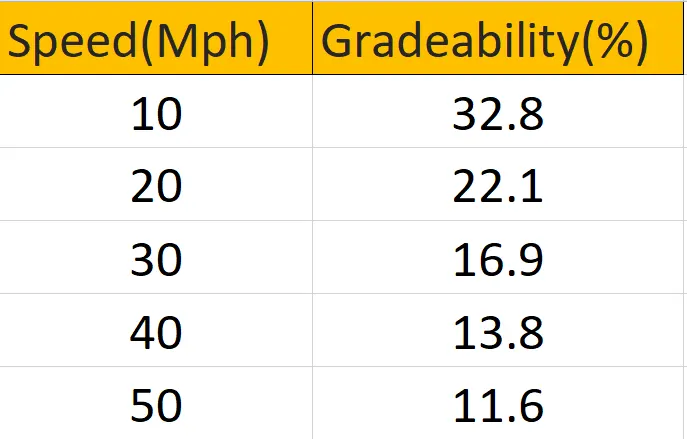
Form this table we can see that gradeability decreases with increase in velocity.
CONCLUSION(3)
The gradeability test for prius file has been done successfully and all the results have been compared.
CONCLUSION
All three simulations has been done using the ADVISOR tool successfully.