Week 3 - 2D meshing for sheet metal
Below are the List of Steps Involved to complete the meshing activity of the Hood Challenge
1. Please download the file and open it in the ANSA GUI
2. Once the model is viewed in ANSA GUI ,Please check the property Manager to check the no of property assignes to the complete geometry.
3. Here we Found 5 property ( i.e.,5 No's of Parental Part Geometry)
4. Take Individual Property and do the geometrical & Topo clean up activity.
5. Once the Material is free from geometry clean up ,Please fix the errors if any present in the geometry and make it free from the geometrical errors
6. Once the material is Clear from the geometrical errors ,We need to prepare for midsurface generation using Offset Command in the Topology.
7. Next activity is to start the meshing and using the Best mesh and Free mesh command in the Mesh menu we need to start the meshing activities.
8. After the meshing is done the meshing Flow should be checked and the mesh flow should be smooth with out any errors.
9. Before doing the meshing activity ,Please check the Quality criteria and Mesh parameters as per the desired requirement.
Below are Few steps which is taken during the complete execution of the complete mesh flow activity generation.
STAGE 1 :Please review the geomtry clearly and check the no of property's available in the given geometry file
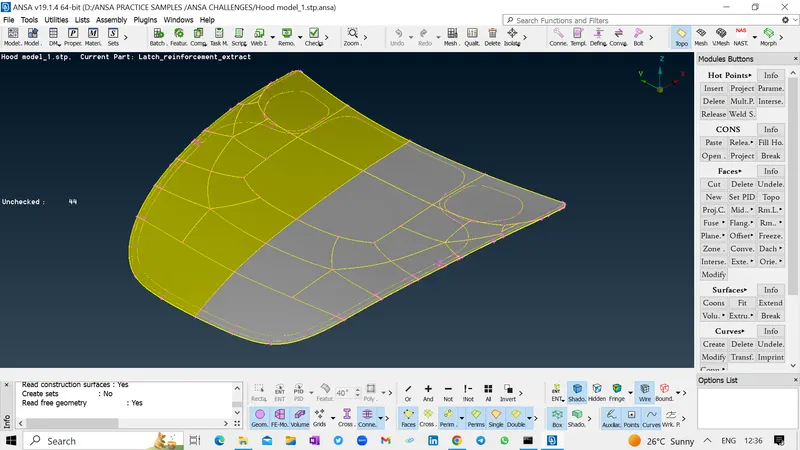
STAGE 2 :Please consider 1 Geometry file and run for geometry check up and clean the geometry and once the geometry is cleaned up ,For further meshing request to please feed the Mesh parameters and Quality Criteria.
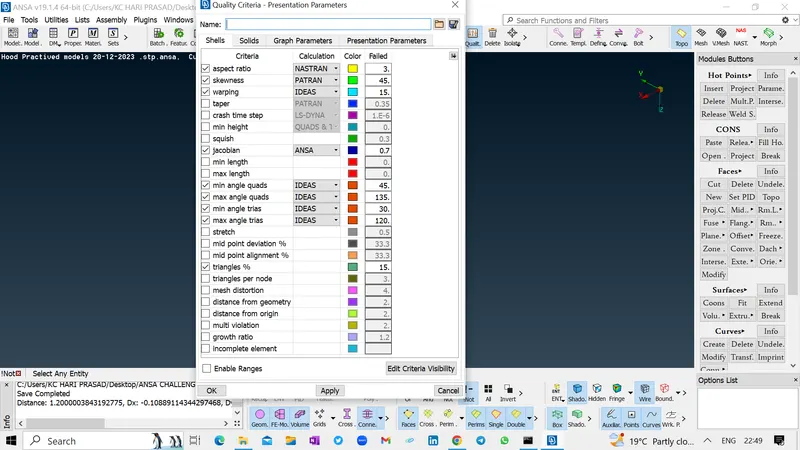
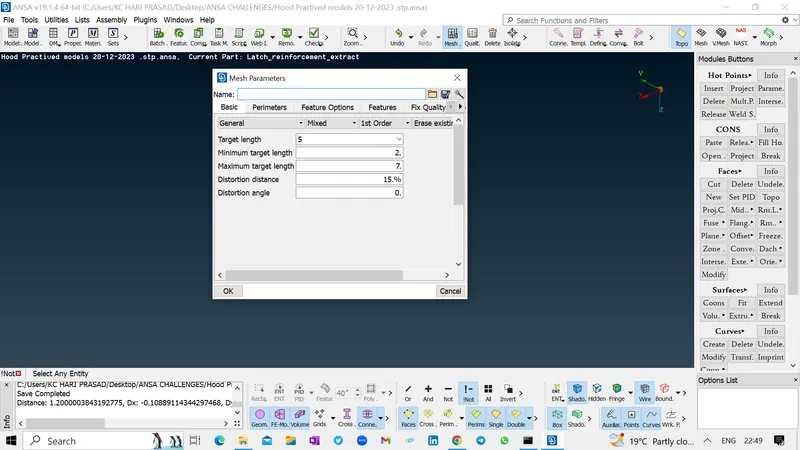
STAGE 3 : Further we request you to please associate for further meshing activities involved and please proceed for the proper mesh flow and avoid the ununiform mesh flow activities.
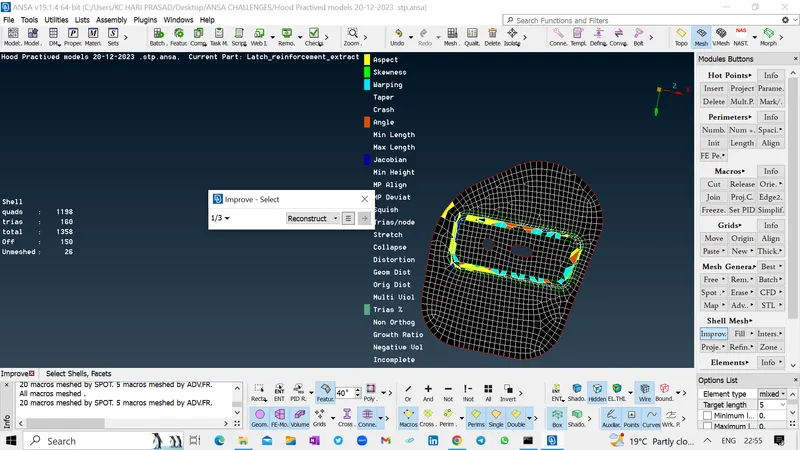
STAGE 4 : Further please do the same meshing activities for the remaining property materials and please proceed to get the meshing activities for all the objects in an uniform manner.
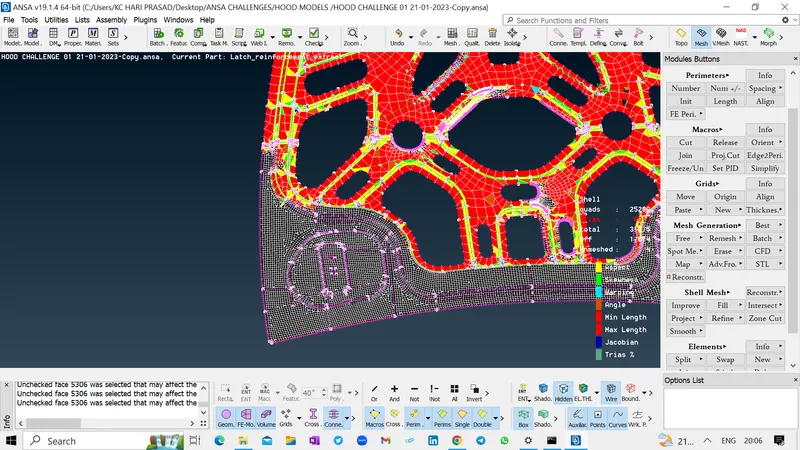
STAGE 4 : At complex comples geometry ,Request you to please check the feasibilty of using the various operations to get the mesh flow in few steps to avoid the time delay ,Few Such command will be symmetry and transform commands ETC.,
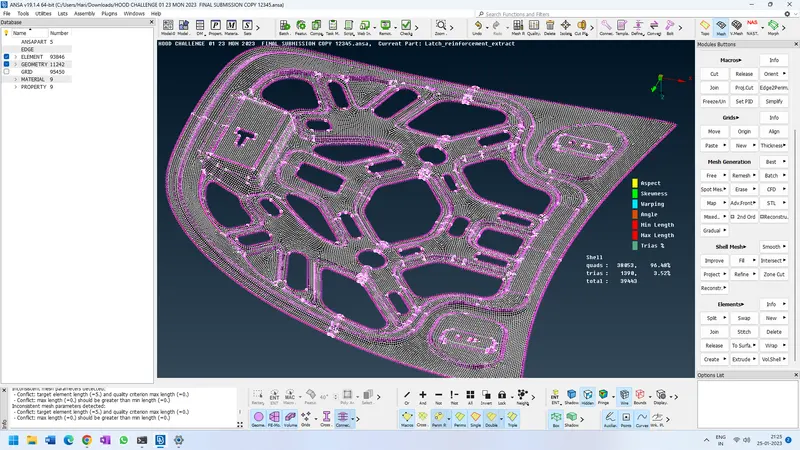
Using these option you can achieve the mesh generation in few easy ways and also the time accompanied for the completion of the activity is also very less and competent manner.