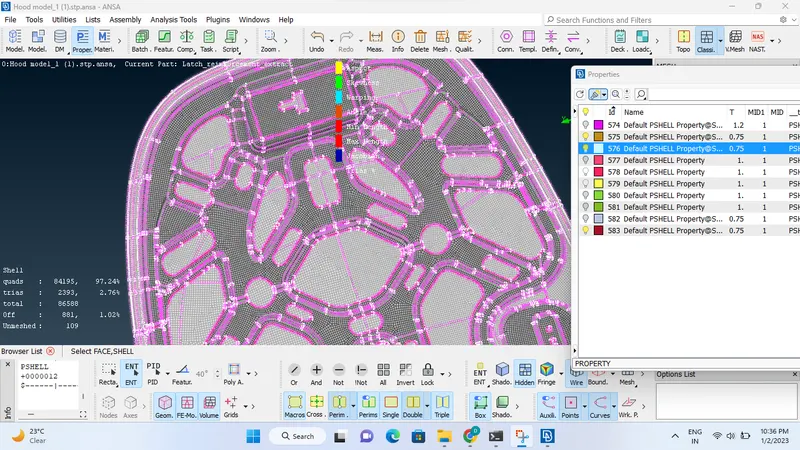
Week 3 - 2D meshing for sheet metal
Aim :Performing mid surface and meshing on sheet metal form ANSA Softwear
Procedure:
1) Extracting Geometrical Model from Skill LyNC, Part 1
Topo menu
2) Select First Model from the Properties Menu and then assign a property, such as length = 5. clicking on the offset option in the topo menu, assigning a value of based on thick ness, meshing to parameters including average length, Skewness, max length, min length, Aspect ratio, Jacobian, min quad angle, max quad angle, min tria angle, max tria angle, tria%.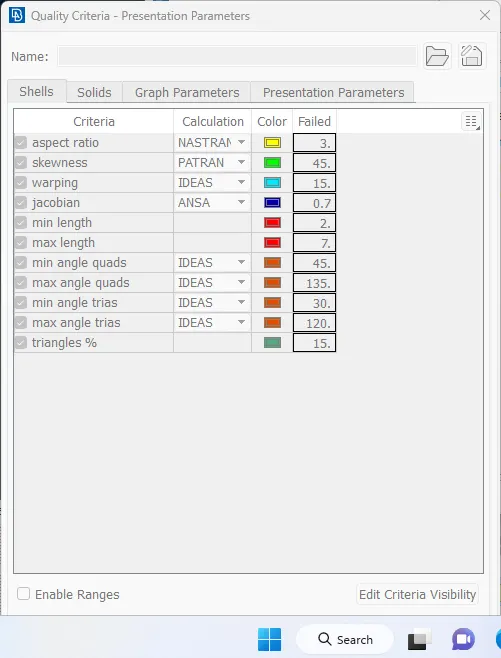
classic menu
3)Selecting the surfaces from the Geomentry clicking on the best mesh option available in the classic mesh. mesh is created by pressing middle mouse botton then mesh will be formed , then in order to decrese the tria elements using operations such as reconstruction of mesh , smoothing, splitting, swapping, joining, etc.
4) Mostly to remove the hard points and cons in mesh there is option in hard points such as insert,delete,
where as in macros some key options are cut ,projcut, ,join etc by using this above options tria elements redused significantly not completly
5) there were four parts
part 1
while checking this part perform 2d by selecting (!-) option in bullen and PID region to get th mid surfacing
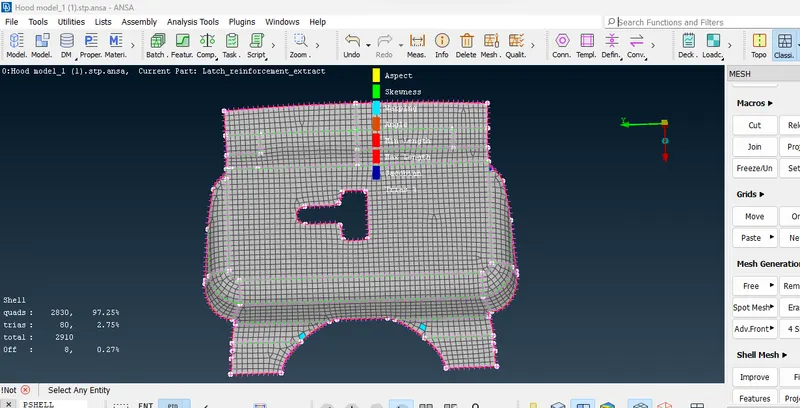
6) part 2
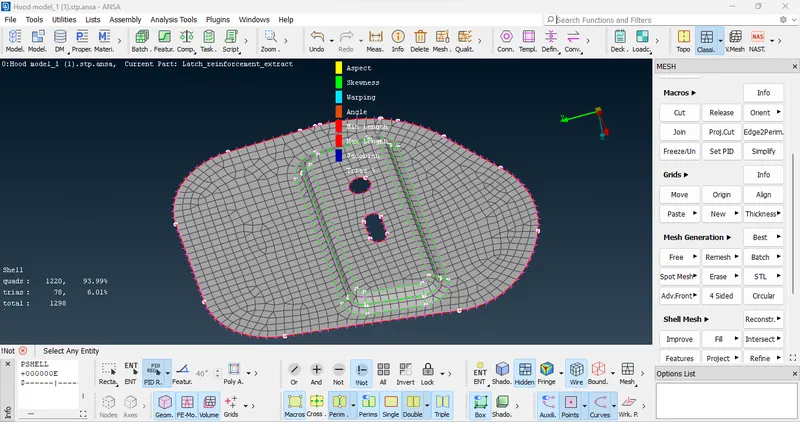
7) part 3
8) part 4
this part is base part for all the parts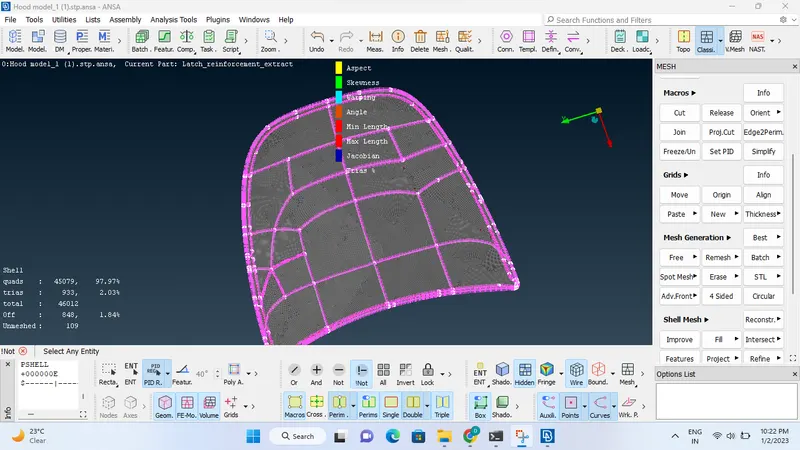
9) most diffult part
to perfome mesh
this part has cuted in to half symentry after performing mid surfacing and meshing
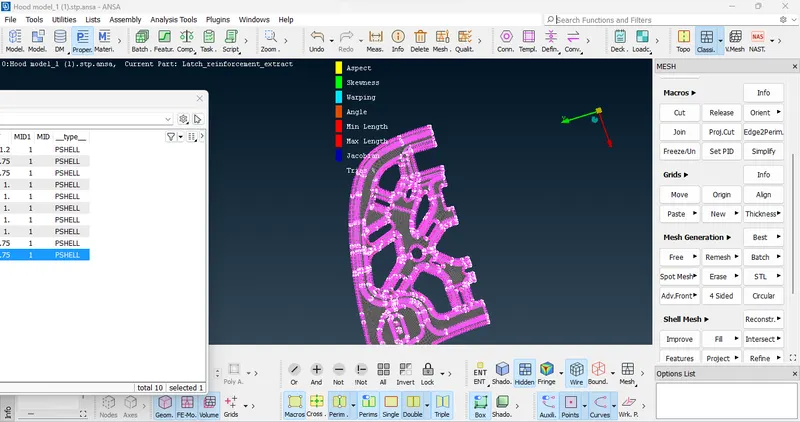
by using transform and copy and selecting 3 mirror cordinates whole geomentry was created
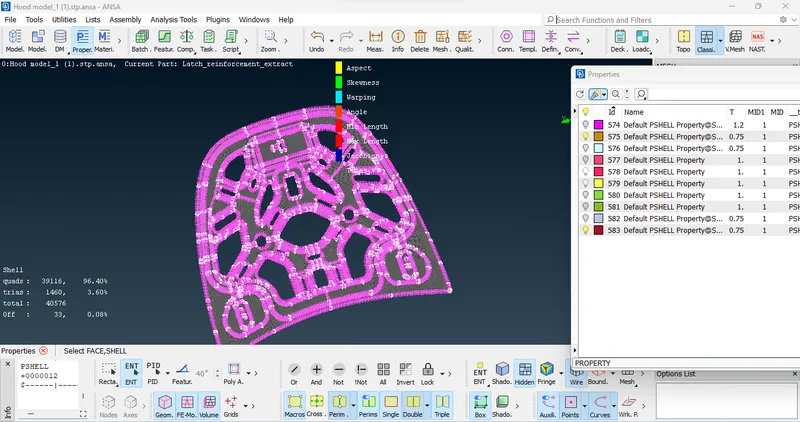
conclusion : mid surfacing and meshing is performed by selcting all the geometry
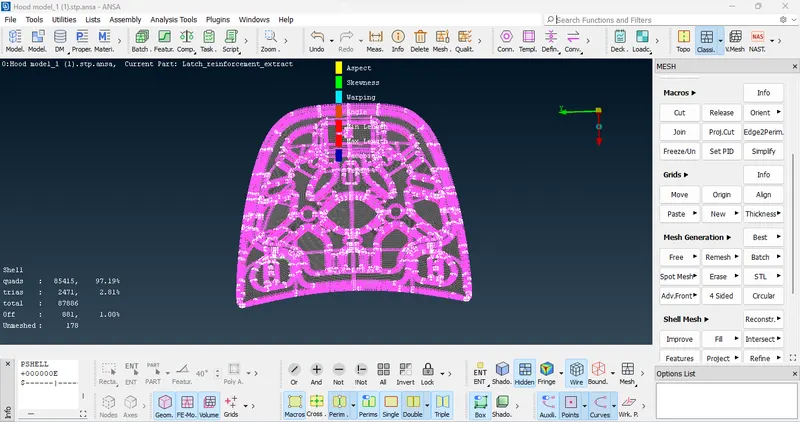
while observing mesh select this shell propertes in the propertes