Week 3.2 - 2R Robotic Arm Challenge
2R Robotic Arm Challenge
Aim
To Write a program in Matlab to simulate the forward kinematics of a 2R Robotic Arm
Software Used
Matlab R2021a
Introduction
MATLAB® combines a desktop environment tuned for iterative analysis and design processes with a programming language that expresses matrix and array mathematics directly. It includes the Live Editor for creating scripts that combine code, output, and formatted text in an executable notebook.
A robotic arm is a type of mechanical arm, usually programmable, with similar functions to a human arm; the arm may be the sum total of the mechanism or may be part of a more complex robot. The links of such a manipulator are connected by joints allowing either rotational motion (such as in an articulated robot) or translational (linear) displacement. The links of the manipulator can be considered to form a kinematic chain. The terminus of the kinematic chain of the manipulator is called the end effector and it is analogous to the human hand.
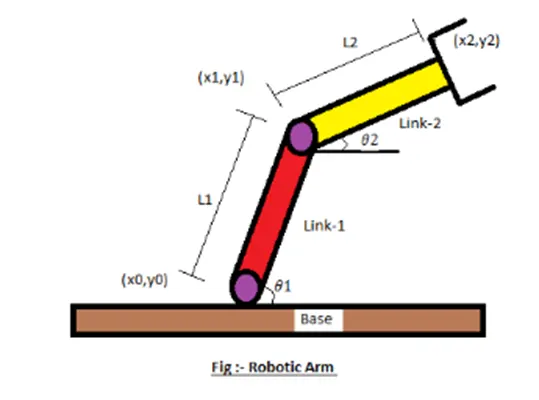
- Let, l1 & l2 be length of the link -1 & link-2 respectively.
- Let, theta 1 > be the angle formed by link-1 with horizontal.
- Let, theta 2 > be the angle formed by link-2 with horizontal.
- Let, the starting and end co-ordinates of link - 1 to be (x0, y0) and (x1, y1).
- Let, the starting and end co-ordinates of link - 2 to be (x1, y1) and (x2, y2).
CODE
%To Write a program in Matlab to simulate the forward kinematics of a 2R Robotic Arm
clear all  %#ok<*CLALL>
close all
clc

%inputs
l1 = 1;
l2 = 0.5;
theta1 = linspace(0,90,10);
theta2 = linspace(0,90,10);
ct = 1;
for i =1:length(theta1)
    THETA1 = theta1(i);
    for j = 1:length(theta2)
        THETA2 = theta2(j);

        x0 = 0;
        y0 = 0;

        x1 = l1*cosd(THETA1);
        y1 = l1*sind(THETA1);

        x2 = x1 + l2*cosd(THETA2);
        y2 = y1+ l2*sind(THETA2);

        %plotting
        plot([x0 x1],[y0 y1],[x1 x2],[y1 y2],'linewidth',3)
        axis([-0.1 1.5 0 1.5])
        pause(0.03)
        M(ct) = getframe(ct);
        ct+1;

    end
end
movie(M)
videofile = VideoWriter('forward_kinematics.mkv', 'Uncompressed MKV');
open(videofile)
writeVideo(videofile,M)
close(videofile)
Explanation
At first we wrote l1 and l2 and theta1 , theta2 as input variables and provided the values. And we used For loop as to take different values of thetas and calculate it with the variables assigned. Finally we have to plot all these using plot command.
Output
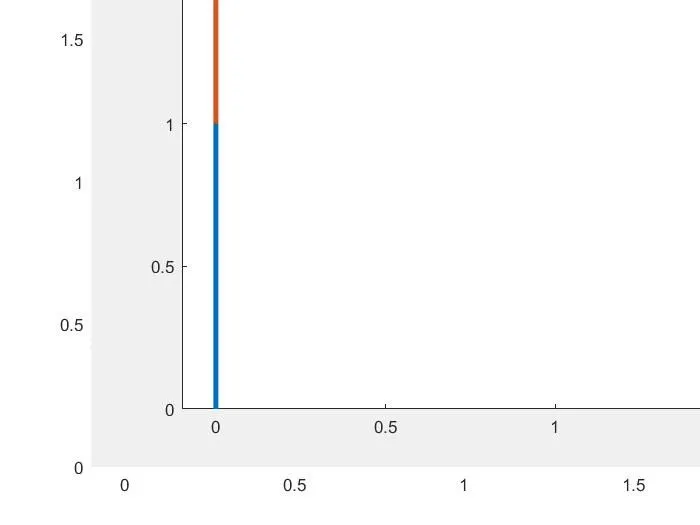
Conclusion
Program in Matlab to simulate the forward kinematics of a 2R Robotic Arm is concluded.