Week 3.2 - 2R Robotic Arm Challenge
Program - MATLAB program to simulate the forward kinematics of a 2R Robotic Arm and creating Animation file of the plot
Following is the 2R robotic arm having 2 links to carry out the tasks with the manipulator as desired - 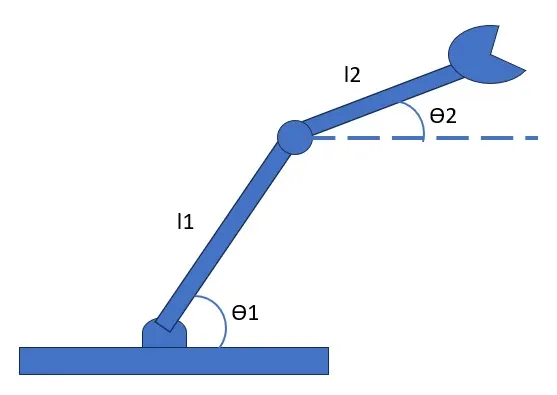
Code of Forward Kinematics of Robotic Arm -
%% Forwaord Kinematics of Two link robotic arm with animation incl. pause
clear all
close all
clc
% Inputs
% length of Robotic Arms
l1=10
l2=20
% Angles of link
theta1=linspace(1,90,5) % Angle of Link 1
theta2=linspace(1,90,5) % Angle of link 2
ct=1 % Counter/Frame to srart the plotting
for i = 1:length(theta1); % To access each value of Theta 1
THETA1=theta1(i);
for j = 1:length(theta2); % To access each value of Theta 2
THETA2=theta2(j);
% Base to start of link 1 Coordinates
x0=0;
y0=0;
% End of link 1 to Start oflink 2 Coordinates
x1=l1*cosd( THETA1);
y1=l1*sind( THETA1);
% End of link 2 to Manipulator Coordinates
x2=x1+l2*cosd( THETA2);
y2=y1+l2*sind( THETA2);
% Poltting
plot([x0 x1], [y0,y1],[x1,x2],[y1,y2],'linewidth',4,'Marker','o' )
pause(1) % pausing the results to 0.3 sec for each frame
M(ct)=getframe(gcf) %% calling out the figure to create the movie
ct=ct+1 %% Increamental of 1 frame to display the frame by frame in one graph to create animation
end
end
% Creation of animation moview with all frames
movie(M)
% Saving the amination file in '.avi' format
videofile=VideoWriter('Challenge_3_2.m', 'Uncompressed AVI');
open(videofile)
writeVideo(videofile,M)
close(videofile)
Animation Video - Youtube link
https://youtu.be/ASNqF2yhKcQ
Explanation of Code-
- Input for the length of link 1&2 and Theta angle formed with respective 'X' axis in a form of array using line space
- For loop for accessing the each value of theta -1 of link 1
- Nested For loop for accessing each value of theta-2 of link-2
- Initializing the coordinates of base with link-1 and link-1 with link-2
- plotting of all coordinates values by frame by frame with counter command
- Each frame results assigned to 'M'
- Animation video formed using the 'Movie' command and saved as a .avi format
Challenges faced in Creating Animation -
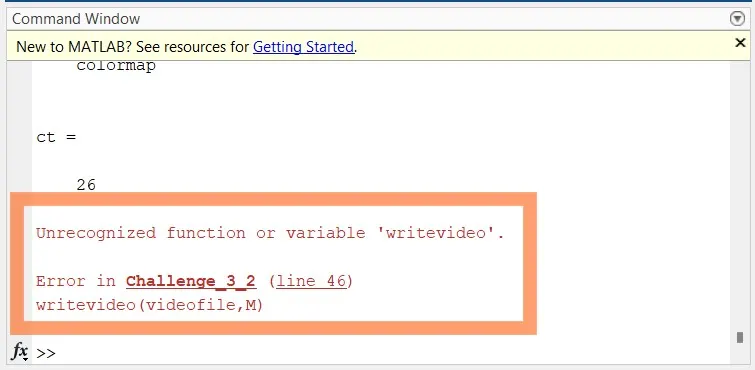
#1 Error = Following error displayed in command window while saving the file in folder and facing issue in playing the .avi video
Correction - In writrvideo(videofile.m) line changed '.m' to ',M'
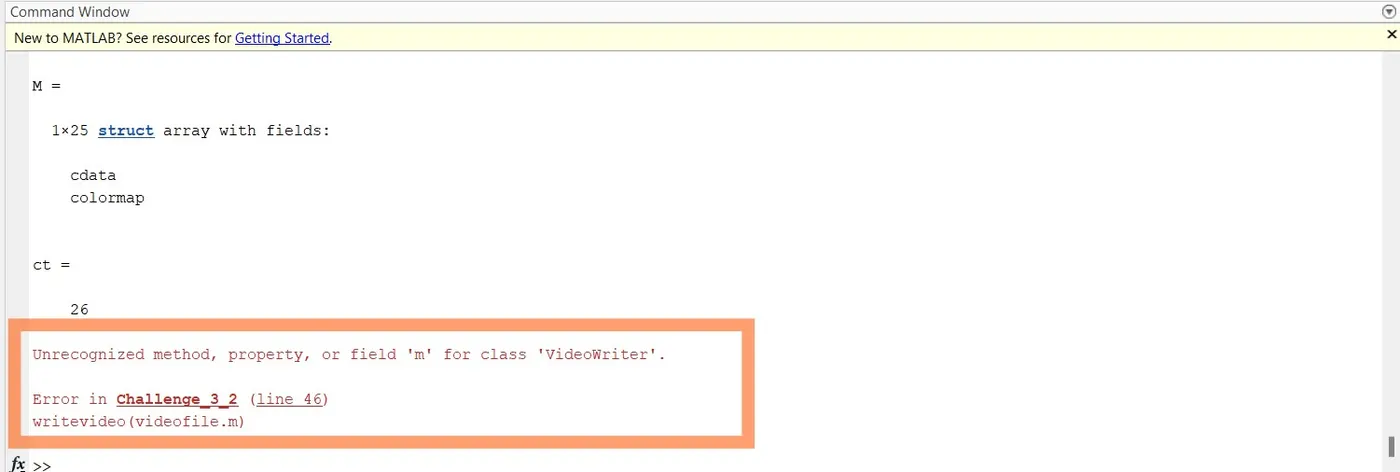
# Error 2 -Following error displayed in command window while saving the file in folder after error#1 correction and facing issue in playing the .avi video
Correction - In writevideo(videofile,M) changed to writeVideo(videofile,M)