Week 3.2 - 2R Robotic Arm Challenge
AIM-program for the forward kinematics of 2R robotic arm manipulator
Description;-
in a robot ,There are two links,
first connected to the base & second connected to the MANIPULATOR
first to calculate the starting point of link 1
coordinates for starting point 0,0 & for end point of link 1 is Lcostheta & Lsintheta
coordinatesfor link 1to base = x1,y1
coordinates for link 2 to manipulator-x2,y2
so,x2=x1+l2costheta
y2=y1+l2sintheta
so considering three coordinates [x0,y0],[x1,y1],[x2,y2]
Defining some inputs
l1=1
l2=0.5
then we have theta1& theta2
theta1=45https://youtu.be/UBwmX-LCAg0
theta2=30
As i am having 3 coordinates
first (starting point of robot which is fixed to base)
i.e...x0=0 & y0=0
second(angle at link 1 end & starting of link 2)
i.e..x1=l1*cosd(theta1) & y1=l1*sind(theta1)
third one is x2 & y2
i.e...x2=x1+l2*cosd(theta2) & y2=y1+l2*sind(theta2)
after all inputs ,started to plot with line command i.e..
line([x0 x1],[y0 y1]
considering linewidth 3 to get the thicker line & coloring with blue color
so i get a single blue color line
then for second coordinate line([x1 x2],[y1,y2]) the same linewidth is taken as 3 & the line is coloring with red color .
To get the better visuals , animating the plot soo,
Giving the inputs for animating program plot
i.e,considering theta1 as an array
so theta1=linspace(0,90,10)
theta2=linspace(0,90,10)
here theta1 & theta2 having 10 values between 0 & 90.
using for loop we change the values of theta1 & theta2
soo for i=1:length(theta1) which means length of theta1 refers to number of values in theta1
here value of i changes from 1-10,
to access a particular value we assign THETA 1 &THETA2 which is variable.
same for theta2 we take for loop as j
so j= 1:length(theta2)
for each value of theta1 we loop the value of theta 2.
hence copy & pasting all the plotting commands from program 1 & adding ct counter command which increment +1
so we get lot of plots at a time which shows the robot occupying positions
hence to get the clear plot with all position at once we assign the coordinates [x0,x1],[x1,x2],[y1,y2]
using pause command we can have the position change with respect to given time.
axis is defined to get the length of the links.
To get the visual better ,made it as a movie which shows the positions of the robot.
the video link is attached https://youtu.be/UBwmX-LCAg0https://youtu.be/UBwmX-LCAg0
the video is uploaded to youtube & link is pasted here.
This link shows the better visuals @0.3 running speed.
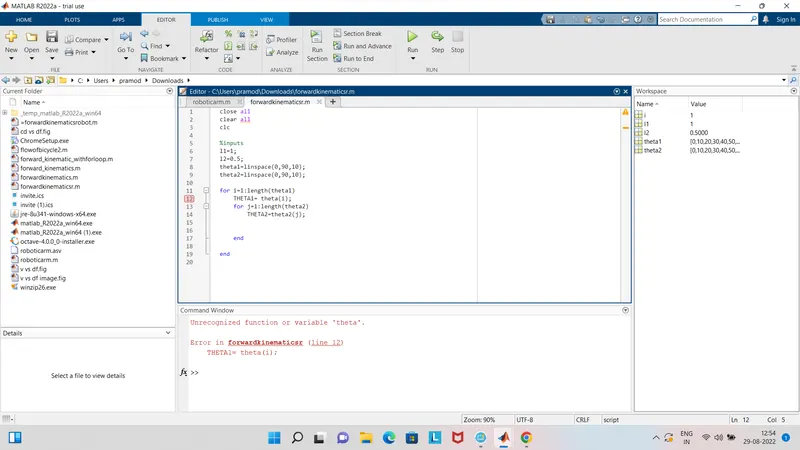
ERRORS-some of the errors are attached with scrrenshot in that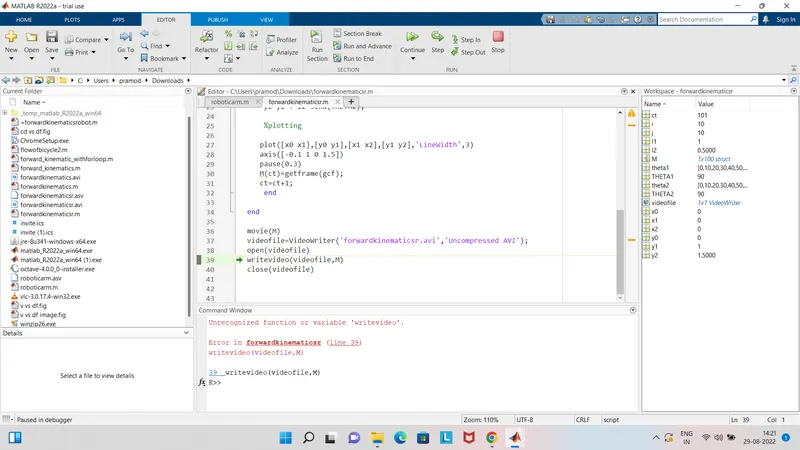
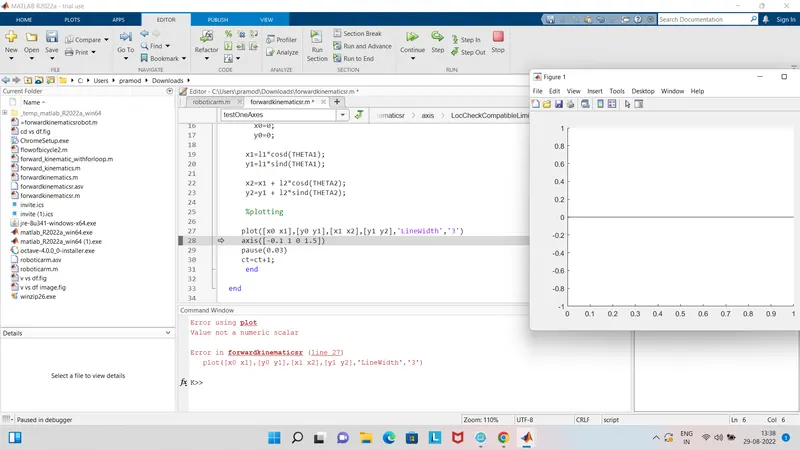
1-while determing the coordinates & linewidth i did as ,plot([x0 x1],[y0 y1],[x1 x2],[y1 y2],'linewidth','3')
mistake- i used single inverted comma for 3
then step taken to overcome=after removing that i got the result
2-while writing THETA1=theta(i)
got the error
mistake- i forgot to give theta1(i)
step taken to overcome After adding 1 there ,problem solved
3-After completing my program , i got the result,plot ,video of the plot
but the video was not playing in the vlc ,because i have written a code as ---writevideo(videofile,M)
mistake- step taken to overcome =here V should be capital i.e, writeVideo(videofile,M)
after correcting that i got the result & plot .
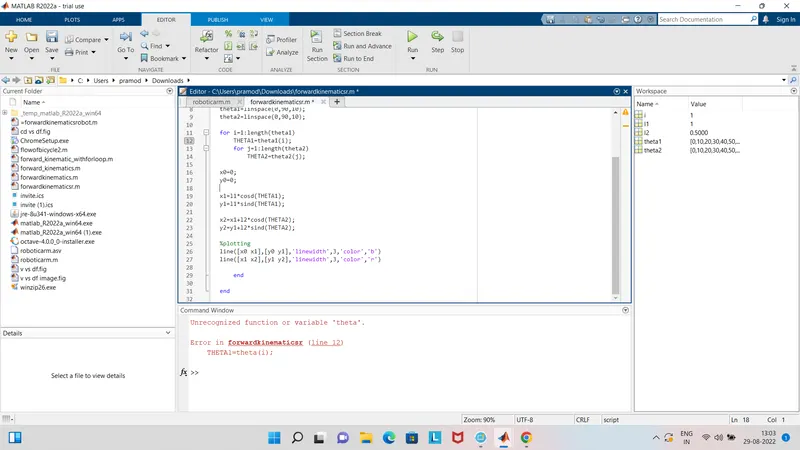
All the errors are rectified & corrected ,the errors that i faced during the program & running time is as shown in the screenshots which i have attached.
conclusion-program which i had written will show the the forward kinematics of 2R robotic arm manipulator.
% forward kinematics of a 2R robotic arm

close all
clear all
clc

%inputs
l1=1;
l2=0.5;
theta1=linspace(0,90,10);
theta2=linspace(0,90,10);

ct=1;
for i=1:length(theta1)
    THETA1=theta1(i);
    for j=1:length(theta2)
        THETA2=theta2(j);
      x0=0;
      y0=0;

    x1=l1*cosd(THETA1);
    y1=l1*sind(THETA1);

    x2=x1 + l2*cosd(THETA2);
    y2=y1 + l2*sind(THETA2);

    %plotting

   plot([x0 x1],[y0 y1],[x1 x2],[y1 y2],'LineWidth',3)
   axis([-0.1 1 0 1.5])
   pause(0.3)
   M(ct)=getframe(gcf);
   ct=ct+1;
    end

end

movie(M)
videofile=VideoWriter('forwardkinematicsr.avi','Uncompressed AVI');
open(videofile)
writeVideo(videofile,M);
close(videofile)