Week 3.2 - 2R Robotic Arm Challenge
Aim
To write a MATLAB program for animating the motion of a forward kinematic 2R robotic arm
2R Robotic Arm
A 2r robotic arm is a type of robotic manipulator that consists of two revolute joints. The “2R” notation signifies that the arm has two such joints. This type of robotic arm is commonly used in various application due to its simplicity and flexibility.
Program
close all
clear all
clc
% Define parameters
% length of links
L1 = 1;
L2 = .5;
% angle range
theta1 = linspace(0,90,20);
theta2 = linspace(0,90,20);
ct = 1;
% Loop through all compination of theta1 and theta2
for i = 1:length(theta1)
THETA1 = theta1(i);
for j = 1:length(theta2)
THETA2 = theta2(j);
% Base coordinates of link-1
X0 = 0;
Y0 = 0;
% End coordinates of link-1
X1 = L1*cosd(THETA1);
Y1 = L1*sind(THETA1);
% End coordinates of link-2
X2 = X1 + L2*cosd(THETA2);
Y2 = Y1 + L2*sind(THETA2);
% Plot the robotic arm
plot([X0 X1],[Y0 Y1],[X1 X2],[Y1 Y2],'-o', 'LineWidth',2)
axis([-0.1 2 0 2]);
pause(0.03);
% Capture frames for the movie
M(ct) = getframe(gcf);
ct = ct + 1;
end
end
% Making a movie from collected frames
movie(M)
% Creating and saving the file
videofile = VideoWriter('Forward_Kinematics_2R-Robotic_Arm.avi','uncompressed AVI');
open(videofile)
writeVideo(videofile,M)
close(videofile)
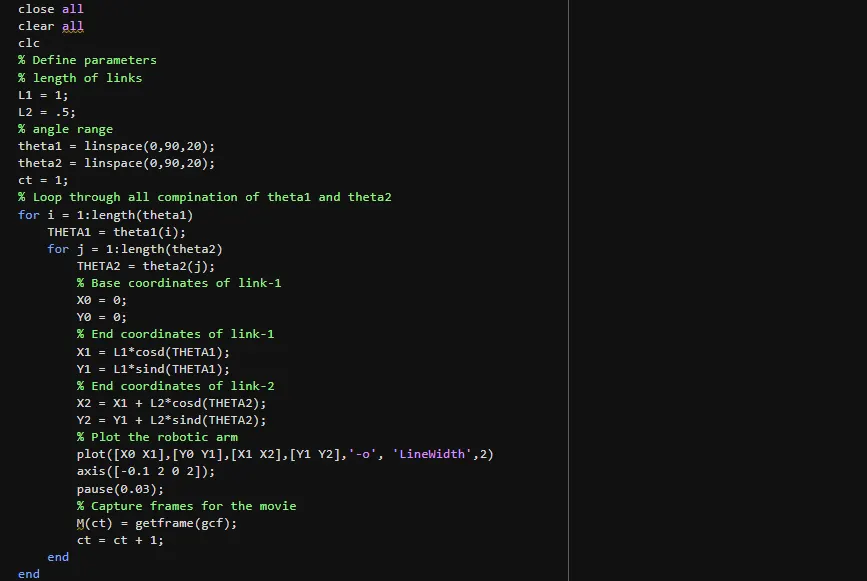
Explanation
Length of both links are given as L1 and L2
Angle range of links are given as theta1 and theta2
For loop for running through each angle of links to calculate end coordinates of link-1 and link-2
Starting coordinates of link-1 is given as
X0 = 0
Y0 = 0
End coordinates of link-1 is calculated using (starting coordinates of link-2)
X1 = L1cosθ
Y1 = L1sinθ
End coordinates of link_2 is calculated using
X2 = X1 + L2cosθ
Y2 = X1 + L2sinθ
Links are plotted with calculated coordinates
Frames are collected in M and is made into a movie
File is created and the animation is saved
Output
Output is an animated clip and it is provided in the link below