Week 3.2 - 2R Robotic Arm Challenge
Answer:
Theory:
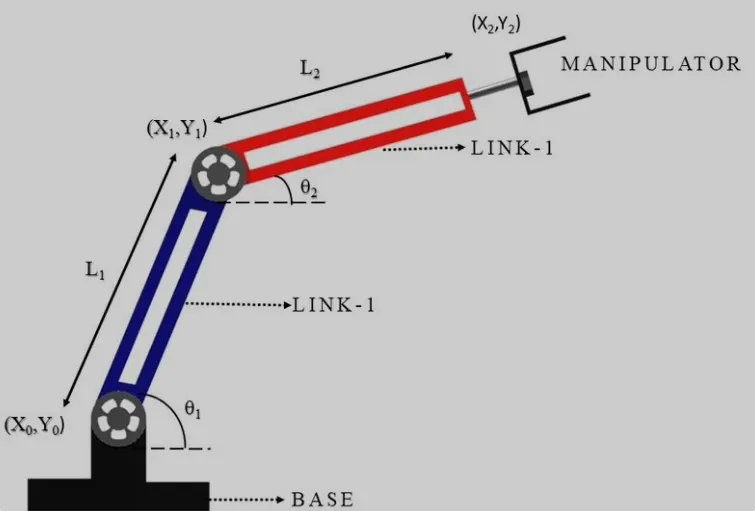
A robotic arm is a type of mechanical arm, usually programmable, with similar functions to a human arm; the arm may be the sum total of the mechanism or may be part of a more complex robot. The links of such a manipulator are connected by joints allowing either rotational motion or translational displacement. The links of the manipulator can be considered to form a kinematic chain. The terminus of the kinematic chain of the manipulator is called the end effector and it is analogous to the human hand.
Forward kinematics refers to the use of the kinematic equations of a robot to compute the position of the end-effector from specified values for the joint parameters.
Robotic arms used in various industrial applications such as drilling, welding, metal cutting , painting etc.
Here we have a 2R Robotic arm as shown in the figure:
MATLAB Code:
% forward kinematics of a 2r robotics arm manipulator animation

clearvars
close all
clc

%inputs
l1 = 1;
l2 = 0.5;
theta1 = linspace(0,90,20);
theta2 = linspace(0,90,20);
ct = 1;

for i = 1: length(theta1)

    THETA1 = theta1(i);
    for j = 1:length (theta2)
        THETA2 = theta2(j);
        x0 = 0;
        y0 = 0;
        x1 = l1*cosd(THETA1);
        y1 = l1*sind(THETA1);
        x2 = x1+l2*cosd(THETA2);
        y2 = y1+l2*sind(THETA2);

        %plotting
        plot([x0 x1],[y0 y1],[x1 x2],[y1 y2],'LineWidth',3);
        axis([-0.1 1.5 0 1.5]);
        pause(0.03)
        M(ct)= getframe(gcf);
        ct = ct+1;
    end

end

movie(M)
videofile = VideoWriter('forward_kinematics.avi','Uncompressed AVI');
open(videofile)
writeVideo(videofile,M)
close(videofile)
EXPLANATION OF PROGRAM:
- Initially we define the length of the robotic arms, i.e. l1 and
- Set of values for theta1 and theta2 are assigned in and array with linspace command.
- Use of for command for iterating the values of the desired variable.
- Again using for command for providing movement to the second robotic arm.
- Defining the coordinates of both the robotic arms.
- Plotting all the coordinate values and writing commands for changing the appearance of the contours.
- All figures are assigned to a variable M, one at a time using ct followed by termination of for loop.
- Lastly, movie command is used to combine all the figures saved in the M file to make an animation/movie and thereafter saving it in .avi format.
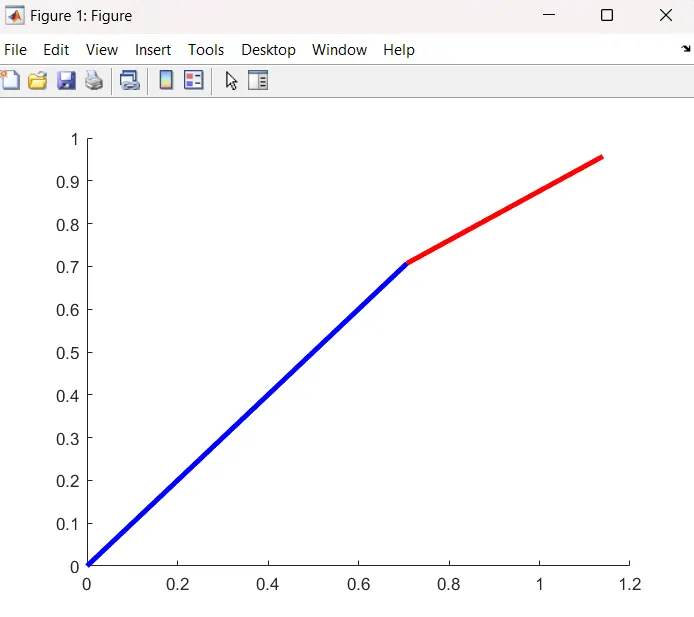
OUTPUT:
The output is obtained in form of an animated video clip. This animation can be viewed by visiting the link mentioned below.