Week 3
OBJECTIVE:
- Import the CAD geometry of car hood assembly
- Clean up the geometry
- Extract Mid-Surface for the geometry
- Mesh geometry with given quality criteria
Hood:
Hood parts:
1.Inner part
2.Outer part
3.hinge
4.latch
METHODOLOGY
- Import the CAD Geometry and do Geometry clean-up with no topological error.
- Assign the property ID (PID) for each part
- Generate mid surface
- Setup Quality criteria
- Meshing and improvement.
- Geometry Clean-up
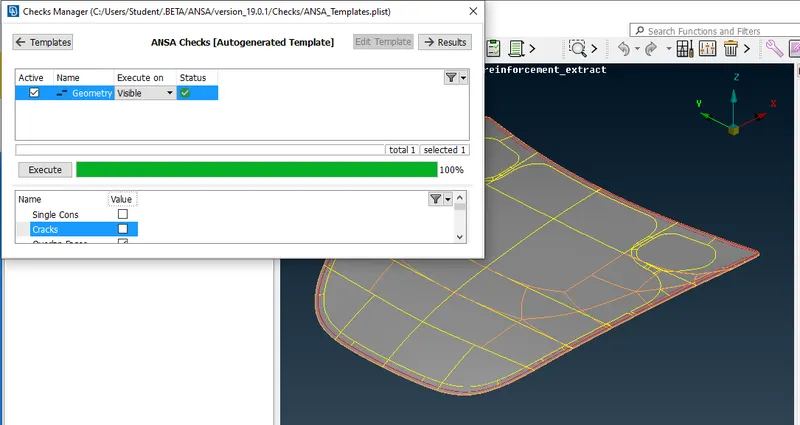
The given geometry was imported and cleaned.by using check manager geometry was checked and proceed to meshing.
2.ASSIGN PROPERTY ID (PID)
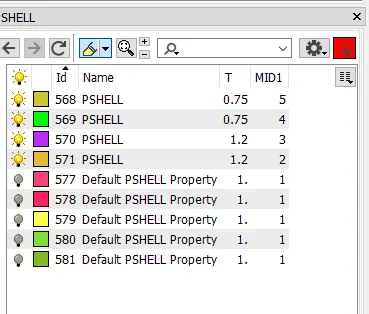
Every part in the geometry has it’s own property. We can assign PID using ANSA. We have to select the part and click Apply, then we have to select the whole part using window selection to apply the PID
3.GENERATE MID SURFACE
We have to know why we are generating the mid surface. If you take any geometry, half of the thickness will be above the mid surface and other half will be below. So in order to represent the geometry we have to create mid surface.
There are two ways to extract mid surface:
1)Using off-set
2)Using mid surface option.
4.Setup Quality criteria:
the given qualty is assigned for meshing.
1.Target/Average length 5
2.Minimum Length 2
3.Maximum Length 7
4.Aspect 3
5.Warpage 15
6.Skewness 45
7.Jacobian 0.7
8.inimum Quad Angle 45
9.Maximum Quad Angle 135
10.Minimum Tria Angle 30
11.Maximum Tria Angle 120
12.Tria Percentage 15
5.Meshing and improvement
After assigned the quality the geometry was meshed and quality of mesh was improved.
Conclusion:
From this project I can conclude, method of generating mesh for any geometry is very similar in case of shell meshing. I followed all the procedure mentioned in the grading policy. Practiced all the command in ANSA. Generated mid surfaces. Able to mesh them successfully without any off elements. The majority of elements must be kept near to target length.