Week 2 - Flow over a Cylinder.
Aim:-
Simulate the flow over a cylinder and explain the phenomenon of karman vortex street.
Part 1:
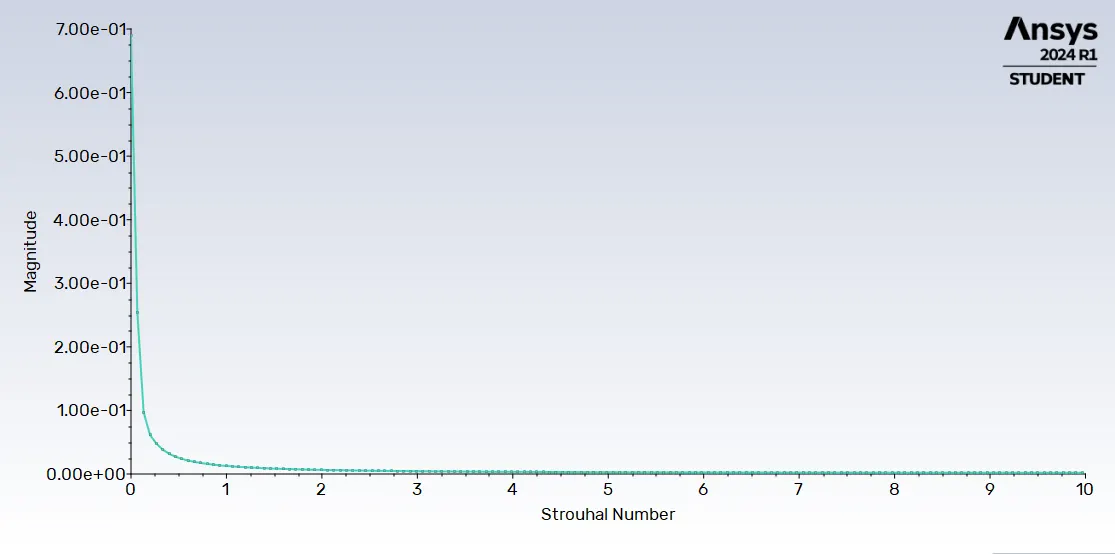
- Simulate the flow for steady state and unsteady state and calculate the Strouhal No for RE=100.
Part 2:
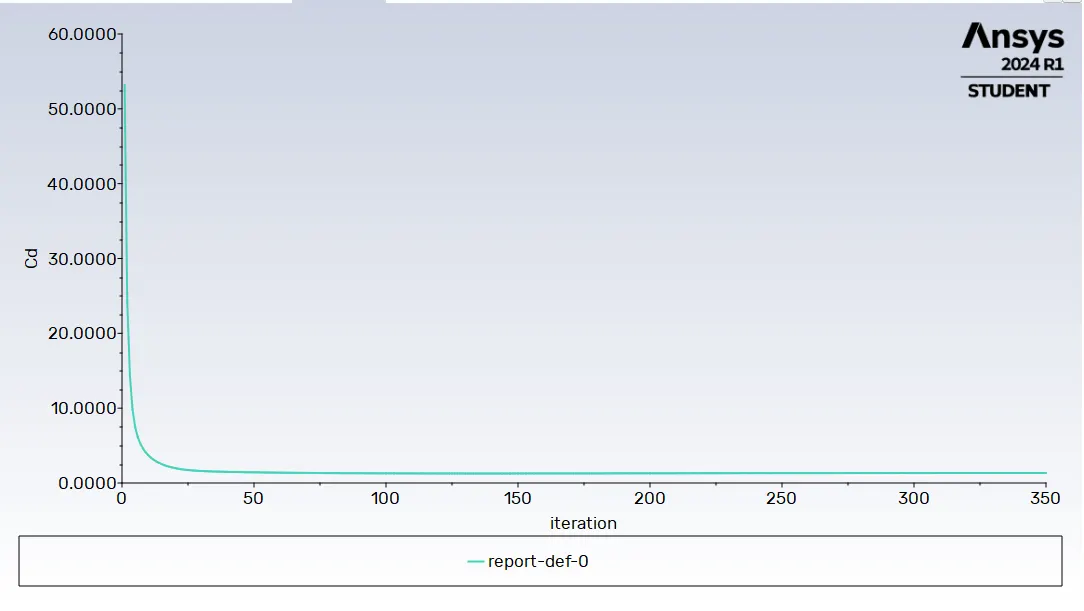
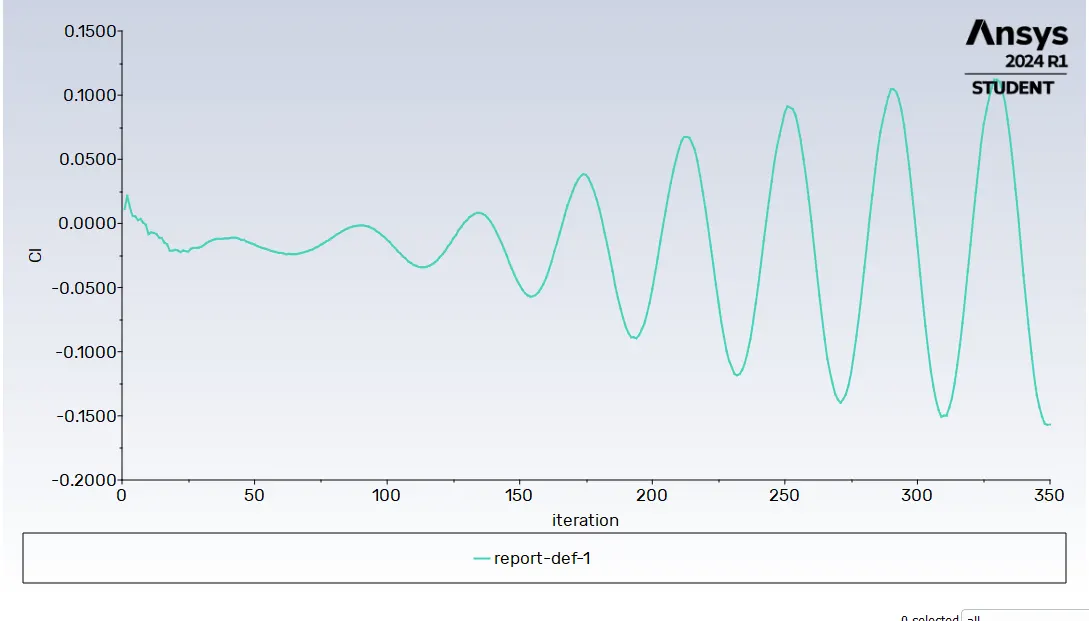
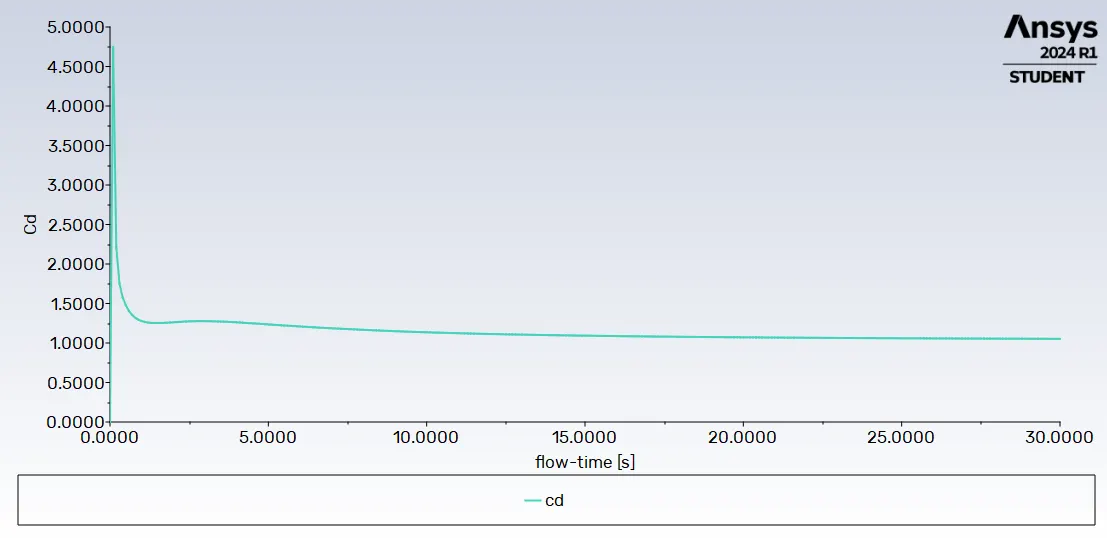
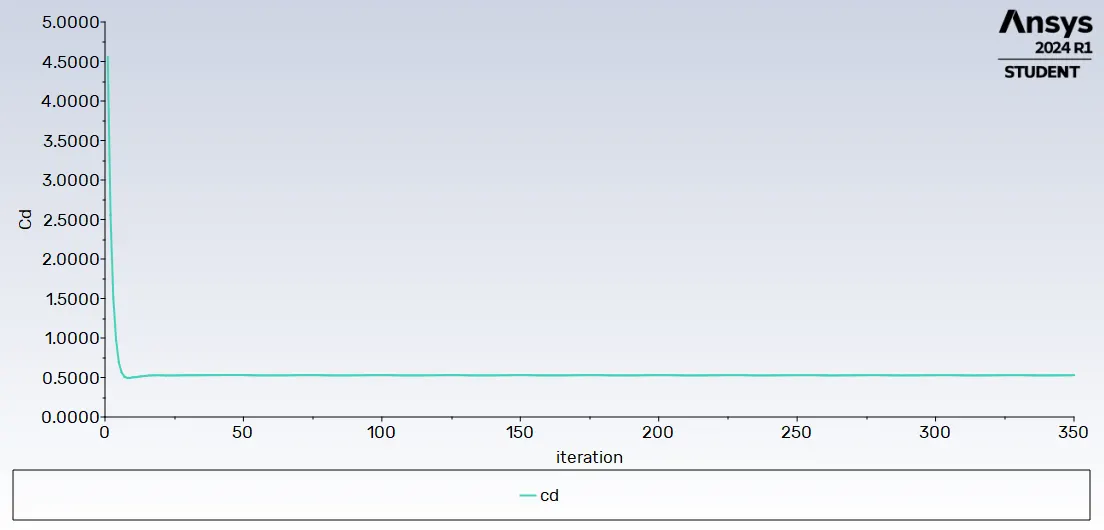
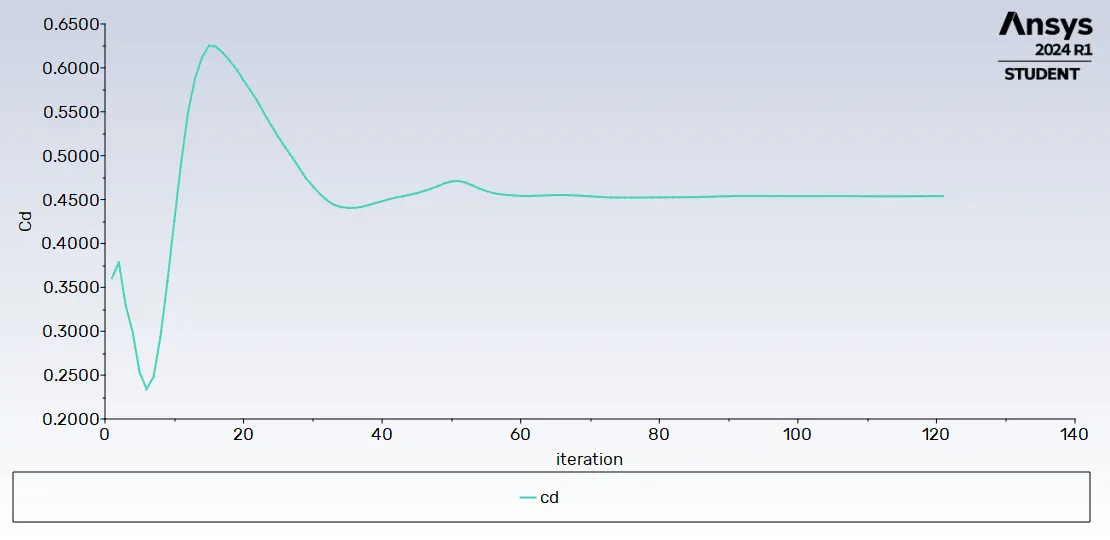
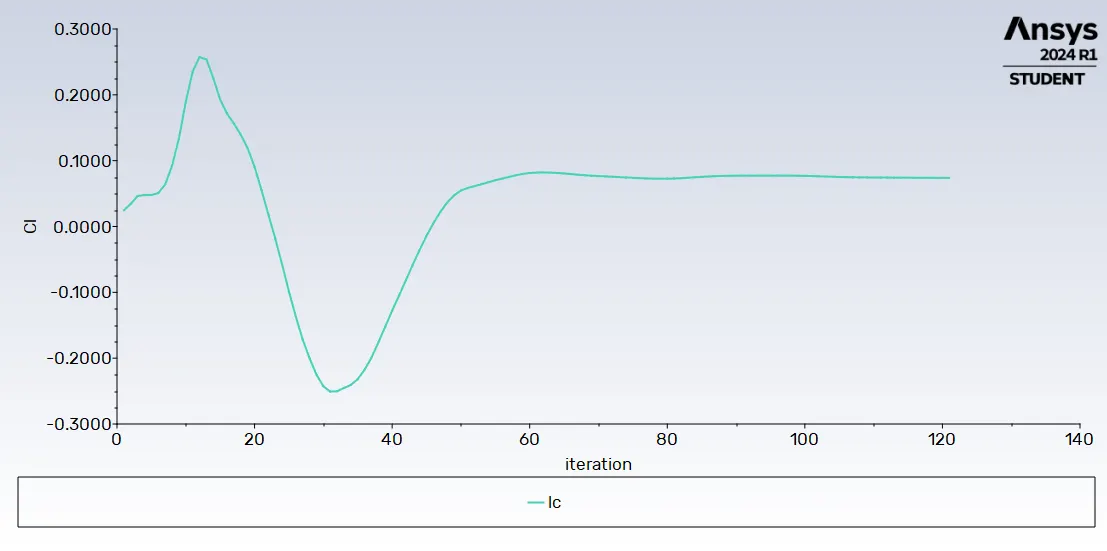
- calculate the drag coefficient and lift coefficient over a cylinder for RE NO=10,100,1000,10000,100000 with steady state solver.
- Discuss the effect of RE on coefficient of drag.
Theory:
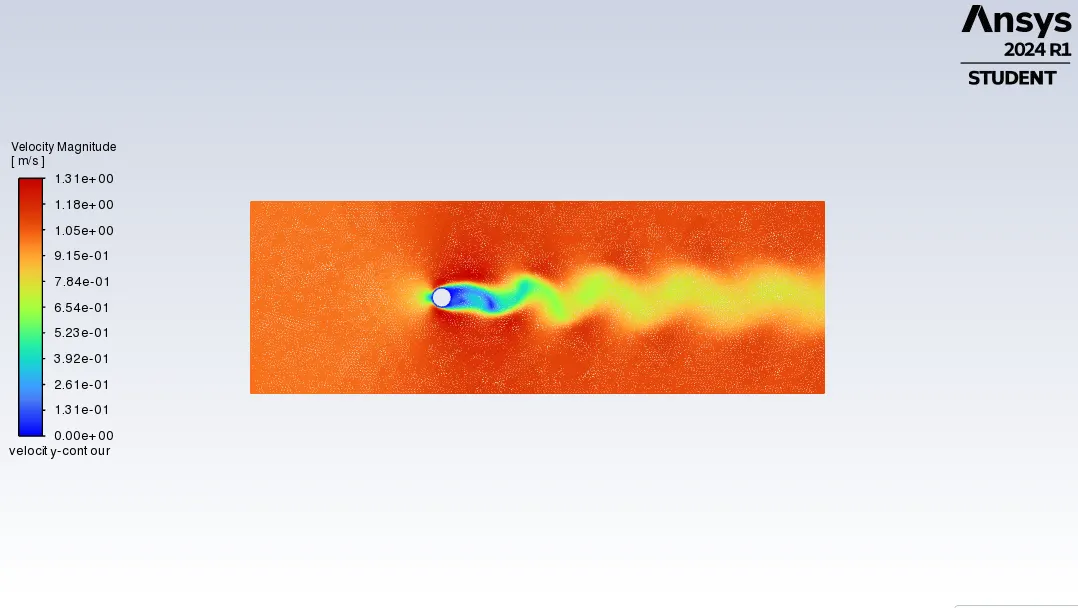
->In fluid dynamics, a karman vortex street is a repeating pattern of swiriing vertices caused by the process known as vortex shedding which is responsible for the unsteady separation of flow fluid around blunt bodies.
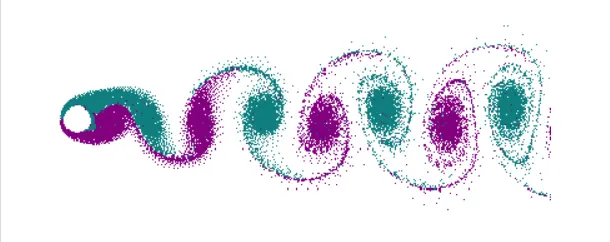
The strouhal No is a dimensionless.
The ST NO is given as,
ST=f*D/U'
where,
ST=strouhal No
f=frequency of vortex shedding
D=Dia of cylinder
U'=fluid flow velocity.
->Drag coefficient.
The drag coefficient is a number that aerodynamics use to model all of the complex dependence of drag on shape, inclination and some flow conditions.
Cd=2*Fd/rho*u^2*A
where,
Cd= drag coefficient
Fd= drag force
rho=mass density of fluid
U=flow speed
A=reference Area.
-> Lift coefficient
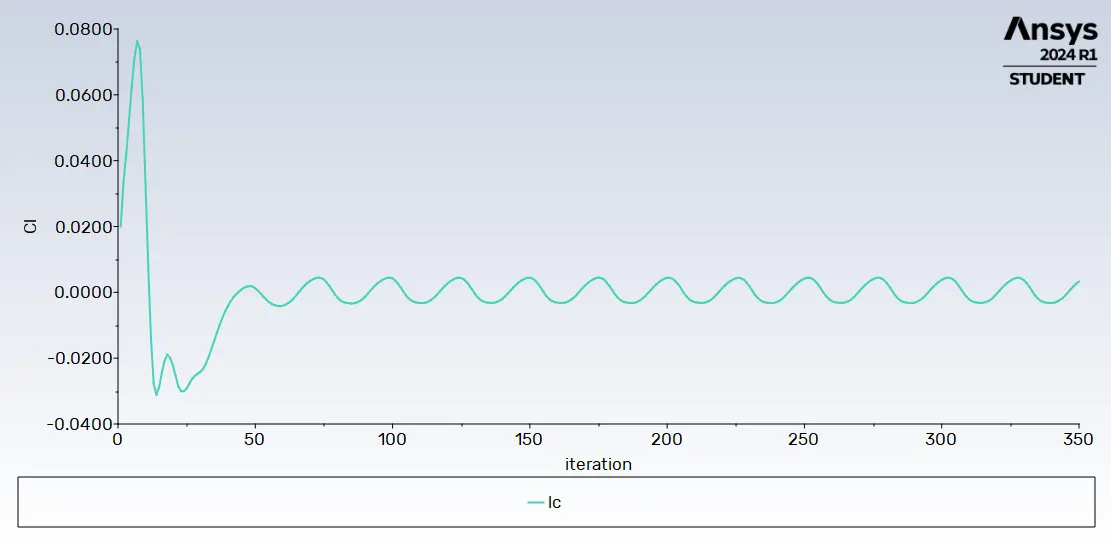
In fluid dynamics the lift coefficient is a dimensionless quantity that relates the lift generated by a lifting body to the fluid density around the body, the fluid velocity and an associated reference area.
Cl=L/q*s=L/(1/2)*rho*u^2=2L/rho*u^2*s
where,
Cl=lift coefficient
L=Lift force
q=fluid dynamics pressure
rho=density
u=flow of speed
-> Cylinder body:
Flow over a cylinder is imp in many industrial applications like cooling of iron or cylinder pipe. circular pipes have more application in heat exchanger.
-> Reynolds No:
The reynolds No is a dimensionless number, named after the osbrone reynolds defined as the ratio of inertia forces to viscous forces. That is Reynolds No is given by,
RE=rho*u*L/μ
where,
RE=reynolds no
rho=density of the fluid
u=flow speed
L=Linear dimensions
μ=dynamic viscosity of fluid
significance:
RE is used in forced convection
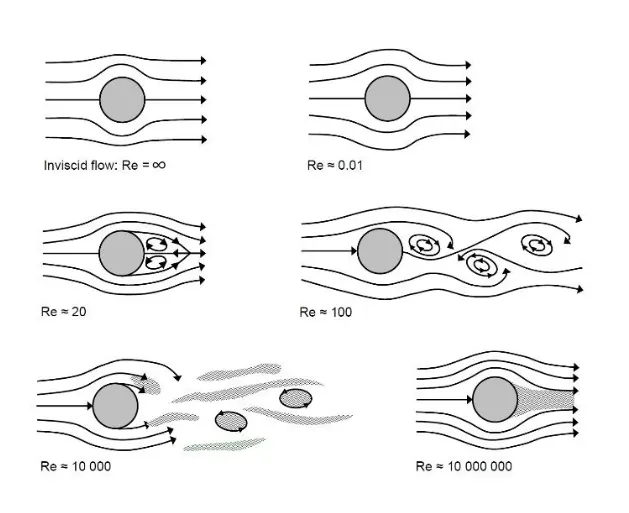
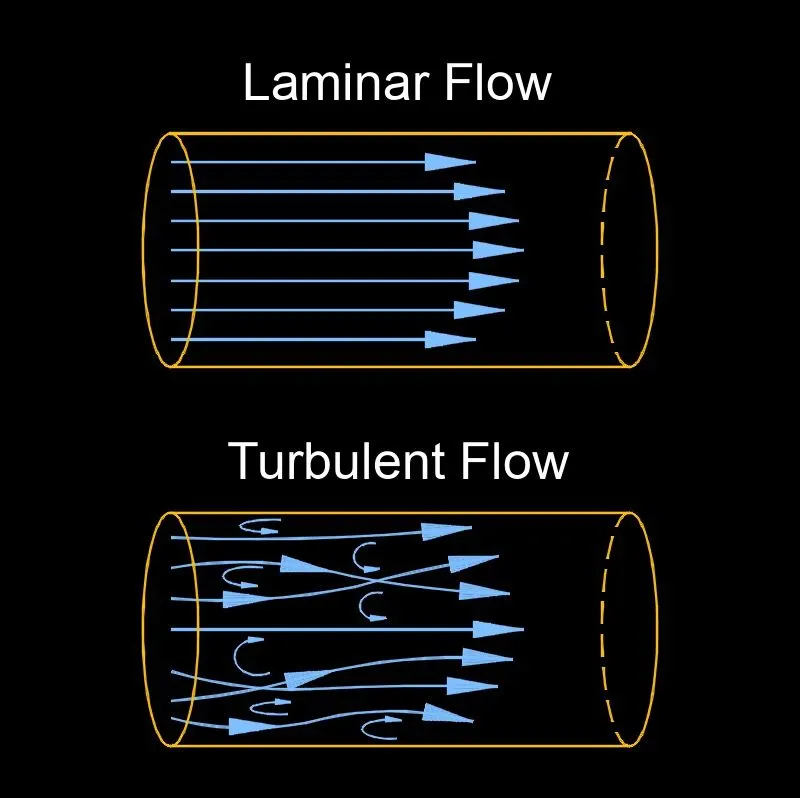
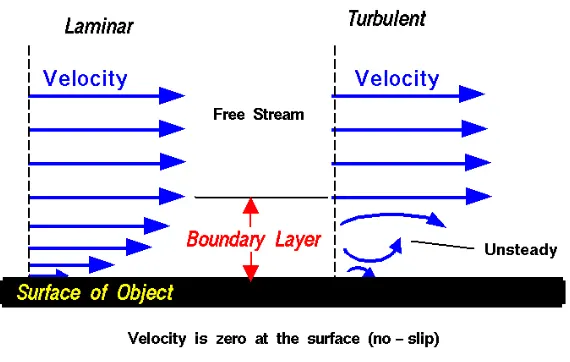
low RE no the flow tends to laminar flow
high RE no the flow tends to turbulent flow
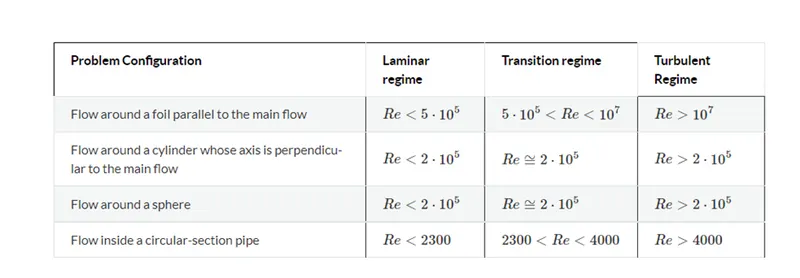
RE < 2000 (Laminar)
RE>4000 (Turbulent)
The larger vortex are found at RE No
Procedures/steps:
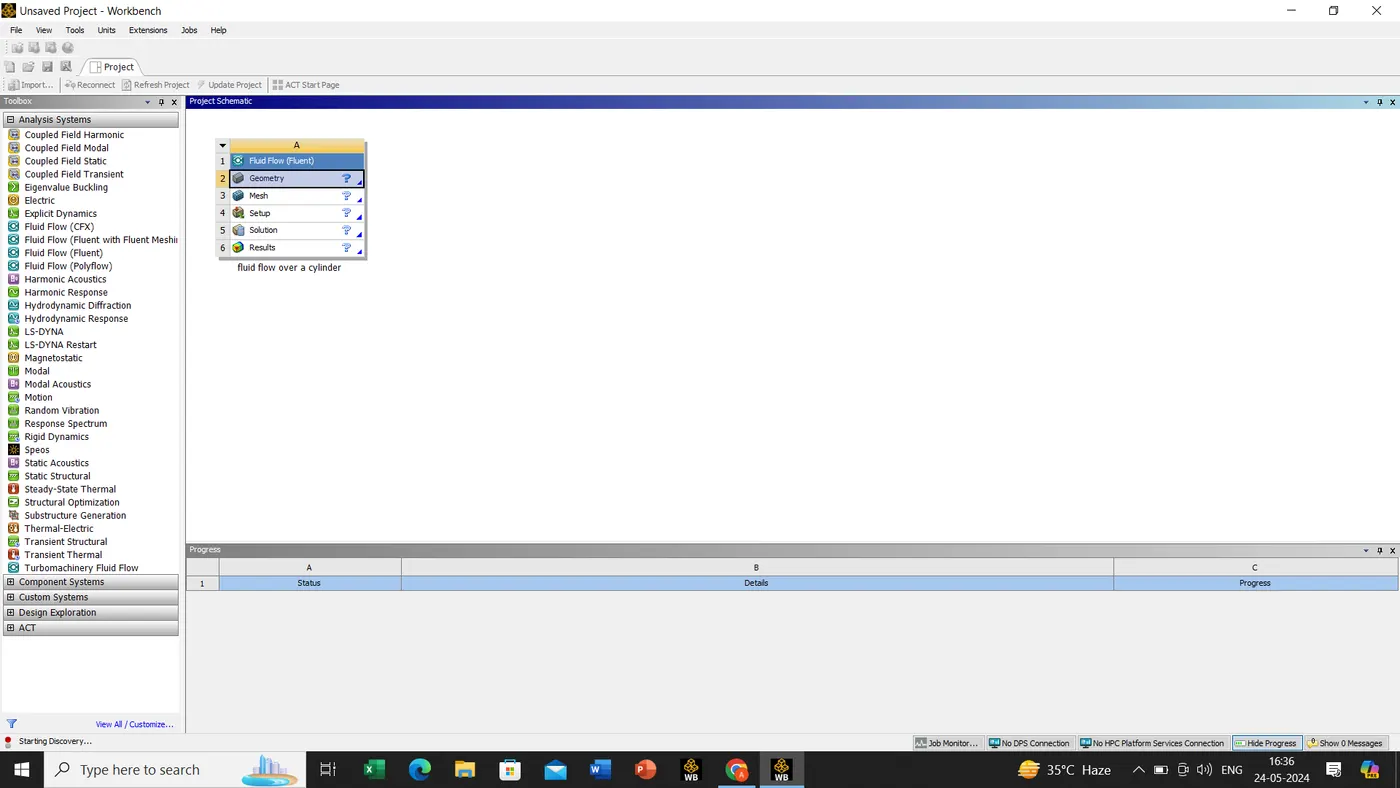
We have to open the ansys software
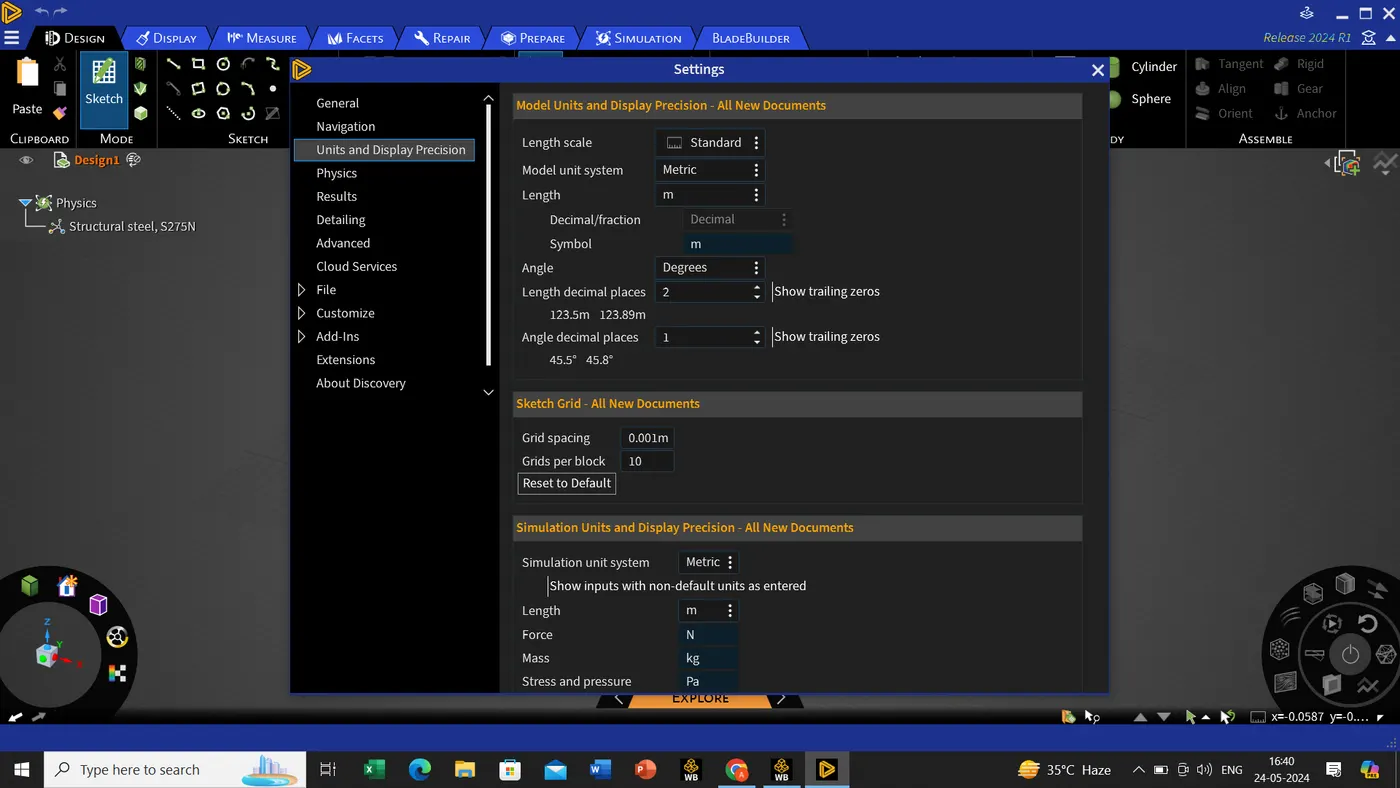
Once the software is open we will open->geometry->files->settings->unit and display(change the units in '' Meters'' )
Once it is done we will inserting the model with the help of tools given in the geometry/ansys discovery/spaceclaim
Since the dimension of the model as shown below.
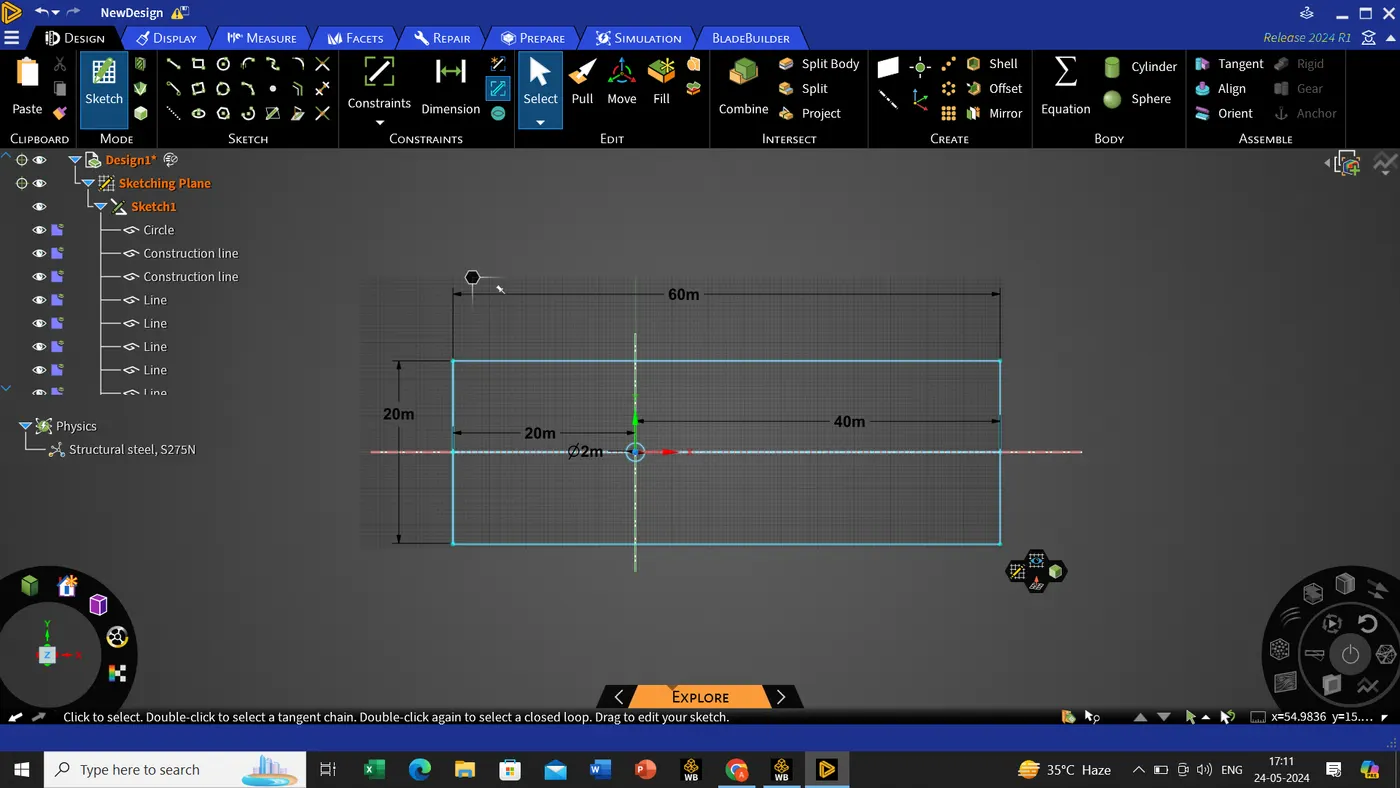
with the help of pull or select tool we will delete the construction line.
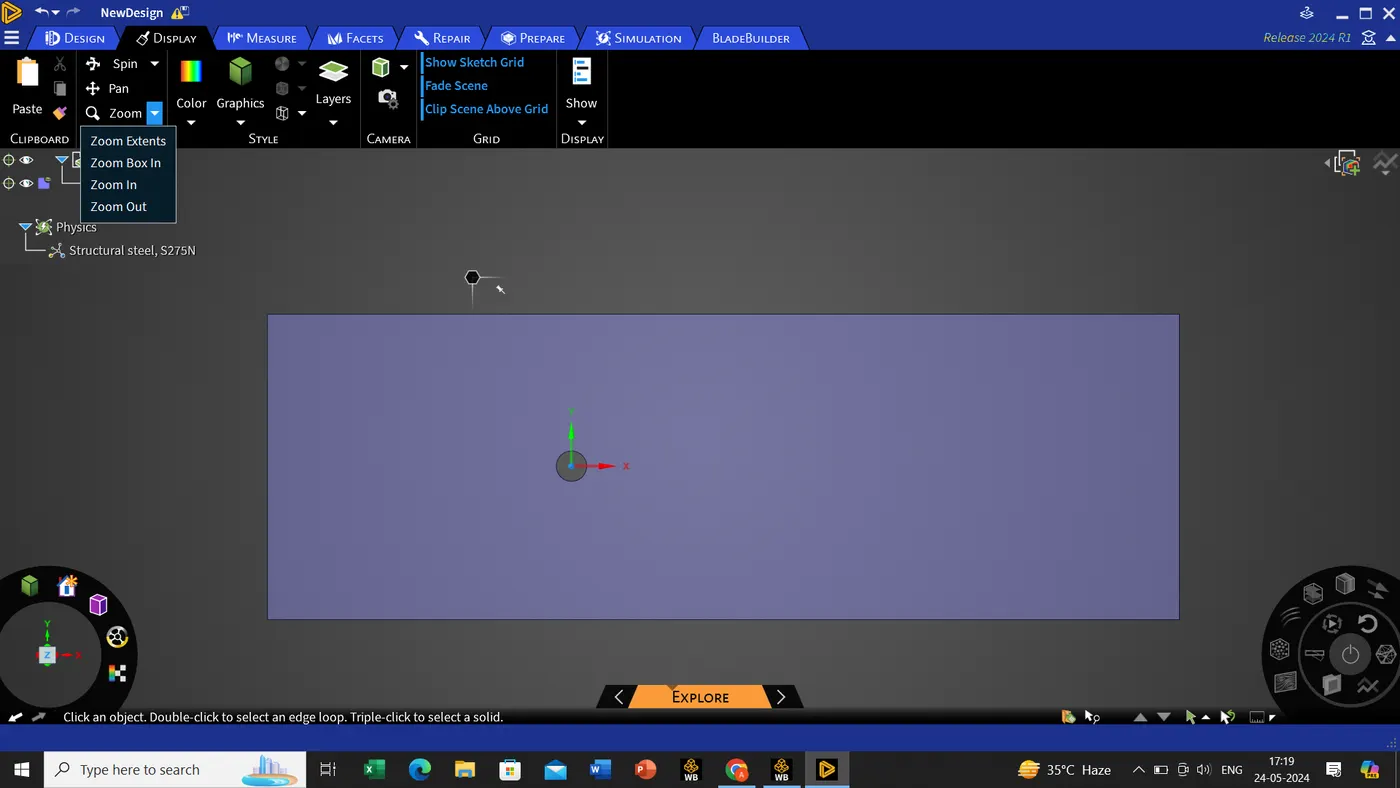
Once it is done we will be moving out from this geometry and suppose the geometry hasn't been update we shall be updating my clicking the right button of mouse->updates
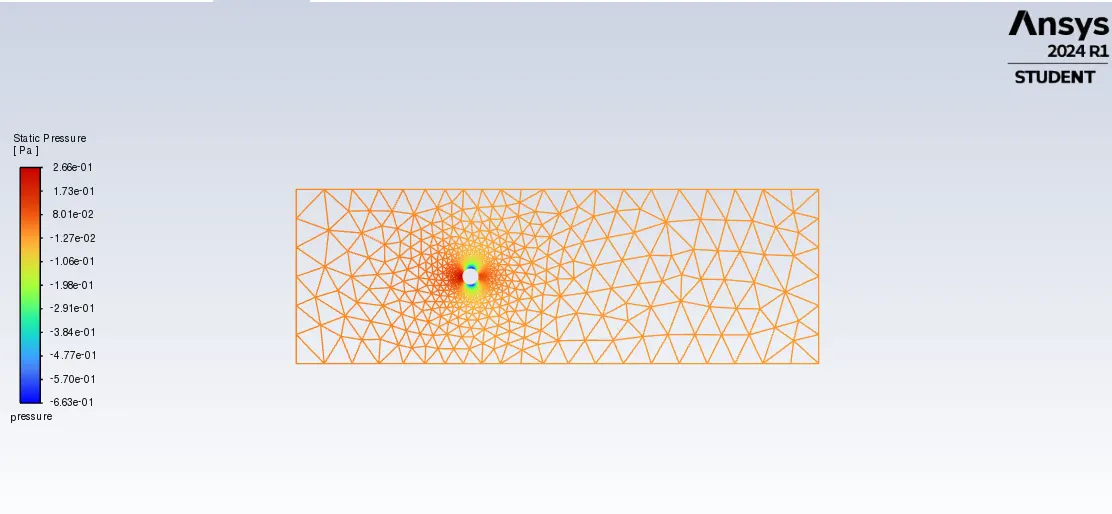
Now we are going for meshing.
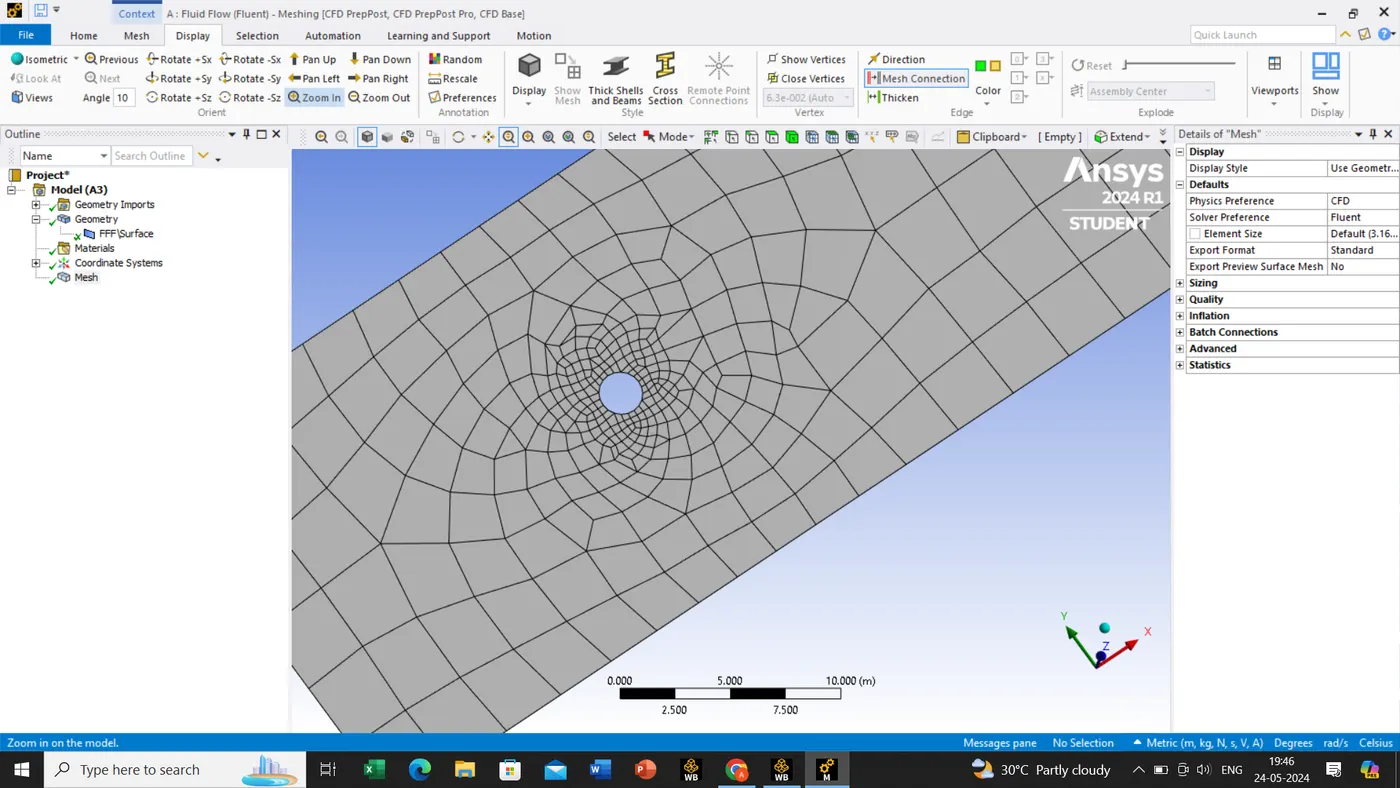
After meshing the model we can see the model meshing is in quadrilateral mesh but we required in triangular mesh.
Mesh->right click->insert->method->automatic method details->select the body->click on apply for selection of body, once its done->method->change it to the triangle->update the mesh.
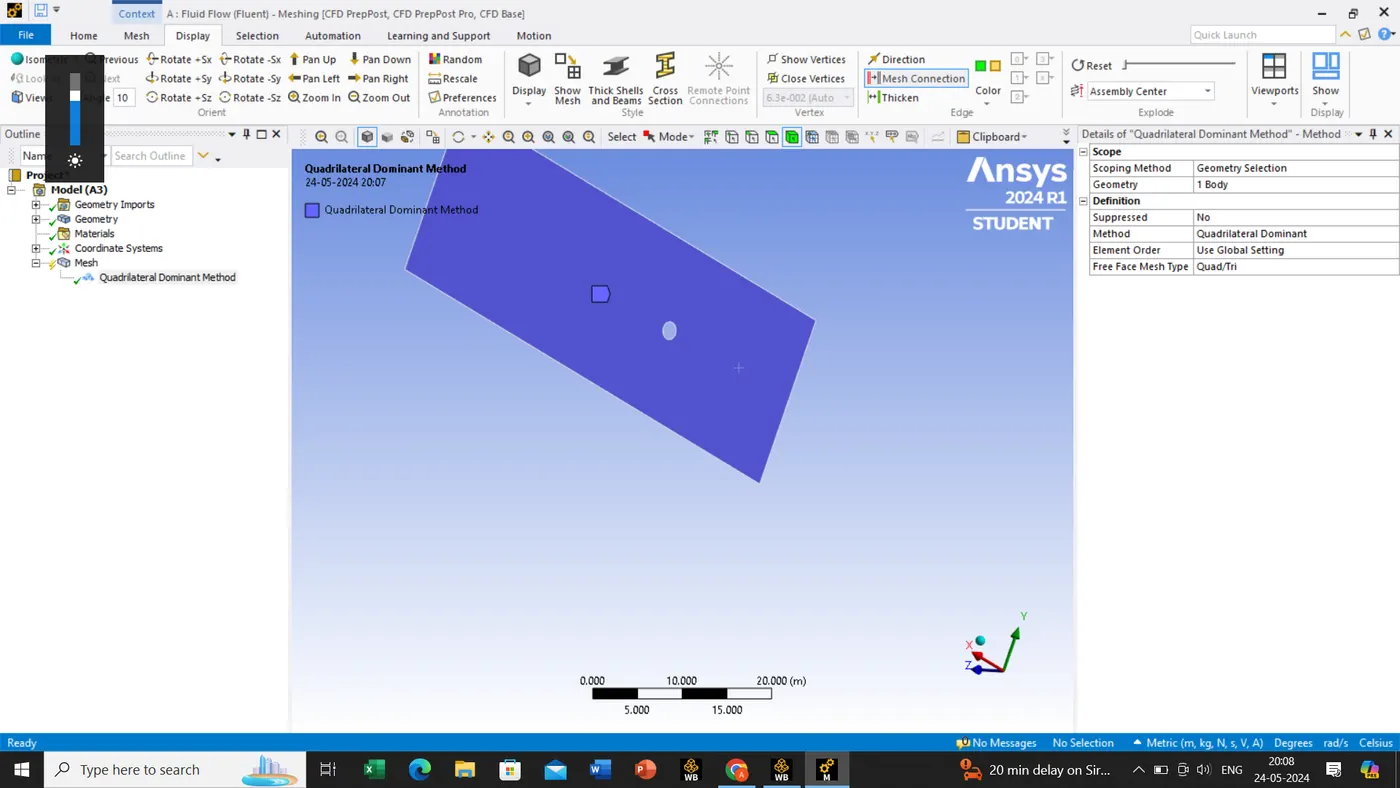
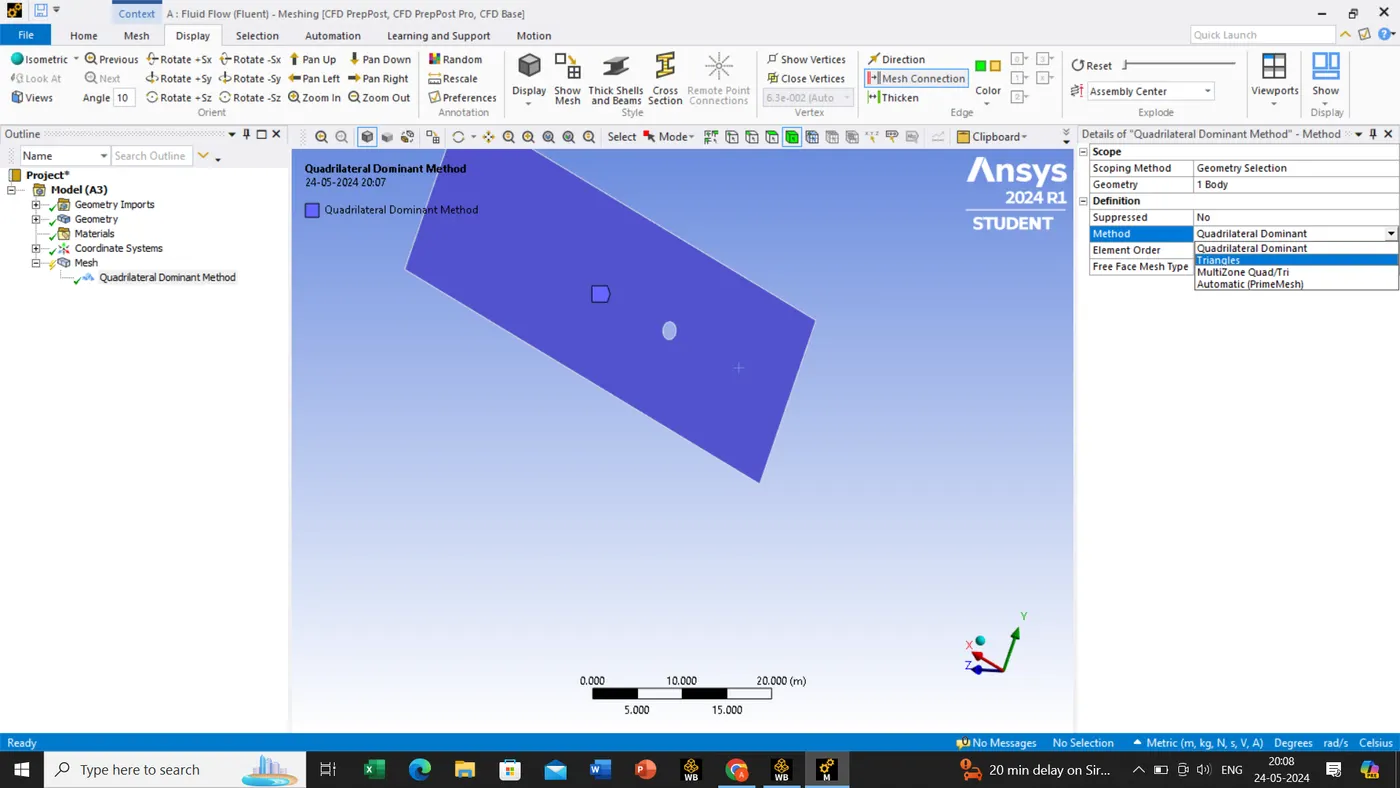
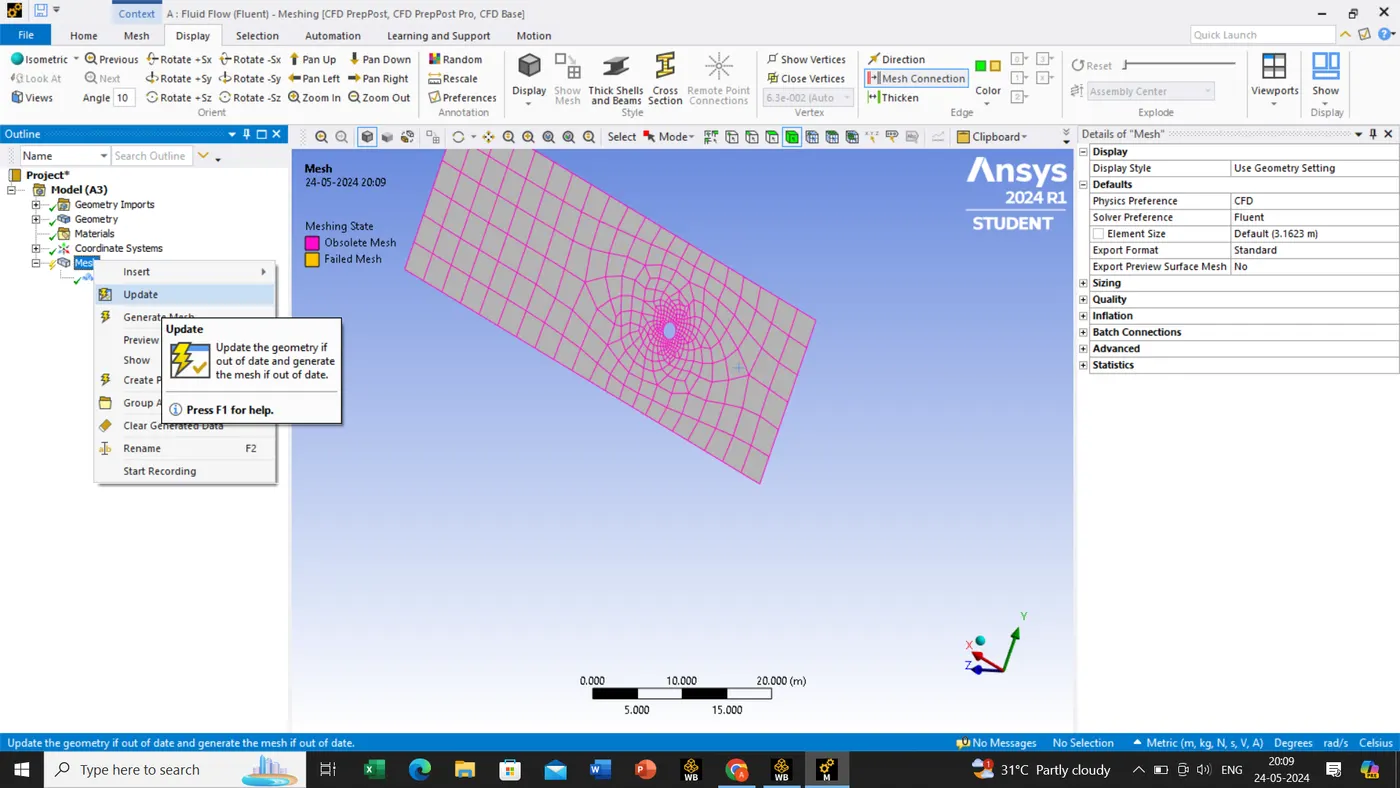
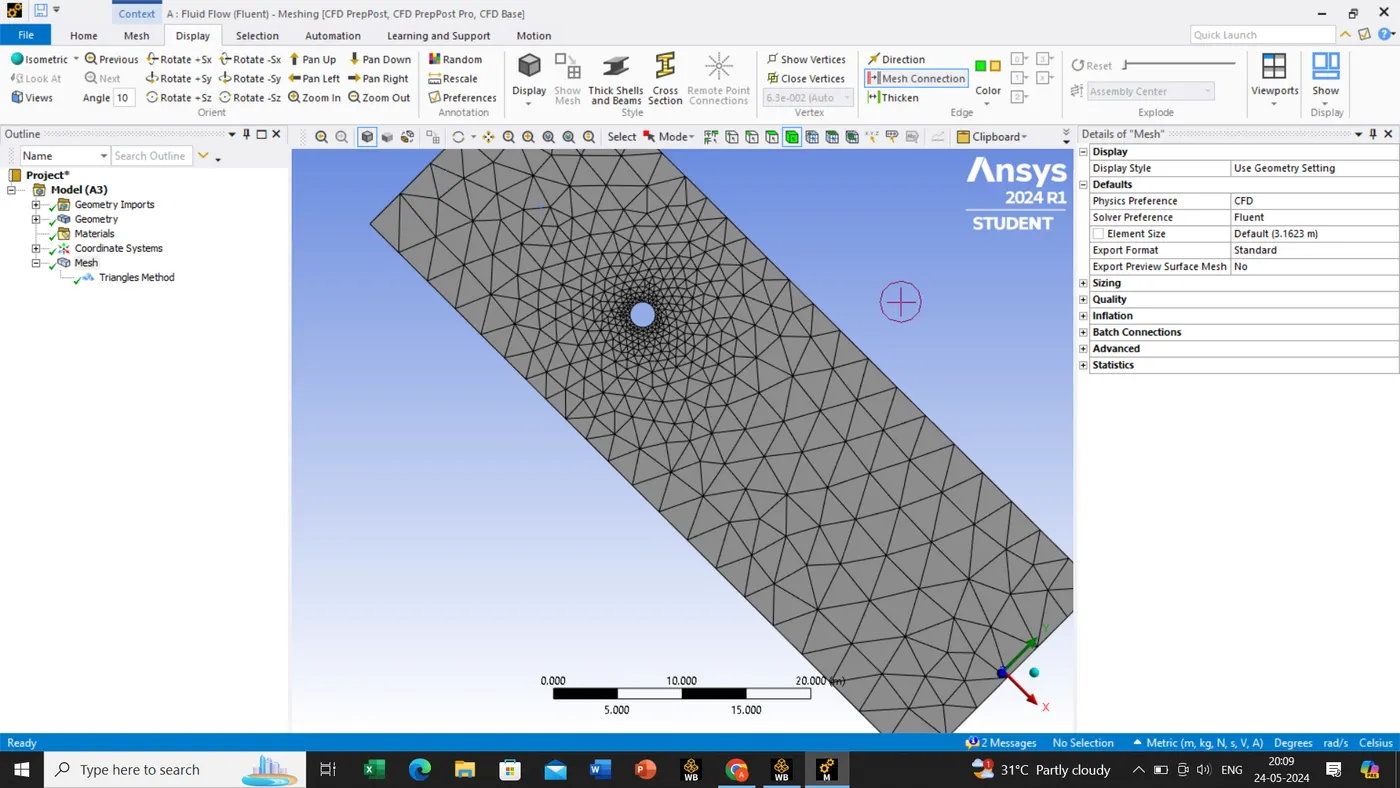
Once it is done we will be zooming the circle edge, as we can view that the edge of the circle is in improper so we will be doing the operation and attaching the before and after pictures.
As per circle, we will consider a no of division is 36 since for the circle its has 360 degree and in every 10 degree is calculated.
Mesh->insert->sizing->use the edge tool and select the edge for the operation and apply the geometry->definition->type(no of division=36)->mesh(generate the mesh)
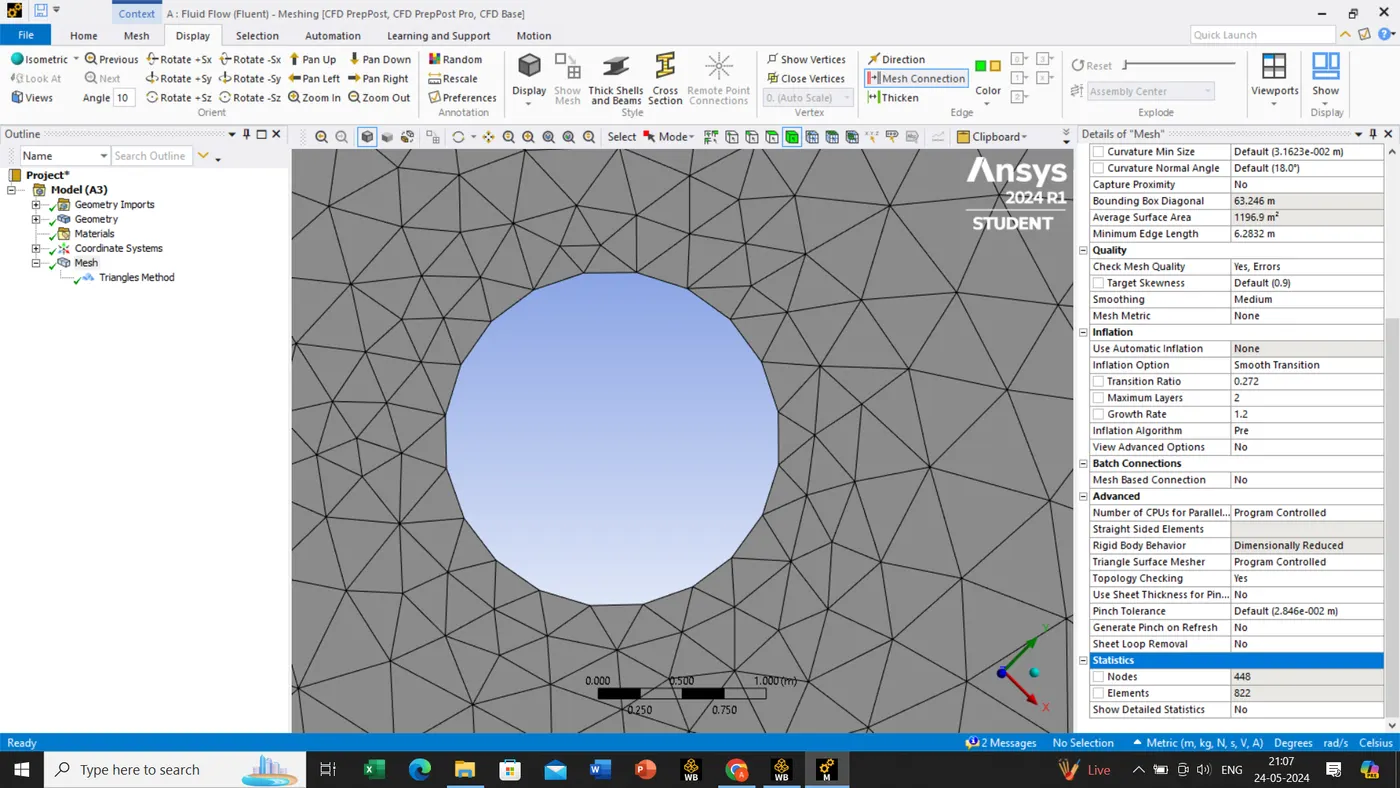
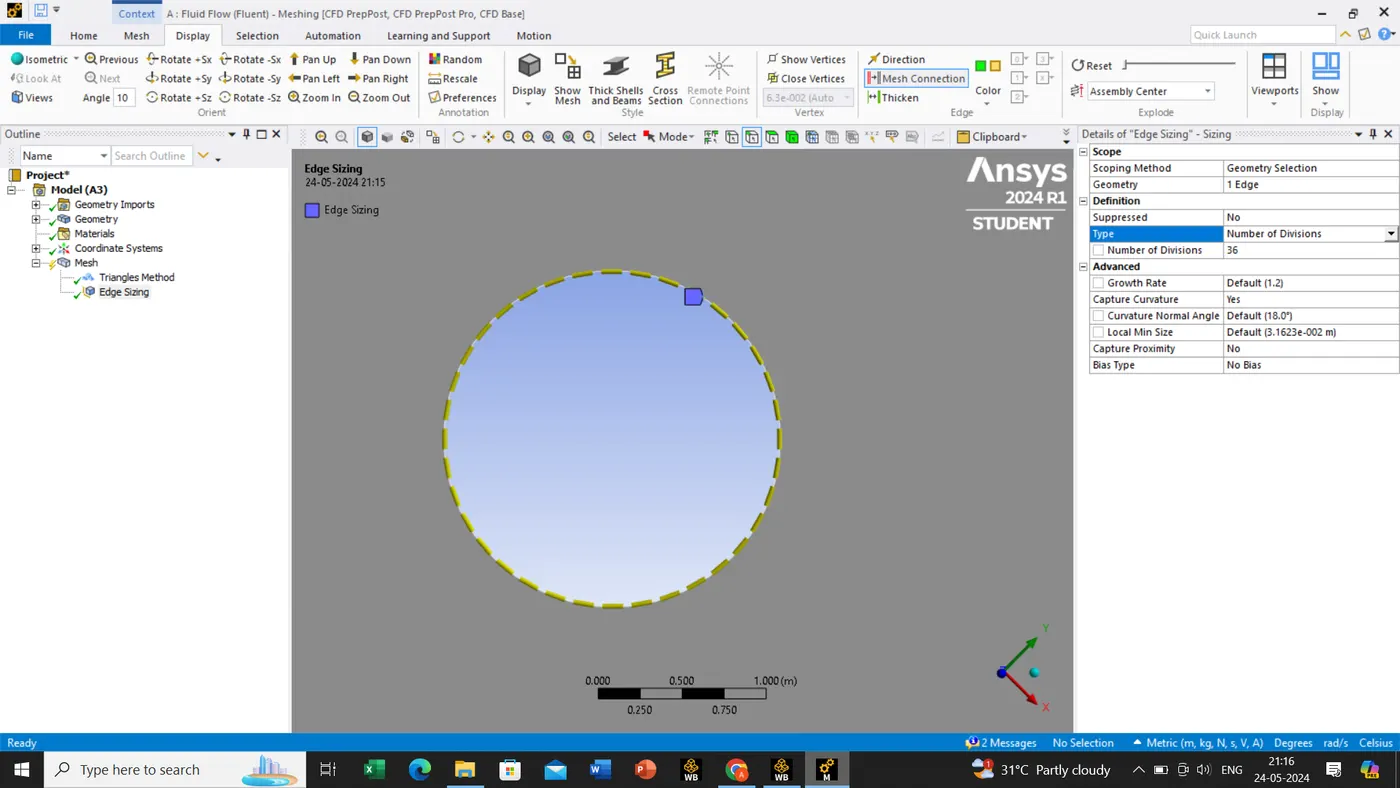
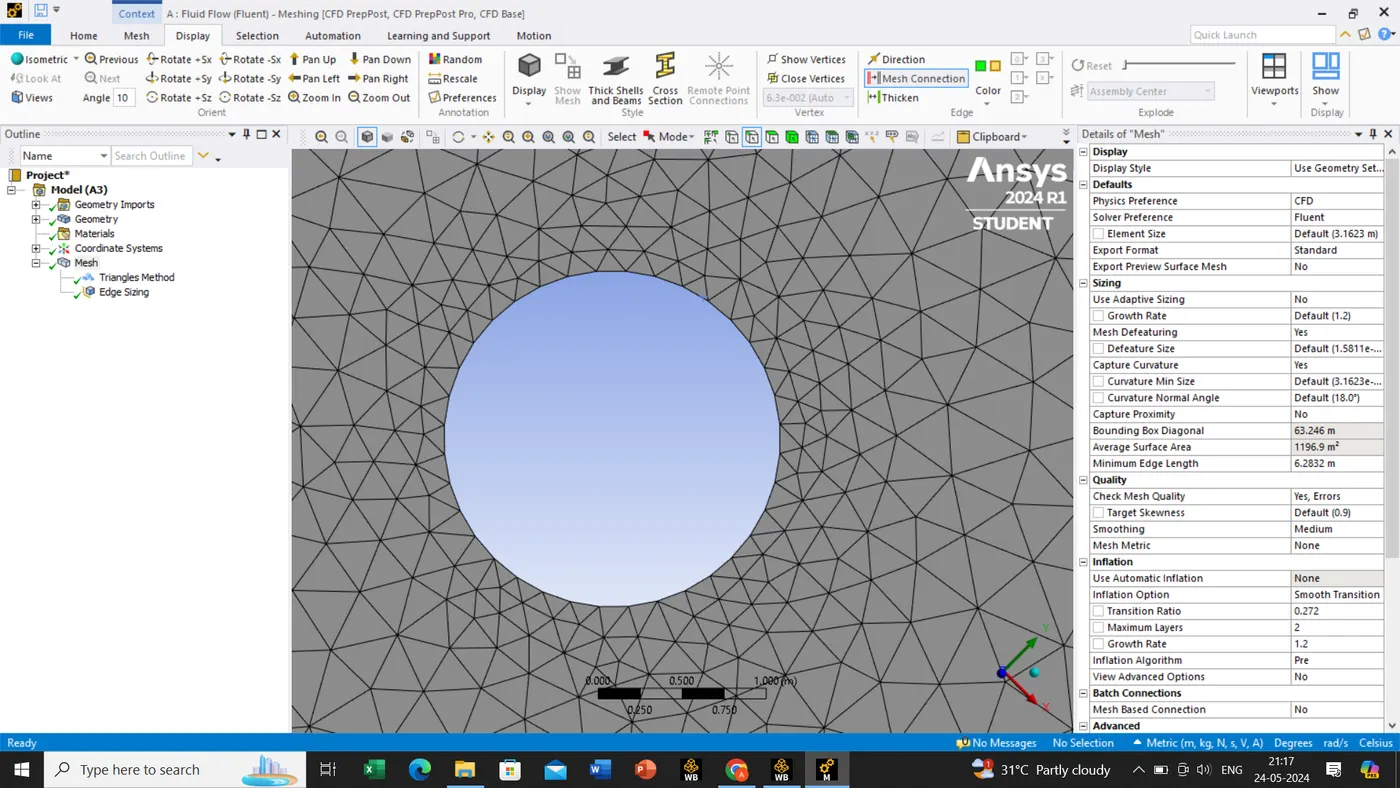
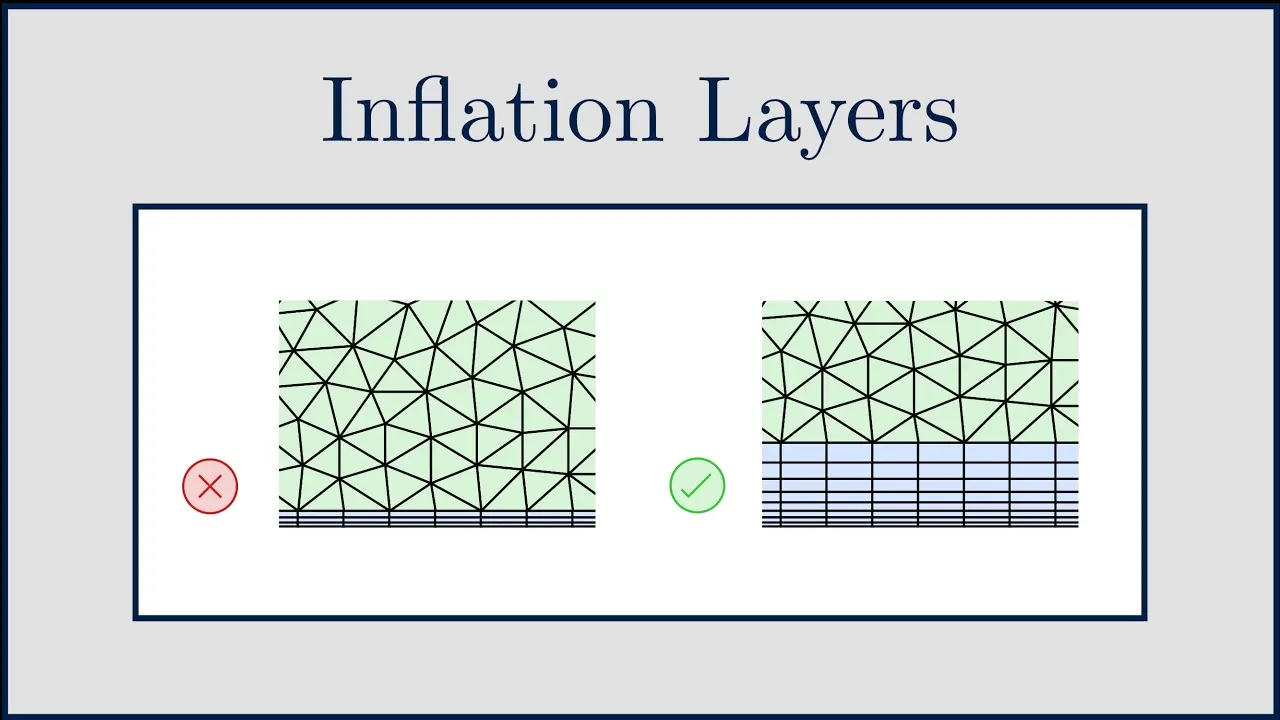
As we can see fine tune edges near the circular region we need to add the inflation layers.
Mesh->Insert->Inflation->select the edge and select the geometry and boundary then apply->Inflation options->select the first layer->Input the values for first layer height and maximum layers->first layer height(5.0e-3 meters)->Inflation layers(6)->growth rate(1.2)->update the mesh.
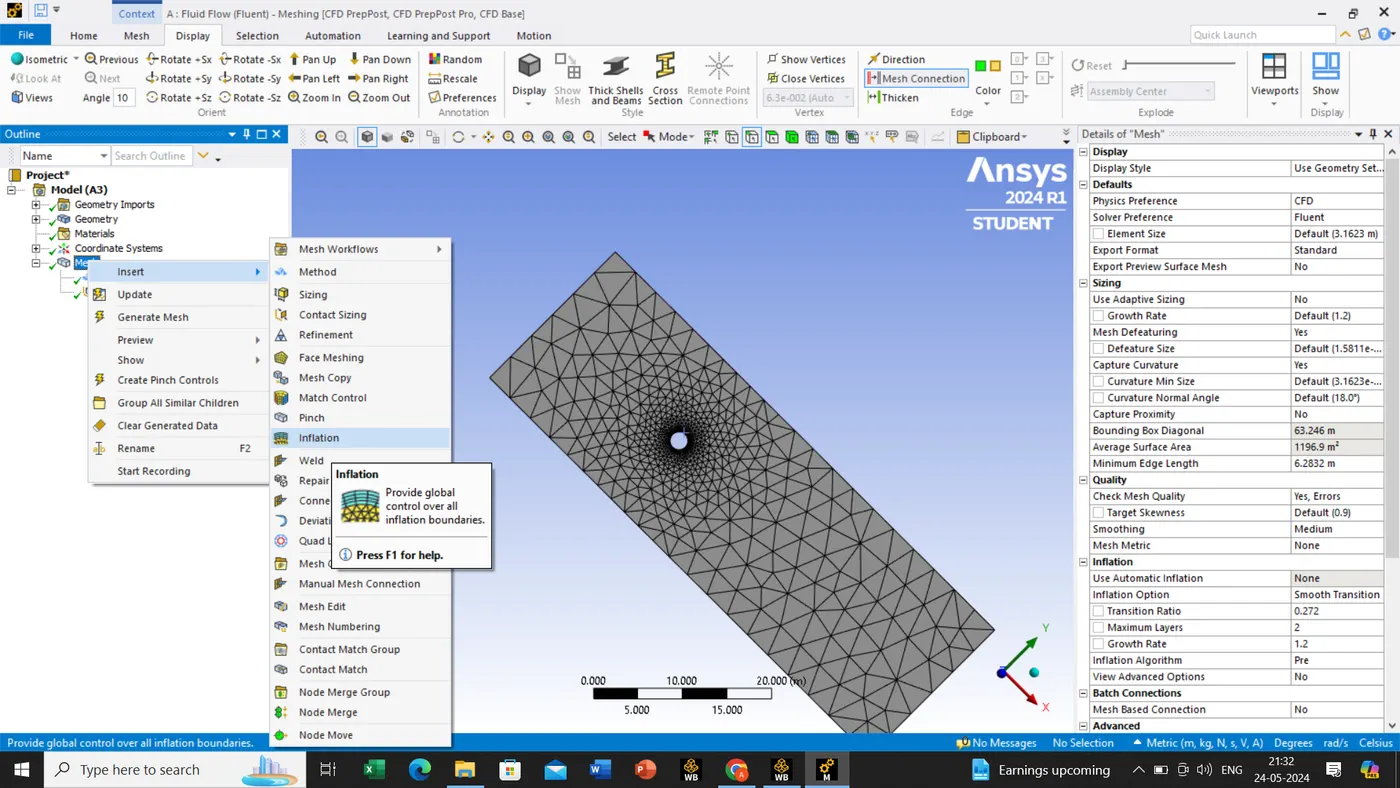
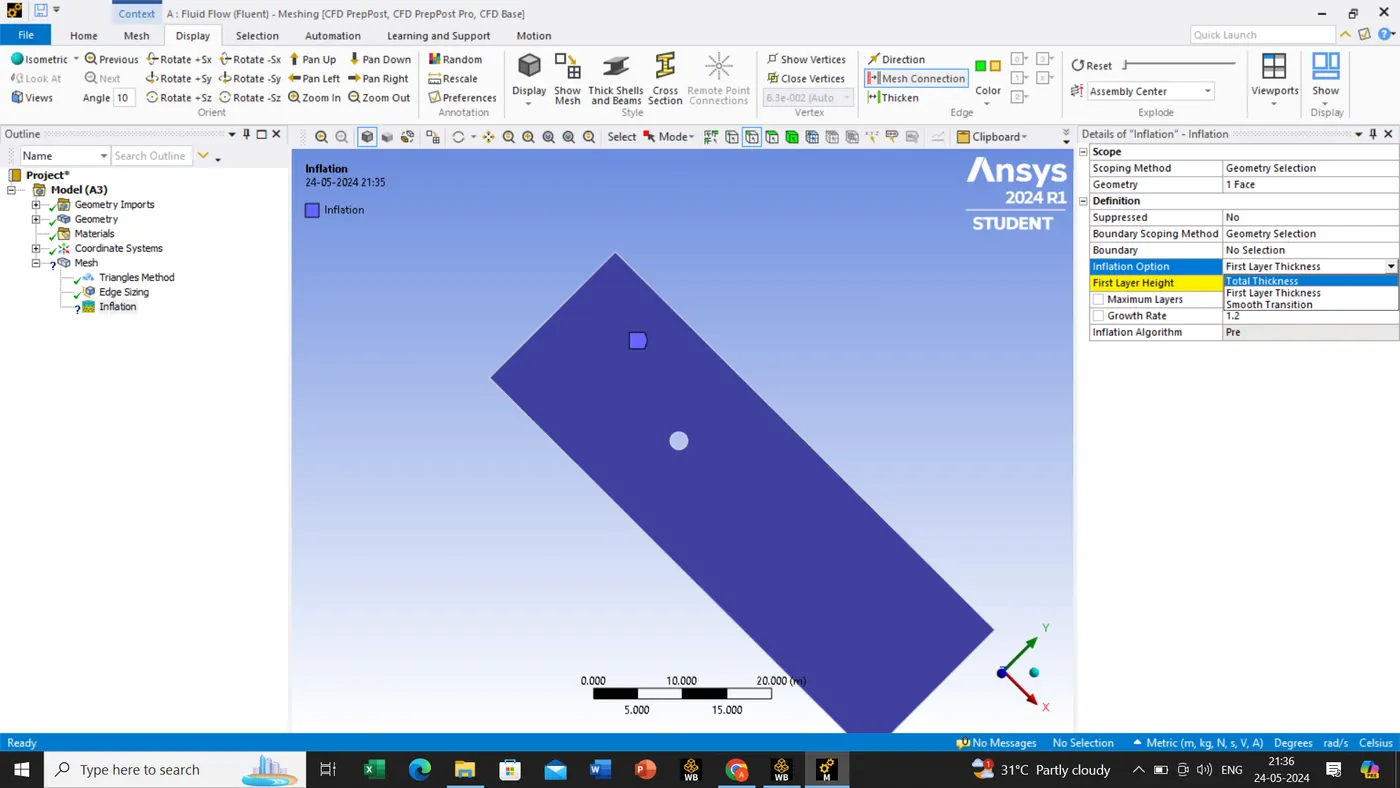
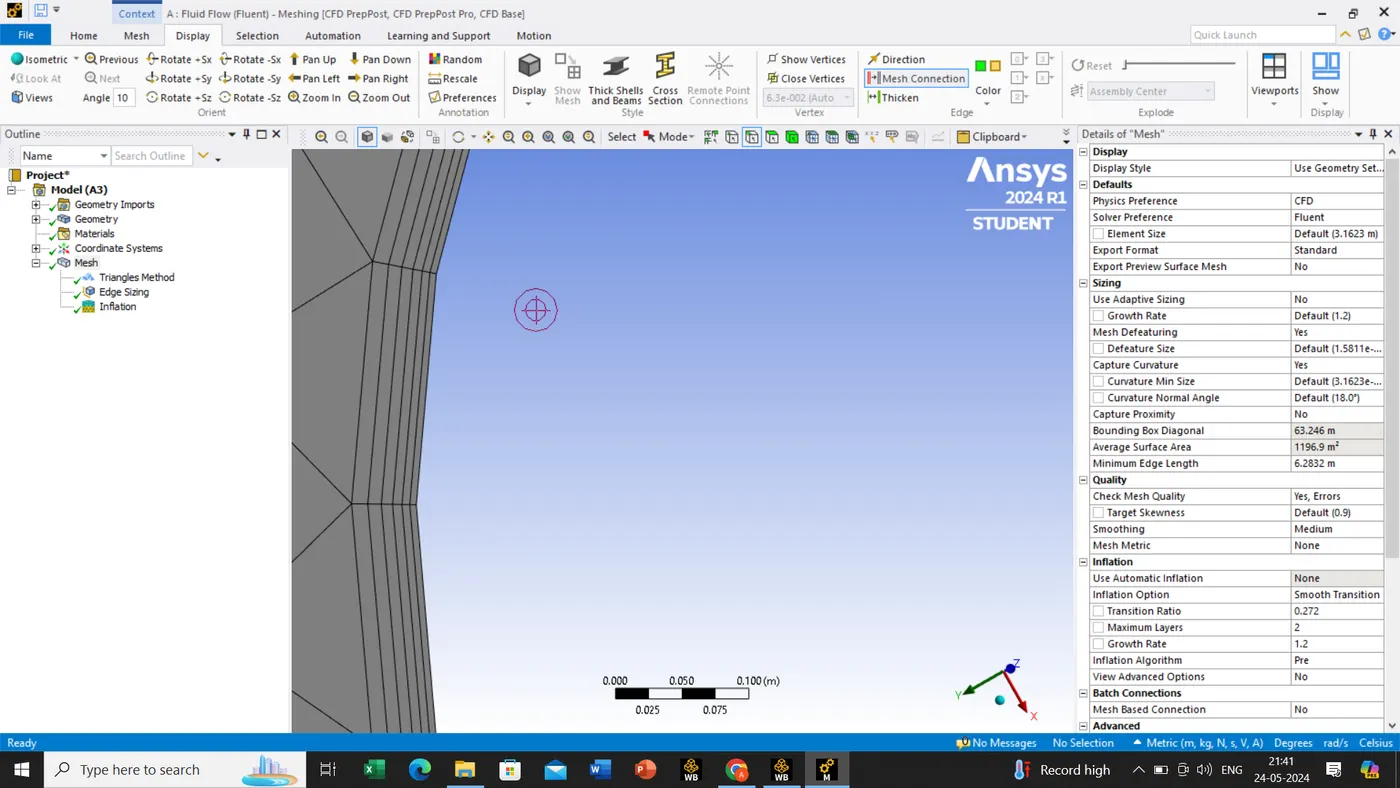
Inflation:
Purpose:-Inflation layers create thin elements to accurately capture velocity and temperature gradient near no-slip walls
efficiency:-fine meshing improves the result accuracy but increases computation time, so it is applied selectively.
Application:-Inflation is used to refine the mesh near walls where the boundary layers from due to velocity changes.
now we are selecting or giving the name of our edge , model respectively as shown below.
we can perform this operation using->edge selection->select the edge -hit the shortcut button ''N'' or right click button create the names or selection of names->assign the names respectively.
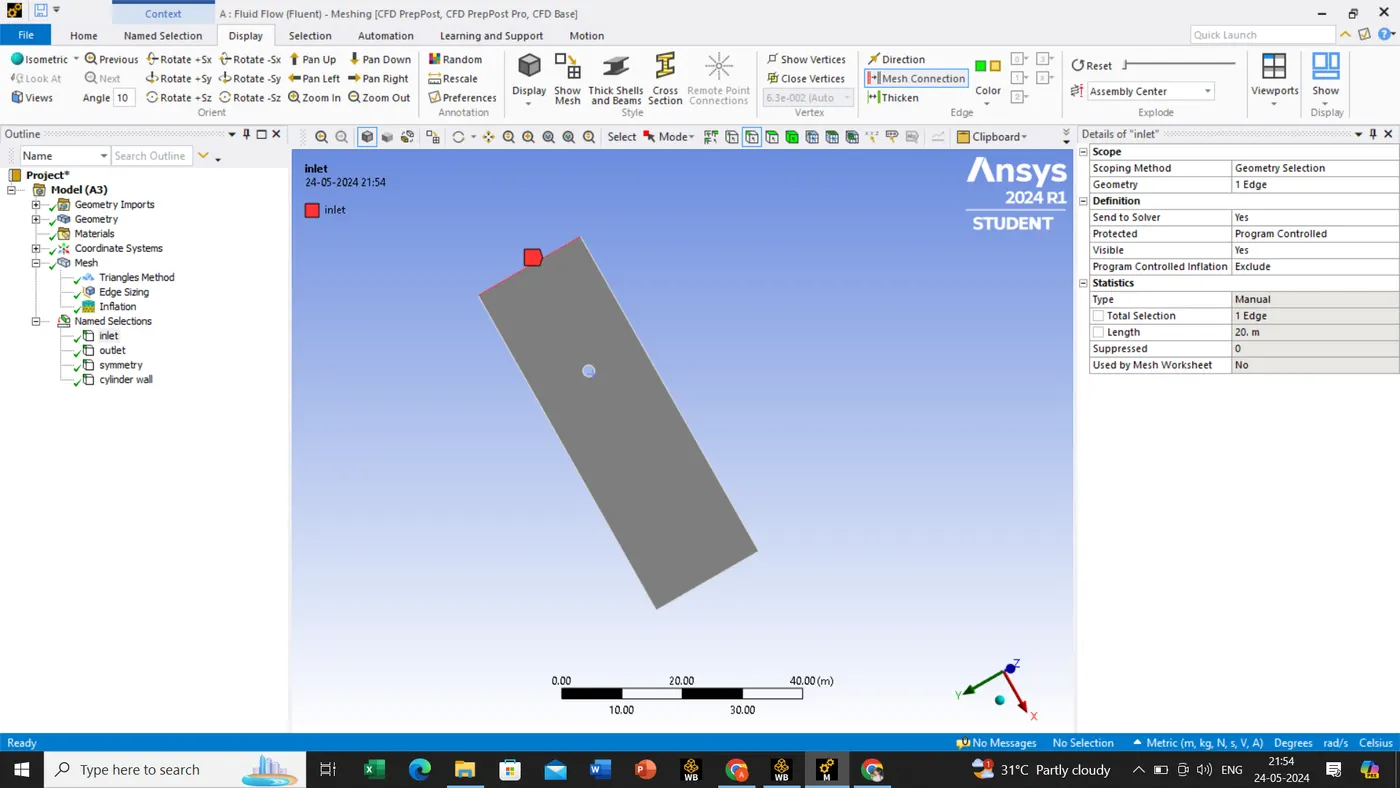
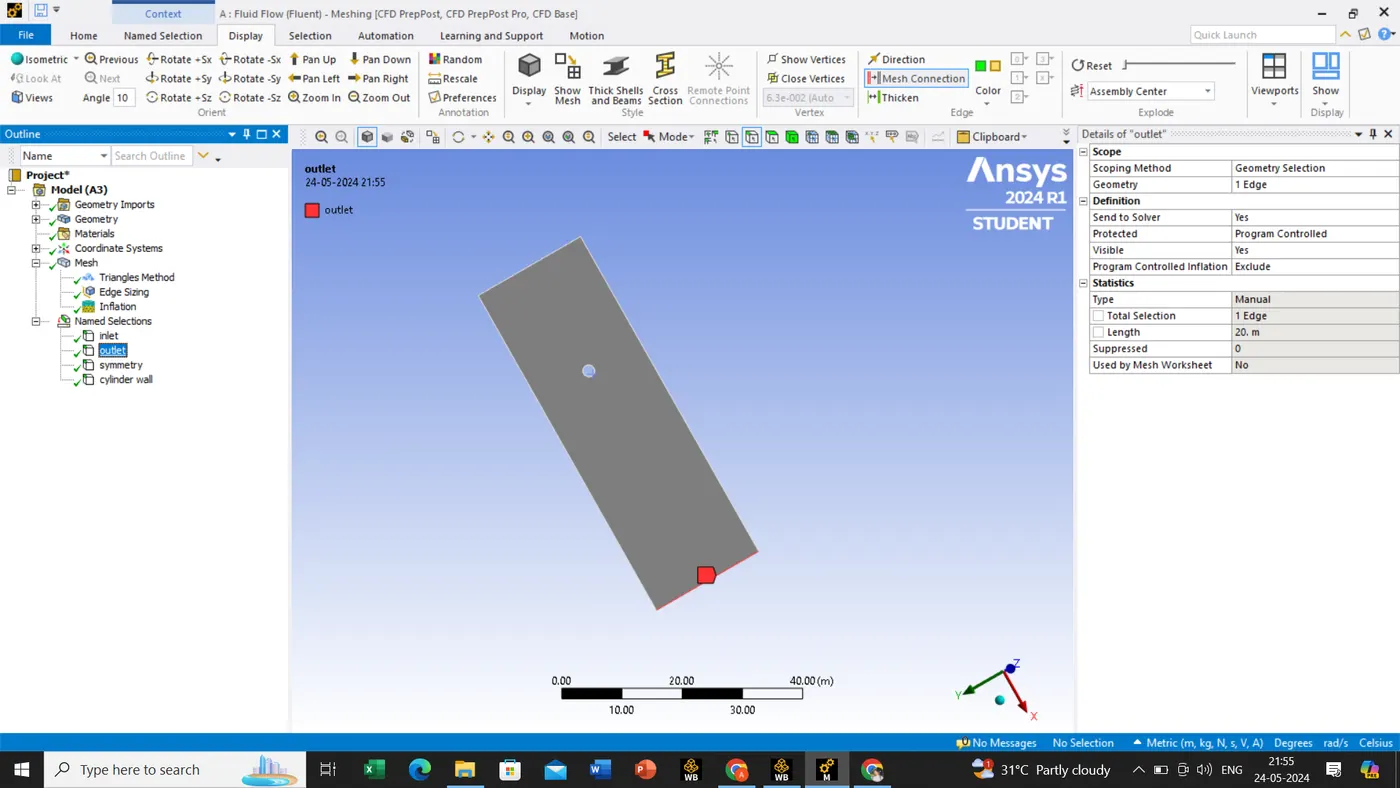
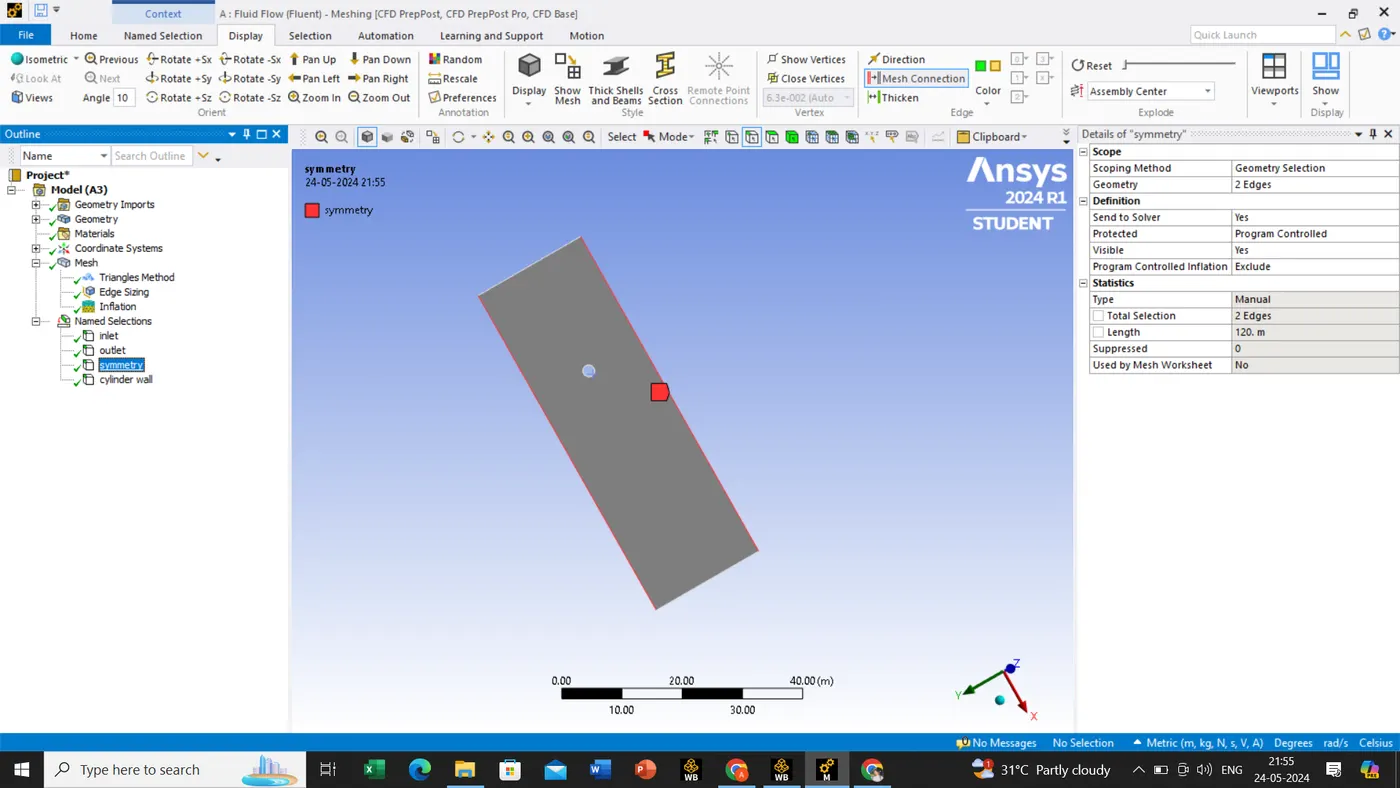
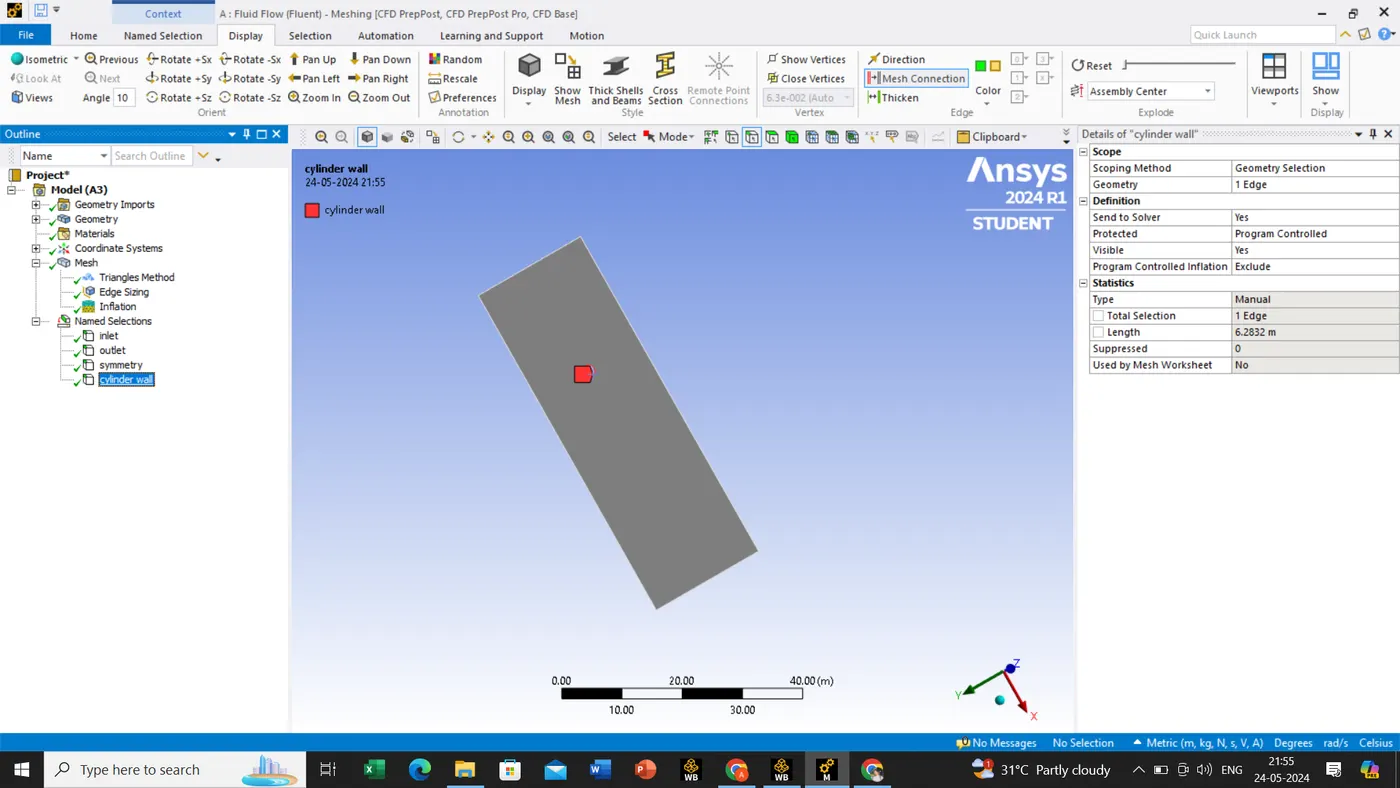
Once we are done with this steps we will close the tab and open the ansys fluent operation.
Domain->mesh->check the mesh quality.
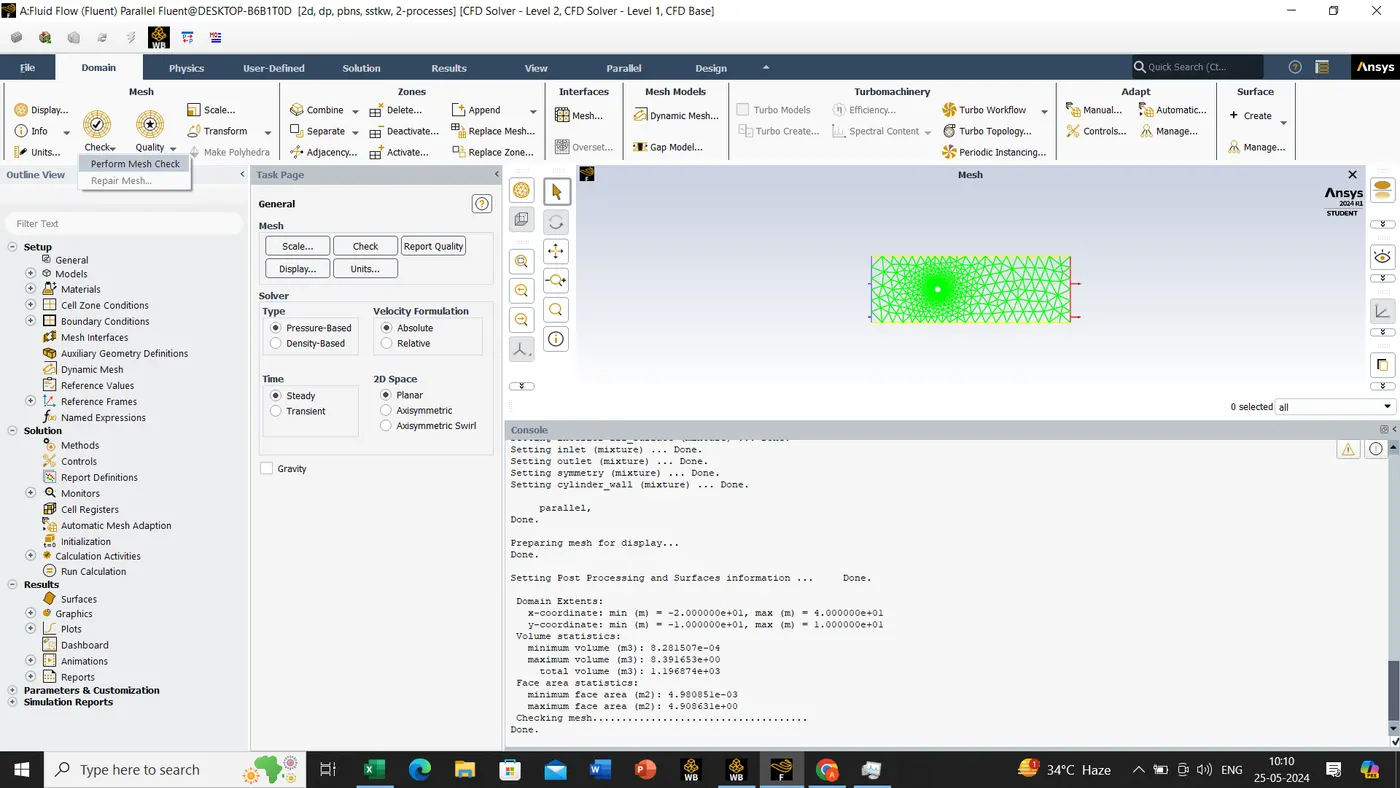
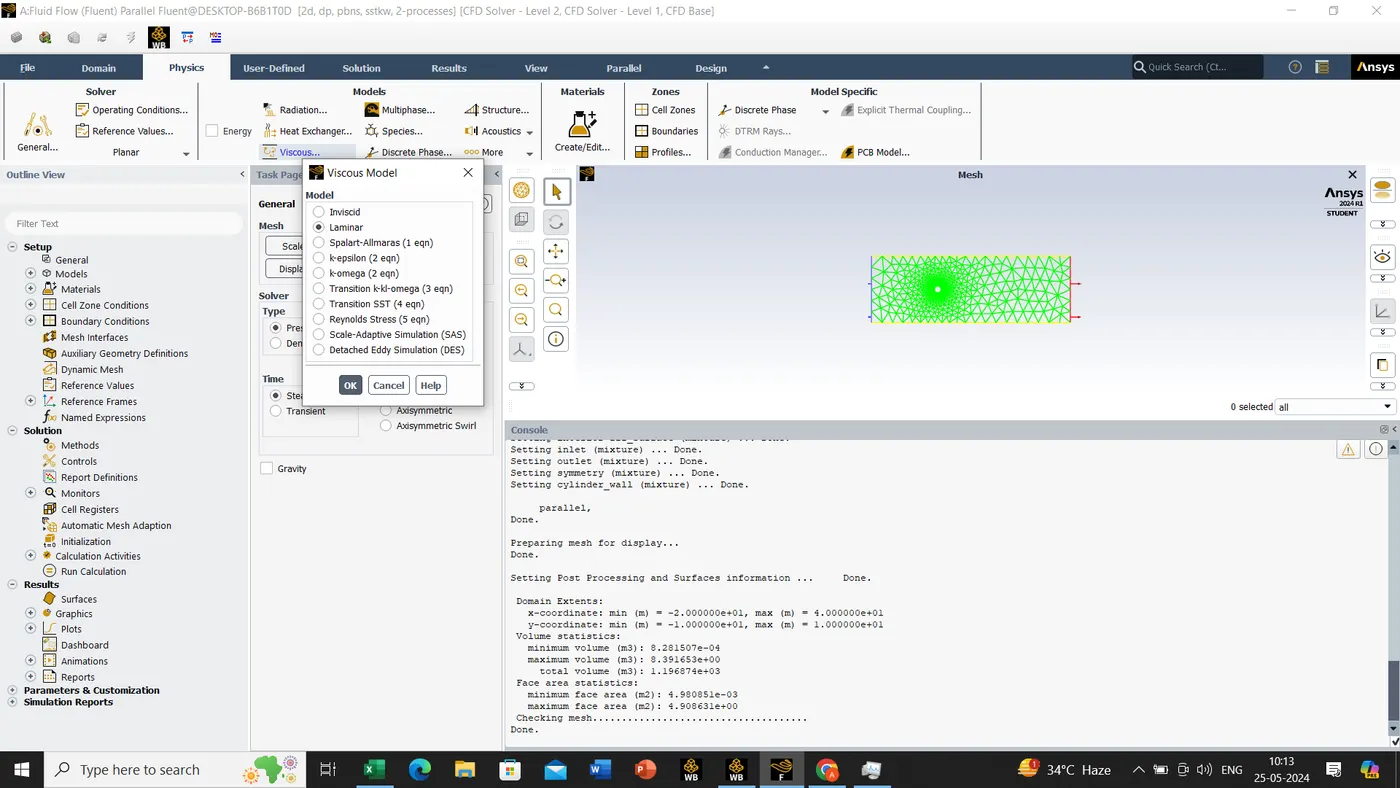
setting up the physics->viscous model->laminar
In solver type->we would select->pressure->absolute->steady->planar
In material selection->fluent data base->No of fluid data base has been seen search for ''air''->Select the air and click on copy->new tab open in that we will rename it and apply ok and close all the tab->in material selection we can see by default air and the new one we have created it, since we can't delete direct by default air material for these we have to follow few steps, i.e., cell zone-> fff_surface->type should be fluid and click edit to change the default material to our created material and then apply on button and close the tab after doing these step we can delete the by default material.
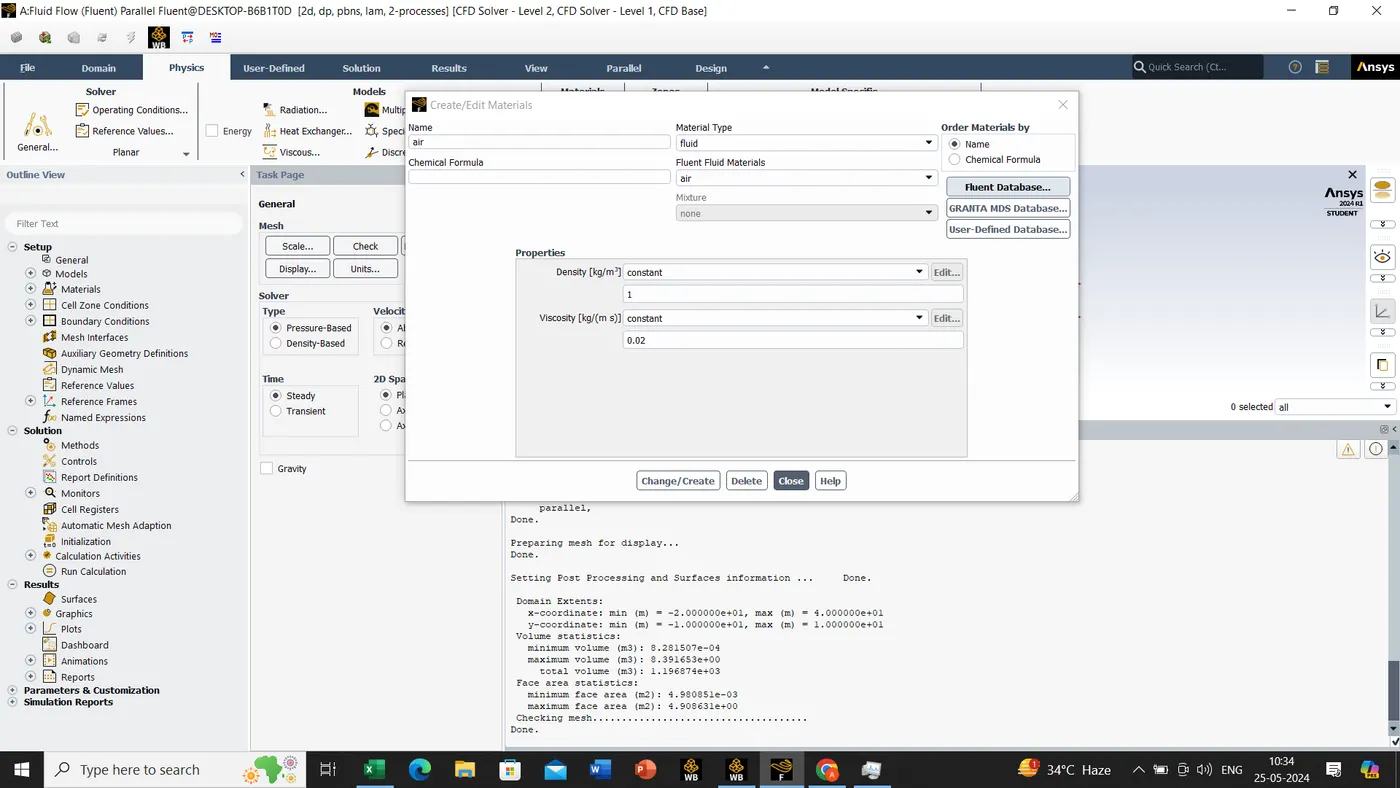
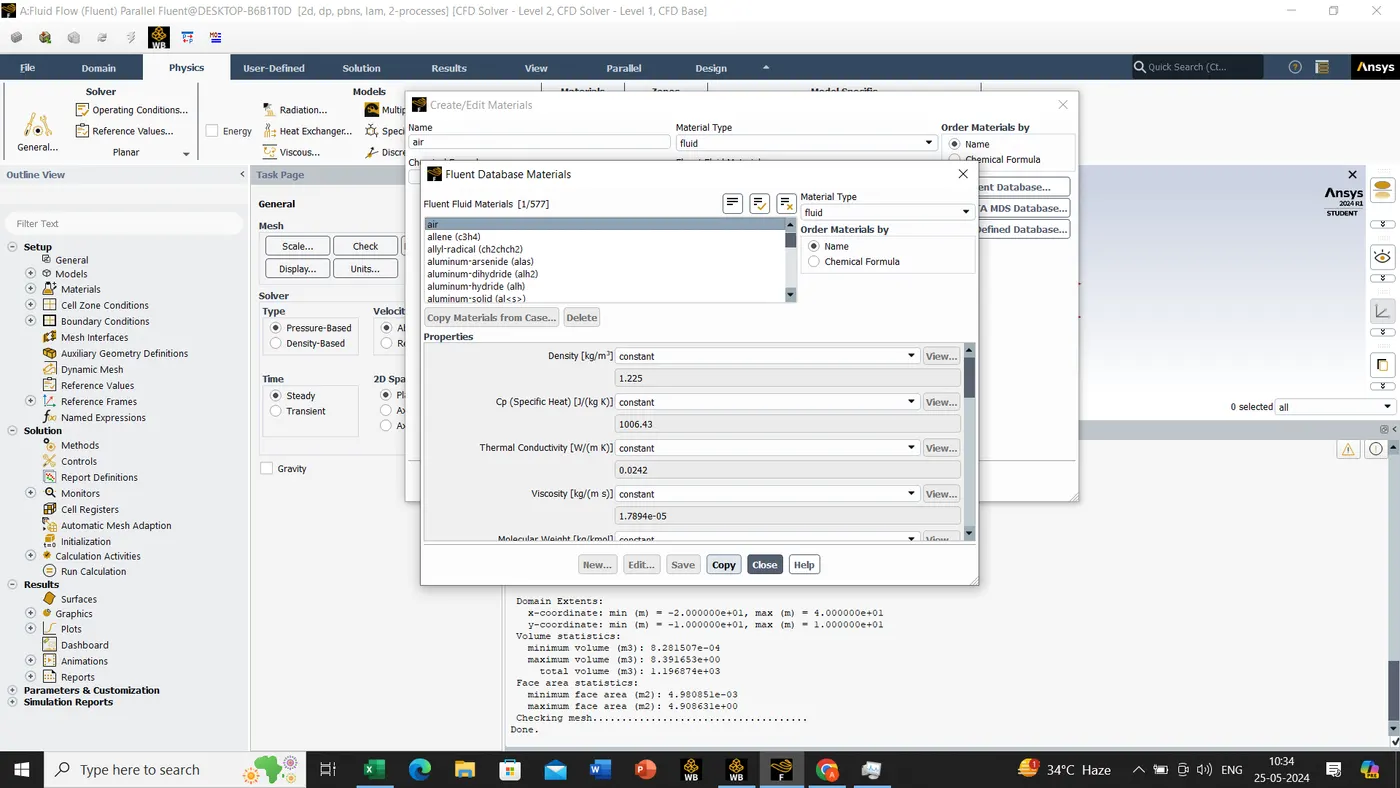
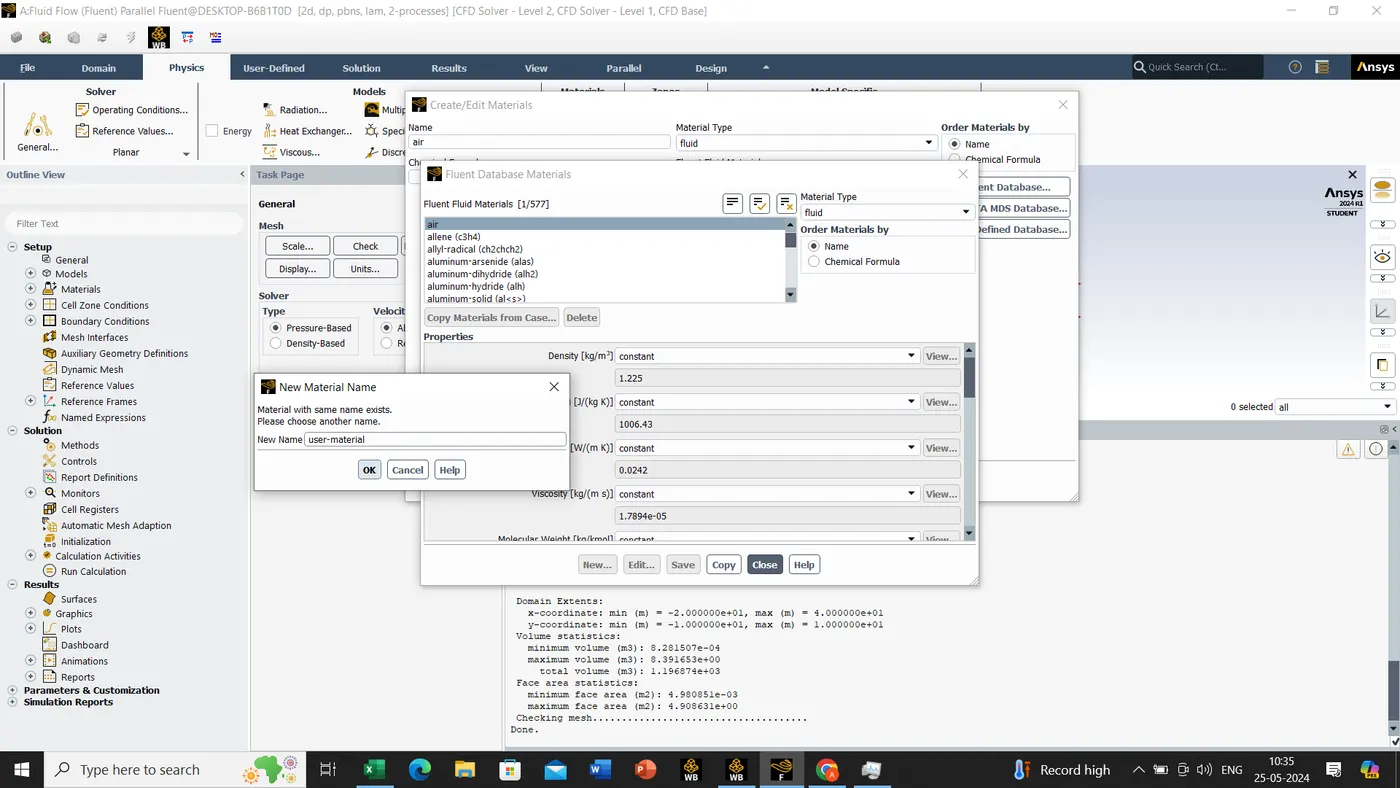
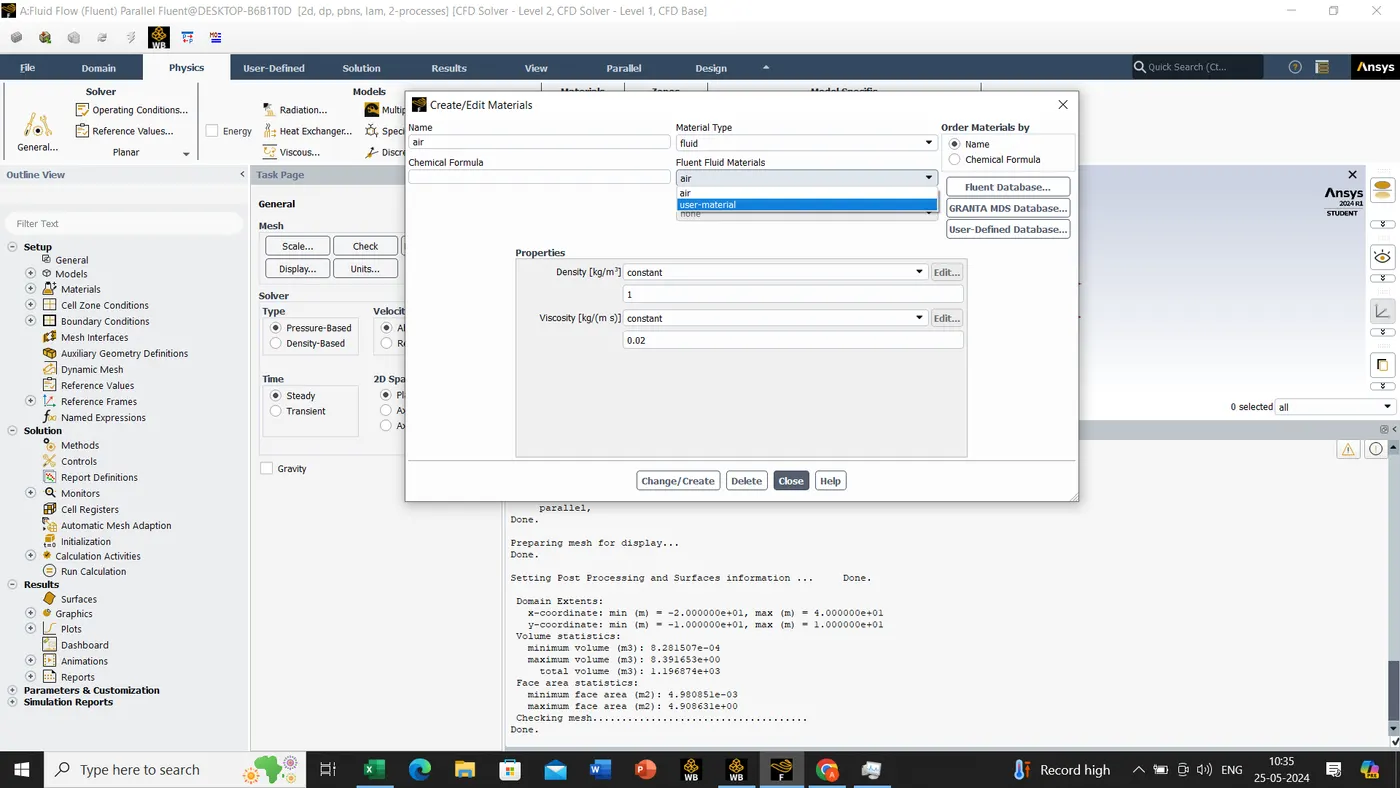
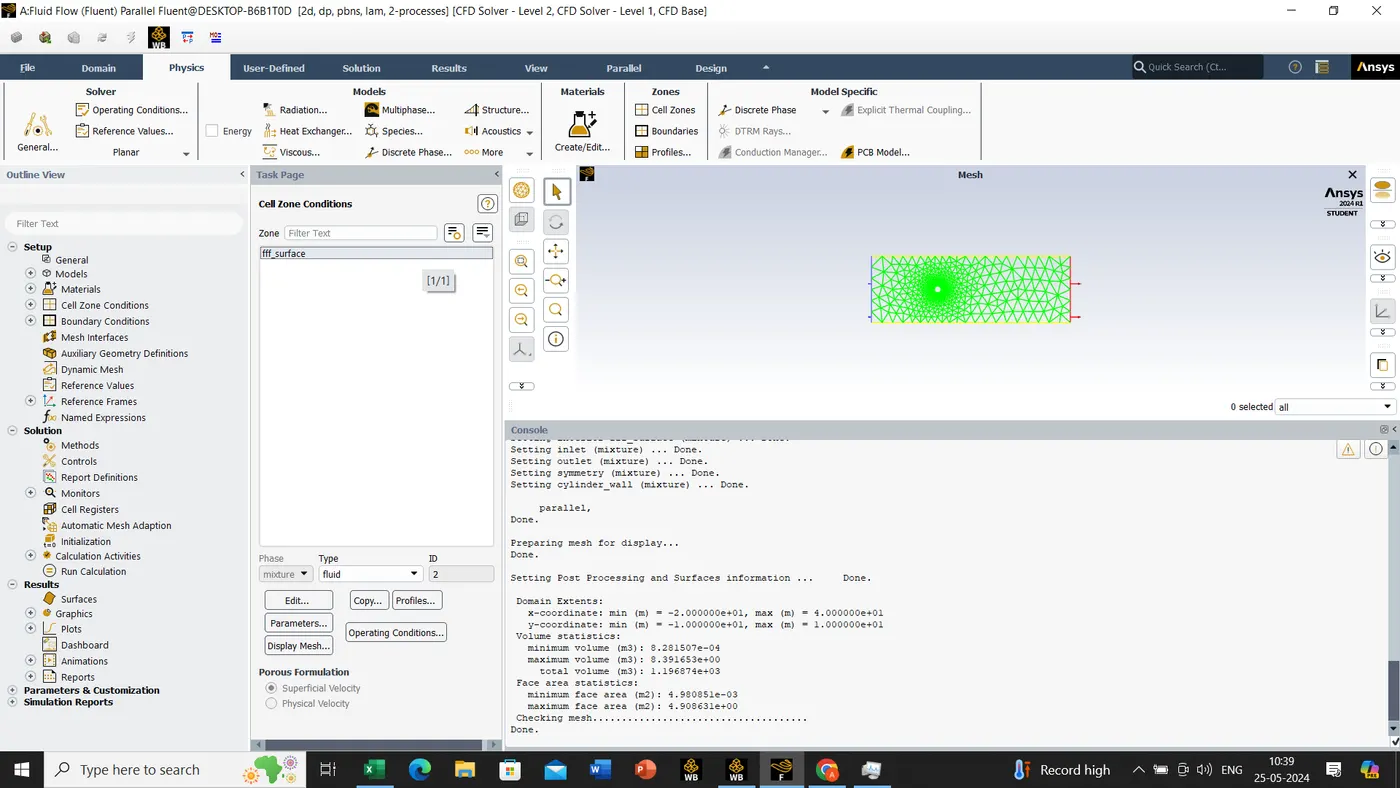
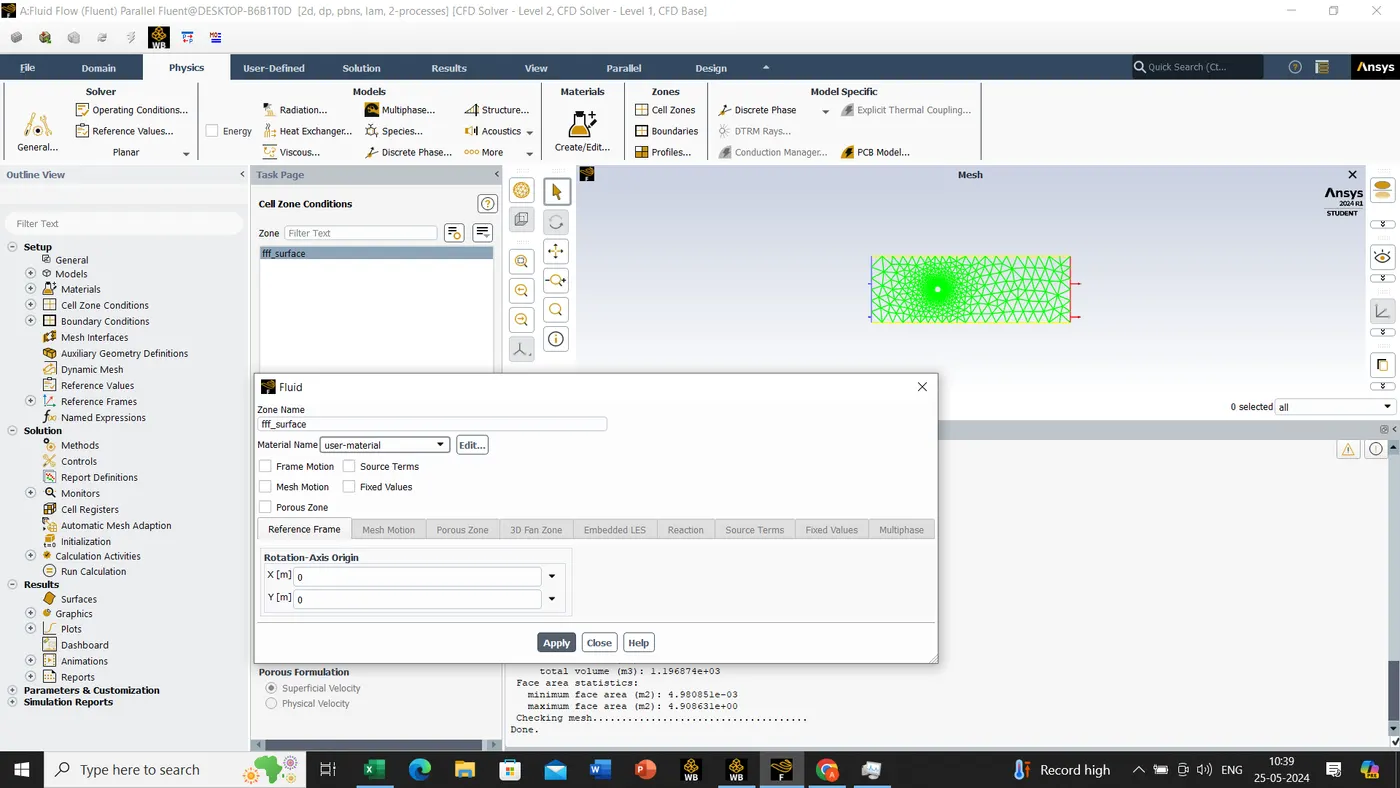
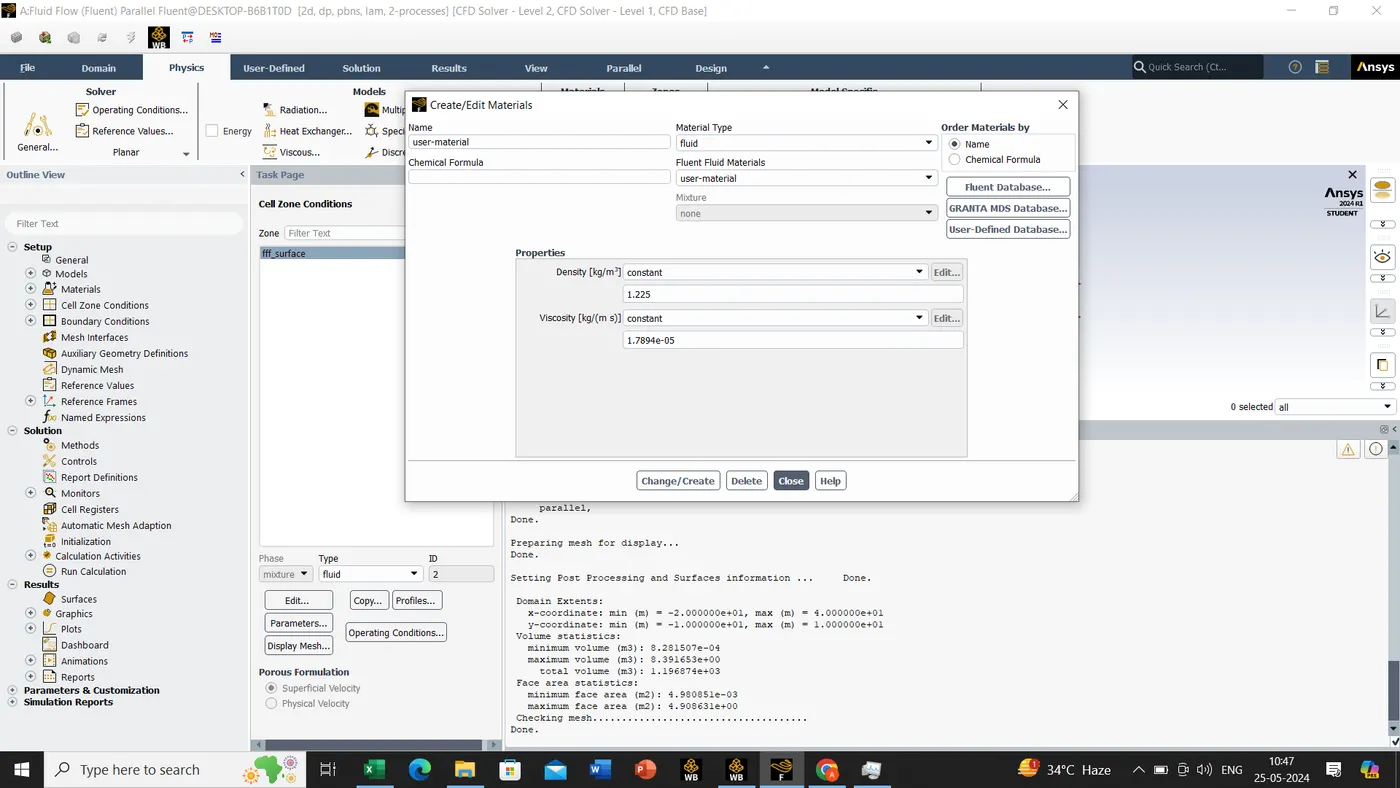
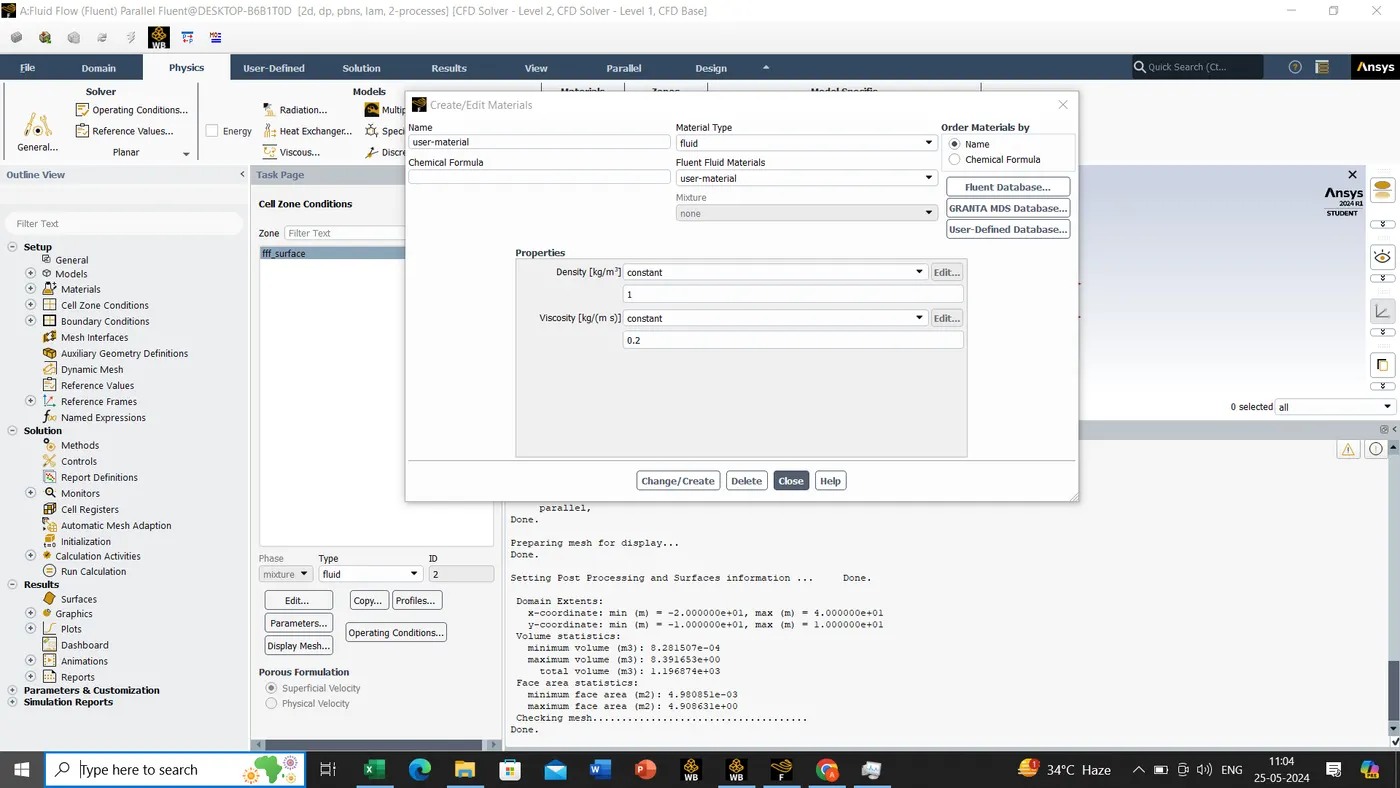
since as we can see in above picture density and viscosity value will be change as per reynolds No, for more we will solving the calculation.
Re=rho*V*D/μ
where
Re= reynolds No
rho=density of the fluid
u=flow speed
L=linear dimensions
 =dynamic viscosity of the fluid
case 1:-
Re=10
rho=1
V=1
D=2
μ=0.2
case 2:- μ=0.02 when Re=100
case 3:- μ=0.002 when Re=1000
case 4:- μ=0.0002 when Re=10000
case 5:- μ=0.00002 when Re=100000
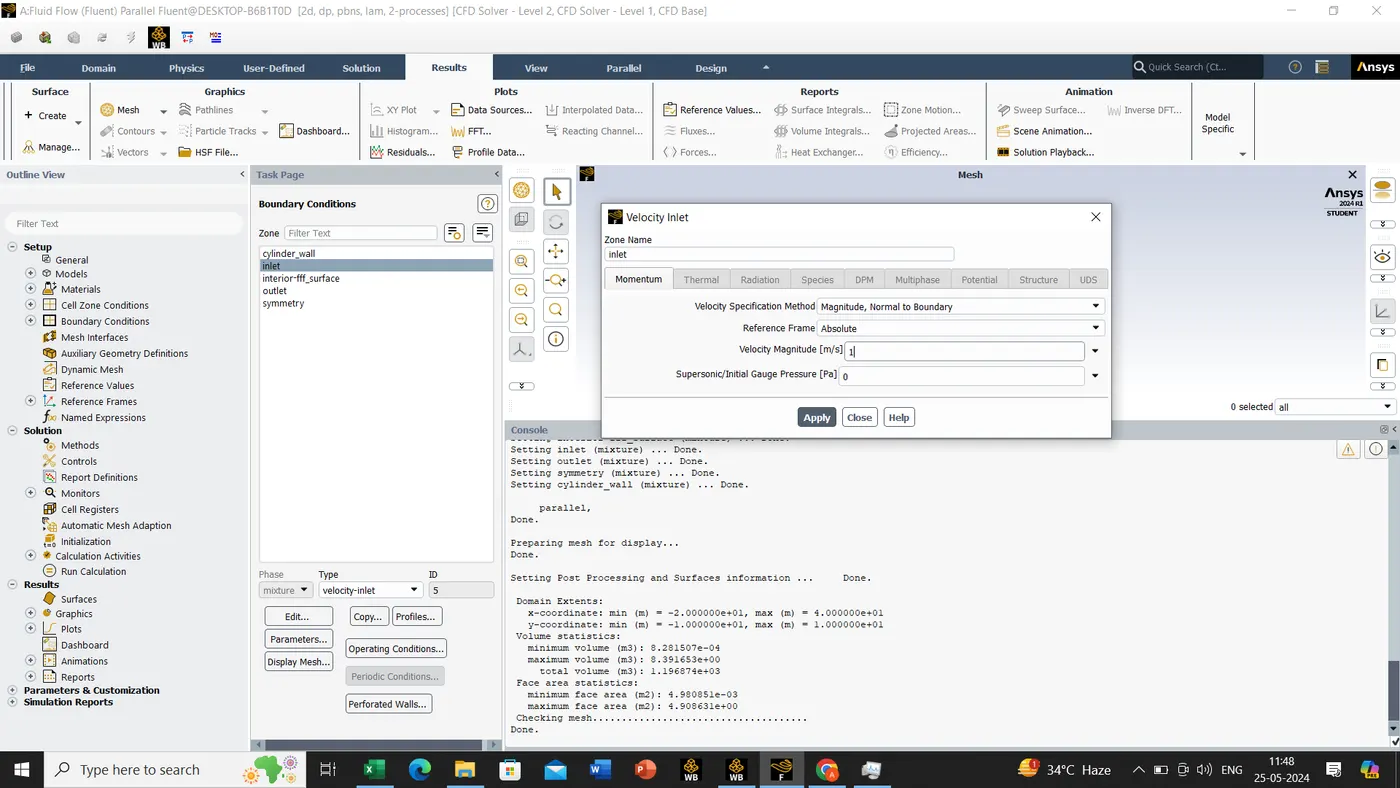
Now we are moving to Boundary conditions,
- Inlet -> Velocity Inlet -> Velocity 1m/s
- Outlet -> Pressure Outlet -> Gauge Pressure
- Cylinder Wall -> Wall -> Stationary -> Shear Condition -> No Slip
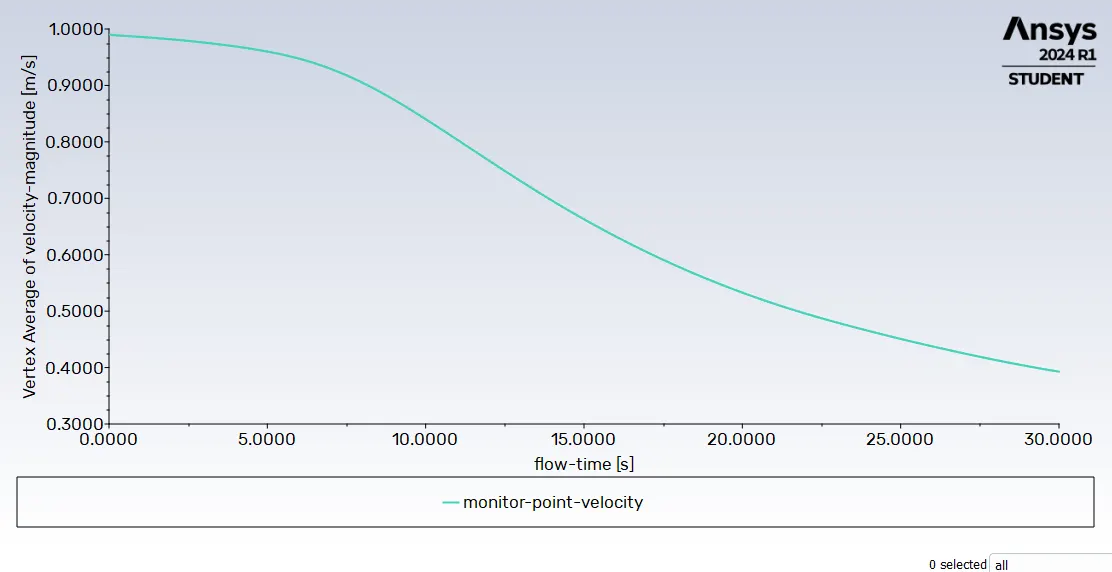
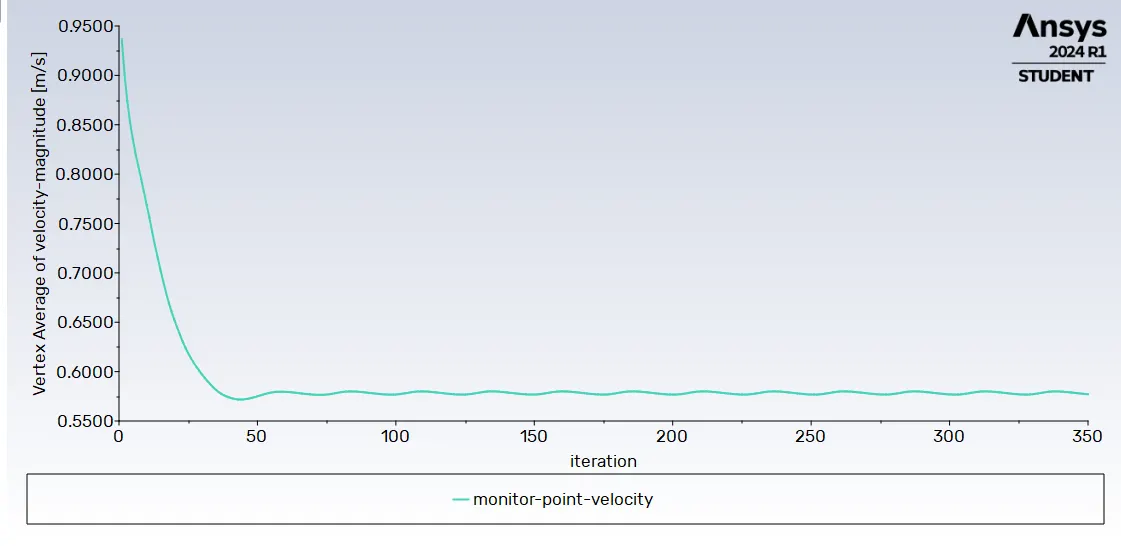
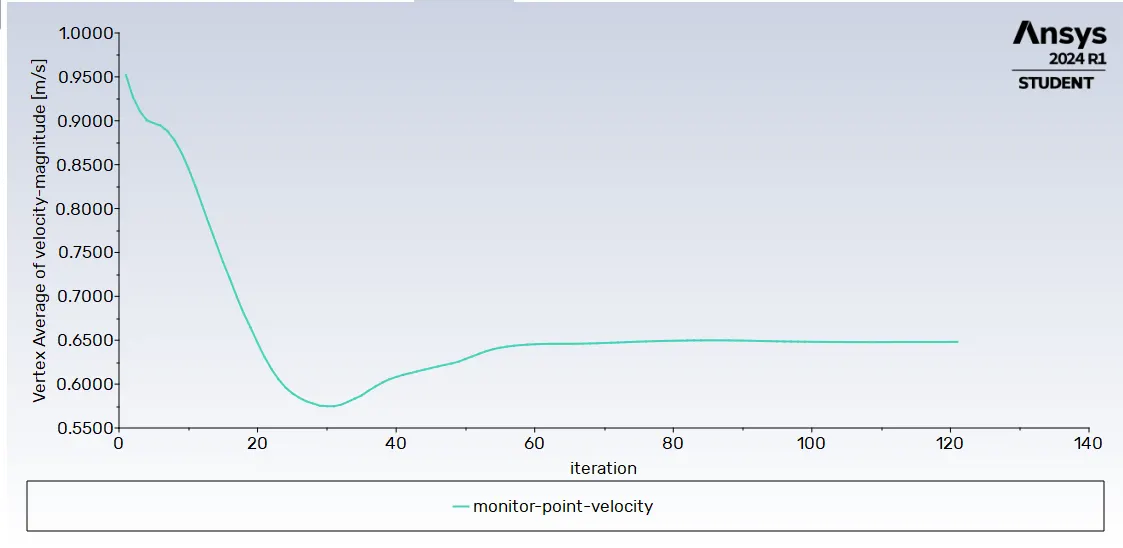
Now we need to create a monitor point for monitoring our velocity flow
result-> create->point->monitor point->distance of 4D at the right side of the cylinder
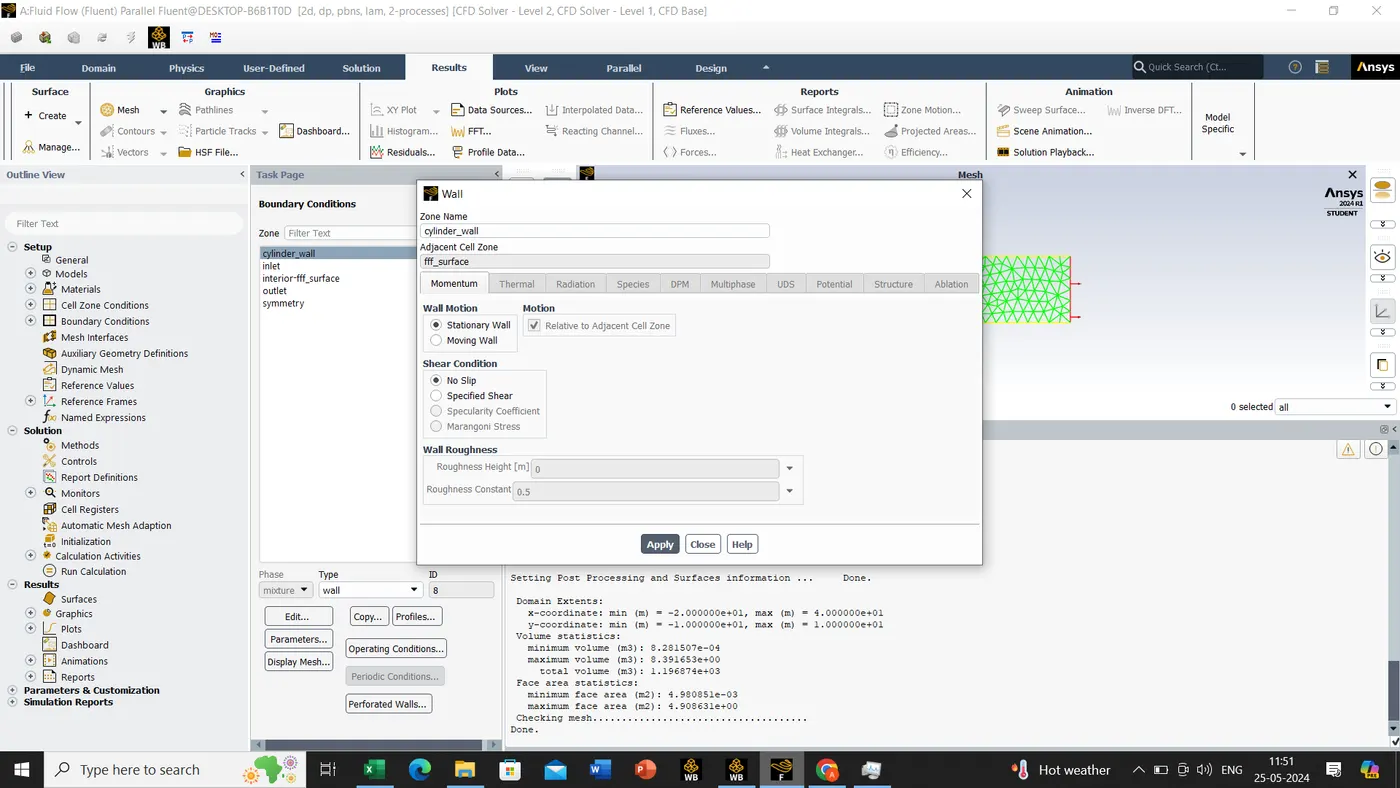
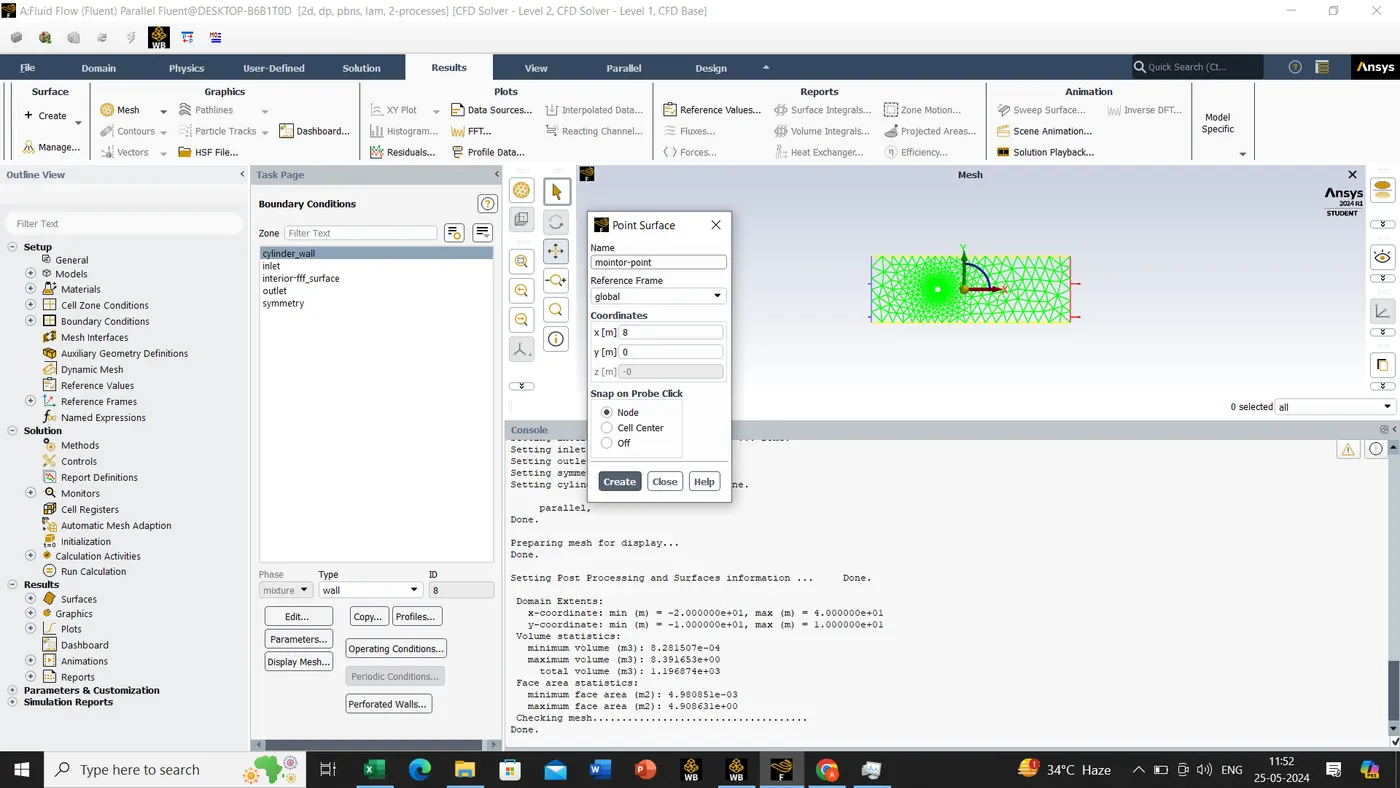
Now go back to solution->definition-> new->Surface Report -> Vertex Average -> Field Variable -> Velocity -> Surface name-> Monitor-Point-velocity
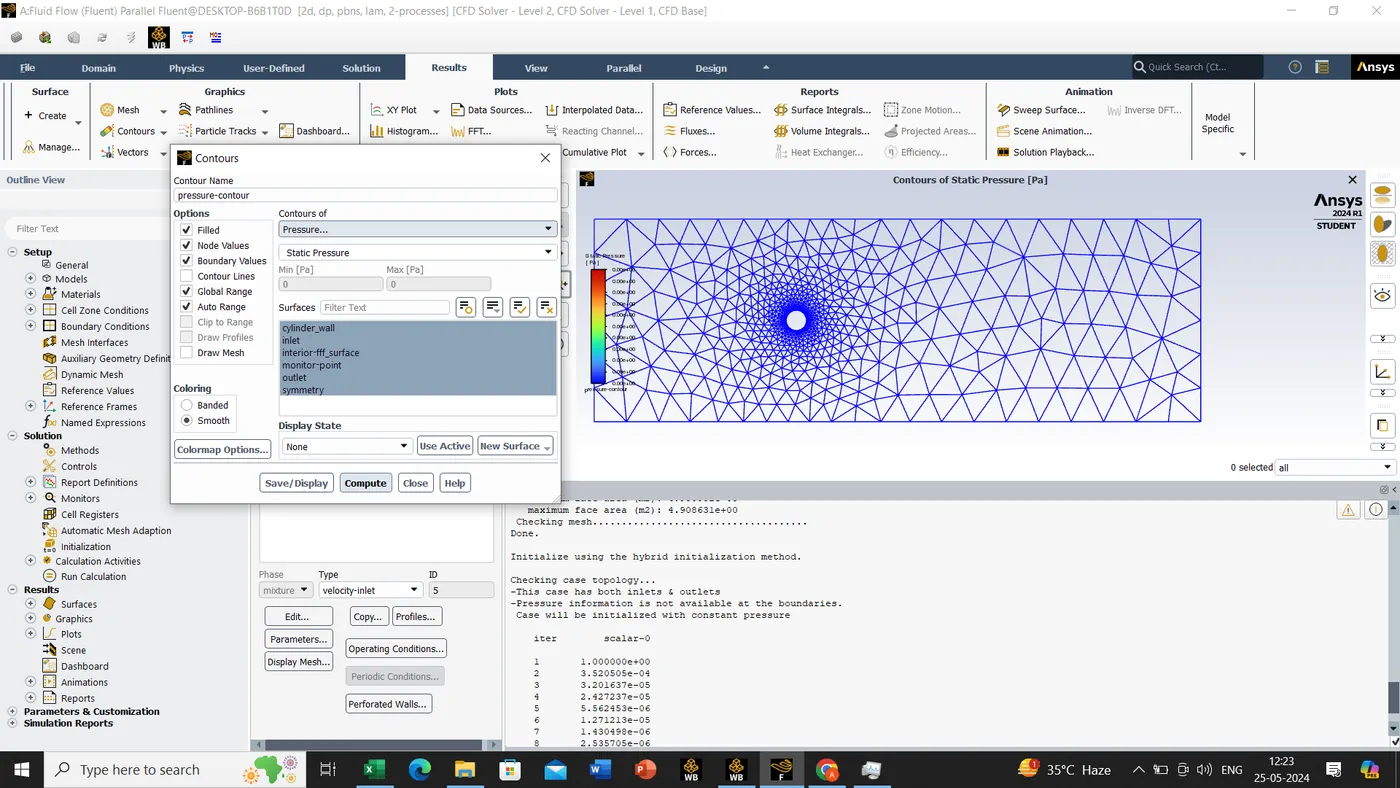
The contour tool will be applicable only if we will select the hybrid and t=0 and initialize this operation then only we can use the contour tool.
- Initilization -> Hybrid Initilization -> Run
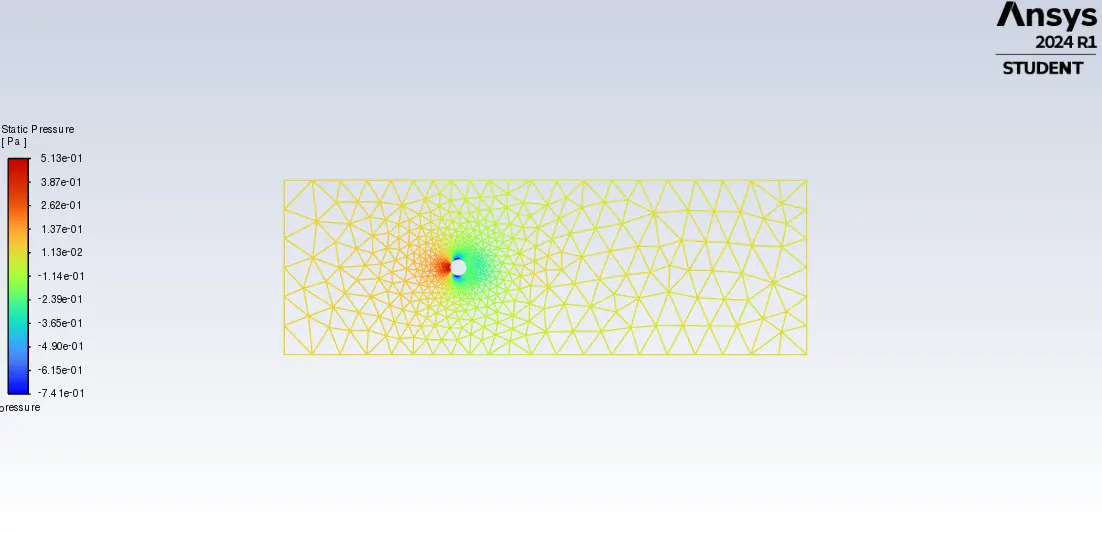
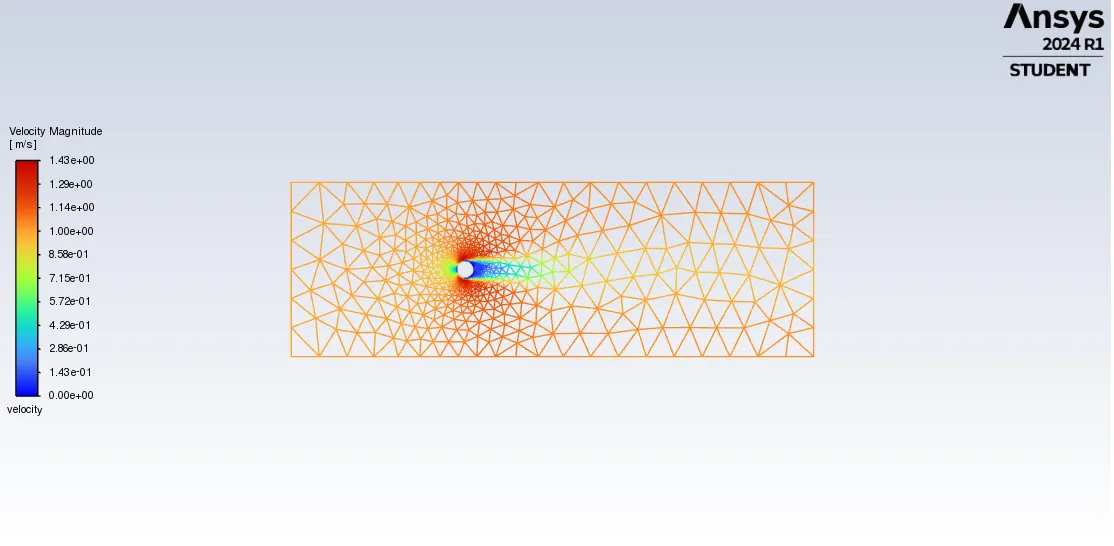
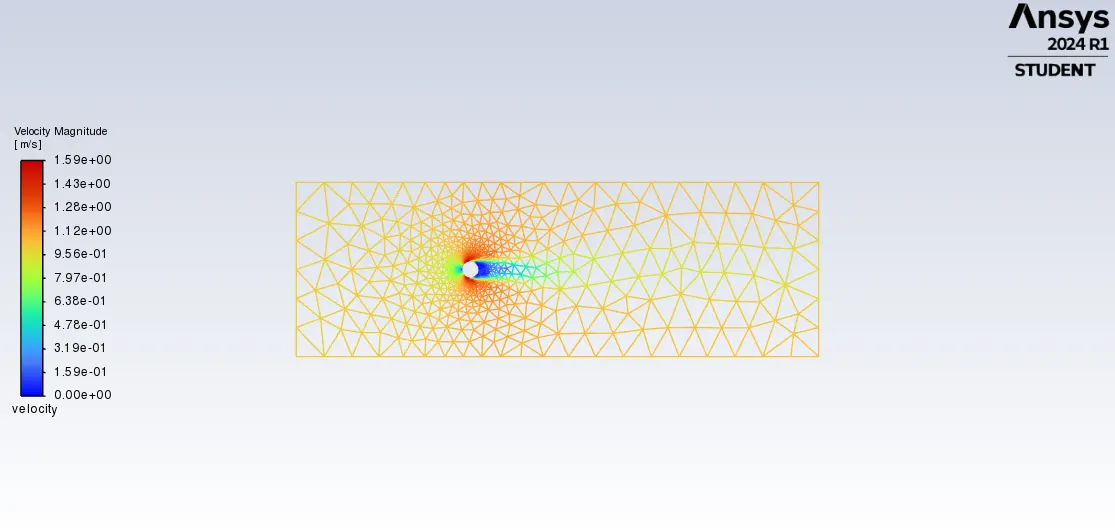
- Contour -> New -> Velocity Contour > Compute
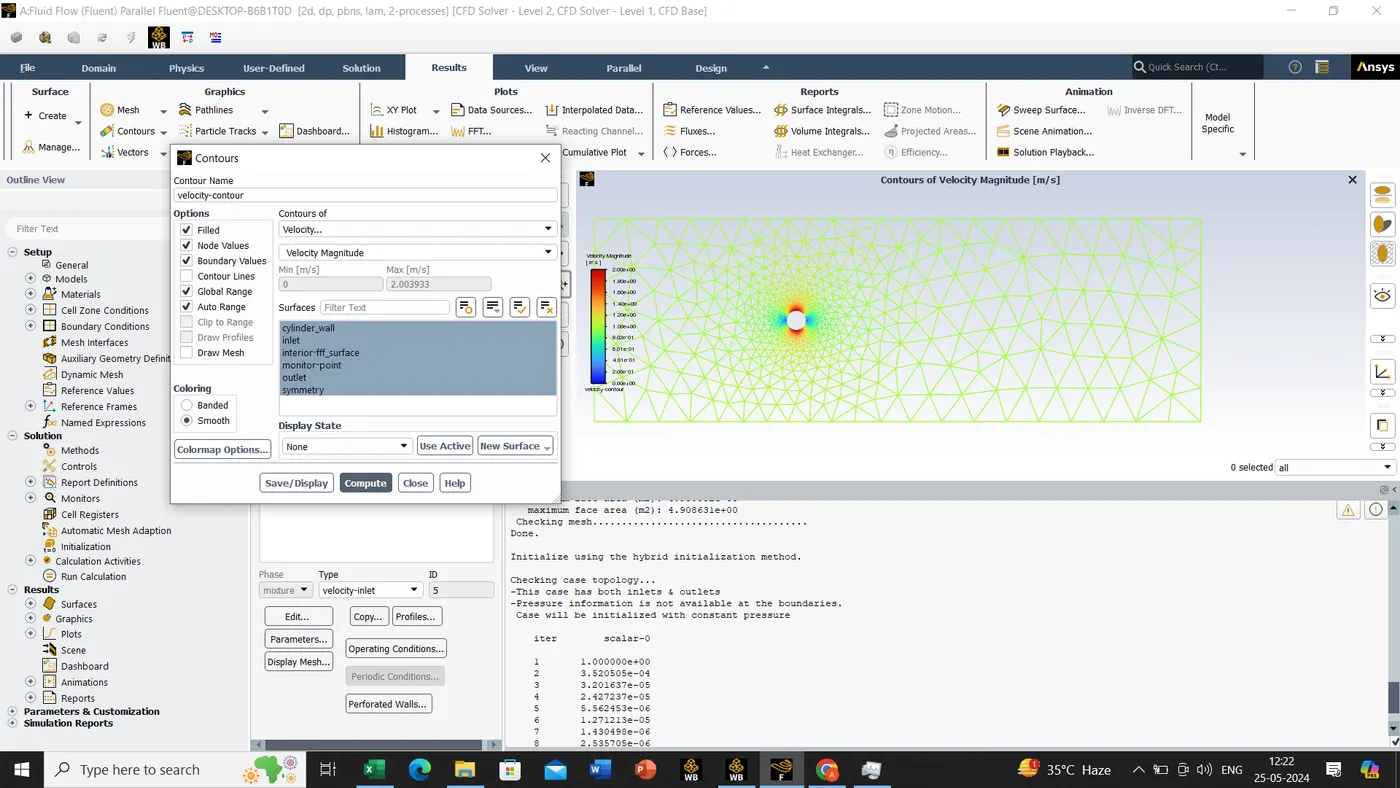
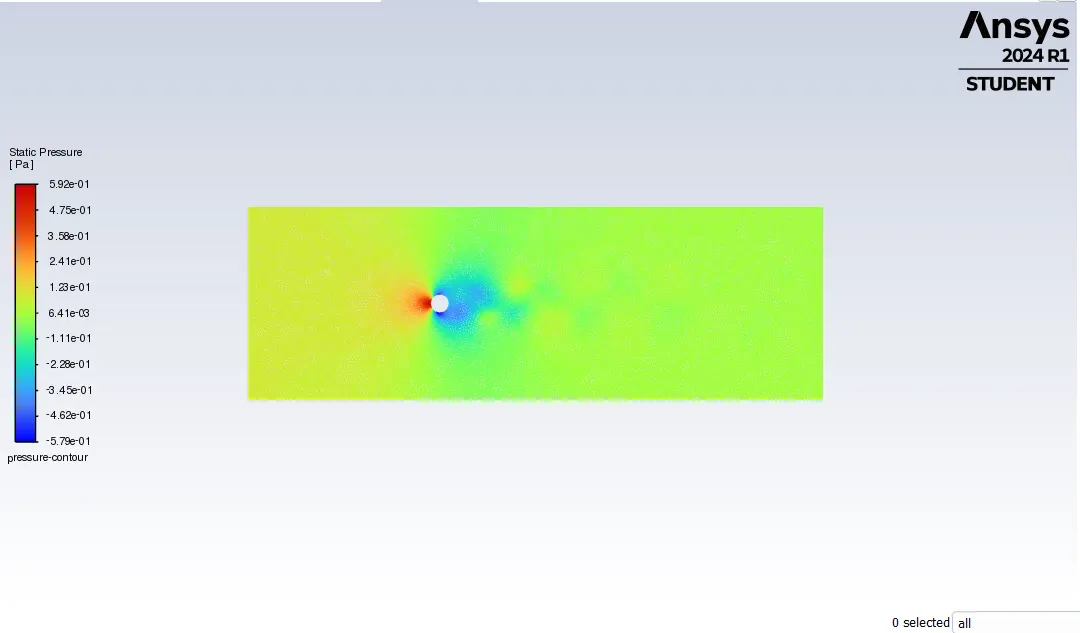
Similarly we will be doing for pressure also.
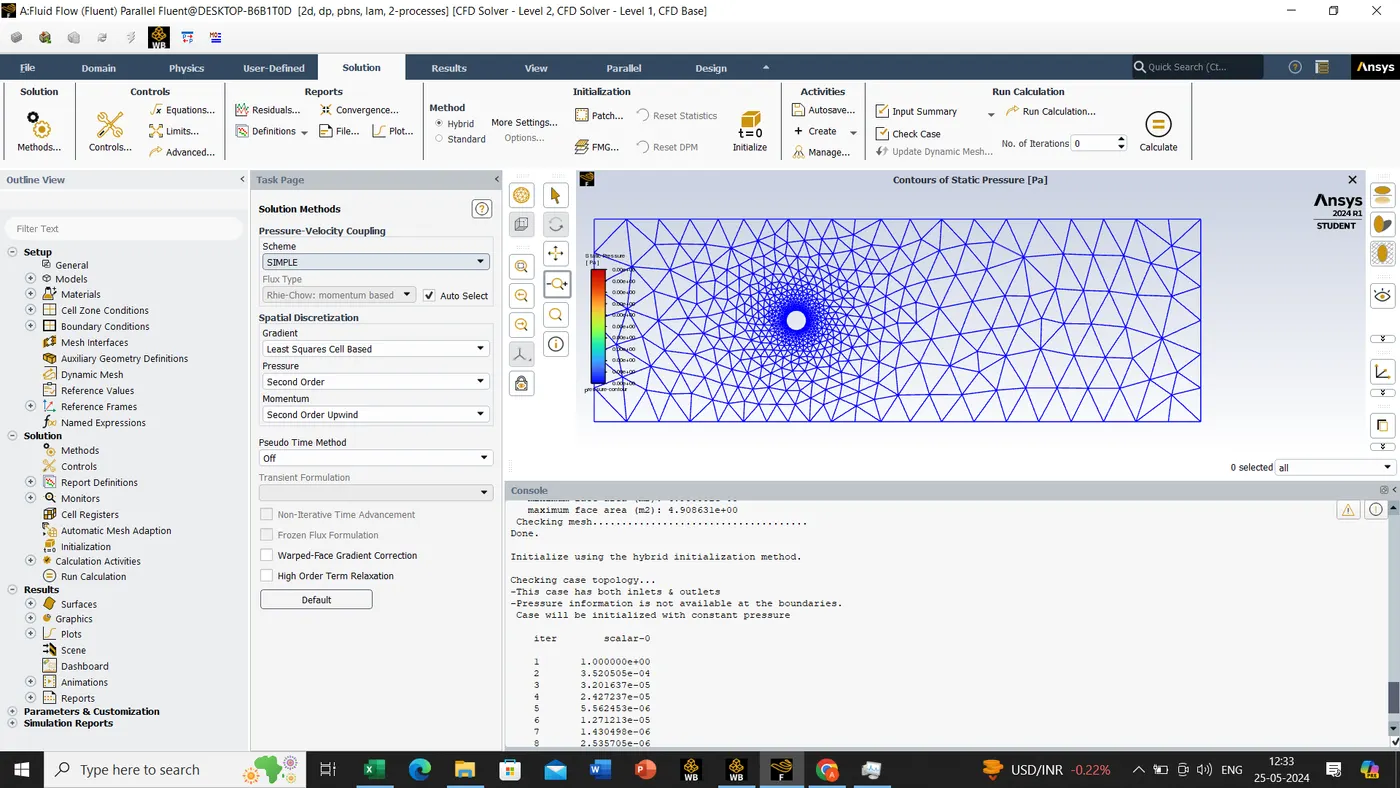
Solution-> methods-> scheme->Simple.
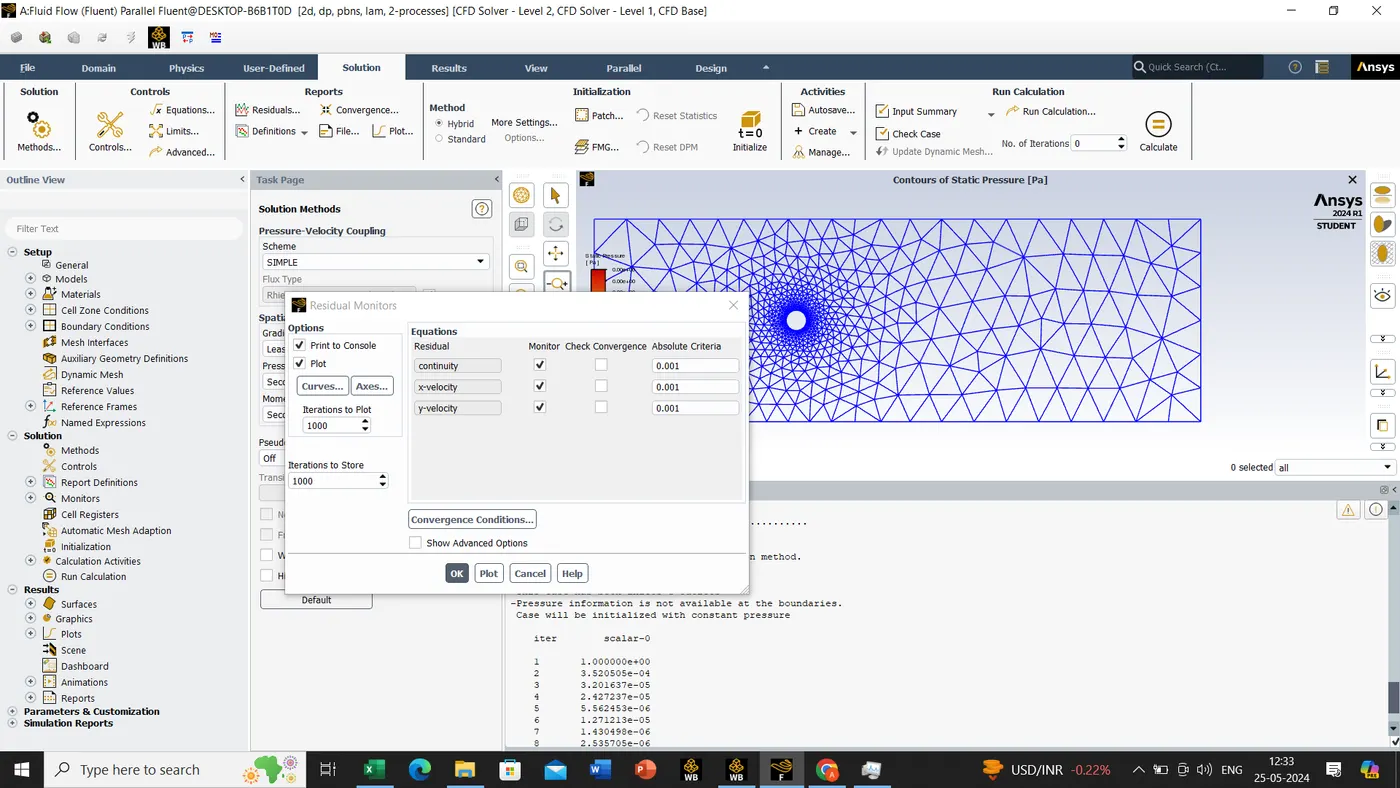
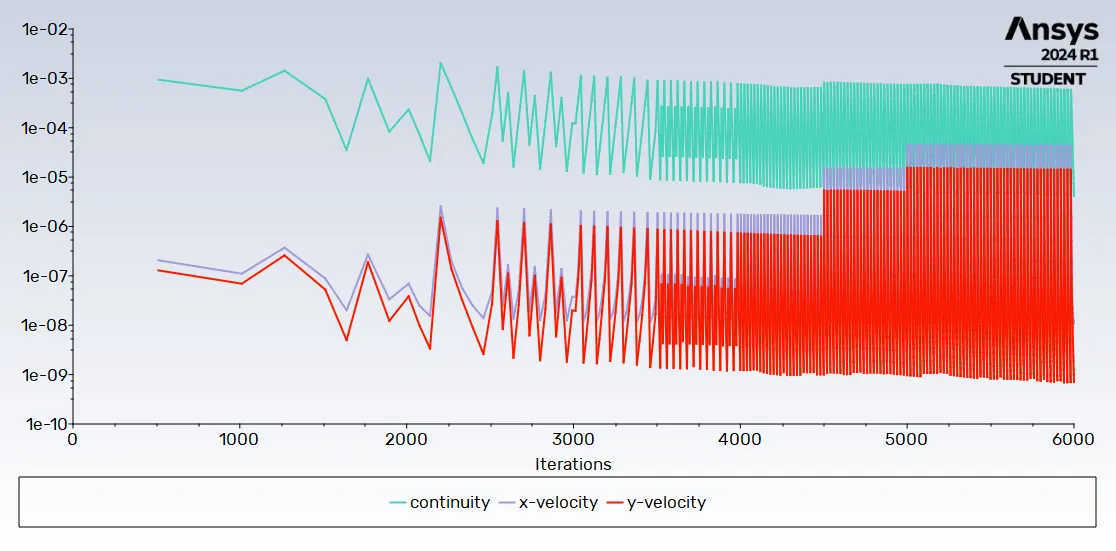
solution->Residuals->once the residuals monitors tab is open we will untick the convergence since its give the solution before our given iterations.
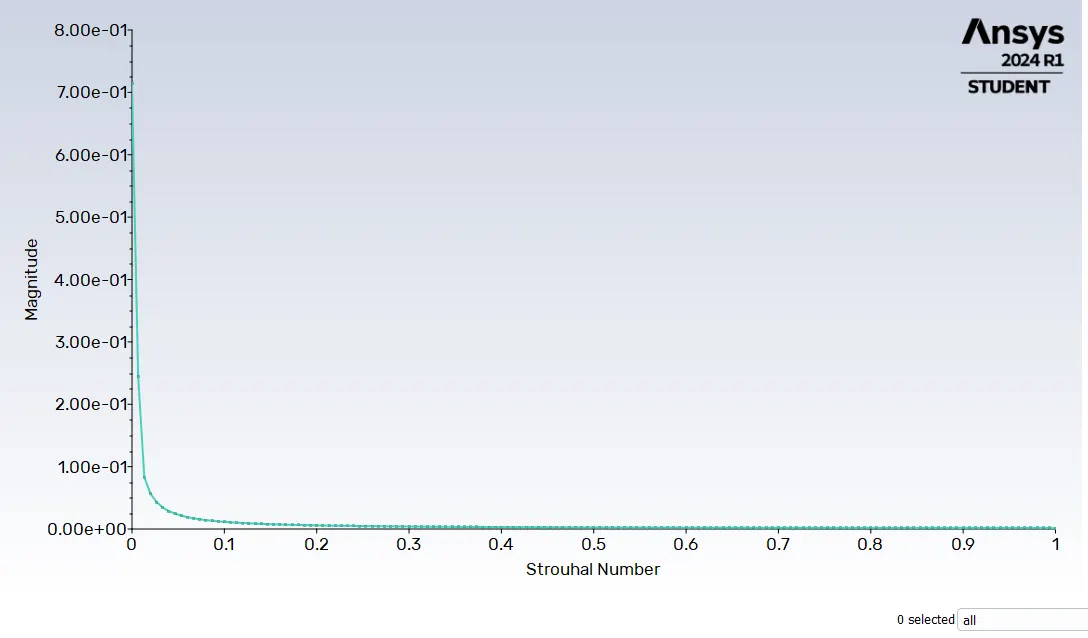
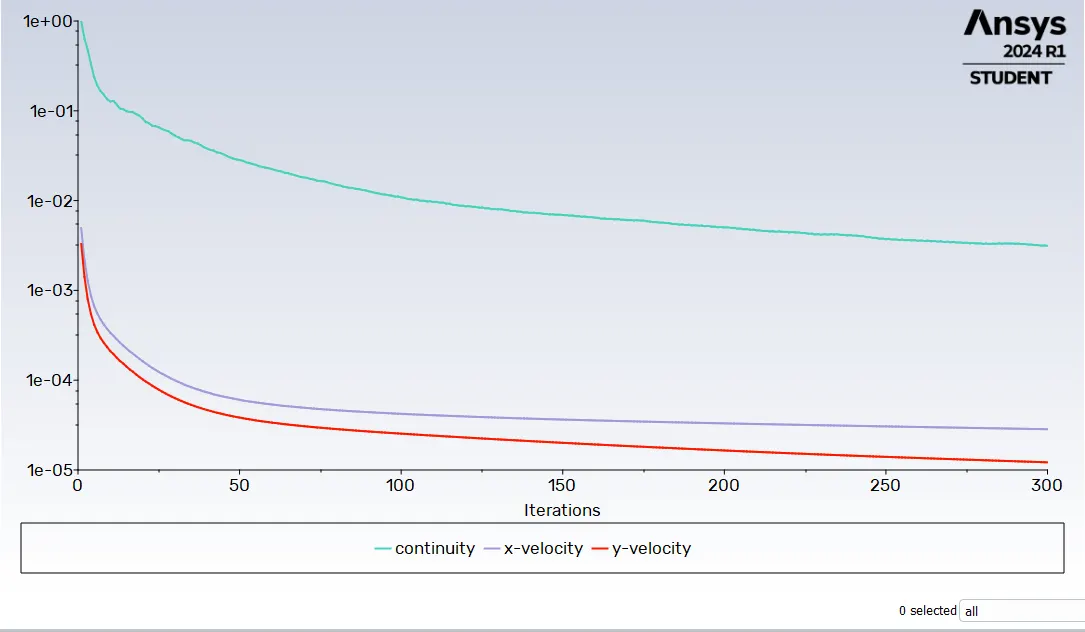
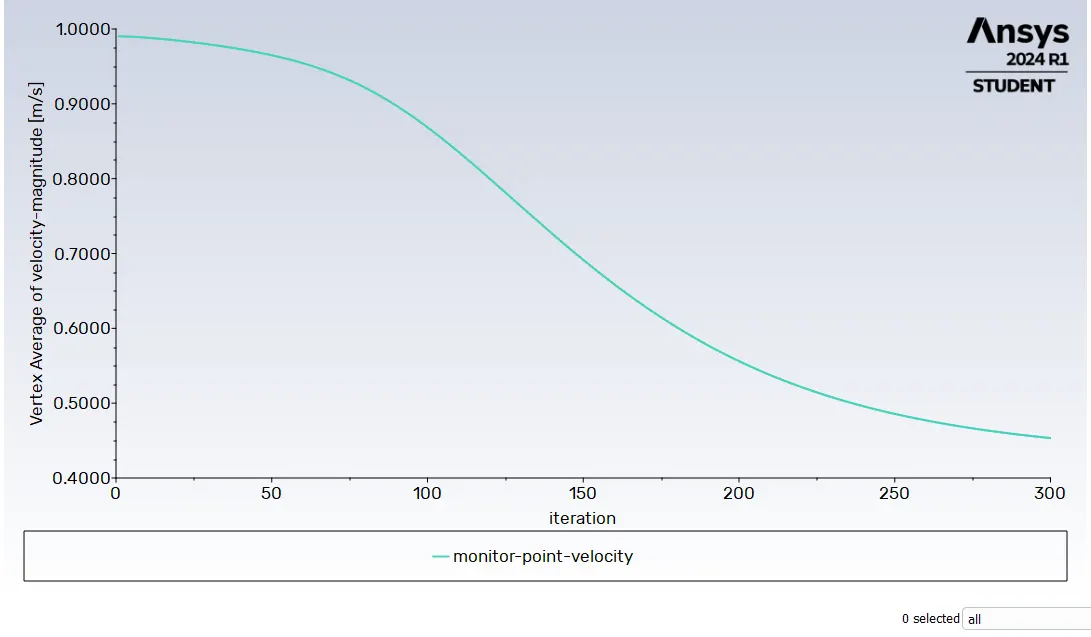
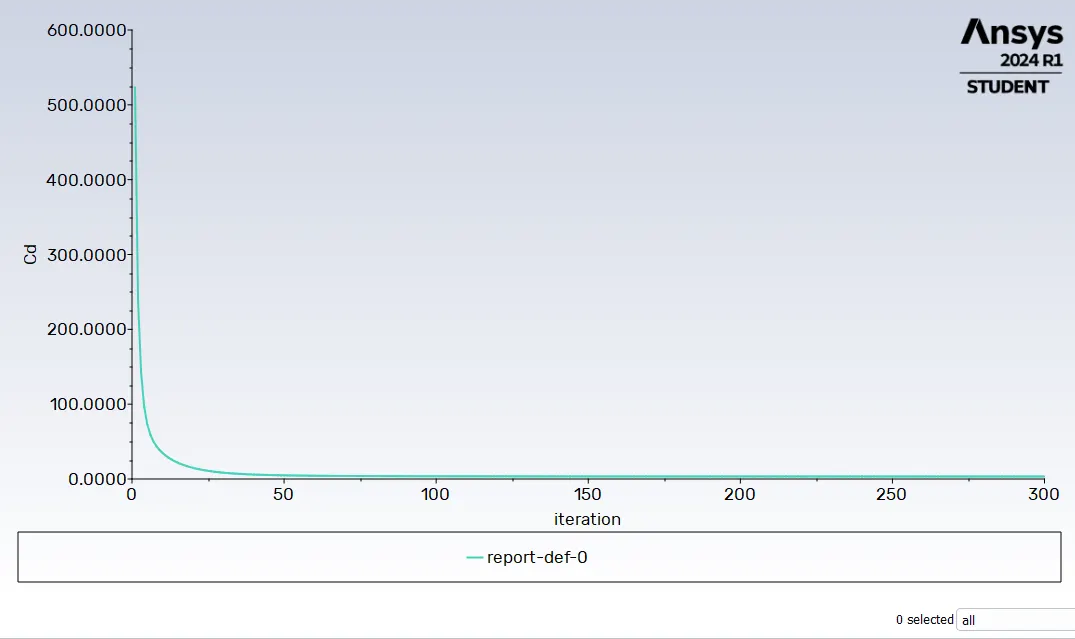
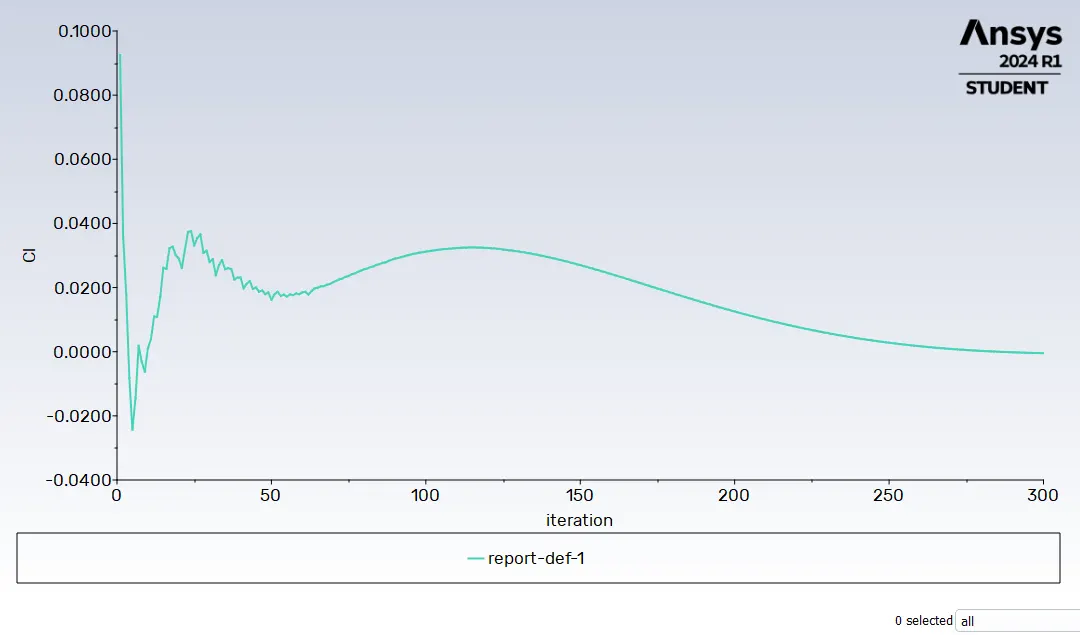
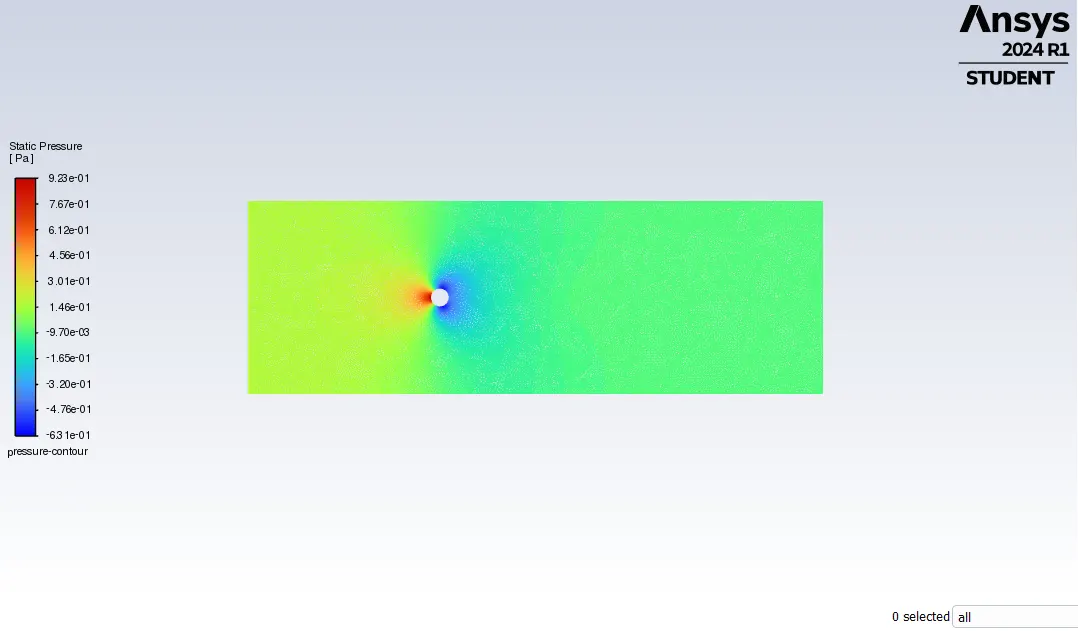
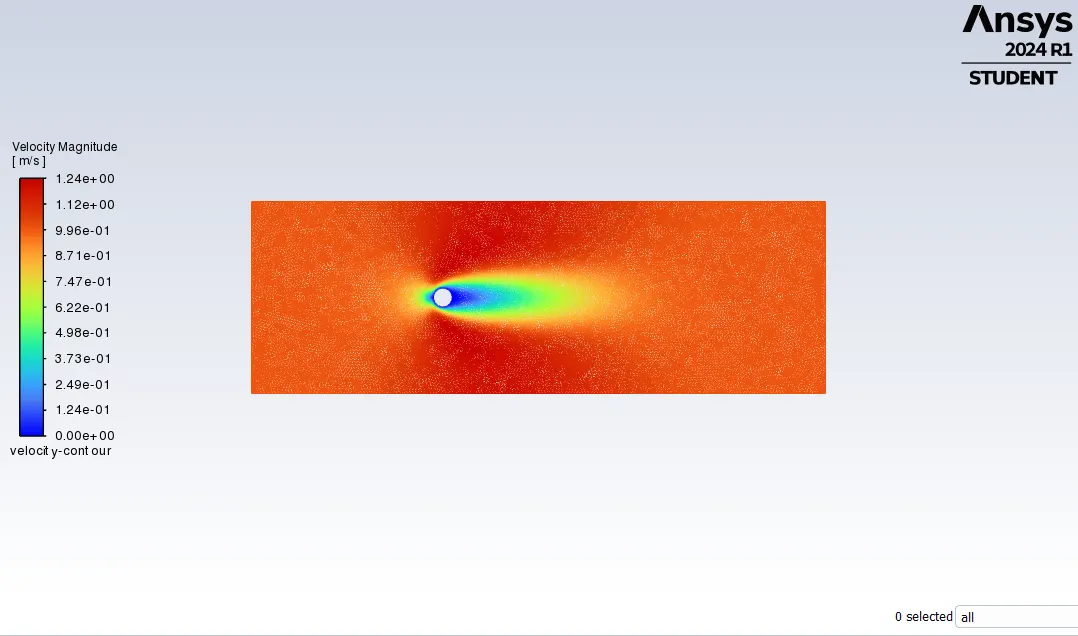
->Animation for pressure, RE=10
->Animation for Velocity, RE=10
For RE=100 steady & unsteady flow
Plot for RE=100 Steady flow, μ=0.02
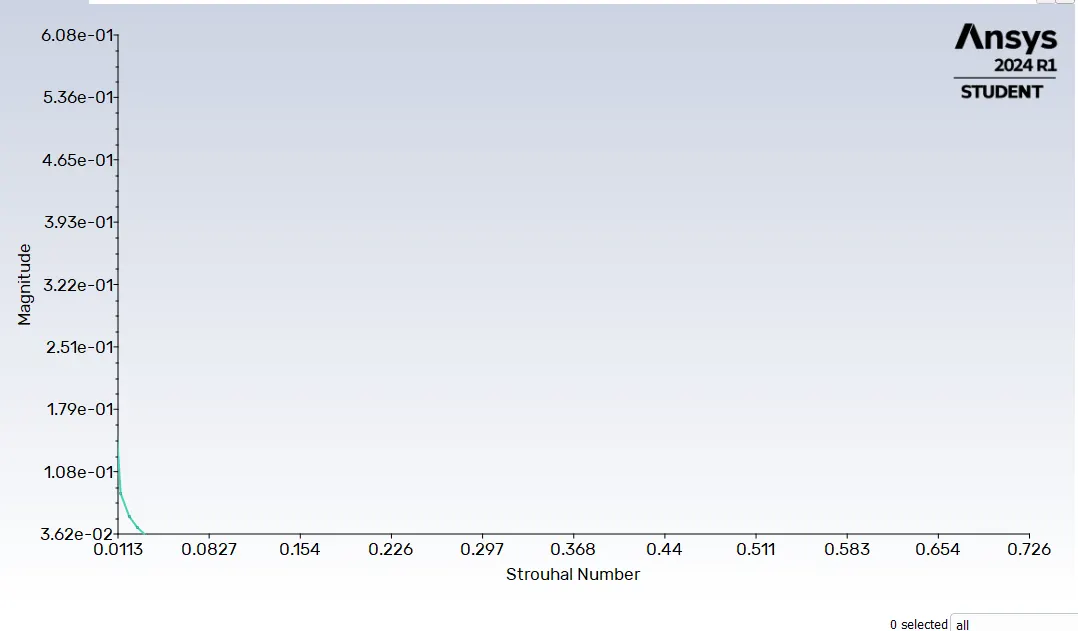
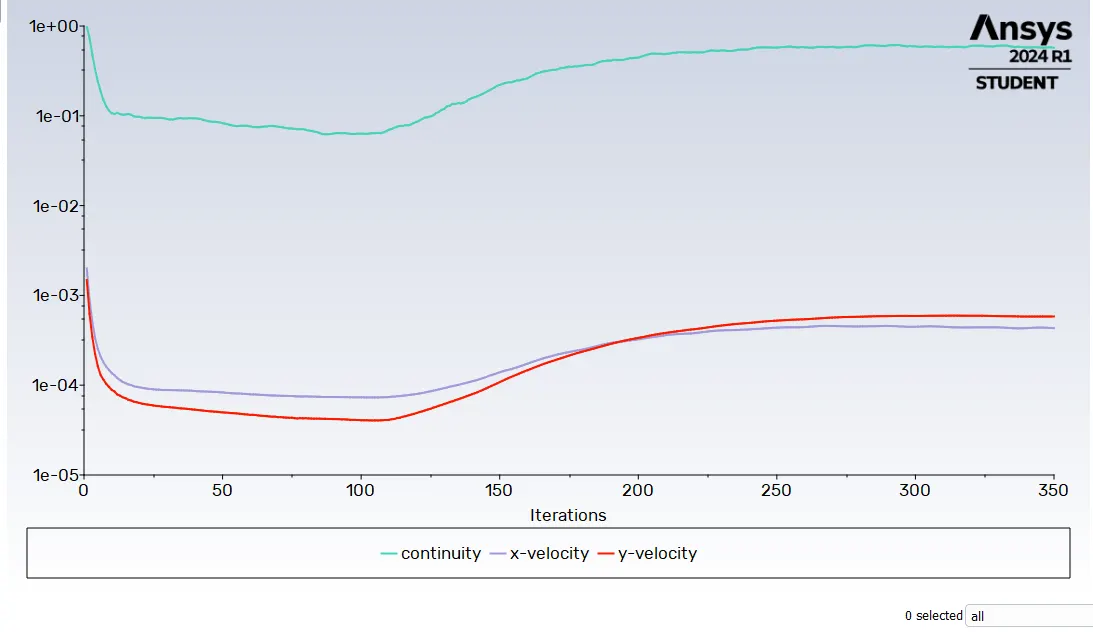
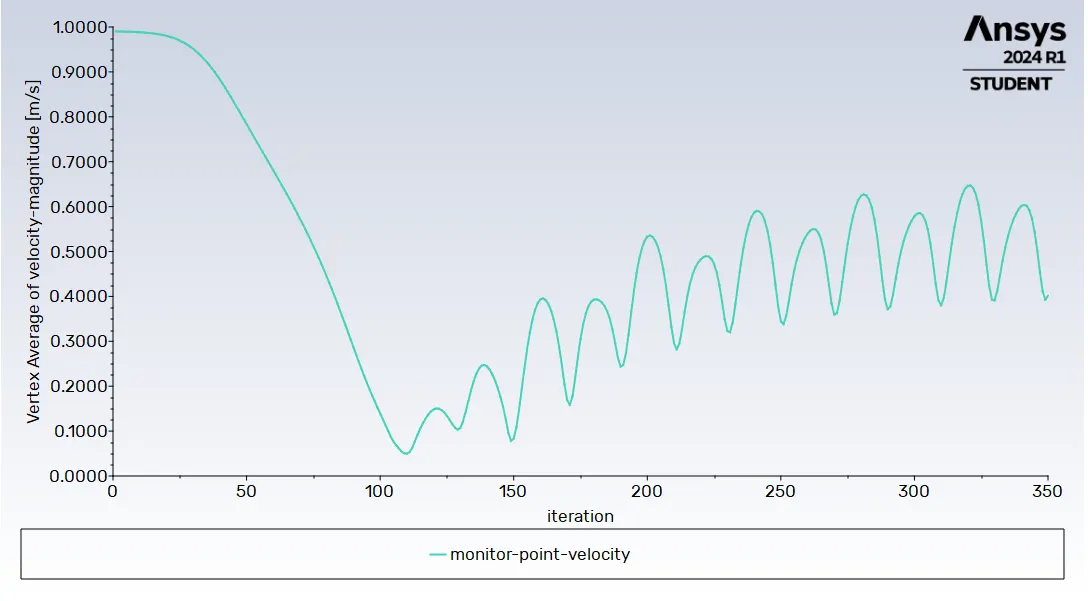
->Animation for pressure,RE=100
->Animation for velocity,RE=100
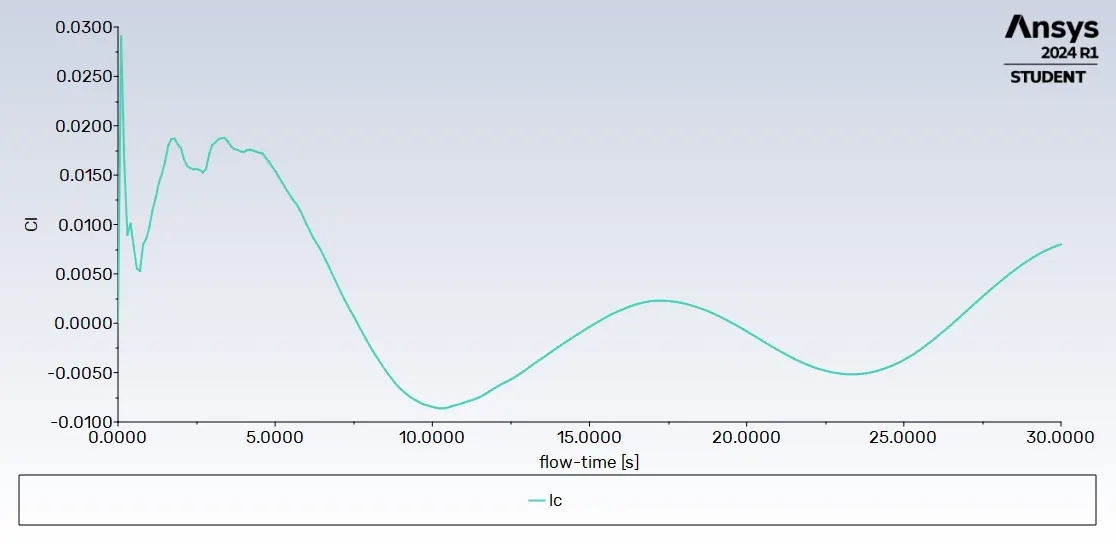
Plot for RE=100 UnSteady/Transient flow, μ=0.02.
for time step=0.1 and hybrid initialzation
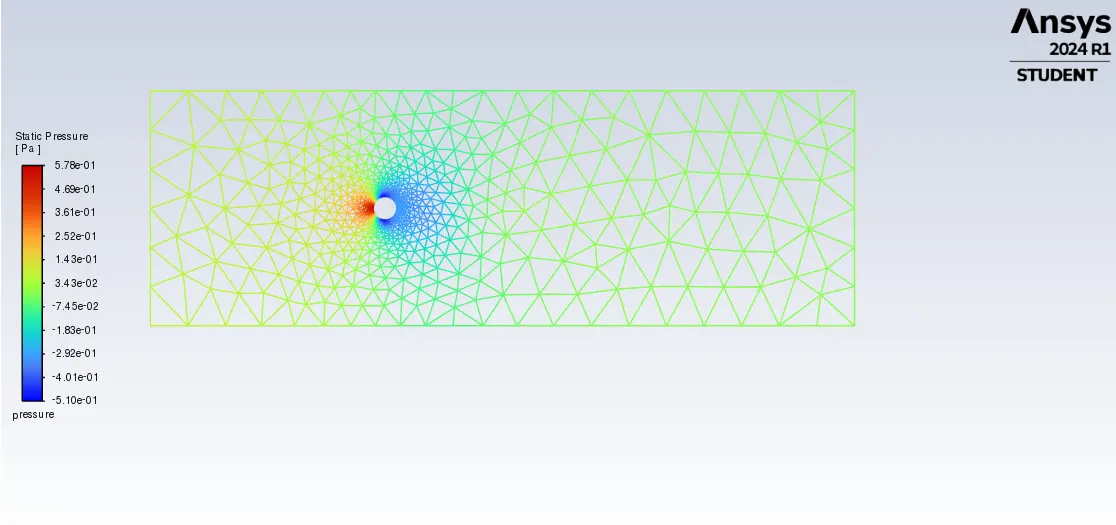
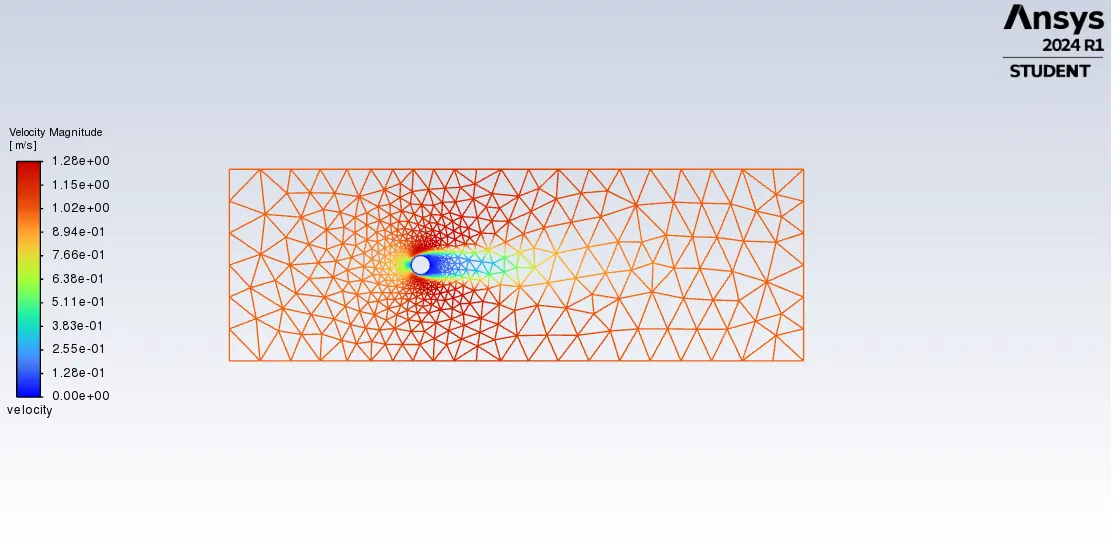
animation pressure, RE 100 unsteady
https://youtu.be/SKtQZCDUvzI?feature=shared
animation velocity, RE 100 unsteady
https://youtu.be/9FZ6I2uquhQ?feature=shared
Plot for RE=1000,μ=0.002
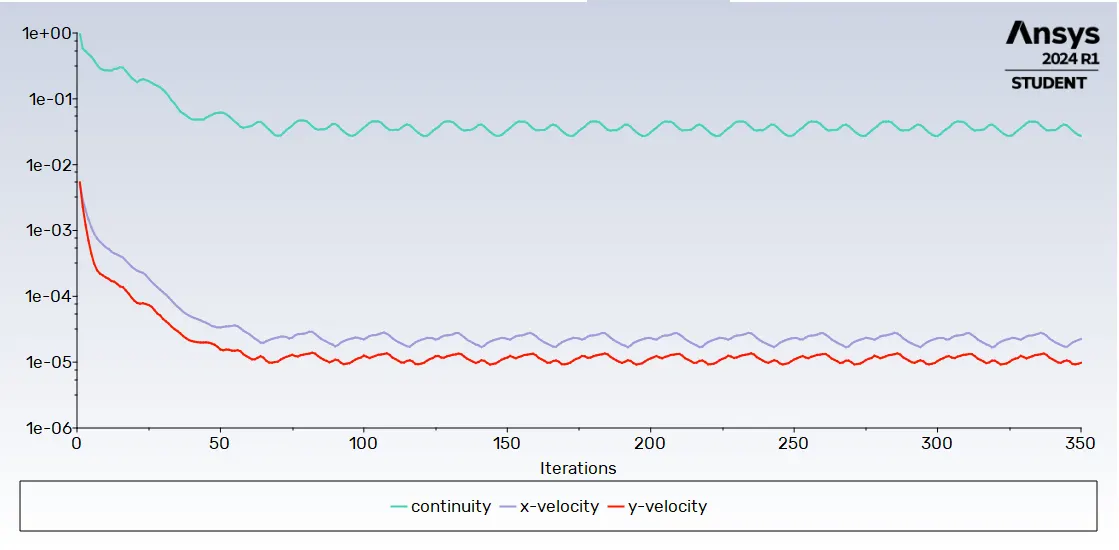
animation pressure, RE 1000
animation velocity, RE 1000
Plot for RE=10000,μ=0.0002
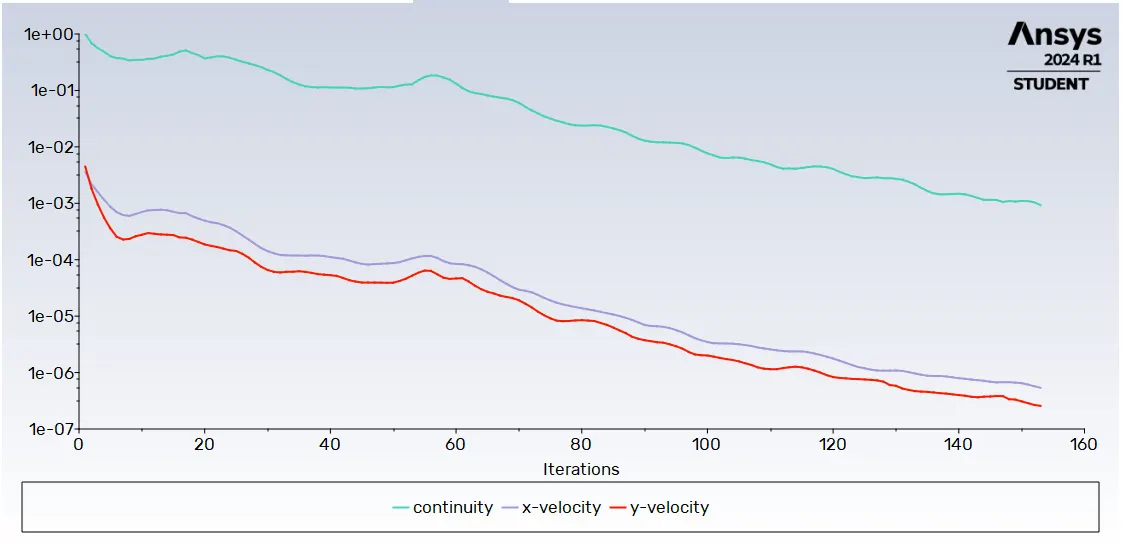
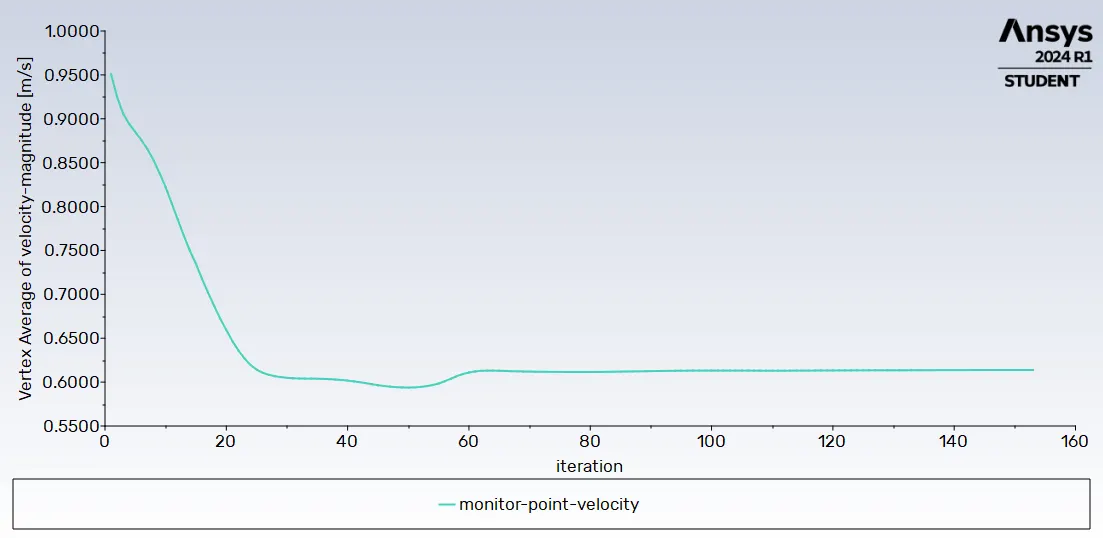
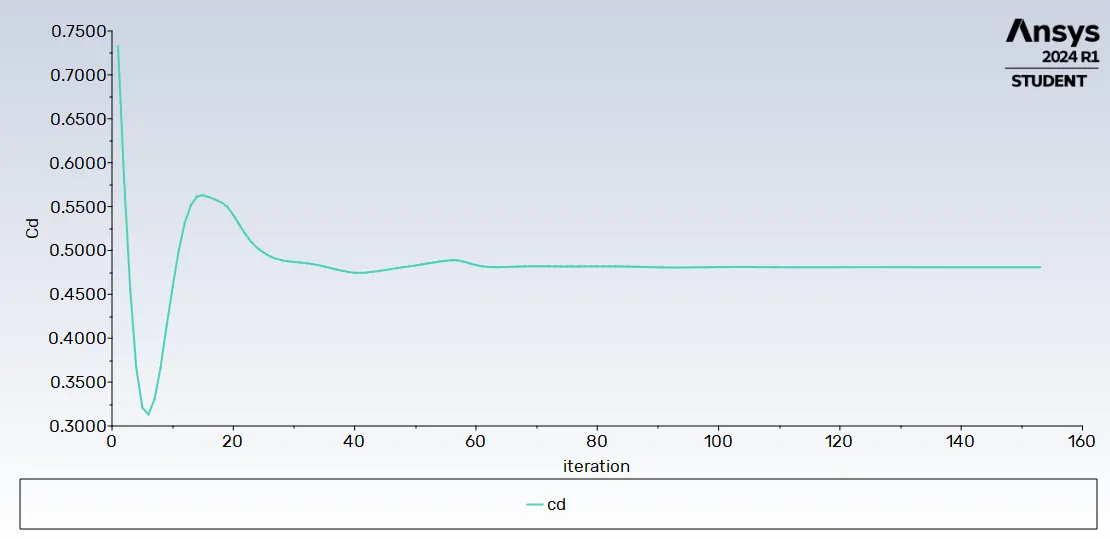
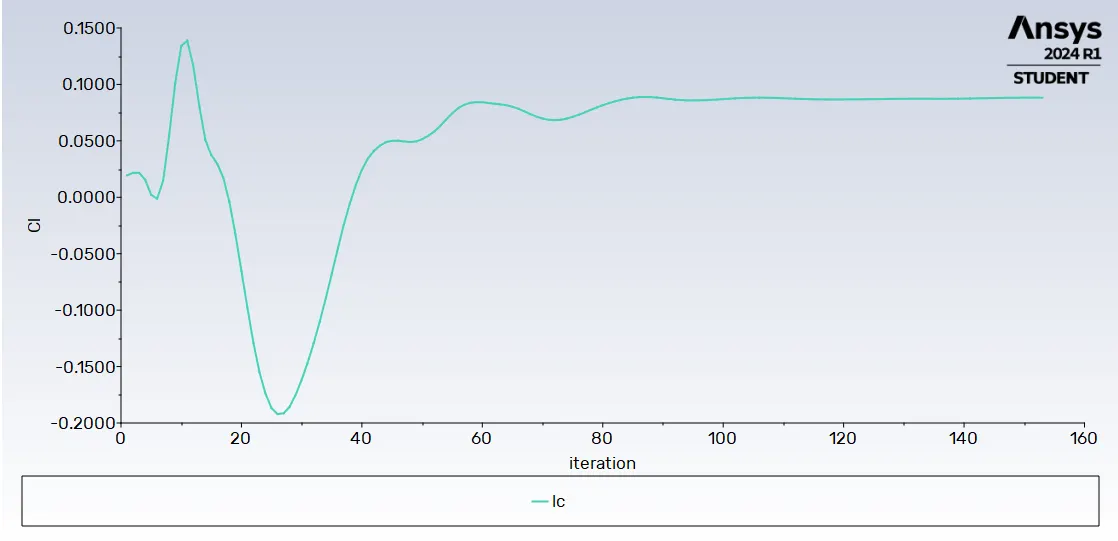
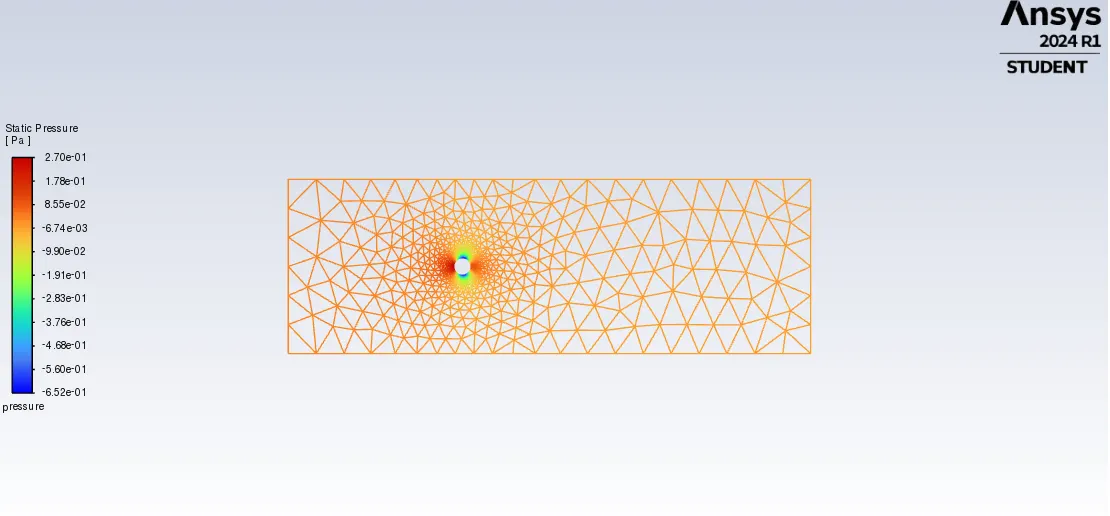
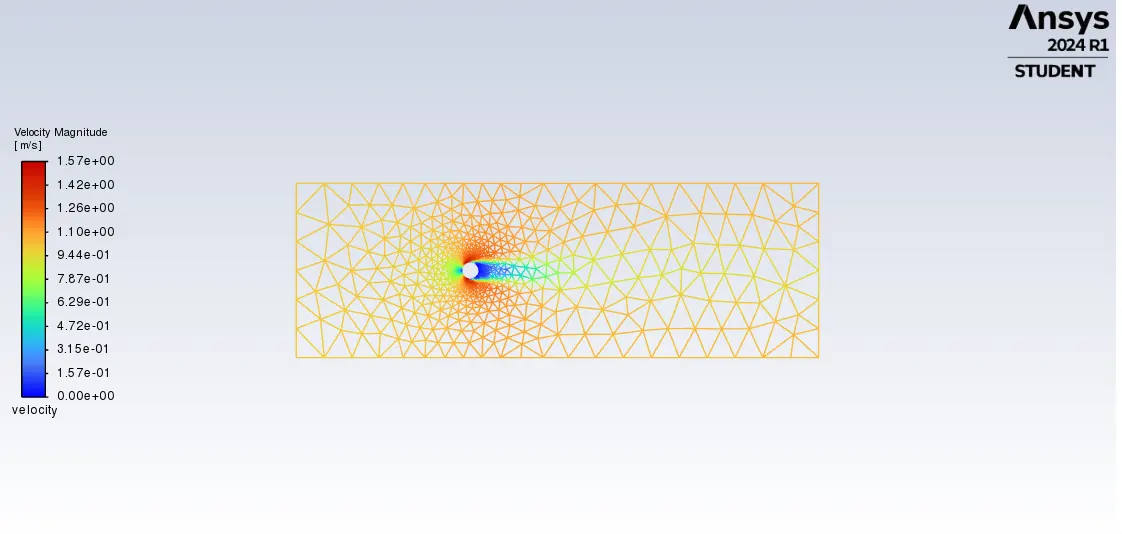
Plot for RE=100000,μ=0.00002
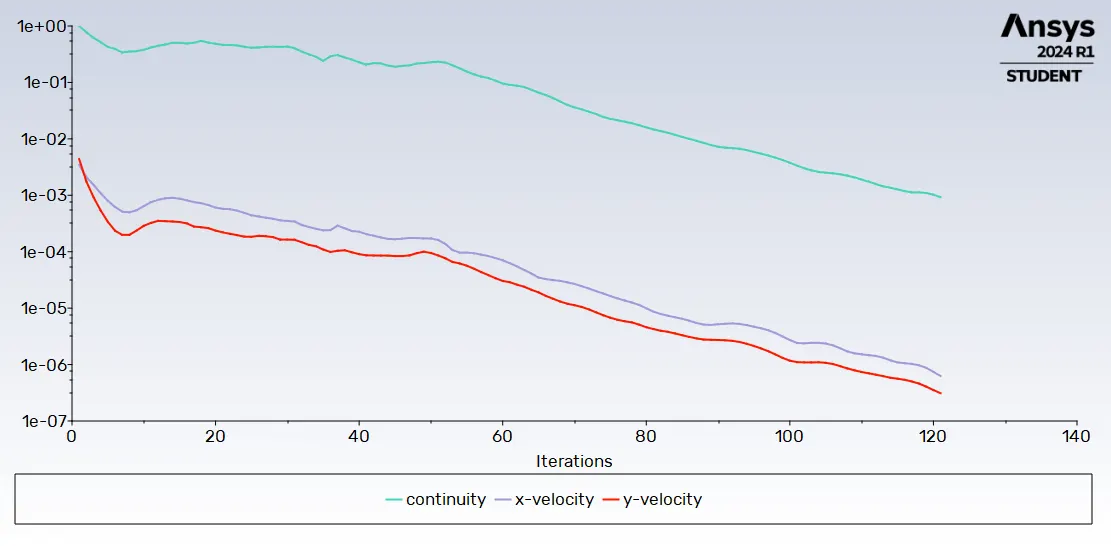
CONCULSION:-
-->The steady nd unsteady state simulation for Reynolds No=100 and ST NO is calculated and the solution is converged.
-->The effects of various RE NO is calculated and shown above