Week 2 - Flow over a Cylinder.
https://drive.google.com/file/d/1QvMWQQSIPwBvCLqO27Zk3HFvJSGc0IJO/view?usp=share_link
https://drive.google.com/file/d/1lai0h8RtmdWPO0NV-MPDcpr9D7Gopxfn/view?usp=share_link
WEEK 2
FLOW OVER A CYLINDER
Aim & Introduction :
Simulate the flow over a cylinder and explain the phenomenon of Karman vortex street.
PART-I
- Simulate the flow with the steady and unsteady case and calculate the Strouhal Number for Re= 100.
PART-II
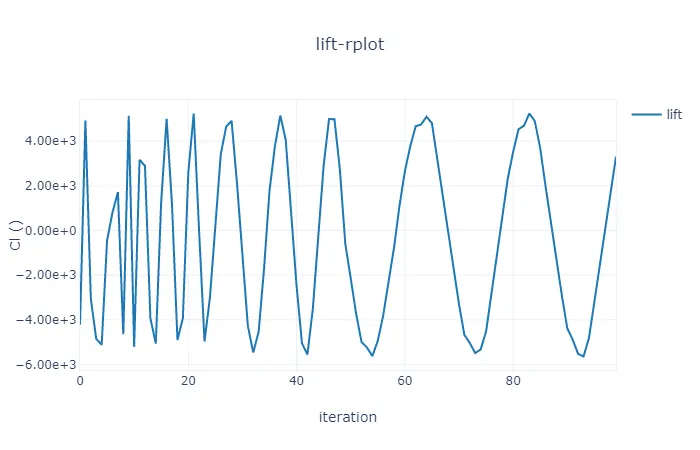
- Calculate the coefficient of drag and lift over a cylinder by setting the Reynolds number to 10,100,1000,10000 & 100000. (Run with steady solver)
- Discuss the effect of Reynolds number on the coefficient of drag. [ Results should be validated with any standard literature and error should be within 5 %]
Phenomenon Of Karman Vortex Street :
Karman Vortex Street is a repeating pattern of swirling vortices, caused by a process known as vortex shedding, which is responsible for the unsteady separation of flow of a fluid around blunt bodies. Mathematical modeling of vortex street can be performed using different techniques including but not limited to solving the full Navier-Stokes equations with k-epsilon, SST, k-omega and Reynolds stress, and large eddy simulation (LES) turbulence models.
Reynolds Number :
The Reynolds number, referred to as Re, is used to determine whether the fluid flow is laminar or turbulent. It is one of the main controlling parameters in all viscous flows where a numerical model is selected according to pre-calculated Reynolds number.
Strouhal Number :
Strouhal number, abbreviated as Sr, a dimensionless number, is used to describe oscillating flow. It is used in fluid dynamics and is the ratio of inertial forces due to the unsteadiness of the flow or acceleration of inertial forces due to the changes in velocity between points in a flow field.
Coefficient Of Drag :
The drag coefficient (non-dimensional drag) is equal to the drag force divided by the product of velocity pressure and frontal area. The velocity may be that of the object through the air (or any other gas) or the air velocity past a stationary object.
Coefficient Of Lift :
The lift coefficient (CL) is a dimensionless quantity that relates the lift generated by a lifting body to the fluid density around the body, the fluid velocity and an associated reference area.
CL = L/qS ,
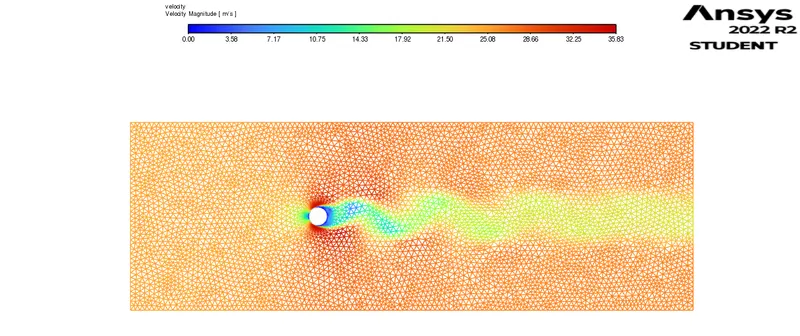
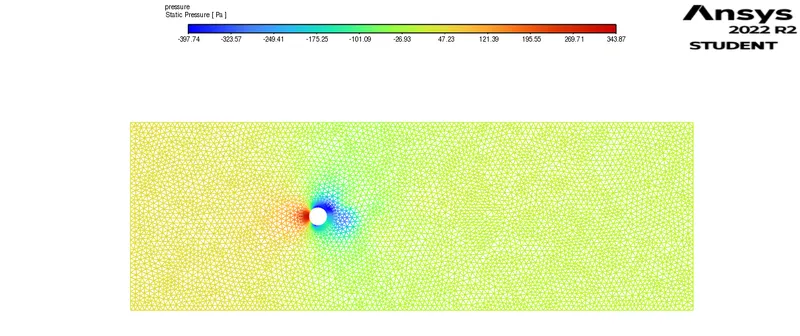
Steady & Transient Flow Over a Cylinder with Re = 100 :
Steady State :
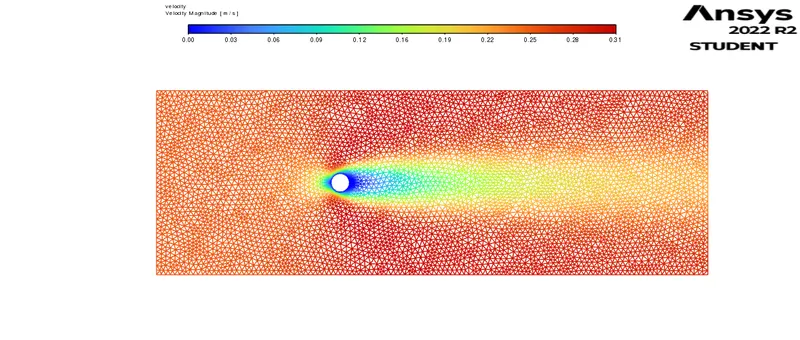
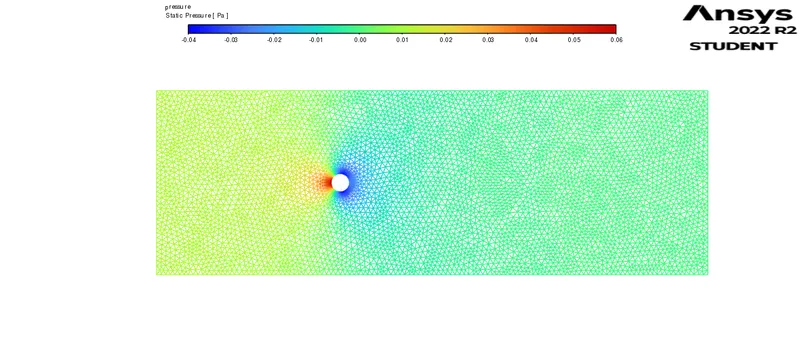
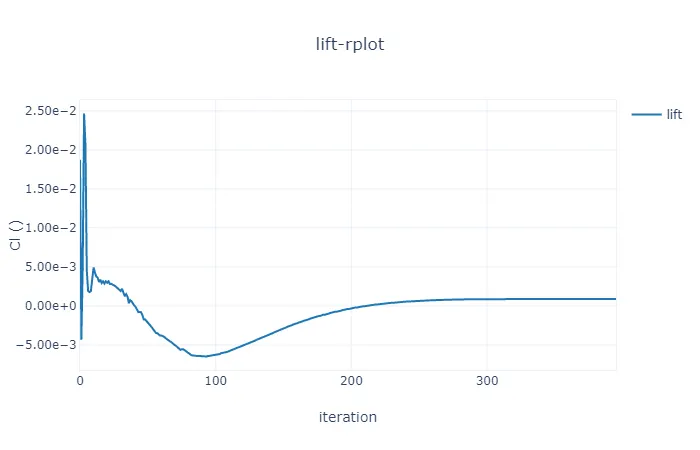
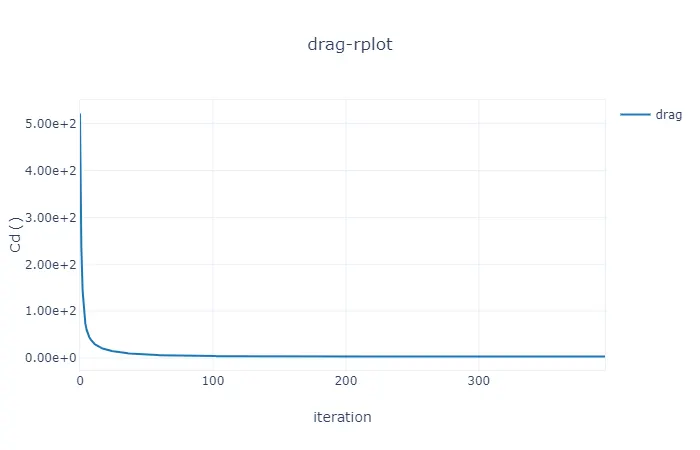
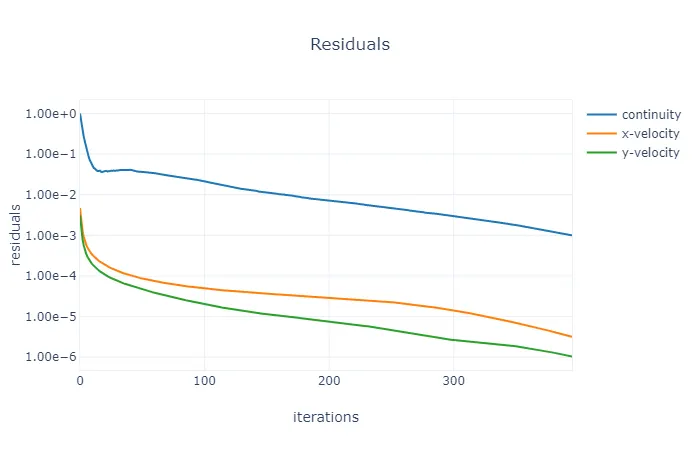
Transient State :
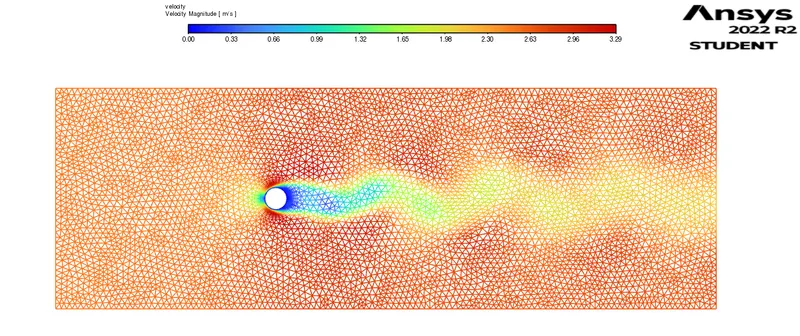
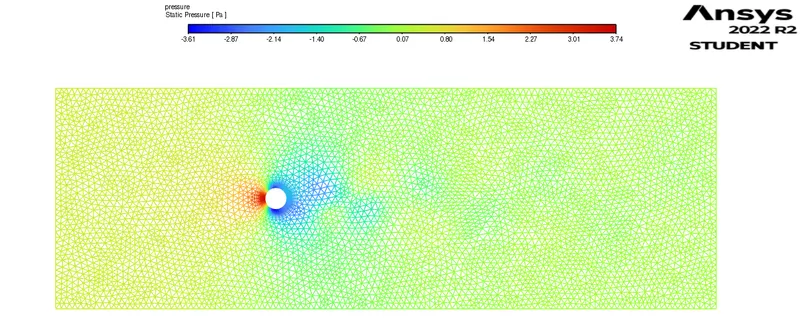
Strouhal Number . :
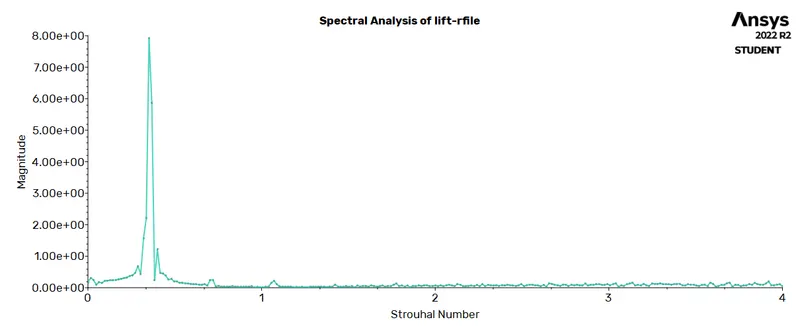
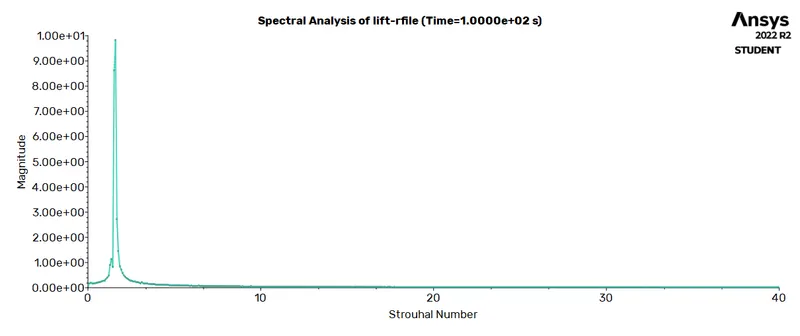
For Steady State = 2.40e-01
For Transient State = 7.99e-01
Solving & Modelling Approach :
A 2D cylinder was modeled to study vortex street with respect to the Reynolds number using ANSYS Fluent. The density and viscosity of the fluid was maintained as 1 kg/m3 and 0.05 kg/ms . The problem wa simulated under the steady and unsteady state conditions. The flow was maintained as lamina boundary layer conditions. The drags and lift coefficients were found at various Reynolds number i.e 10 , 100 , 1000 , 10000 and 100000.
Pre-Processing and Solver Setting :
- Open the ANSYS workbench and drag Ansys Fluent into the working window.
- It will be consists of a table like form with step by step solving stages like Geometry , Mesh , Setup , Solution and Results.
Geometry :
- Open Space Claim
- Use circle tool and then create a circle at the origin with diameter of 2 m.
- Use construction line and then draw the lines with respect to the dimensions of 10D and 20D respectively.
- After that , use Rectangle tool and then create a rectangle.
- Then , use Pull command to convert 1D into 2D
- After selecting the geometry , select inner circle and then delete it.
- Finally, delete the construction lines.
- MESH :
- Right click on MESH step and click on EDIT option .
- Again separate window screen opens up for MESHING.
- Right click on MESH and select UPDATE .
- By default , meshing takes place with defaulted values.
- Change them mesh element size according to our requirement
- Now name the all the parts of the model by selecting faces one by one using FACES option.
- Finally update all these things by clicking on MESH option before closing the MESH Window.
- Thus meshing is completed.
SETUP & SOLUTION :
- Double click on SETUP , a dialogue box appears, enable Double Precision and increase solver processors to 4 based on the system configuration we are using to solve the model.
- Fluent window screen pops up.
- Go to Physics Manager – double click on Viscous.
- New dialogue box appears , now select Laminar model for solving.
- Change the material properties to our requirement.
- Change the inlet velocity according to Reynolds number
- Now intialize the solution.
- Later go to Definitions – Surface Report – Vertex Weighted Report .
- Again Definitions – Force Report – Drag – enable Drag Coefficient.
- Again Definitions – Force Report – Lift– enable Lift Coefficient.
- To generate contour plots goto CONTOURS and create two plots ie velocity and pressure.
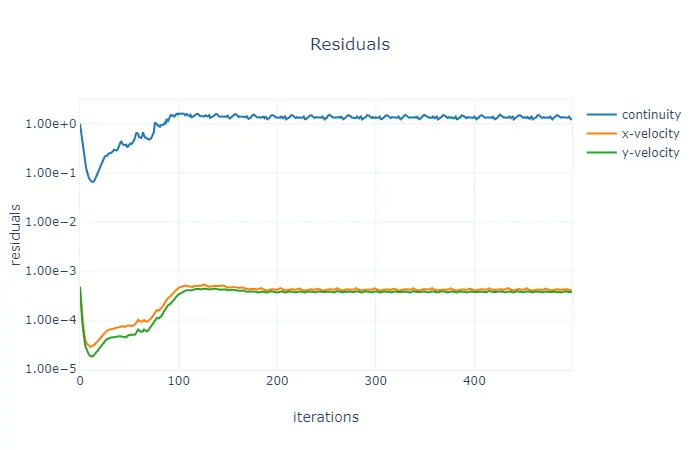
- Now click on CALCULATE by selecting no of iterations value to start the solution.
- Thus setup and solution can be done.
RESULTS :
- Double click on RESULTS , a separate window screen pops up.
- In this step , we can gather all the snippets of velocity and temperature plots.
- We can even see the vector forms of both pressure and velocity.
- Can create charts as per our requirements and compare with one another cases for further analyzing.
Case 1 ( Re = 10 ) :
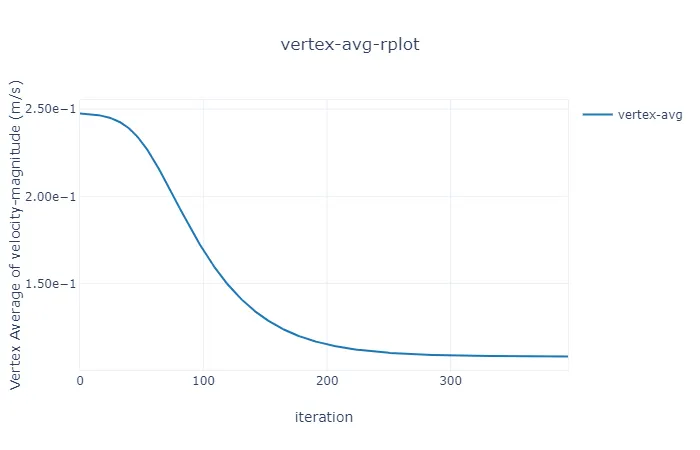
Case 2 ( Re = 100 ) :
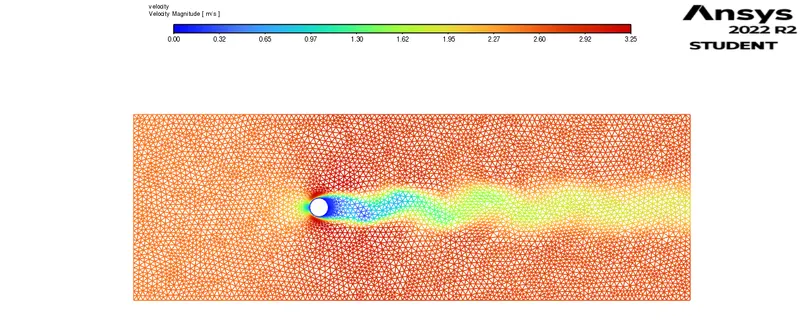
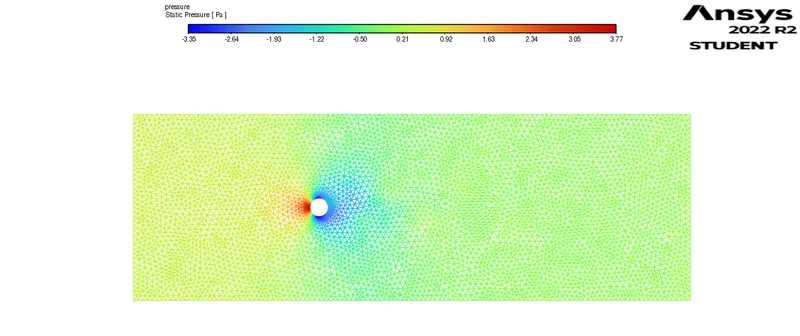
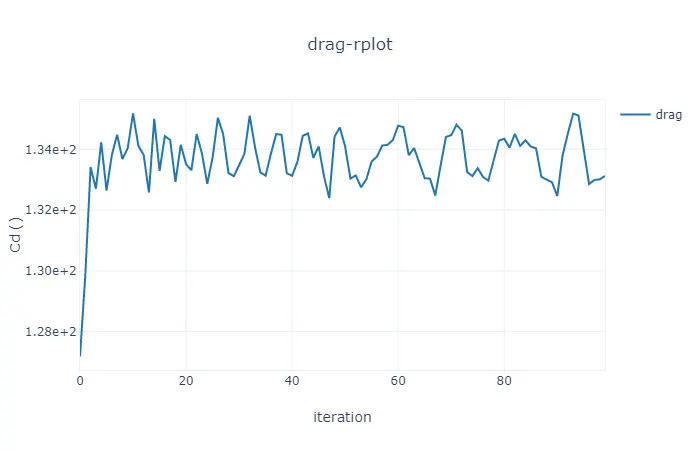
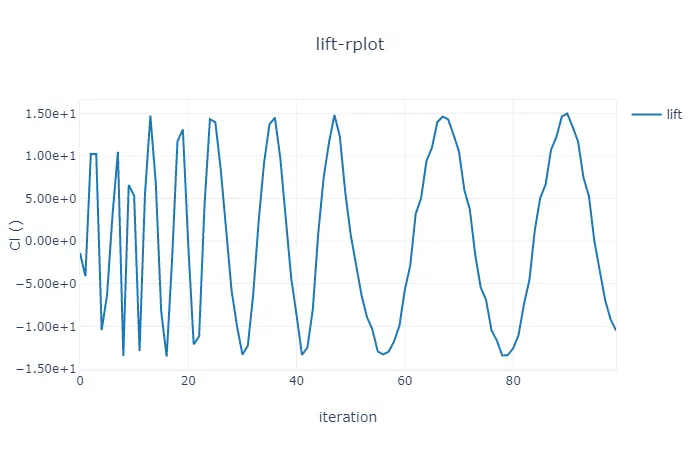
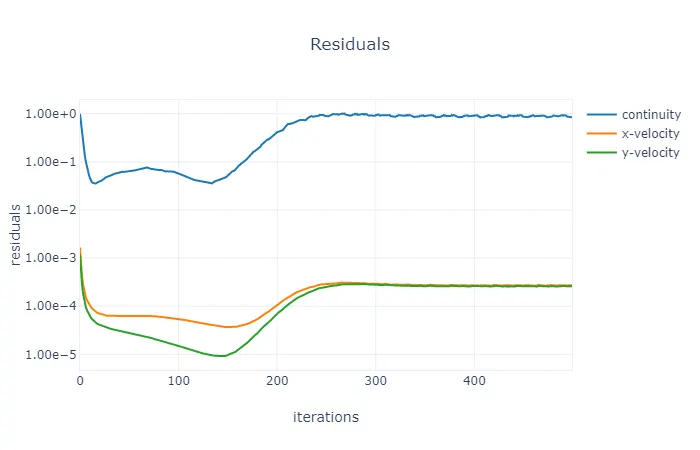
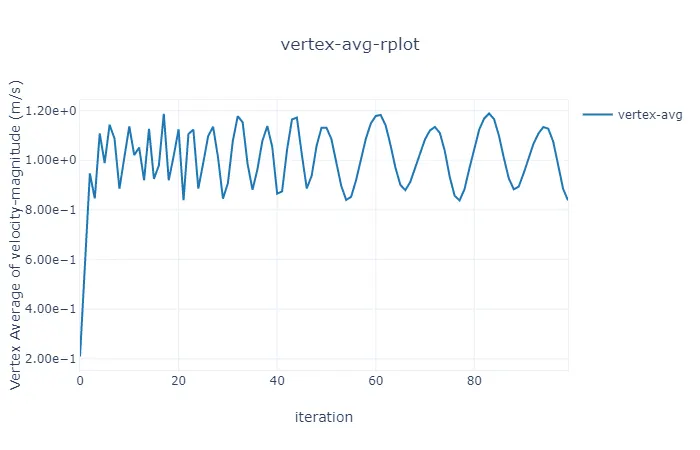
Case 3 ( Re = 1000) :
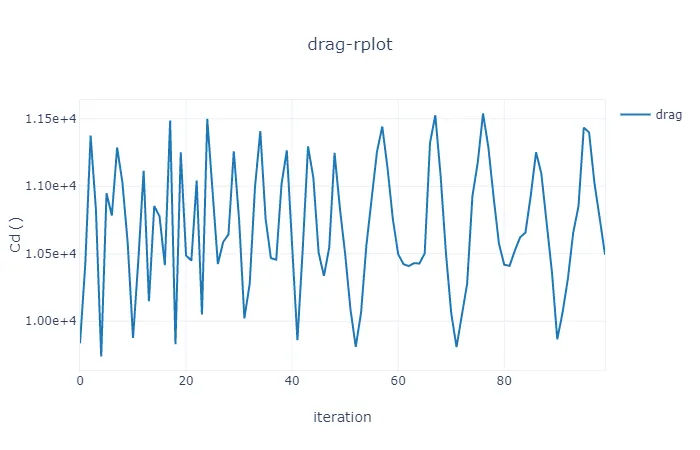
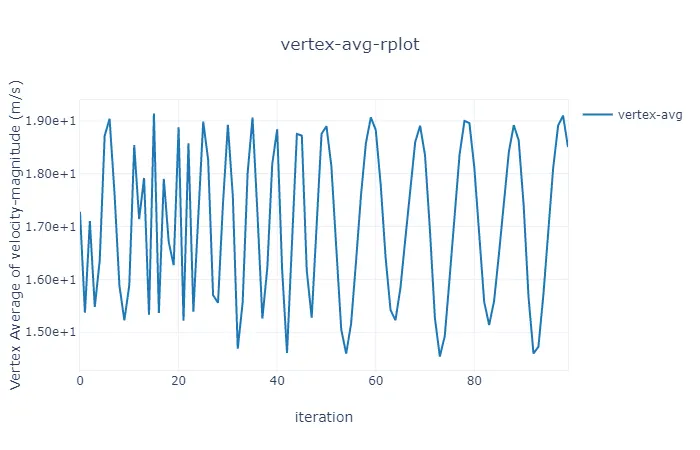
Case 4 ( Re = 10000) :
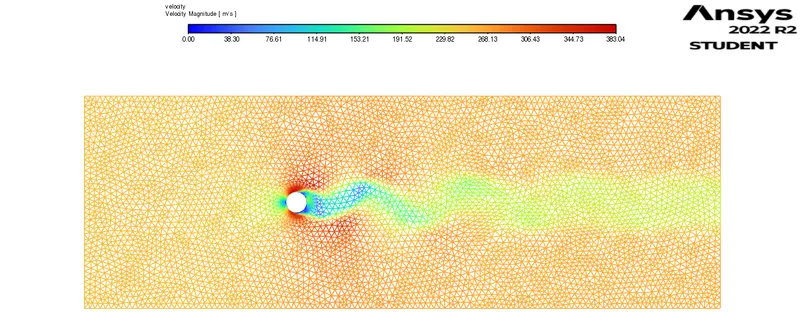
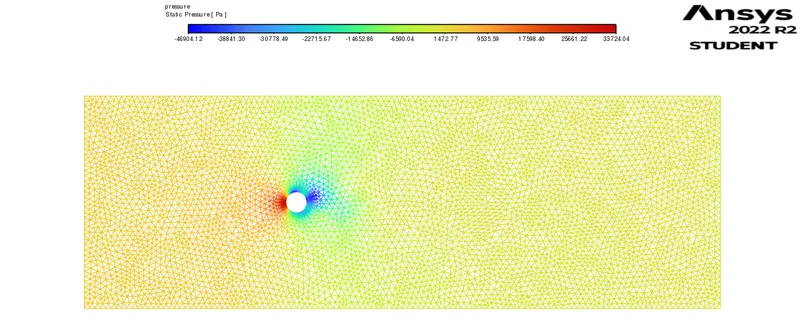
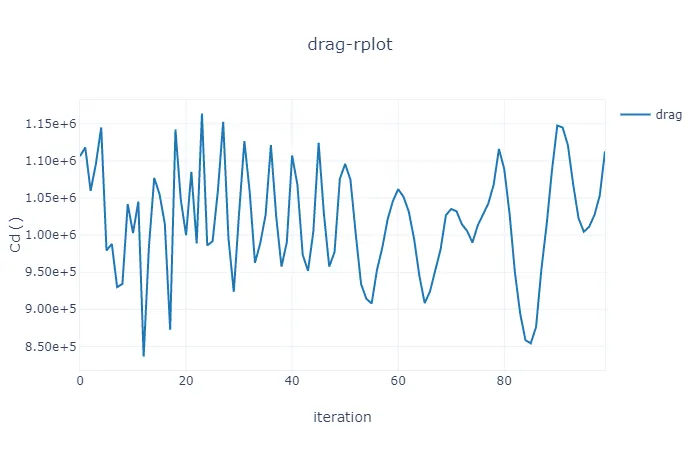
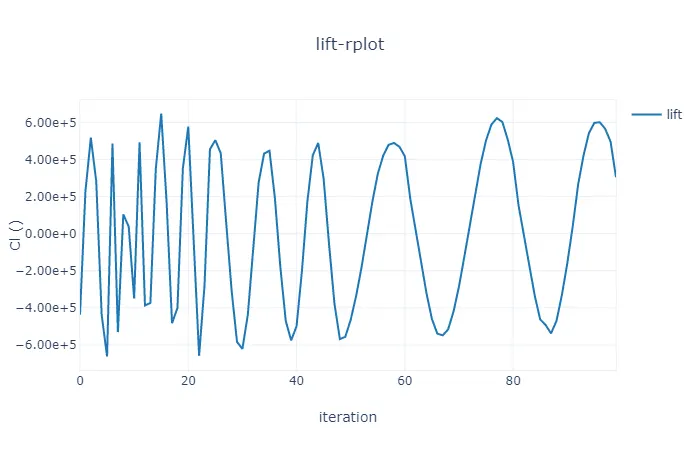
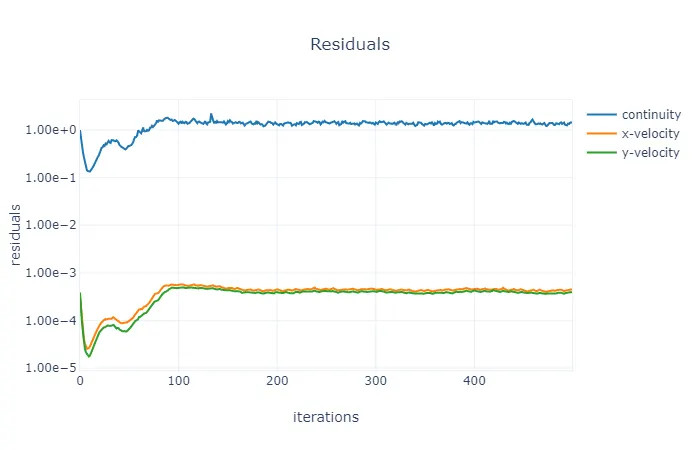
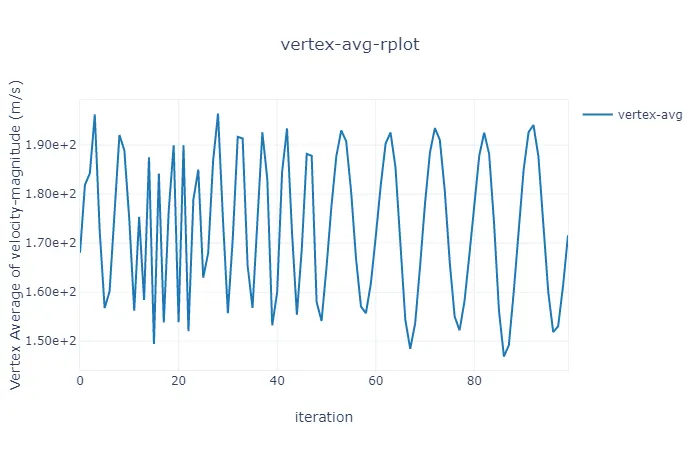
Case 5 ( Re = 100000 ) :
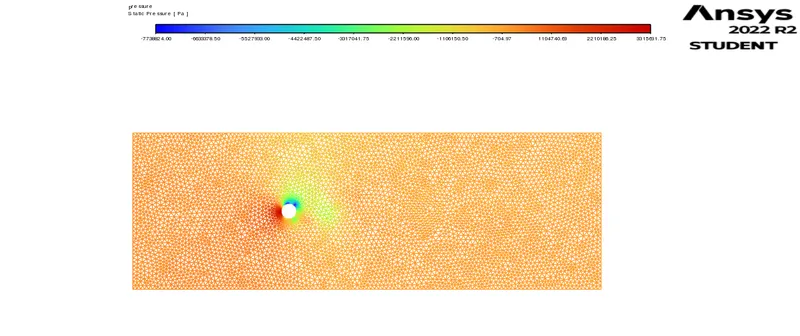
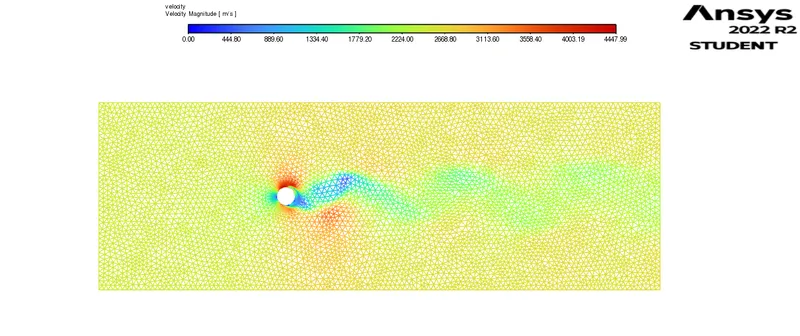
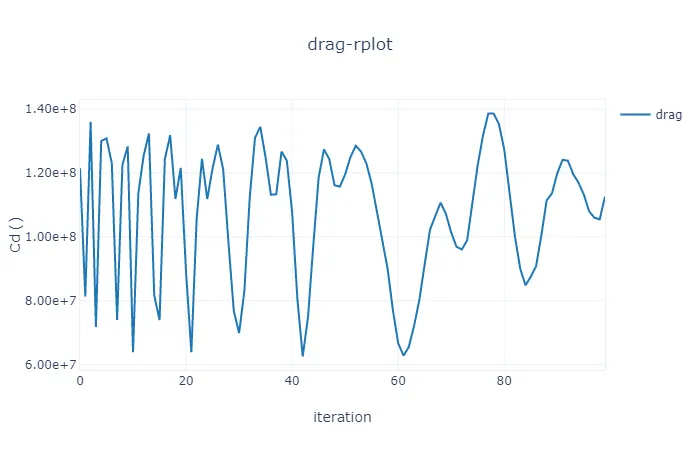
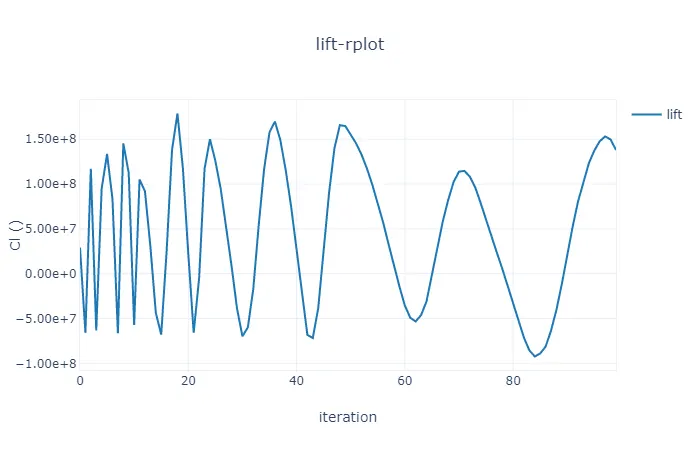
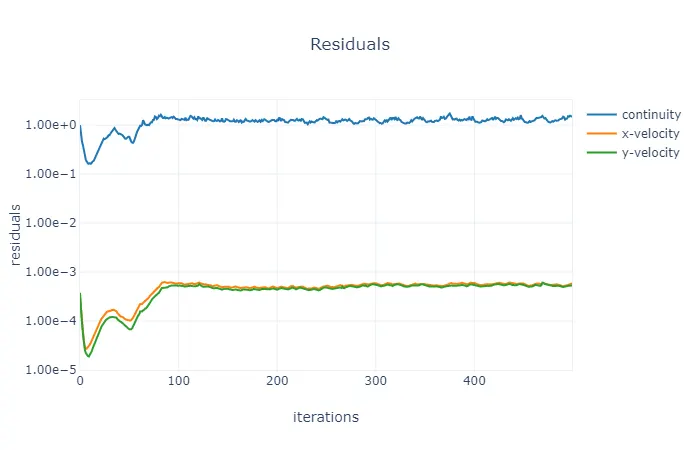
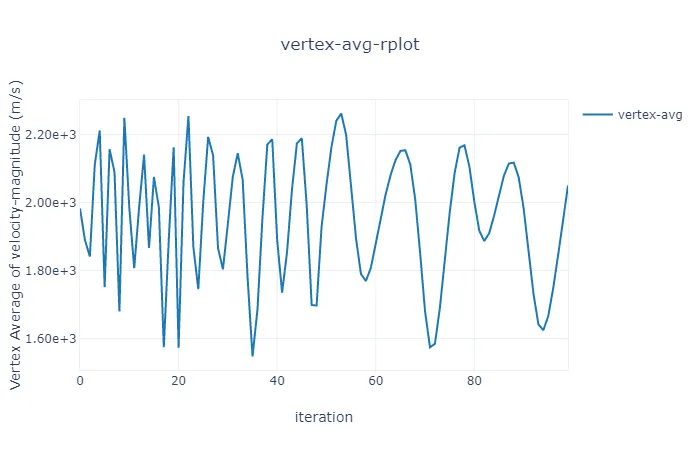
Results :
Strouhal Number
For Steady State = 2.40e-01
For Transient State = 7.99e-01
|
Cases (Re) |
Coe. Of Drag |
Coe. Of Lift |
Vertex Avg.(m/s) |
|
10 |
3.3298 |
0.000890 |
0.10805 |
|
100 |
133.122 |
-10.486 |
0.8377 |
|
1000 |
10493.24 |
3305.514 |
18.5005 |
|
10000 |
1112986 |
304383.9 |
171.6159 |
|
100000 |
1.1259e+08 |
1.3803e+08 |
2050.214 |
Conclusion :
Lift coefficient decreases rapidly and drag coefficient increases rapidly when Reynolds number is decreased below critical range. This occurs due to change in flow pattern at low Reynolds number .