Week 2 Challenge : Surface meshing on a Pressure valve
week 2 challenge:
surface meshing of a pressure valve.
Aim:
To create a mesh using a ANSA software, for a given model. with the target length and mesh a 5mm, 3mm and 1mm.
PROCEDURE:
topo manager:
Firstly, import the model in the ANSA software. File>Open>select the path.
using a topo deck manger, cleanup the geomentry.
using faces in topo desck, create a new faces on the region, where it contains a incomplete surface.
for meshing the model should be in a closed surfaces.
after completed the model with the closed surfaces, then using a cut in topo.
remove the unwanted cons by selecting and right click. this is to done to accomodate the mesh target length.
if the cons surrounded is to small, then the mesh cannot accomodate it.
the below images shows the topo clean up.
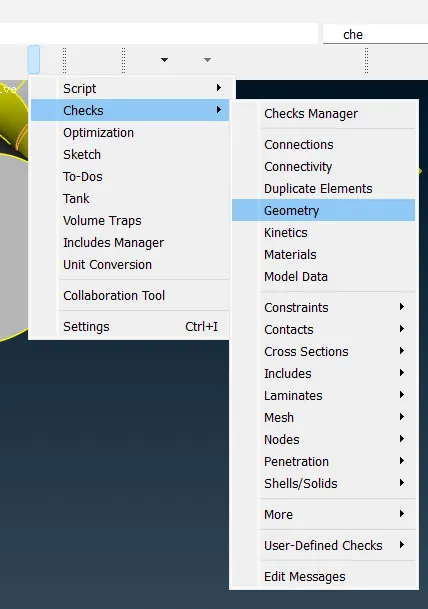
tools>checks>geomentry. this is to check for the incomplete surfaces or single cons icon also used.
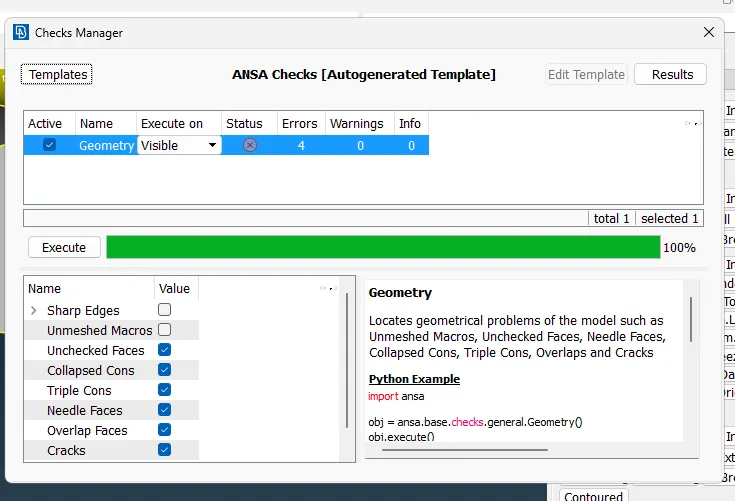
after the geomentry is cleaned. the check was performed. it shows 4error these error are due to the triple cons used in the model to close the surfaces.
so the error was negligible.
topo>face>new/cut
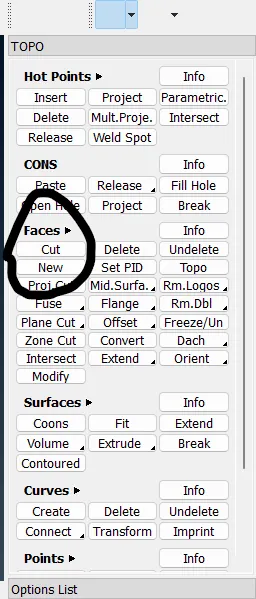
is to create a new faces and to remove the cons.
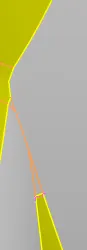
in the above image the cons are removed due to capture the mesh.
pid manager:
now, name the surfaces according to your need by using a PID manager.
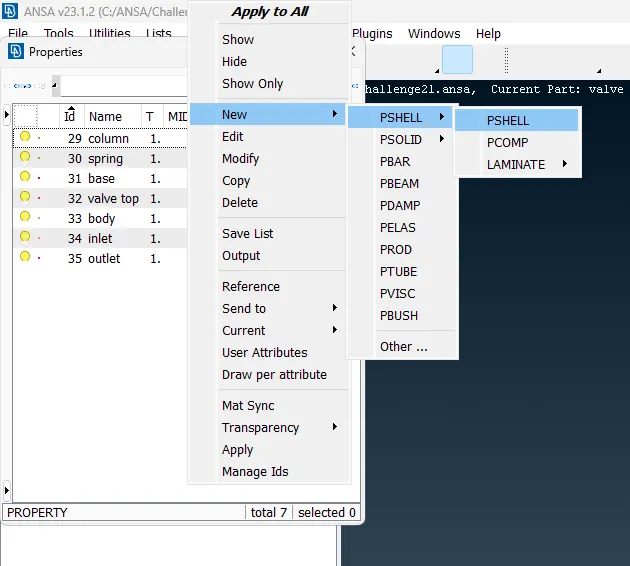
property manager is to create a pid region.
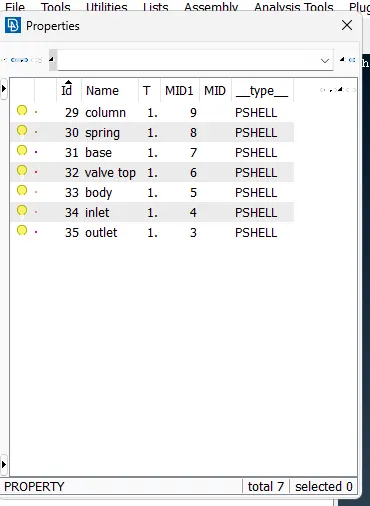
here ,new>pshell>pshell. to create a pid region.
mesh:
now, in Mesh Dock,under parametric. click on length to create a mesh length as 1mm, 3mm, and 5mm.
under length it shows two option just like the perimeter and macros.
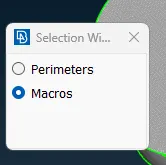
select the cons and middle click on mouse and length as 1mm.
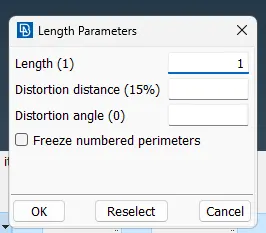
for other model with 3mm and 5mm. here only we need to change the 1 as 3 and 5.
under macros 3mm. now, click on mesh manger and provide a tria element.
with the target legth as 3mm.
heres, the final 2d surfaces as trigonal element are created is the 2d surfaces.
final step is to create a mesh using a mesh generation. there, it contains some of the meshing algorithm such as free, cfd, spotmesh, best etc.
from that select the spotmesh as algorithm for simple geomentry.
then create a mesh.
mesh parameter:
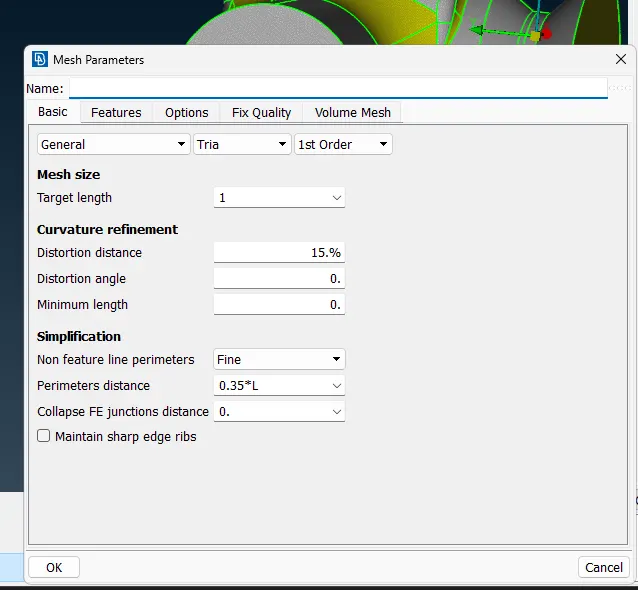
this is for 1mm. for 3 and 5 mm on the model.change it to 3 and 5.
quality criteria:
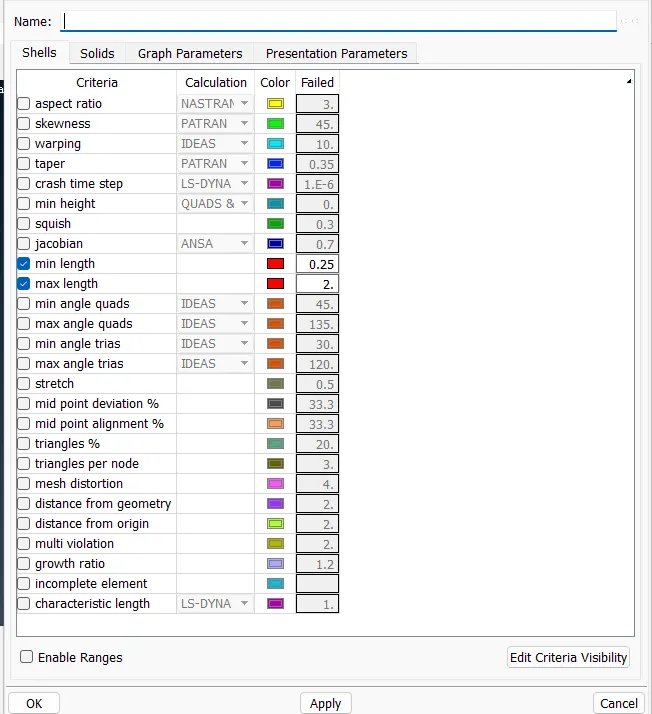
this criteria is for 1mm mesh size.
for 3mm and 5mm provide min length as 1 and 3 respectively. for max length as 5 and 7 respectively.
for creating a mesh.
mesh manager> mesh generation> spotmesh(we can use any type of mesh algorithm)
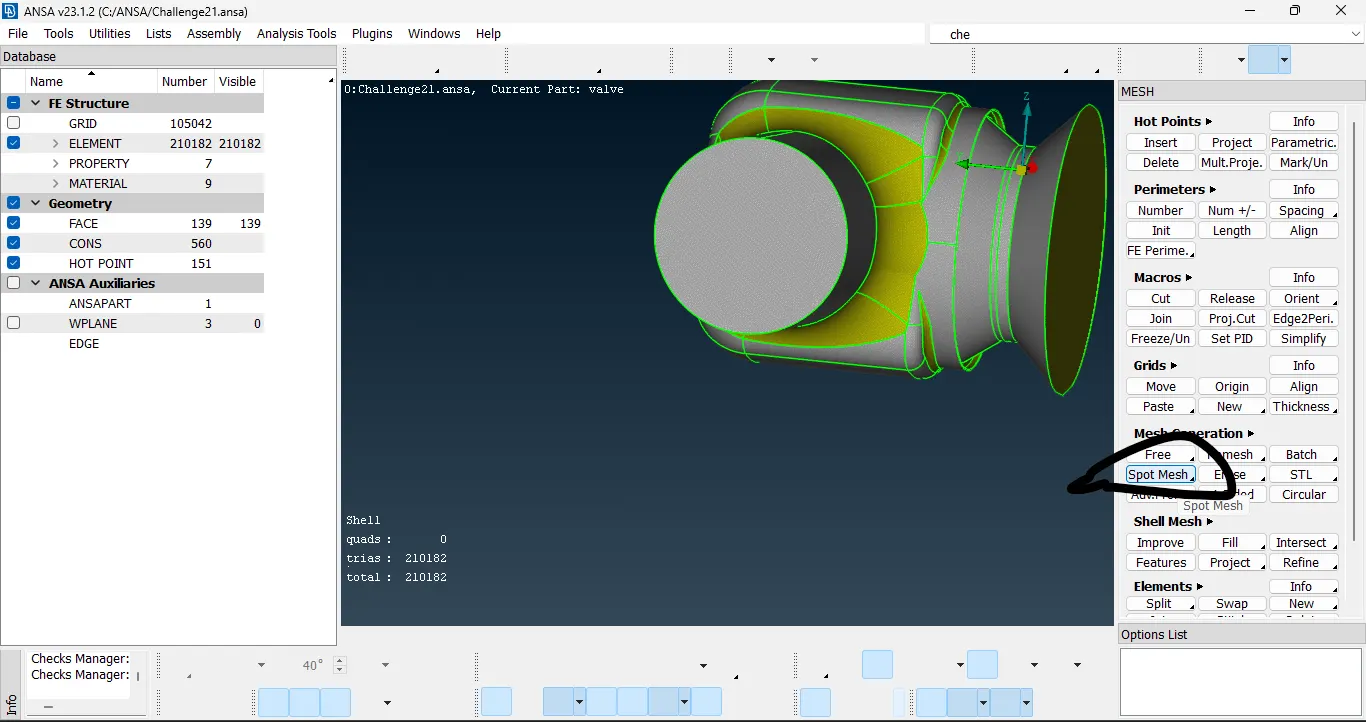
for 1mm mesh generation the total cell count was 210182 cells.
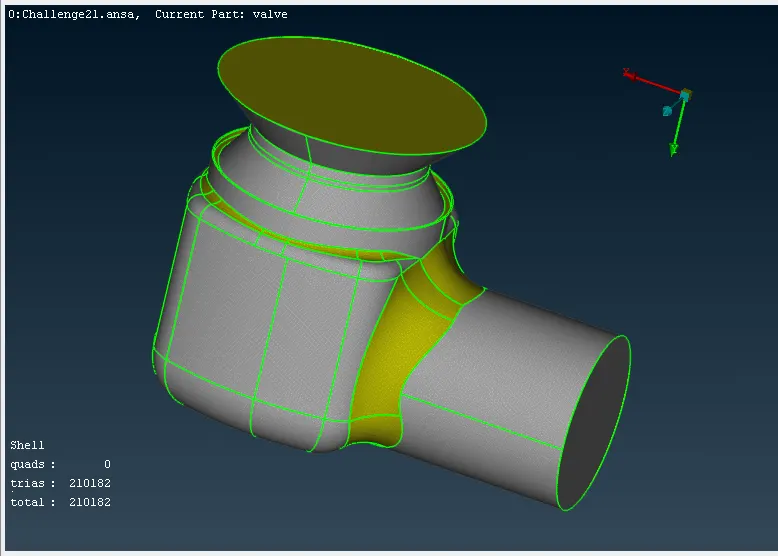
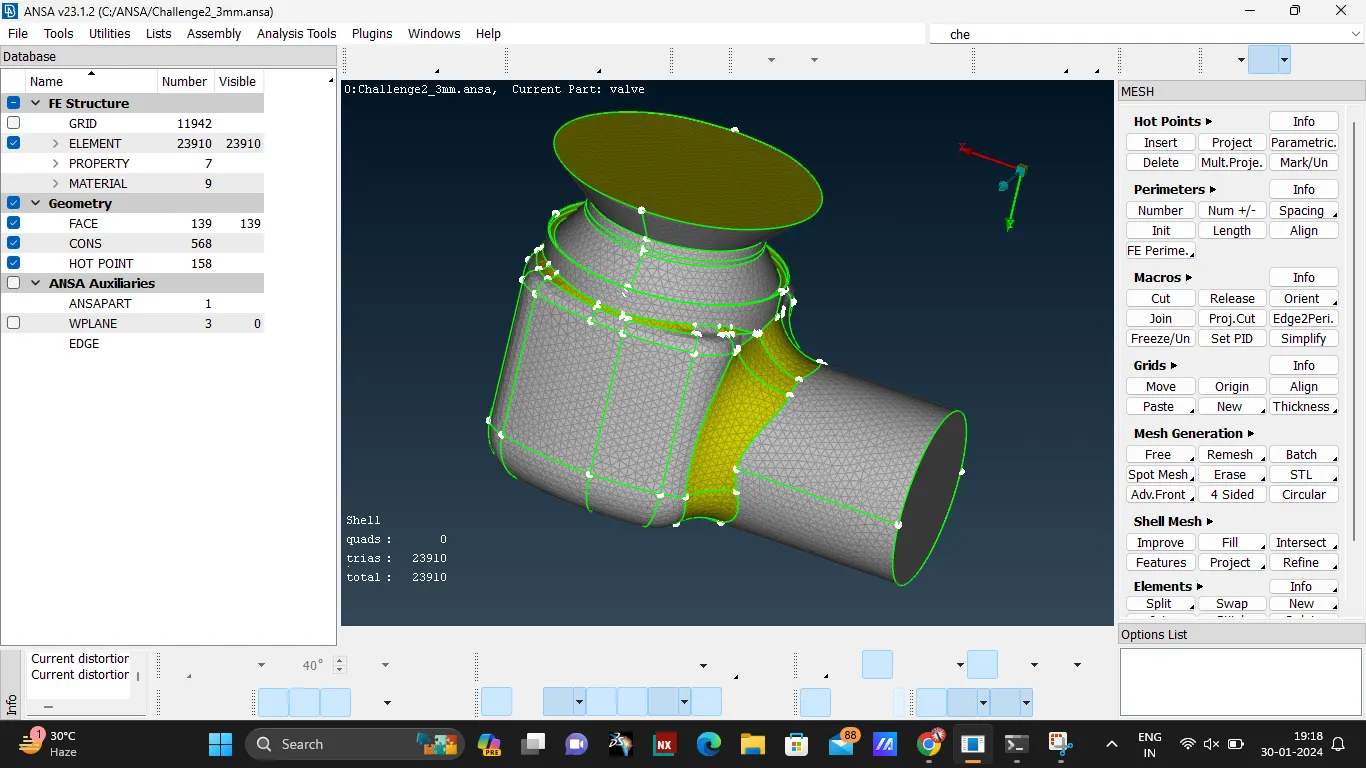
for 3mm mesh generation, the total cell count was 23910.
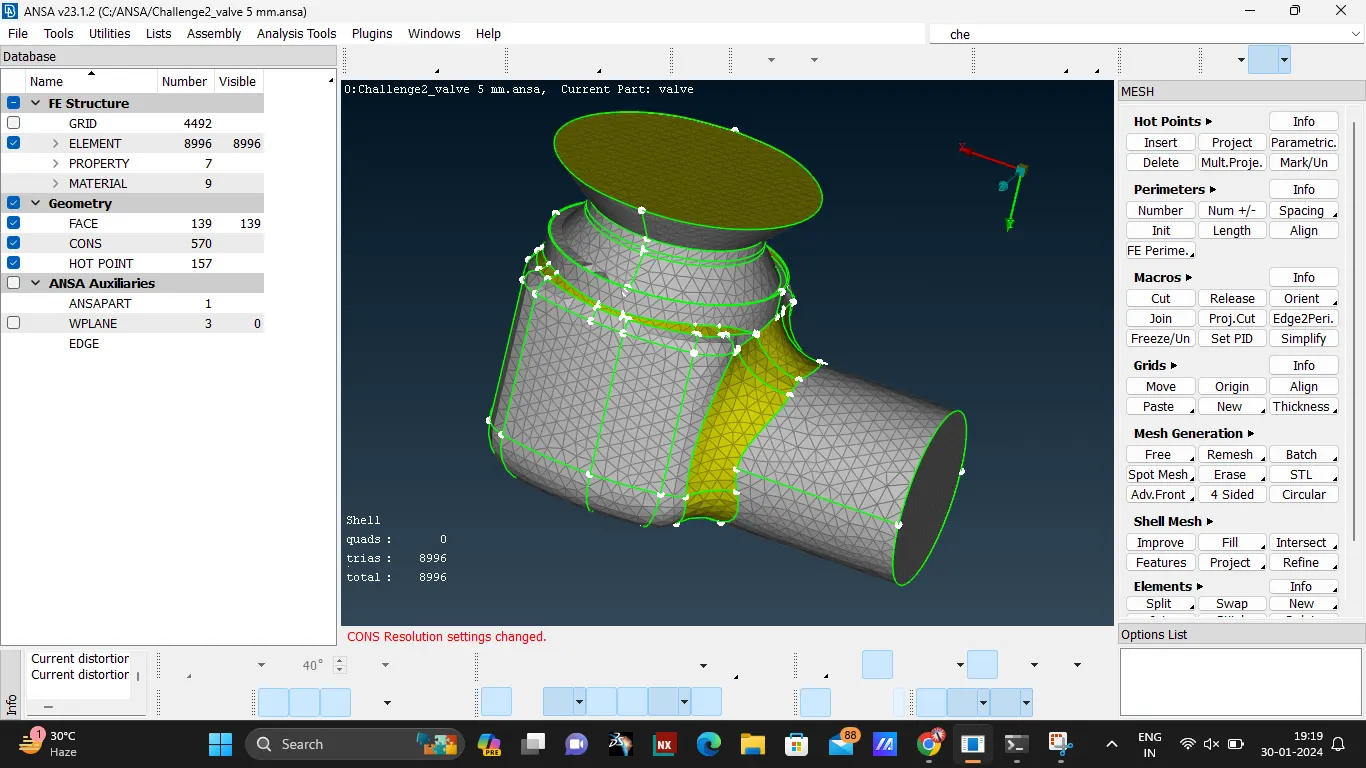
for 5mm mesh generation, total cell count was 8996.
Learning outcomes:
from, the above challenge. the mesh generation steps has been studied and the genration of mesh for a valve is done.
the cell counts are shown below.
1mm = 210182 cells
3mm = 23910 cells
5mm = 8996 cells
here, from the above if the mesh length decrease the cell counts increases drastically and capture the curvature properly and accurately.
Result:
mesh generation for surface meshing of a pressurevalve using ANSA software is done.
the ANSA file for 1mm, 3mm and 5mm has been attached below.
==========thank you==================