Week 2- 2R Robotic Arm Challenge
AIM:-
1. Program is shown to make plot for the robotic arm at a particular angle.
2. Then, I will show animation of the plot.
- Program in Matlab to simulate the forward kinematics of a 2R Robotic Arm.
- Or to write a program to find the required movment of robotic arm in the work space.
GOVERNING EQUATION:-
- Used formula in program to find the complete movement of arm in x direction "x=l*cos(theta)" and in y direction "y=l*sin(theta)".
- Terminology used in program-
- For arm links- l1 and l2.
- Angle of the arm links from x axis- theta1 and theta2
- For initial coordinate of arm- x0 and y0.
- For 2nd coordinate (end coordinate for arm link1 and initial coordinate for arm link2)- x1 and y1.
- For 3rd coordinate (end coordinate of arm link2)- x2 and y2.
BODY OF THE CONTENT:-
1. Animation for forward kinematics of robotic arm in workspace.
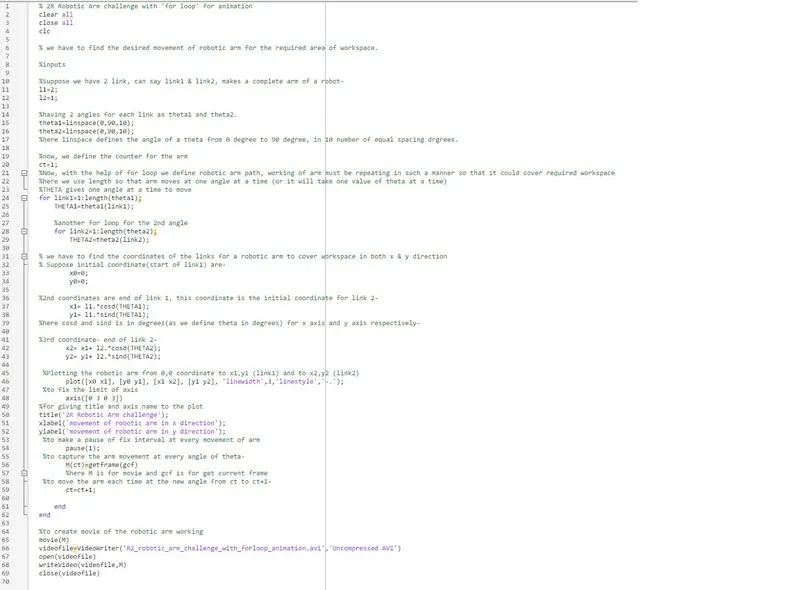
% 2R Robotic Arm challenge with 'for loop' for animation clear all close all clc % we have to find the desired movement of robotic arm for the required area of workspace. %inputs %Suppose we have 2 link, can say link1 & link2, makes a complete arm of a robot- l1=2; l2=1; %having 2 angles for each link as theta1 and theta2. theta1=linspace(0,90,10); theta2=linspace(0,90,10); %here linspace defines the angle of a theta from 0 degree to 90 degree, in 10 number of equal spacing drgrees. %now, we define the counter for the arm ct=1; %Now, with the help of for loop we define robotic arm path, working of arm must be repeating in such a manner so that it could cover required workspace %here we use length so that arm moves at one angle at a time (or it will take one value of theta at a time) %THETA gives one angle at a time to move for link1=1:length(theta1); THETA1=theta1(link1); %another for loop for the 2nd angle for link2=1:length(theta2); THETA2=theta2(link2); % we have to find the coordinates of the links for a robotic arm to cover workspace in both x & y direction % Suppose initial coordinate(start of link1) are- x0=0; y0=0; %2nd coordinates are end of link 1, this coordinate is the initial coordinate for link 2- x1= l1.*cosd(THETA1); y1= l1.*sind(THETA1); %here cosd and sind is in degrees(as we define theta in degrees) for x axis and y axis respectively- %3rd coordinate- end of link 2- x2= x1+ l2.*cosd(THETA2); y2= y1+ l2.*sind(THETA2); %Plotting the robotic arm from 0,0 coordinate to x1,y1 (link1) and to x2,y2 (link2) plot([x0 x1], [y0 y1], [x1 x2], [y1 y2], 'linewidth',3,'linestyle','-.'); %to fix the limit of axis axis([0 3 0 3]) %for giving title and axis name to the plot title('2R Robotic Arm challenge'); xlabel('movement of robotic arm in x direction'); ylabel('movement of robotic arm in y direction'); %to make a pause of fix interval at every movement of arm pause(1); %to capture the arm movement at every angle of theta- M(ct)=getframe(gcf) %here M is for movie and gcf is for get current frame %to move the arm each time at the new angle from ct to ct+1- ct=ct+1; end end %to create movie of the robotic arm working movie(M) videofile=VideoWriter('R2_robotic_arm_challenge_with_forloop_animation.avi','Uncompressed AVI') open(videofile) writeVideo(videofile,M) close(videofile)
- link of the animation-
https://drive.google.com/file/d/1jEpoW_uG0vA1cH1fHL6xhGu22cp9xMi7/view?usp=sharing
2. Path of robotic arm at fixed angle.
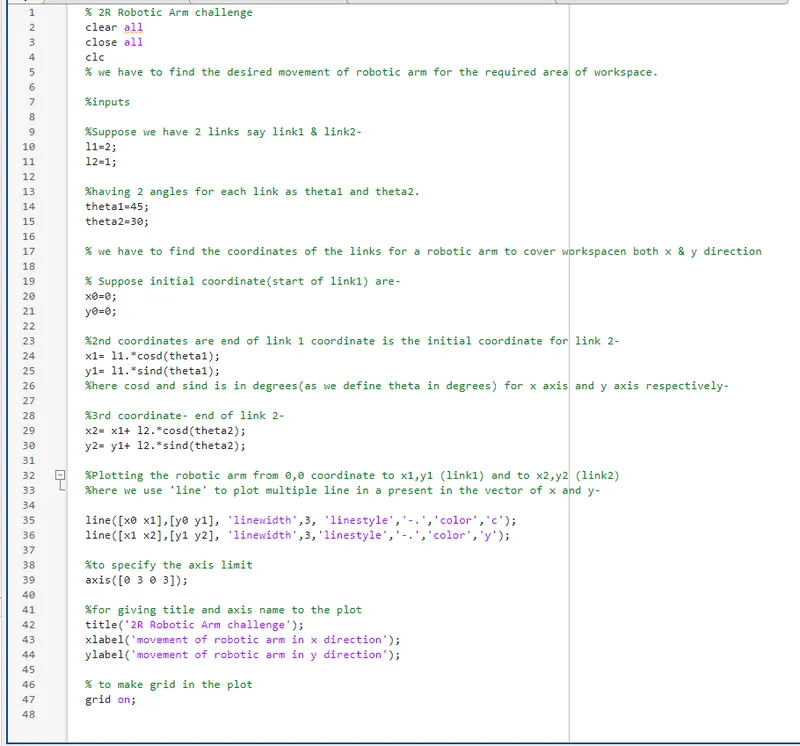
% 2R Robotic Arm challenge clear all close all clc % we have to find the desired movement of robotic arm for the required area of workspace. %inputs %Suppose we have 2 links say link1 & link2- l1=2; l2=1; %having 2 angles for each link as theta1 and theta2. theta1=45; theta2=30; % we have to find the coordinates of the links for a robotic arm to cover workspace in both x & y direction % Suppose initial coordinate (start of link1) are- x0=0; y0=0; %2nd coordinates are (end of link 1 coordinate is the initial coordinate for link 2)- x1= l1.*cosd(theta1); y1= l1.*sind(theta1); %here cosd and sind is in degrees(as we define theta in degrees) for x axis and y axis respectively- %3rd coordinate- end of link 2- x2= x1+ l2.*cosd(theta2); y2= y1+ l2.*sind(theta2); %Plotting the robotic arm from 0,0 (x0,y0) coordinate to x1,y1 (link1) and to x2,y2 (link2) %here we use 'line' to plot multiple linkage of line present in the vector of x and y- line([x0 x1],[y0 y1], 'linewidth',3, 'linestyle','-.','color','c'); line([x1 x2],[y1 y2], 'linewidth',3,'linestyle','-.','color','y'); % to specify the axis limit axis([0 3 0 3]); %for giving title and axis name to the plot title('2R Robotic Arm challenge'); xlabel('movement of robotic arm in x direction'); ylabel('movement of robotic arm in y direction'); % to make grid in the plot grid on;
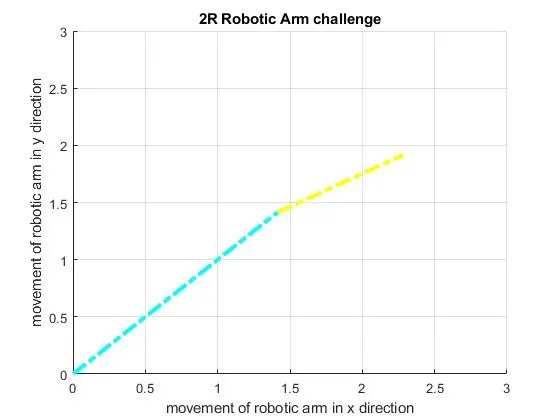
- Plot for the above program-
ERRORS FACED WHILE PROGRAMMING:-
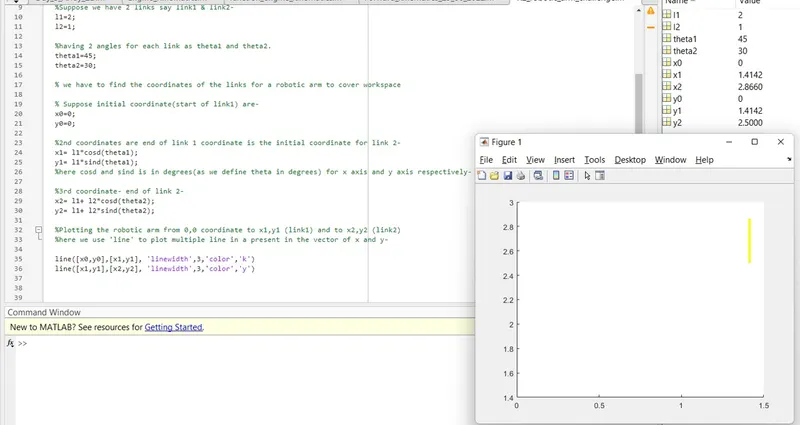
1. Graph plot straight line instead of angle.
- This found due to incorrect sequence of coordinate put in plot command.
- Wrong- line([x0 y0],[x1 y1])
- Correct- line([x0 x1],[y0 y1]
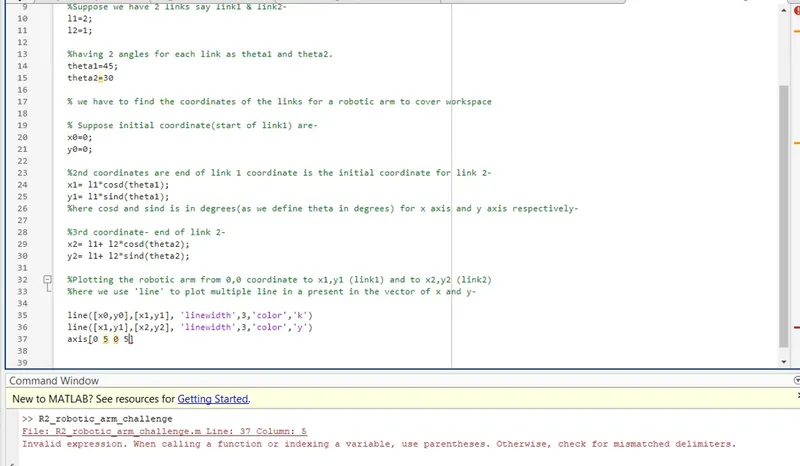
2. Error occur while giving limits for axis
- Paranthesis missed from theexpression.
- Wrong- axis[0 5 0 5]
- Correct- axis([0 5 0 5])
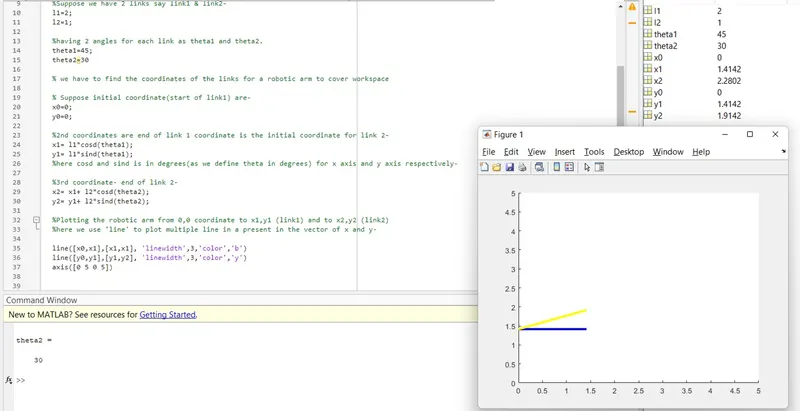
3. Graph plot incorrect again.
- This found due to incorrect sequence of coordinate put in plot command
- Wrong- line([x0 x1],[x1 x2])
- Correct- line([x0 x1],[y0 y1]
4. Error occur in for loop.
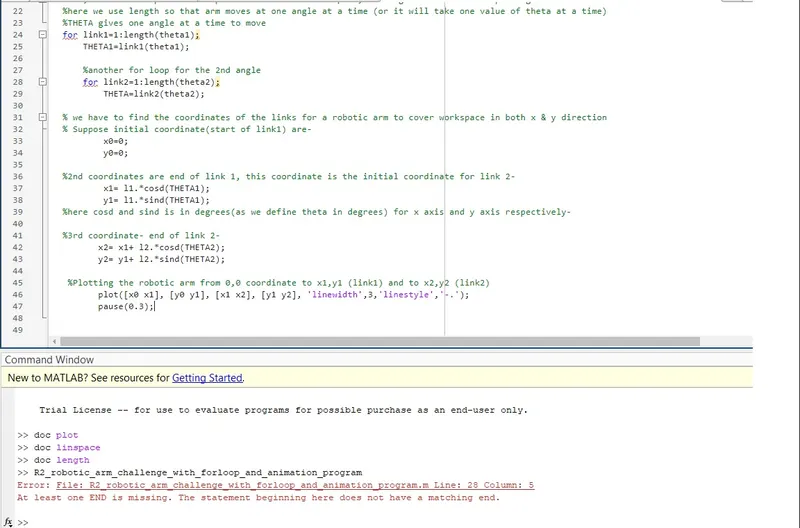
- This found due to end is missing to close the loop
- Wrong- End missing in for loop
- Correct- For loop closed by end