Week 2- 2R Robotic Arm Challenge
Matlab Code for forward kinematics of robotic arm.
Concept: In order to find the motion of the robotic arm, we need the understanding of vector resolution. from the following image, we can see that the horizotal component is the cos comoponent and the vertical component is the sin component of the vector. Here, we are taking components of lenth of the robotic arm.
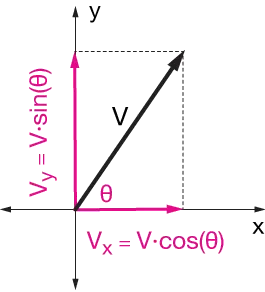
As the robotic arm has linkages, there will be some angle that it will make while its motion, and hence to find its range and position, we need to make use of vector resolution.
Steps
1. Providing inputs to length of the robotic arms and making arrays for theta1 and theta2.
2. The arrays are made using linspace command.
3. Then we use for loops for the iteration. Here we use varioables Theta1 and Theta2 to store the value for each iteration of theta1 and theta2. as for each value of theta1, there will be 10 values of theta2, hence to get the position of all the values, we are using this method.
4.The coordinatesof arms is determined using vector resolution, and these are mentioned under second 'for' loop.
5.We use 'axis()' to set the axis of the otherwise changing orientation of the arms.
6. For animation purpose, we will store all the frames in M and to get each iteration we use counter ct.
7. Next we use movie command to make the movie and it required the file name and format type of the movie, for whic we use videofile command and the open command to open the file. writeVideo command is used to get the frames in the video file from the getframe command.
8. The file is the closed so that its saved in the folder.
Code :
clear all
close all
clc
% Input length of arm1 and arm2, and their inclination theta1 and theta2.
l1 = 2
l2 = 1
theta1 = linspace(0,90,10)
theta2 = linspace(0,90,10)
ct = 1
for i = 1:length(theta1)
Theta1 = theta1(i)
for j = 1:length(theta2)
Theta2 = theta2(j)
x0 = 0
y0 = 0
x1 = l1.*cosd(Theta1)
y1 = l1.*sind(Theta1)
x2 = x1 + l2.*cosd(Theta2)
y2 = y1 + l2.*sind(Theta2)
%Plotting
plot([x0 x1],[y0 y1],[x1,x2],[y1,y2],'linewidth',3)
axis([-0.1 3 0 3])
pause(0.1)
M(ct)=getframe(gcf)
ct = ct+1
end
end
movie(M)
videofile = VideoWriter('practice1.avi', 'MPEG-4')
open(videofile)
writeVideo(videofile,M)
close(videofile)
Errors.
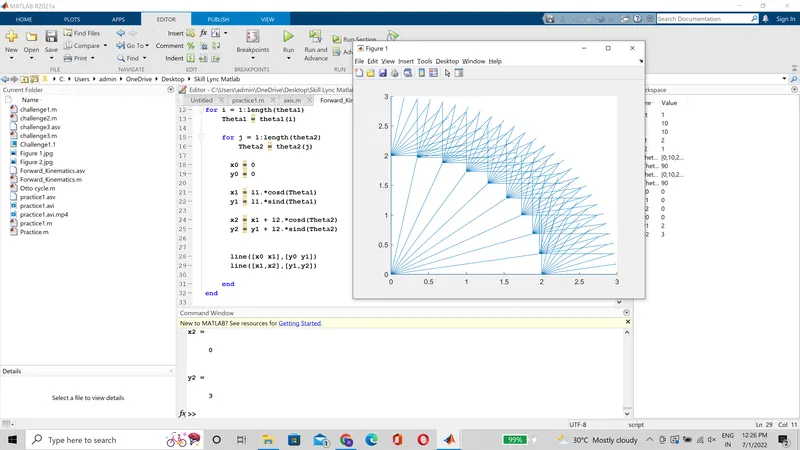
1. The plot couldt be made as desired using the line command, and also not using the hold on command for plot, as returned all the interations in a single window
.
2. Not using the 'ct+1' returned just the last iteration in the movie frame. Hence added it to get the full animation movie.
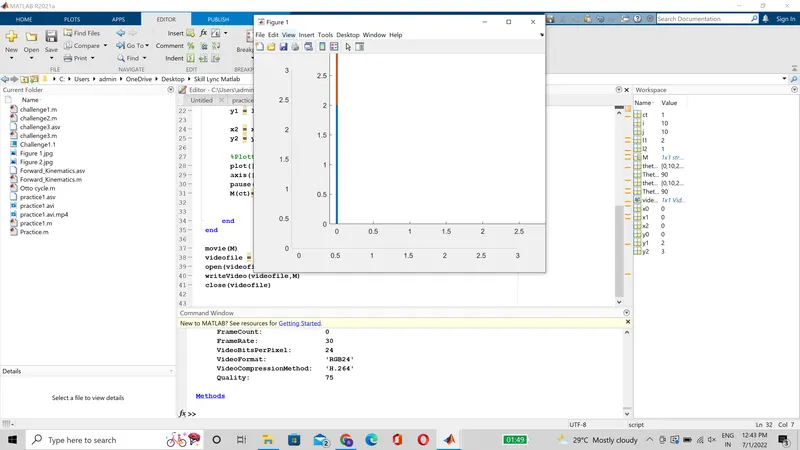
Video Link: https://youtu.be/drAClpE1GCw