Week 2- 2R Robotic Arm Challenge
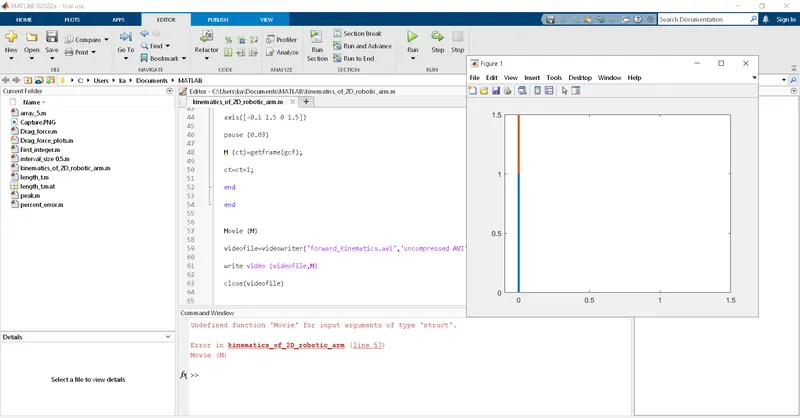
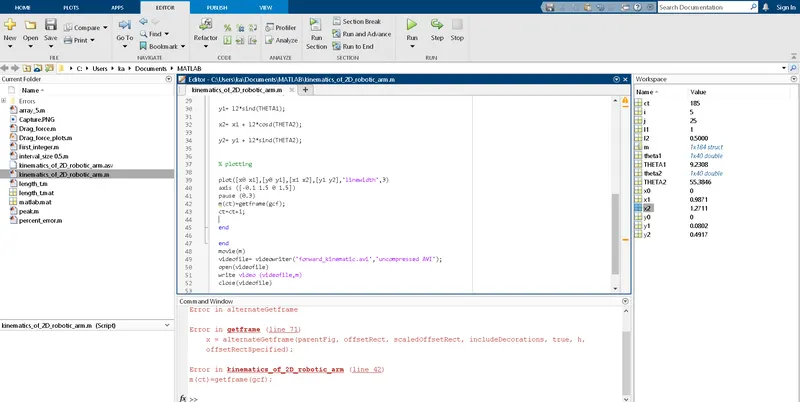
clear allclose allclc%inputsl1=1;l2=0.5;theta1=linspace(0,90,40);theta2=linspace(0,90,40);ct=1;for i=1:length(theta1)THETA1=theta1(i);for j=1:length(theta2)THETA2=theta2(j);x0=0;y0=0;x1= l1*cosd(THETA1);y1= l2*sind(THETA1);x2= x1 + l2*cosd(THETA2);y2= y1 + l2*sind(THETA2);% plottingplot([x0 x1],[y0 y1],[x1 x2],[y1 y2],'linewidth',3)axis ([-0.1 1.5 0 1.5])pause (0.5)M(ct)=getframe(gcf);ct=ct+1;endendMovie(M)videofile= videowriter('forward_kinematic.avi','uncompressed AVI');open(videofile)write_video (videofile,M)close(videofile)
explanation:
Let see about inputs
l1,l2 are length of the robotic arms.the row
11,12 denotes the theta value assume like [0,90] differs as 10 values
for continuos action we use for loop condition
ct use for each and every frame
start the for contion i=1:length(theta1) which means i=1:90
plotting all the axixes and mention the width of the line
arrange the axis to show the ploting graph in centre place
pause command to show the speed for the arms
and end the for conditions
in the row 49 to 53 the commands use to make the movie for kinematic 2d robotic arm for continuous motion