Week 2- 2R Robotic Arm Challenge
AIM= To plot the 2r robotic arm and its animation by the help of matlab easly
code=
%forward kinematic of robotic arm

clear all
close all
clc

%inputs
l1= 1;
l2= 0.3;
theta1= linspace(0,90,4);
theta2= linspace(0,90,4);

ct=1;
for i= 1:length(theta1)
    THETA1=theta1(i);
    for j=1:length(theta2)
        THETA2=theta2(j);


x0=0;
y0=0;
x1=l1*cosd(THETA1);
y1=l2*sind(THETA1);

x2=x1+l2*cosd(THETA2);
y2=y1+l2*sind(THETA2);

%plotting

plot([x0 x1],[y0 y1],[x1 x2],[y1 y2],'linewidth',3)
axis([-0.1 1.5 0 1.5])
pause(1)

M(ct)=getframe(gcf);
ct=ct+1;

    end
end
movie(M)
videofile=VideoWriter('forward_kinematics.avi','uncompressed AVI');
open(videofile)
writeVideo(videofile,M)
close(videofile)
Explanation=
- close all,clear all,clc is used to clear the plots,command window and variables
- given the inputs to calculate the co-ordinates points in plot by using trignometry function
- then by the help of plot command the result is plotted
- to do repeated plot for loop command is used and to caputure the all plots in one single plot hold on and getframe command is used
- then movie is generated by movie(m) command
- created vedieo file in .avi extension
- file is saved
error =
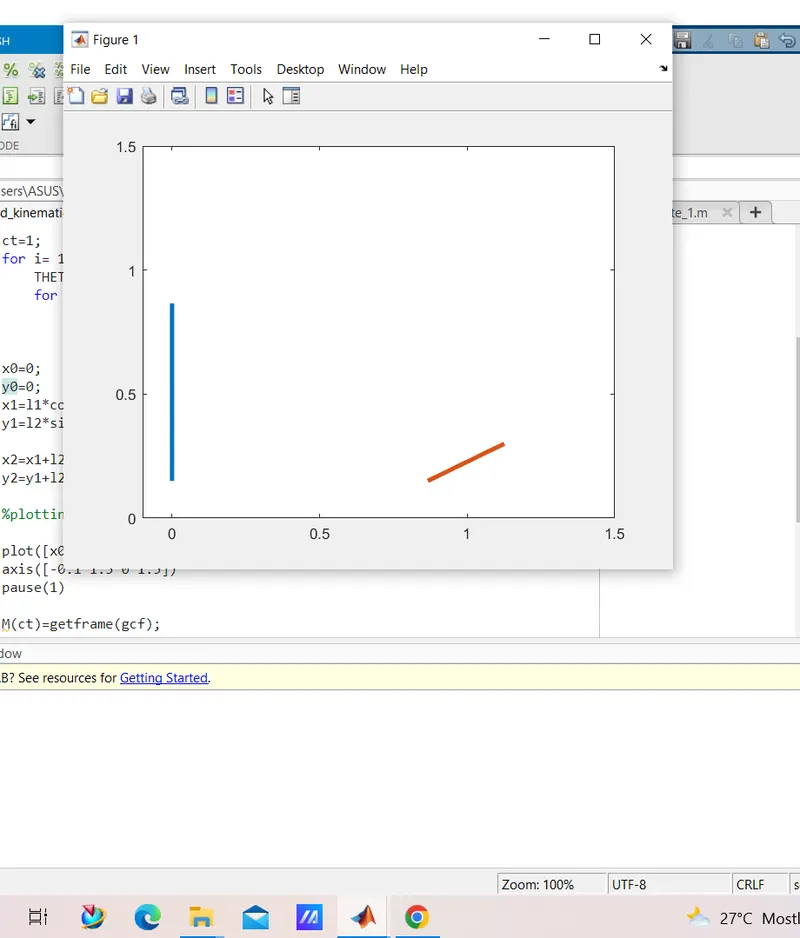
plot([x0 y0],[x1 y1],[x1 x2],[y1 y2],'linewidth',3) is wriiten in code
corrected =plot([x0 x1],[y0 y1],[x1 x2],[y1 y2],'linewidth',3)
RESULT =