Week 2- 2R Robotic Arm Challenge
SIMULATION OF FORWARD KINAMATICS FOR 2R ROBOTIC ARM
Aim: Animate the working principle of forward kinematics for robotic arm.
Objectives: 1) Generate a Matlab code for plotting the forward kinematics for 2R Robotic Arm.
2) Upload the working video of above on youtube.
Theory:
Kinematics is the study of motions of a system of bodies. Kinematics of a link can be defining the constraints for a desired motion.
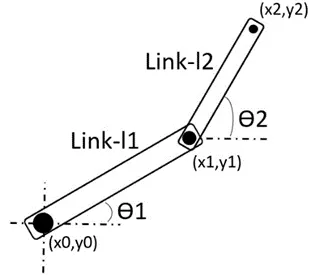
The schematic diagram of 2R Robotic Arm is as below,
Mathematical Calculations:
The Robotic arm having two kinematic links as shown in the figure above were,
The lengths of two links are l1 and l2.
The coordinates of Link-l1 are (x0,y0) and (x1,y1) also,
For Link-l2 is (x1,y1) and (x2,y2).
By Trigonometry,
x1=l1*cosӨ1 and y1=l1*sinӨ1
x2=x1+l1*cosӨ2 and y2=y1+l2*sinӨ2
CODE or The program:
- clear all
- close all
- clc
%inputs
- l1=1; % the length link-1 l1=1
- l2=0.5; % the length link-2 l2=0.5
- ct=1 % the count ct=1 is initial value of loop execution
- x0=0; % initial value or the origin of the plot
- y0=0; % initial value or the origin of the plot
- theta1=linspace(0,90,10) %Incremental value of 10deg between 0 to 90deg
% theta1 is angle between datum and link-1
- theta2=linspace(0,90,10) %Incremental value of 10deg between 0 to 90deg
% theta1 is angle between datum and link-2
- for i=1:length(theta1) % for loop to get the theta1 value increment
- THETA1=theta1(i) % the value of 10deg gets added to previous value
- for j=1:length(theta2) % for loop to get the theta2 value increment
- THETA1=theta2(j) % the value of 10deg gets added to previous value
- x1=l1*cosd(THETA1); % corresponding coordinate values for the plotter is generated
- y1=l1*sind(THETA1);
- x2=x1+l2*cosd(THETA2);
- y2=y1+l2*sind(THETA2);
%Animation_Plotting
- plot([x0 x1],[y0 y1],[x1 x2],[y1 y2],'linewidth',3) %plotter command
- axis([0 1.5 0 1.5]) %range or scale of the ordinate
- pause(0.3) %delay between incremental value for better visualization
- M(ct)=getframe(gcf); %Capturing the plot
- ct=ct+1 %to differentiate the changeover of increment between i & j loops
- end % close of j -for loop
- end % close of i -for loop
- movie(M) %command callout
- videofile=VideoWriter('Robotic_arm_2R','Uncompressed AVI') %creation of clips
- open(videofile) %visualise the video created
- writeVideo(videofile,M) %combining of plots or clips
- close(videofile) %closure of animation
Error fixation or fine tuning of codes:
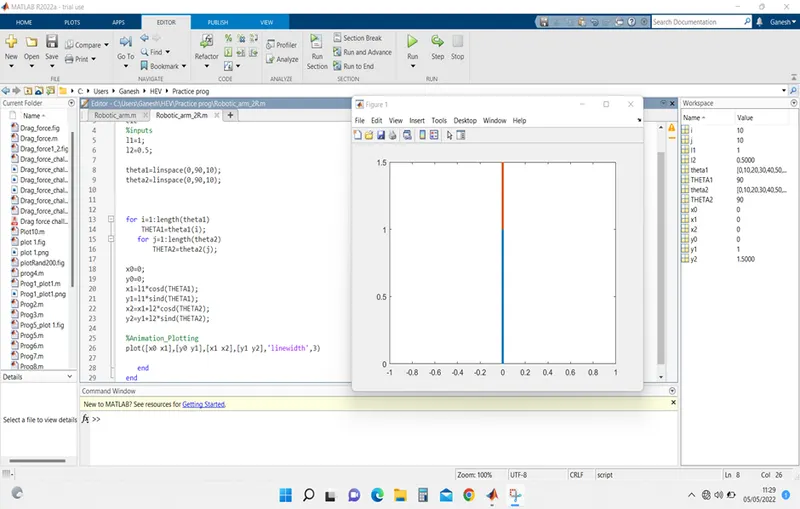
1)The end plot is seen because there is no delay/pause/hold-on between plots
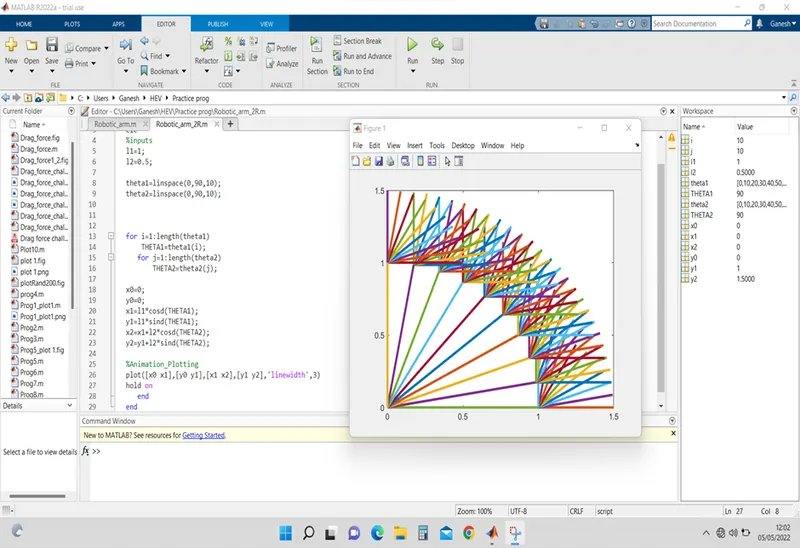
2)Use of hold on command: could see different position
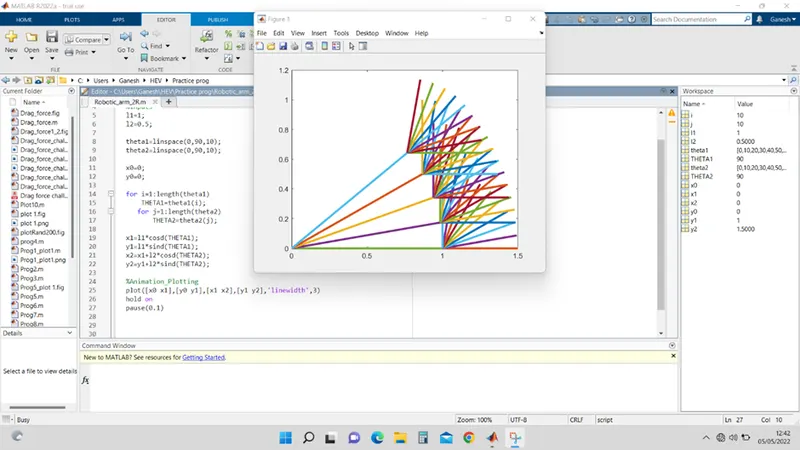
3)Use of Pause command to reduce the speed of plotter
4) Axis command to define the plot area so that the range is confined
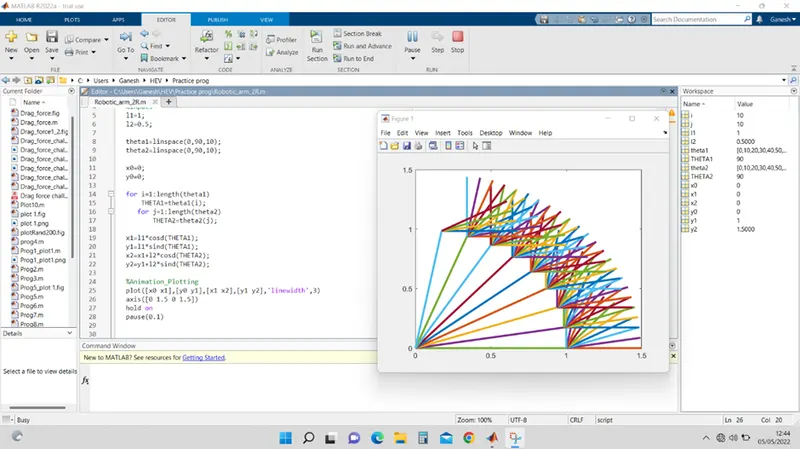
5) Hold on command is removed and count(ct) command used for to get separate plots at different positions
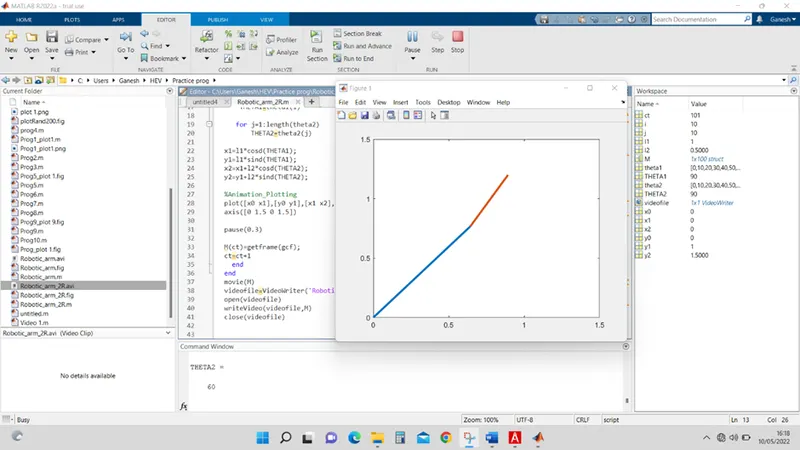
Conclusions:
- Simulation of robotic arm is done using for loops and linspace commands.
- Animated movie can be created and saved in different formats (ref. code section).
- The video of working kinematic robotic arm has been uploaded on youtube. Follow the link:
clear all
close all
clc
%inputs
l1=1;
l2=0.5;

ct=1
x0=0;
y0=0;

theta1=linspace(0,90,10);
theta2=linspace(0,90,10);


for i=1:length(theta1)
    THETA1=theta1(i)

   for j=1:length(theta2)
       THETA2=theta2(j)

x1=l1*cosd(THETA1);
y1=l1*sind(THETA1);
x2=x1+l2*cosd(THETA2);
y2=y1+l2*sind(THETA2);

%Animation_Plotting
plot([x0 x1],[y0 y1],[x1 x2],[y1 y2],'linewidth',3)
axis([0 1.5 0 1.5])

pause(0.3)

M(ct)=getframe(gcf);
ct=ct+1
  end
end
movie(M)
videofile=VideoWriter('Robotic_arm_2R','Uncompressed AVI')
open(videofile)
writeVideo(videofile,M)
close(videofile)