Week 2- 2R Robotic Arm Challenge
Aim: Write a program in MATLAB to simulate the forward kinematics of 2R Robotic Arm.
Theory:
2R Robotic Arm:
Robotic Arm with the Degree of Freedom of 2 is called 2R Robotic arm. It consists of 2 rotating joints and 2 links with manipulator at the end of arm. In above Figure link 1 is making angle θ1 with X-Axis and it has length of l1, link 2 is making θ2 with X-A xis and it has length of l2 .
Calculation:
To find the positions of the link we follow below procedure:
Let Intial position of the link1 be (X1, Y1) = (0, 0)
Final position of the link2 be (X2, Y2)
Final position of the link3 be (X3, Y3)
Therefore,
X2 = l1*cos(θ1)
Y2 = l1*sin(θ1)
X2 = X2+l2*cos(θ2)
Y2 = Y2+l2*sin(θ2)
Code:
%Program to simulate 2R Robotic Arm
clear all
close all
clc
%Input
%lengths of links
l1 = input('Enter the length of 1st link(l1):');%Length of 1st link
l2 = input('Enter the length of 1st link(l2):');%Length of 2nd link
%Angles made by the links with X-axis
%her use linspace command to input angles
theta1 = linspace(0,90,10);%Input angle made by the link1 with X-axis(use linspace command)
theta2 = linspace(0,90,10);%Input angle made by the link2 with X-axis(use linspace command)
%Base position or intial position of link1
x1 = 0;
y1 = 0;
%increment value foe for loop
t = 1;
%to get the different positions of the links with respective eachoyher we
%are using for loops
for i = 1:length(theta1)
    Theta1= theta1(i);
    for j = 1:length(theta2)
        Theta2=theta2(j);
        %End position of link1 or intial position of link2
        x2 = l1*cosd(Theta1);
        y2 = l1*sind(Theta1);
        %End of link2 or position of manipulator
        x3 = x2+l2*cosd(Theta2);
        y3 = y2+l2*sind(Theta2);
        %Plotting
        plot([x1 x2],[y1 y2],[x2 x3],[y2 y3],'linewidth',5)
        axis([-0.1 2 0 2])%Axis for plot
        pause(0.07)
        M(t) = getframe(gcf);%assigning frames
        t=t+1;
    end
end
movie(M)
videofile = VideoWriter('Robotic_arm.avi','Uncompressed AVI');
open(videofile)
writeVideo(videofile,M)
close(videofile)
Procedure:
- Input lengths of the links 1&2 using Input() command.
- Assign the range of angles to be observed in simulation to θ2 and θ
- Open for loop of θ1 and open other for loop of θ
- Write the logic or calculation part of link positions with respective each other.
- Plot the curve inside the for loop and use the pause () command to capture every frame or plot.
- Assign these captured frames to different element of a matrix.
- End the loops and create a movie.
- Output of the Program is uploaded in Youtube and the Youtube link is given below.
Youtube link: https://youtu.be/UGP5ZJa9SWI
Errors & Corrections:
Error1:
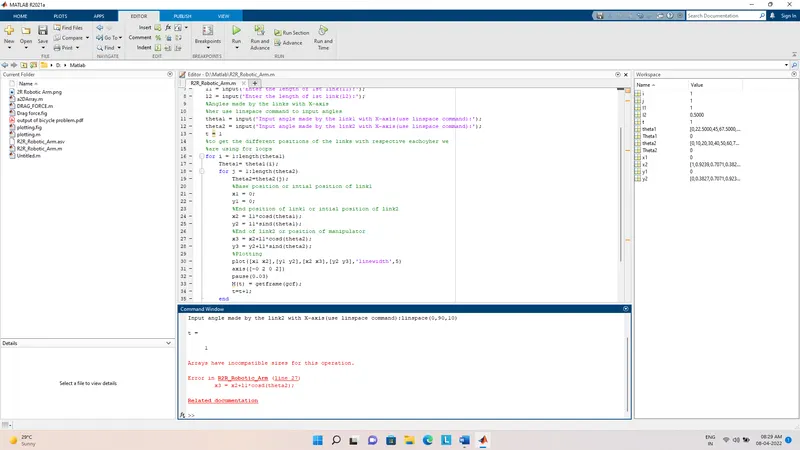
Correction:
Here I used Input() command to give the inputs to the angles θ2 and θ1.Whlie doing so I accidentally given different matrix sizes which lead to this error and I rectified that in correction for next eteration.
Error2:
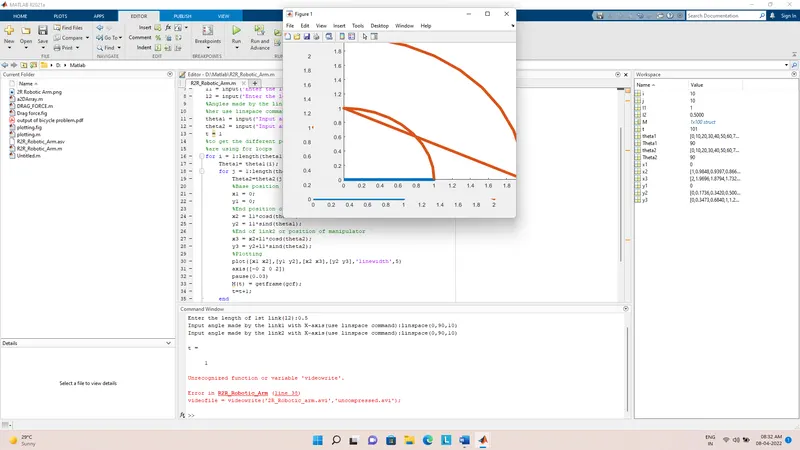
Here I identified two errors First is in output and Second is error in creating the movie.
Corrections:
- Output error is due to typing (theta1,theta2) instead of (Theta1,Theta2) inside the logic.
- Due to typing uncompressed.avi instead of Uncompress AVI inside the video file assigning command.
Result:
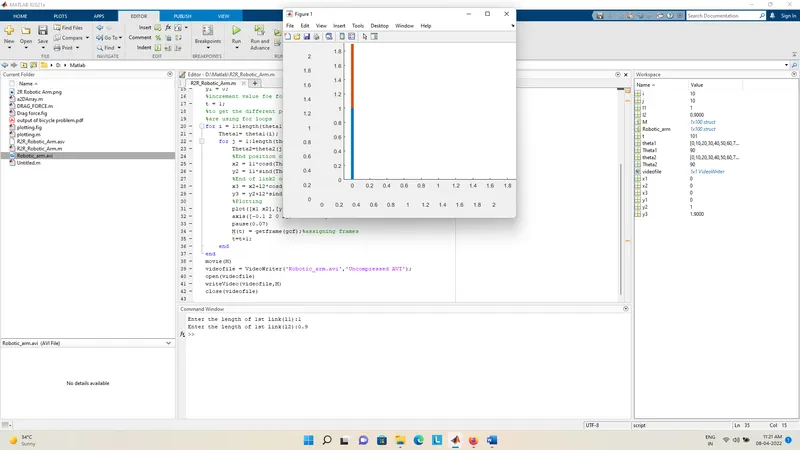
I uploaded the final avi also.
Conclusion:
By this we created the 2R Robotic arm Simulation and created the video file.