Week 2- 2R Robotic Arm Challenge
- WRITE A PROGRAM TO SIMULATE A FORWARD KINEMATICS OF A 2R ROBOTIC ARM BY USING MATLAB ?
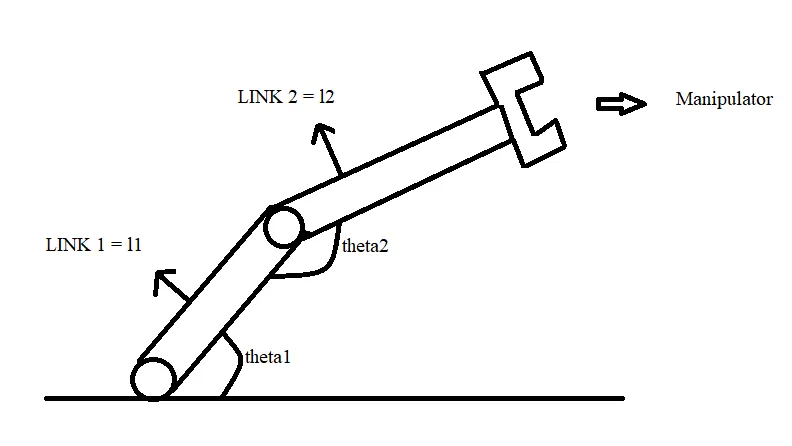
ROBOTIC ARM
Here we need to find the angles between link1(l1) & link2(l2), and also plot the position of link2.
The starting position of link1 ( x=0,y=0 )
position of link1 ( theta = theta1 )
position of link2 (theta = theta2 )
we need to find the values of ( x1,y1 ; x2,y2 ) ,& make a animation video file for changing the position of robotic arm ?
PROGRAM 1:- POSITION OF ROBOTIC ARM WITHOUT ANIMATION
clear all
close all
clc
%inputs
%lengths of link1 & link2
l1 = 2
l2 = 1
% angles of link1 & link2
theta1 = 30
theta2 = 65
%co-ordinates
% here statrting co-ordinates always 0, then;
x0 = 0;
y0 = 0;
% we need to find the (x1 y1, x2 y2) values
%ERRORS
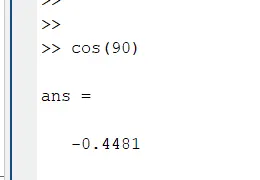
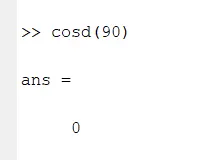
% here x1 = l1*cos(theta1) gives not accurate values, then we use
% cosd(theta1) then;
% cos(90) = error value ; cosd(90) = accurate value
% sin(90) = error value ; sind(90) = accurate value
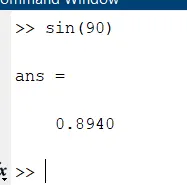
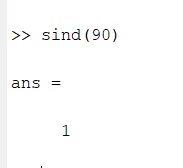
% hence we using cosd & sind for accurate values.
x1 = l1*cosd(theta1);
y1 = l1*sind(theta1);
x2 = x1+l2*cosd(theta2);
y2 = y1+l2*sind(theta2);
%plotting the positions of robotic arm
line([x0 x1],[y0 y1],'linewidth',2,'color','c')
line([x1 x2],[y1 y2],'linewidth',3,'color','m')
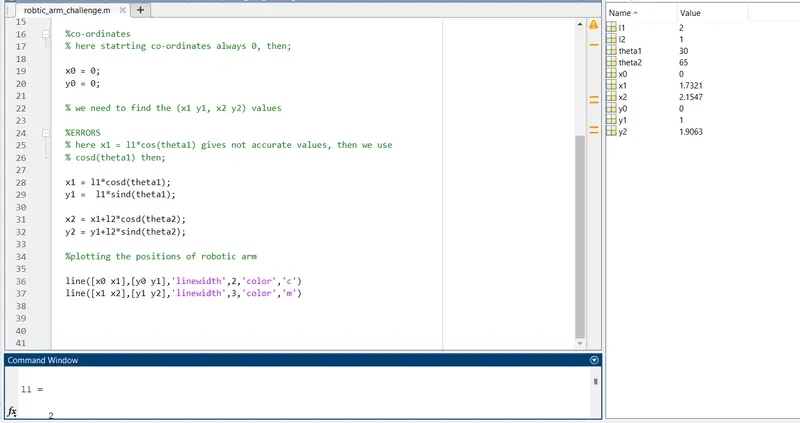
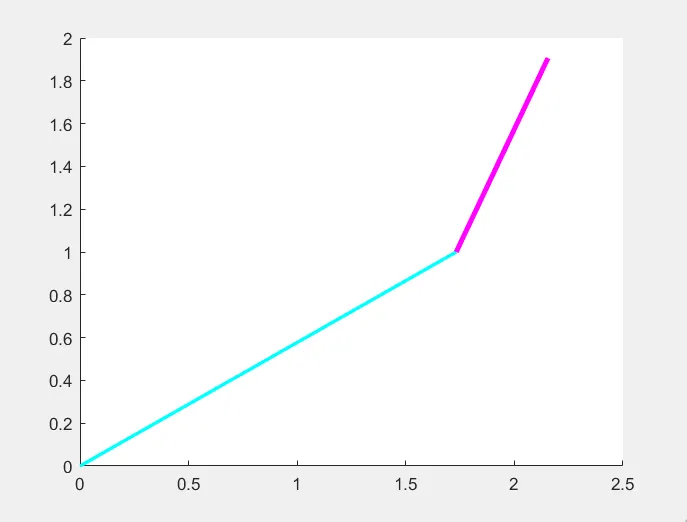
- TO EXCUTE THE ABOVE PROGRAM TO CHECK & RUN THE FILE "robotic challenge"
- CODE 2 :- %testing for loop command:- use of these command to count the all values.
% testing kinematics of robotic arm manipulator
clear all
close all
clc
% inputs
l1 = 2;
l2 = 1;
theta1 = linspace(0,45,5);
theta2 = linspace(0,45,5);
% here we need to use for loop because it counts all the values;
% for example
for i = 1: length(theta1)
a = strcat('my world',num2str(i))
end
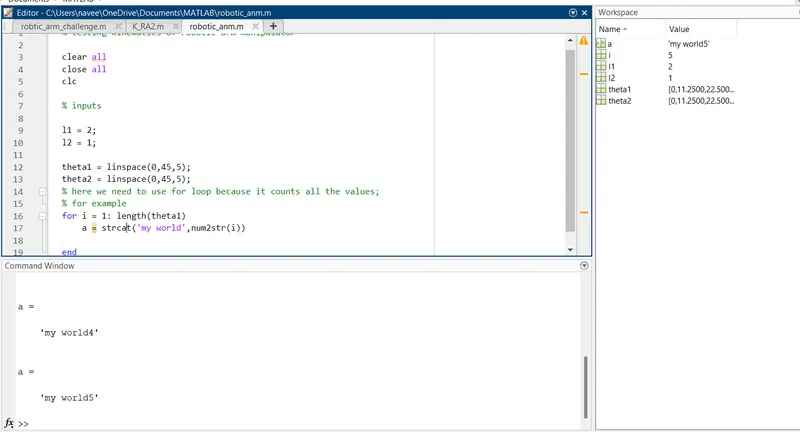
- TO EXCUTE THE ABOVE PROGRAM TO CHECK & RUN THE FILE "testing loop"
- CODE 3 :- %making an animation video on robotic arm without errors and find errors
clear all
close all
clc
% inputs
l1 = 2;
l2 = 1;
theta1 = linspace(0,45,5);
theta2 = linspace(0,45,5);
% here we need to use for loop because it counts all the values;
% for example
ct=1
for i = 1: length(theta1)
THETA1 = theta1(i);
for j = 1:length(theta2)
THETA2 = theta2(j);
x0 = 0;
y0 = 0;
x1 = l1*cosd(THETA1);
y1 = l1*sind(THETA1);
x2 = x1+l2*cosd(THETA2);
y2 = y1+l2*sind(THETA2);
%plotting the positions of robotic arm
%we use countor(ct) command
figure(ct)
line([x0 x1],[y0 y1],'linewidth',2,'color','c')
line([x1 x2],[y1 y2],'linewidth',3,'color','m')
ct=ct+1
end
end
%here we need face error when we run the program it gives total number of plots
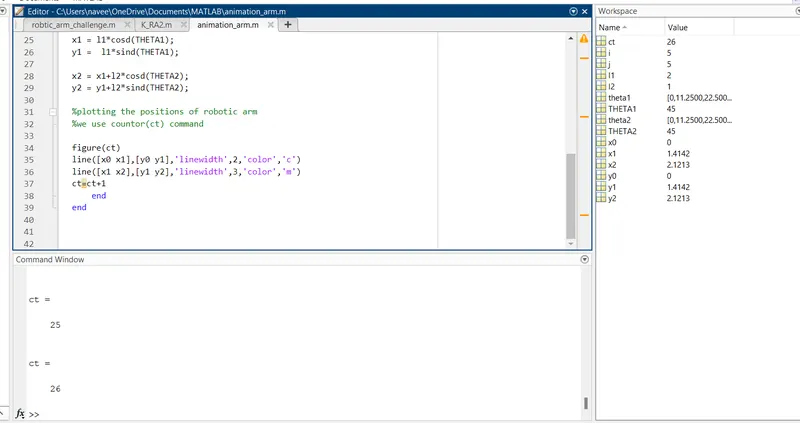
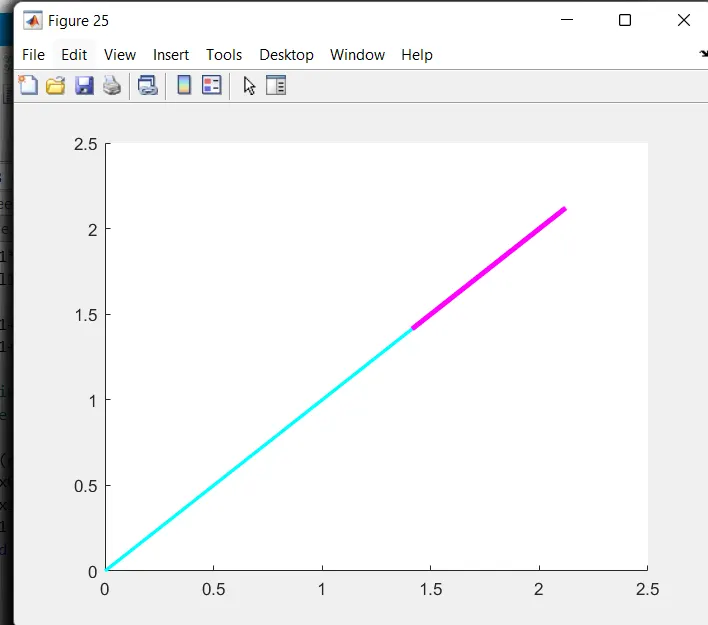
%here when we run the program it gives total 25 plots
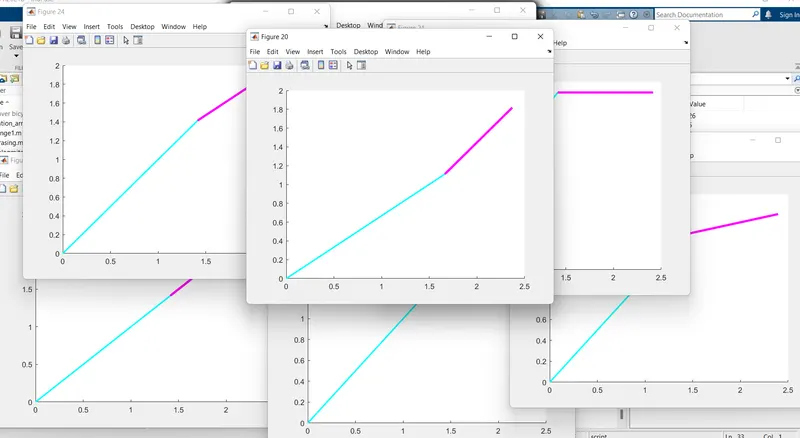
- TO EXCUTE THE ABOVE PROGRAM TO CHECK & RUN THE FILE "error-arm1"
% we need to correct these error , to remove figure(ct) and add hold on command then
clear all
close all
clc
% inputs
l1 = 2;
l2 = 1;
theta1 = linspace(0,45,5);
theta2 = linspace(0,45,5);
% here we need to use for loop because it counts all the values;
% for example
ct=1
for i = 1: length(theta1)
THETA1 = theta1(i);
for j = 1:length(theta2)
THETA2 = theta2(j);
x0 = 0;
y0 = 0;
x1 = l1*cosd(THETA1);
y1 = l1*sind(THETA1);
x2 = x1+l2*cosd(THETA2);
y2 = y1+l2*sind(THETA2);
%plotting the positions of robotic arm
%we use countor(ct) command
hold on
line([x0 x1],[y0 y1],'linewidth',2,'color','c')
line([x1 x2],[y1 y2],'linewidth',3,'color','m')
ct=ct+1
end
end
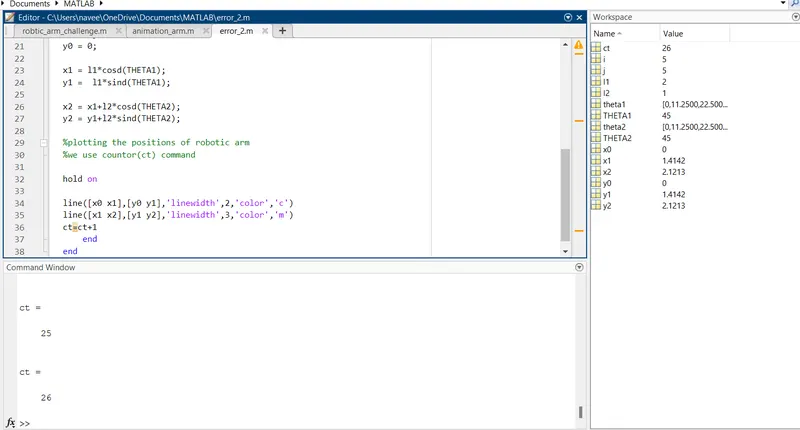
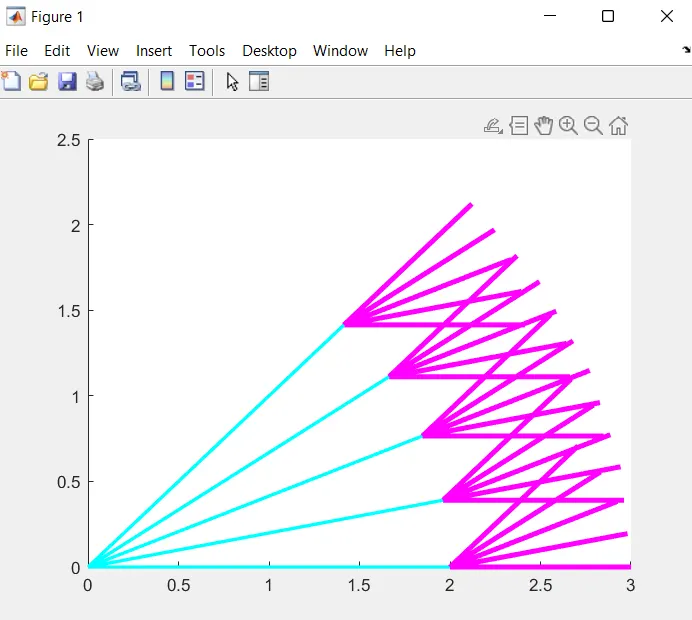
- TO EXCUTE THE ABOVE PROGRAM TO CHECK & RUN THE FILE "error_plot"
% here the plot shows improer way , all arms plot in single plot we need to correct , we use pause command in the program
clear all
close all
clc
% inputs
l1 = 2;
l2 = 1;
theta1 = linspace(0,45,5);
theta2 = linspace(0,45,5);
% here we need to use for loop because it counts all the values;
% for example
ct=1
for i = 1: length(theta1)
THETA1 = theta1(i);
for j = 1:length(theta2)
THETA2 = theta2(j);
x0 = 0;
y0 = 0;
x1 = l1*cosd(THETA1);
y1 = l1*sind(THETA1);
x2 = x1+l2*cosd(THETA2);
y2 = y1+l2*sind(THETA2);
%plotting the positions of robotic arm
%we use countor(ct) command
hold on
line([x0 x1],[y0 y1],'linewidth',2,'color','c')
line([x1 x2],[y1 y2],'linewidth',3,'color','m')
pause(0.35)
ct=ct+1
end
end
% here these plot no.of counts on the ploting , we need to plot in single line and arm, we need to change line to plot
when use plot command it shows only recent command
clear all
close all
clc
% inputs
l1 = 2;
l2 = 1;
theta1 = linspace(0,45,5);
theta2 = linspace(0,45,5);
% here we need to use for loop because it counts all the values;
% for example
ct=1
for i = 1: length(theta1)
THETA1 = theta1(i);
for j = 1:length(theta2)
THETA2 = theta2(j);
x0 = 0;
y0 = 0;
x1 = l1*cosd(THETA1);
y1 = l1*sind(THETA1);
x2 = x1+l2*cosd(THETA2);
y2 = y1+l2*sind(THETA2);
%plotting the positions of robotic arm
%we use countor(ct) command
plot([x0 x1],[y0 y1],'linewidth',2,'color','c')
plot([x1 x2],[y1 y2],'linewidth',3,'color','m')
ct=ct+1
end
end
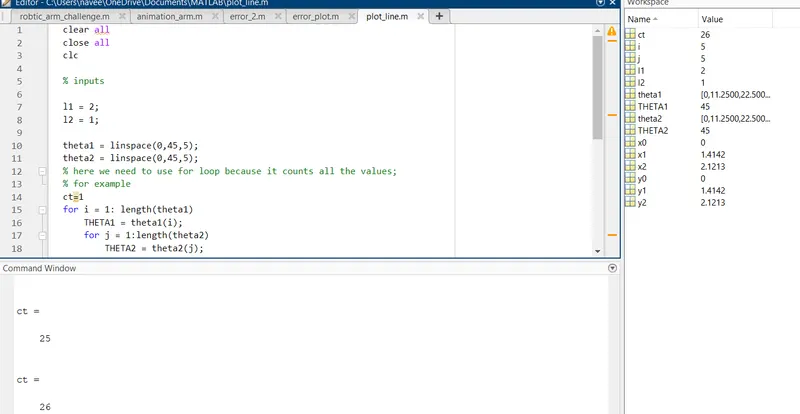
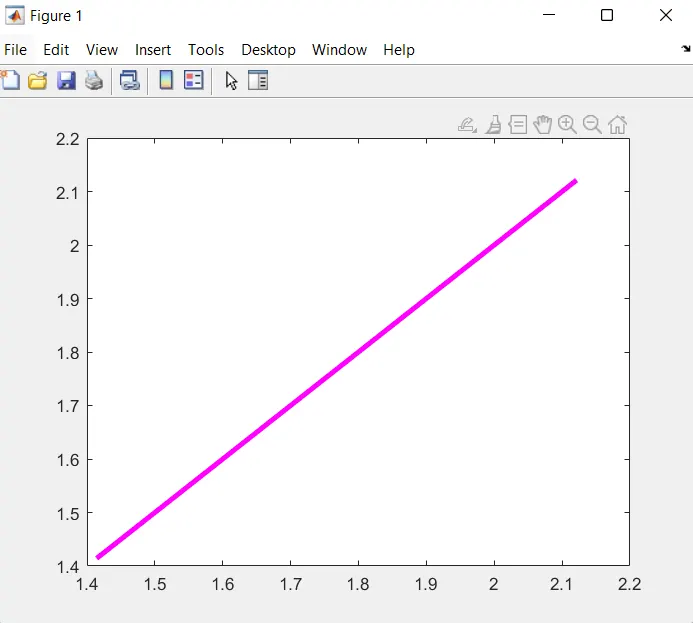
- TO EXCUTE THE ABOVE PROGRAM TO CHECK & RUN THE FILE "plot_line"
% we need to correct these error ,then change the two plot commands into single plot command
%i.e., plot([x0 x1],[y0 y1],[x1 x2],[y1 y2],'linewidth',3) then,
clear all
close all
clc
% inputs
l1 = 2;
l2 = 1;
theta1 = linspace(0,45,5);
theta2 = linspace(0,45,5);
% here we need to use for loop because it counts all the values;
% for example
ct=1
for i = 1: length(theta1)
THETA1 = theta1(i);
for j = 1:length(theta2)
THETA2 = theta2(j);
x0 = 0;
y0 = 0;
x1 = l1*cosd(THETA1);
y1 = l1*sind(THETA1);
x2 = x1+l2*cosd(THETA2);
y2 = y1+l2*sind(THETA2);
%plotting the positions of robotic arm
%we use countor(ct) command
plot([x0 x1],[y0 y1],[x1 x2],[y1 y2],'linewidth',3)
ct=ct+1
end
end
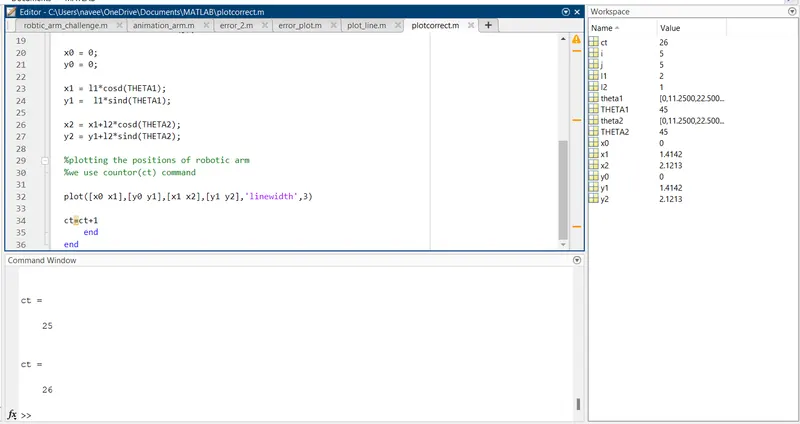
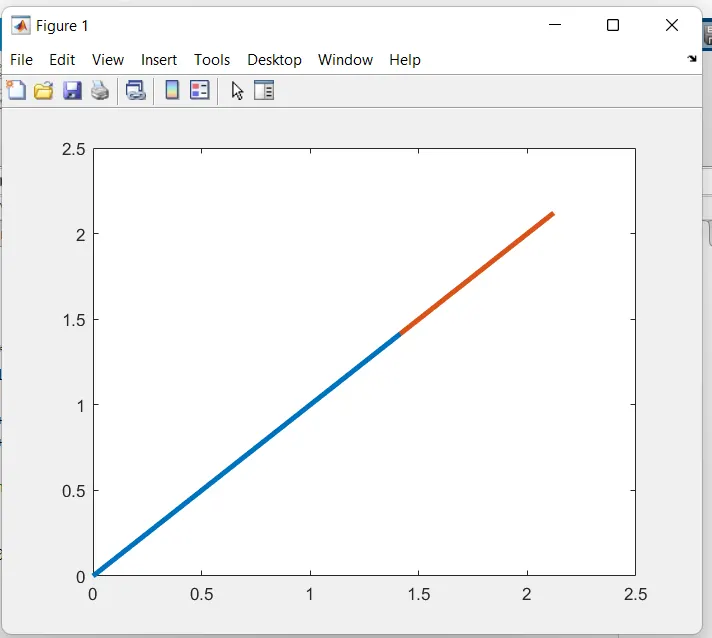
- TO EXCUTE THE ABOVE PROGRAM TO CHECK & RUN THE FILE "plotcorrect"
%CODE FOR VIDEOFILE FOR ANIMATION OF 2R ROBOTIC ARM
clear all
close all
clc
% inputs
l1 = 2;
l2 = 1;
theta1 = linspace(0,45,15);
theta2 = linspace(0,45,15);
% here we need to use for loop because it counts all the values;
% for example
ct=1
for i = 1: length(theta1)
THETA1 = theta1(i);
for j = 1:length(theta2)
THETA2 = theta2(j);
x0 = 0;
y0 = 0;
x1 = l1*cosd(THETA1);
y1 = l1*sind(THETA1);
x2 = x1+l2*cosd(THETA2);
y2 = y1+l2*sind(THETA2);
%plotting the positions of robotic arm
%we use countor(ct) command
figure(1)
plot([x0 x1],[y0 y1],[x1 x2],[y1 y2],'linewidth',3)
axis([0 3.5 0 3.5])
M(ct) = getframe(gcf);
ct = ct+1;
end
end
movie(M)
videofile = VideoWriter('frwd_kinematics avi','uncompressed AVI')
open(videofile)
writeVideo(videofile,M)
close(videofile)
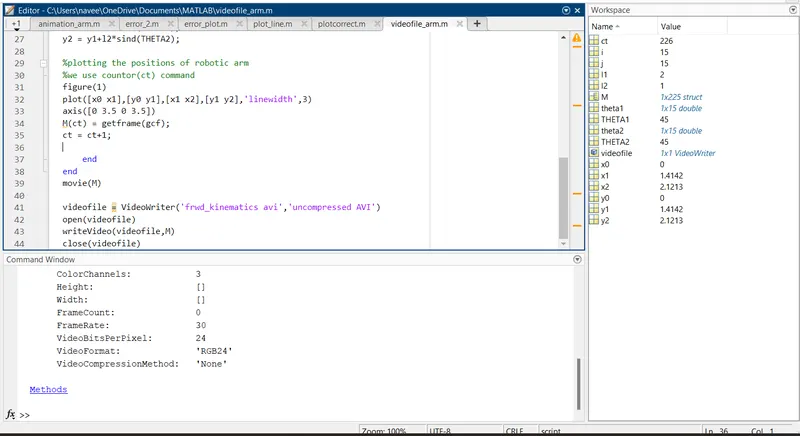
- TO EXCUTE THE ABOVE PROGRAM TO CHECK & RUN THE FILE "videofile_arm" & CHECK THE VIDEO FILE IN BELOW "DRIVE LINK".
https://drive.google.com/file/d/1uHXATPNed4am6XvbsNJHbApitrNhIvfk/view?usp=sharing
https://drive.google.com/file/d/1uHXATPNed4am6XvbsNJHbApitrNhIvfk/view?usp=sharing