Week -2
Make a Simulink model of Doorbell using solenoid block with the following details:
These are the folloeiing blocks are using to door bell.
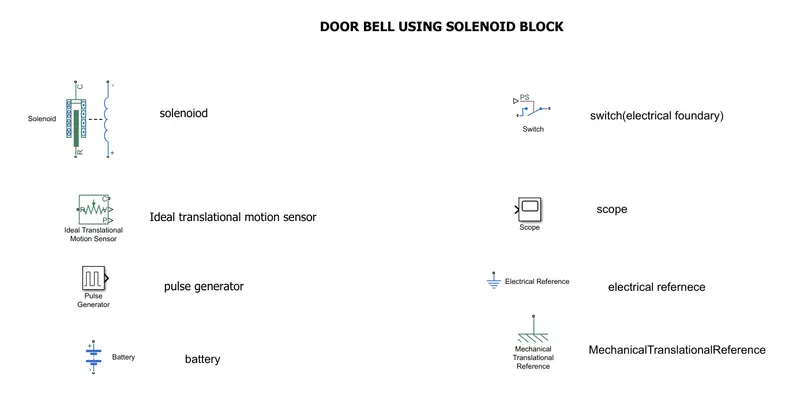
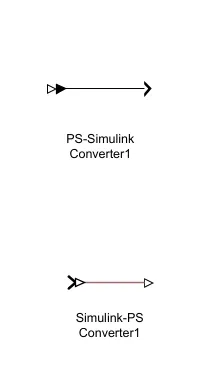
These above blocks are used to door bell
PROCEDURE:
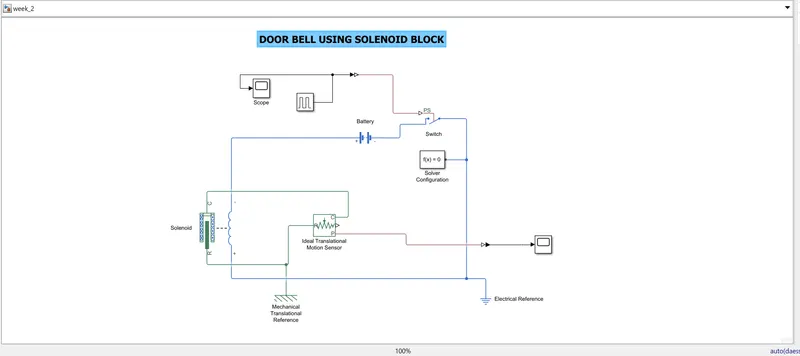
- The door bell using solenoid block,pluse generator,ideal transformation motion sensor,2scope,mechanical reference,ps silmulink and simulink ps, battery, solver configuration,and electric refernce.
- Scope and pulse generator are connected to switch by using simulink ps connector.
- solve configuration are connected by switch negetive and electrical ref.
- solenoid is connected to ideal translational motion sensor and mechanical translational ref.
- scope1 is connected to ideal translational motion sensor.
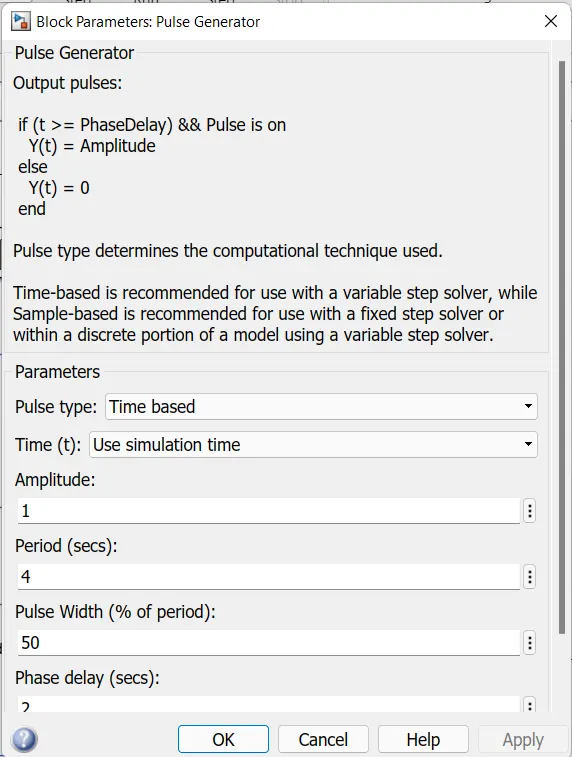
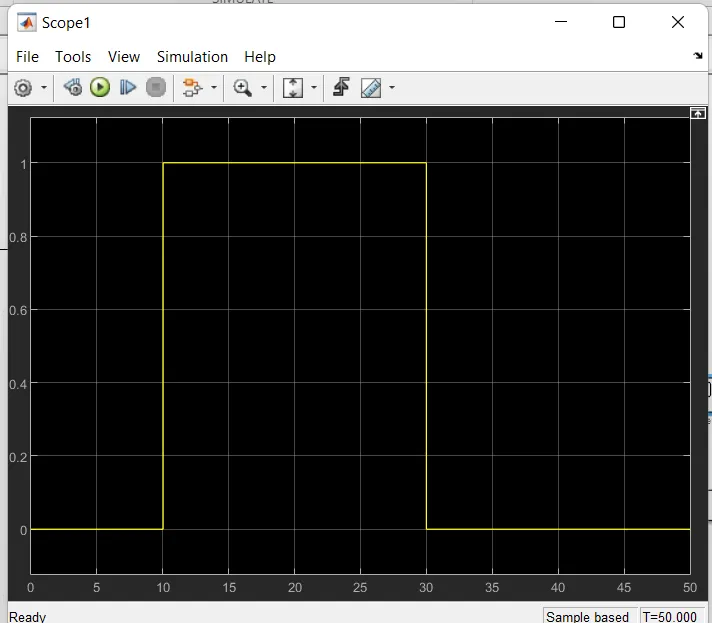
Pulse generator :
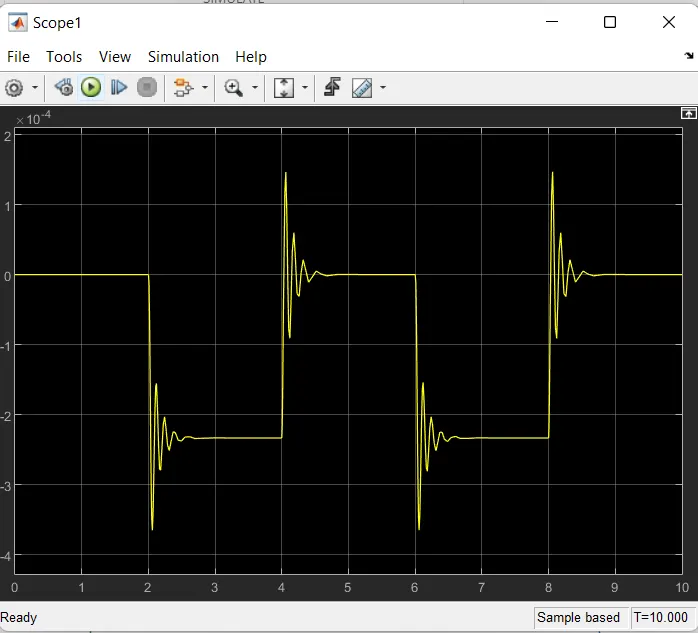
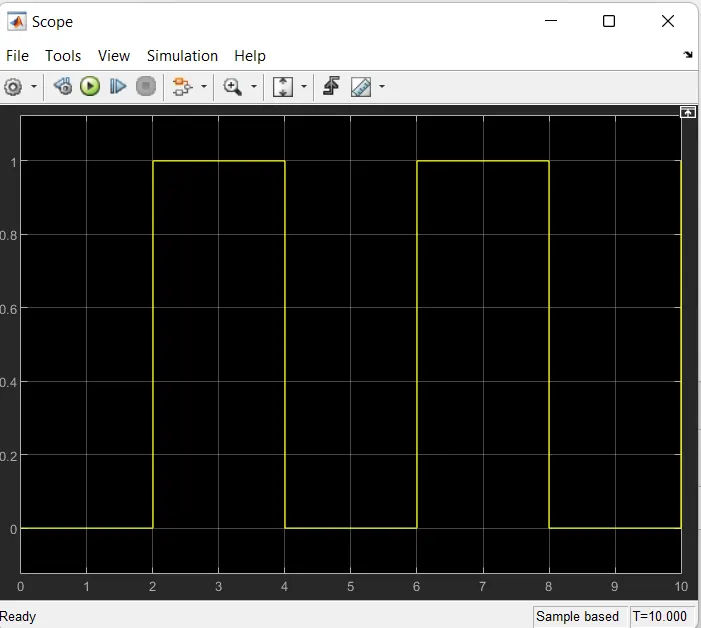
2. Use a thermistor to sense the temperature of a heater & turn on or turn off the fan as per the below conditions:
Temperature source: 20 °C from 0 to 10 seconds, 27 °C from 10 to 30 seconds, 23 °C from 30 to 50 seconds
Fan conditions: ON if the temperature above 25 °C, OFF otherwise
By the given conditioins we need to use the signal builder to above the given temperatures.
These given temperatures is in celsius degree we need to convert in kelvin scale
Kelvin scale is 273.15
Then the temperatures is
At 0-10sec temp is 293.15 k
At 10-30sec temp is 300.15 k
At 30-50sec temp is 296.15 k
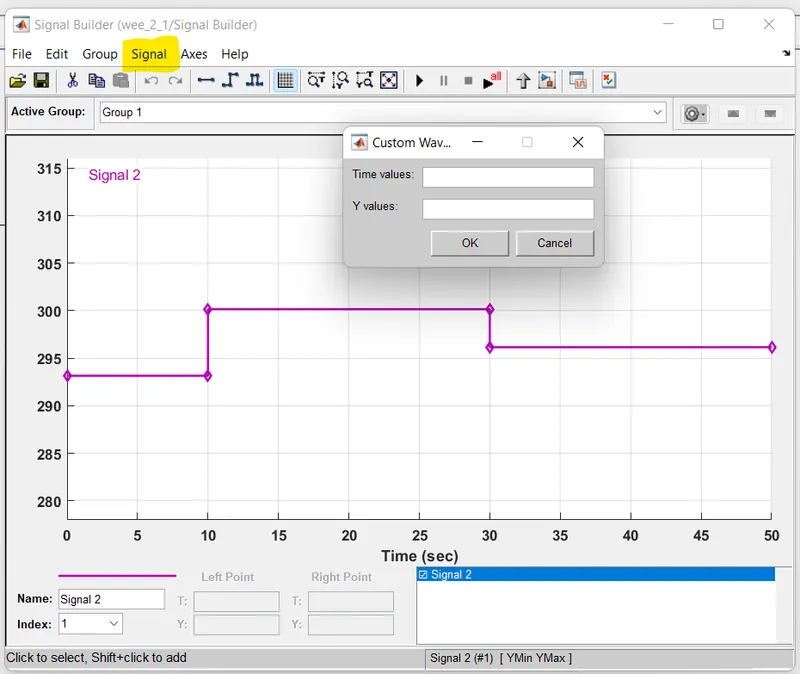
These temperature values can uplod in signal builder block
Signal builder -> signal -> New -> Custom -> Time values and Y values.
As shown in the below
we need the blocks to operate the fan i.e..,
- Signal builder
- controlled temperature source
- thermal referance
- solver configuration
- battery
- thermistor
- resistor
- voltage sensor
- electrical refernce
- ps sumilink / simulink-ps converters
- 2 constant block
- 2 scope block
- switch
- display
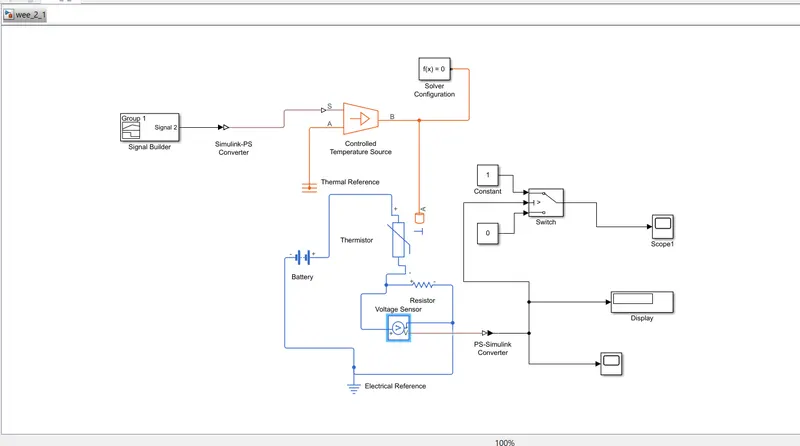
The above is formation of blocks connected each for the better result of the fan for given temperatures
Explaining the process:
- Signal builder is connected to Controlled temp source by using Simulink-ps converter to pass the signals at the given temperatures.
- A is connected to thermal reference, it is the reference value to assign values.
- The another b value is connected to thermistor block a and slover configuration also connected to B in CTS.
- Here Thermistor is connected to battery (+ to +)
- and battery -signal is connectede to resistor - signal
- these values gives the positive values to signal.
- thermistor is connected to resistor(- to + ).
- The voltage sensor is connected nthe betwwen resisitor and battery negative signal to sense the voltage .
- we need to connect the electrical refrence here to battery to resistor connected way.
- these voltage source gives the value then the diplay is connected to voltage sensor by using ps-simulink converter, and scope also connected to voltage sensor.
- and three termial switch also connected to voltage sensor and these connected to 2nd terminal.
- these 3 terminal switch is connected 2 constant block which assgin values 1 & 0
- 1 constant block is connected to 1st terminal
- 0 constant block is connected to 3rd trminal
- another scope is connceted to switch.
after connected all the blocks run the progarm here the value is showed in display block.
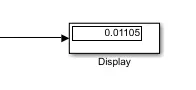 these value is assgined by given temperatures and we need to check the temperatures in scope which is connected to voltage sensor.
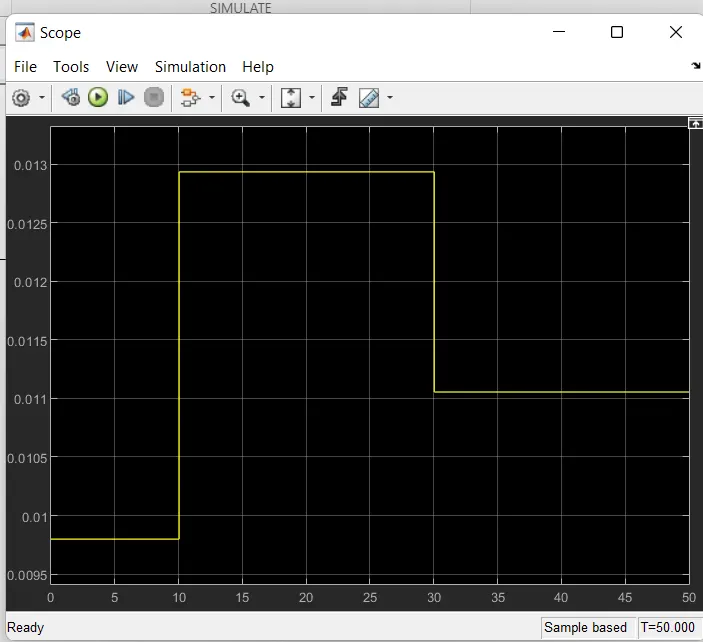
after this we need to change the thermoshield value in switch .
by using display value change the thermoshield value.
by double click on switch it pop up block there we can can change the themoshied value .
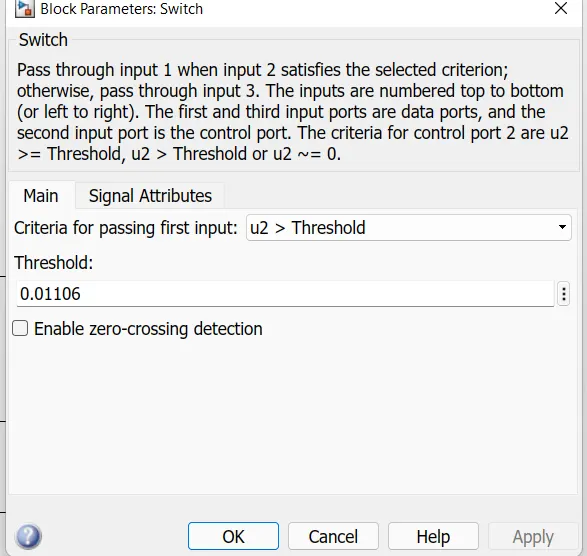
after changing value run the progarm and check the scope whhich is connected to switch.