Week -2
1.Simulink model of doorbell using solenoid
Simulink model:
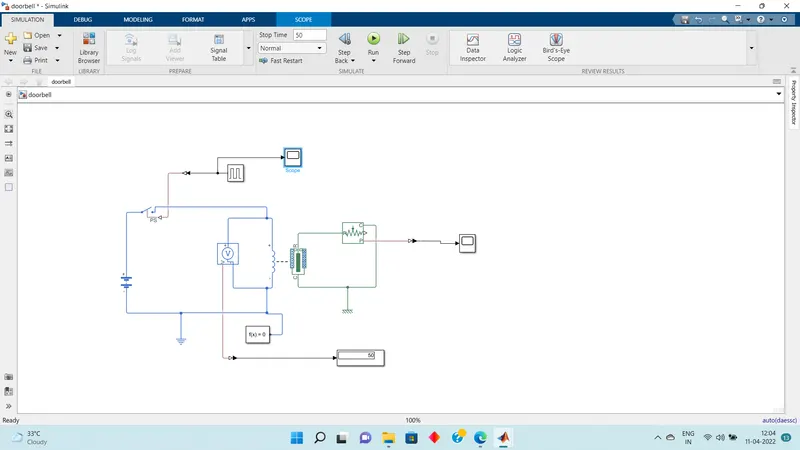
- The source for the solenoid is given through a battery.The battery is connected to the solenoid through a switch.
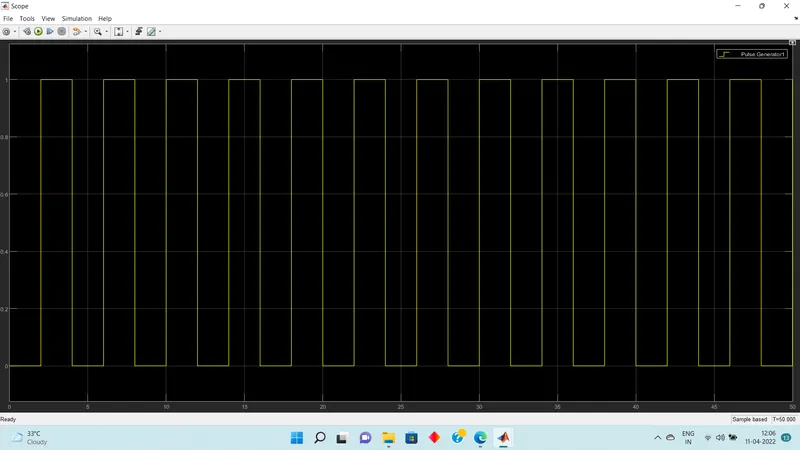
- The signal for the switch is given through a pulse generator.The pulse generator is set as the switch is closed for two seconds.
- The solver configuration is connected to the design for simulation.
- The plunger of the solenoid is connected to the ideal translational motion sensor in order to sense the motion of the plunger
- The mechanical translational reference is connected.
- The output is observed through the scope.
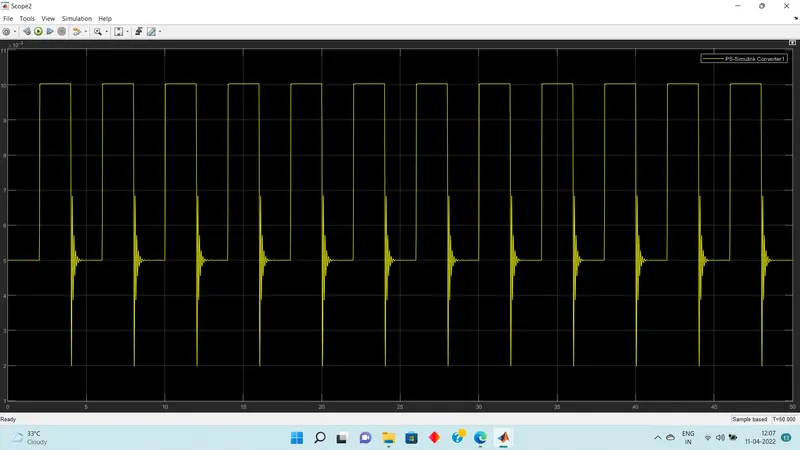
Result:We can see that ,when the signal from the pulse generator is high ,the switch closes and the solenoid is attaracted so that the bell rings.
2.Using a thermistor to sense the temperature of a heater and turn ON and OFF a fan according to the condition
Temperature source:20 degree celcius for 0 to 10 Sec, 27 degree celcius for 10 to 30 Secs and 23 degree celcius for 30 to 50secs
Fan conditions: ON when temperature is above 25 degree celcius,otherwise OFF
Simulink model:
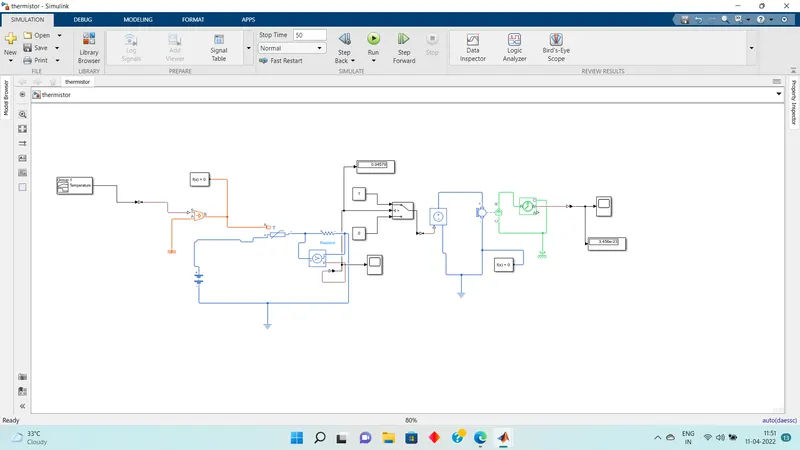
- The voltage source for the thermistor is given through a battery .
- The temperature source for the thermistor is given through a controlled temperature source.The signal to the temperature source is given through a signal builder.
- The signal builder is customized according to the given temperature source conditions.
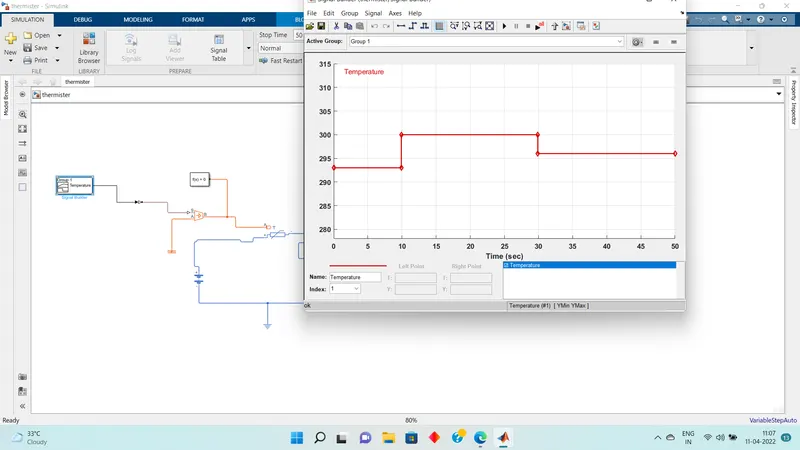
- The design is connected to a solver configuration block for simulation
- And the electrical reference is given
- Here for the fan ,DC motor is connected.The DC motor is connected to a controlled voltage source.THe input signal to the controlled voltage source is taken from the output of thermistor through a switch with 3 ports.
- the contant 1 and 0 is connected to the switch for taking either of the two positions,high or low,(ON or OFF) according to the threshlod value.
- The voltage across the resistor is given as threshold value for the switch.
- The DC motor is connected to ideal rotational sensor inorder to sense the motion of the motor
- The output is analysed using scope.the scope is connected to the Motion sensor through a ps - simulink converter
- The ps to simulink coverter and simulink to simulink - ps converter is use where needed.
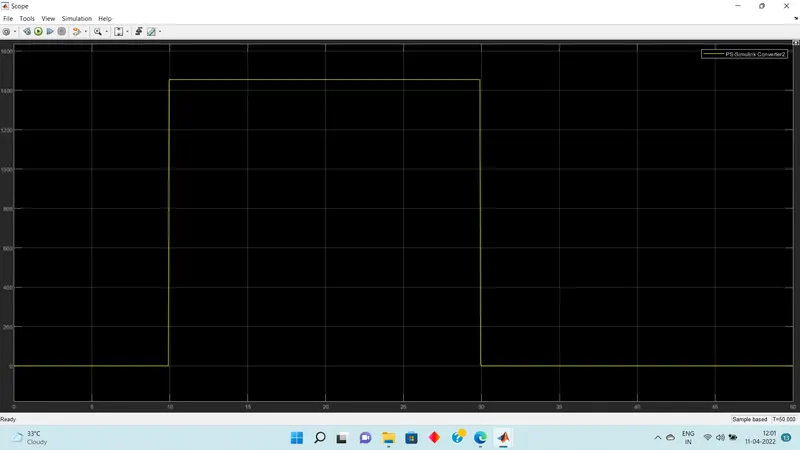
- Result:From the simulation result we can see that from 0 to 10 seconds the temperature is 20 degree celcius which is less than 25 degree celcius,so the fan is in OFF condition.
- From 10 to 30 seconds the temperature is 27 degree celcius which is above 25 degree celcius,so the fan is in ON condition.
- From 30 to 50 seconds the temperature is 23 degree celcius which is below 25 degree celcius so the fan is in OFF condition.