Week -2
Q1Make a Simulink model of Doorbell using solenoid block with the following details:
In the above arrangement, when the switch is closed the electromagnet receives electrical power from the battery and pulls the metal arm to hit the bell producing sound.
Create a situation where the switch is closed for 2 seconds and then released. Observe the physical movement of the plunger.
Assume remaining parameters
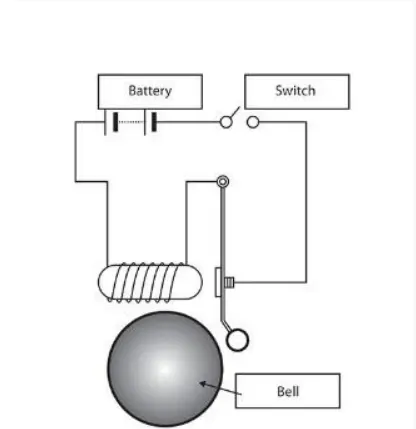
Aim:-make an the Simulink model of doorbell using solenoid block
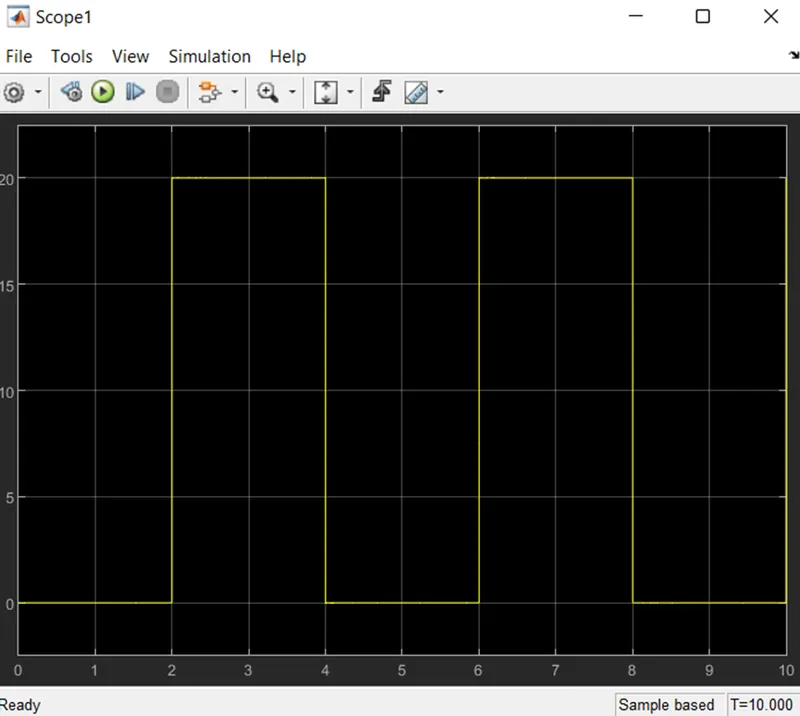
Condition:- after every 2 seconds the bell should be on
Blocks used:-
- Pulse generator
- Scope
- switch
- Electrical referance
- solenoid
- ideal translation motion sensor.
- Solver configuration
- Ps-simulink convertor
- Simulink-ps convertor
- Battery
- Mechanical reference
Steps:-
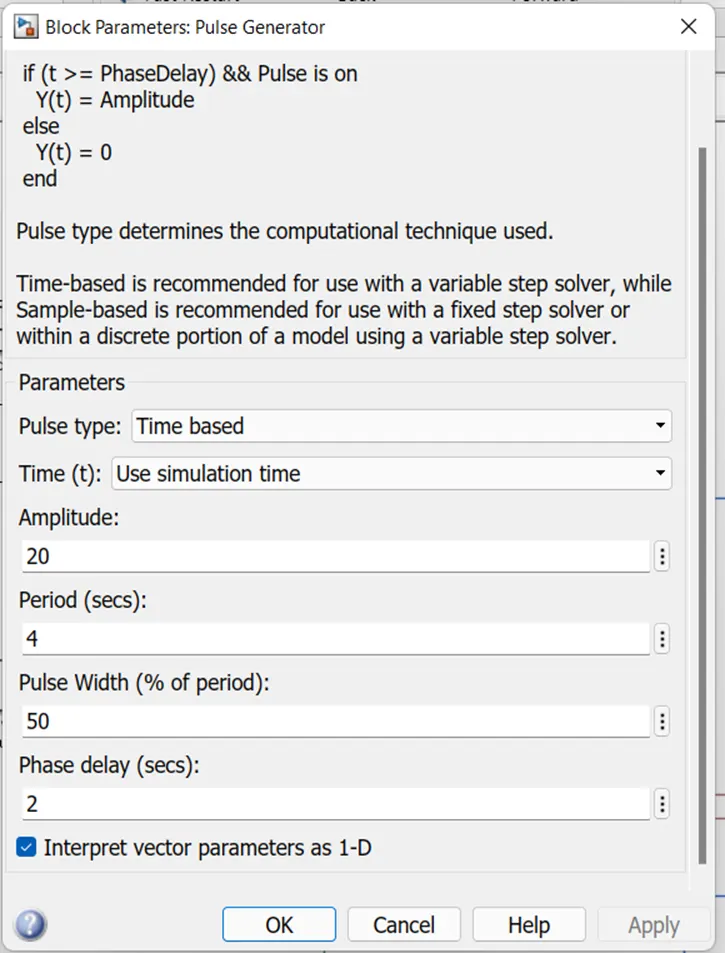
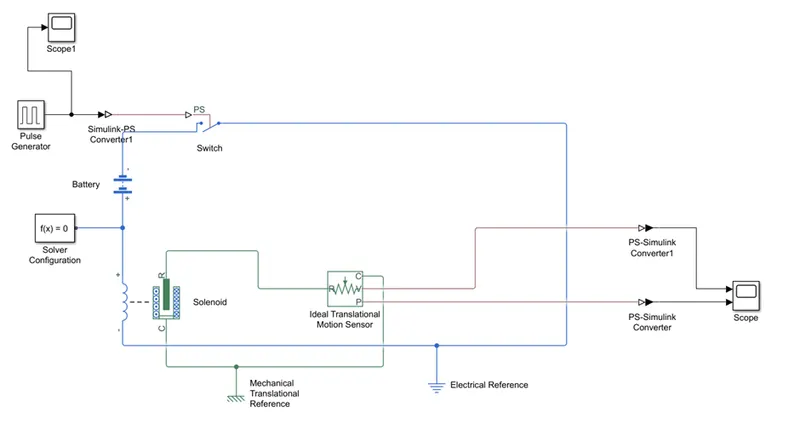
- So by adding an the simple pulse generator and by giving them as the input as amplitude, period and pulse width as the phase delay will be 2 as from given question pulse generator input
- As we connect the battery ,switch, as well as solenoid coil electrically as the inductance as the input given to it as the ports of the solenoid as R and C as the input to mechanical (ideal translation motion sensor)
- As the ports of the ideal translation motion sensor as the p-position v-velocity as the outputs and the and C as the input to it
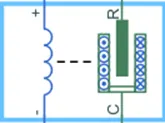
- As the electrical as well mechanical reference should be add to it as well as the solver configuration must be add to the electrical system.

MODEL:-
Result:-so as we get an the output as per velocity and the position of the solenoidal coil.
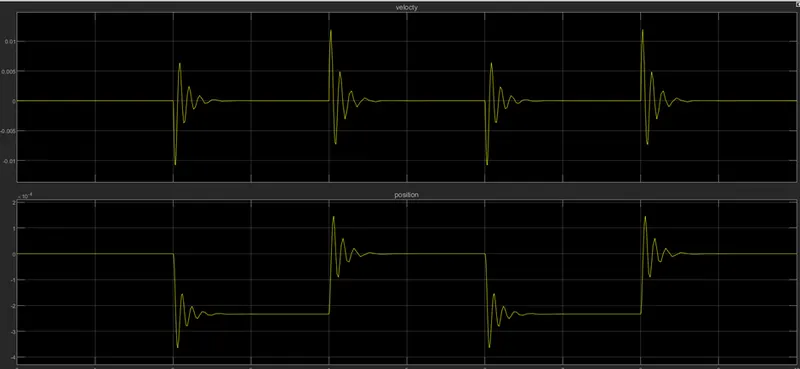 So by the position and the velocity output we obtained the results.
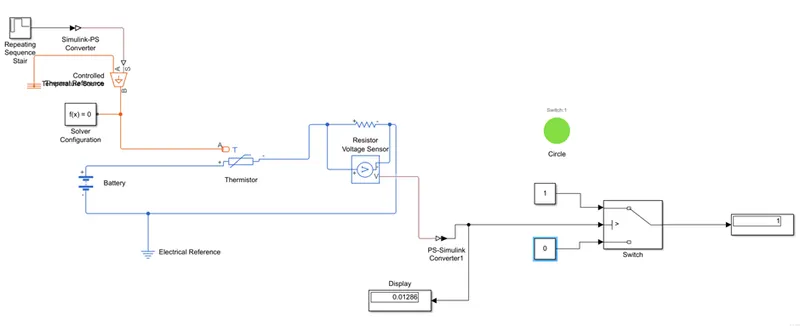
2. Use a thermistor to sense the temperature of a heater & turn on or turn off the fan as per the below conditions:
Temperature source: 20 °C from 0 to 10 seconds, 27 °C from 10 to 30 seconds, 23 °C from 30 to 50 seconds
Fan conditions: ON if the temperature above 25 °C, OFF otherwise
ANS:-
Aim:-Creat an the Simulink model of thermistor to sense the temperature of heater & trigger a fan.
Condition:-
temperature source:- 20c from 0-10sec,27c from 10to 30 sec,23c from 30 to 50 seconds
Fan Condition:-On if the temperature above 25c off otherwise
Blocks used:-
- Repeating sequence stair sensor((
- Thermistor
- Controlled temperature source
- Resistor
- Voltage sensor
- Ps-simulink convertor
- Simulink- ps convertor
- Solver configuration
- Lamp
- Scope
- Battery
- Switch
- Lamp
Steps:-
- So by add repeating sequence stair we add the temperatures in the kelvin by adding 275 in the Celsius and put the 10 is sample time so after every 10 sec the temperature input value to be change.
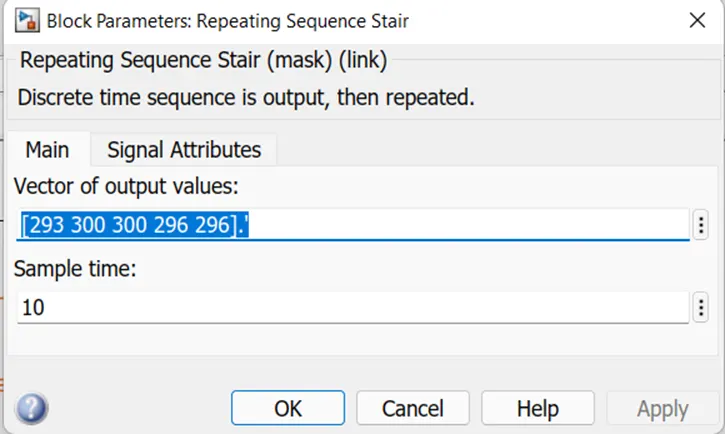
The condition of temperature source is define inside above window sample time was taken as 10s and total simulation time was 50 sec as 10 sec for each
- Temperature control source is to be add in the system s-source,A-ref,B-output as the sensor senses the temperature and it given the signal to the thermistor as an output battery is connected to it in series with an the resistor and voltage is add parallel to the system so by adding voltage sensor to it in parallel to resistor
- By the ps-simulink and Simulink-ps convertor we connect all the signal so as when change in the temperature as resistance also change as change in the resistance as voltage sensor output be change
- As the threshold value is given to switch as an the 298k and the logic is like as if the temperature is above the 298k so the switch colour goes to green as switch of the fan go to on state,if it false then the fan should be off with an change in the colour of switch
When temperature is below 298k
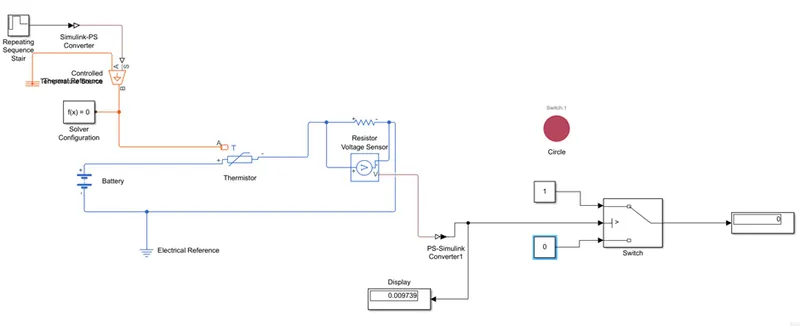
When temperature is above 298k