Week -2
1. Door Bell
AIM:Make a Simulink model of Doorbell using solenoid block.
Block diagram:
Circuit connection:
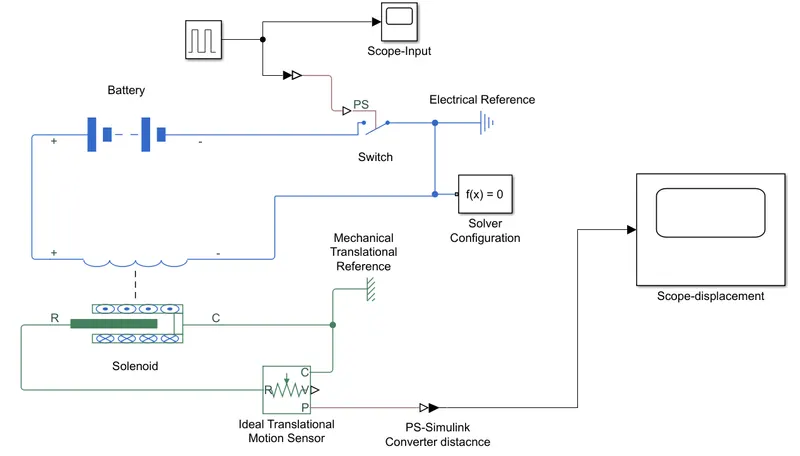
Pulse Generator is connected to switch through Simulink to PS converter as input. Battery is connected to solenoid electrical port through switch where electrical refrence and solver configuration is connected. Mechanical port of solenoid is connected to Motion sensor. casing of solinoid is connected to mechanical refrence. then PS-simulink converter is linked to scope to get the output from Sensor.
Explanation:
Set the pulse generator period to 4 and width 50%. We can generate pulse for every 2 secs.
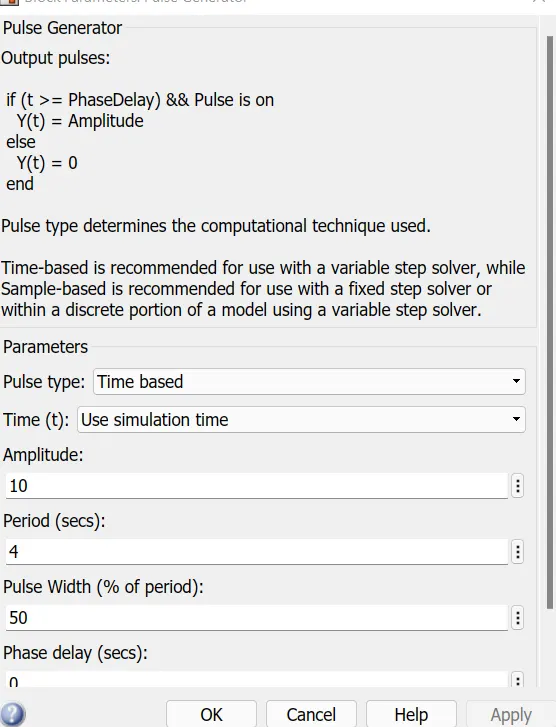
Once Pulse is generated simulink to PS converter will convert the signal to physical input for Switch(threshold value>0) which will close once it reaches the threashold value. Then battery and solenoid circuit will get closed. Motion of the Rotor in solenoid is captured through Motion sensor. This sensor is connected to scope to see the output(see below)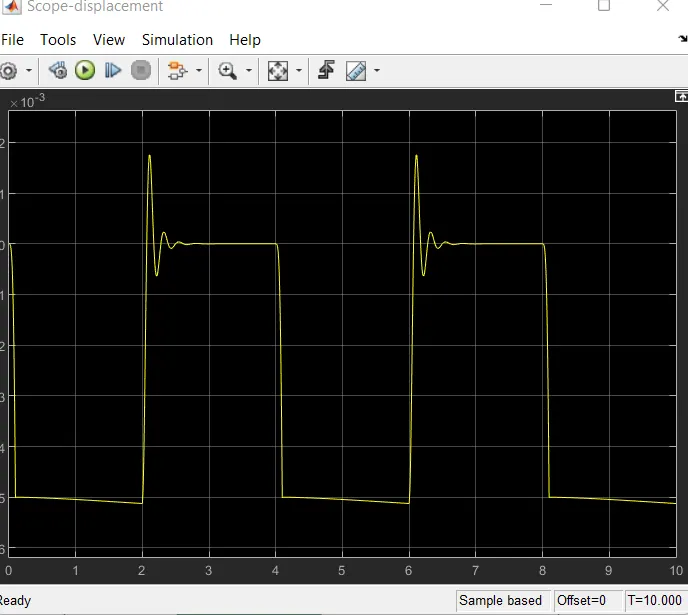
2. Temperature sensor:
AIM: Use a thermistor to sense the temperature of a heater & turn on or turn off the fan
Circuit connection:
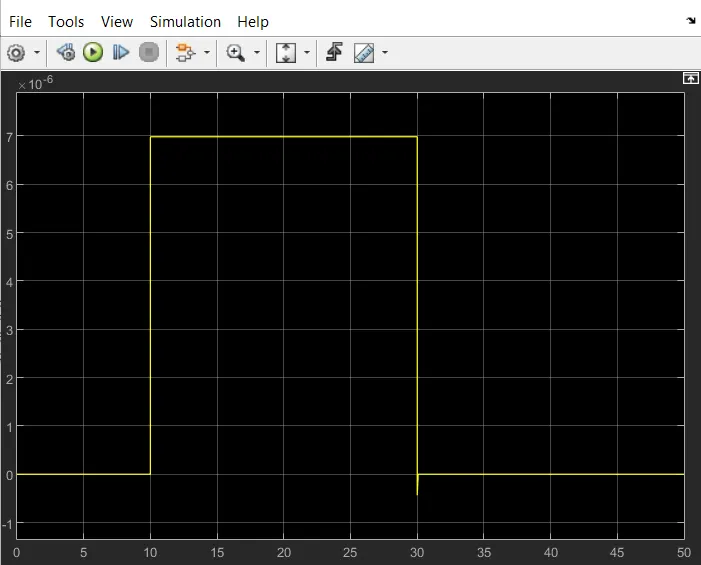
Signal builder is used to generate the desiered signals (Temperature source: 20 °C from 0 to 10 seconds, 27 °C from 10 to 30 seconds, 23 °C from 30 to 50 seconds)
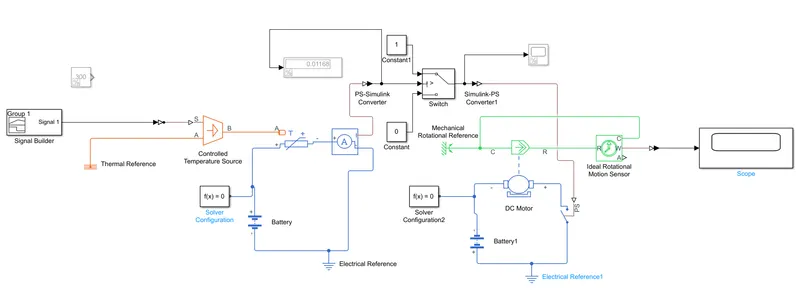
Signal buider is connected to controlled temp sourse through which is connected to thermistor which is connected to battery and the current value is measured in current sensor. value port in sensor is connected to condition switch which will operate at specific condition. Output of this condition switch is connected to mechanical switch which will connect with battery and DC motor. casing of the motor is connected to Rotational ref. rotor of motor is connected to rotational sensor. which is connected to scope using PS-simulink converter.
Explanation:
Create the input signal as per the condition in signal builder. Temp should be given in Kelvin.
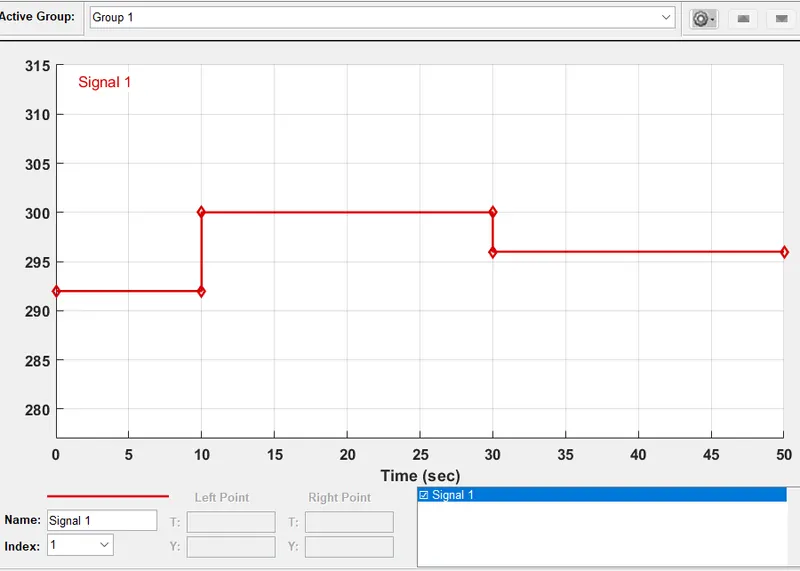
To achieve the fan ON condition above 25C. Get the current value for 25C from current sensor. then input it to Condition switch as threshold value. By giving this we will get the desired output.