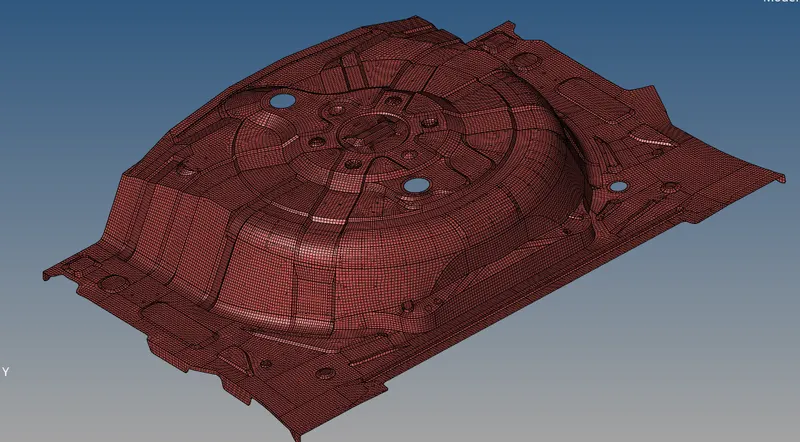
Week 12:Project 2-Meshing of Rear Wheel Holder challenge
OBJECTIVE
To create mesh on the rare wheel holder for vthe given criteria
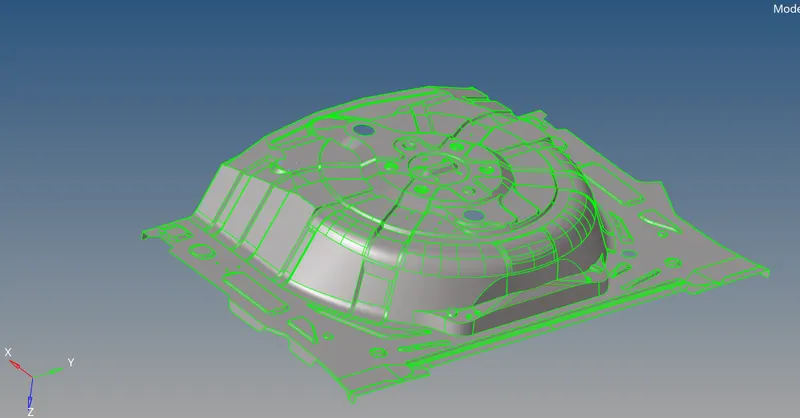
MID SURFACE
Mid surface is done to reduce the number of elements and simulation time
Mid surface is generated for the component by using auto mid surface as the thickness of the component is not varying
HYPERMESH-->MID SURFACE-->AUTO MIDSURFACE-->SURFACES-->EXTRACT
GEOMETRY CLEANUP
Geometry cleanup is done to eliminate the elemental failure and better mesh flow by using quick edit panel in hypermesh tools
HYPERMESH-->GEOM-->QUICK EDIT-->(TOGGLE,SPLIT SURFACE,ETC...)
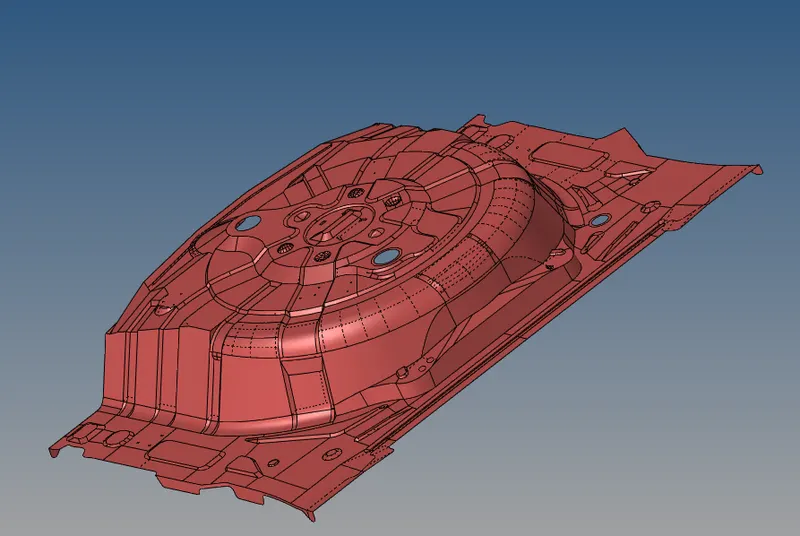
MESHING
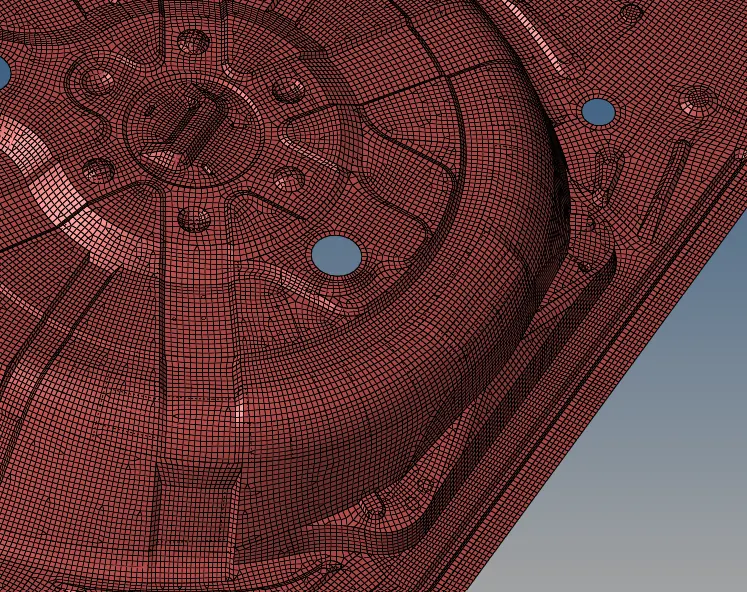
As the thickness of the component is 2 mm which is less than 6mm shell meshing is generated for the mid surfaces of the component
5 element size is used as specified for meshing the component
QUALITY CRITERIA
Quality criteria used to mesh the component is
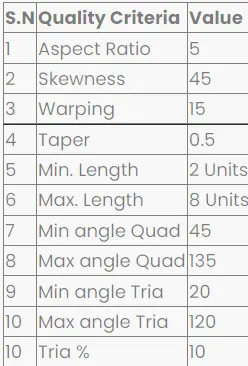
The component is meshed using this element size and quality criteria
ELEMENT CLEANUP
Element quality is cleared by using cleaanup tools present in the quality index in 2D pannel
HYPERMESH-->2D-->QUALITY INDEX-->CLEANUP TOOLS-->(NODE OPTIMIZE,ELEMENT OPTIMIZE,ETC....)
MATERIAL
Created material by using create material in the component tree and created property to surfaces and assigned the material to the each property
LEARNING OUTCOMES
Learned to create mid surfaces for some complex areas
learned to create and edit mesh
learned to assign property and material
RESULT
Created mid surface and mesh on the side door component