Week 12:Project 2-Meshing of Rear Wheel Holder challenge
Aim
To perform FE modelling of Rear wheel holder
Introduction
Why Mid surface and Meshing
A midsurface is a surface between two surfaces, if we mesh the entire components in 3D the number of nodes and elements will increase which in turn would increase the storage space and processing power to analysis the components. to avoid this mid surface is extracted and create shell mesh on it.
The basic idea of finite element anlaysis is to make calculations at only a limited number of points and then interpolate the results for the entire domain. Any continous object has infinite degree of freedoms(dofs) and it's just not possible to solve this problem in this format. This FEM reduces the dofs from infinite to finite with the help of descretization.
Shell Elements include membrance, bending and shear deformation while the normal stress(through the thickness) is always zero.
Methodology
- Import CAD geometry
- Geometry clean up
- Skin/mid surface extraction
- Shell or solid meshing
- Element quality check
- Mesh improvement
- Apply load and Boundary condition
- Export input file
Procedure
Import CAD geometry
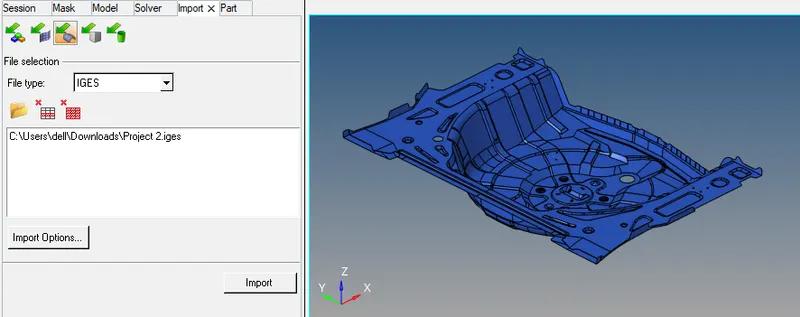
The first step is to open the HyperWork software and in the interface it will ask to select the a solver, here we select Optistruct as a solver. Then we need to import the iges file which is CAD file of rear wheel holder.
Than go to file ->import->select the component from directory and click import.
Geometry clean up
The primary stage of meshing any part is to clean the geometry, if the part created in any modeling software and then imported in any CAE software due to change in the formate of the file. some error in the geometry can be seen like Free egdes, deformed shape, duplicate surface, missing surface, unconnected adjection surface so on and so forth
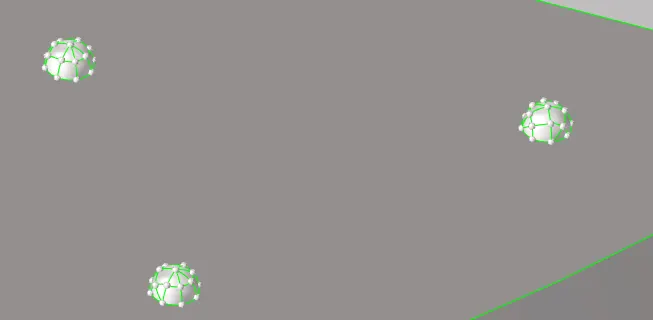
fig:-Pin holes
Skin/mid surface extraction
Since the thickness of the component is less than 6mm we will be extracting mid suface.
After Geometry clean up on parent geometry its time to extract mid surface. The mid surface is extract by automid surface. Geometry->Midsurface-> Automid surface -> select the component-> click on extract.
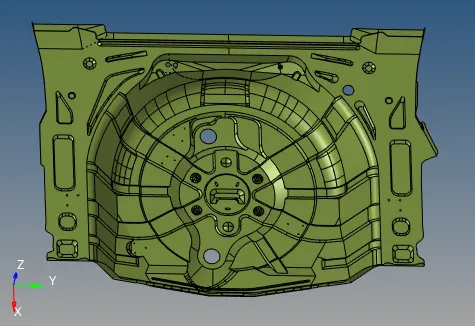
fig:-mid surface
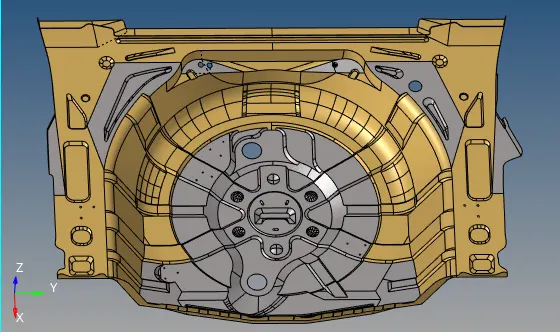
fig:-symmetric and asymmetric mid surface
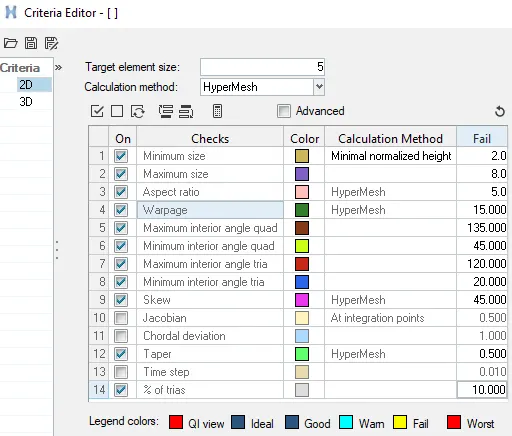
Assigning Quality criteria for 2D meshing
2D Meshing
While meshing any component, the one thing has to be kept in mind is that the flow of mesh has to be smooth for smooth flow of energy.to make mesh flow smooth certain criteria like no tria should be facing directly each other, tria should not be present at the edge and rotating quad are also not required if the preparation for durability analysis.
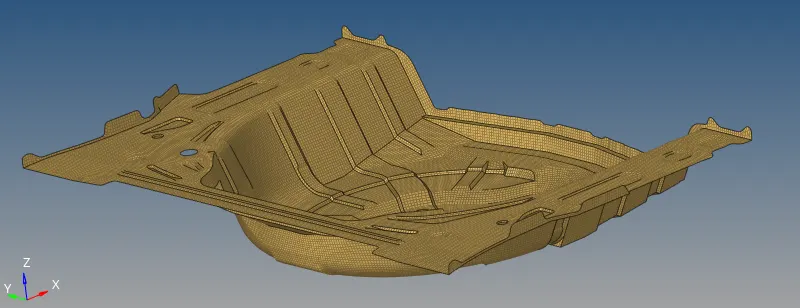
Go perform mesh on the model, got to 2D panel-> Automesh-> assign elements target length and other parameter-> select the surface to mesh-> click on mesh.
- For casting and molding products we generally go with solid meshing.
- Shell meshing is acheived after mid surface extraction
Element quality check
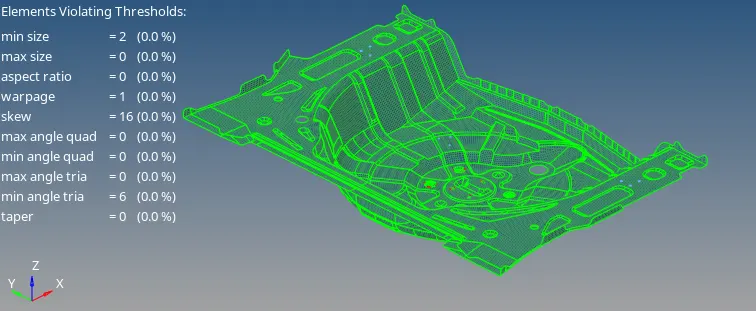
Every product which is been produced will go through the set of quality check.if quality check fails other steps like boundary condition and applied load will not be feasible. Elements check like
- Free edges
- normal
- Duplicate
- comparison
Final model
Learning outcomes
- Geometry clean up
- Midsurface extraction
- Difference between 2D and 3D meshing
- Feature capturing
- Mesh flow and reducing tria concentraction
- Choosing mesh size
- Selection of mesh type
- Assigning Material, property and thickness
Conclusion
The geometry clean up, mid surface and shell mesh is perform on the given Rear wheel holder with better mesh flow & less tria concentraction and good feature capturing on the component.