Week 12-Creation of 1D Connectors Challenge
OBJECTIVE: To mesh the given geometry and create 1D connectors at desired locations using Hypermesh.
The following connections have to be realized in each respective component
1.Right_Rail_2 and Front_truss_1:-Seam-Quad(angled+capped+L)
2. Left_Rail_2 & Front_truss_1:- Quad elements
3. Front_truss_2, Front_truss_1 & Right_Rail_1:- Spot weld with 2 Layers and 5 mm Diameter
4. Front_truss_2, Front_truss_1 & Left_Rail_1:- Hexa (Adhesive)
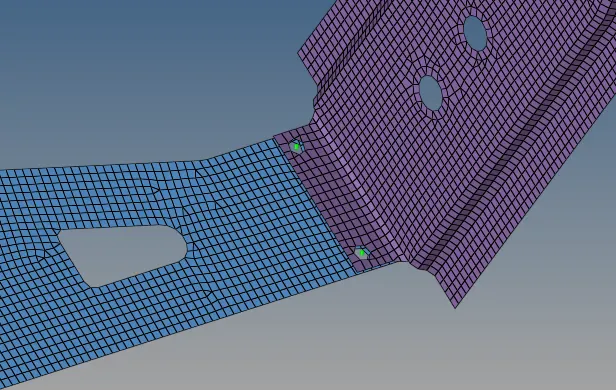
5. Rear_truss_2 & Right_Rail_2:- Bolt Connector
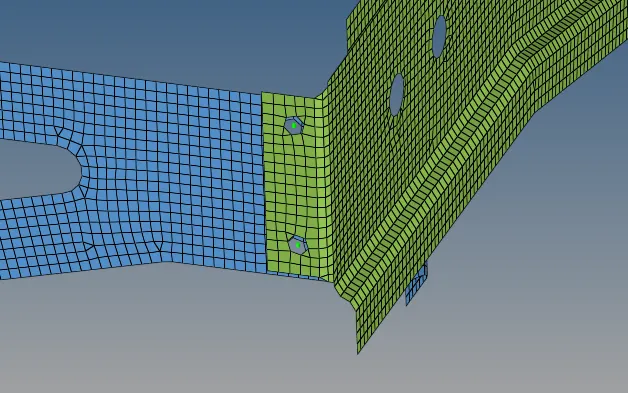
6. Rear_truss_2 & Left_Rail_2:- Bolt Connector
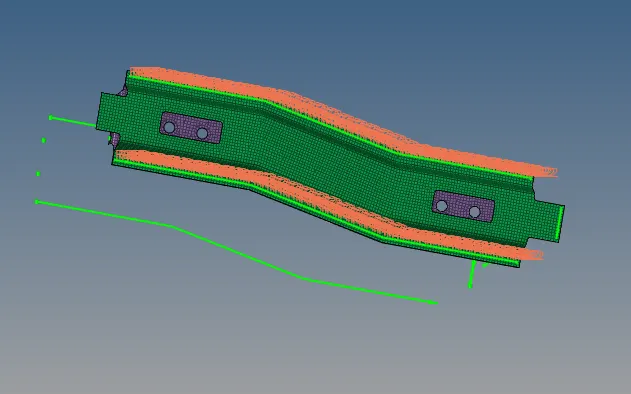
7. Right_Rail_1 & Right_Rail_2:- Spot-weld with Rigid Elements
8. Left_Rail_1 & Left_Rail_2:- Spot-weld with Spring Elements
9. Rest all the component left Join them with suitable connectors.
CAD MODEL:
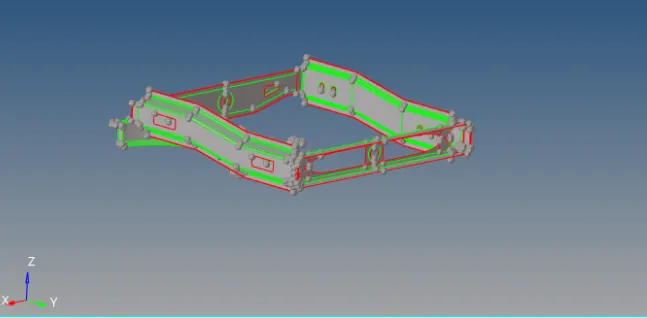
PROCEDURE:
1.Make new quality file for given Quality Criteria save as new file.
2.Make mesh for given mid surface as per quality criteria.
3.Make connection for given component.
Go to 2D connecter -select (spot or bolt or steam)-select location-select comps-select type of connection-create.
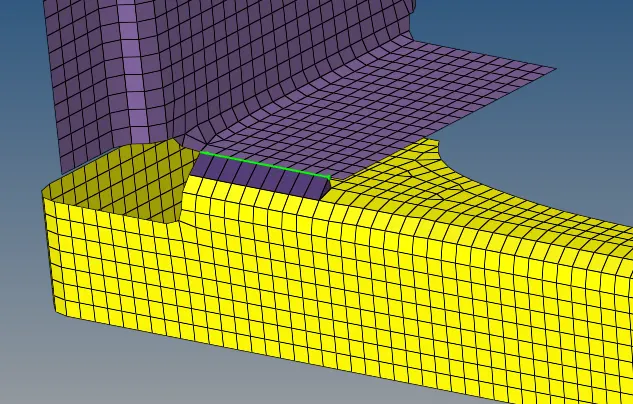
Right_Rail_2 & Front_truss_1: - Seam-Quad(angled+capped+L):
To create a seam weld: Connectors - seam
Select the nodes (by path) on one of the component
tolerance = Specify the search distance (10mm
Select the two components and keep the imprint check on
weld type is set as seam-quad (angled+capped+L)
The spacing is set a 5mm. Spacing defines the distance between the two adjacent weld.
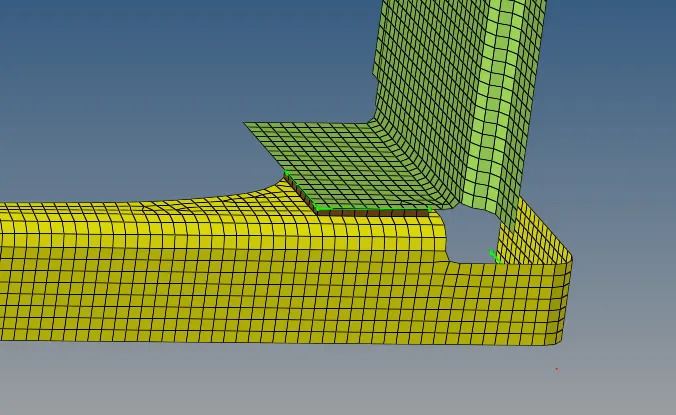
2. Left_Rail_2 & Front_truss_1: - Quad elements:
For: Left_Rail_2 and Front_truss_1
To create a seam weld: Connectors - seam
Select the nodes (by path) on one of the components
tolerance = Specify the search distance (10mm)
Select the two components and keep the imprint check on
weld type is set as quad and the spacing (distance between the two adjacent weld elements) is kept as 5mm.
3. Front_truss_2, Front_truss_1 & Right_Rail_1:- Spot weld with 2 Layers and 5 mm Diameter
To create a spot weld: 2D - connectors - spot - type=weld
Select all the required nodes where the location of the spot weld has to be placed.
Then select all the 3 components
Specify a diameter of 5mm and number of layers as 3.
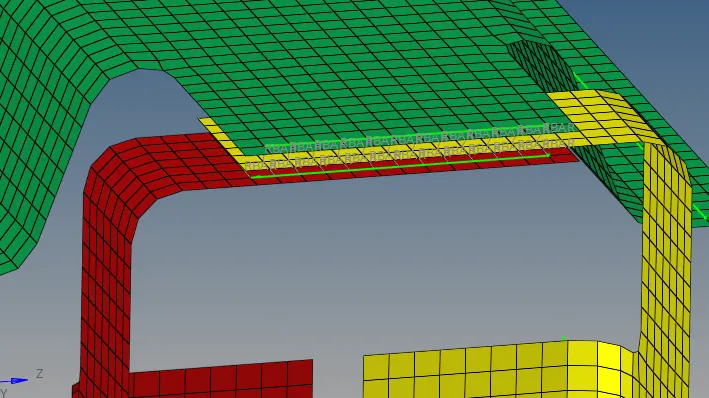
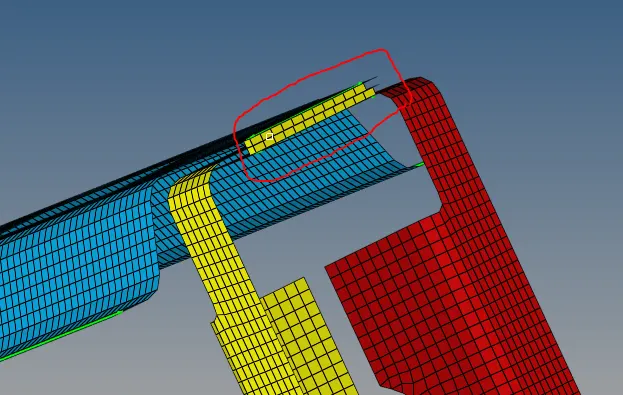
4. Front_truss_2, Front_truss_1 & Left_Rail_1:- Hexa (Adhesive)
To create a seam weld: Connectors - seam
Select the nodes (by path) on one of the component
tolerance = Specify the search distance (10mm)
Select the two components and keep the imprint check on
weld type is set as hexa (adhesive) under the weld type category.
The strips and coats of the weld can be altered. In this case, the strip is set as 2 and a single coating is specified.
5. Rear_truss_2 & Right_Rail_2: - Bolt Connector:
Specify the location of the bolt by selecting two single nodes at a certain distance in one of the component since two bolt connectors are being realised
Select the two components which has to be fixed by the bolt
Specify the search length (about 10mm)
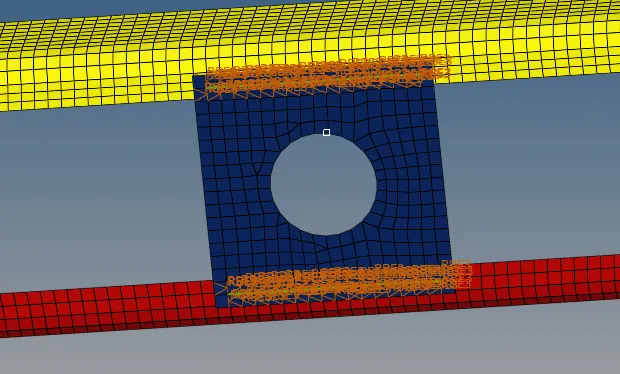
The realised bolt connection is shown below
6.Rear_truss_2 & Left_Rail_2:- Bolt Connector
7. Right_Rail_1 & Right_Rail_2:- Spot-weld with Rigid Elements
As similar to previous spot weld creation, this spot weld is created using rigids instead of weld
To create a spot weld: 2D - connectors - spot - type=rigids
Select all the required nodes where the location of the spot weld has to be placed.
Specify the diameter and number of layers as 2 (since only two components are present)
8. Left_Rail_1 & Left_Rail_2:- Spot-weld with Spring Elements
Similarly as done for the previous case, here the spot element type is set as spring instead of rigid or weld
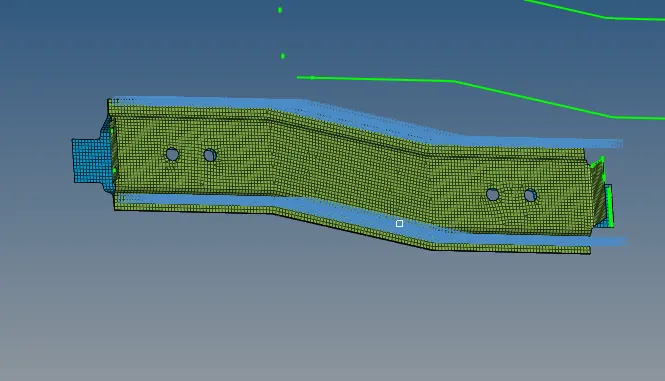
Rest all the component left Join them with suitable connectors:
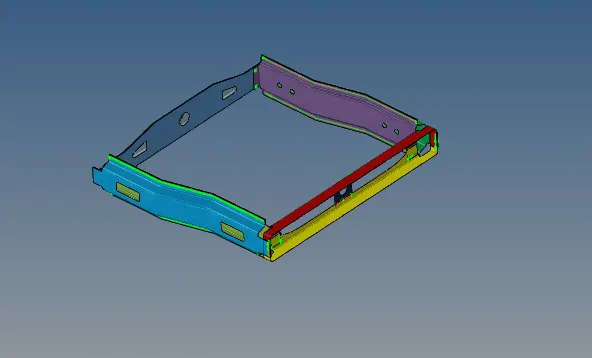
FINAL MODEL:
CONCLUSION:
In this challenge, we learned about how to do 1D connections at various locations how to successfully realize them. Also, we learned a little when to use which type of connector and what all factors decide the selection of connector type. Also, we learned about which all connectors we have.