Project 1 - Meshing of Floor Panel
OBJECTIVE: For the given Floor Panel, after checking the geometrical errors, take the mid surface and mesh the mid surface with the given element Quality criteria.
CAD Model:
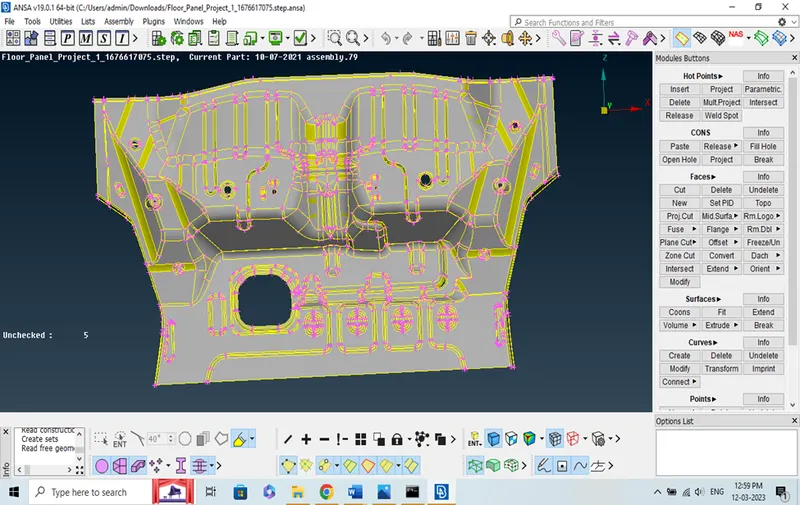
Fig. 01
PROCEDURE: First the CAD model open in ANSA software, perform Topo and seprate the porperty to get Geometry cleanup, after Geometry Cleanup to perform the mid surface and do the mesh in a proper given Criteria. the first step to each property define a parameter length to give in this challanges as 5 mm.
FOLLOW THE BELOW STEP:
1. Checking the CAD Topology
2. Geometry Cleanup
3. Mid Surfacing
4. Mesh
5. Final Model
6. Resilts
1. CHECKING THE CAD TOPOLOGY: Topology is done as the first step to connect the all edges or single cons.
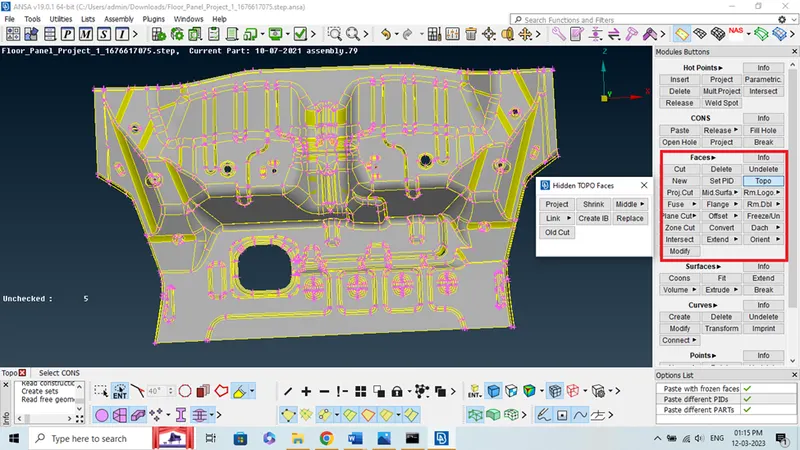
Fig. 02
- After perform topo to connect each other.
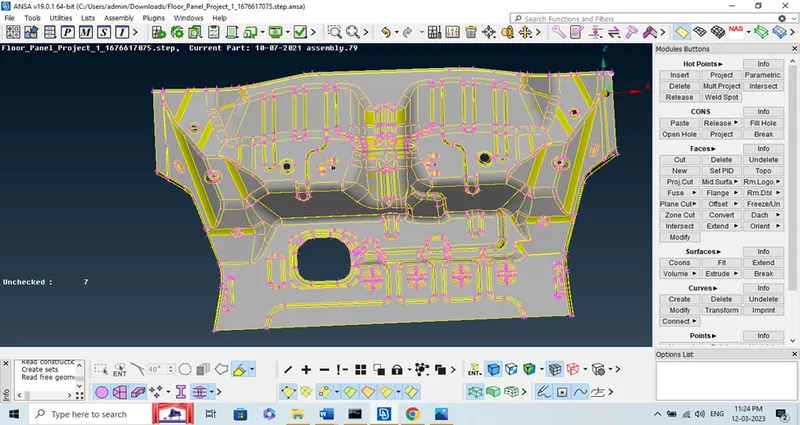
Fig. 03
2. GEOMETRY CLEANUP: To check the Geometry Cleanup.
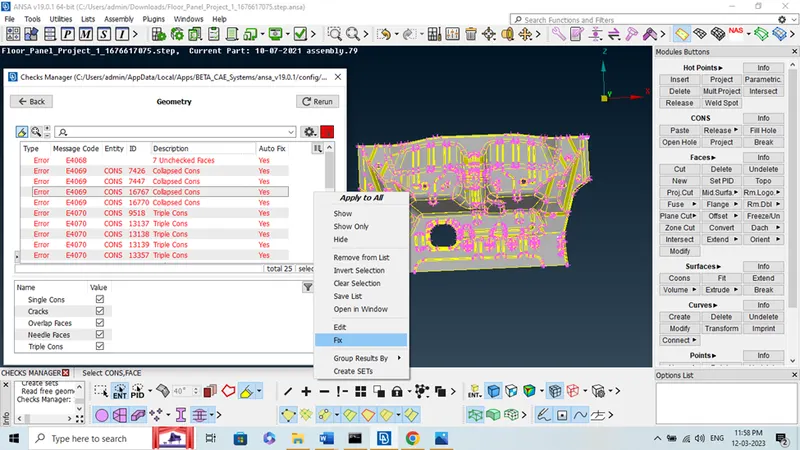
Fig. 04
- Geometrical check are done checking if there any geometrical error, if there is any error we can clean the errors by autofixing it.There is any exceptional surfaces are present we can clean manually by checking in the property card list and select ‘show only’ to clear each error.
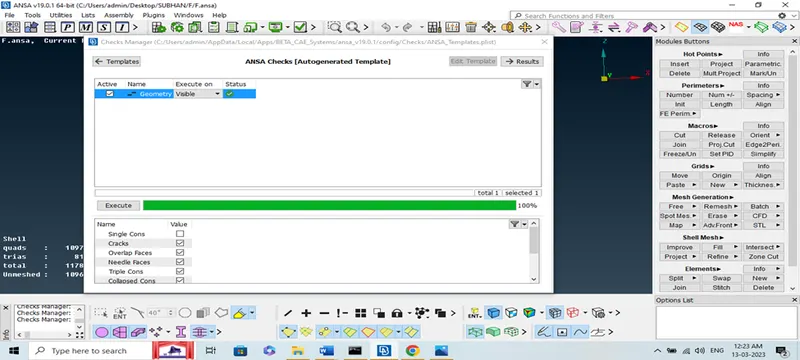
Fig. 05
3. MID SURFACING: For extracting the mid surface we need to measure the edges length. Then by offset option a face is selected by feature area selection.
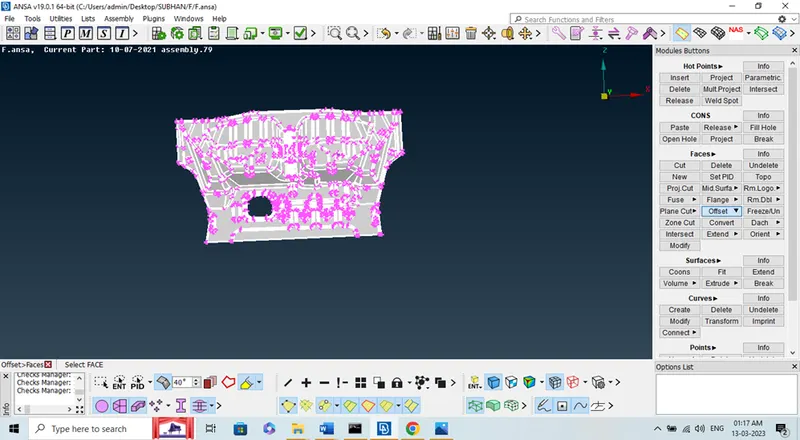
Fig. 06
- The half of the parent geometry length is given as the offset value. Also the direction should be checked and the negative offset value should be given for the opposite angle.
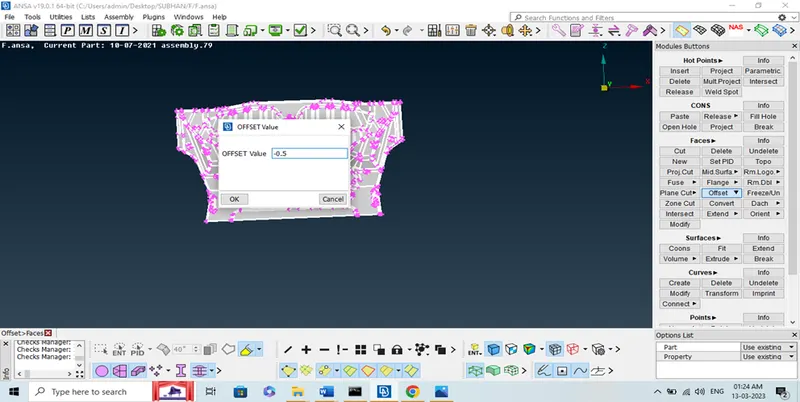
Fig. 07
- After perform the midsurface hide the parent geometry and Remove unwanted line and clean up the model.
4. MESHING: For the mesh generation we can go for classic mesh best mesh by selecting the whole model also given the average mesh length as required.
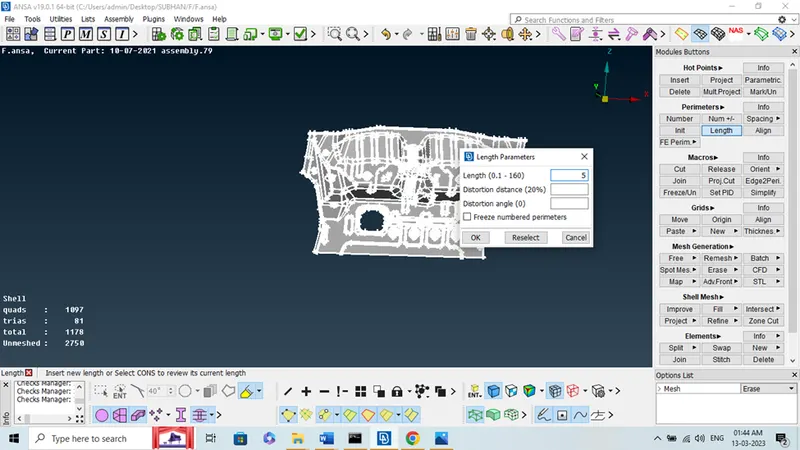
Fig. 08
- Quality parameter as per given requirements.
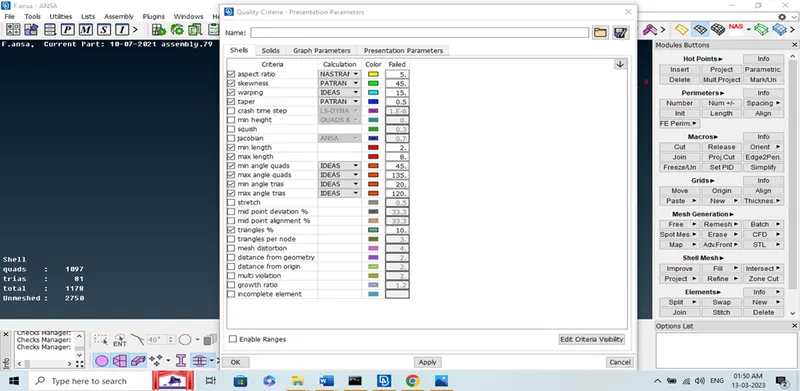
Fig. 09
- Now perform the mesh in mesh generation ‘Best option’
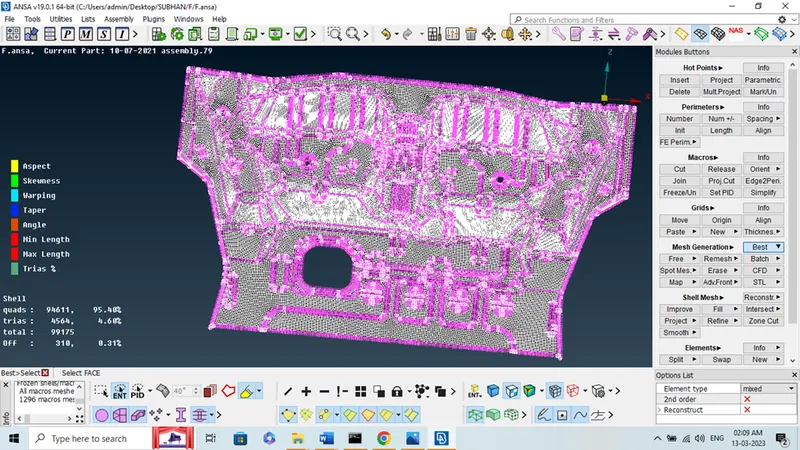
Fig. 10
- After meshing we don’t get the proper mesh as per Quality criteria so use ‘Reconstruct option from shell mesh.
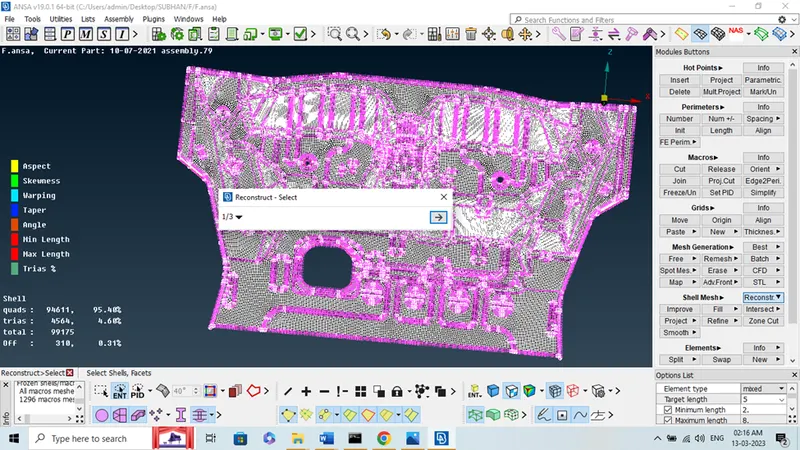
Fig. 11
- Try to reduce Tries using ‘split, Swap, collaps, Reconstruct’
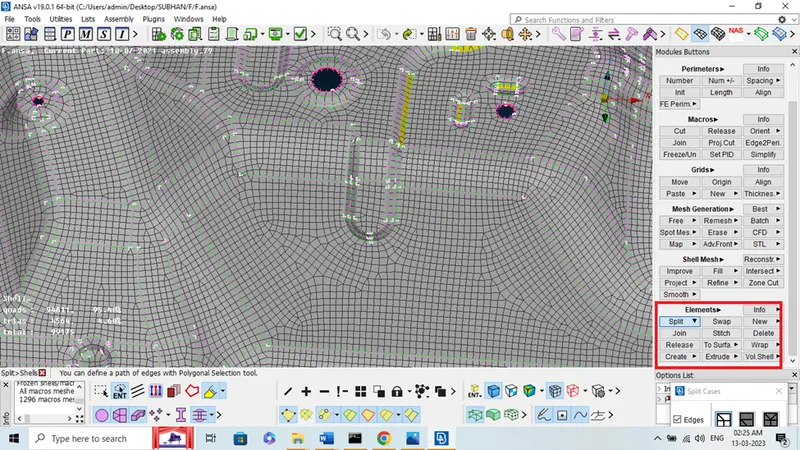
Fig. 12
- Now select draw shell as solid from Quality Presentation Parameters.
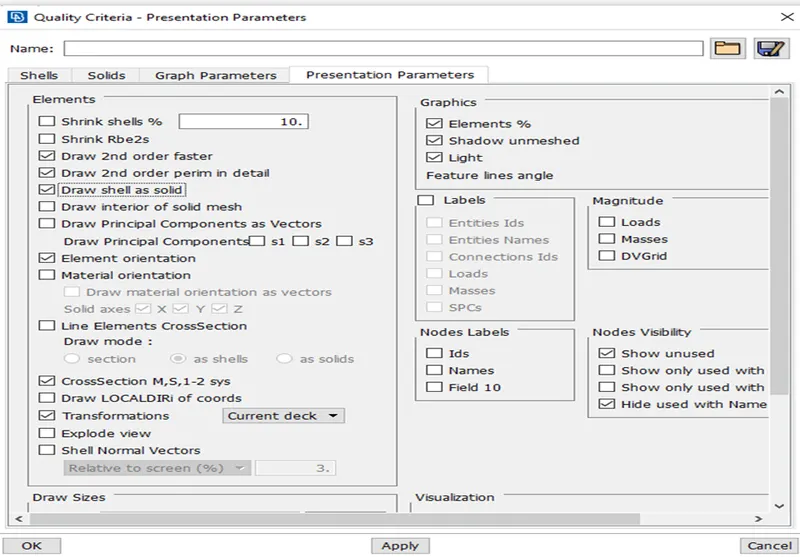
Fig. 13
5. FINAL MODEL:
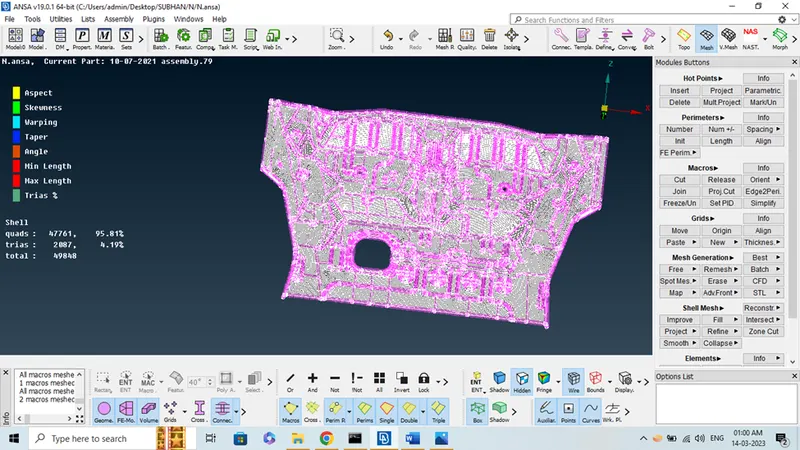
Fig. 14
6. RESULTS:
- I learn from this project some new command A Clear understanding on meshing and Ansa tool.
- Meshing effects of one feature with respective other which are attached together etc.