Week - 11 - Element quality check
Objective:
Create element quality check macro for 2D and 3D elements
Create a button for each criteria
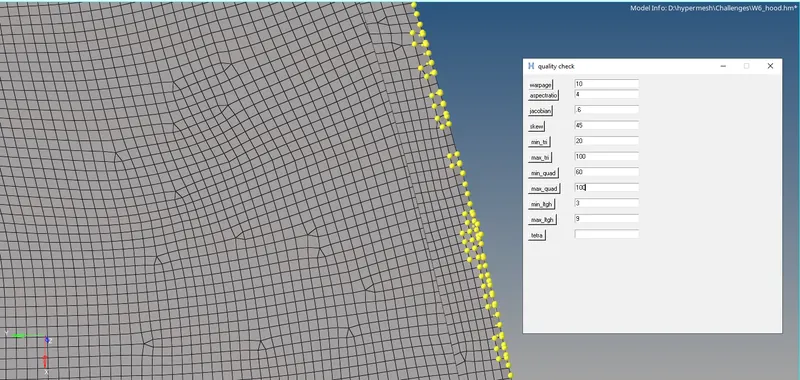
On pressing the button the elements should be highlighted using temp nodes
Entry boxes next to the buttons will accept the quality criteria value
Procedure:
Use the element quality index tool's command syntax to execute the macro.
warpage - *elementtestwarpage entities markmask angle outputmark dimension contour title
aspectratio - *elementtestaspect entity_type mark_id aspect output_mark_id dimension contour title
jacobian - *elementtestjacobian entities markmask jacobian outputmark dimension contour title
skewness - *elementtestskew entities markmask skewangle outputmark dimension contour title
min length - *elementtestlength entities markmask length outputmark wantmin dimension contour title
max length - *elementtestlength entities markmask length outputmark wantmin dimension contour title
Here the above both minimum and maximum length quality index, same index indexis used. In that syntax "wantmin" flag is present. When non zero number is given minimum length is checked whereas zero is given maximum length is checked.
min tria angle - *elementtestinterangle entities markmask testangle trias outputmark wantmin dimension contour title
max tria angle - *elementtestinterangle entities markmask testangle trias outputmark wantmin dimension contour title
min quad angle - *elementtestinterangle entities markmask testangle trias outputmark wantmin dimension contour title
max quad angle - *elementtestinterangle entities markmask testangle trias outputmark wantmin dimension contour title
similar to length, for angles trias flag and wantmin flag were used. When trias flag gets the value of 0 tria angles were checked and when 1 is given quad angles were checked.
Also in wantmin flag similar length index, 0 for minimum angle and 1 for maximum angle.
tetra collapse - *elementtesttetracollapse entities markmask collapseval outputmark contour title
GUI:
TK commands were used to execute the GUI where the buttons and entry boxes were create.
Entry boxes were used to give the inputs from users and buttons were used to check for the element failure.
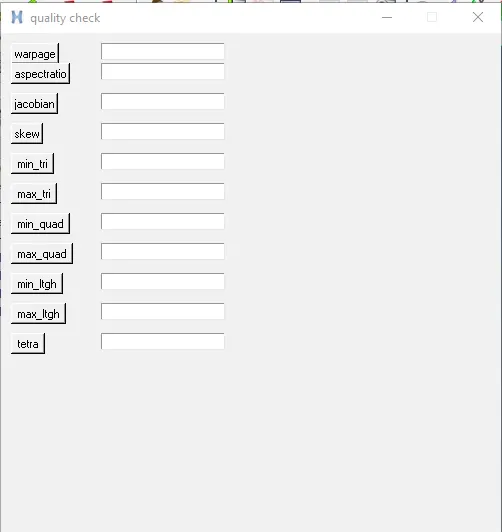
Procedures are created for each quality index that are shown in the above using their own syntax.
All those procedures are included in the buttons respective.
Also *nodemarkaddtempmark command is used to create nodes on the failure elements.
*maskentitymark, *maskreverse command is used to highkight the failed elements, so that creating nodes on failed elements function is done.
Result: