Week 11 Car Crash simulation
- Objective: To simulate the Car Crash with the wall. To perform a parametric study using 3 different values of thickness for the car body. by using Ansys Workbench
- Tool/Software: Ansys Workbench 2022R
- Modal: Provided by Skilllync (Download from the challenge)
-
Procedures:
- Drop down the Explicit dynamics, Rename as Car crash simulation.
- Add the materials we required in Engineering data, and Import the Geometry from the local system.
1 Structural Steel
2. Stainless Steel NL
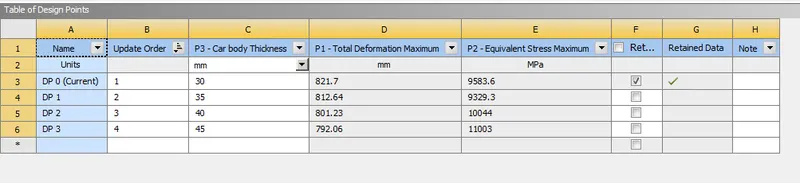
- Edit the modal Rename the parts As Wall and Car body. Assign the materials to the body. Set the parametric Thickness for the car body as 30mm. No connections are required for this simulation SO delete them.
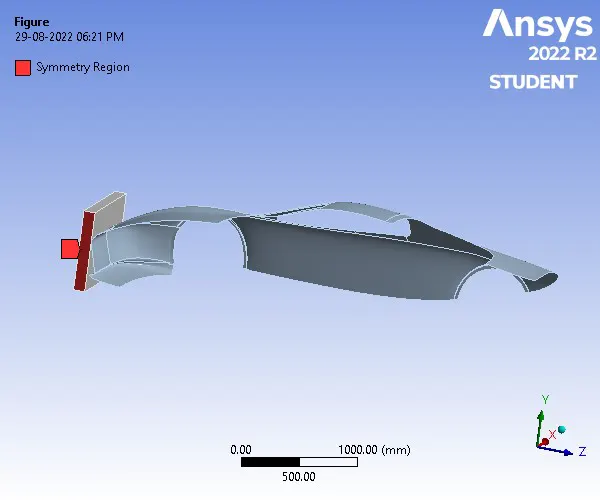
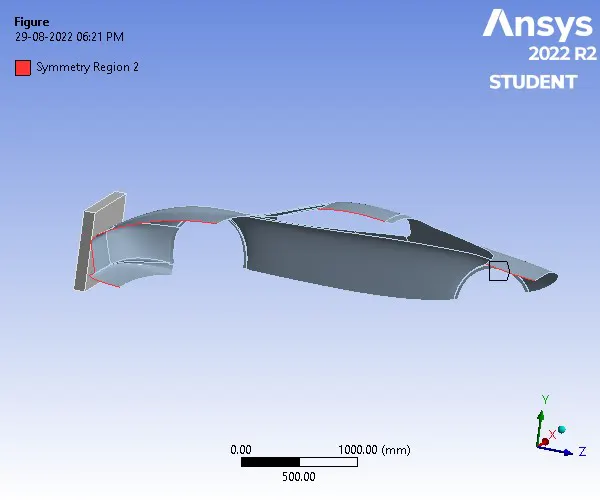
- Symmetric :
- Mesh
Object Name Patch Conforming Method Face Sizing All Triangles Method Geometry 1 Body (Wall) 5 Faces (Car body) 1 Body (Car body) Method Tetrahedrons Triangles Element Order Use Global Setting Use Global Setting Type Element Size Element Size 180.0 mm Defeature Size Default (5.8003 mm) Growth Rate Default (1.5) Smoothing High Nodes 1855 Elements 4761 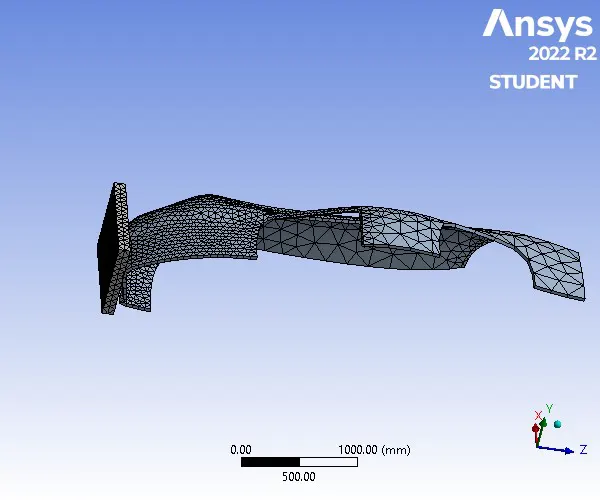
- Analysis Settings
End Time 0.001s
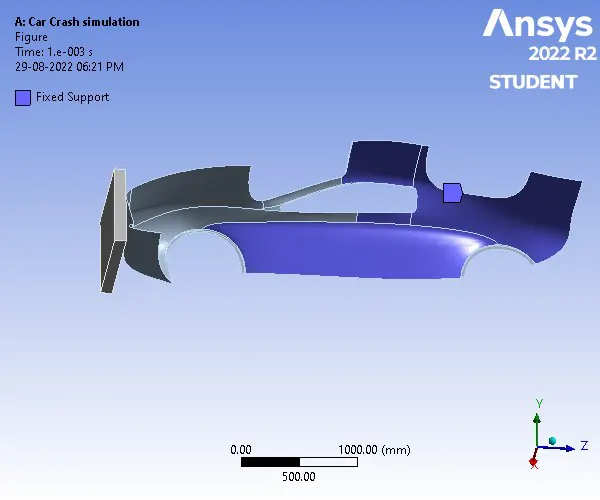
Fixed Support
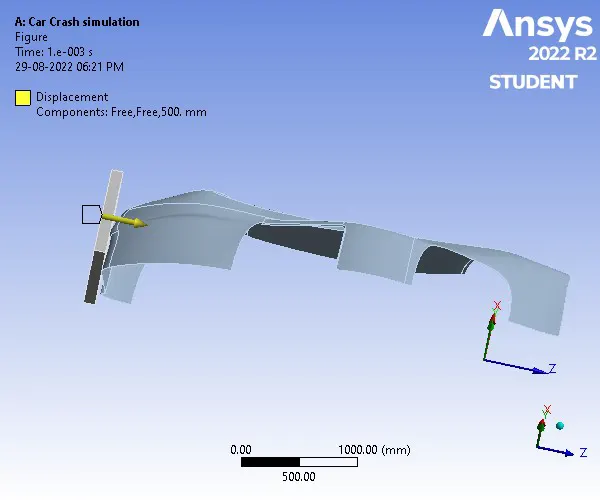
Displacement= 500mm (Z-direction)
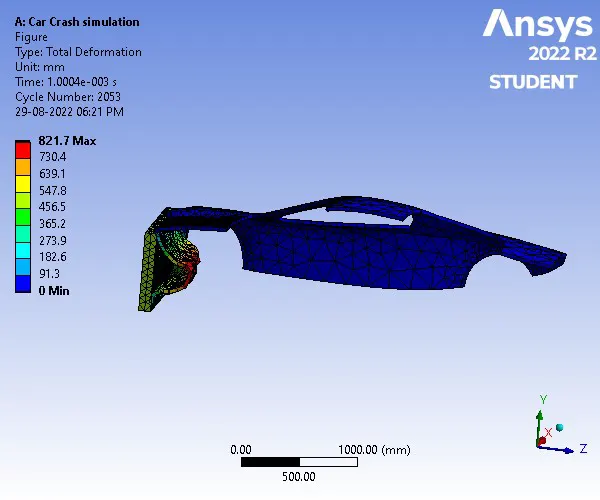
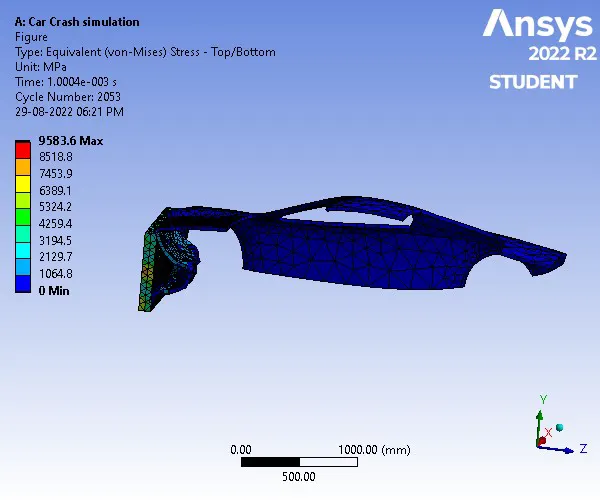
Results:
| Total Deformation Maximum | 821.700119 | mm |
| Equivalent Stress Maximum | 9583.625062 | MPa |
Parameter Results: